
R2S setup as bypass router
r2s setup as bypass router
To have a good internet experience for myself, I set up in the dorm a hardware router (ZTE AX3000) plus a software router (R2S)
The internet access method is campus account dial-up. I considered the following two networking methods:
R2S dials up, AX3000 acts as AP
- The advantage is simple configuration, but there is a single point of failure. If the software router goes down, the roommate who is ranking up will go crazy 🤣
AX3000 dials up, R2S acts as bypass router
- The advantage is that if the software router goes down it does not affect the internet experience of other roommates. The disadvantage is that DHCP needs to be configured manually

Below I will explain the bypass router configuration, divided into the following three steps
Step 1
Take out a network cable, connect it to the LAN port of r2s, and enter the openwrt backend
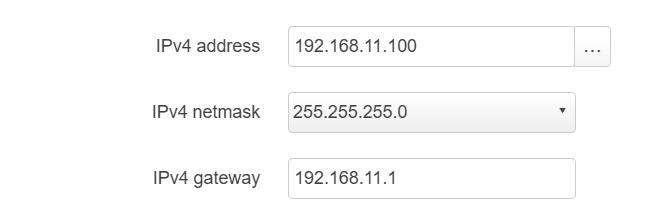
Set the LAN port IPv4 address to the same subnet as the main router, and choose an IP address that is easy for you to remember
I chose 192.168.11.100
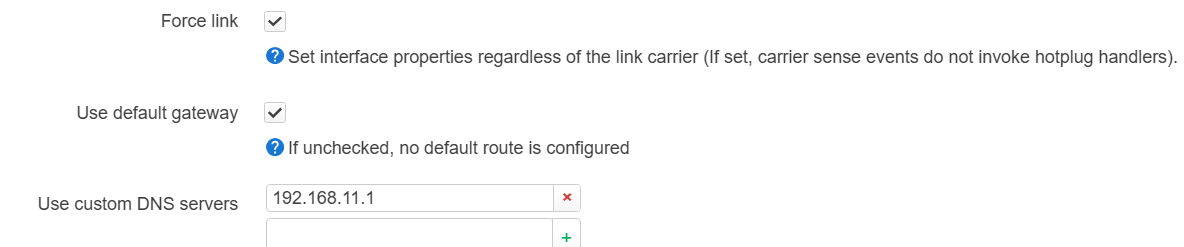
Set the IPv4 gateway and custom DNS server to the main router
Then enter the backend again

Step 2: Firewall
Go to Network -->Firewall
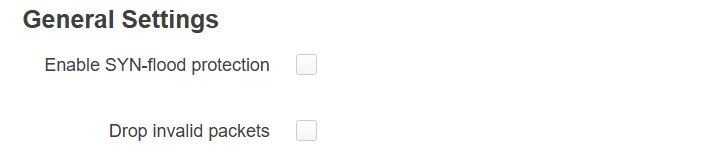
Turn offEnable SYN-flood protection
Turn on the LAN portMasquerading
PS: The meaning of these two
SYN-flood is a type of network attack where the attacker sends a large number of fake TCP connection requests (SYN requests) to exhaust server resources or crash the system. Enabling SYN flood protection can help defend against this kind of attack. However, in a bypass router configuration, turning off SYN flood protection is necessary because R2S as a bypass router does not directly handle connection requests from the external network, but processes them through the main router. Therefore, turning off SYN flood protection can prevent the bypass router from mistakenly intercepting or blocking valid connection requests handled by the main router.
Masquerading also called NAT (Network Address Translation), is used to convert IP addresses in the internal private network into public IP addresses routable on the external network, so as to communicate with the external network. By turning on Masquerading for the LAN port, R2S as a bypass router can masquerade traffic sent by internal devices and forward it to the main router, so that it is correctly routed back to the external network. This way, internal devices can use the public IP address assigned by the main router to communicate with the external network and achieve network connectivity

Final step
Unplug the LAN connected between r2s and the computer, and connect the LAN port to the main router
Connect to the main router wifi and test whether the backend can be accessed normally. Mine is 192.168.11.100
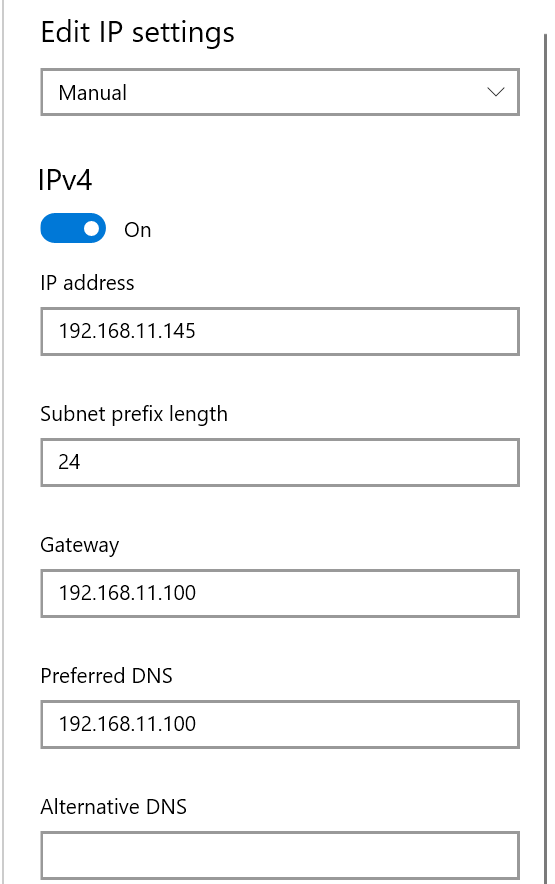
Then manually configure DHCP on the device that needs to use the bypass router, and point both the gateway and DNS to the bypass router
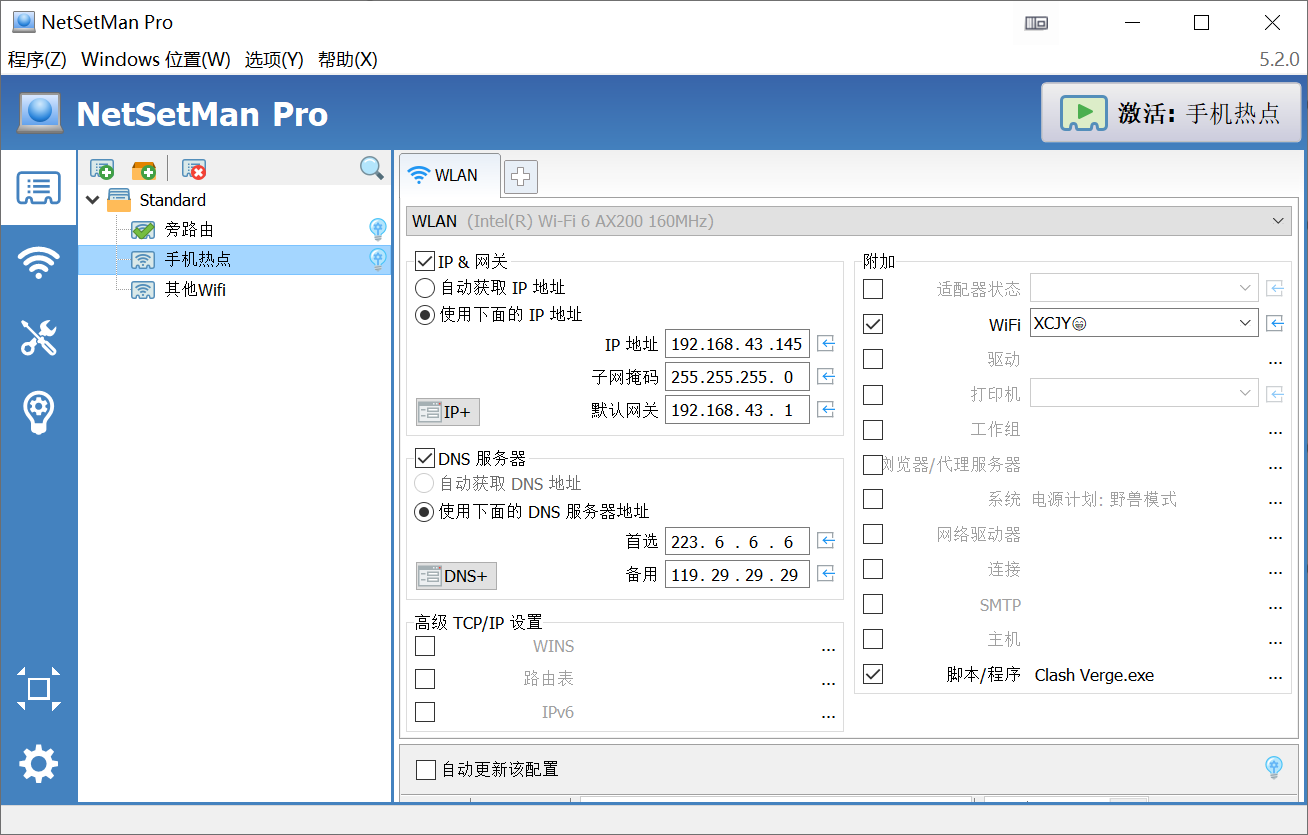
Frequent manual adjustment is very inconvenient. On Windows I recommend softwarenetsetman
that can switch the gateway and DNS with one click, and can even trigger different computer behaviors when connecting to different wifi
For example, when connecting to home Wi-Fi, automatically point to the proxy gateway, when connecting to other ordinary Wi-Fi, automatically allocate via DHCP, and automatically open specific software for specific Wi-Fi
Supplement: Power outage issue
Because the school cuts power regularly at 11:30 every day, and a sudden power outage may cause various bugs in R2S
By usingcrontabyou can schedule R2S to shut down on time
27 23 * * 0-4 poweroff
