
Jellyfin direct link Alist Aliyun Drive
No NAS at home, the network environment has no IPV6 and no public IPV4, so DDNS to the soft router is not possible, using the mobile large intranetzerotierthe speed of tailscale is also unstable (I tried self hosting zerotier moon and the improvement was not great), and doing intranet penetration from a computer within 24 hours is unrealistic, and I want to give family and friends a good viewing experience (not in the same neighborhood), so I could only adopt this solution on the Alibaba Cloud server with only 3M bandwidth and weak performancejellyfin+alist+rclone + medialink
In addition, recently because Aliyun Drive restrictions are becoming more and more strict, even if you have opened the third party rights package, without svip you will be subject to QPS limits, possibly 2 to 3 times within 1 minute, and scraping data will reach the risk control standard. To ensure the viewing experience, you need to reduce the number of times the cloud drive is accessed as much as possible (of course strm files are also possible, personally after trying I felt there were more bugs so I did not use them)
By fronting with emby or jellyfin, it can solve the scraping problem without a magic device, and also let software such as infuse and kodi no longer scrape directly but instead get data from emby or jellyfin, which largely avoids risk control, so I adopted this solution and recorded my complete operation and pitfalls
However, in this way, the jellyfin web end and clientcannot play videos, but adding jellyfin through infuse, kodi, senplayer and so on canplay perfectly
I chosejellyfininstead ofembybecause of the network environment of Alibaba Cloud ECS,jellyfinit can be very convenient to useDoubanfor scraping
jellyfinInstall on the host machine, because installing jellyfin with docker has a synchronization bug. After rclone mounts alist locally to mnt, and mnt is mapped into the jellyfin container, when the alist video updates, even if rclone manually updates the mounted files under mnt, the data in the jellyfin container will still have a bug where it cannot update
rclone
Pitfall: rememberrcloneit is best tomount youralistofroot directory
During testing, it kept failing, and I found the log error as follows
The access path is
/177/TS/xxx (2024)/Season 1/S01E09 - 2160p.H.265.WEB-DL.AAC.mp4
A path/TVwas lost, the correct one should be
/177/TV/TS/xxx (2024)/Season 1/S01E09 - 2160p.H.265.WEB-DL.AAC.mp4
Later I changed it to the root directory and everything was normal. Of course, it may also have been caused by other setting configuration errors at the time
First choose a folder you want to install to Official tutorial Install rclone config docs
Install
mkdir /opt/rclone

cd /opt/rclone
curl -O https://downloads.rclone.org/rclone-current-linux-amd64.zip

sudo apt update          # Update package list
sudo apt install unzip   # Install unzip tool

unzip rclone-current-linux-amd64.zip   # Extract rclone zip file
cd rclone-*-linux-amd64              # Enter the extracted rclone directory
sudo cp rclone /usr/bin/            # Copy the rclone binary file to the /usr/bin/ directory
sudo chown root:root /usr/bin/rclone  # Set the file owner to root:root
sudo chmod 755 /usr/bin/rclone       # Set file permissions to 755,Allow execution

#Verify whether installation succeeded
rclone --version        # Display rclone version information
Mount to rclone
After installation, you can mount alist, enterrclone config
Note that the name in the second step cannot be an existing folder in Linux!!!
Then according to the prompts, enter in order
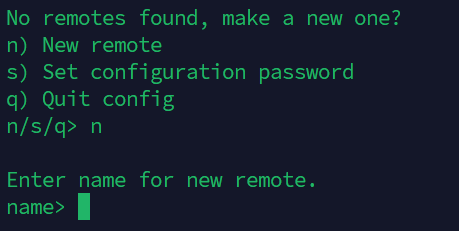
- n
- Custom name, such as
aliyunpan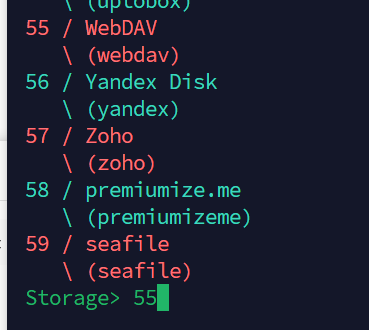
- webdav, sequence number
55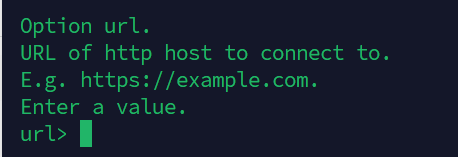 When filling in the URL, be careful to add dav https://网址/dav
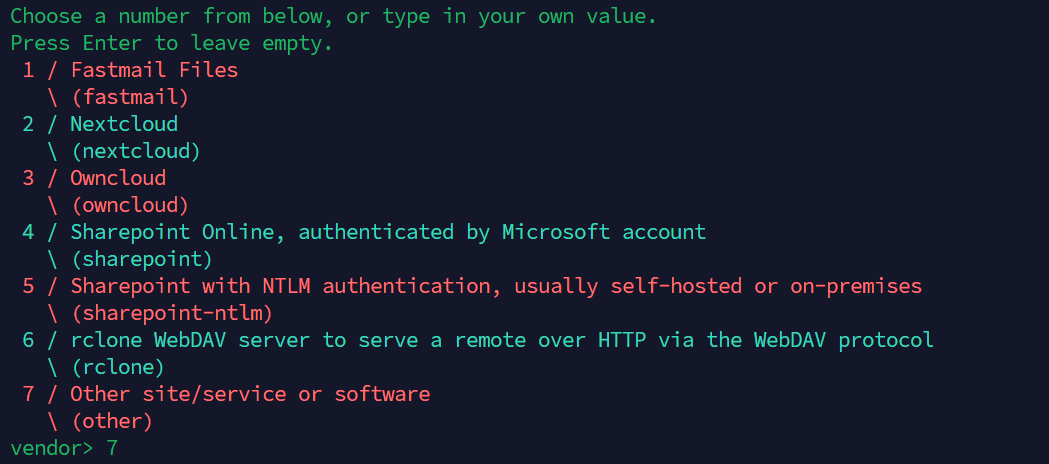 Choose 7
After that are the username and password
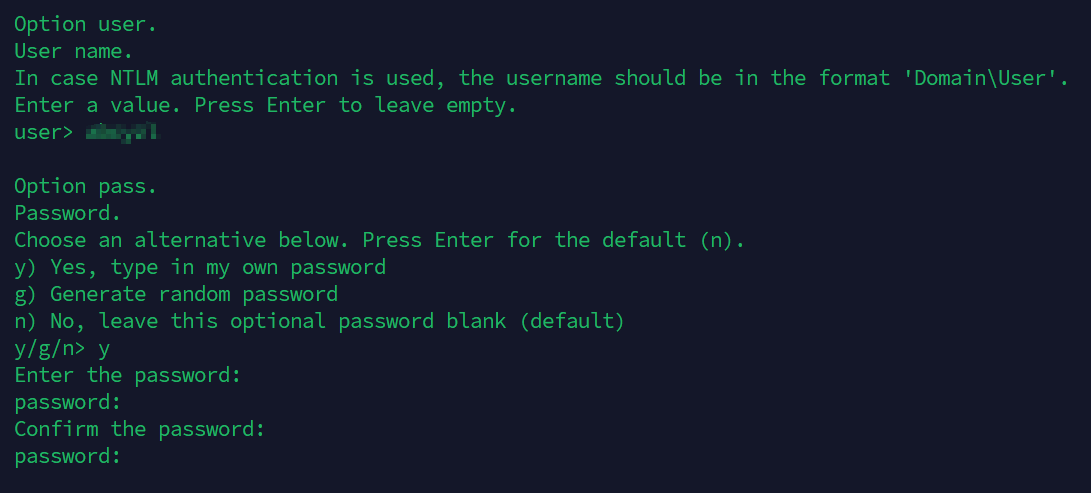
After that, just keep pressing Enter
Enter q to quit
#Verify whether the mount is successful
rclone lsd custom name (do not omit the colon):
rclone lsd aliyunpan:
Mount to local
Among them
--dir-cache-time 1m:
The directory structure cache validity period is 1 minutes--poll-interval 15s:
Every 15 seconds check the remote storage for file changes This avoids manual rclone synchronization. After an alist file is updated, it can be updated locally within 1 minute
Mount to local
Note that here I am using Alibaba Cloud Drive
# aliyunpan:/177 /mnt/177 is custom
#The format is the name before:/路径  /mnt/local path
#Remember to create the folder in advance


rclone mount aliyunpan:/177 /mnt/177 \
    --use-mmap \
    --umask 000 \
    --allow-other \
    --allow-non-empty \
    --dir-cache-time 1m \
    --poll-interval 15s \
    --cache-dir=/path/to/cache \
    --vfs-cache-mode full \
    --buffer-size 256M \
    --vfs-read-chunk-size 32M \
    --vfs-read-chunk-size-limit 512M \
    --vfs-cache-max-size 10G \
    --vfs-cache-max-age 1h \
    --network-mode \
    --no-check-certificate \
    --default-permissions \
    --header "Referer:https://www.aliyundrive.com/" \
    --daemon

# Verify whether the mount is successful
df -H
Check the local folder. At this point, the content in the alist cloud drive should already appear
Automatically mount on startup
vim /etc/systemd/system/reclone.service


Fill in
[Unit]
Description=rclone mount aliyunpan:/177 to /mnt/177
After=network-online.target
Wants=network-online.target

[Service]
Type=simple
ExecStart=/usr/bin/rclone mount aliyunpan:/177 /mnt/177 \
    --use-mmap \
    --umask 000 \
    --allow-other \
    --allow-non-empty \
    --dir-cache-time 1m \
    --poll-interval 15s \
    --cache-dir=/path/to/cache \
    --vfs-cache-mode full \
    --buffer-size 256M \
    --vfs-read-chunk-size 32M \
    --vfs-read-chunk-size-limit 512M \
    --vfs-cache-max-size 10G \
    --vfs-cache-max-age 1h \
    --network-mode \
    --no-check-certificate \
    --default-permissions \
    --header "Referer:https://www.aliyundrive.com/"
ExecStop=/bin/fusermount -u /mnt/177
Restart=on-failure
TimeoutSec=30

[Install]
WantedBy=multi-user.target


sudo systemctl daemon-reload
sudo systemctl enable reclone.service
sudo systemctl start reclone.service

sudo systemctl status reclone.service
Install jellyfin
docker pull jellyfin/jellyfin
# Create Jellyfin data folder
mkdir /opt/1panel/apps/jellyfin/config # configuration directory mount,jellyfin The plugins in are all under this directory
mkdir /opt/1panel/apps/jellyfin/cache # cache directory mount
# font files, to avoid jellyfin white boxes appearing during scraping
# your reclone location of the mounted files

docker run -d \
    --name jellyfin \
    --net=host \
    -e http_proxy=127.0.0.1:20172 \
    -e https_proxy=127.0.0.1:20172 \
    -e all_proxy=127.0.0.1:20172 \
    --volume /opt/1panel/apps/jellyfin/config:/config \
    --volume /opt/1panel/apps/jellyfin/cache:/cache \
    --volume /usr/share/fonts:/usr/local/share/fonts \
    --mount type=bind,source=/mnt,target=/mnt \
    --restart=unless-stopped \
    jellyfin/jellyfin
After that, remember to allow the corresponding port 8096 in the Alibaba Cloud firewall
If you are not using a proxy, just use the Douban scraper
If you are not using a proxy, delete the three lines above
    -e http_proxy=127.0.0.1:20172 \
    -e https_proxy=127.0.0.1:20172 \
    -e all_proxy=127.0.0.1:20172 \
Install the Douban scraper
In the jellyfin repository Add this link https://mirror.ghproxy.com/https://github.com/cxfksword/jellyfin-plugin-metashark/releases/download/manifest/manifest_cn.json
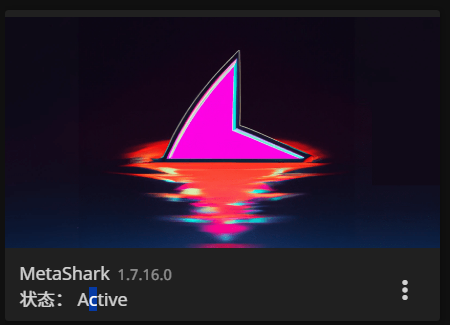 Install this plugin, then select and use it
Server side plugin installation
/opt/1panel/apps/jellyfin/config/plugins
media reverse proxy
/home/MediaLinker/
chen3861229/embyExternalUrl: some emby/jellyfin scripts
docker run -d \
  --name MediaLinker \
  --network host \
  -v /home/MediaLinker/:/opt/ \
  thsrite/medialinker:latest
jellyfin needs to be modified in five places according to the configuration file instructions
const embyHost = "";
const embyApiKey = "";
const mediaMountPath = ["/mnt"];
const alistAddr = "";

// Note jellyfin starts with a lowercase letter mediaSourceId
  keyExpression: "r.uri:r.args.mediaSourceId", // "r.uri:r.args.MediaSourceId:r.args.X-Emby-Device-Id"
Then restart MediaLinker Also remember to allow port 8091
After that, you can add it and enjoy watching
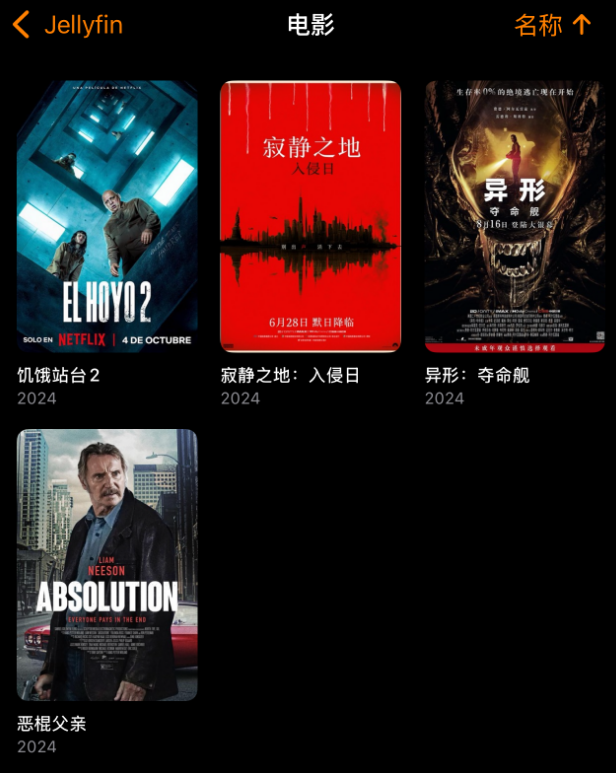
KODi
Install the infuse and kodi plugins in jellyfin
Players such as infuse and Senplayer all addjellyfin sourceand that is enough
Kodi | Jellyfin official introduction kodi needs to install the jellyfin official repositoryKodi | Jellyfin Official Repository
Just install Jellyfin. Personally I think jellycon is not as good as jellyfin, so just pick one.
Use plugin mode
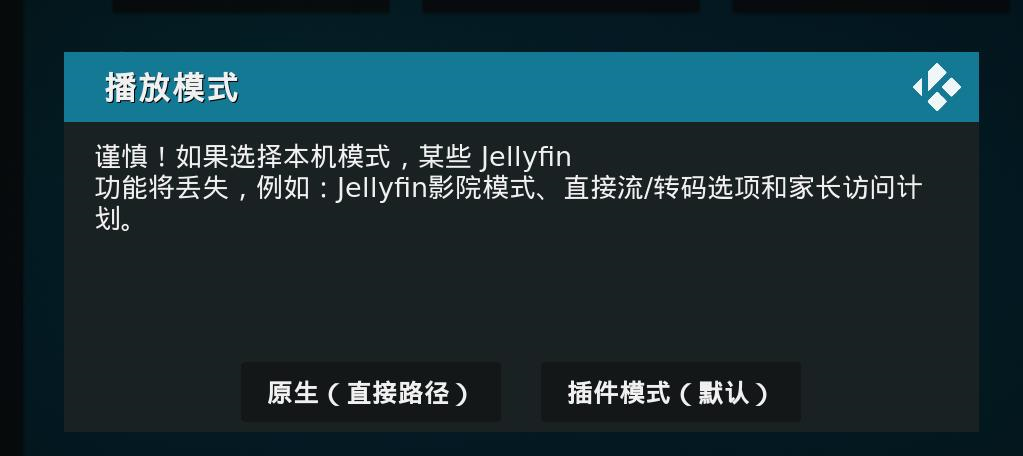
Summary
jellyfin
http://127.0.0.1:8096

medialink
nginx port, default 8091
nginx ssl port, default 8095
automatically forward the port to the backend 8096
Other Issues
Jellyfin font white box issue
Releases, notofonts noto-cjk
Download All Variable OTF/OTC
# rename to for example noto-serif-cjk.zip
#upload to/usr/share/fonts/
cd /usr/share/fonts/
unzip noto-serif-cjk.zip

#refresh font cache
sudo fc-cache -fv
#delete the previous cover and refresh metadata
#then restart jellyfin and mediaLink(if already installed)