NAT, DHCP and Port Forwarding in the Home Network
Wifi
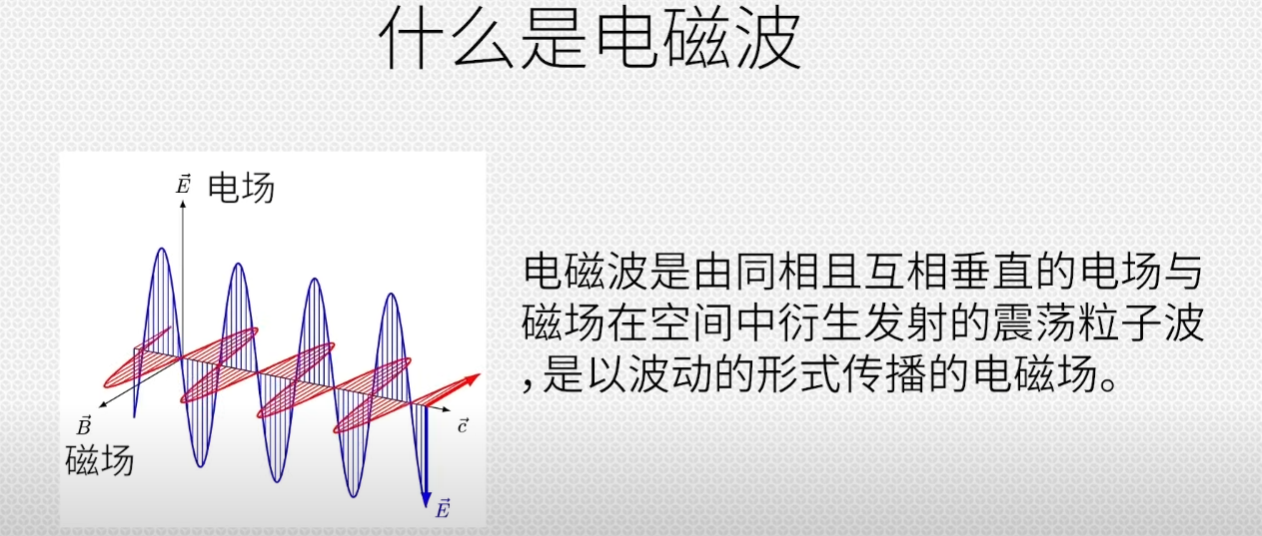
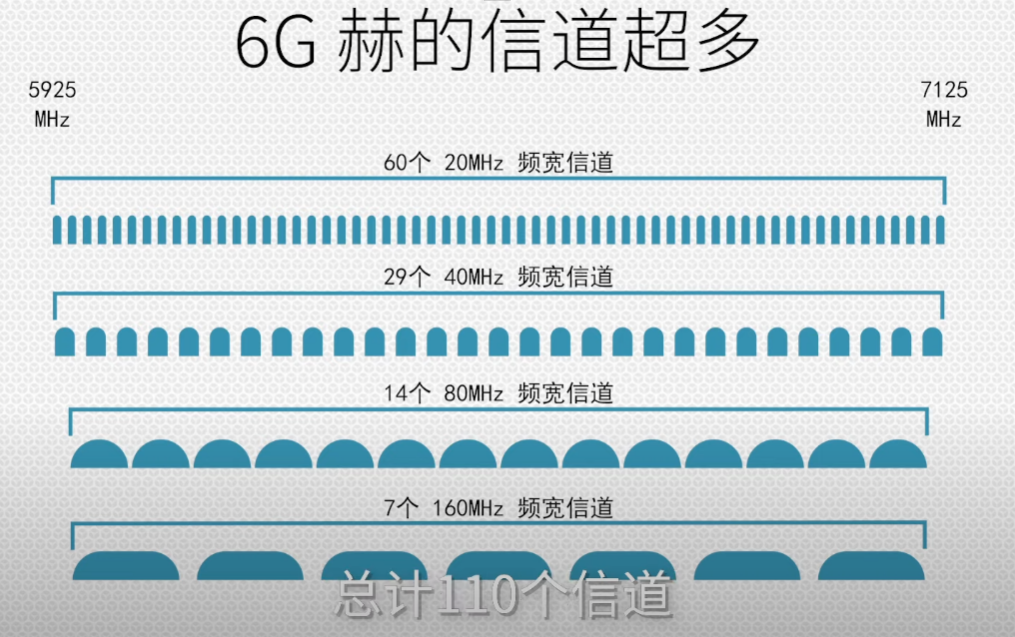
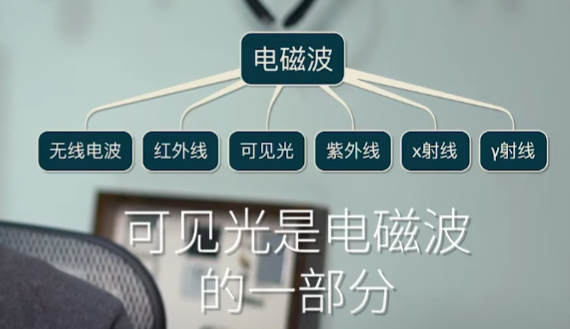 Frequency, channel, wavelength
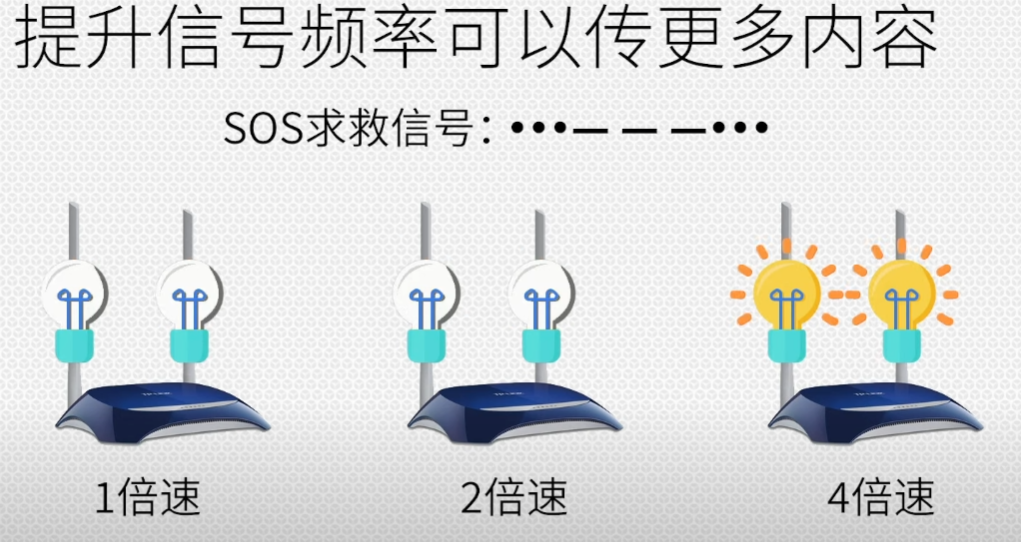
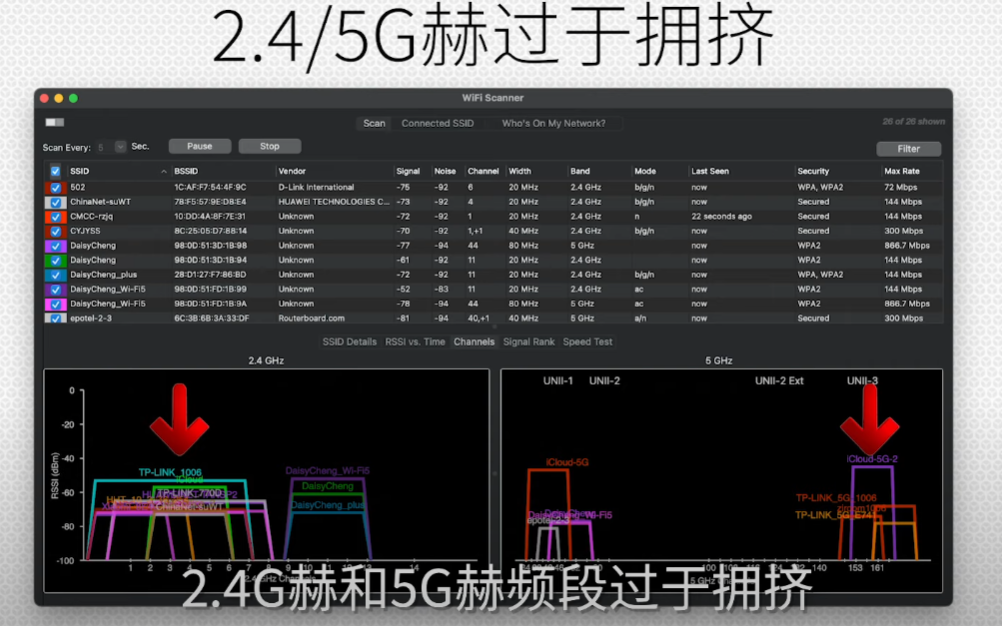
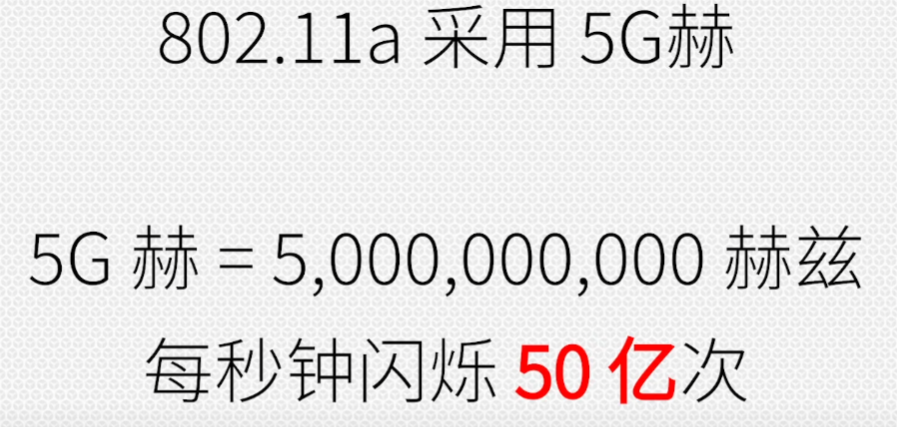 The higher the frequency, the faster the speed
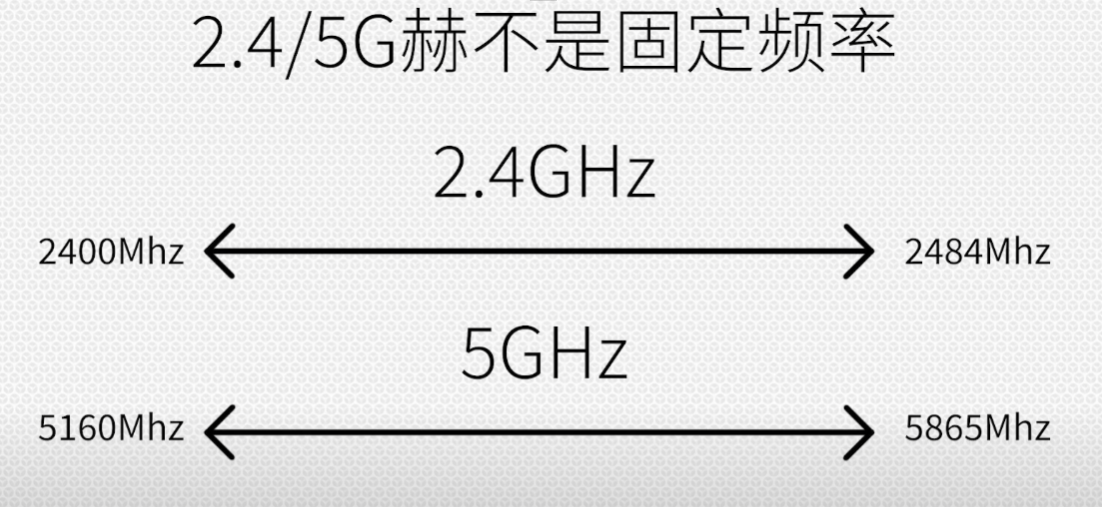
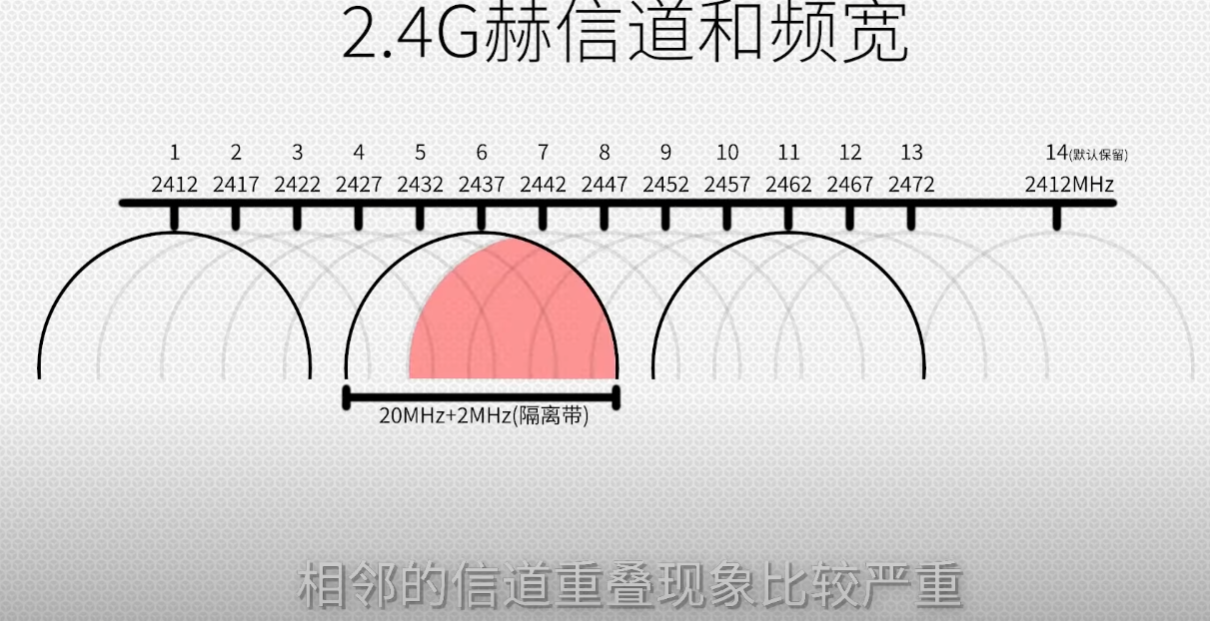
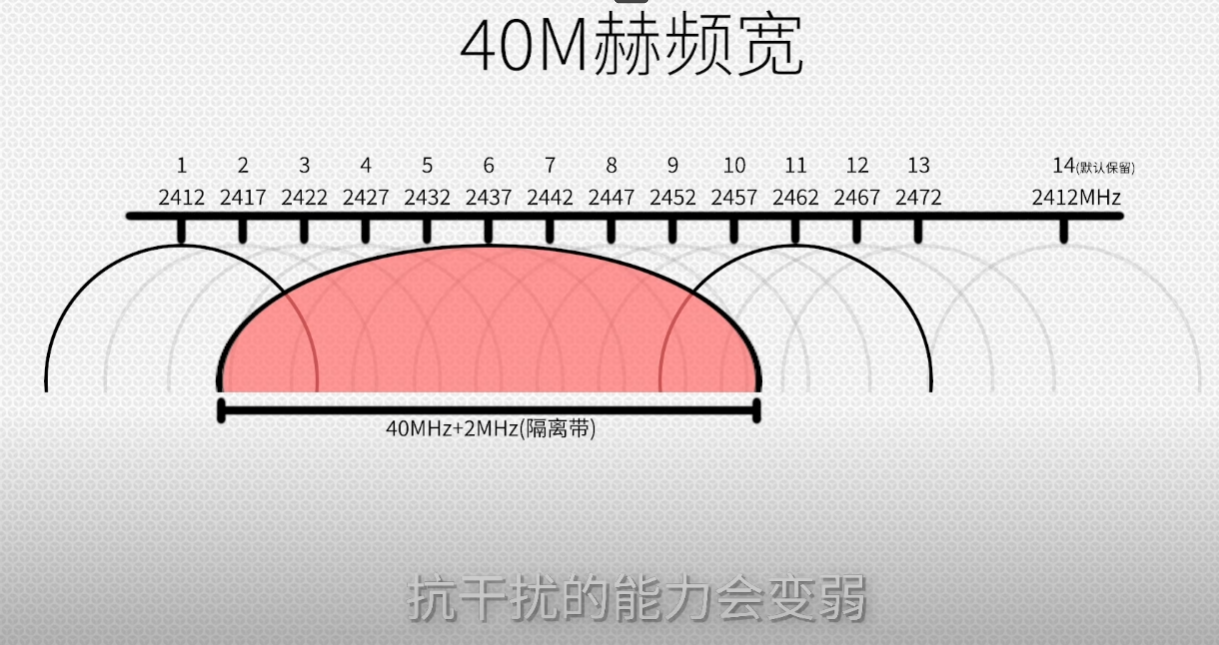 The advantage is that in the same amount of time more content is transmitted, so the speed is faster, but the ability to resist interference becomes weaker
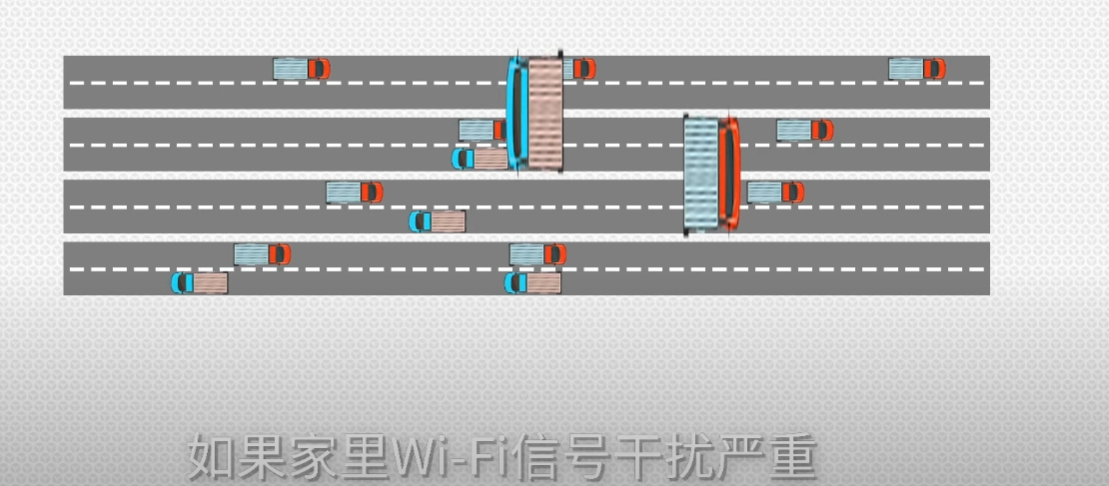
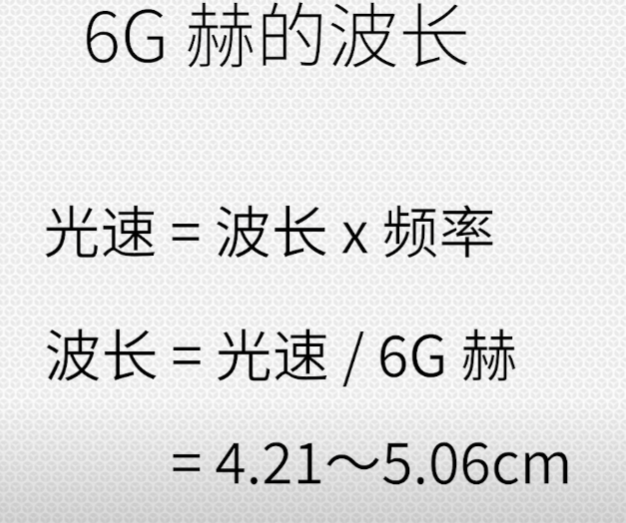
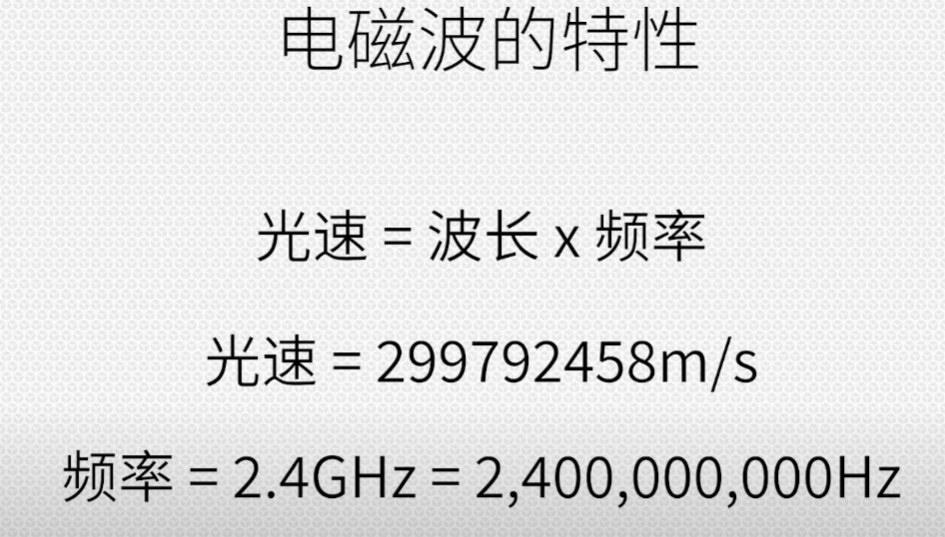 2.4G has a long wavelength, and the longer the wavelength, the smaller the attenuation, and the easier it is to bypass obstacles and continue propagating, so the wall penetration ability of the 2.4G signal is much stronger than that of the 5G signal
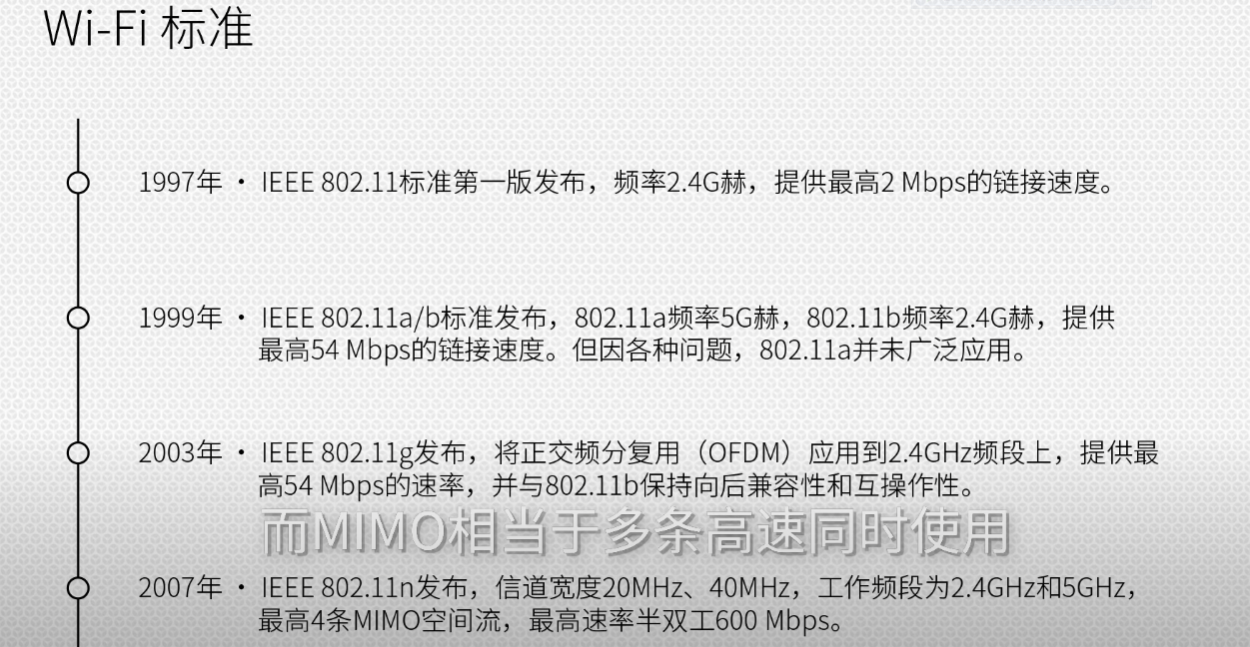
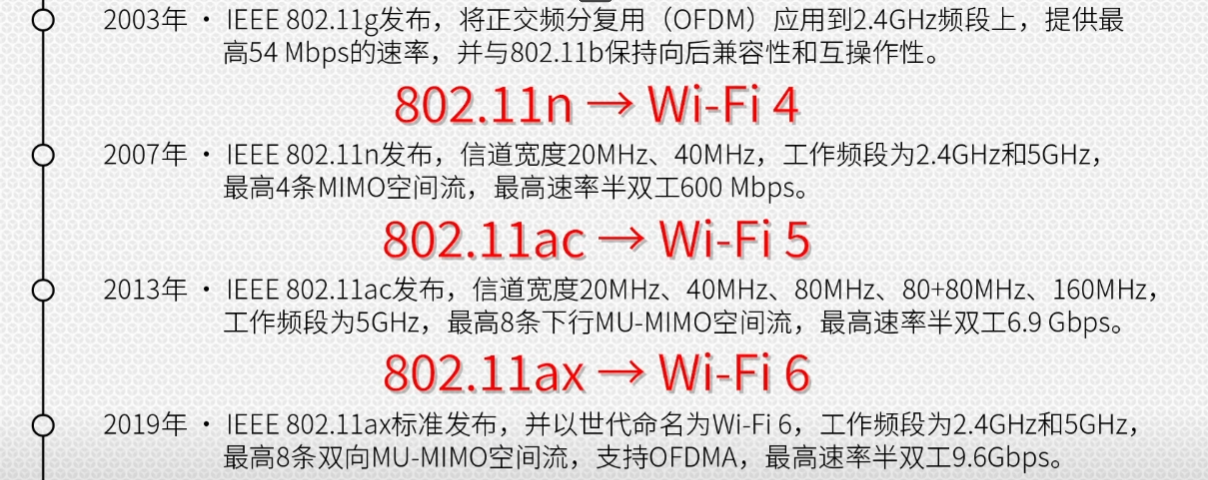
 Centimeter wave
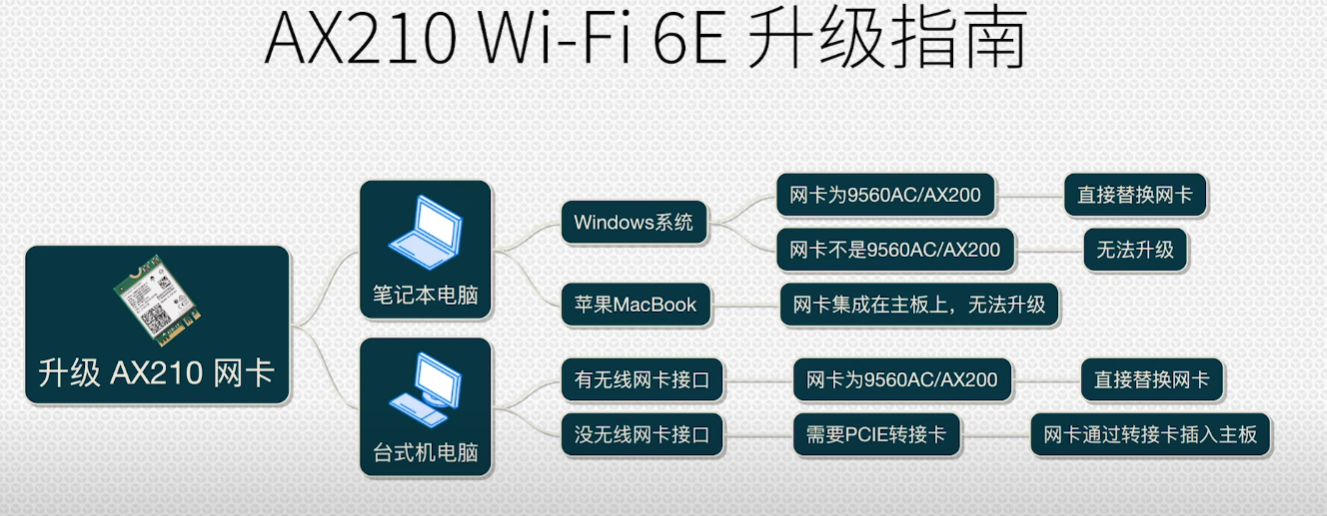 The R7000P is AX200
✔❌
- Install the corresponding driver
- Plug it in and restart (do not plug it in the first time the system is installed)
Frequency: 5G Channel: 149 (this network card on the r2s cannot use all channels, only 36-48, 149-161) 802.11b rate wrong Mode: access point AP
Modify> Operating frequency mode AC 80mBPS
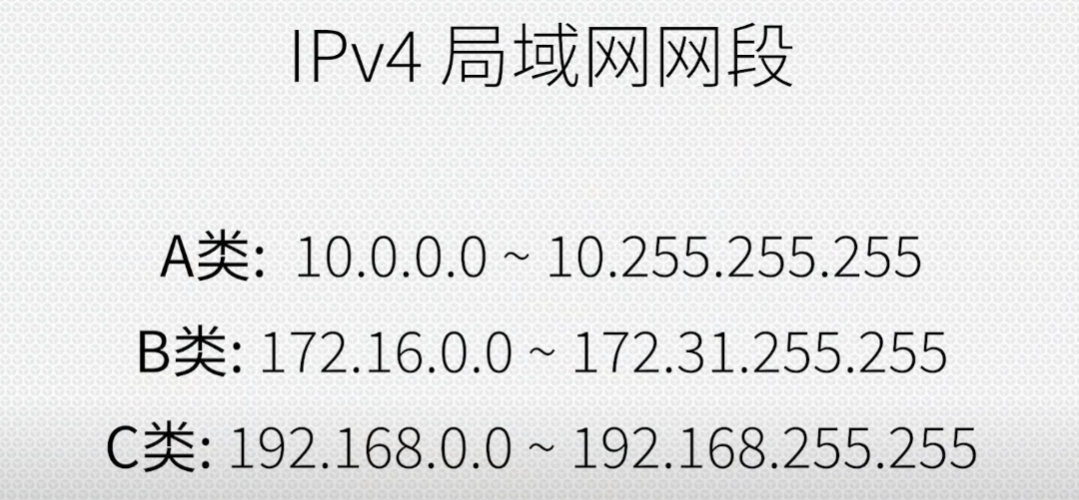
IPV4
Large internal network
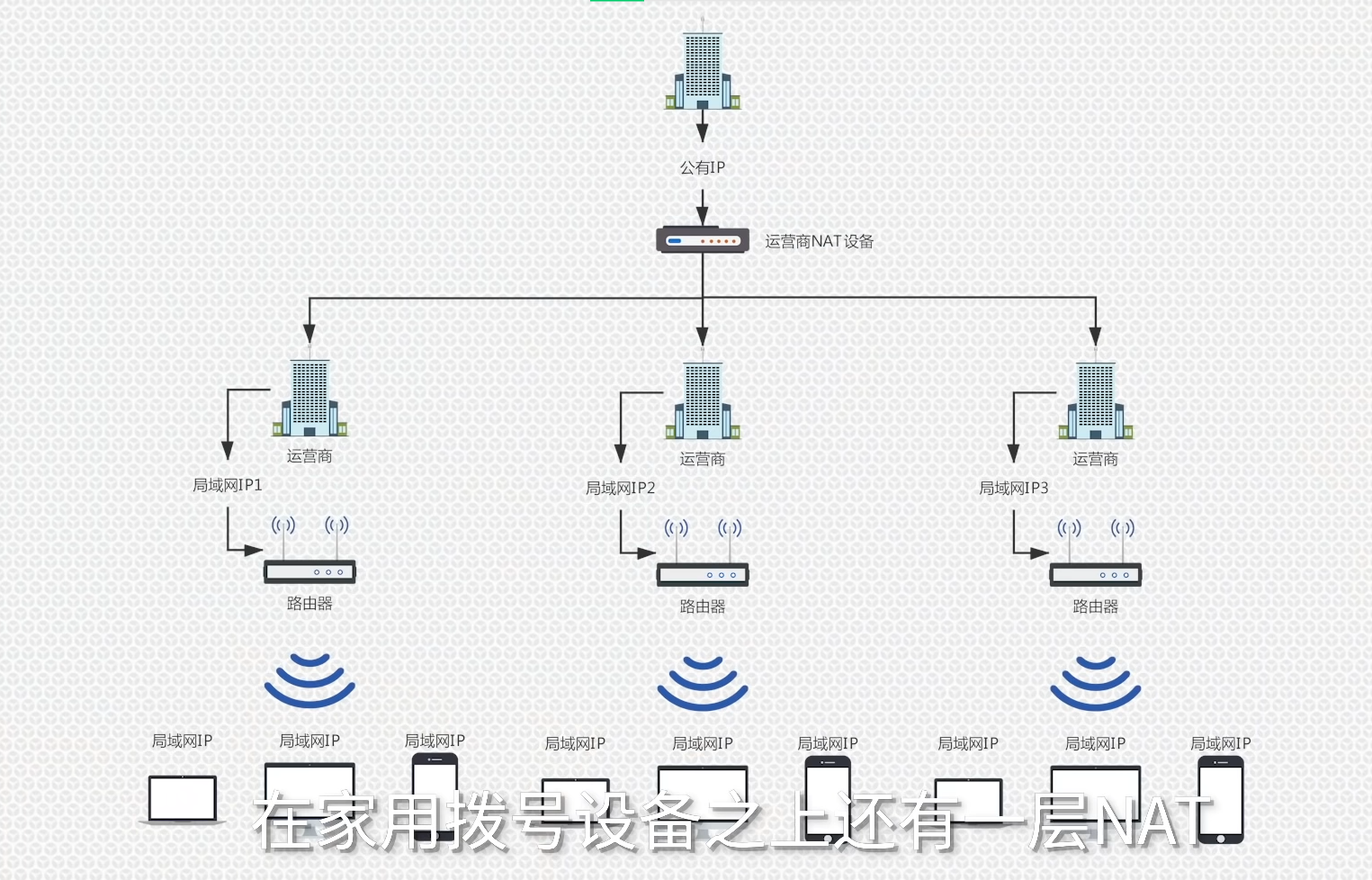
If the IP shown by Baidu is different from the router IP, it means you are on a large internal network, and at this time accessing the internal network requires internal network penetration
IPV6
IPV6 was born to solve the problem of IPV4 not being enough, but its compatibility is not as good as ipv4
IPV5 is an experimental streaming media protocol based on IPV4, a type based on IPV4, with no revolutionary technology
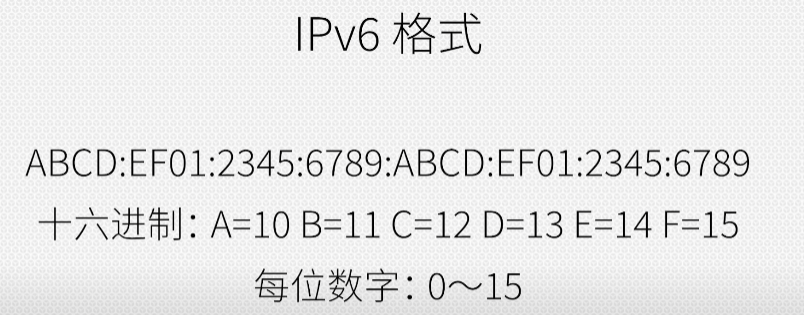 Upgraded from the original base 10 to base 16
The number of digits was also upgraded from 6 digits to 32 digits
Usable 2 to the 128th power, 500 million characters (can provide an ip address for every grain of sand in the world)
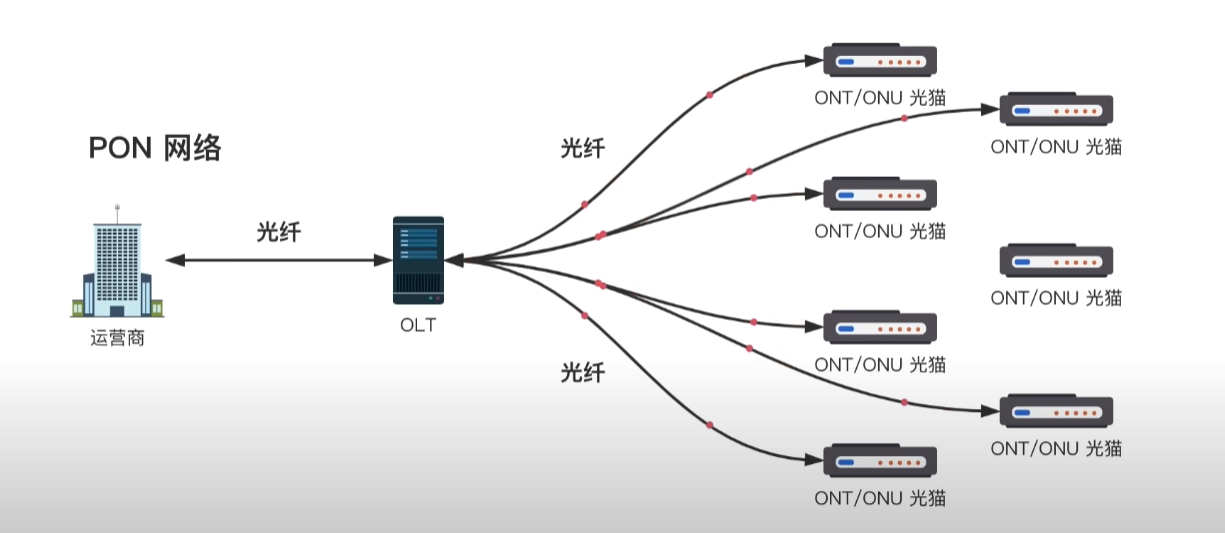
Optical modem (modem) (modulator demodulator)
(The modem used to be responsible for converting the analog signal of the telephone line into the digital signal of the computer, and now it is responsible for converting the optical signal in the optical fiber into a digital signal)
Optical modem bridge mode
Port forwarding needs to be used to map to openwrt or nas
- In order to prevent the optical modem performance from being too weak
- One less layer of nat
- Port forwarding (mapping) is rather troublesome
Bridge mode will access the internet through the soft router, and all data packets from the external network will be sent to the soft router, so setting up port forwarding on the soft router is very simple
Port mapping
Port mapping is mapping a port of a host in the internal network to a port of a host on the external network, to provide the corresponding service. When a user accesses this port of the external network IP, the server automatically maps the request to the corresponding machine inside the local area network. Port mapping is mapping a port of a host in the internal network to a port of a host on the external network, to provide the corresponding service. When a user accesses this port of the external network IP, the server automatically maps the request to the corresponding machine inside the local area network.
For example, we have a Web server in the internal network, but users on the external network have no way to directly access this server. So we can set up a port mapping on the router, and as long as an external network user accesses port 80 of the router ip, the router will automatically forward the traffic to port 80 of the internal network Web server. Also, there is a Session on the router, and when the internal network server returns data to the router, the router can accurately send the message to the host of the external network requesting user. In this process, the router acts as a reverse proxy, and it protects the security of the hosts in the internal network.
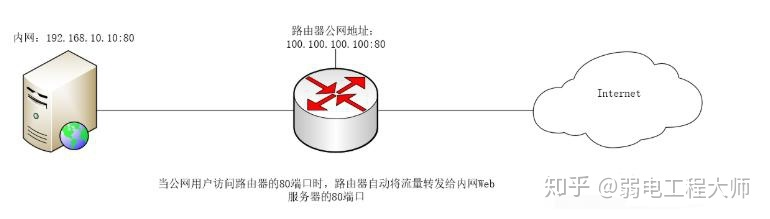
Port forwarding
Port forwarding: Port forwarding, sometimes called tunneling, is a method used by Secure Shell (SSH) for secure network communication.
For example, we are now on the internal network and have no way to directly access the external network. But we can access the external network through the router NAT method. If we now have 100 hosts on the internal network, then we are all communicating with the external network through this one public IP of the router.
So, when a message from the internet is sent back, how does the router know that this message is for him and that other message is for you?
This requires binding our ip address with the router port, and at this time there will be a table in the router corresponding the internal network ip and the router port. When port 10000 of the router receives a message, it knows to send the message to him, and when port 20000 receives a message, it knows to send the message to you. This is port forwarding, which forwards the traffic received on one port to another host.
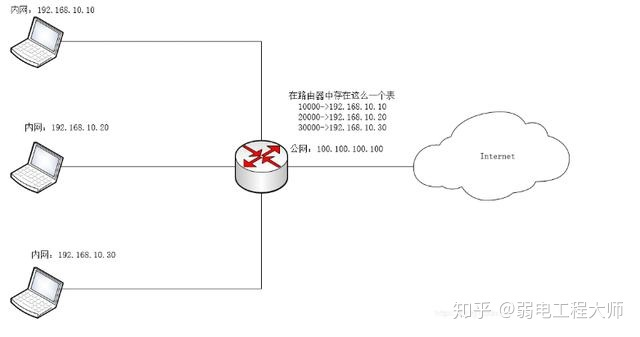
NAT (Network Address Translation)
It is a technology that converts internal private network addresses (IP addresses) into public network IP addresses. For example, the network card address inside our computer is 192.168.1.100, but when we search IP on Baidu it shows 220.112.224.53, and this is_NAT_function.
DHCP
Responsible for assigning an ip address to each device on the internal network and telling the device what the gateway is
If the optical modem and the side router both assign ip addresses to internal network devices, it will cause some devices gateway to point to the optical modem, and the side router loses its meaning, so the optical modem DHCP must be turned off
What happens if Dhcp is turned off
When the DHCP function is turned off, clients that automatically obtain an IP address cannot get an IP address, because there is no server to respond to their request to obtain an IP address.
After the Dhcp service is turned off, internet devices need to manually set an ip address to access the internet.
DDNS
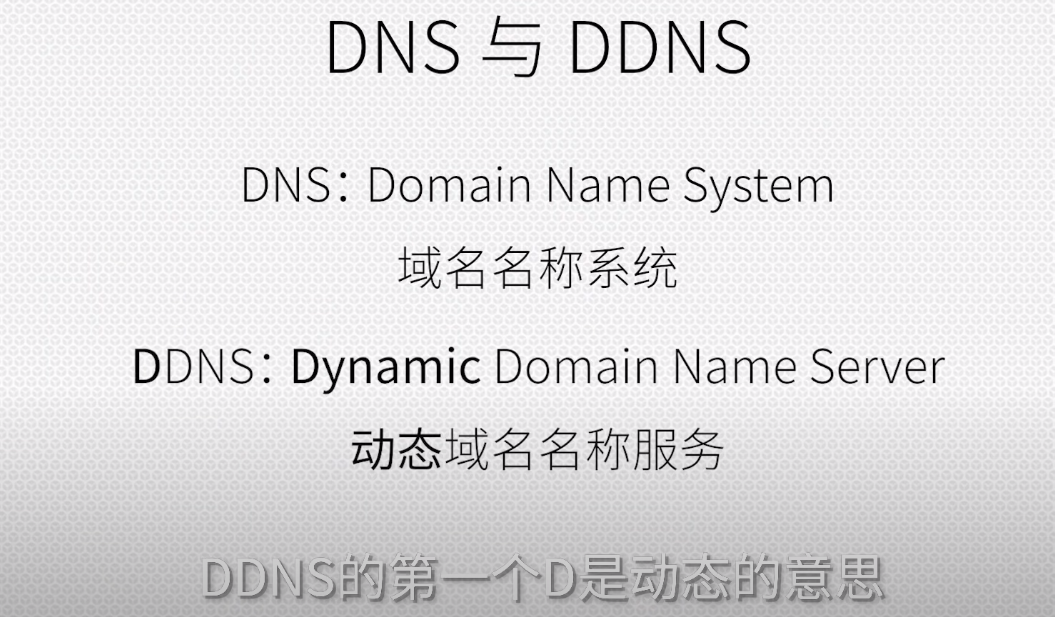
By running a DDNS service locally, when it finds that the IP does not match the DDNS record, it will automatically update the DNS IP record (solves the problem of home IPs changing frequently)
Buy a domain name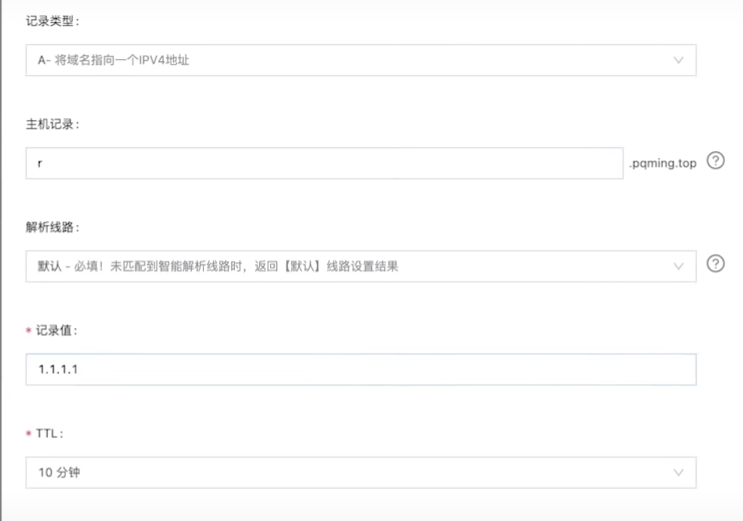
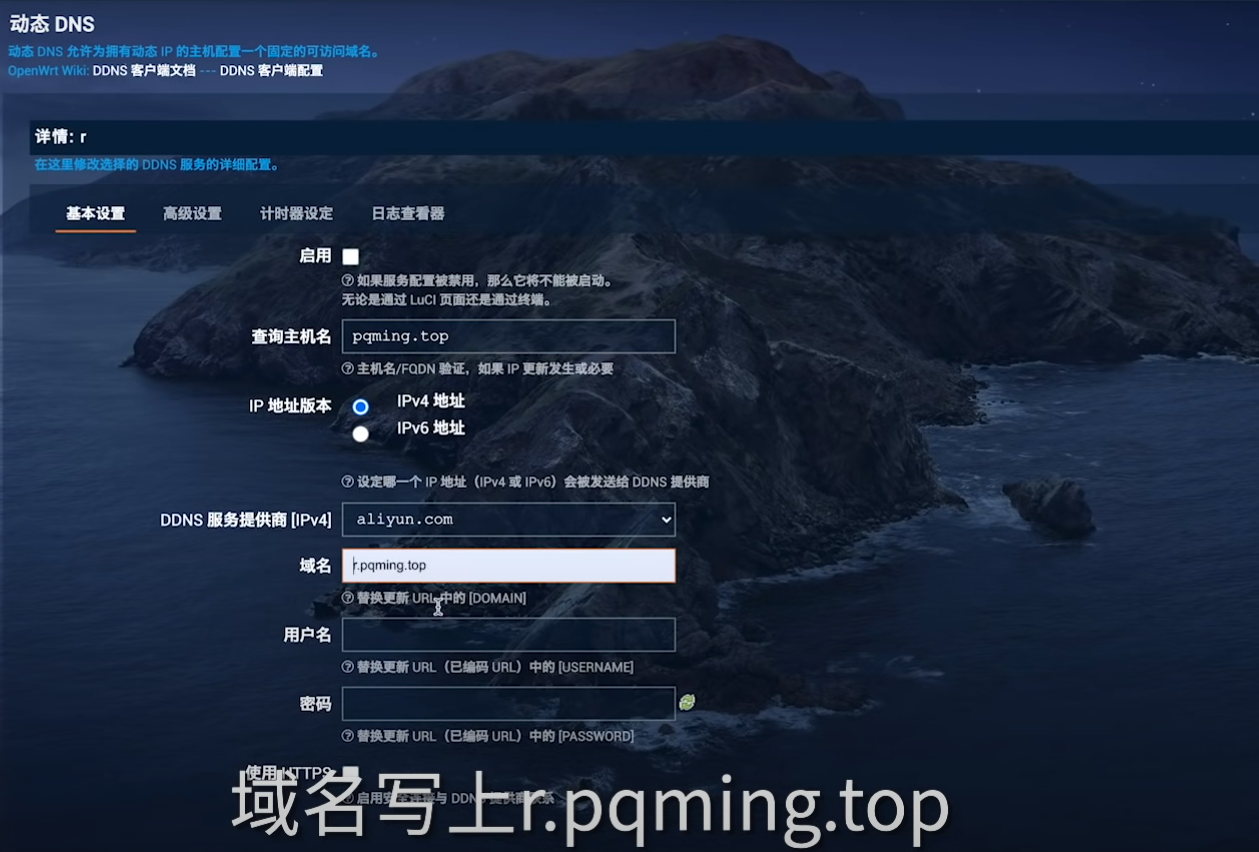
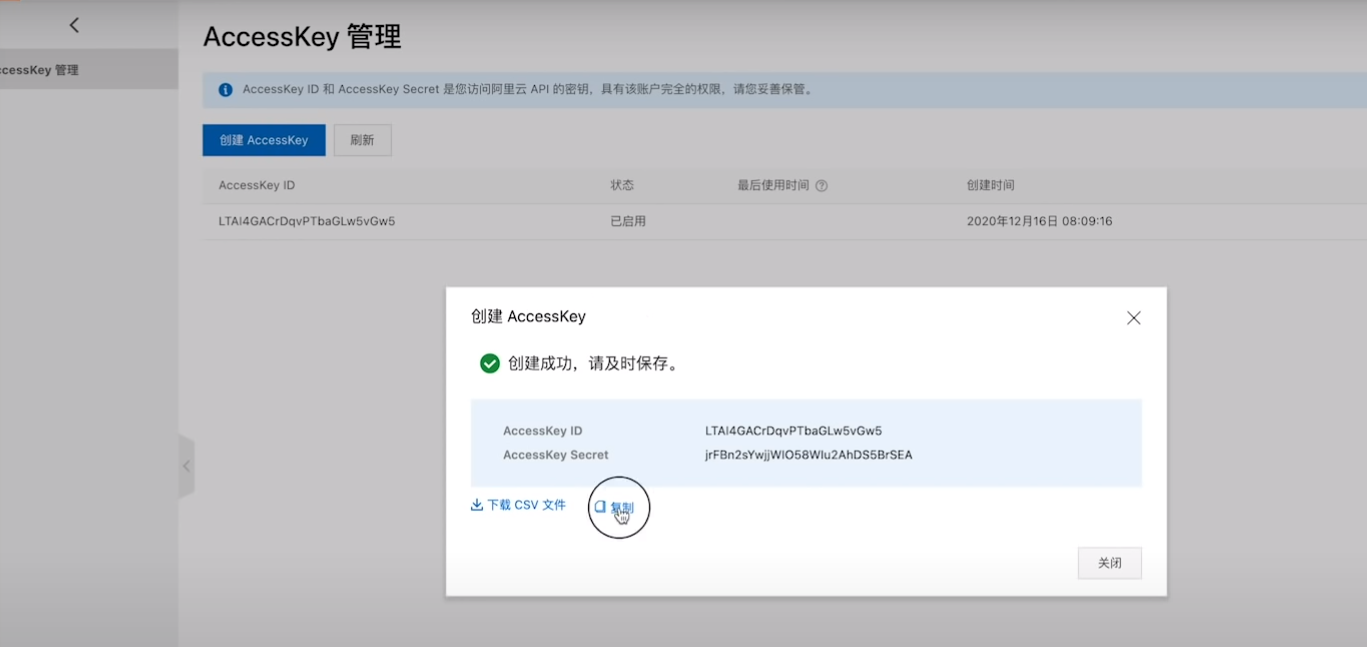
 Main router or side router wan side lan
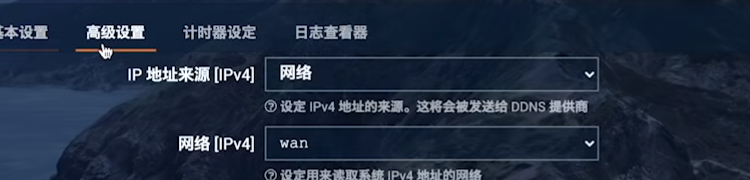
BBR congestion control algorithm
BBR is Google company famous acceleration software, and the purpose of BBR is to run the bandwidth as full as possible, and to avoid queuing situations as much as possible, which is still fairly useful on the server side, and anyone who has set up a server or VPS knows that BBR acceleration is installed on the server, and why you feel the speed has become faster, your local network has not changed, and the speedup you perceive is actually the server with BBR installed sending data to you faster, so what BBR optimizes is the speed at which the server sends data, that is, the server network uplink speed, and knowing this makes it easy, and similarly, enabling BBR on the router is actually also optimizing your local network uplink speed, that is, upload, and has nothing to do with downlink download speed
Full cone NAT
It is actually the same thing as Fullcone NAT in the firewall. This switch in Turbo ACC and this switch in the firewall are the same, both enable Fullcone NAT, and Fullcone NAT does not depend on Turbo ACC. It can be used without it. The function of this full cone NAT is to raise the NAT level and increase the UDP interconnection rate for P2P applications and some game consoles, such as Switch and PS
In a P2P network environment, multiple computers connected to each other are all in a peer position. Each computer has the same function, there is no distinction of master and slave. A computer can act as a server, setting shared resources for other computers in the network to use, and can also act as a workstation. Generally speaking, the entire network does not rely on a dedicated central server, nor does it have a dedicated workstation. Each computer in the network can act as a requester of network services and also respond to requests from other computers, providing resources, services and content. Usually these resources and services include: sharing and exchange of information, computing resources such as sharing of CPU computing power, storage sharing such as use of cache and disk space, network sharing, printer sharing, etc.
DNS caching is unnecessary, the software all has it built in
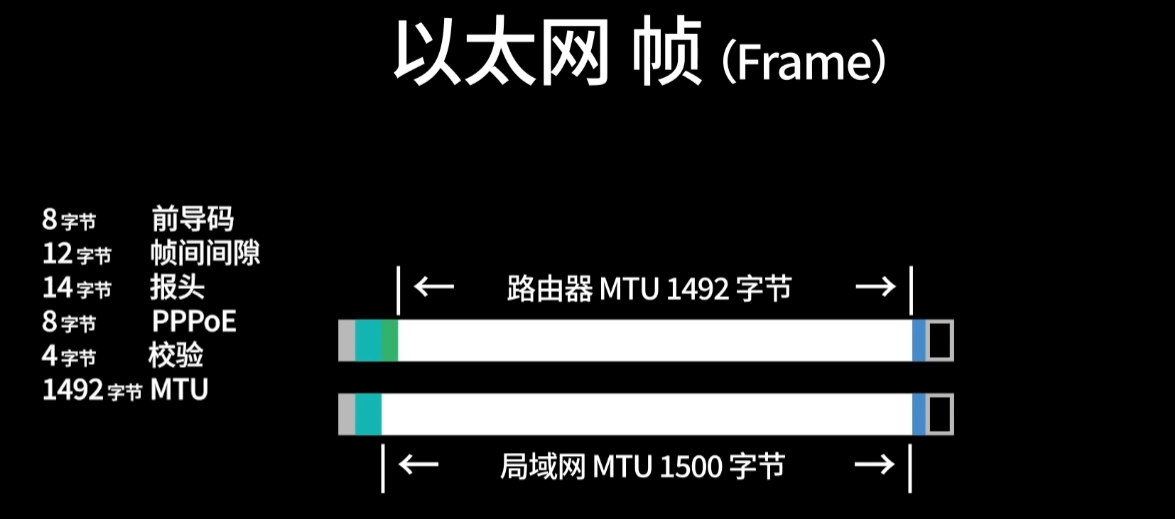
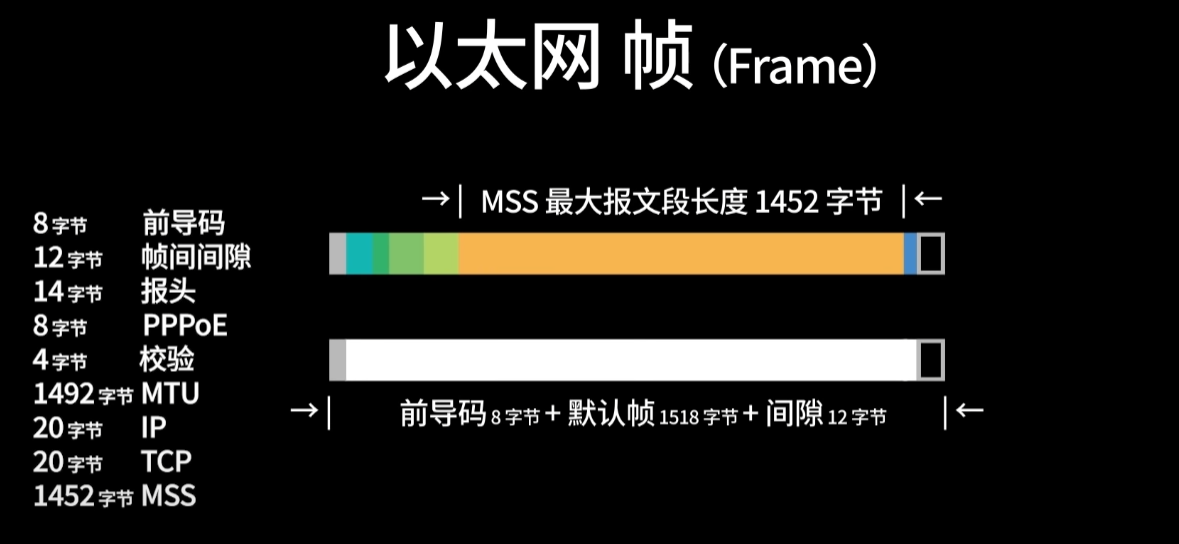
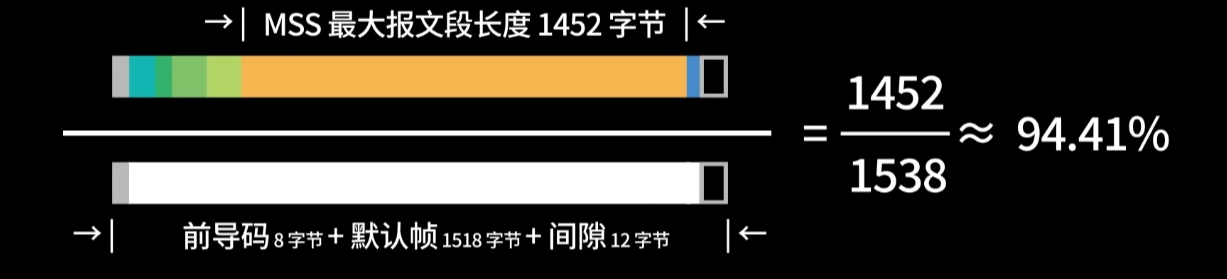
Command to test MTU
The larger the MTU value, the larger the packet volume, and the packet sending time decreases, which in theory can improve the network. How do you test the maximum value of your MTU?
ping -f -l 1453 www.baidu.com