JVM, Memory and Garbage Collection
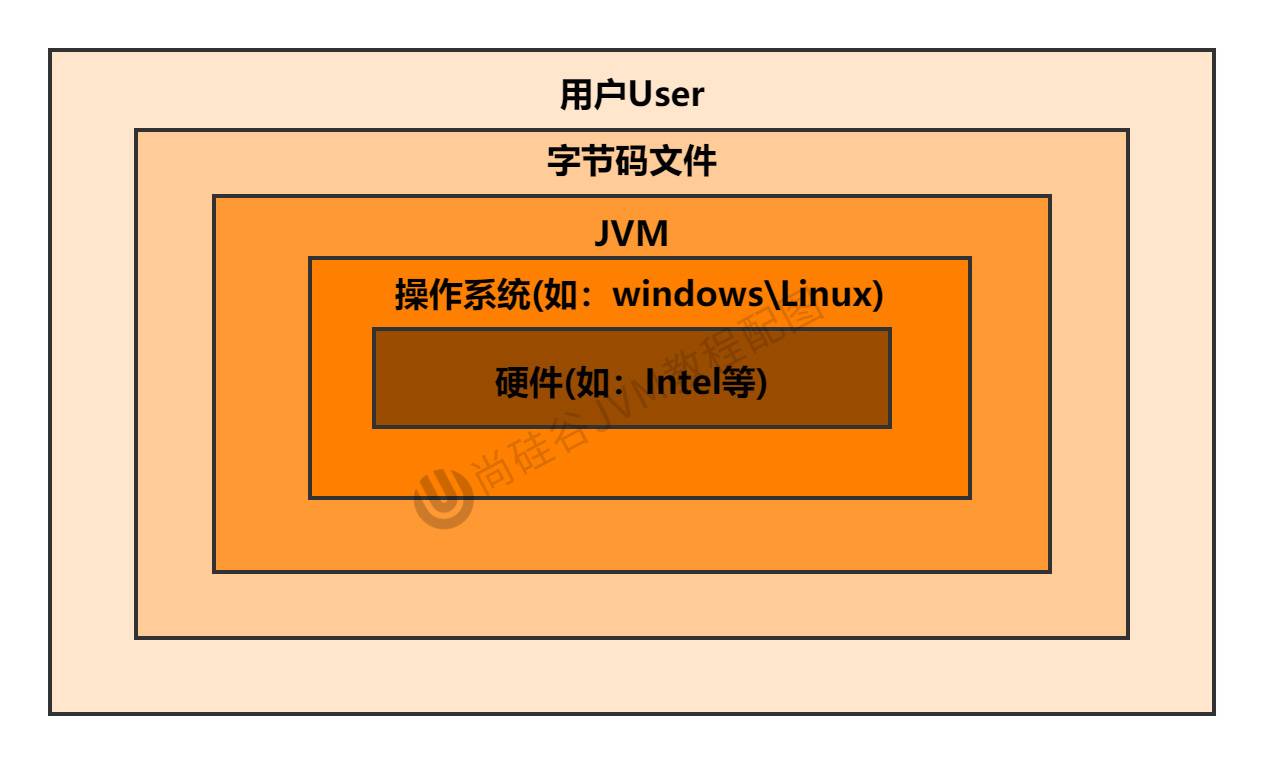
Java source file (. java): contains high-level Java programming language code, written by programmers. This is human-readable source code
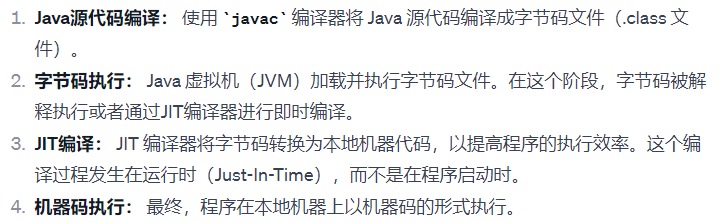
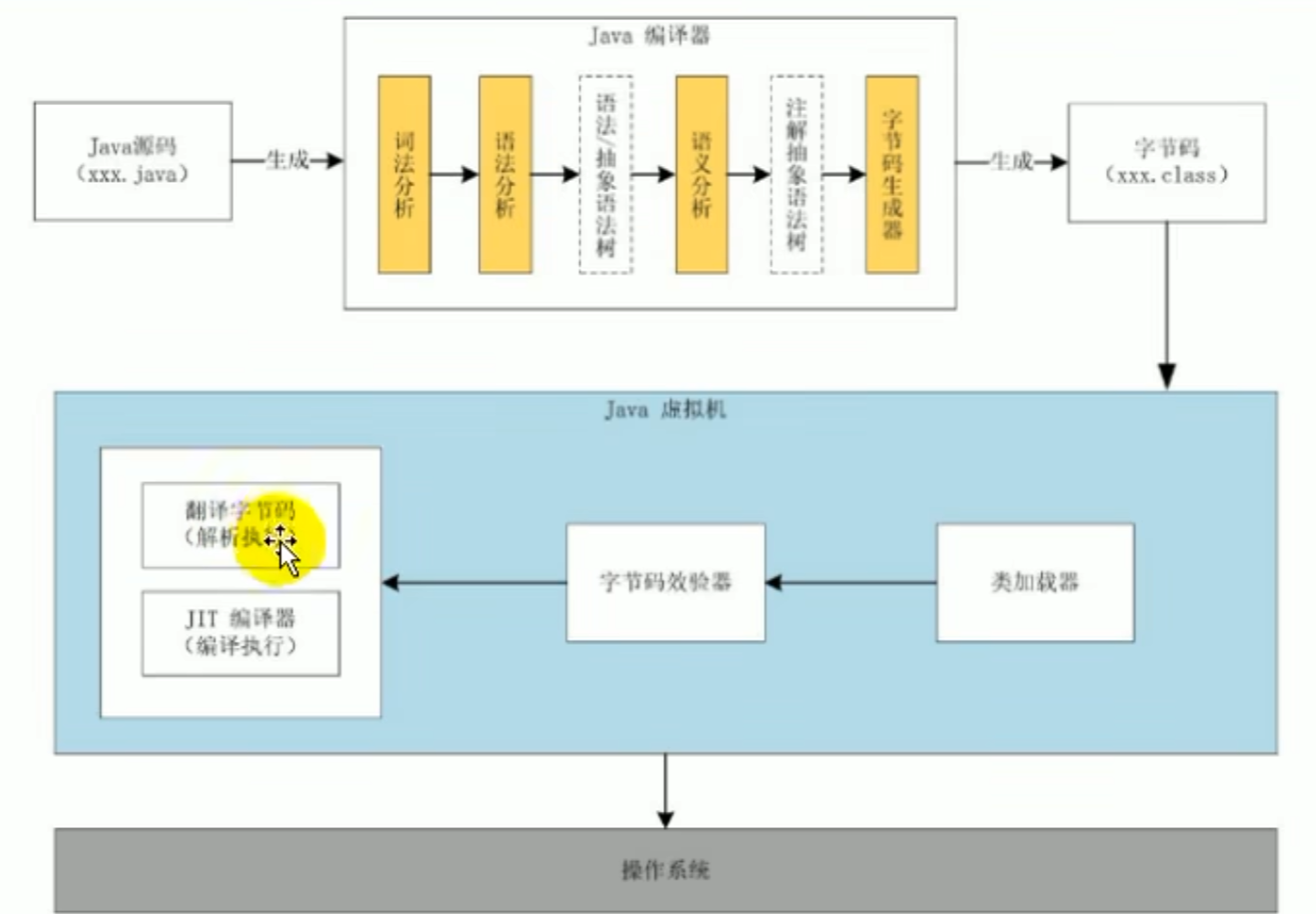
Java -- javac --> class run --> JIT also compile -->machine code --> hardware run
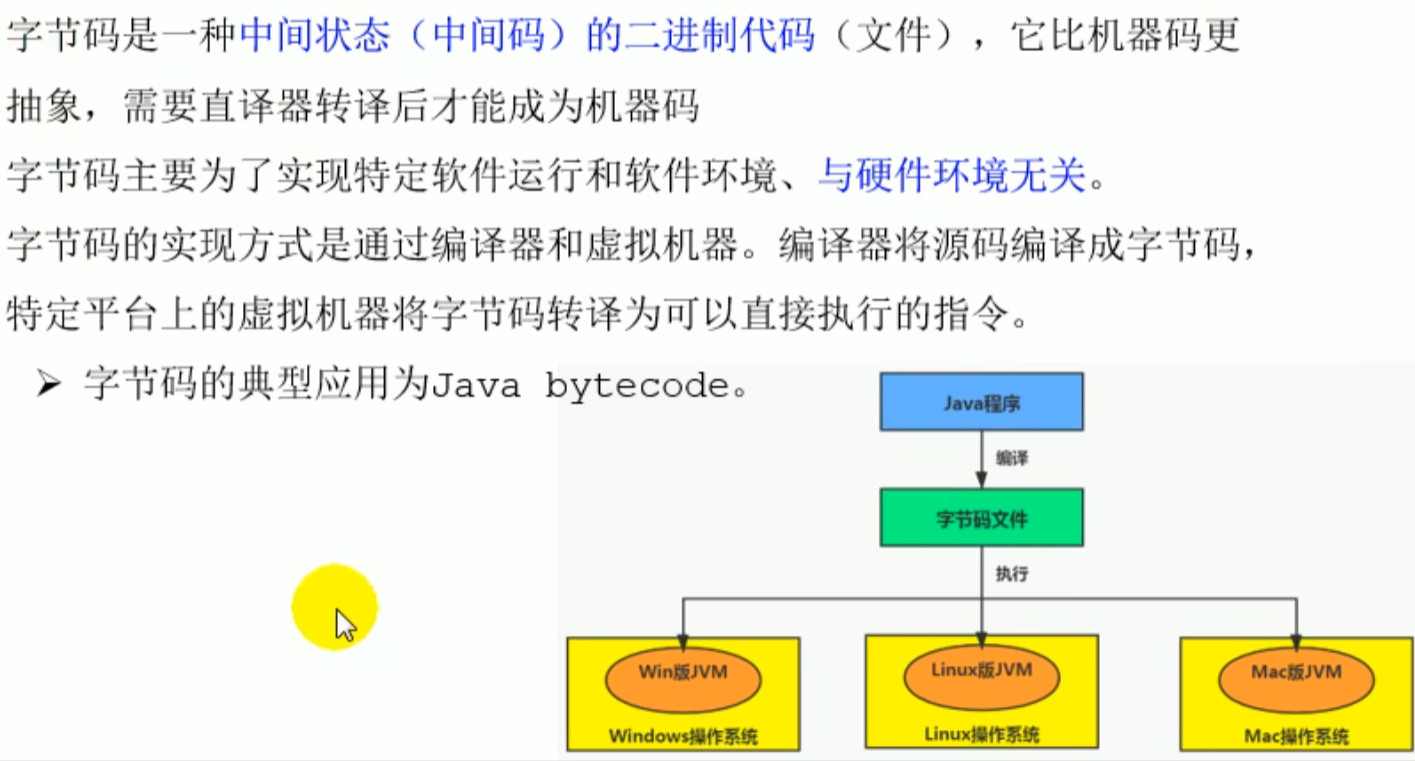
bytecode file (.class): a binary file generated by compiling the Java source file with the Java compiler, which contains bytecode that the Java virtual machine can execute. Bytecode is an intermediate code form generated by compiling the source code of a high-level language (such as Java), between source code and machine code.
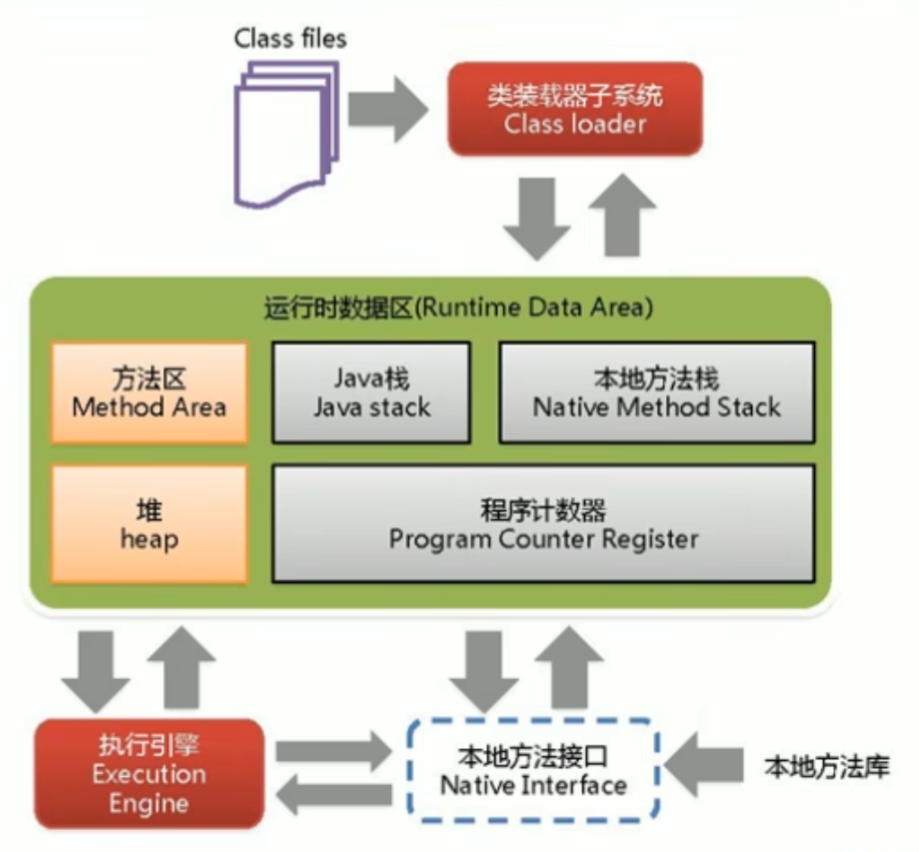
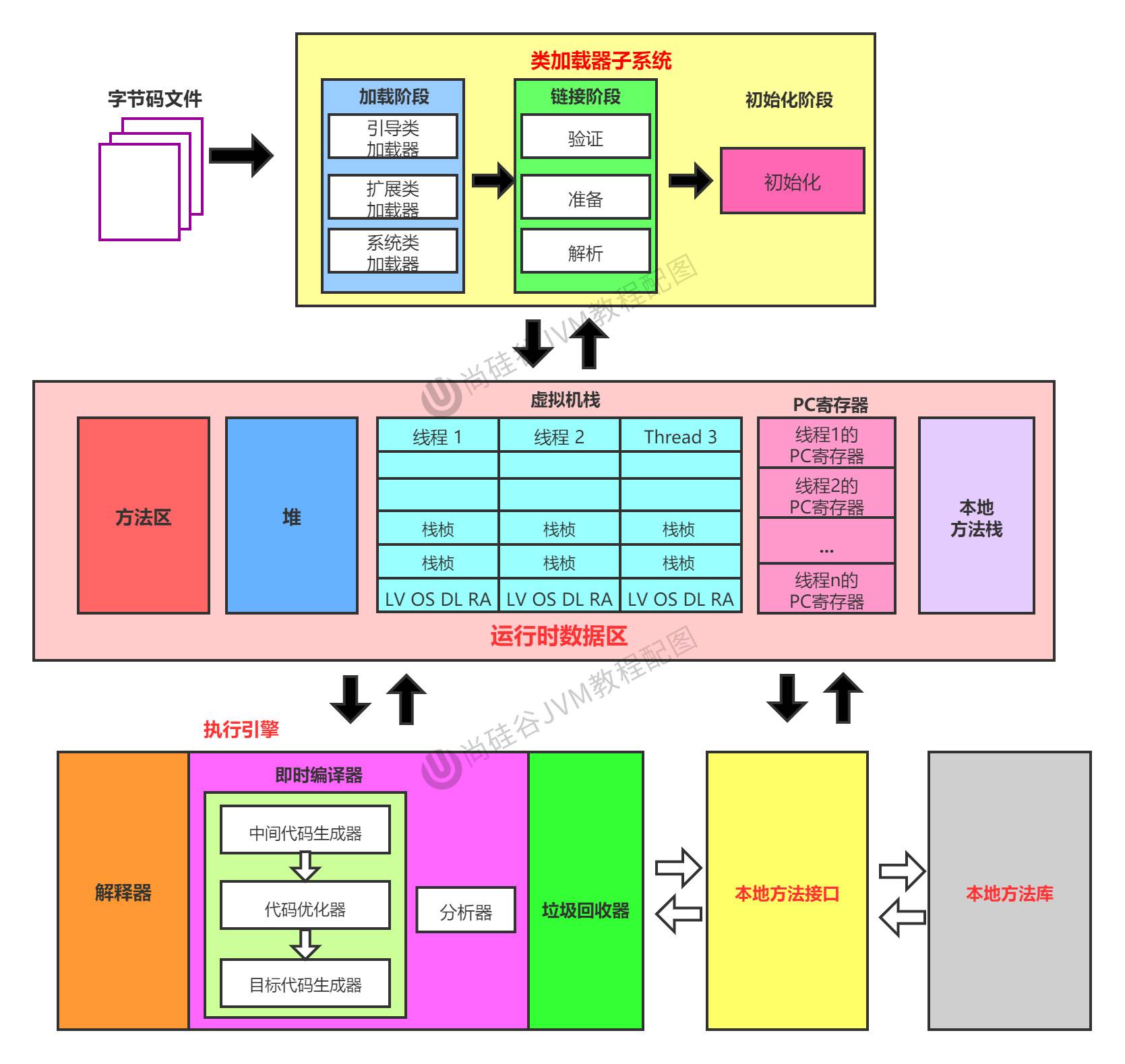
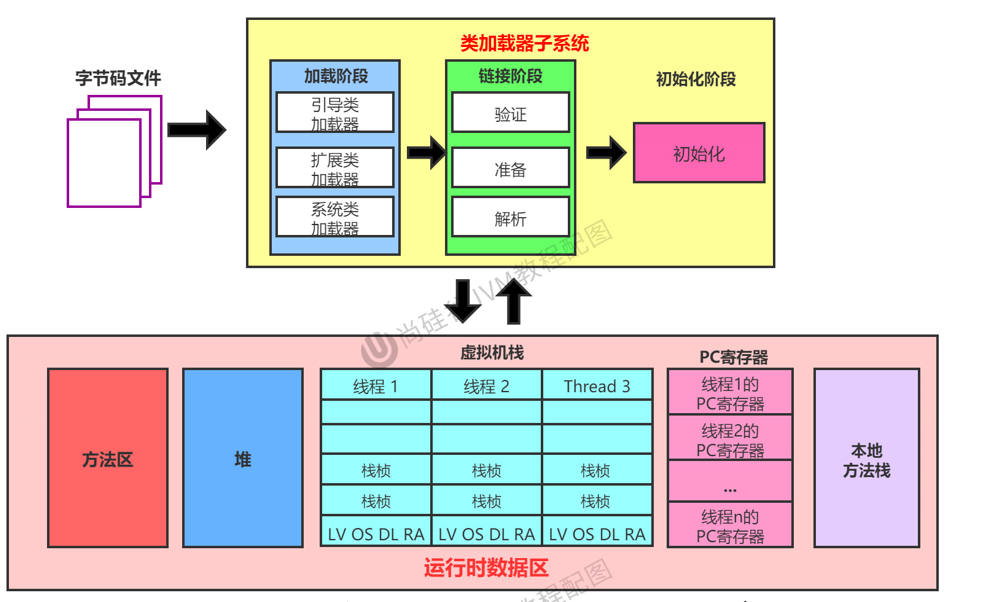
Overall structure of JVM
Java code execution flow
JVM architecture model
java The instruction stream input by the editor is based on two architectures
stack/register instruction set architecture
Java The instruction stream input by the compiler refers to when compiling Java the source code, the bytecode generated by the Java compiler instruction sequence, used to describe the source code execution logic
java The compiler input instruction stream Based on stack structure converted into bytecode files
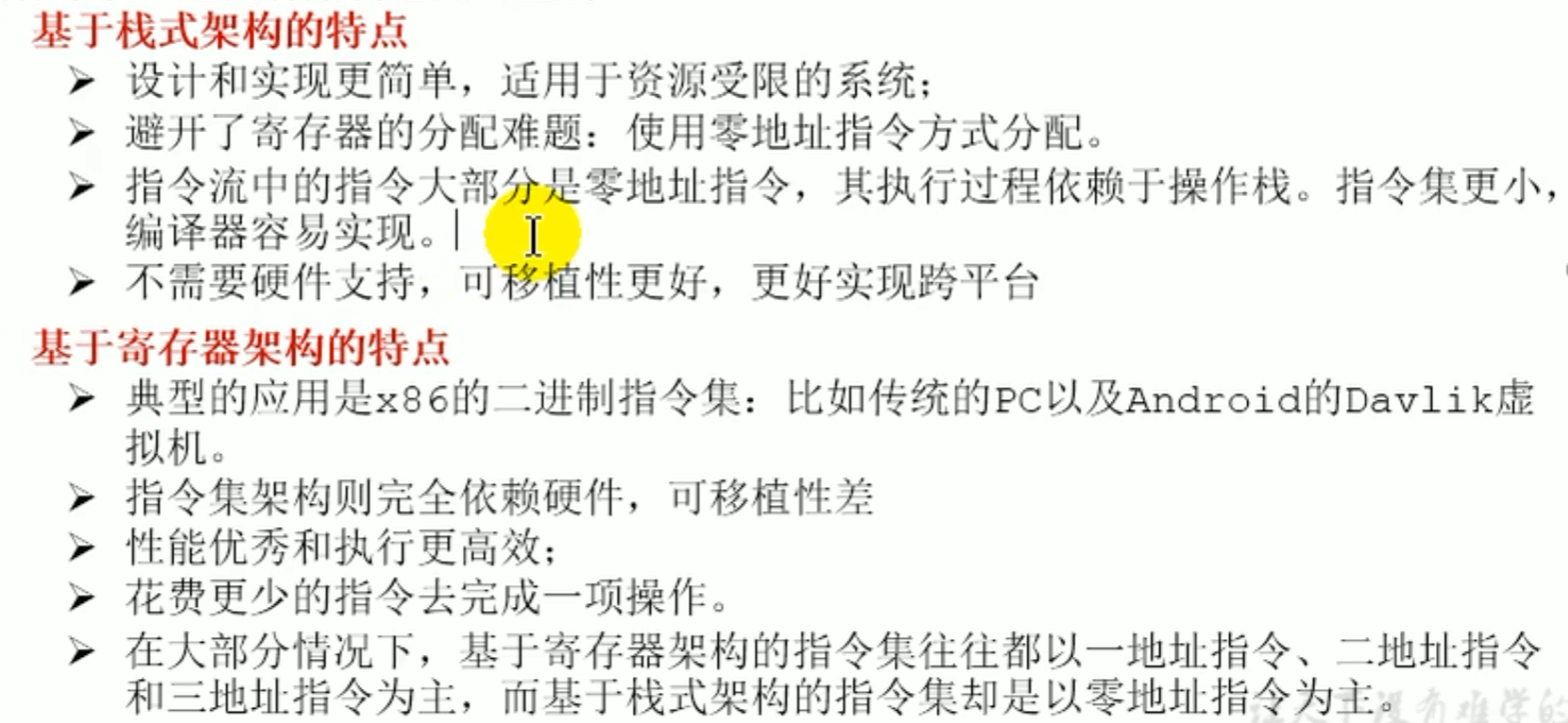
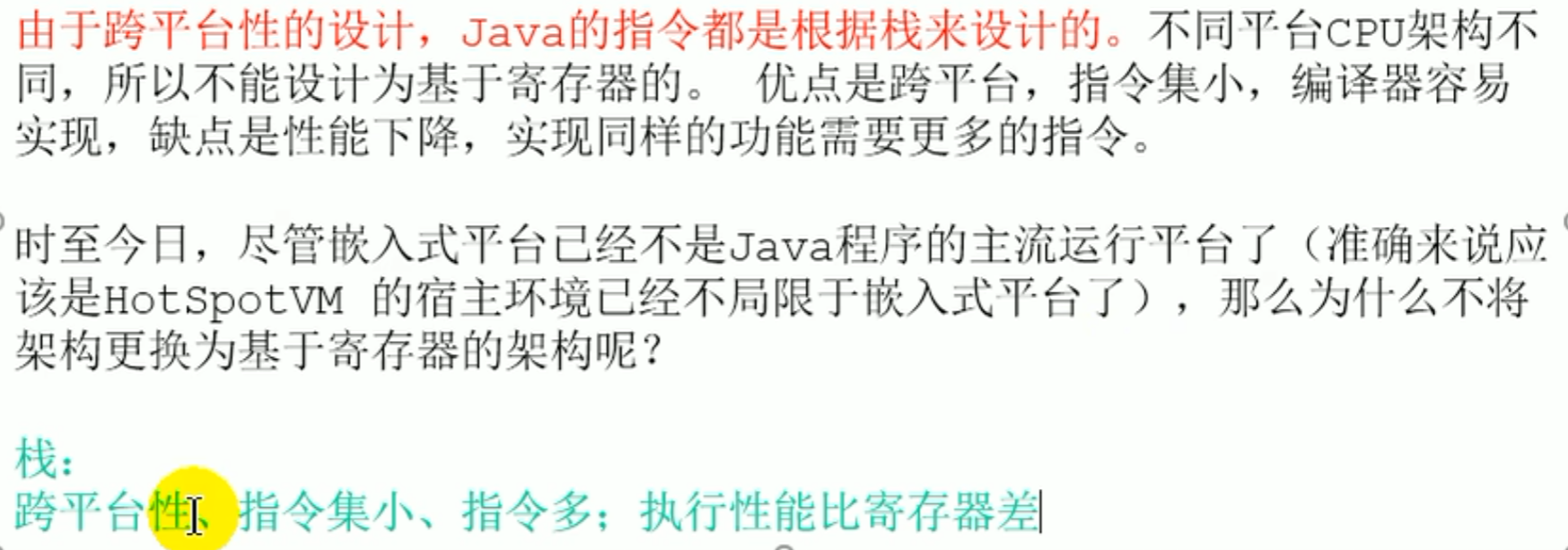
why not switch to a register architecture
JVM lifecycle
- startup of the virtual machine

- execution of the virtual machine
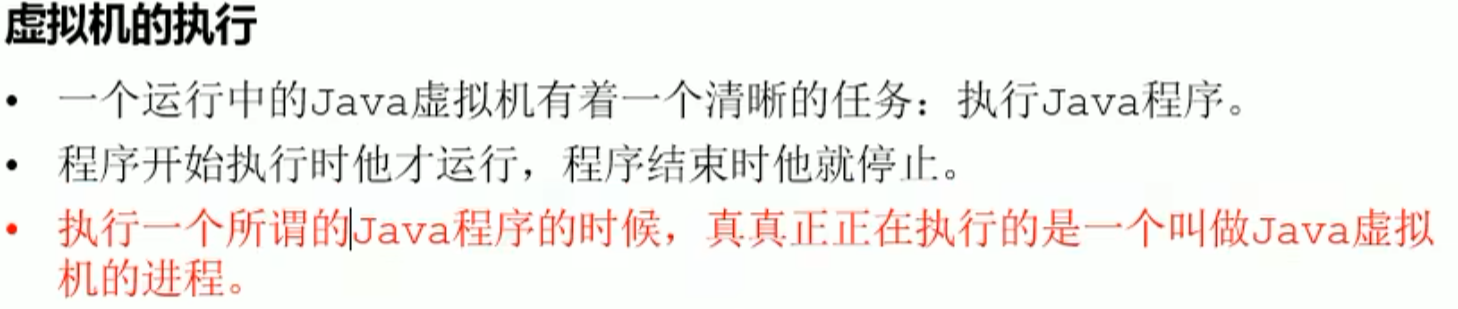
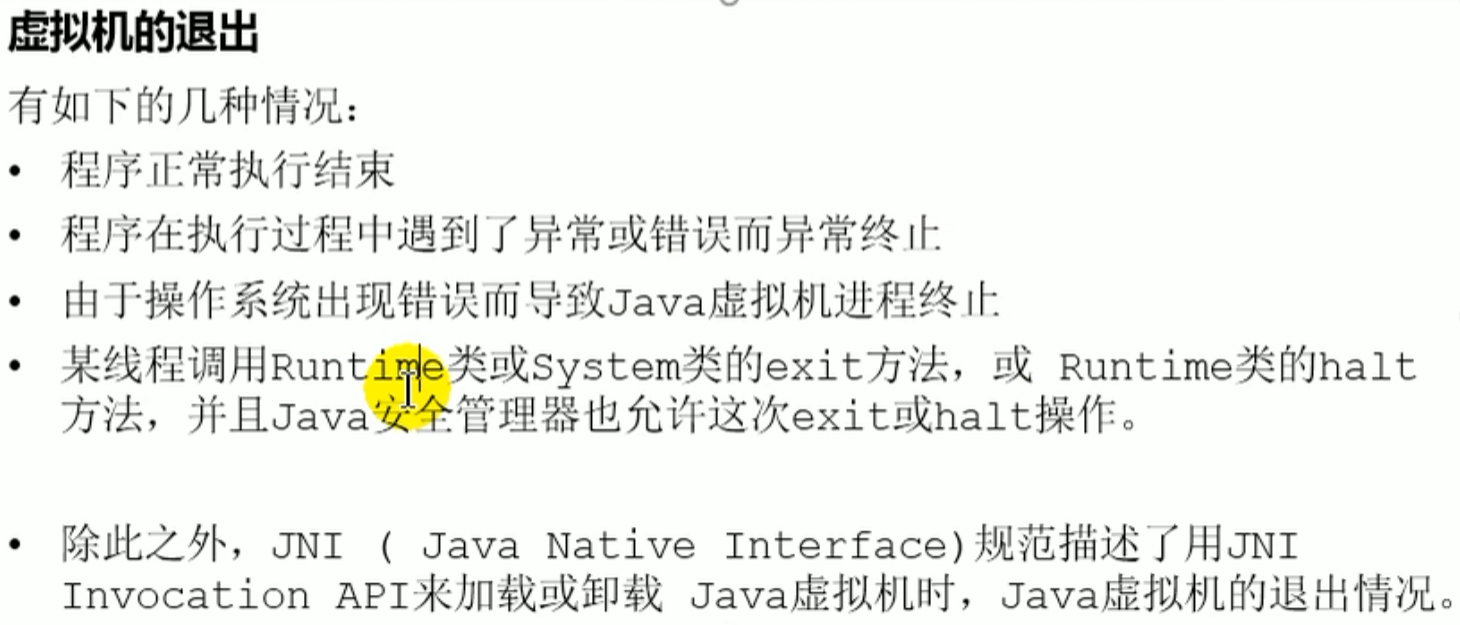
- exit of the virtual machine
JVM development history (overview)
JVM development history (overview)
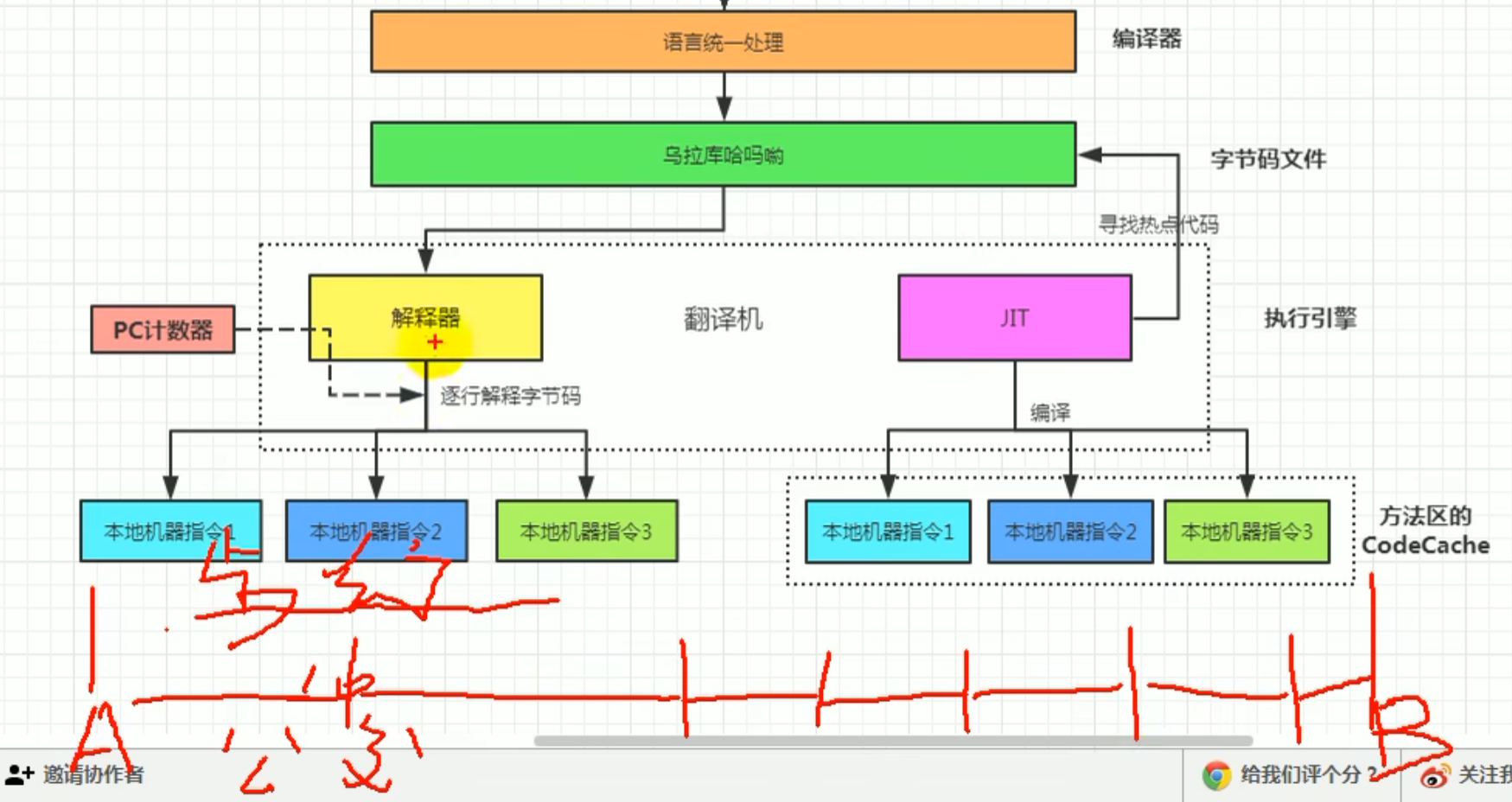
Sun Classic VM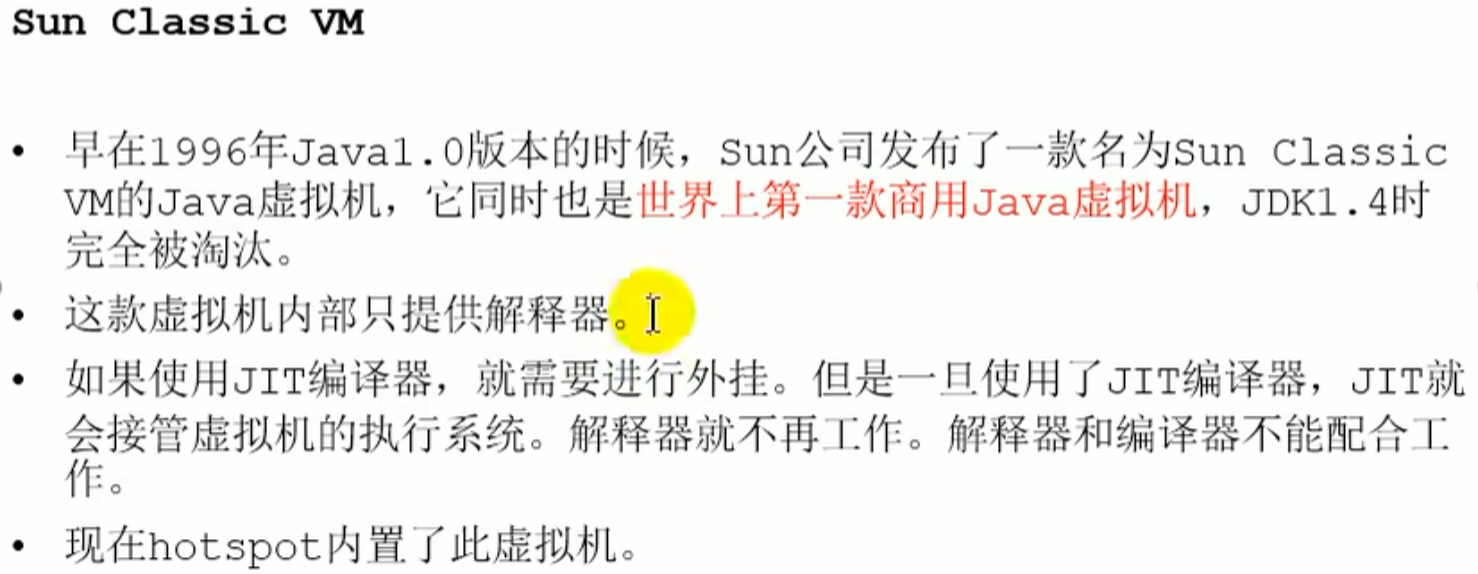 With only an interpreter, execution happens line by line, even for a for loop, whereas the JIT compiler can find hot code, that is, code with a high execution frequency, compile it into local machine instructions, and then cache it, so that on repeated execution it does not first go through the interpreter line by line and then translate again, but compiling all code into machine code takes a long time
Exact VM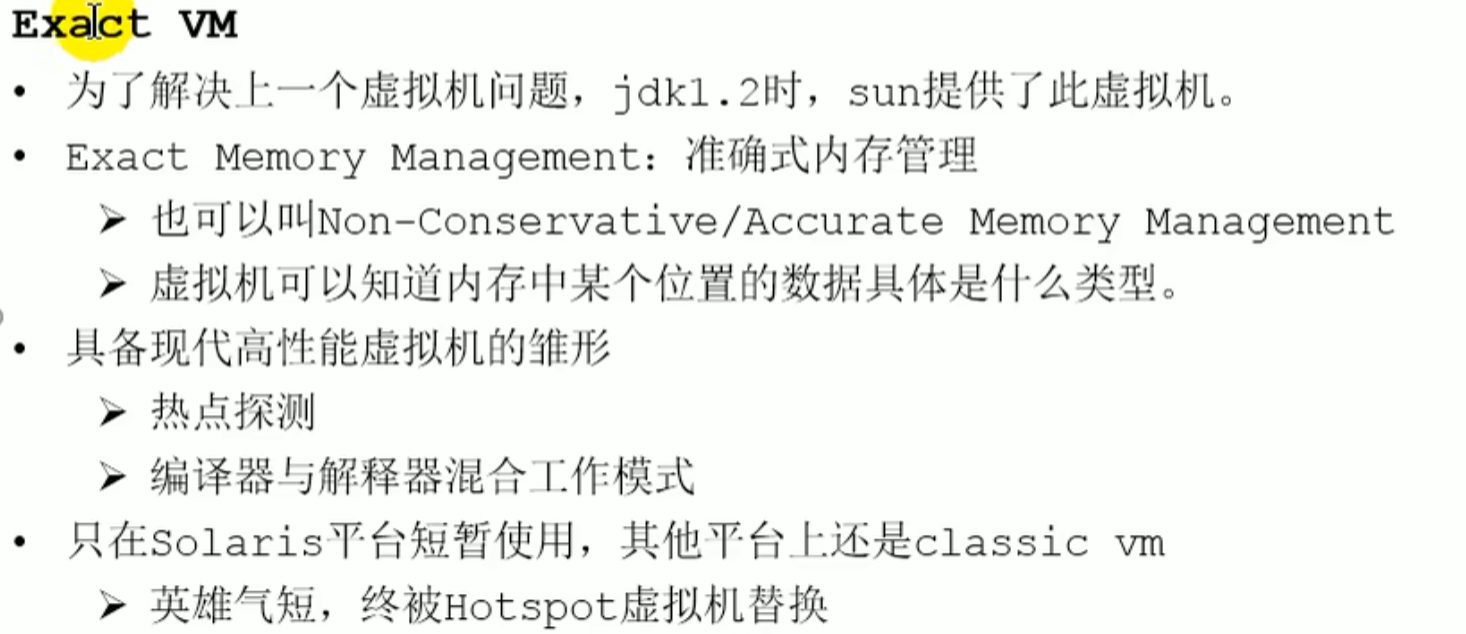
HotSpotcurrently dominant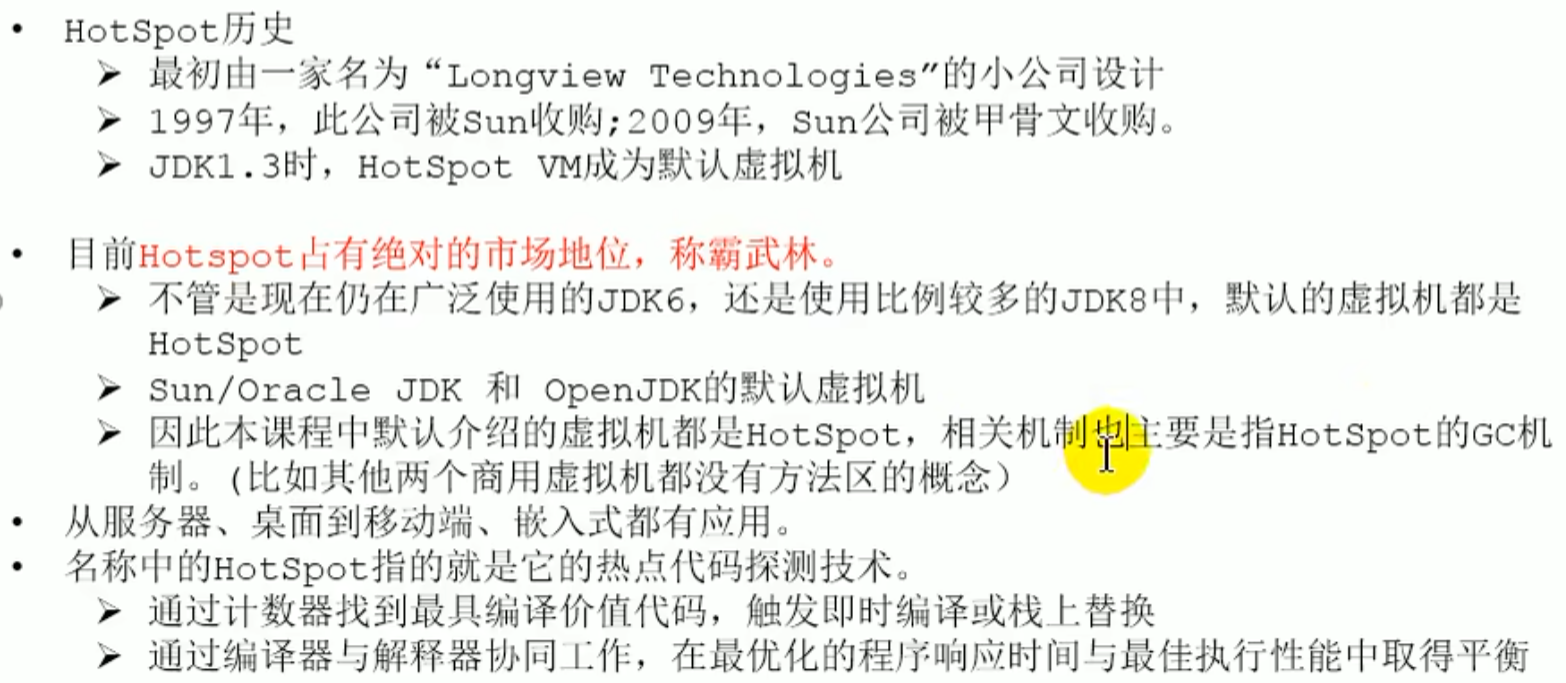
JRockit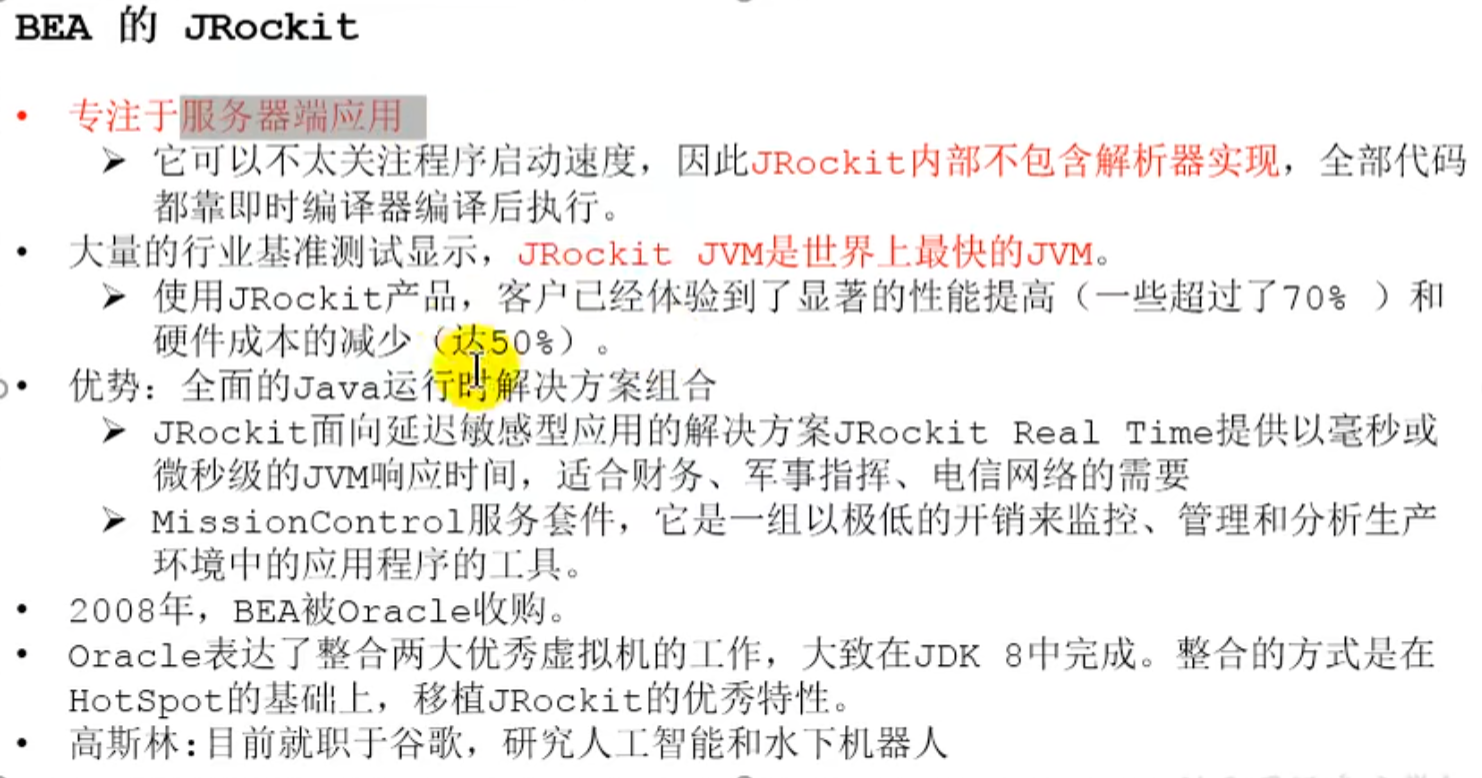
IBM of J9
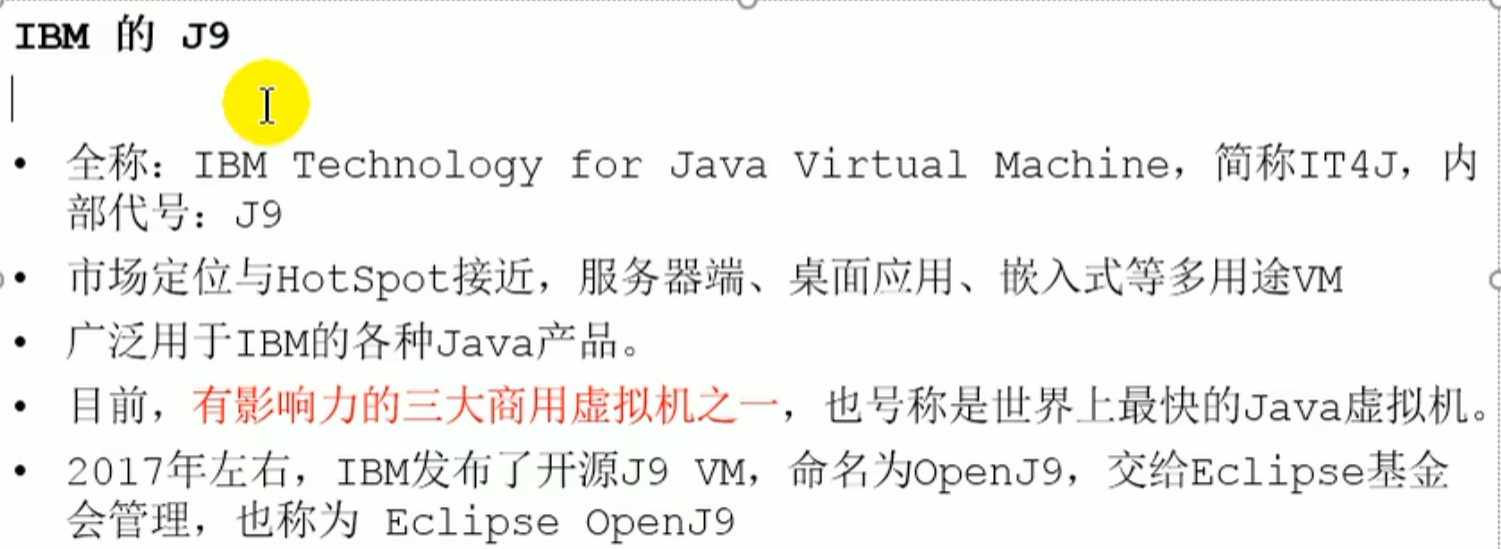
KVM and CDC/CLDC Hotspot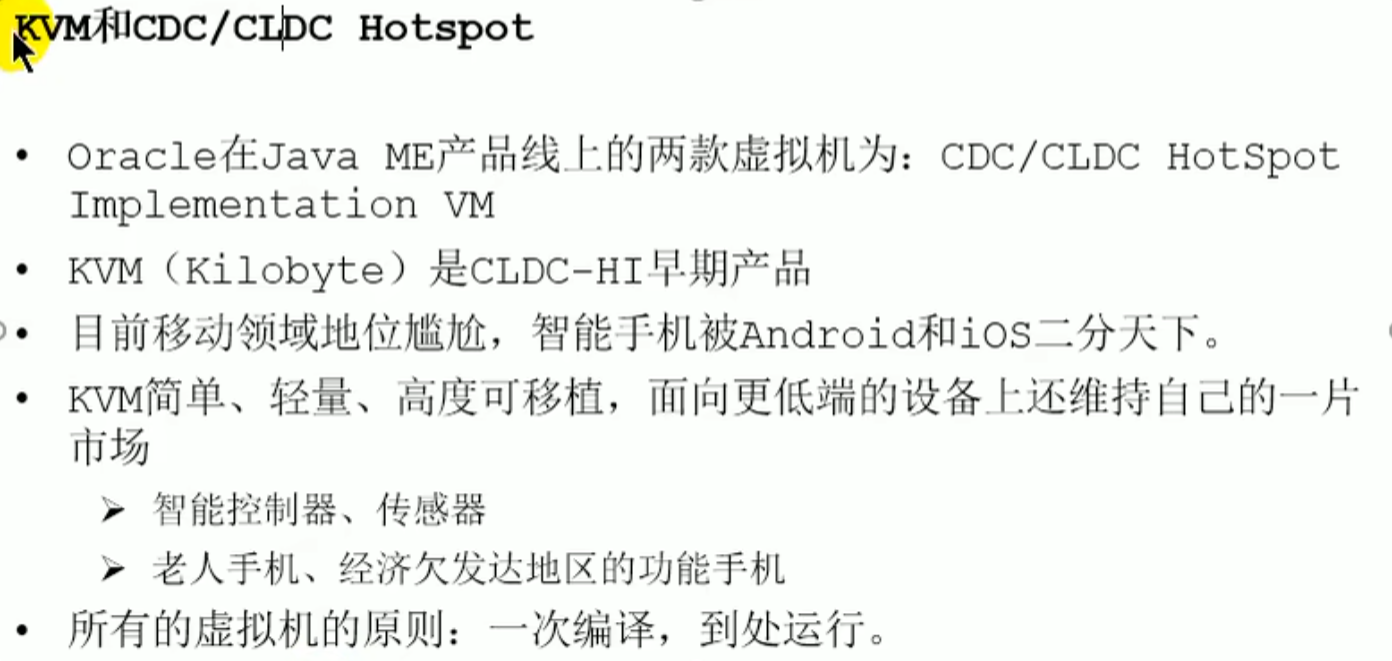
Azul VM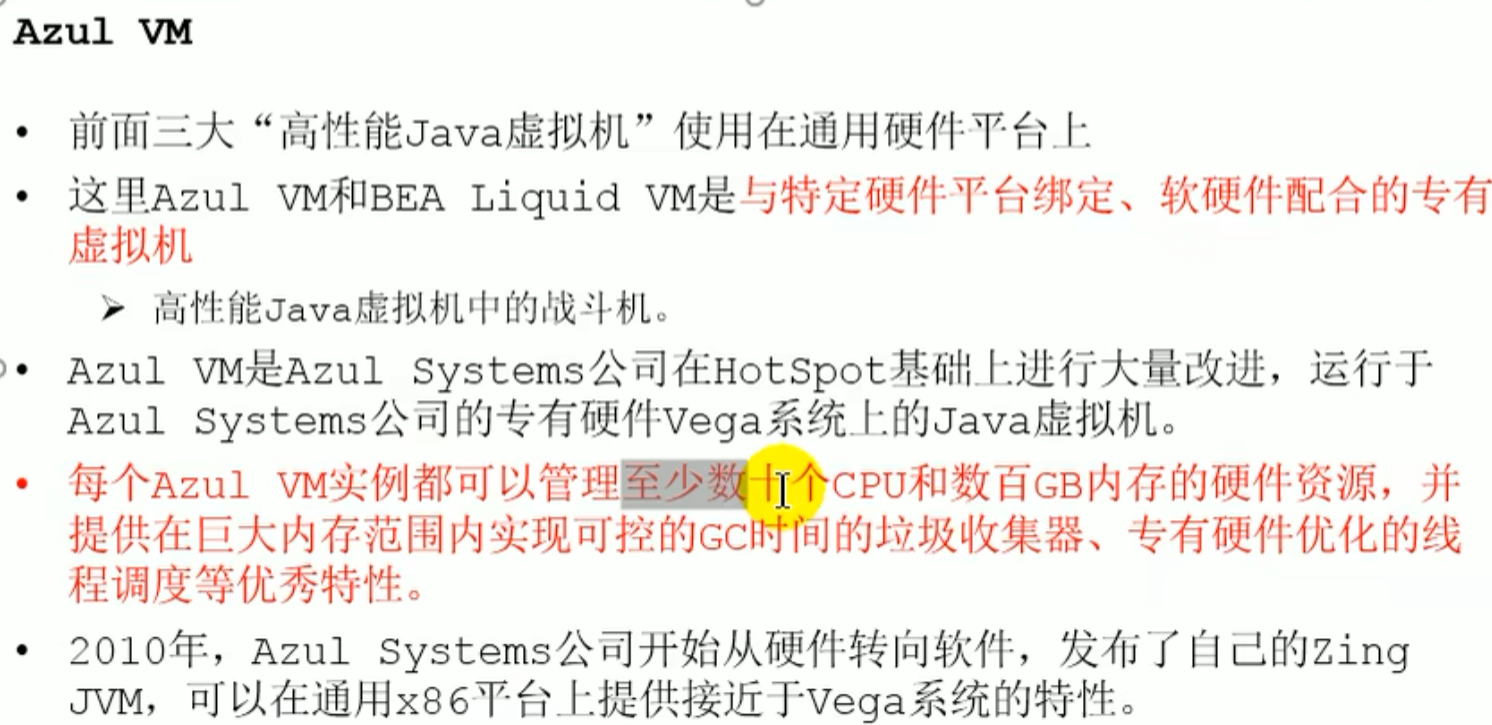
Liquid VM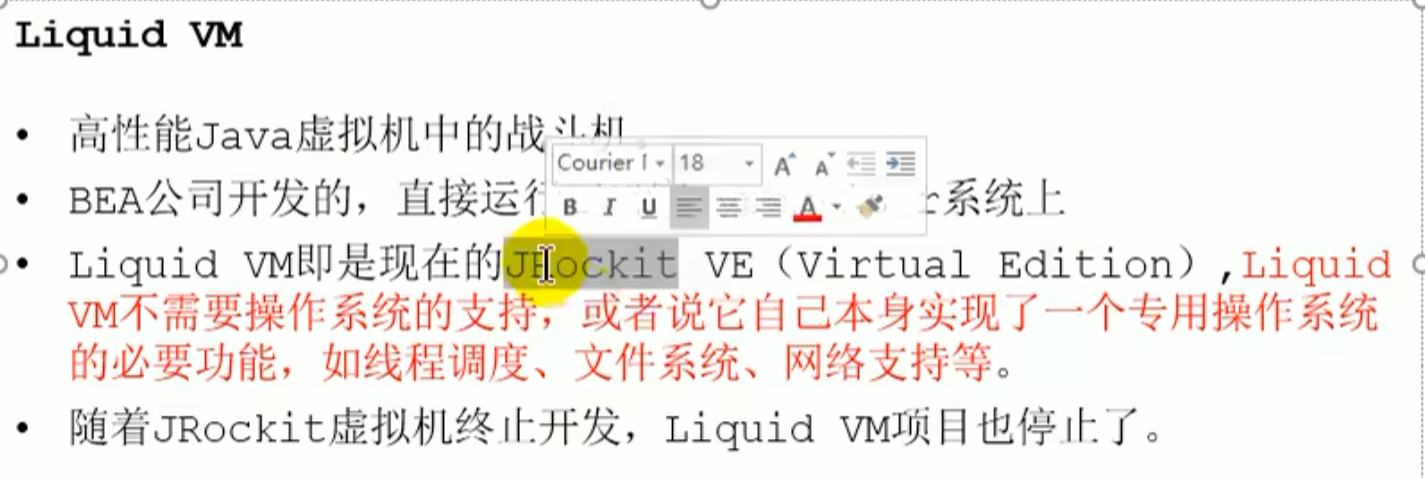
Apache Harmony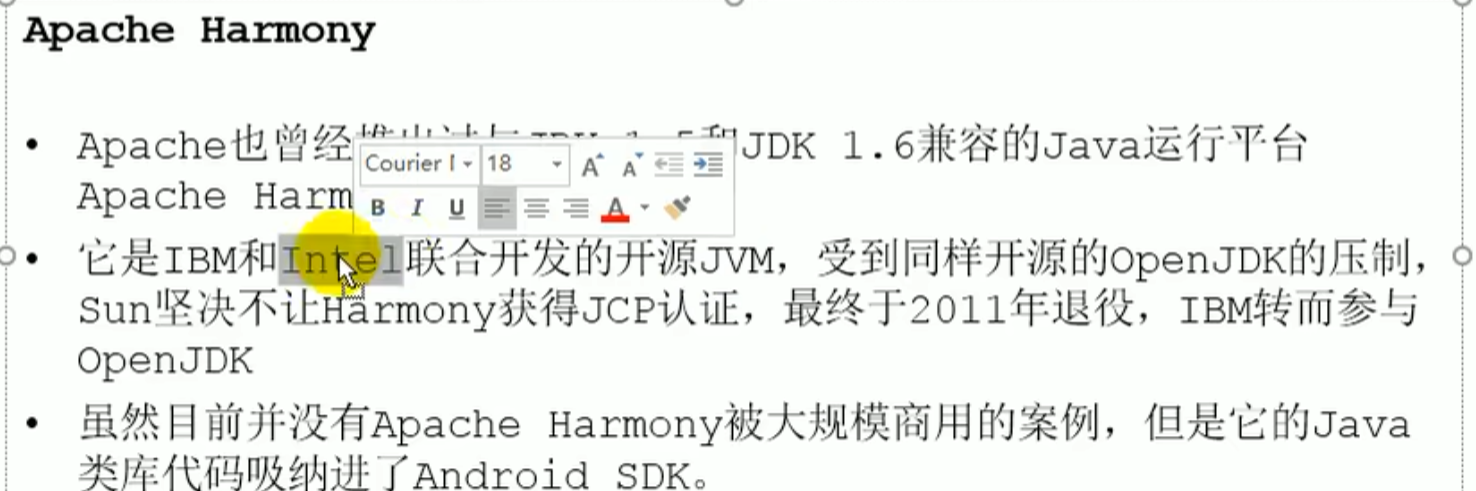
Microsoft JVM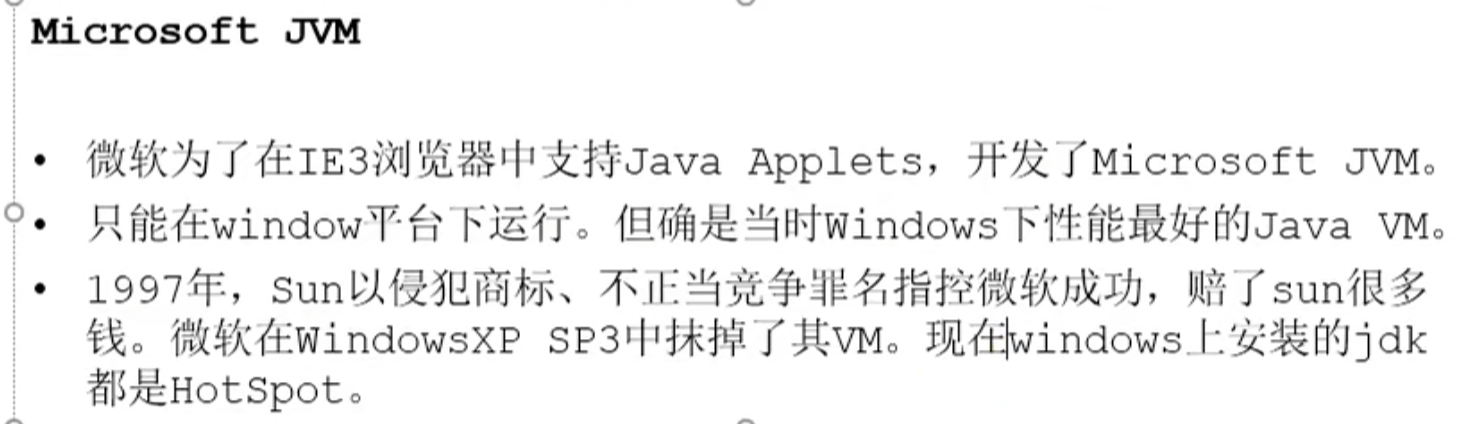
TaobaoJVM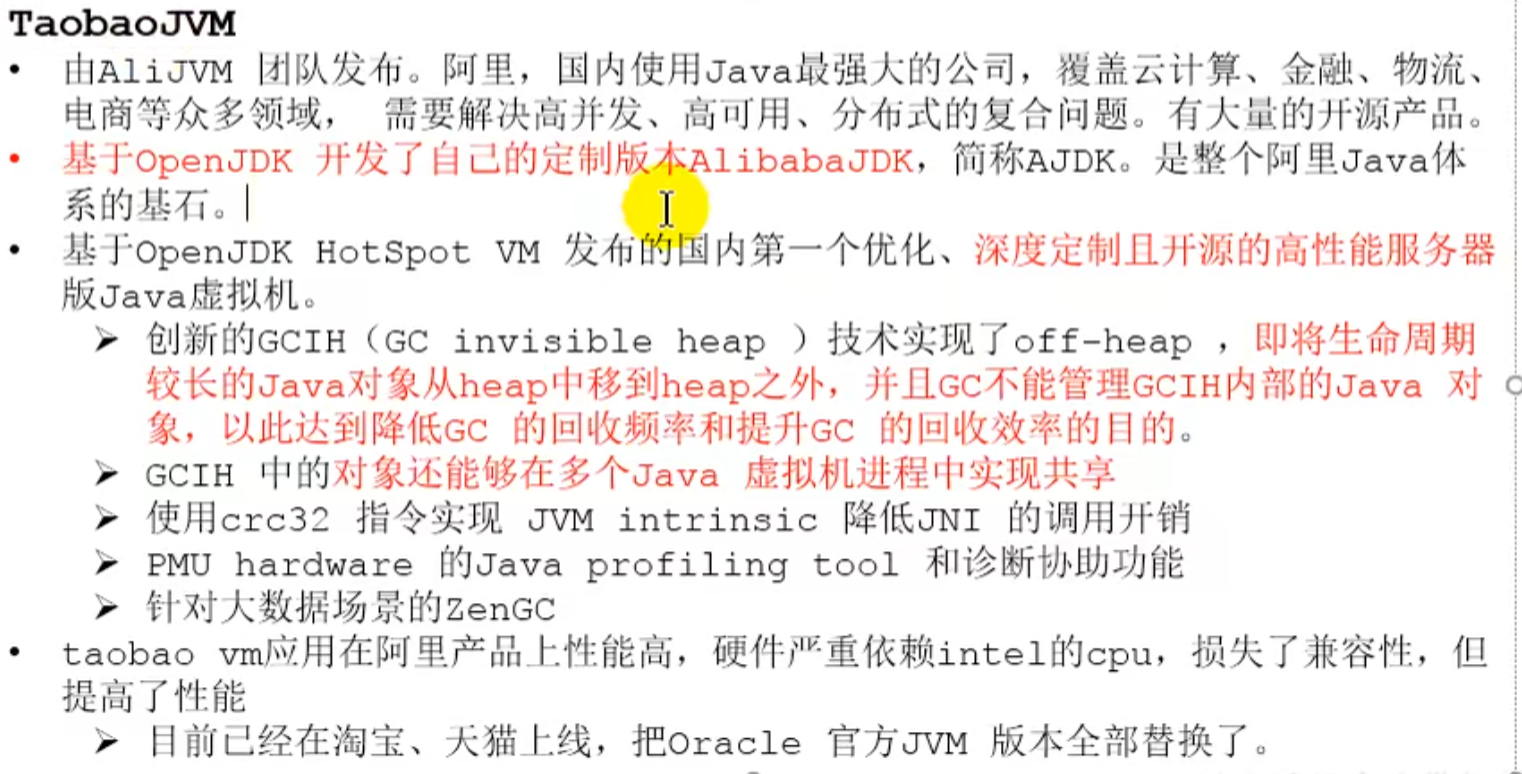
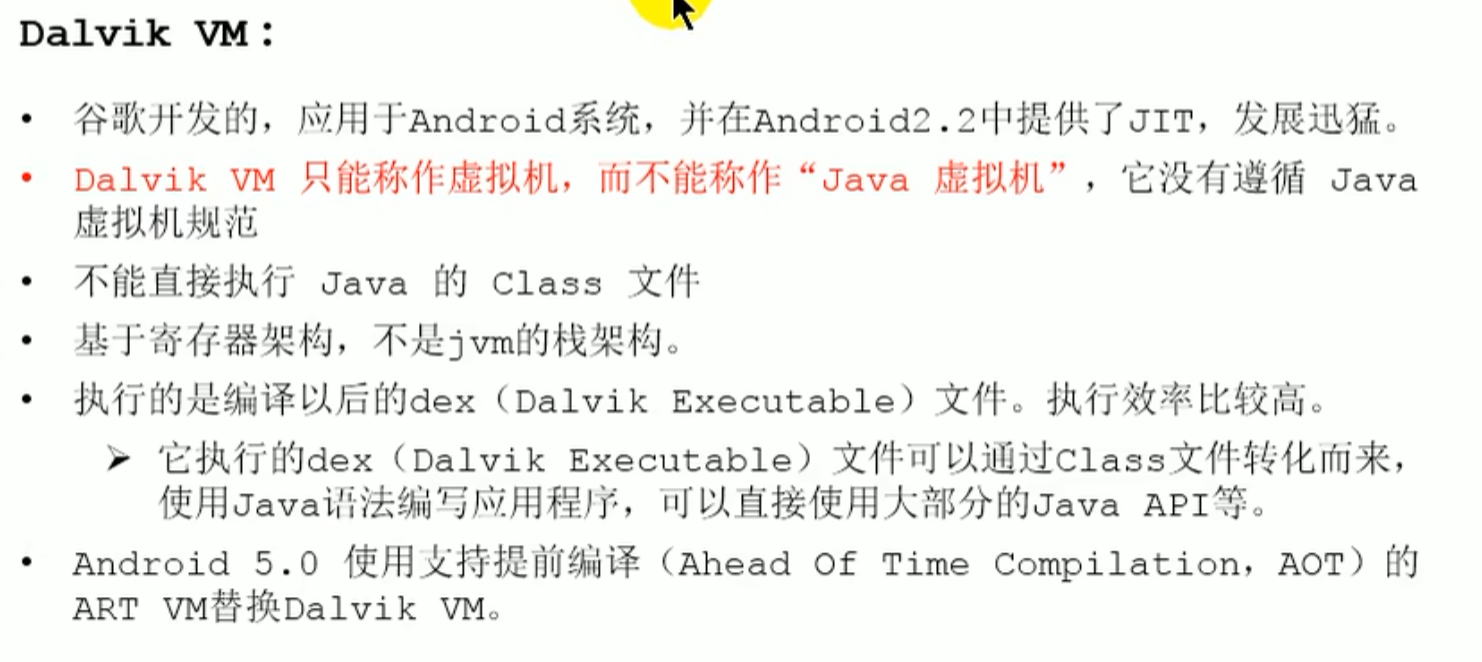
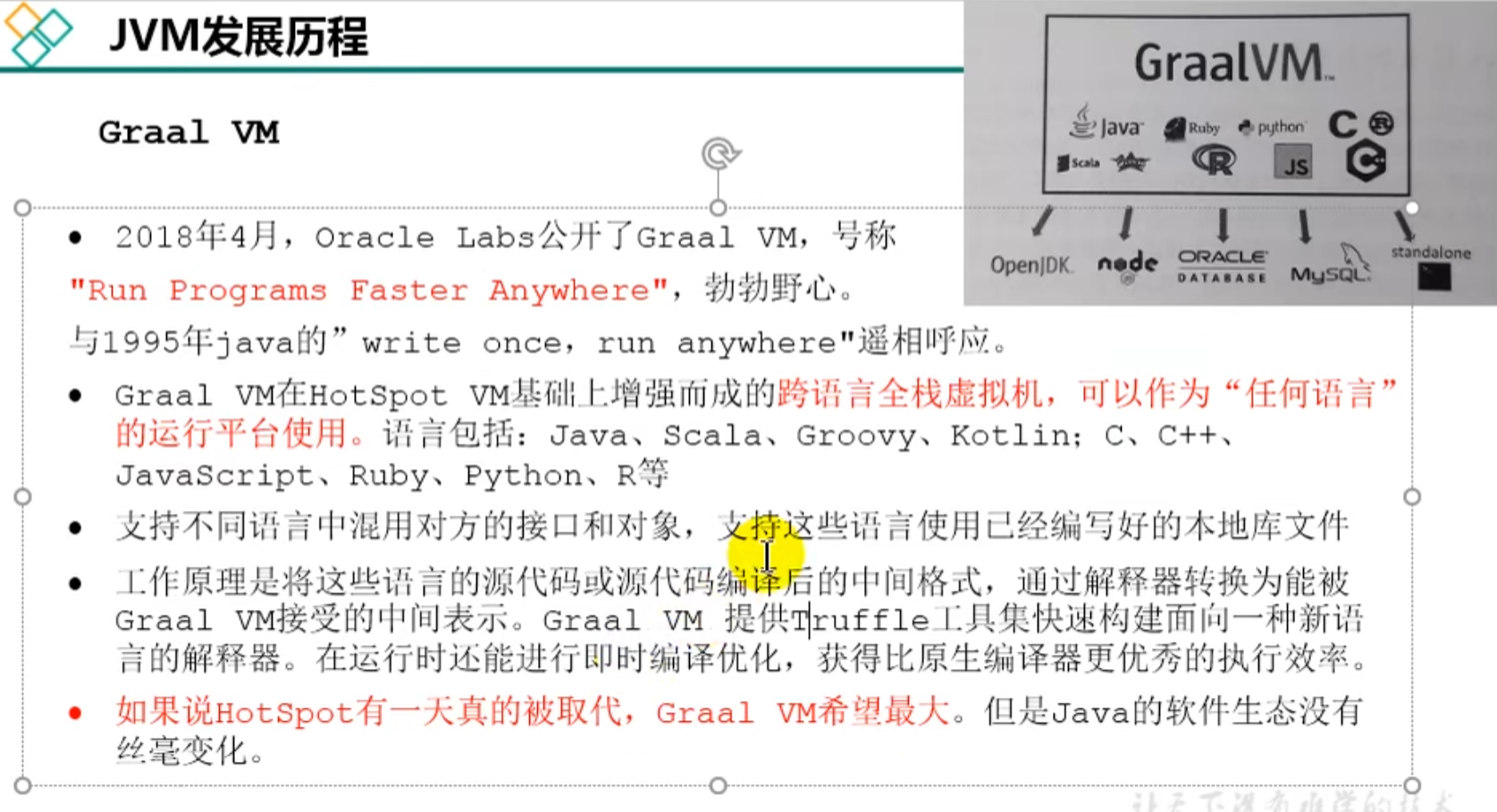
Class loading subsystem
javap -v xxx.class
Parsing: disassembly (convert bytecode file content into a human readable form)
idea called decompilation,class file and java file look the same
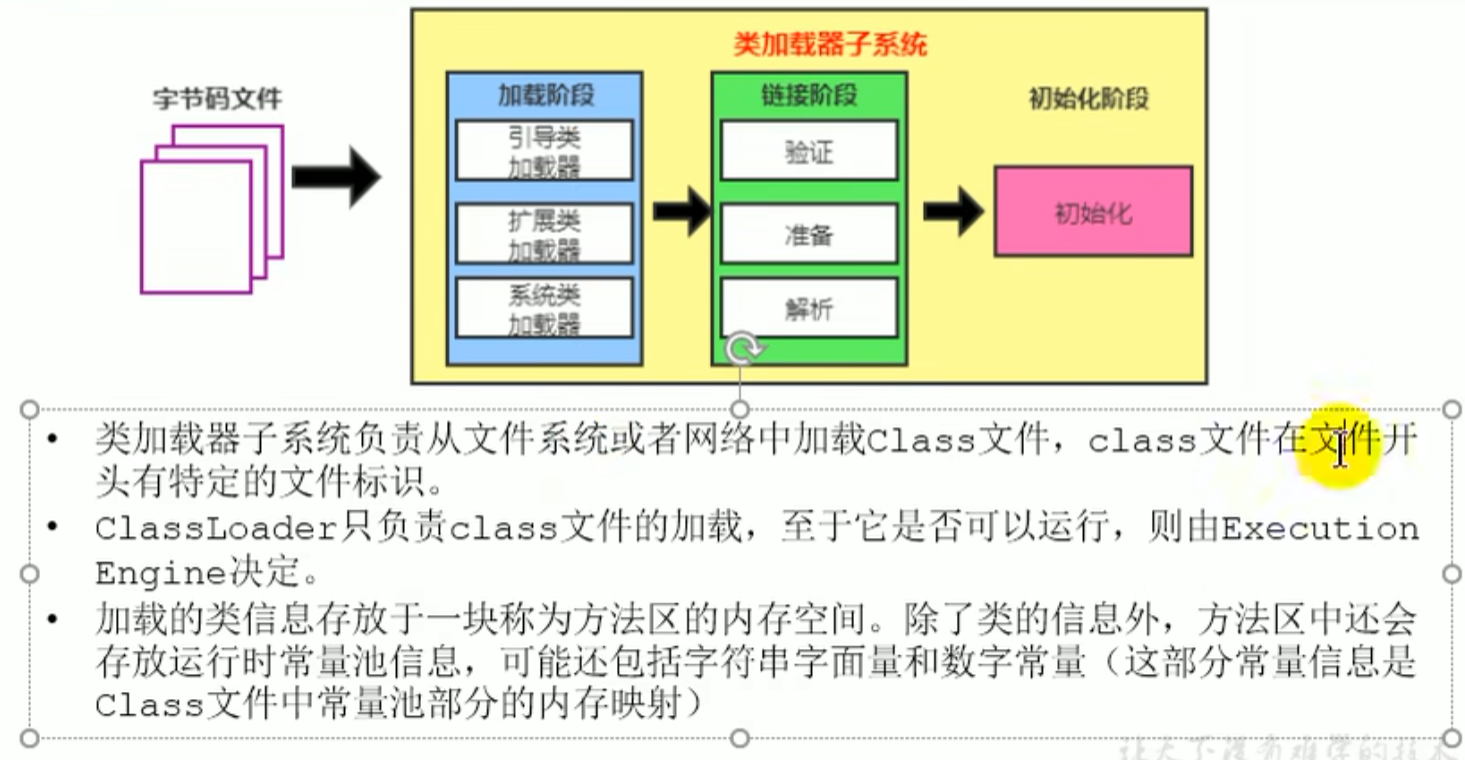
Class loaders and the class loading process
ClassLoader Load the class file (regardless of whether it can run, seeExecution Engine), the class information that needs to be loaded is stored in the method area
Supplementary ways to load class files
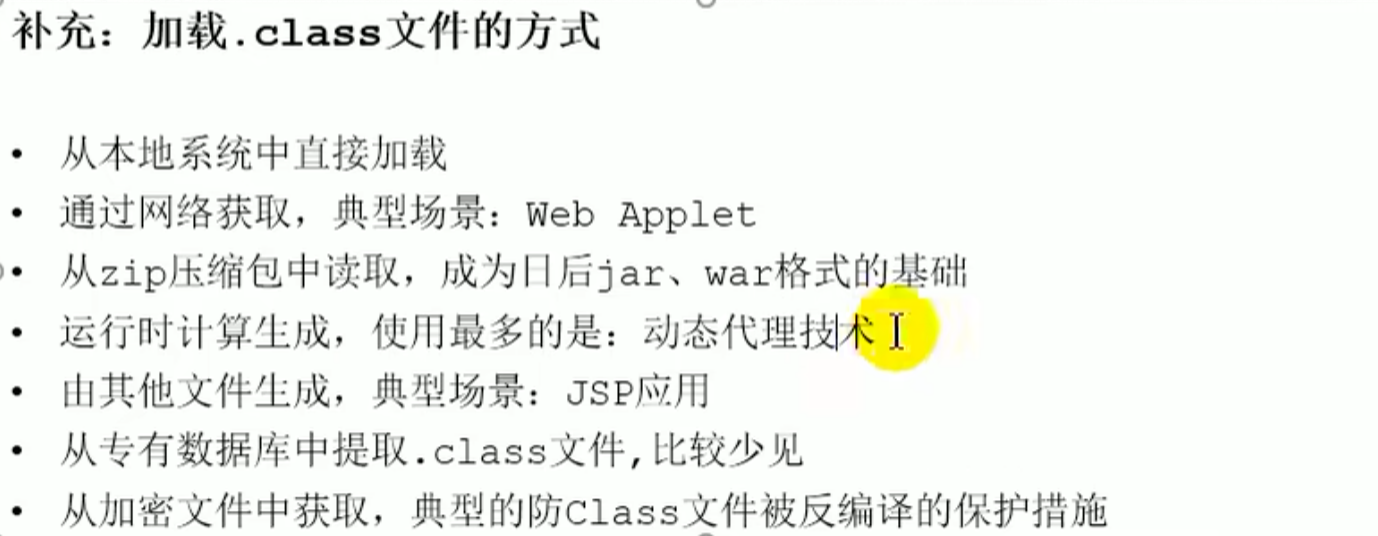
Class loaders and the class loading process
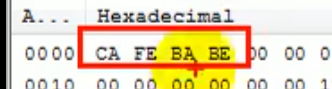
 Specific file identifier: binary start
 ca fe ba be , all that can be Java recognized by the virtual machine have this identifier
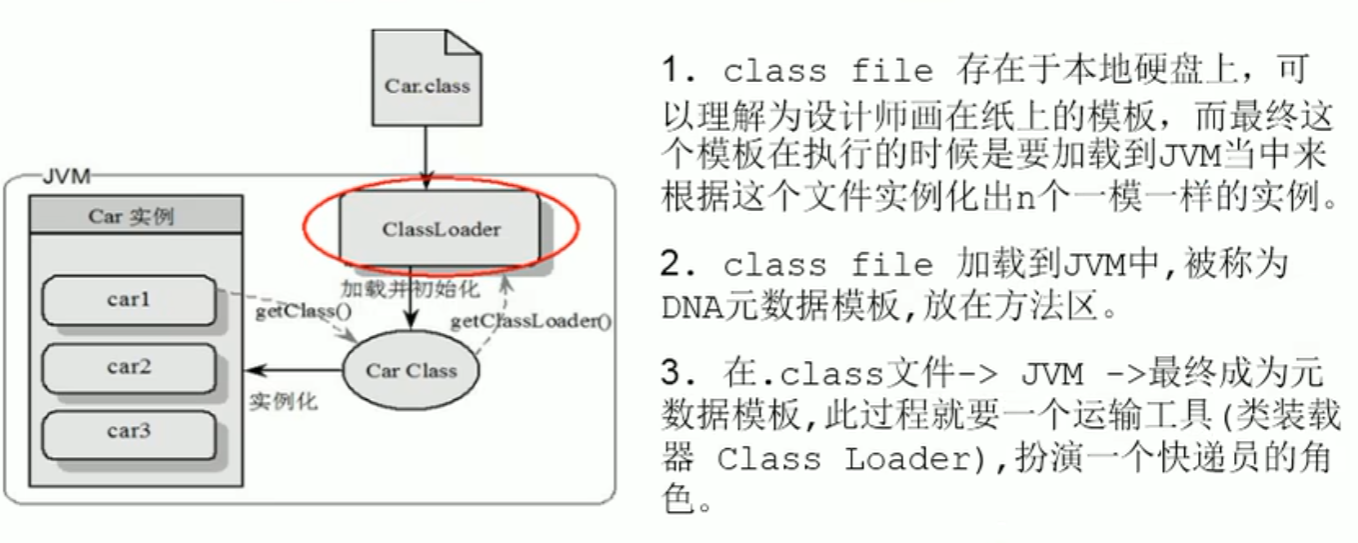 On the physical disk
 car.class files asbinary streamsare loaded into memory in this way
Instantiate the corresponding: call the constructor or construction method of car in memory
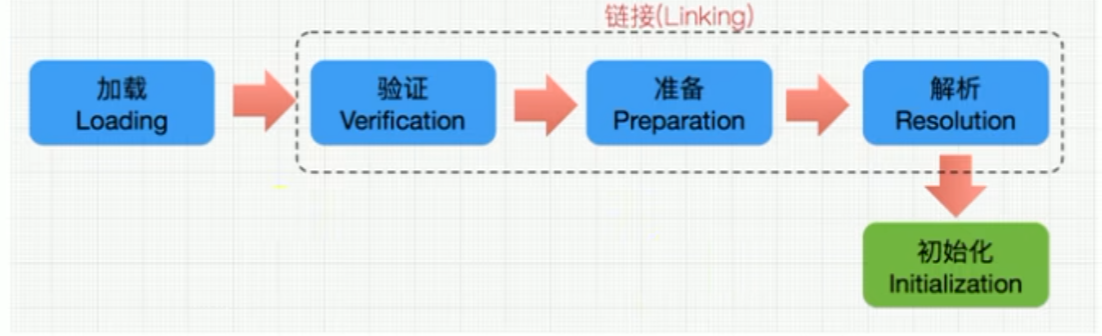
Load Loading
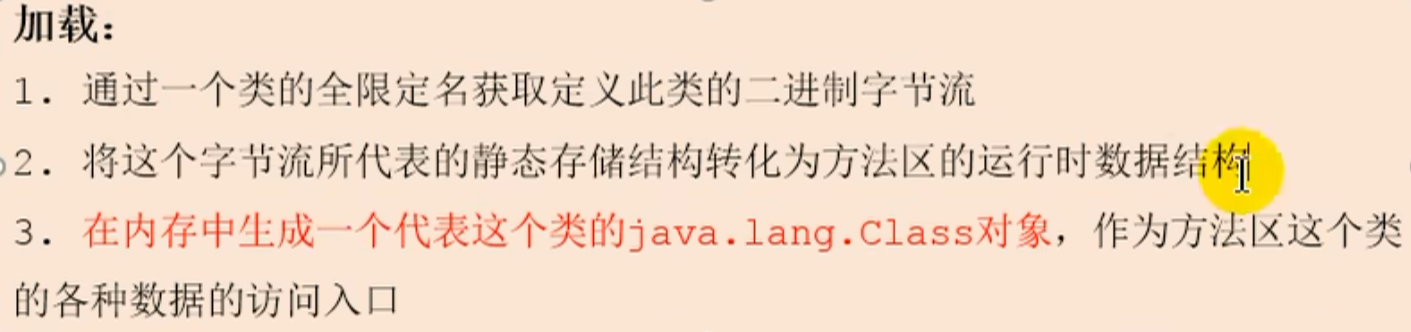
Through the class fully qualified name obtain the class Binary byte stream (classes are lazily loaded: loaded on demand, [active use]), which converts the representation of the byte stream static storage structure into the runtime data in the method area, and then generates in memory this class's class object
static method belongs to the class itself, not to an instance of the class. They can be used once the class has finished loading.
JVM memory and garbage collection > ^ne4cv6
Loading Loading
Linking linking (Verification -->Preparation -->Resolution)
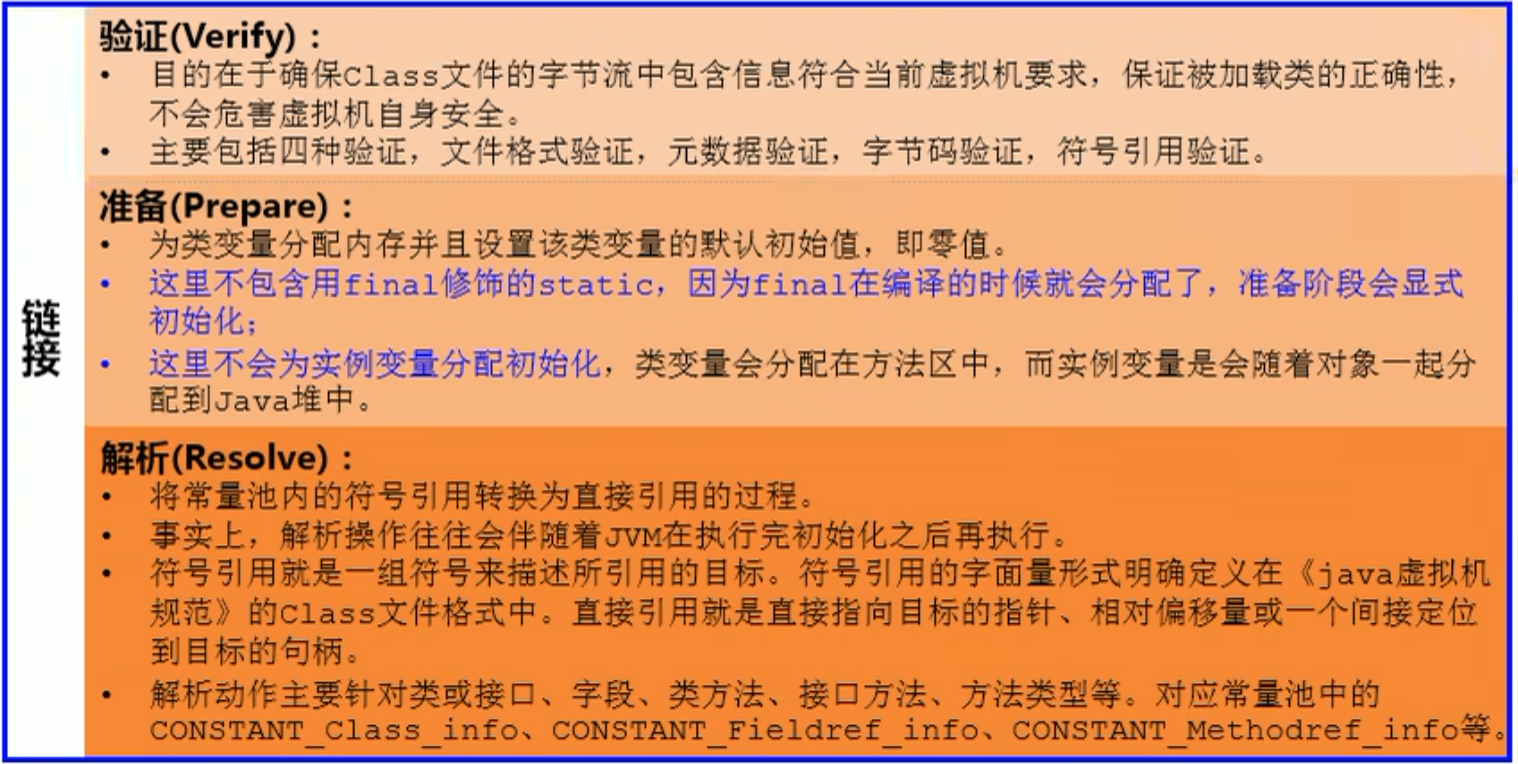
Verification such as ca fe ba be
the virtual method table is created at this stage
Initialization Initialization
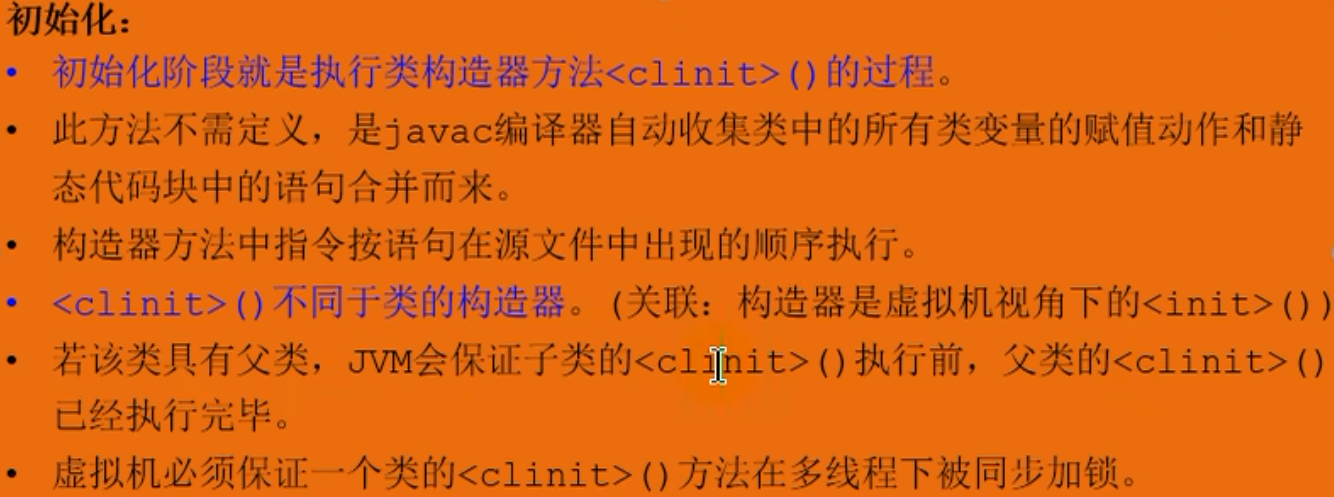
- Creation of the object
- executes the class's
constructor method(constructor) andassignment of static variables
is responsible for completing the object initialization work, including allocating space for instance variables and performing default assignment. It can also explicitly assign values to instance variables
<clinit>method
<clinit>method
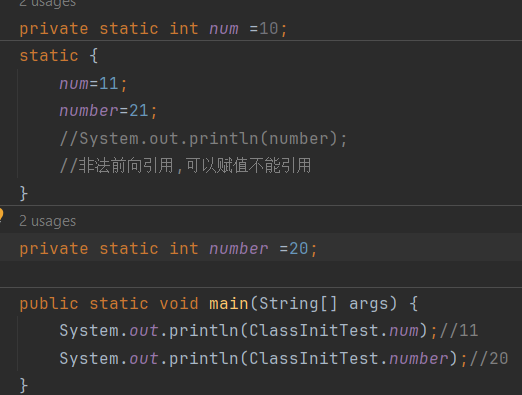
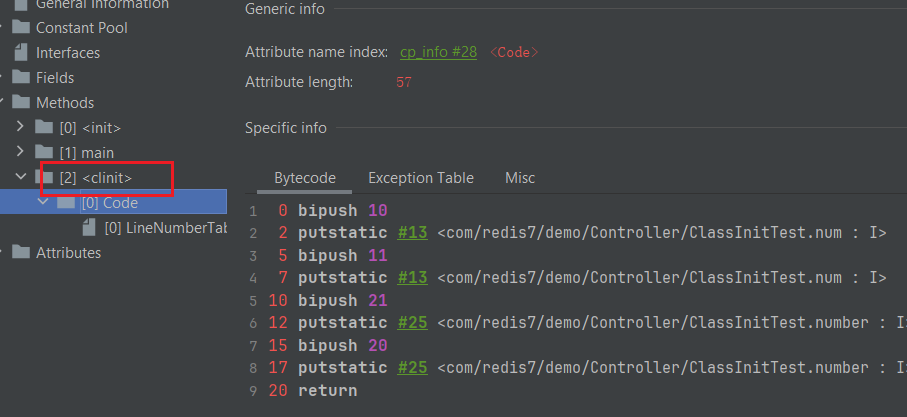
The content of the method is as follows
If there is no merging of class variable (static variable) assignment actions and static code block statements, there will be no<clinit>method, such as
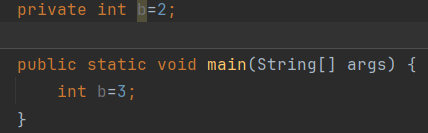
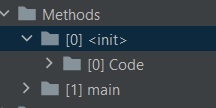 In other words, only with static variable
assignmentwill there be<clinit>method, and without assignment there is none either
The virtual machine guarantees that a class's<clinit>method is synchronized and locked in multithreading
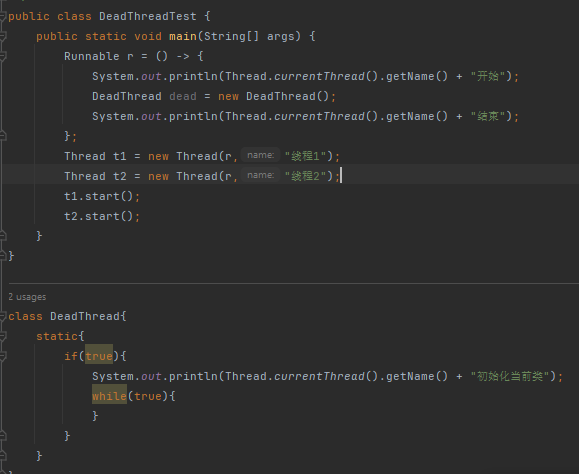
 only one thread executes it, and the virtual machine guarantees that the class is executed only once when loaded
<clinit>method, and the static methods are<clinit>embodiment of the method, and static executing only once shows that
<clinit>the method is executed only once
Class loader classification
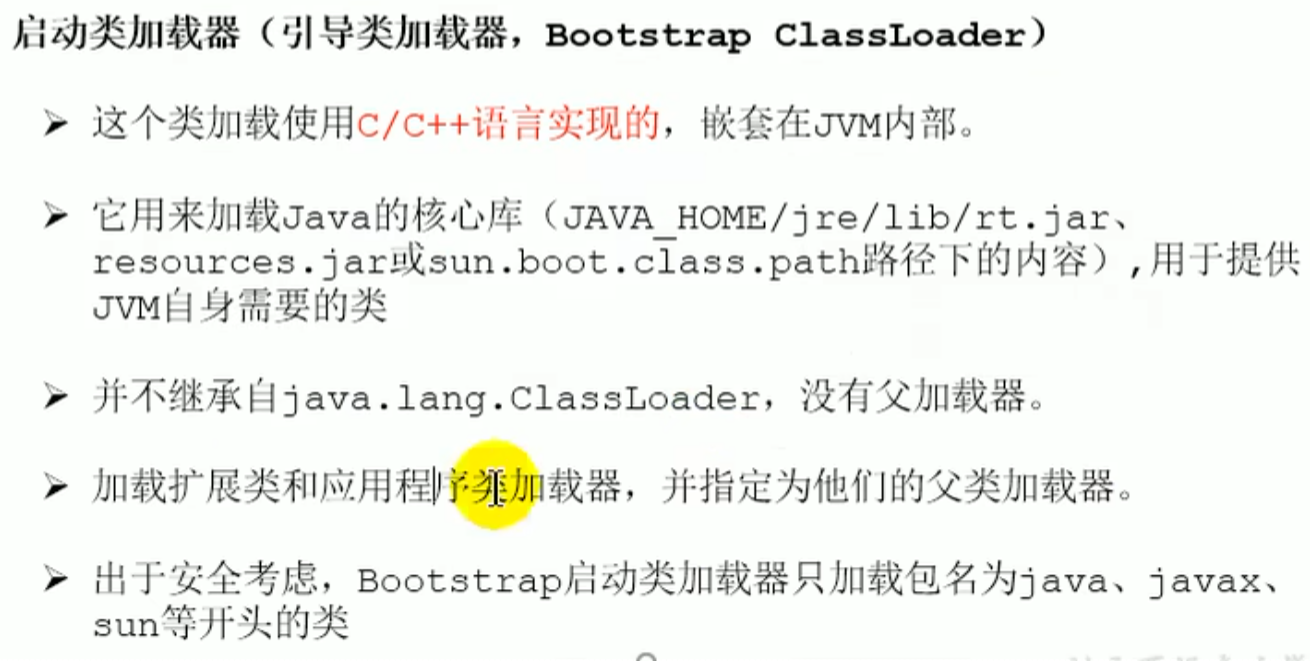
Bootstrap class loader: this class loader is implemented in C and C++ and is nested inside the JVM
Extension classes ext: responsible for loading Java extension libraries, which are usually optional function extensions that are not Java core but are commonly used.
System classes appclassLoader program default loader: generally speaking, the classes of a Java application are all loaded by it
ext and app does not have an inheritance relationship, but ext is app upper layer, only having a reference
ext and app both and classLoader(abstract class) have an inheritance relationship
Class loader classification
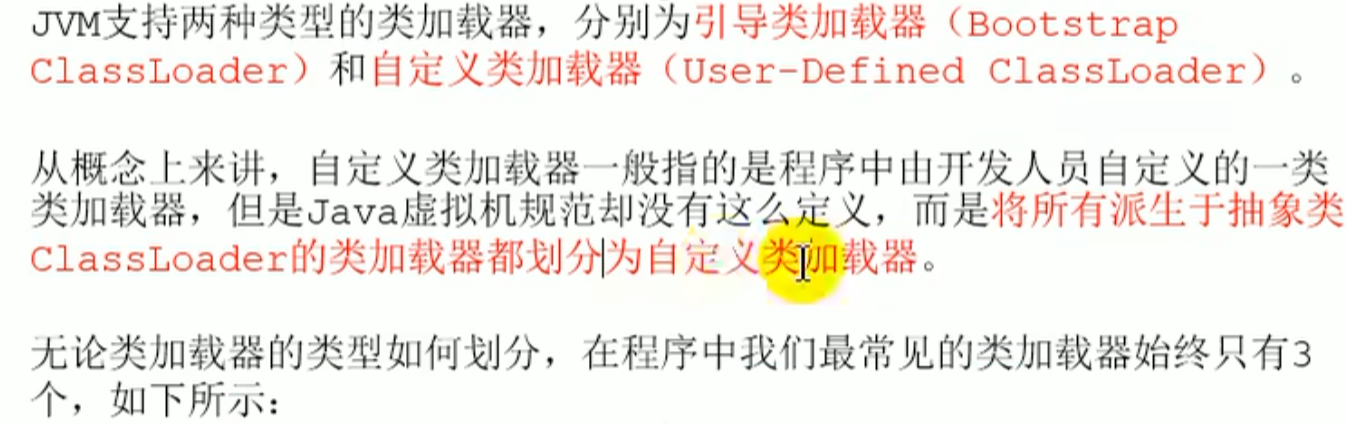
Bootstrap class loader: Java core class libraries are all loaded using the bootstrap class loader

Extension class loader :
ExtClassLoade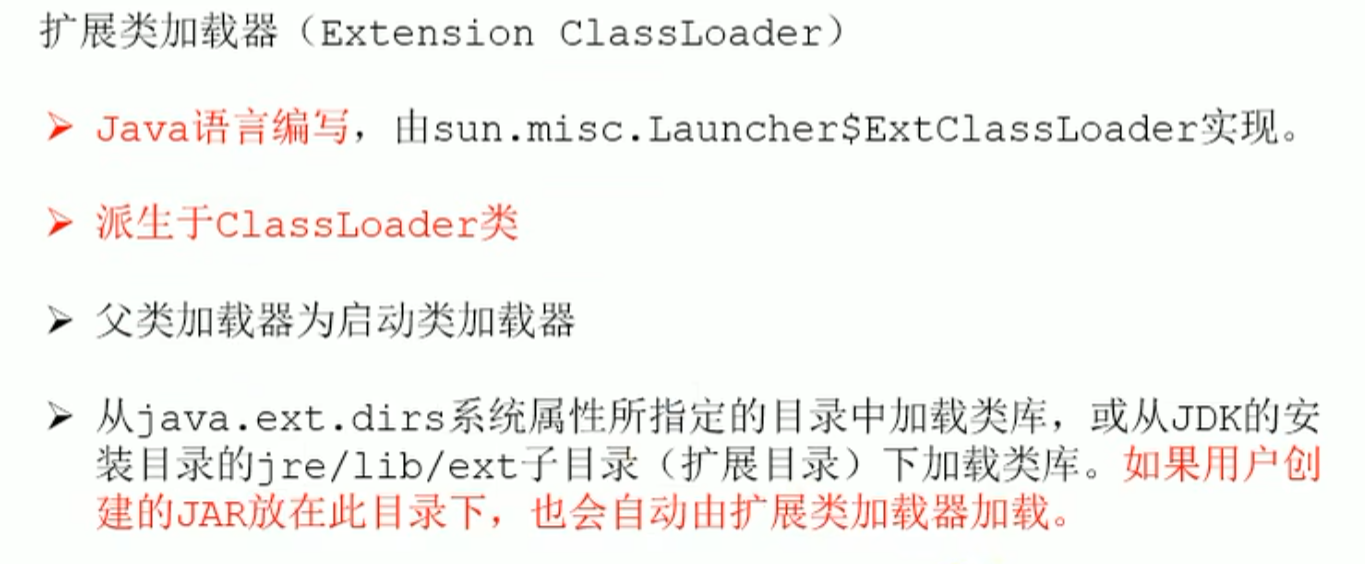
System class loader :
AppClassLoade(Application class loader)(User default loader)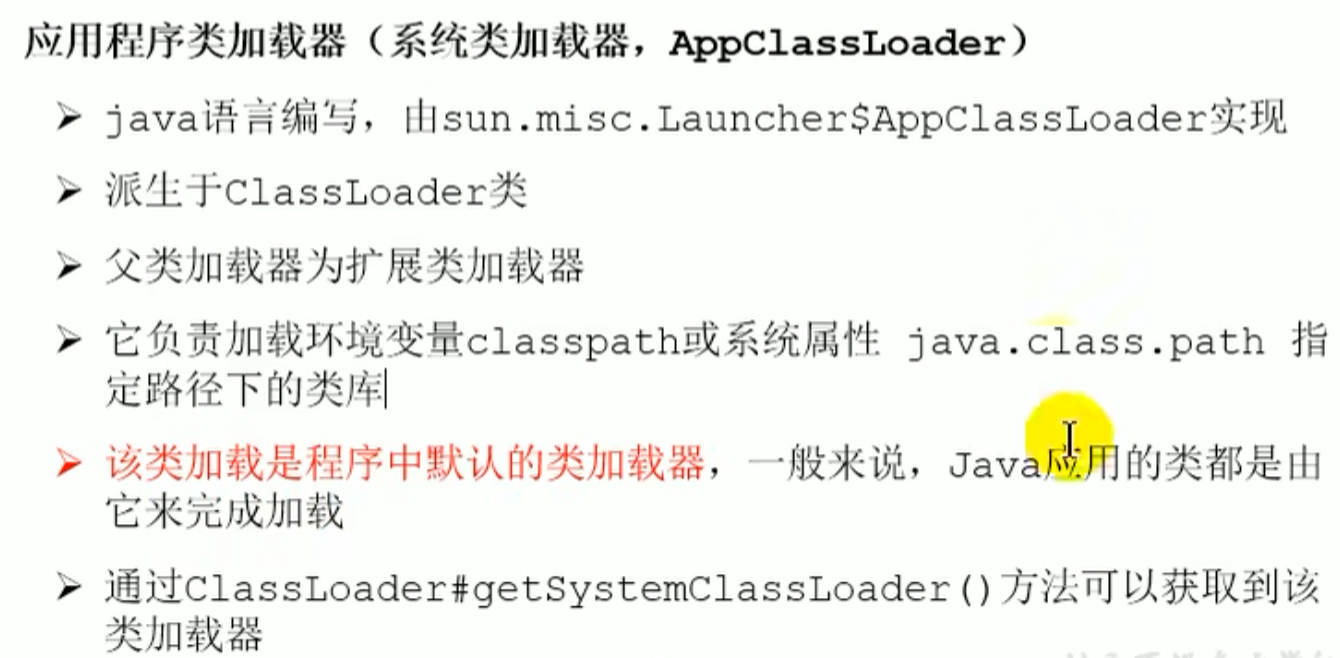
Relationship
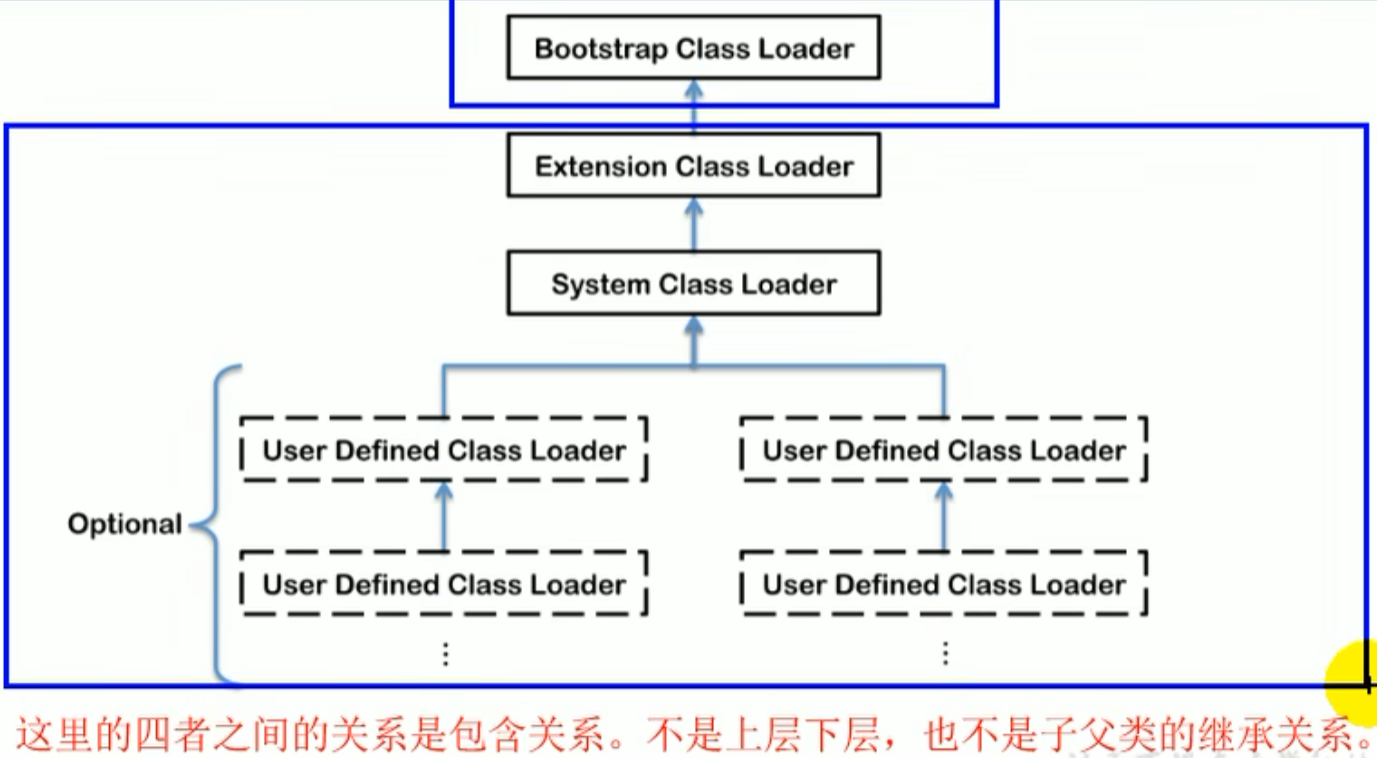
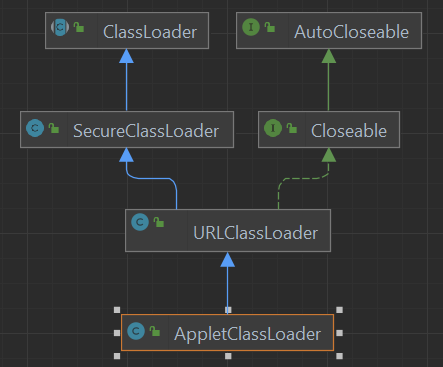
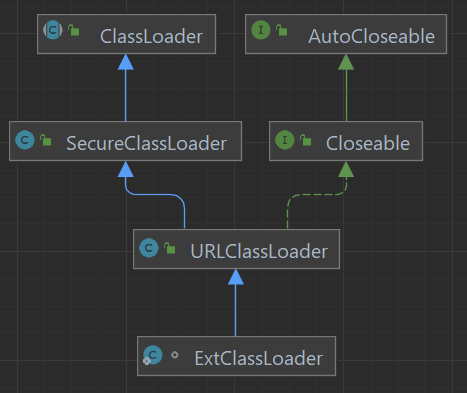
Loaders
    public static void main(String[] args) {

        //Get the system class loader
        ClassLoader systemClassLoader = ClassLoader.getSystemClassLoader();
        System.out.println(systemClassLoader);//sun.misc.Launcher$AppClassLoader@18b4aac2

        //Get its parent: the extension class loader
        ClassLoader extClassLoader = systemClassLoader.getParent();
        System.out.println(extClassLoader);//sun.misc.Launcher$ExtClassLoader@1540e19d

        //Get its parent: the bootstrap class loader cannot be obtained
        ClassLoader bootstrapClassLoader = extClassLoader.getParent();
        System.out.println(bootstrapClassLoader);//null

        //For user defined classes: the system class loader is used by default
        ClassLoader classLoader = ClassLoaderTest.class.getClassLoader();
        System.out.println(classLoader);//sun.misc.Launcher$AppClassLoader@18b4aac2
		System.out.println(classLoader.getParent());//sun.misc.Launcher$ExtClassLoader@1b6d3586

        //String Classes are loaded using the bootstrap class loader.---> Java The core class libraries are all loaded using the bootstrap class loader
        ClassLoader classLoader1 = String.class.getClassLoader();
        System.out.println(classLoader1);//null
    }
Verify that classes at the corresponding path are loaded by the corresponding loader
public static void main(String[] args) {
    System.out.println("**********启动类加载器**************");
    //Get BootstrapClassLoader that can be loaded api the paths of
    URL[] urLs = sun.misc.Launcher.getBootstrapClassPath().getURLs();
    for (URL element : urLs) {
        System.out.println(element.toExternalForm());
    }
    //Pick any class from the paths above,to see what its class loader is:Bootstrap class loader
    ClassLoader classLoader = Provider.class.getClassLoader();
    System.out.println(classLoader);//null

    System.out.println("***********扩展类加载器*************");
    //System.getProperty():Get the specified Java system property
    //"java.ext.dirs":This property key indicates Java the extension directory property
    String extDirs = System.getProperty("java.ext.dirs");
    for (String path : extDirs.split(";")) {
        System.out.println(path);
    }
    //Pick any class from the paths above,to see what its class loader is:Extension class loader
    ClassLoader classLoader1 = SunEC.class.getClassLoader();
    System.out.println(classLoader1);//sun.misc.Launcher$ExtClassLoader@1b6d3586
}
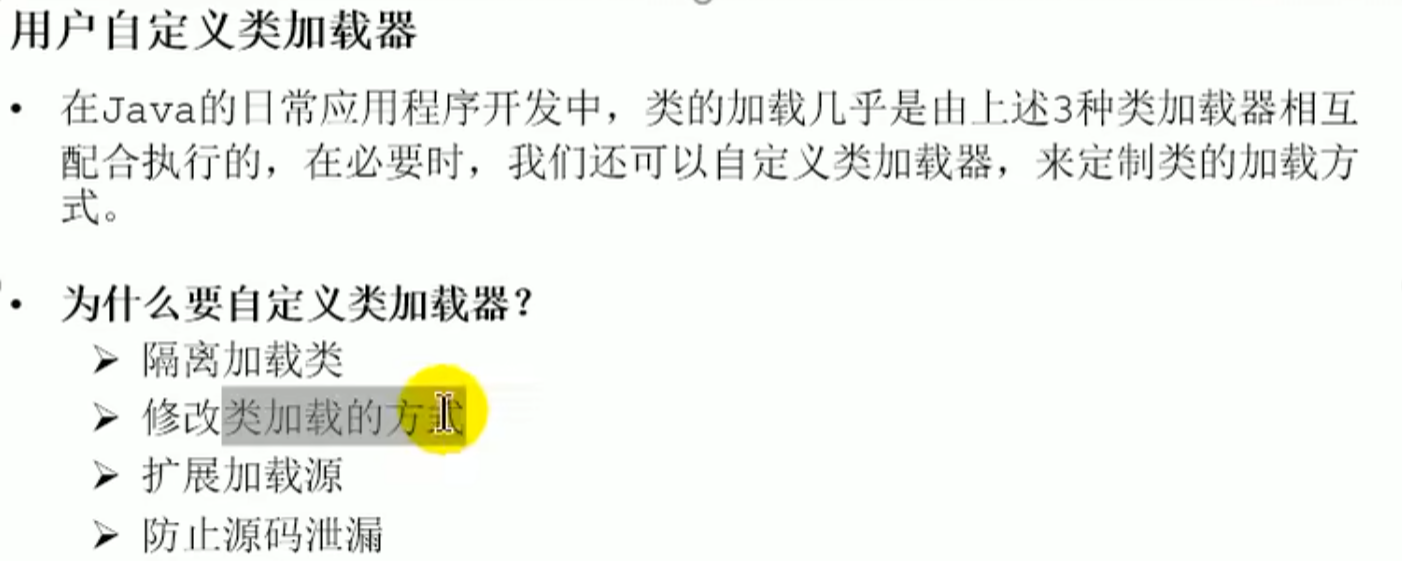
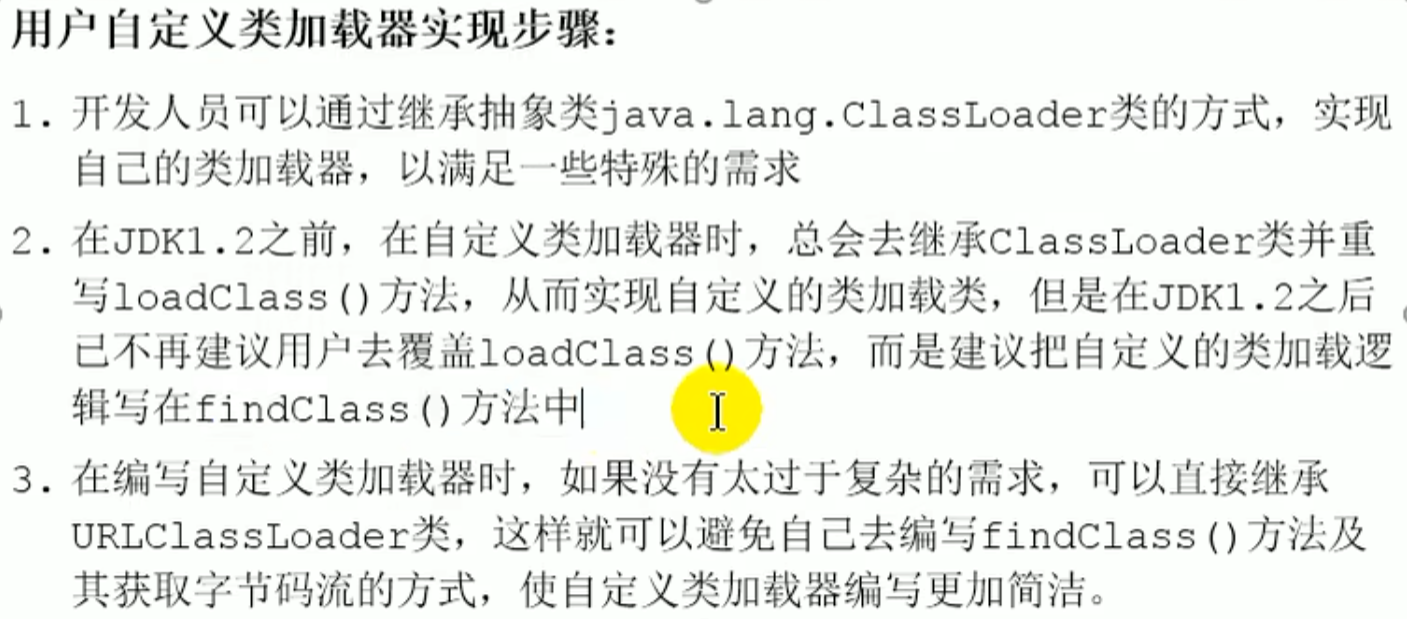
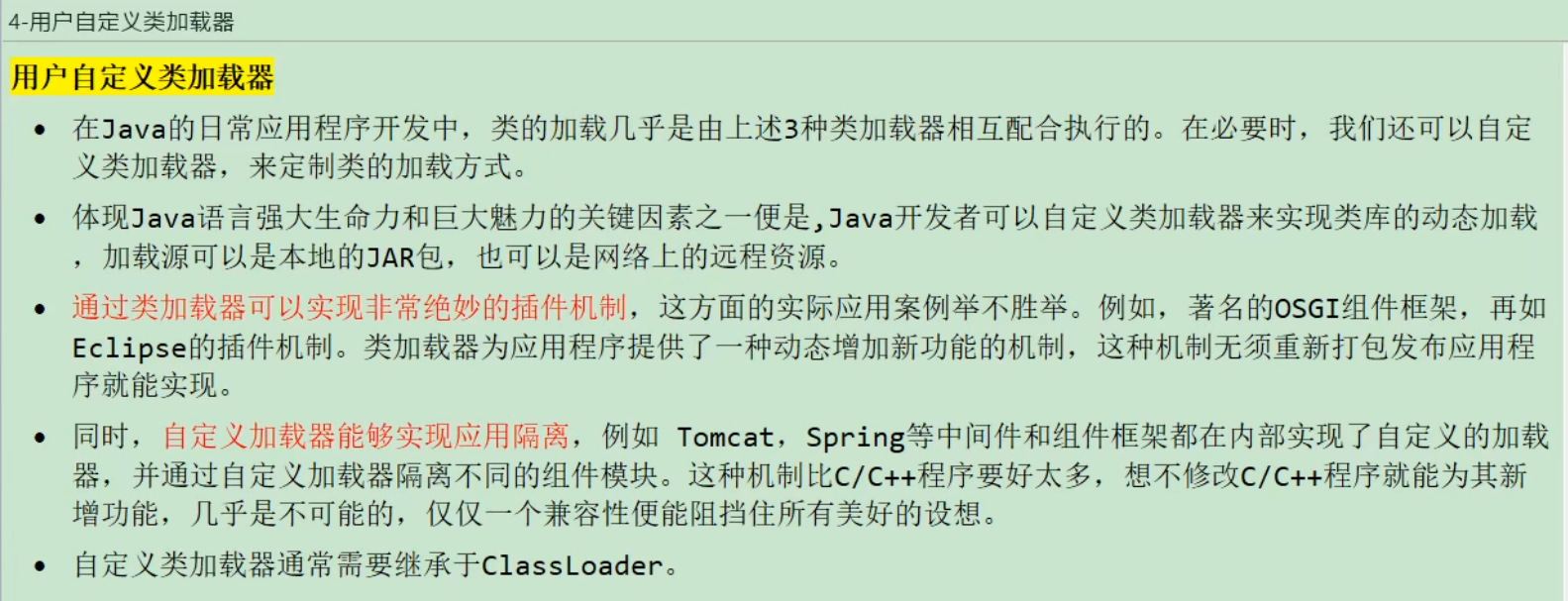
User defined class loader
new UserClassLoader(load path)
Get ClassLoader Abstract class
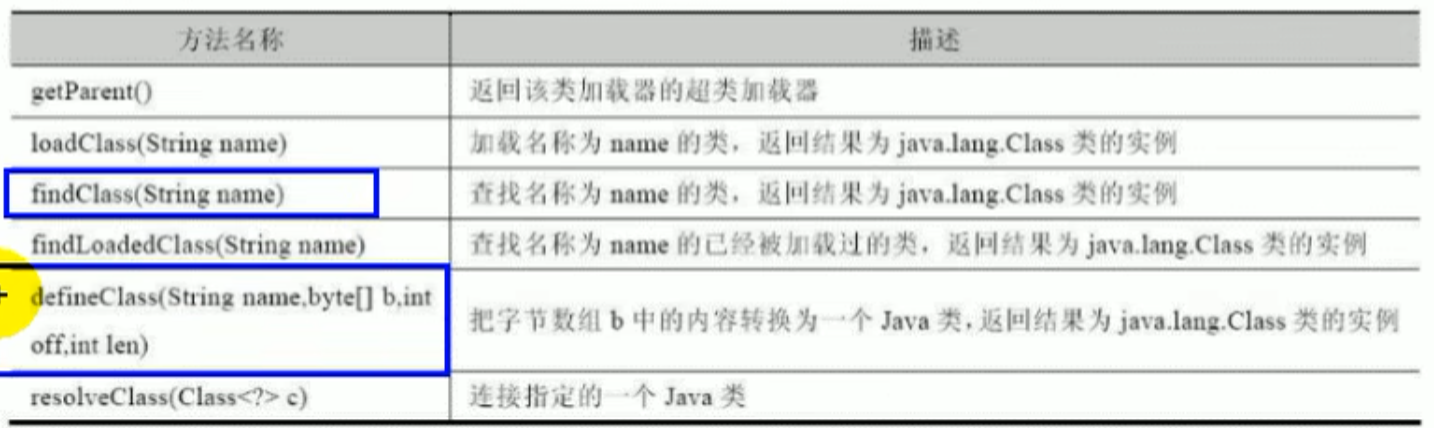
ClassLoaderAbstractclass
Except for the bootstrap class loader, all class loaders inherit from ClassLoader
In Java, loaders can be divided into two categories: one is the bootstrap class loader, the other inherits ClassLoader of the class
- Get
classLoaderWay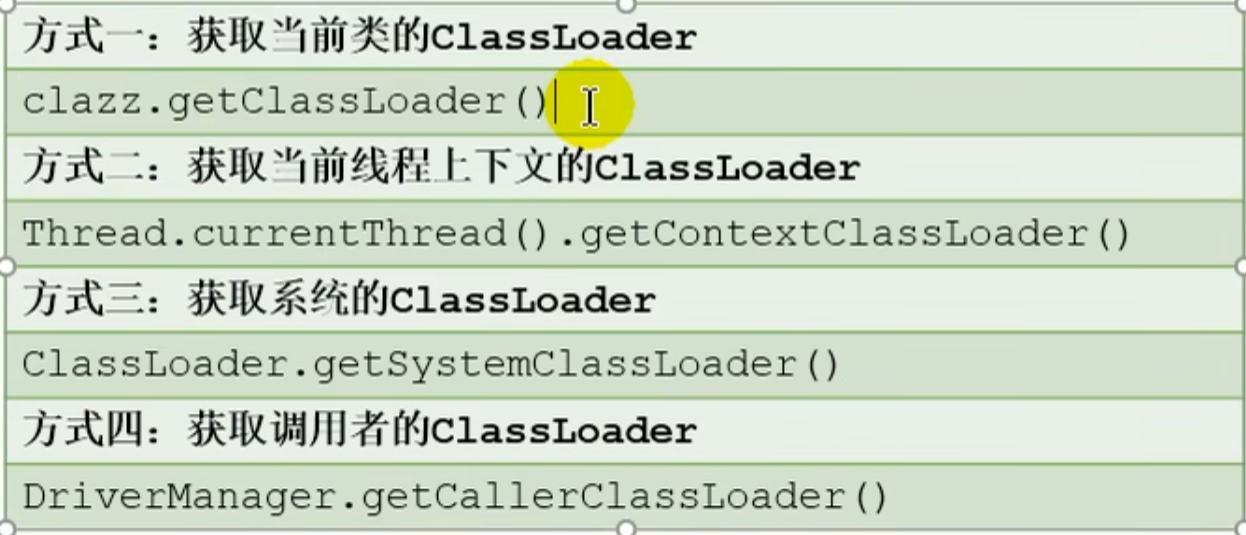
//1.
ClassLoader classLoader = Class.forName("java.lang.String").getClassLoader();
System.out.println(classLoader);
//2.
ClassLoader classLoader1 = Thread.currentThread().getContextClassLoader();
System.out.println(classLoader1); //sun.misc.Launcher$AppClassLoader@18b4aac2

//3.
ClassLoader classLoader2 = ClassLoader.getSystemClassLoader();//sun.misc.Launcher$AppClassLoader@18b4aac2
ClassLoader classLoader3 = ClassLoader.getSystemClassLoader().getParent();
System.out.println(classLoader2);
System.out.println(classLoader3);
Parent delegation mechanism
Classes are loaded on demand, and the parent delegation mechanism applies: a class delegates to its parent loader, continuously delegating upward, and the top level parent decides whether it can load it, and if not, delegates down to the child
Introduction
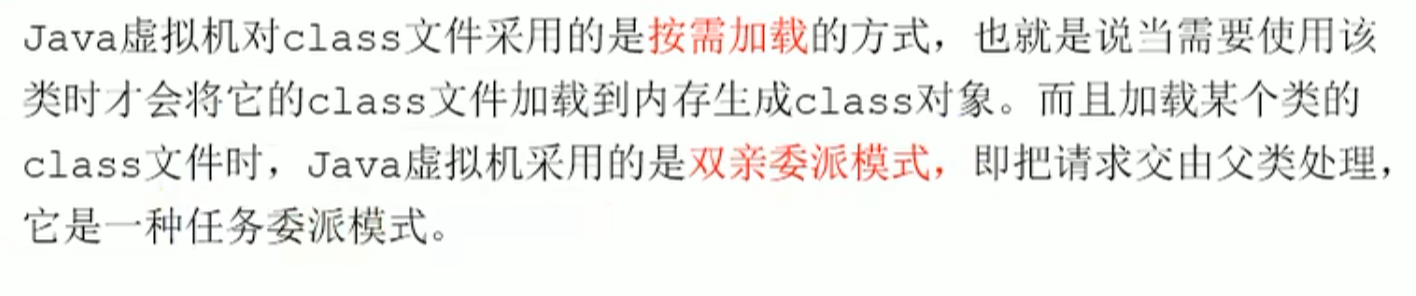
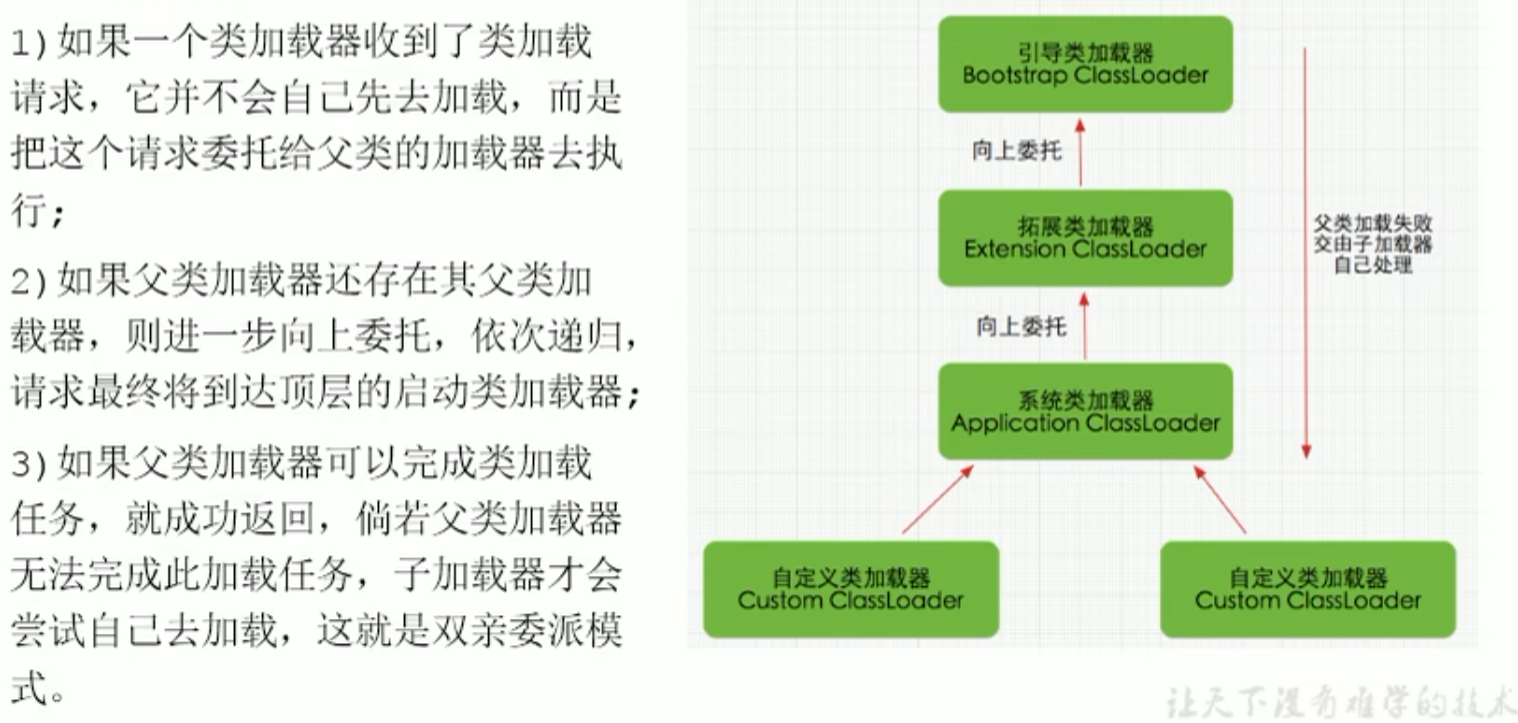
Proof

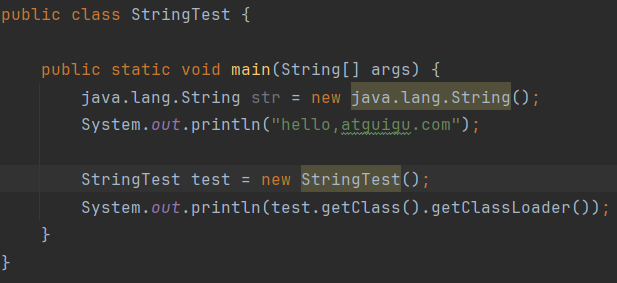
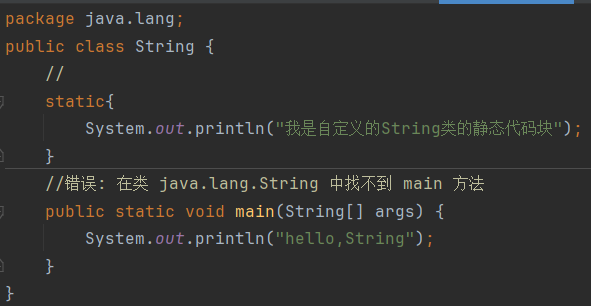
one created by itself String It does not use its own system class loader, but delegates to the top level parent loader to load, and the top level loader will check the package; if it is not within its scope, it will continue delegating down to the extension class loader, and if the extension class loader finds it is also not within its scope, it also does not handle it, and only then delegates to the system class loader
 After delegating to the bootstrap class loader, it finds that the real String in Java has no main method at all, so it directly ignores the self written String; if an official version exists, the custom version is ignored
Reverse delegation
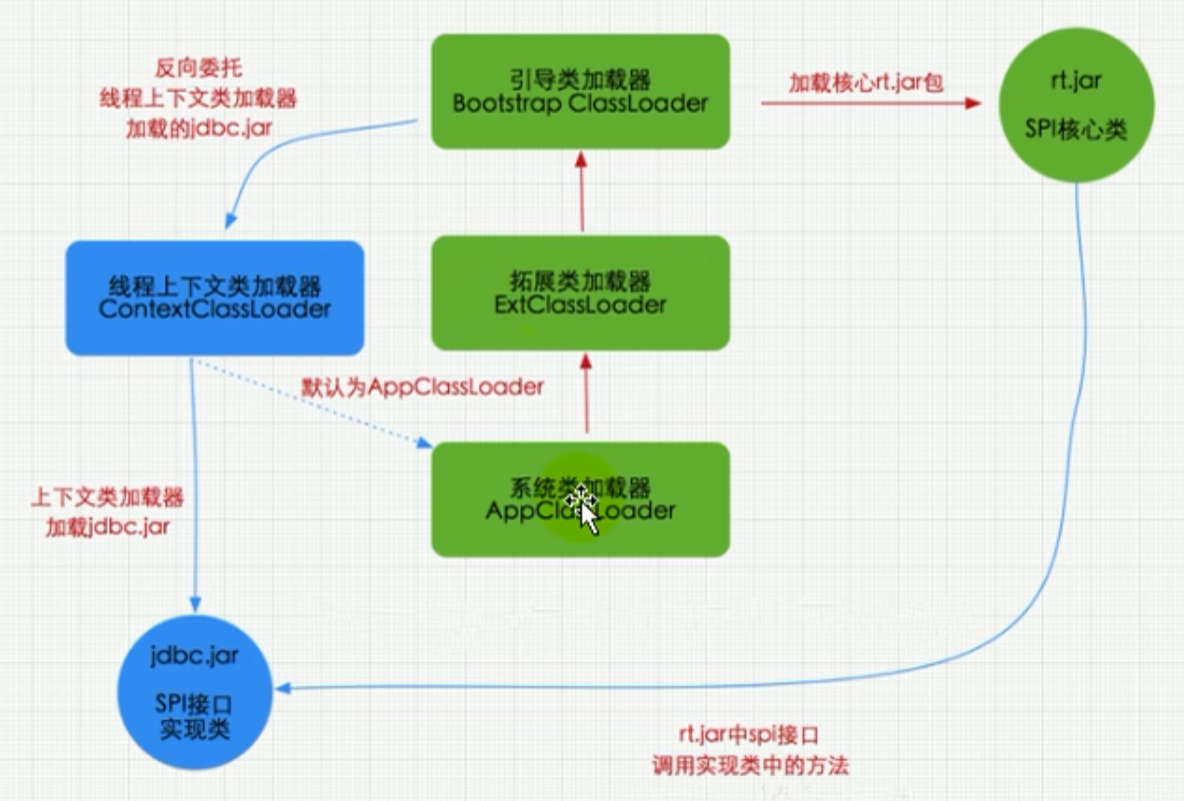
The interface is a core API, loaded by the bootstrap class loader, but the concrete implementation class is a third party Jar package, so it goes through thread context loader ,Reverse delegation to system class loader
Advantages
- It avoids duplicate loading of classes, and each loader has its own loading scope
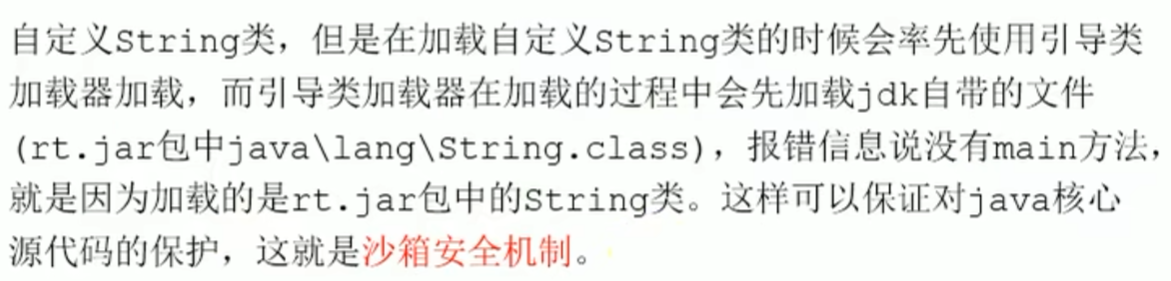
- It protects program security and prevents the core API from being tampered with; if a passed in custom
Stringwill not be loaded, and the bootstrap class loader still loads the coreAPI
Sandbox security mechanism
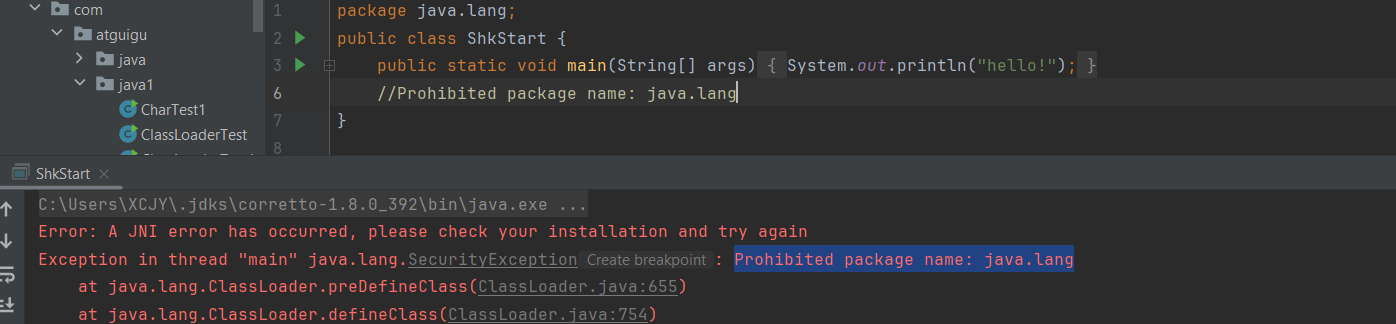
There will be no permission and an error will be reported directly, prohibiting custom classes from using the package name of the core API
Other
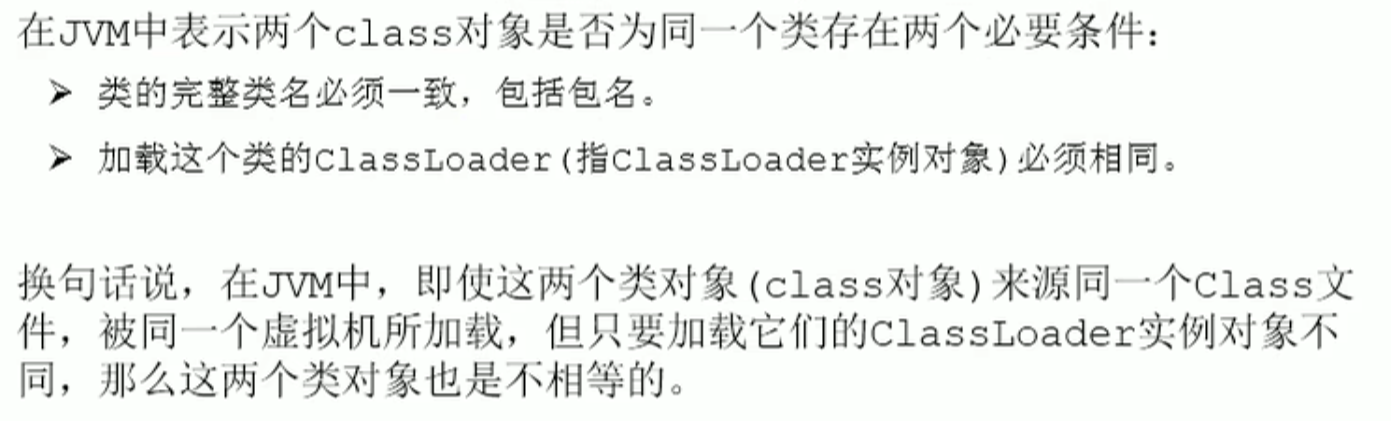
A class object must come from the same class file and the same classLoader to be equal
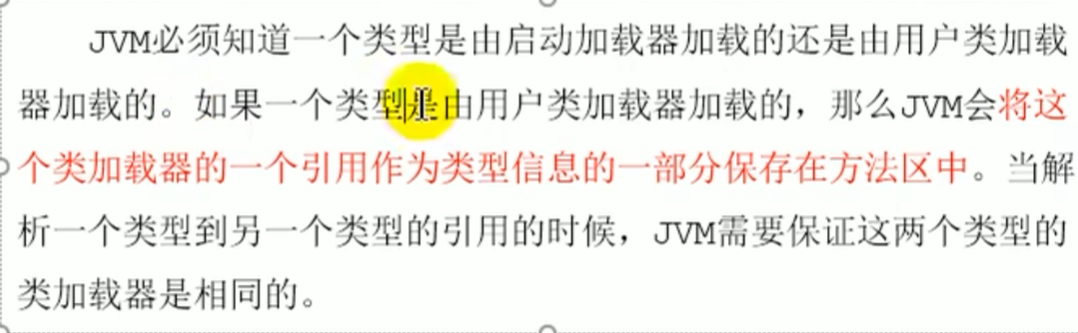
user class loaderThe loaded class stores thisa reference to the class loaderas part of the type information in the method area
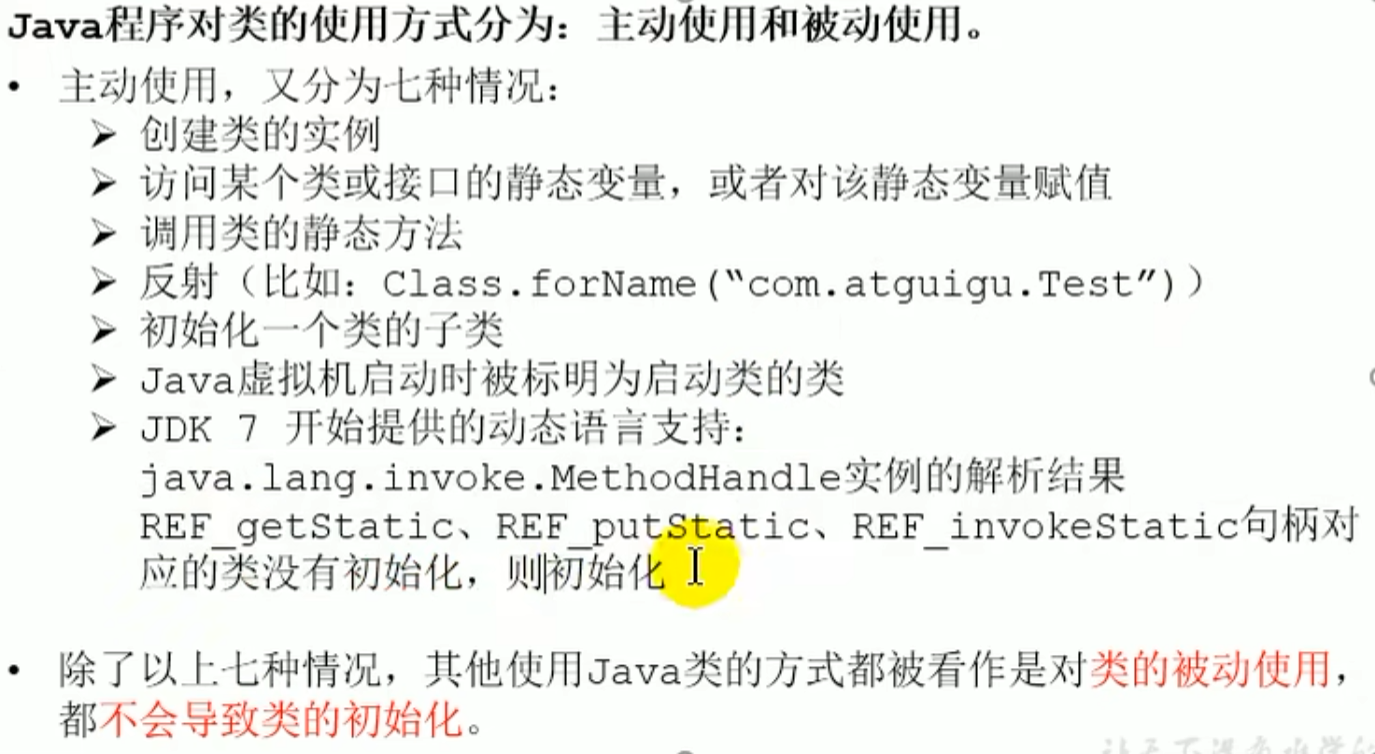
Active use of a class by a Java program causes initialization, while passive use does not cause class initialization ^ne4cv6
Other
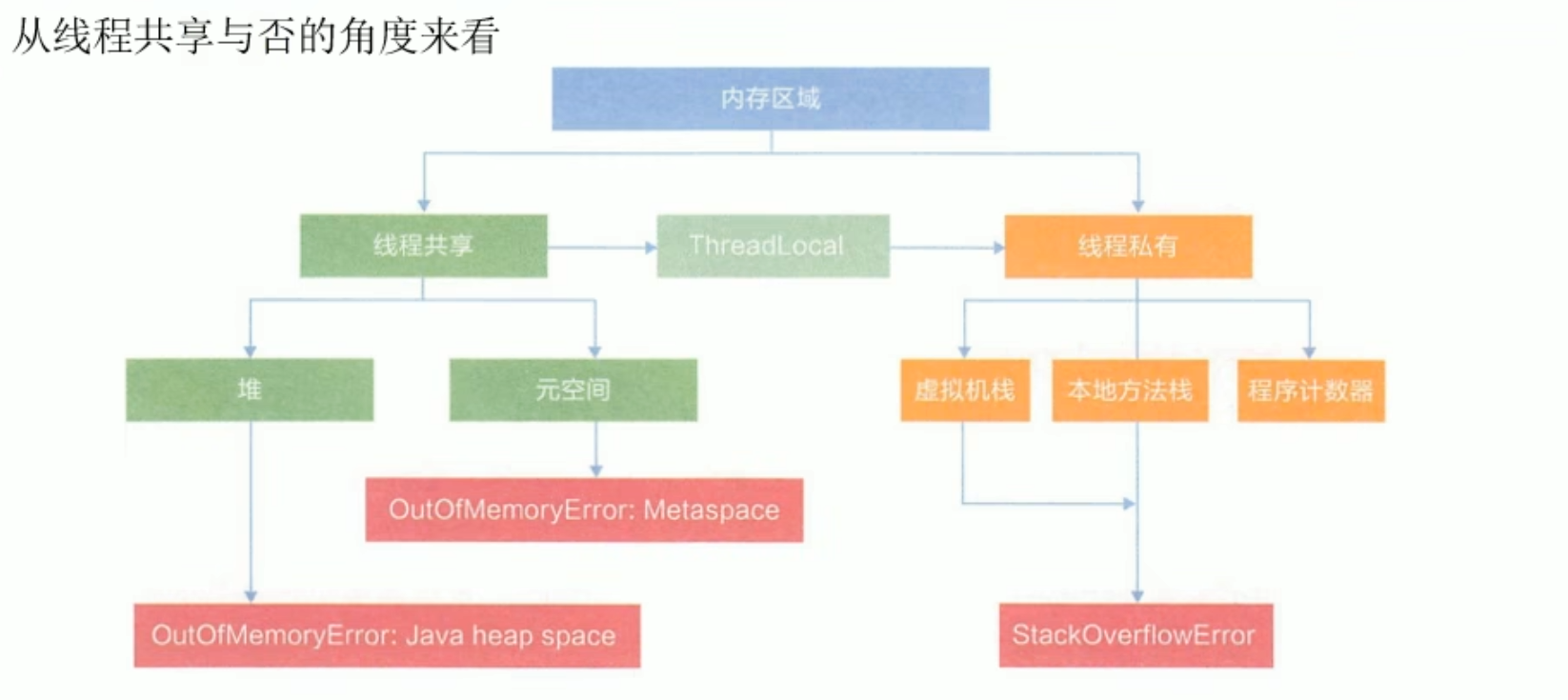
Runtime data area
Example diagram
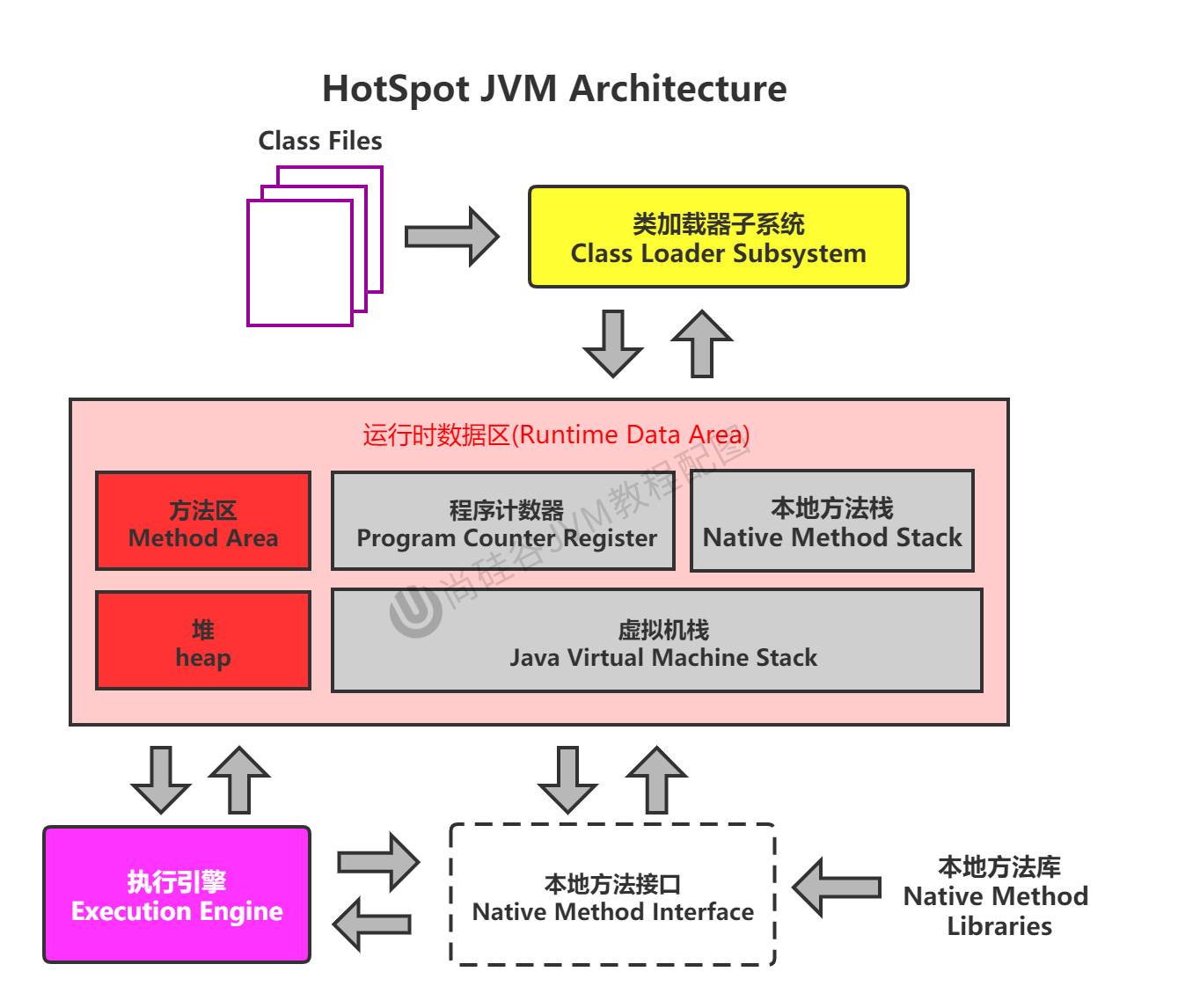
Red indicates one per process Gray indicates one per thread
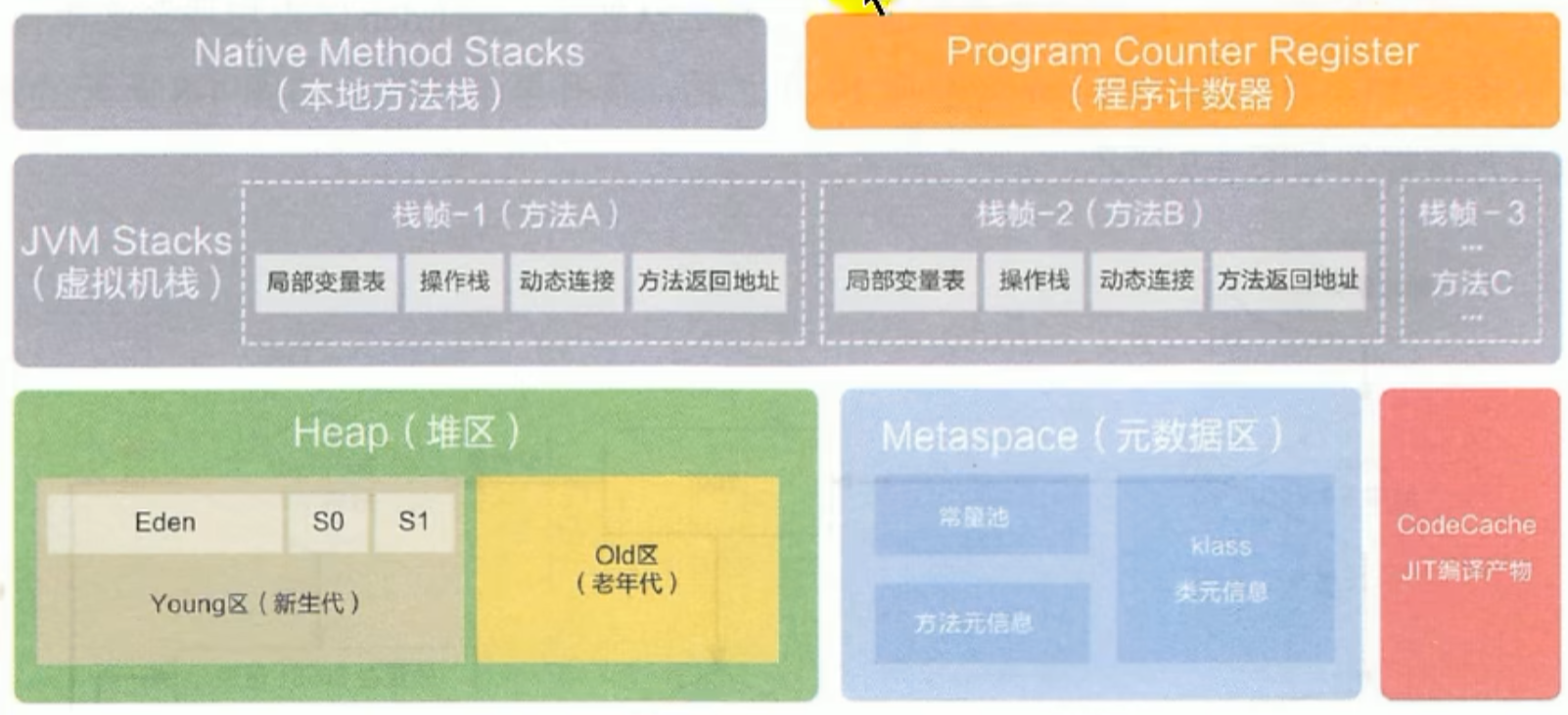 ^dugjvf
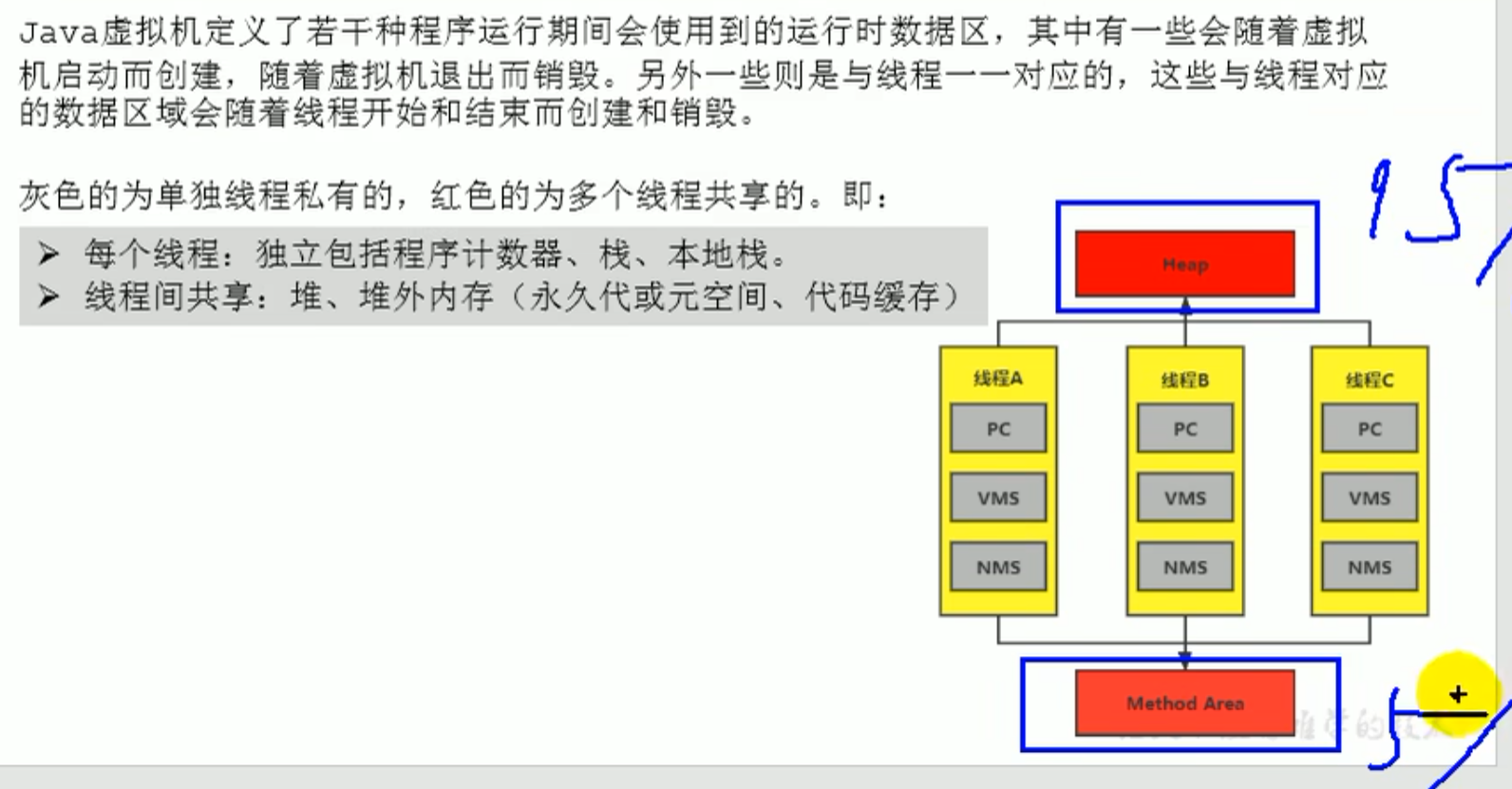
A JVM has only one Runtime instance, that is, the runtime environment
Thread
In Hotspot JVM , each thread maps directly to a native thread of the operating system. When a Java thread is ready to execute, a native thread of the operating system is also created at the same time.Java After the thread terminates execution, the native thread is also reclaimed.
Thread
In Hotspot JVM, each thread maps directly to a native thread of the operating system. When a Java thread is ready to execute, a native thread of the operating system is also created at the same time. After the Java thread terminates execution, the native thread is also reclaimed. The operating system is responsible for scheduling all threads onto any available CPU. Once the native thread initializes successfully, it calls the run method in the Java thread
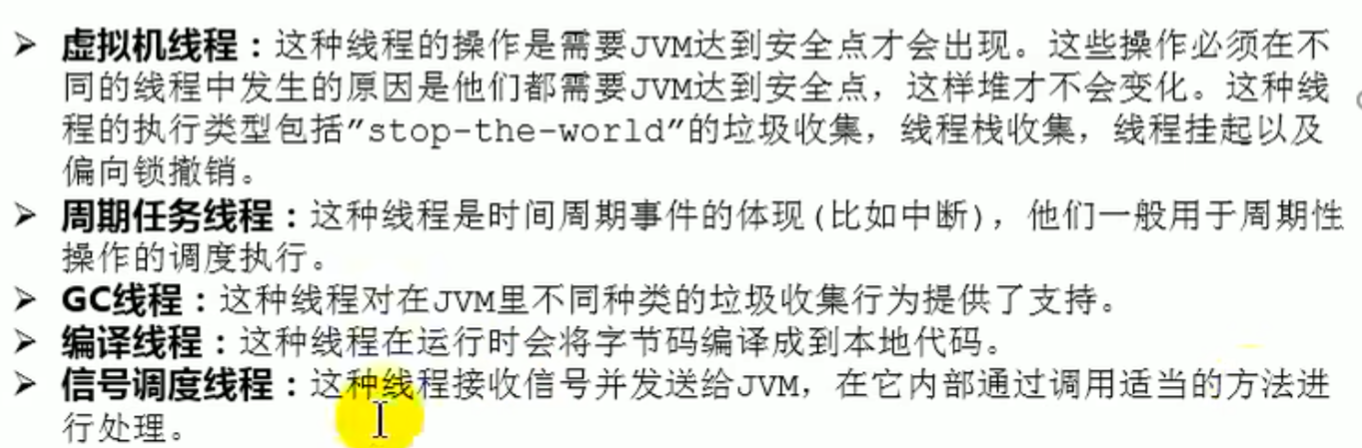
Program counter (PC register)
In order to accurately record the address of the current bytecode instruction being executed by each thread,
each thread is allocated a PC register
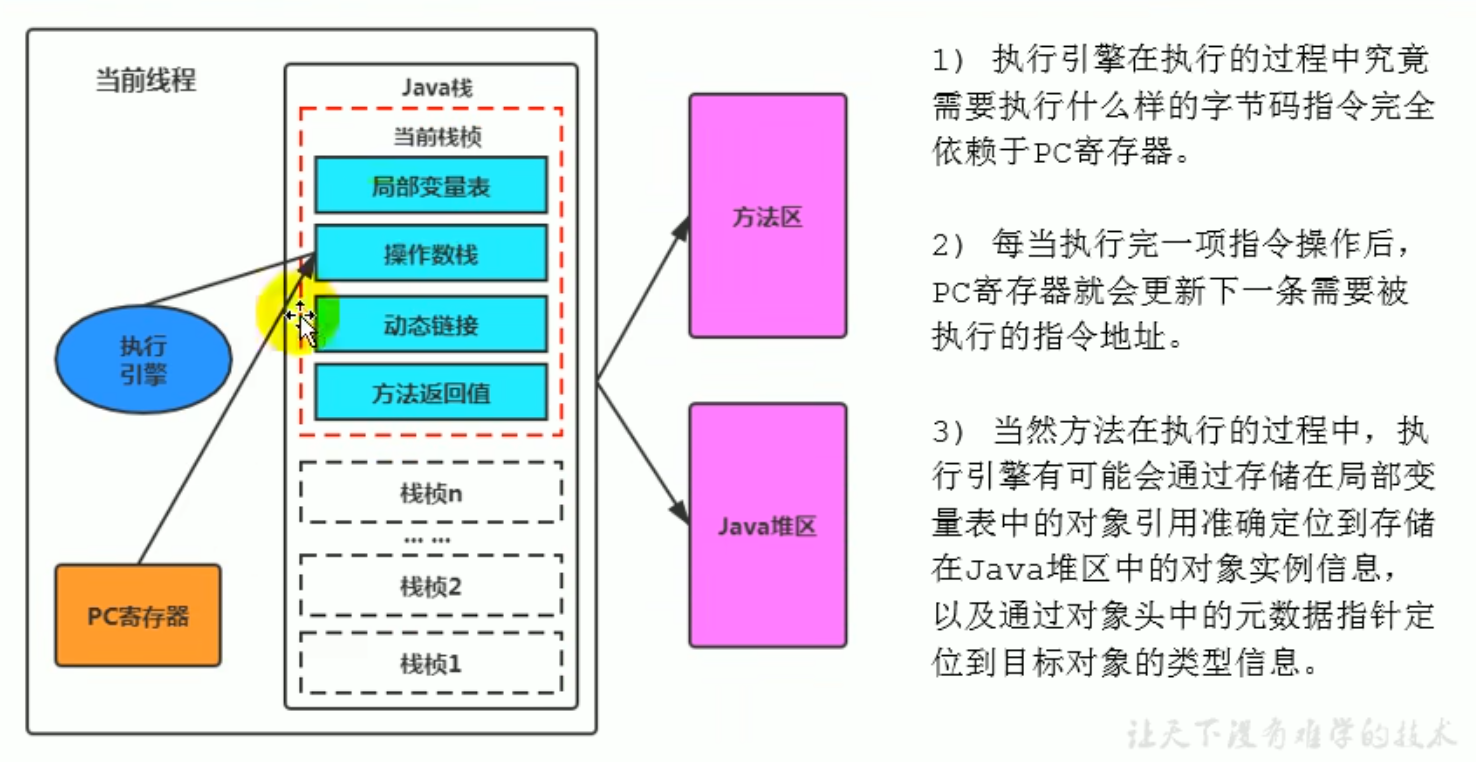
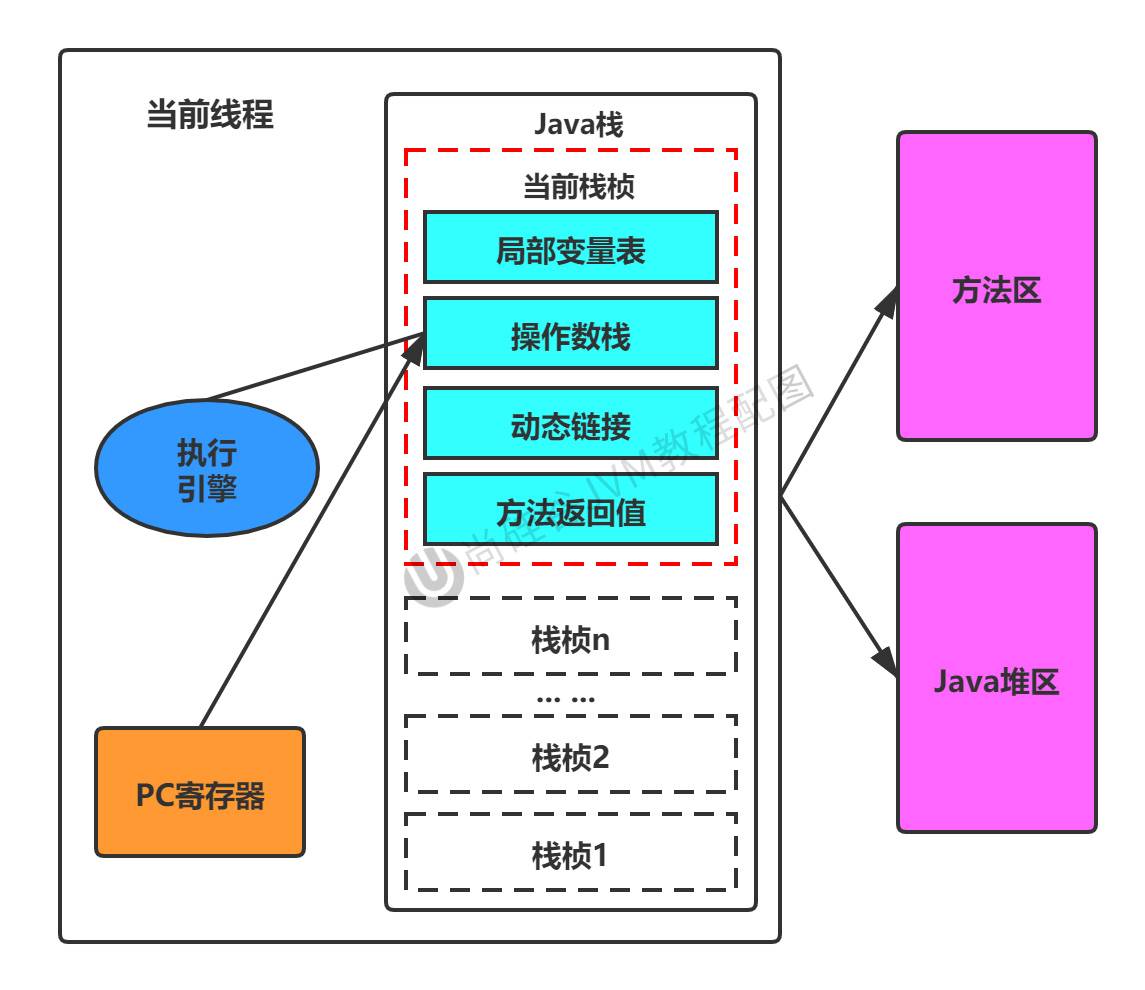
It stores the address pointing to the next instruction to execute, and the address is read by the execution engine. It can be understood as a cursor or an iterator of a collection, and is an indicator of the program control flow (branch, jump, loop, exception)
No error exists, and it is the fastest There is also no GC (no garbage collection is needed, it is constantly replaced with the next address) The only one without OOM (no overflow)
Program counter (PC register)

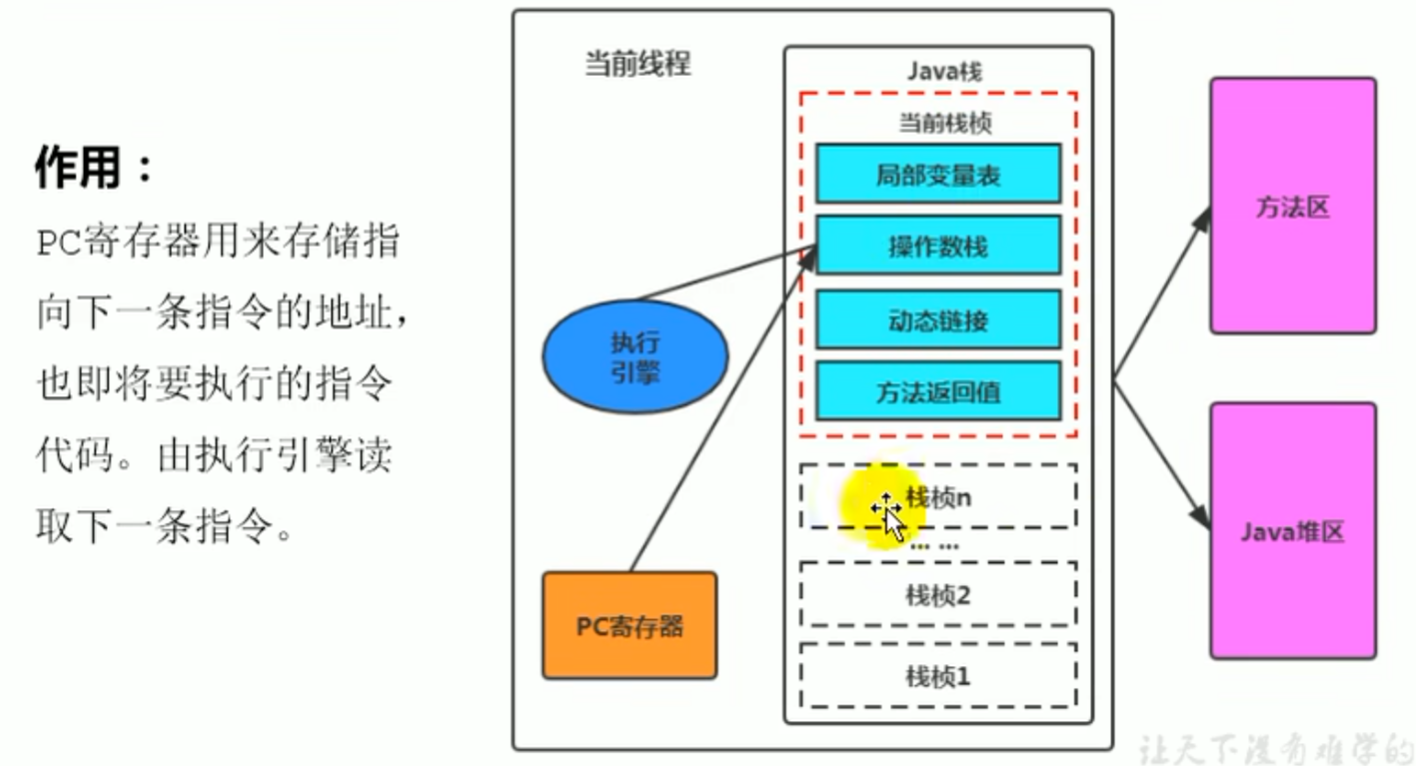
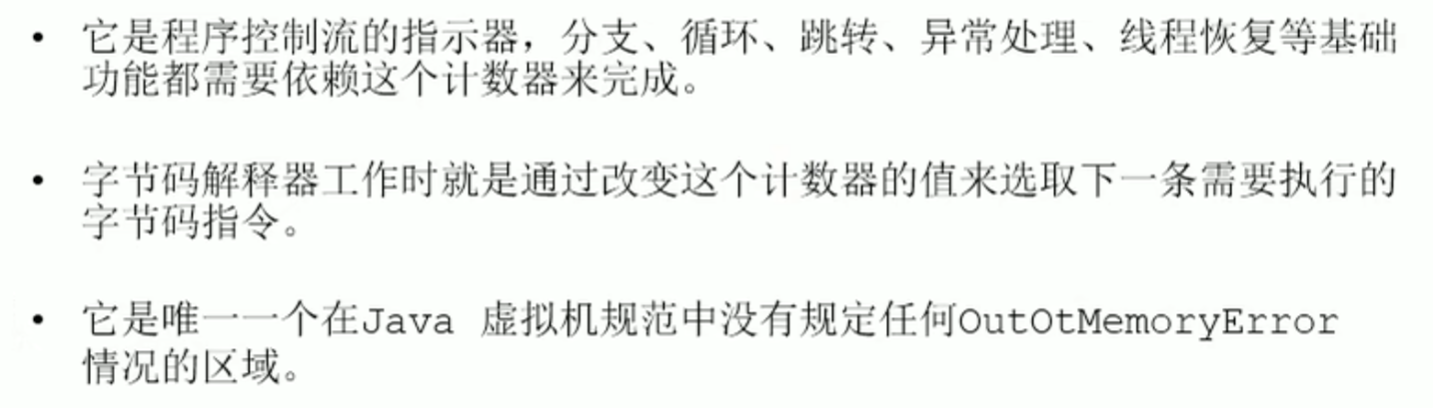
Introduction
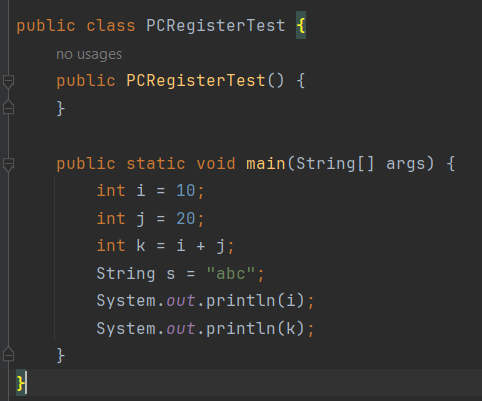
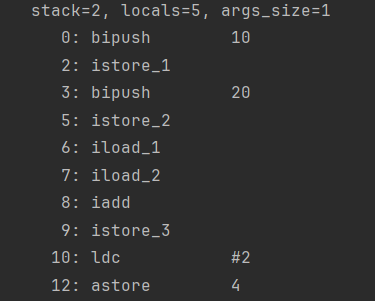
Specified address (offset address) stored by the PC register
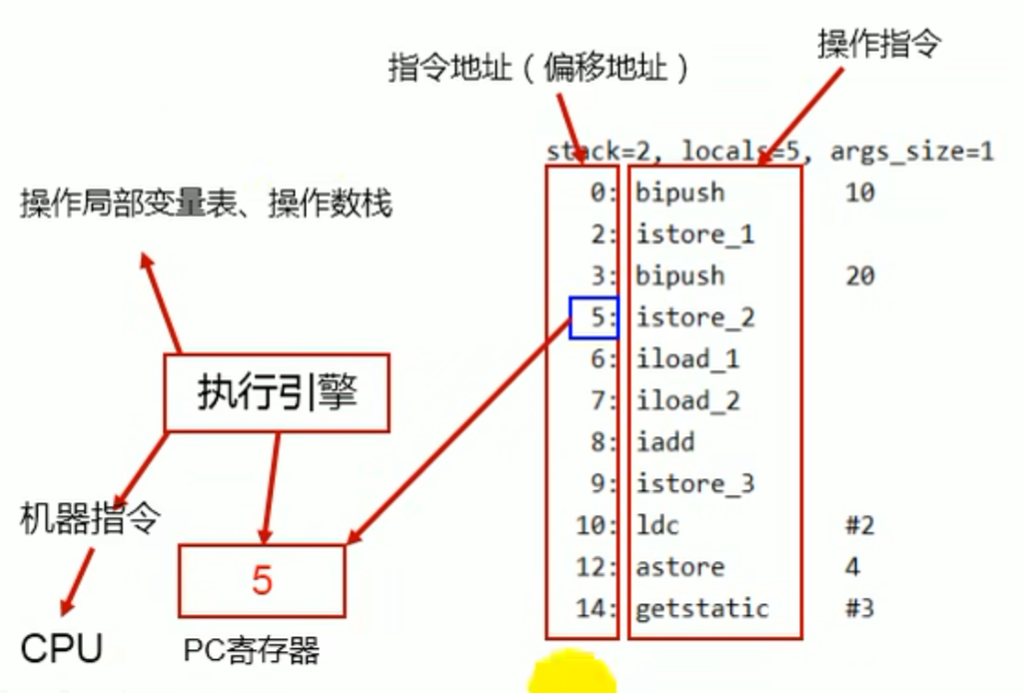
The role of the PC register storing the bytecode instruction address
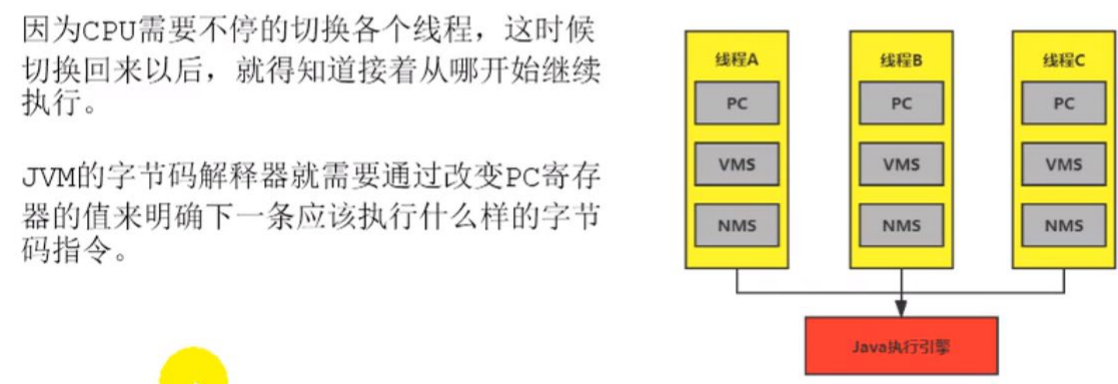
In order to accurately record the address of the bytecode instruction currently executed by each thread, so that each thread does not interfere with the others
Why the PC register is set as thread private
 It looks like concurrency, but in reality execution happens one by one
Virtual machine stack

One thread corresponds to one Java virtual machine stack, there is Error, and there is no GC, there is OOM, and the speed is second only to the program counter
The stack is the unit of runtime, and the heap is the unit of storage

Introduction


 Ingredient details --> Variable
Steps -->Bytecode instruction
Ingredients -- > Heap
Ingredient details --> Variable
Steps -->Bytecode instruction
Ingredients -- > Heap
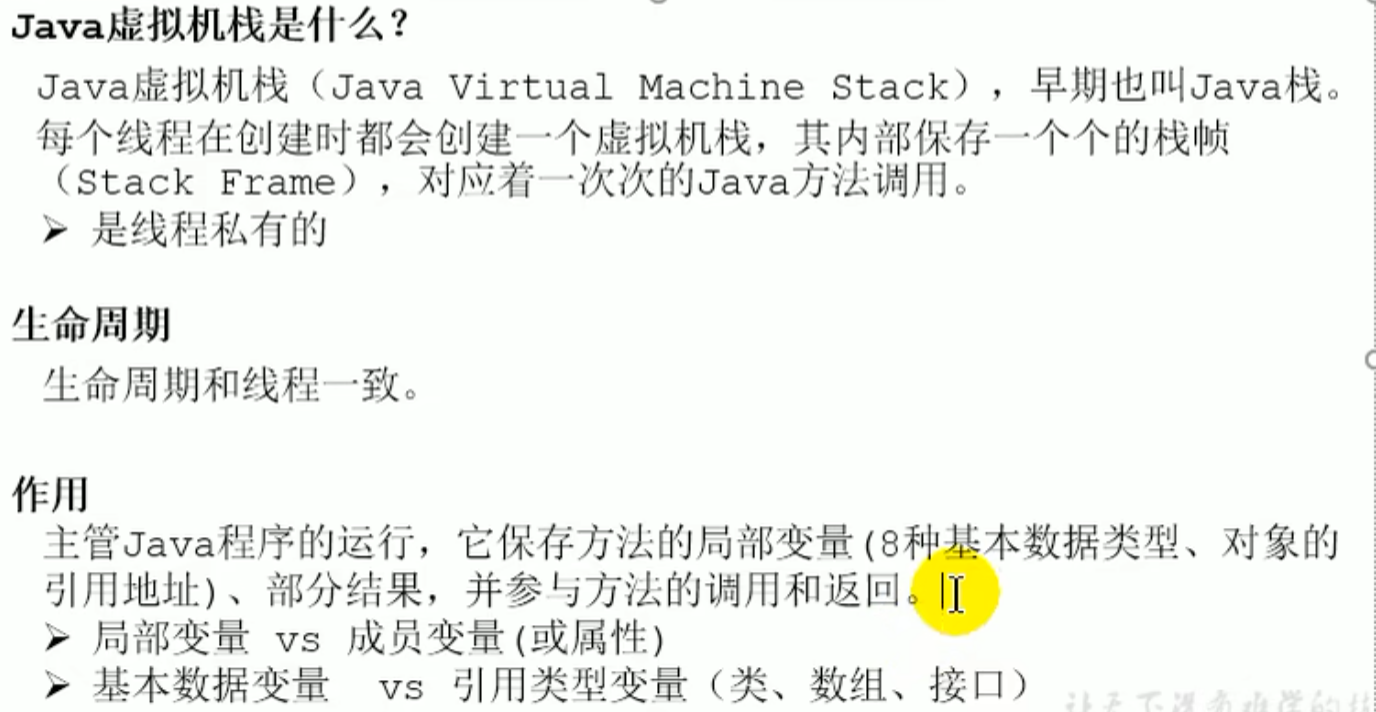
- Advantage

- Exceptions that may occur in the stack
The stack size can be set dynamically or fixed
When fixed, exceeding the maximum capacity allowed by the Java virtual machine stack will throw
StackOverflowErrorIf dynamic expansion cannot obtain enough memory, it will throwOutOfMemoryError
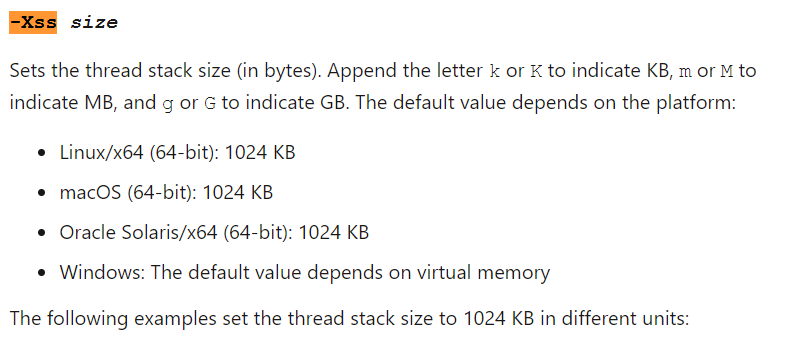
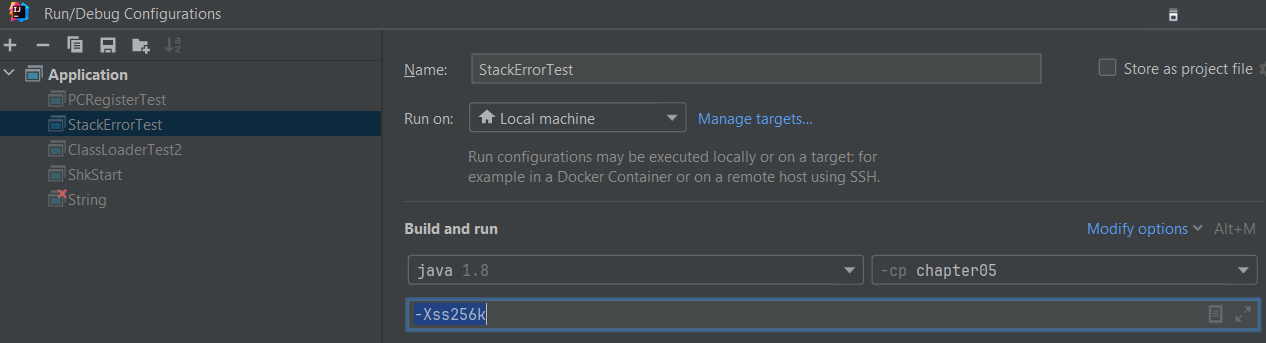
-Xss stack memory size setting
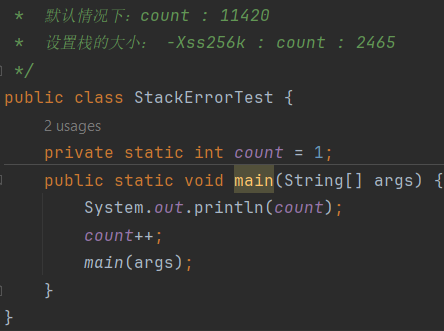

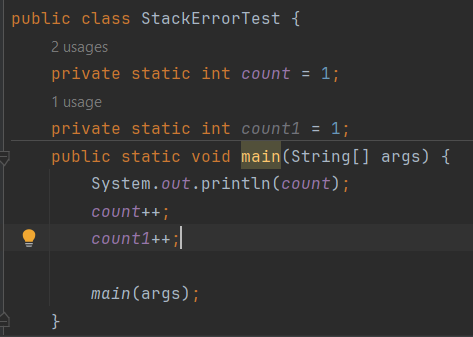 It was called only more than 1000 times
The memory of the stack determines the total size of stack frames, and the size of a single stack frame determines the number of stack frames
Storage unit of the stack: stack frame
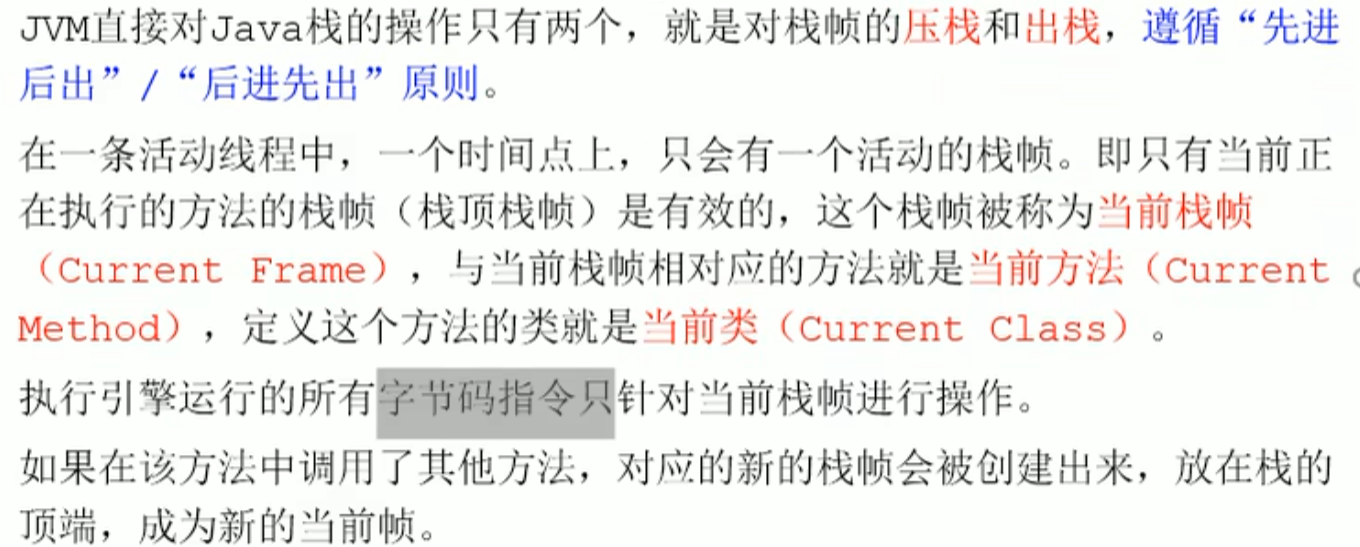
Each thread has its own stack, and the data in the stack is all in the stack frame(Stack Frame) format, and each method on the thread corresponds to one stack frame(Stack Frame) . A stack frame is a memory area and a data set, maintaining various data information during method execution
The register also stores the current stack frame
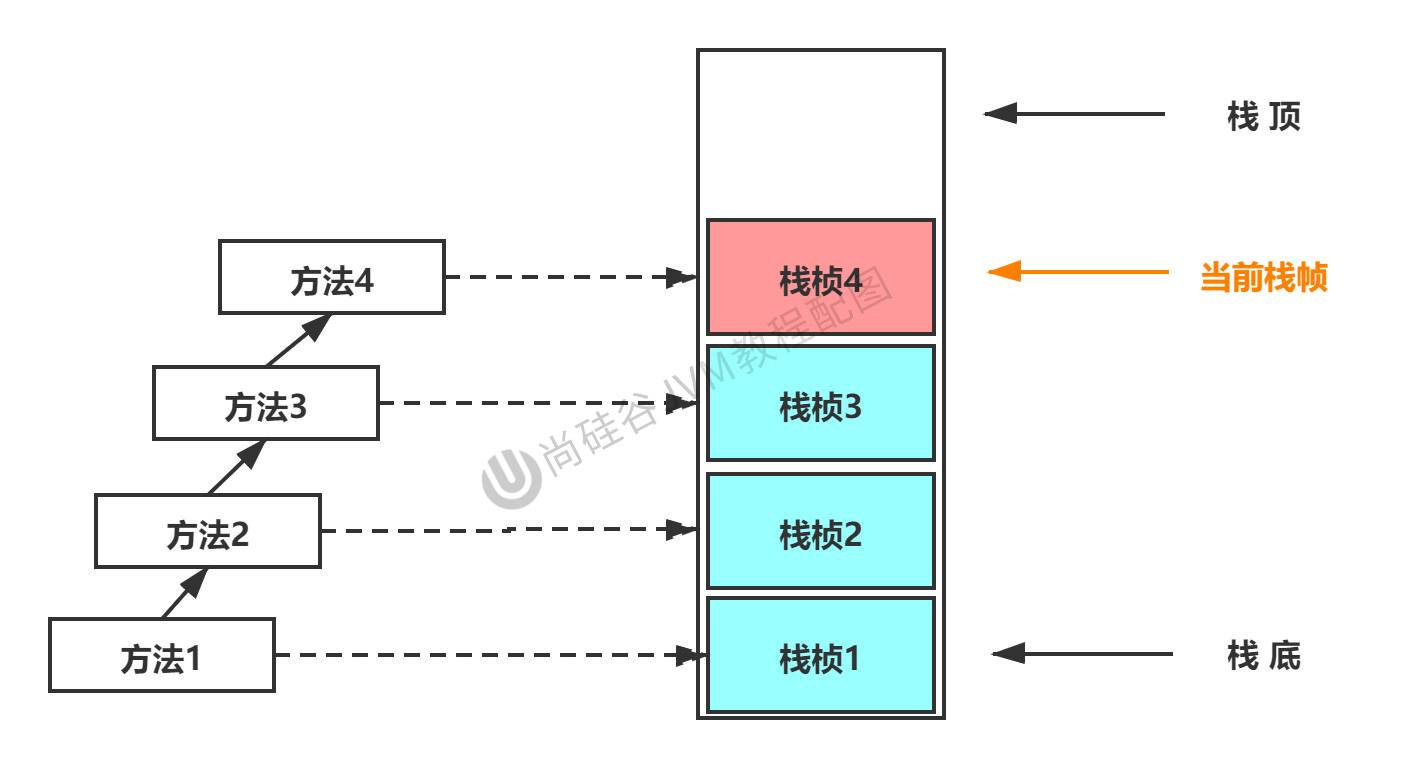
And so on
 If the method does not handle the exception, it will be thrown to
 main, if unhandled it will allthrow exceptionin the manner of ending
- Internal structure of stack frame
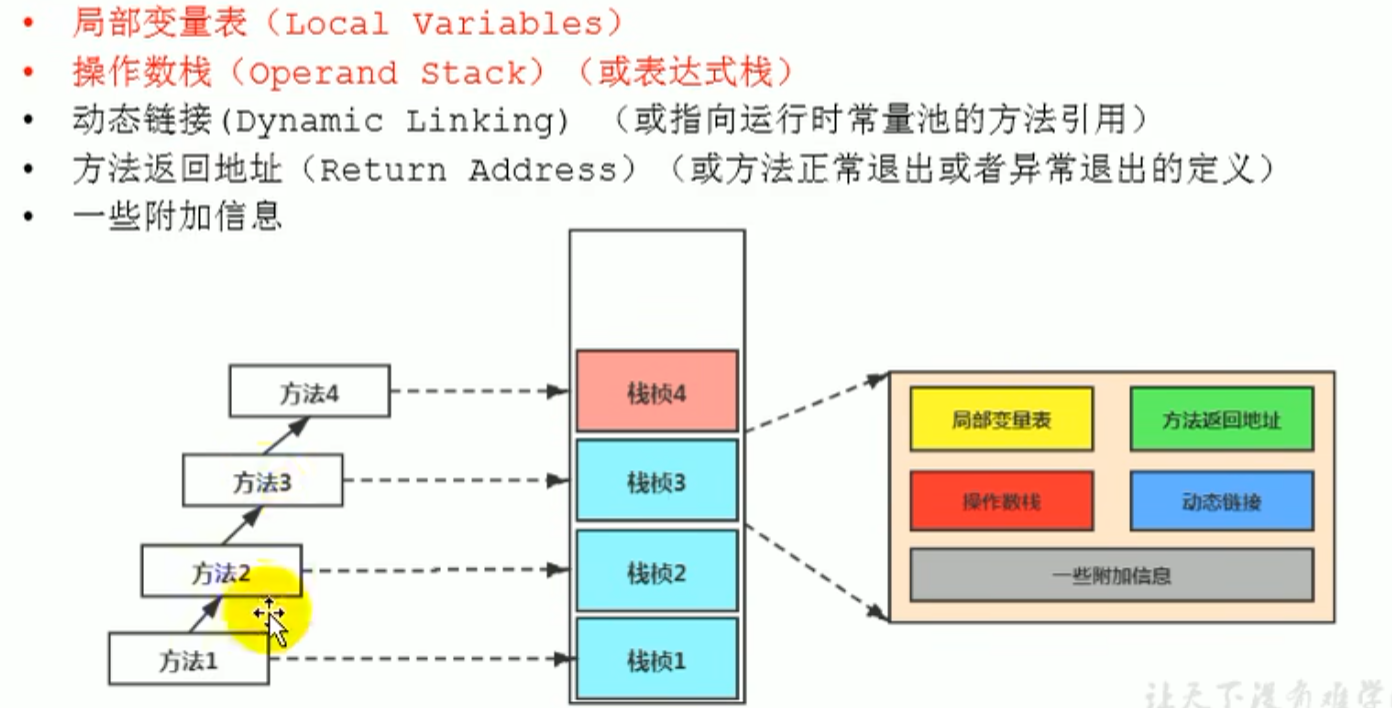
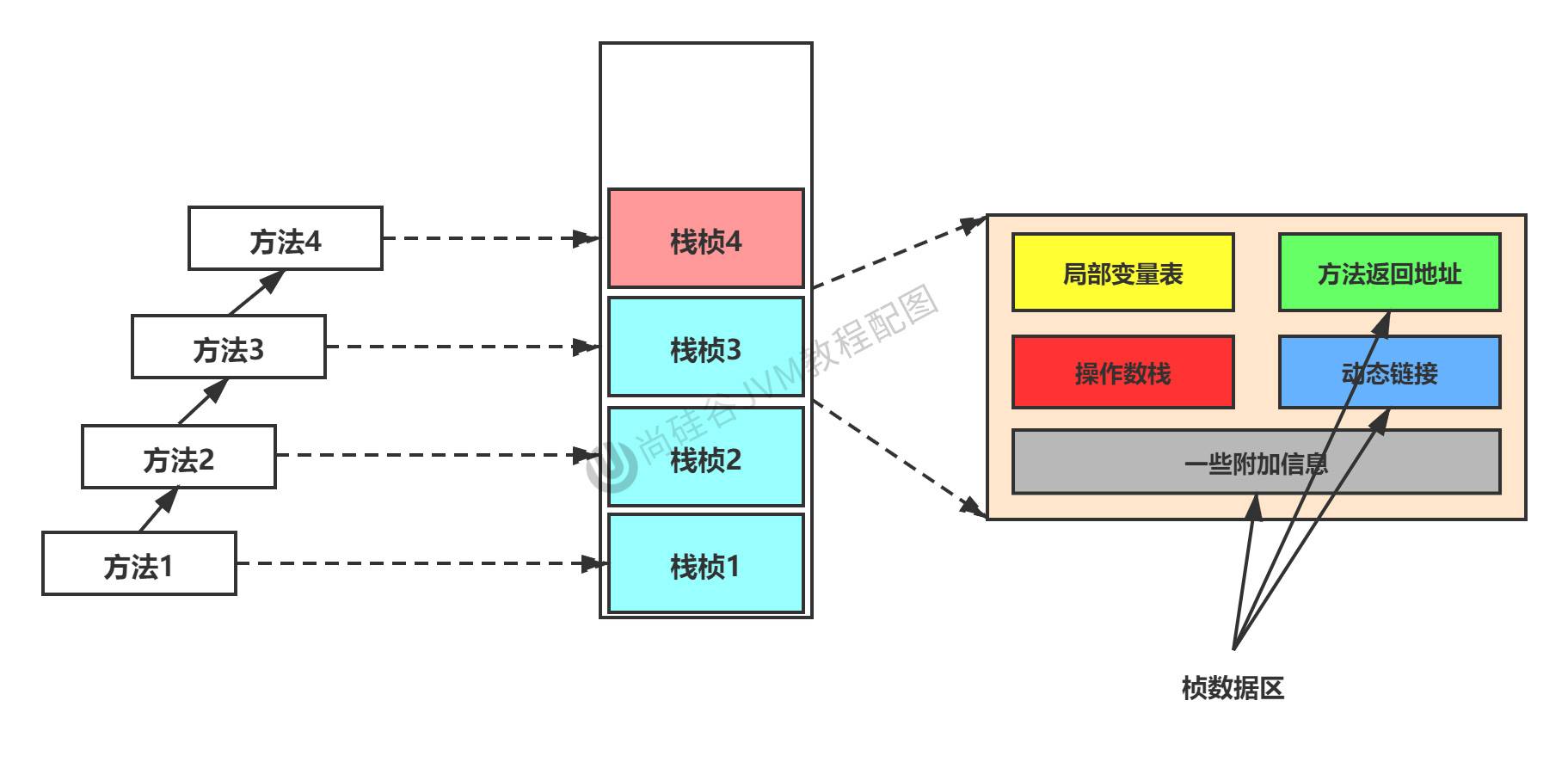
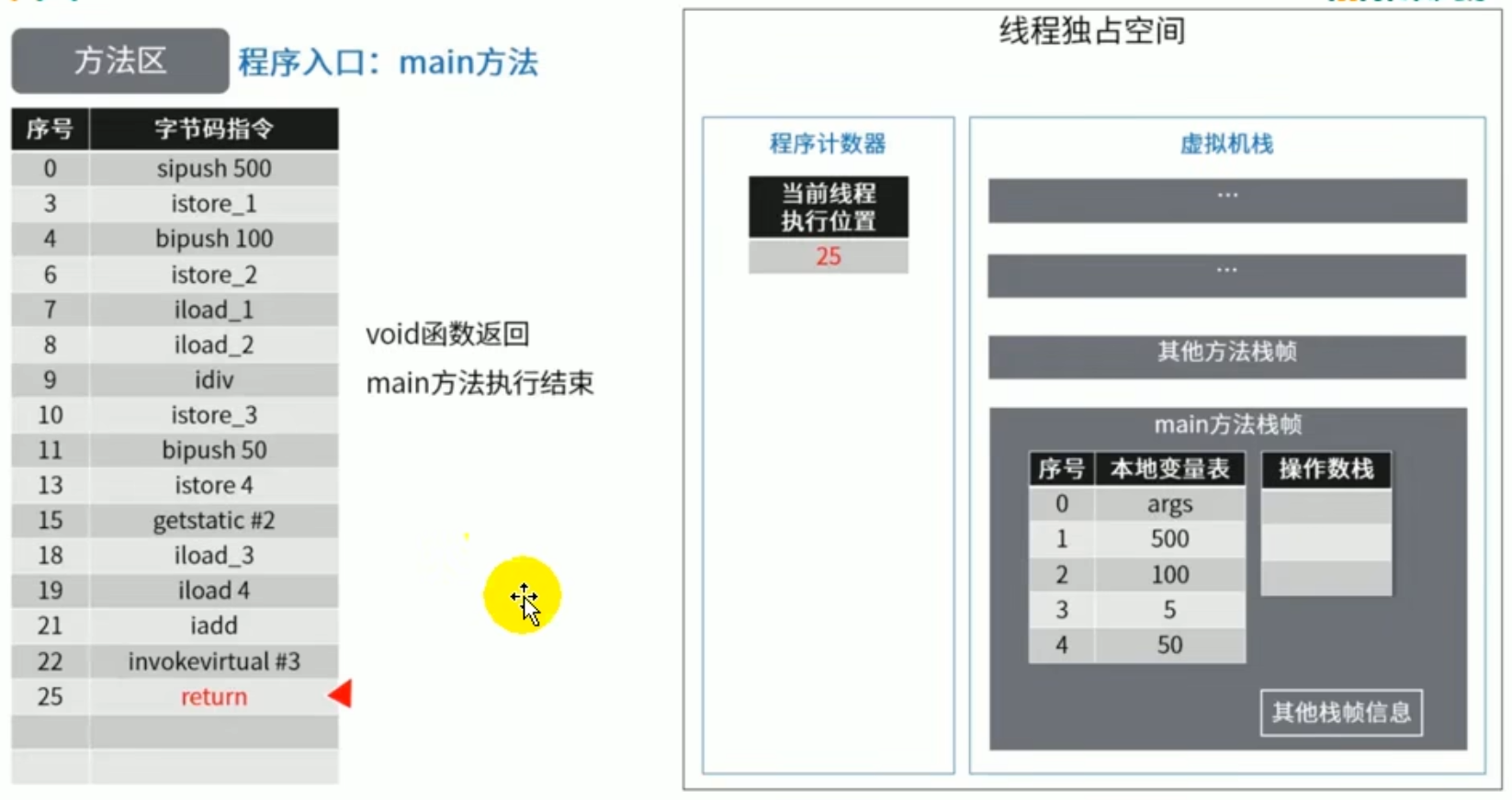
Internal structure of stack frame: local variable table
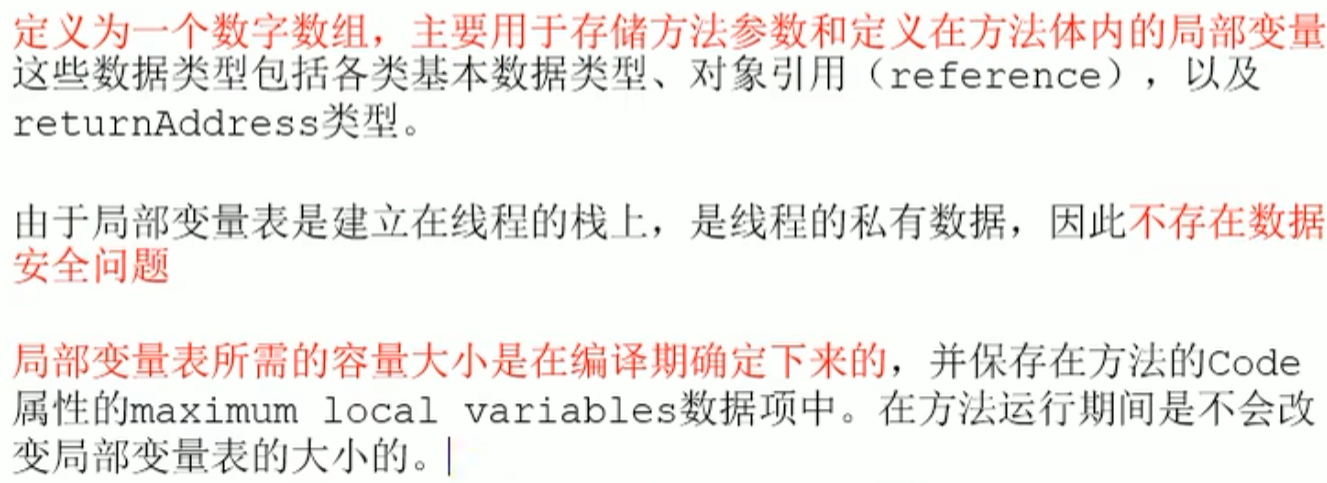
The stack frame is a numeric array(size determined at compile time), also called the local variable array or local variable table, mainly used to store parameters of the called method (when the method executes, the virtual machine uses the local variable table to complete the method parameter passing) and the local variables and valuesdefined in the method body, valid only in the current stack frame
In the stack frame, the part most closely related to performance tuning is the local variable table
The larger the stack, the more nested method calls
The variables in the local variable table are garbage collection root nodes (as long as an object is directly or indirectly referenced by the local variable table, it will not be collected)
Local variable table

Resolve
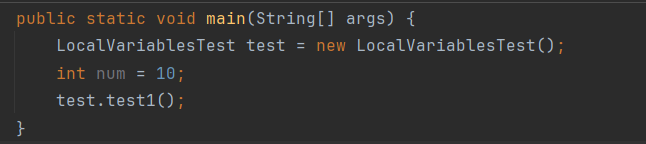 Local variable table length locals equals 3

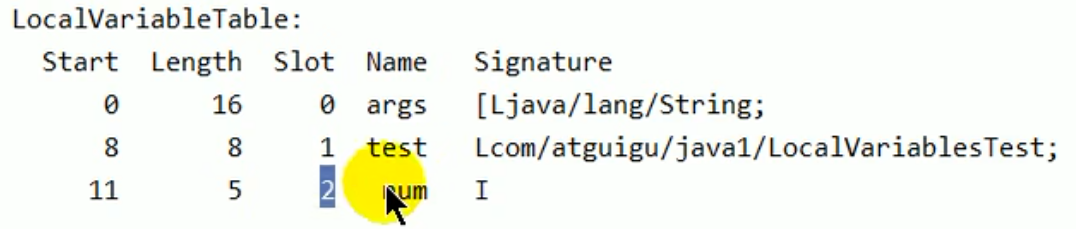 L represents reference type
The capacity size of the local variable table is confirmed at compile time
L represents reference type
The capacity size of the local variable table is confirmed at compile time

 At the end there is also a closing brace representing a
Introduction
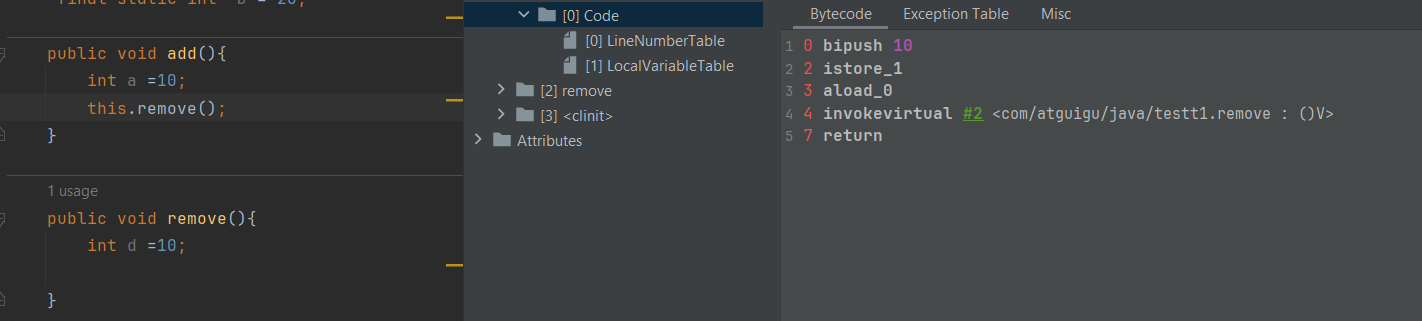
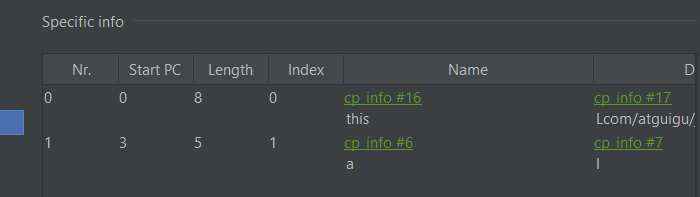
Detailed understanding
Number of variables
 The bytecode length corresponding to this java code
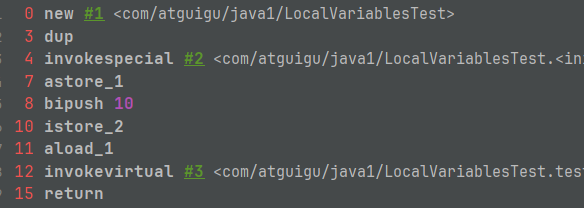
 Correspondence between start (bytecode instruction line number) and line Number (code line number)
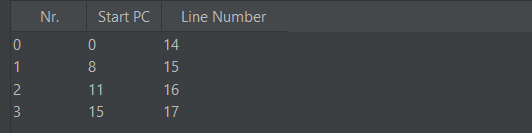
info
The bytecode instruction corresponds to the java instruction content
LineNumberTable: correspondence table between bytecode lines and code lines
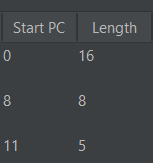
 Description of local variables
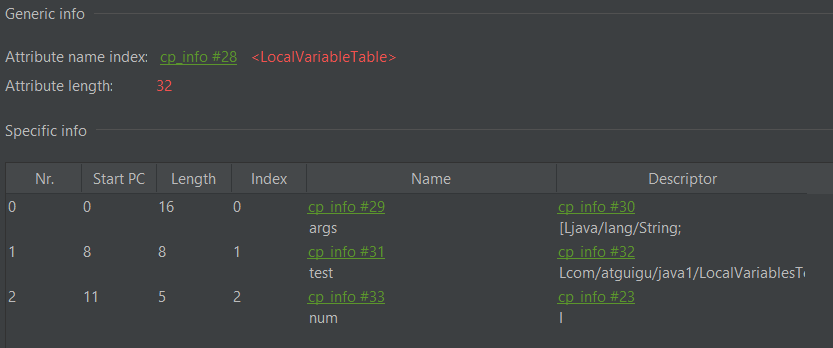
Use the corresponding variable according to the index
start pc is the bytecode instruction line number
length describes the range of the current variable scope (that is, the bytecode range starting from pc onward)
For example pc 8, length 8, that is, the bytecode line number is8-8+8scope of action
start pc is actually the starting range
index is the index
For example num> pc 11> line 16: that is, the start of the scope is the line after the declaration
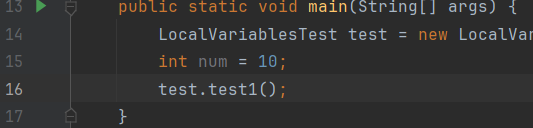
start pc + length = code length

Local variable table unit slot
local variable table
int i=1
For basic data types, store i and the corresponding value 1
Forreference typeThe local variable table stores the address value
local variable tableThe most basic unit is Slot
byte 1,short 2,int 4,long 8,float 4 double 8,char 2 byte, the size corresponds toslot
reference type 32 bit occupies one slot
About slot understanding of
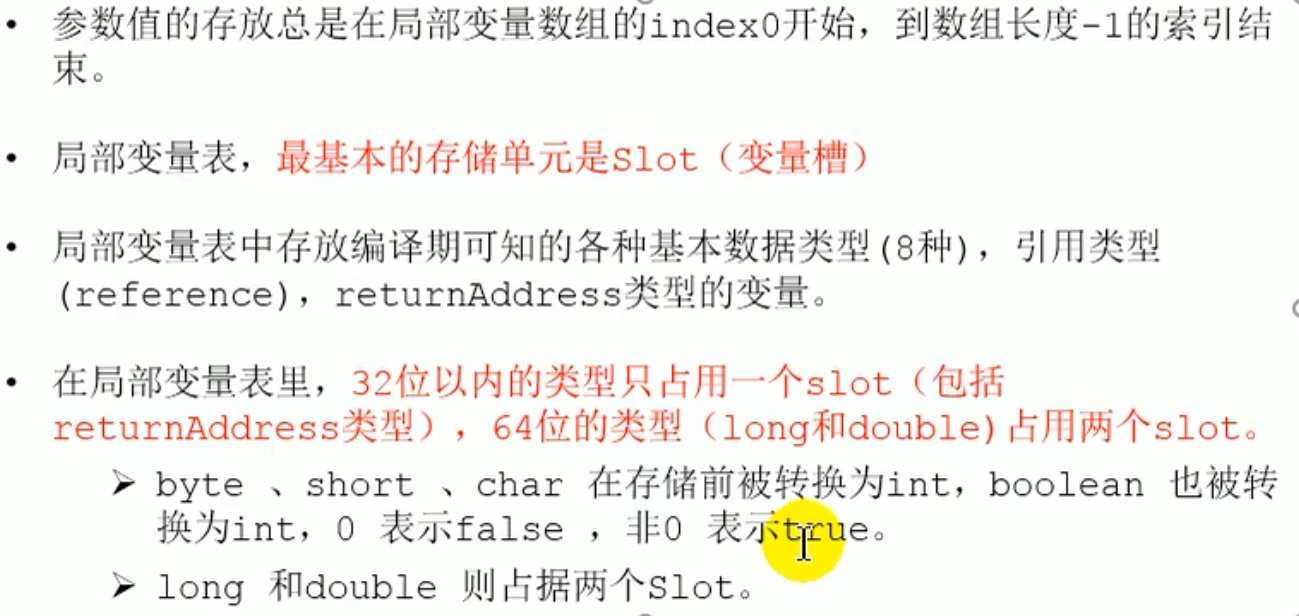 To access a 64-bit local variable value, only the previous index needs to be used


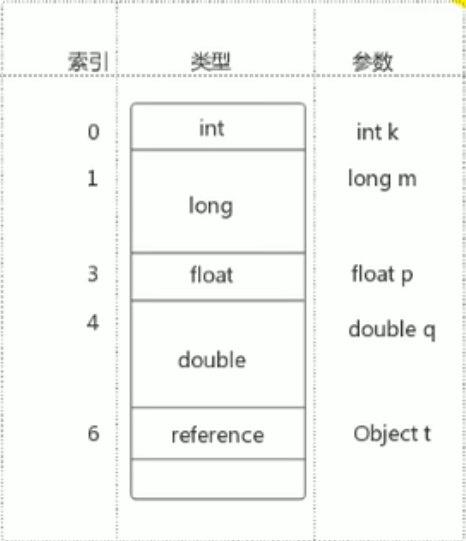 If the current frame is created by a constructor or instance method, then that object reference
 this will be stored at index as 0 of slot location, and the remaining parameters continue to be arranged in the order of the parameter table
For static methods : this variables, they do not exist in the local variable table of the current method, because static the method is class level rather than instance level, it does not need to reference the current object through the this keyword. In static methods, there is no reference to the current object, so the local variable table does not allocate this variables
slot demonstration
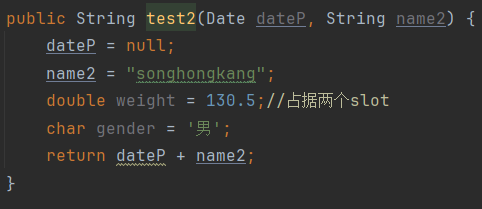
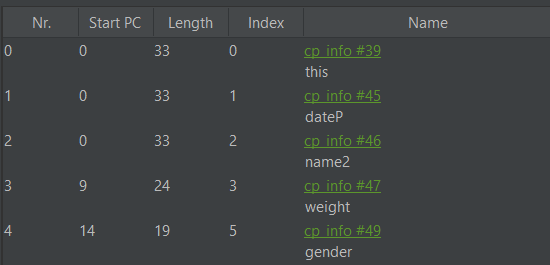 weight occupies two slots, 3 and 4
- Constructor

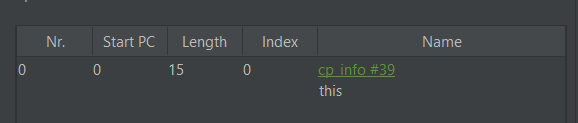
Slots in the local variable table of a stack frame can be reused. If a local variable goes out of its scope, then a new local variable declared after its scope will very likely reuse the slot of the expired local variable, thereby achieving the purpose of saving resources (because the allocated array cannot change, so it needs to be reused) (when the data in the slot is no longer used and needs to be used by other objects, it needs to be reclaimed; if it is only no longer used and not reclaimed)
Slot reuse
b has gone out of scope but still occupies the slot, and has not yet been reused


c reuses the index space of b,
Classification of variables: by data type:
① Primitive data types
② Reference data types

    By the position declared in the class:
		① Member variables: before use, they have all undergone default initialization assignment
	        Class variables: linking of prepare Stage: assign default values to class variables  ---> initial Stage: assign explicit values to class variables, that is, static code block assignment
	        Instance variables: with the creation of an object, instance variable space is allocated in heap space and default assignment is performed
		② Local variables: before use, explicit assignment must be performed! Because local variables are not assigned default values, compilation does not pass
Internal structure of a stack frame: operand stack
Each independent stack frame contains a last in first out (last-In-First-Out) operand stack, which can also be called an expression stack (Expression Stack)
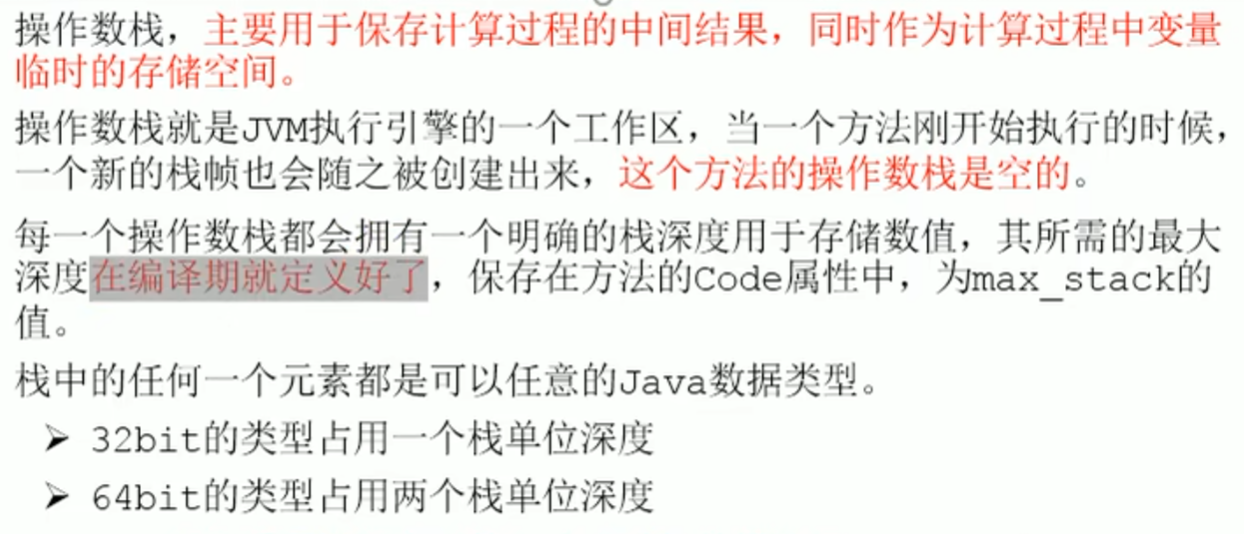
Operand stack (Operand Stack) is used to assist in completing various operations on local variable data, mainly used to save temporary calculation results as temporary storage space for variables, and the required maximum depth is determined during compilation
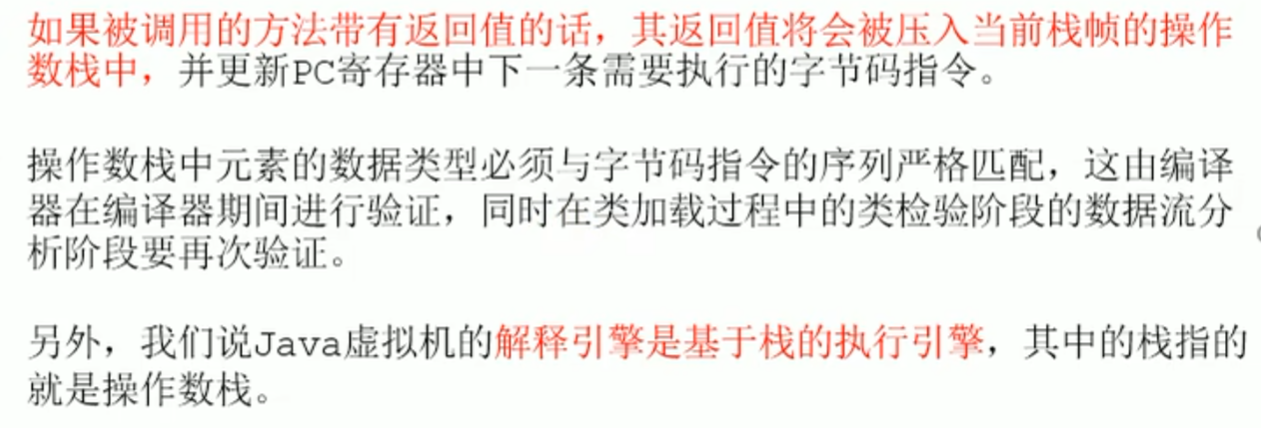
The method callreturn valueis pushed onto the operand stack, and the address of the next instruction in the program counter is updated
JVM/Memory and Garbage Collection > Method Return Address
Operand Stack It does not use access by index to carry out data access, but only through push (push) and pop (pop) operations to complete one data access
Operand Stack
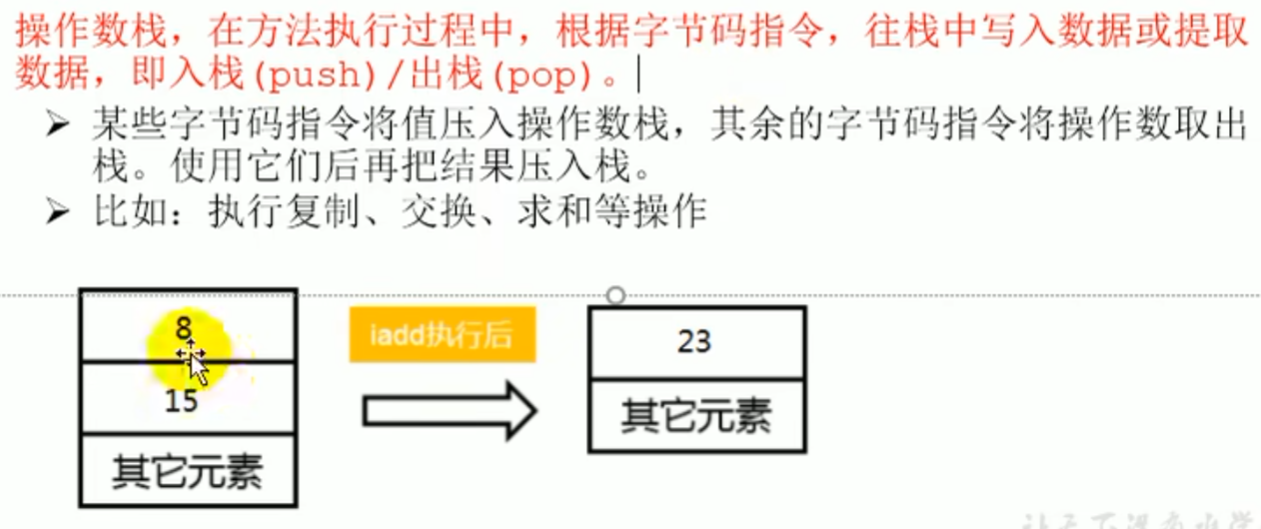 It has the characteristics of a stack, and also the characteristics of an array or linked list
Code Tracing
../../../Utility/Excalidraw/Drawing 2023-12-14 20.45.04.excalidraw
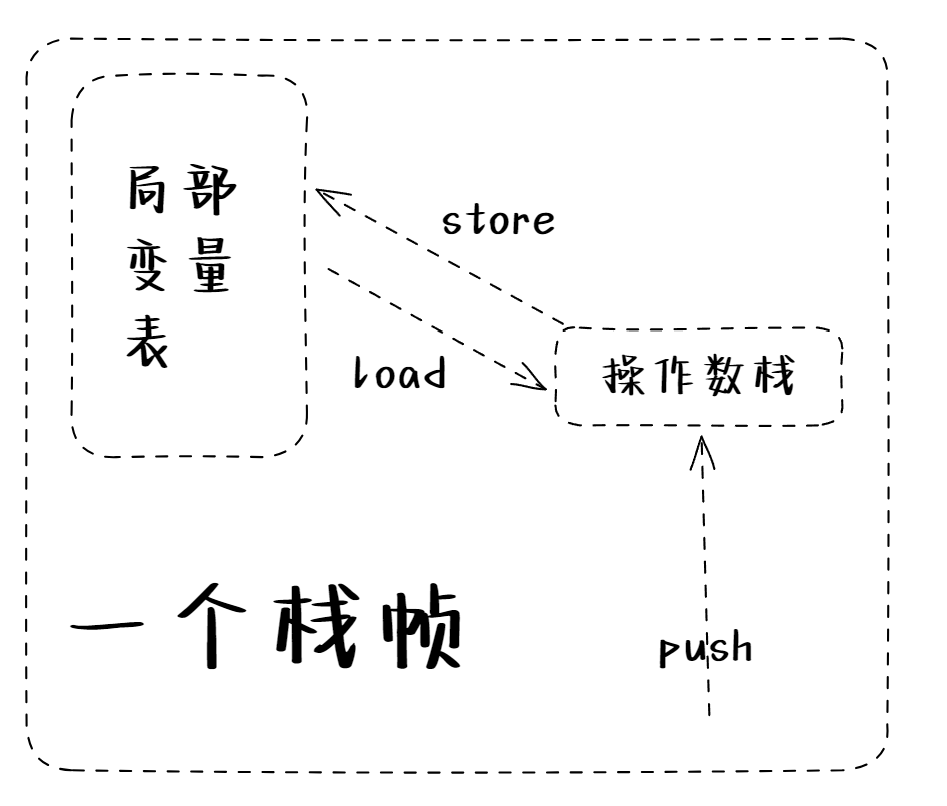
Introduction
0 bipush 15 //bipush(push byte)Push a one-byte constant value tooperand stacktop (bipushbyte-->int ;sipushis short-->int)
2 istore_1 // Integer STORE_ X means to storeoperand stacktop data intolocal variable tableat the position of index X
3 bipush 8
5 istore_2
6 iload_1 // iload_XPutlocal variable tabledata X intooperand stack
7 iload_2
8 iadd // Putoperand stackdata add
9 istore_3 //
10 return
- In the local variable table, byte is stored in int form
- In the operand stack, the bipush instruction pushes a byte type
Why do the numbers between bytecode instructions appear non consecutive
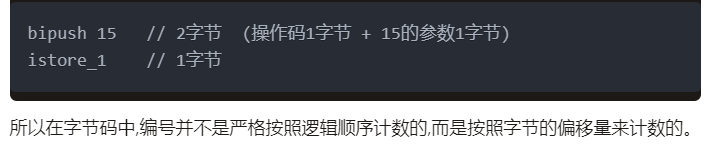
aload_0 means loading the current object reference onto the operand stack
Bytecode instructions of i++ and ++i
For i++ and ++i with no assignment operation on the left, the bytecode instructions are the same
For those with an assignment operation on the left
i++ firstloadcomes out thenincre by
++i firstincre by thenloadcomes out
    public void add(){
        //Type 1 problem:
        int i1 = 10;
        i1++;
//        0 bipush 10
//        2 istore_1
//        3 iinc 1 by 1
        int i2 = 10;
        ++i2;
//        6 bipush 10
//        8 istore_2
//        9 iinc 2 by 1

        //Type 2 problem:
        int i3 = 10;
        int i4 = i3++;
//        12 bipush 10
//        14 istore_3
//        15 iload_3
//        16 iinc 3 by 1
//        19 istore 4
        int i5 = 10;
        int i6 = ++i5;
//        21 bipush 10
//        23 istore 5
//        25 iinc 5 by 1
//        28 iload 5
//        30 istore 6

        //Type 3 problem:
        int i7 = 10;
        i7 = i7++;
//        32 bipush 10
//        34 istore 7
//        36 iload 7
//        38 iinc 7 by 1
//        41 istore 7
        int i8 = 10;
        i8 = ++i8;
//        43 bipush 10
//        45 istore 8
//        47 iinc 8 by 1
//        50 iload 8
//        52 istore 8
        //Type 4 problem:
        int i9 = 10;
        int i10 = i9++ + ++i9;
//        54 bipush 10
//        56 istore 9
//        58 iload 9
//        60 iinc 9 by 1
//        63 iinc 9 by 1
//        66 iload 9
//        68 iadd
//        69 istore 10
//        71 return
    }
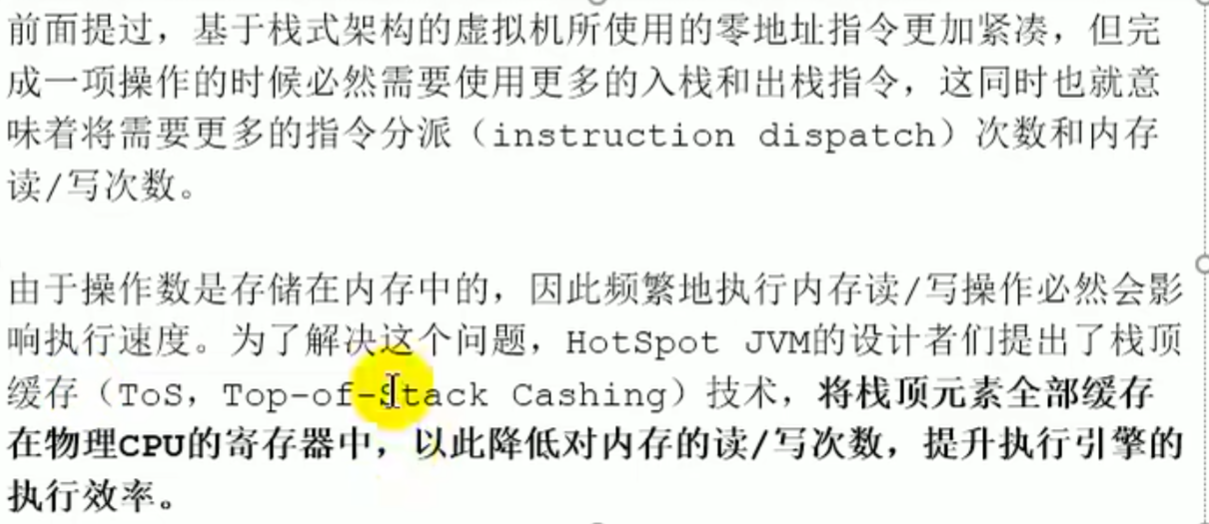
Top of stack caching technology (Top-of-Stack Cashing)
Cache all top of stack elements in physical CPU registers , to reduce the number of memory reads and writes and improve the execution efficiency of the execution engine
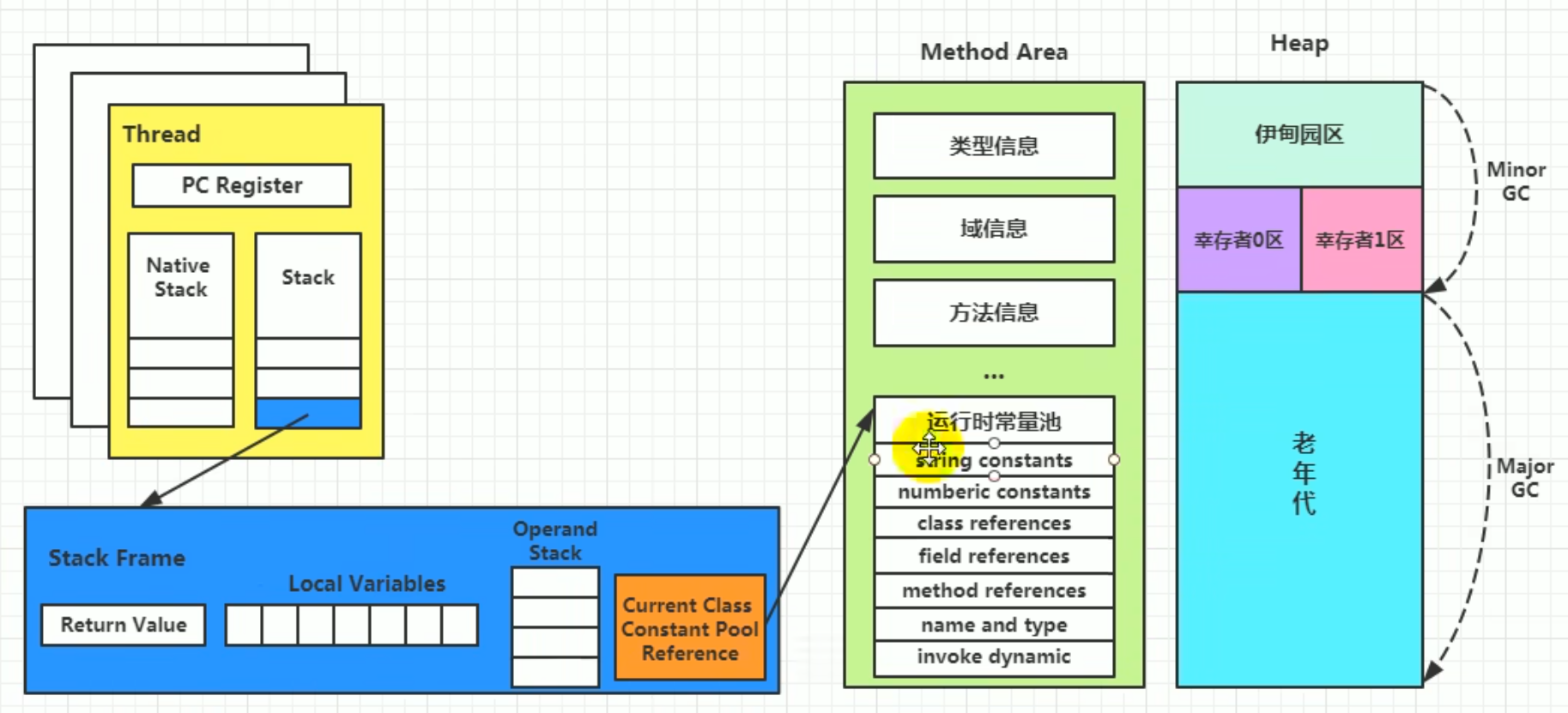
Dynamic linking (or pointing to runtimeconstant pool method reference)
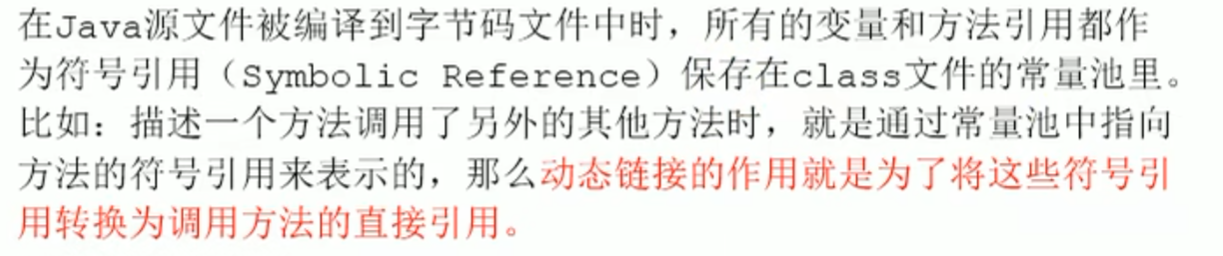
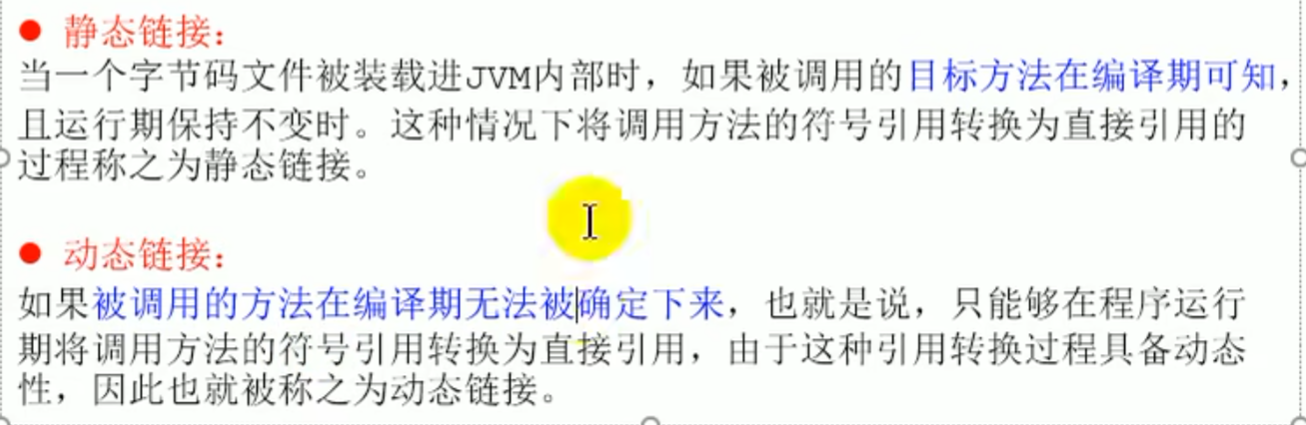
Dynamic linking: convert symbolic references into direct references of the called method
- Symbolic reference: use symbols to describe the referenced target, without directly pointing to a memory address.
- Direct reference: directly points to a memory address or offset, and can be used directly by the JVM.
Each stack frame contains a pointer to in the runtime constant pool the reference of the method to which the stack frame belongs The purpose of including this reference is to support the code of the current method in achieving dynamic linking (Dynamic Linking), the role of dynamic linking is to convert these symbolic references into direct references of the called method
For example : invokedynamic The instruction carries a symbolic reference, and when the method is actually called the JVM converts these symbolic references into direct references of the called method
That is, the need to convert symbolic references into direct references of the called method is dynamic linking, that is invokedynamic
Sometimes dynamic linking and method return address and some additional information are called the frame data area
Method reference:myClass.myMethod () When called, the JVM uses the method symbolic reference in the runtime constant pool to resolve the actual memory address of myMethod
Field reference: if MyClass contains field access, the JVM uses the field symbolic reference in the runtime constant pool to resolve the actual memory address of the field
Dynamic linking
Method invocation
In JVM , converting symbolic references into direct references of the called method is related to the binding mechanism of the method
Binding


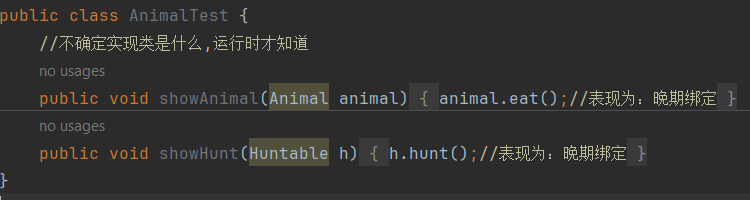
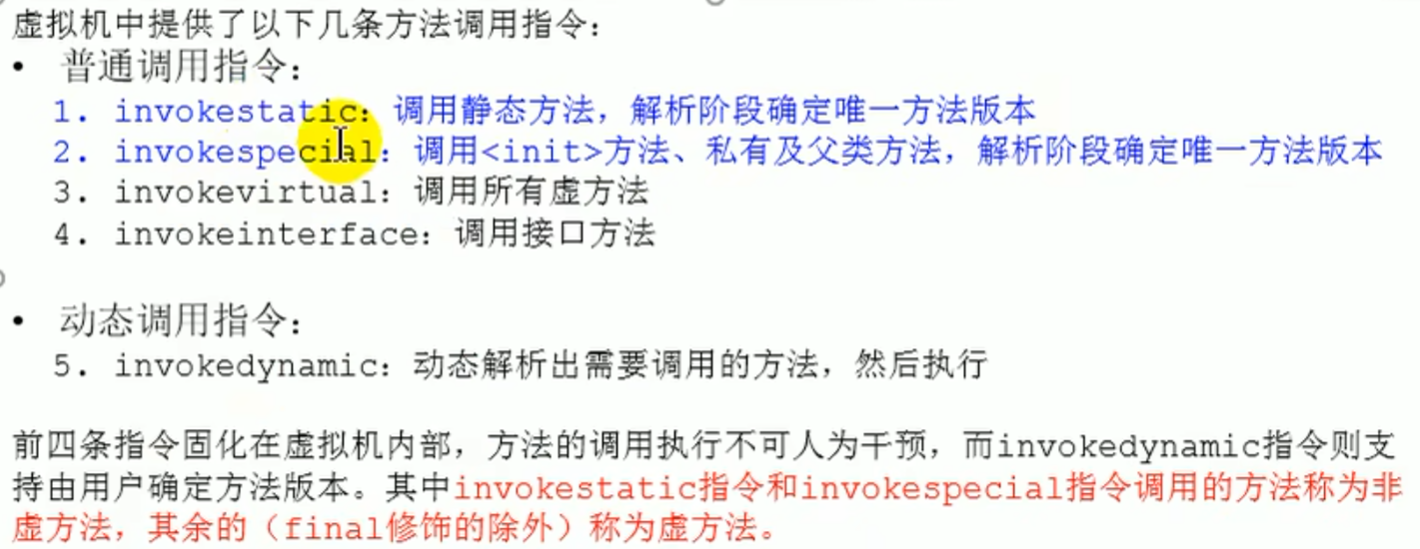
invokestatic : call static
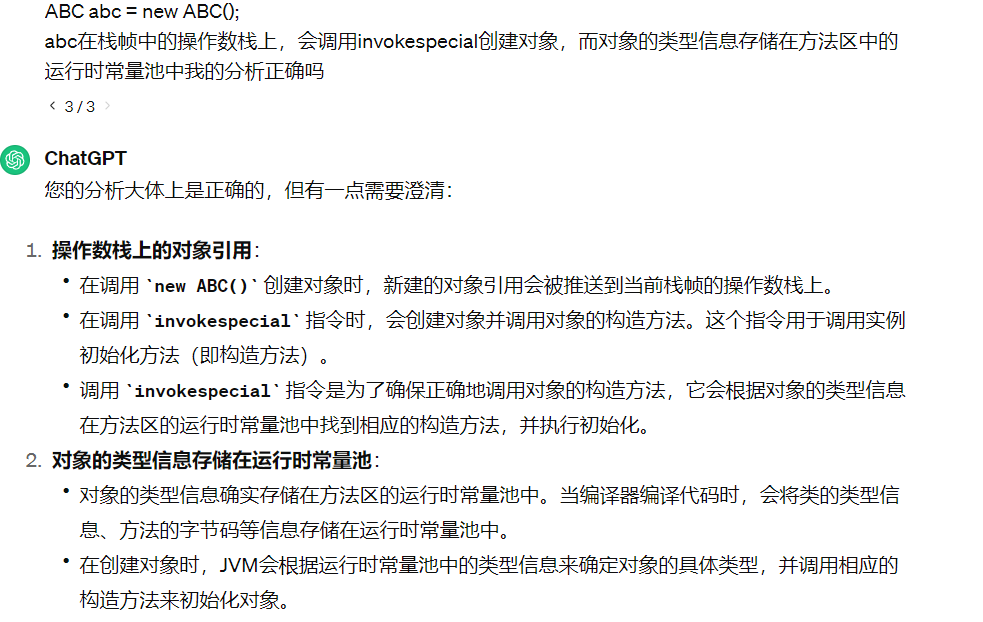
invokespecial : call <init> methods, private, parent class, unique method
invokevirtual Invoke virtual method
invokeinterface Invoke interface
invokedynamic Dynamically resolve and invoke method
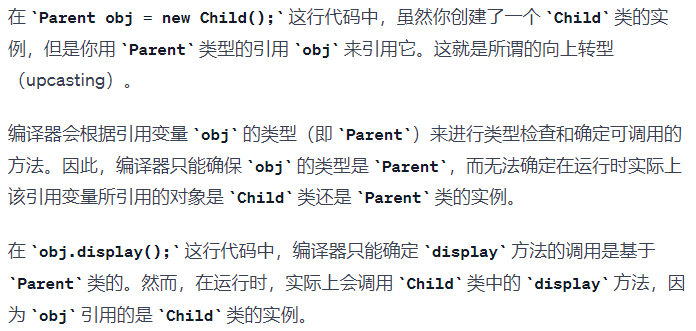
Virtual method (Virtual Method) refers toan instance method that can be overridden by subclasses (Override) an instance method. That is, when calling a method of an object, which method version is actually executed (the parent class version or the subclass version) can only be determined at runtime. This is the meaning of virtual, because it is not determined at compile time.
- Special
calling a method unique to its own class but
publicis alsoinvokevirtual
declared as final method in the parent class, cannot be overridden by subclasses, can be called directly by subclasses, and direct calls will show invokevirtual, but this method is a non virtual method, and can also be through super., it will be shown as a non virtual method
if you directly do not go through super. calling the parent class method, during compilation it cannot be determined whether the subclass overrides the parent class method, and it will be shown as invokevirtual
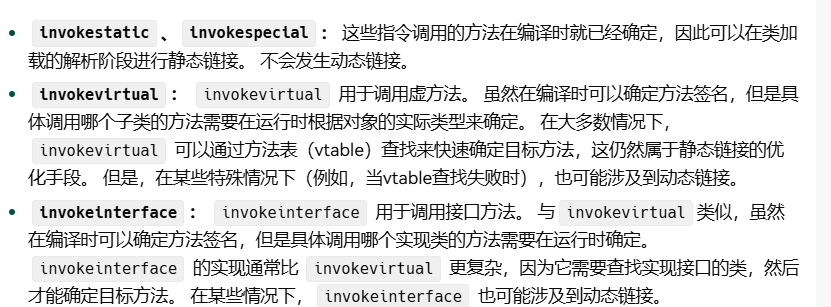
non virtual method
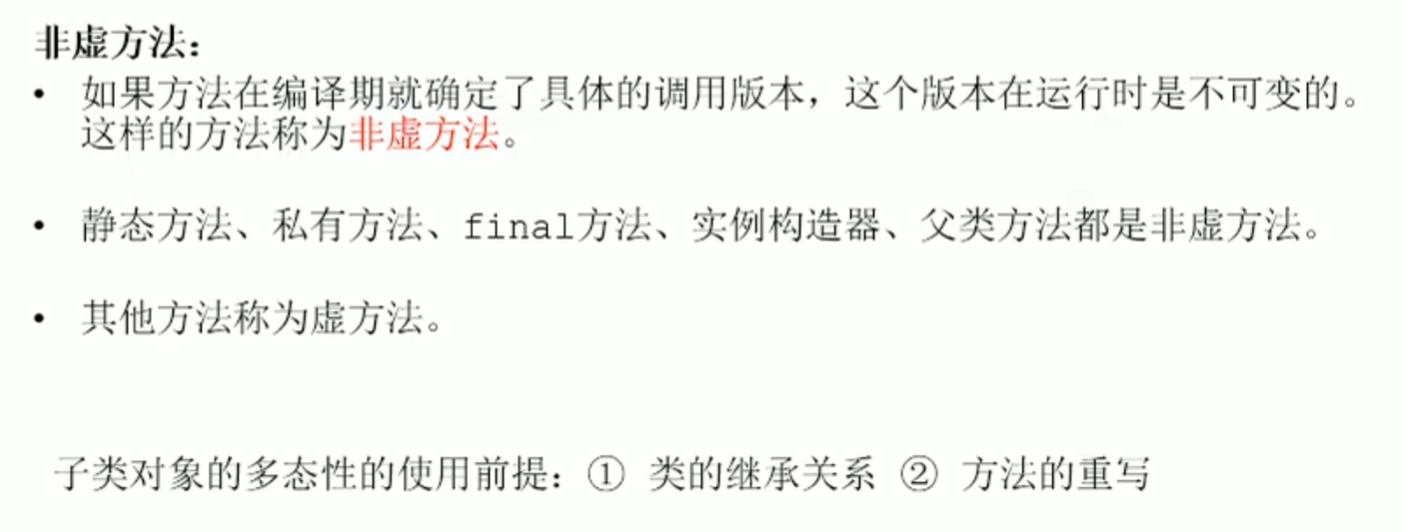
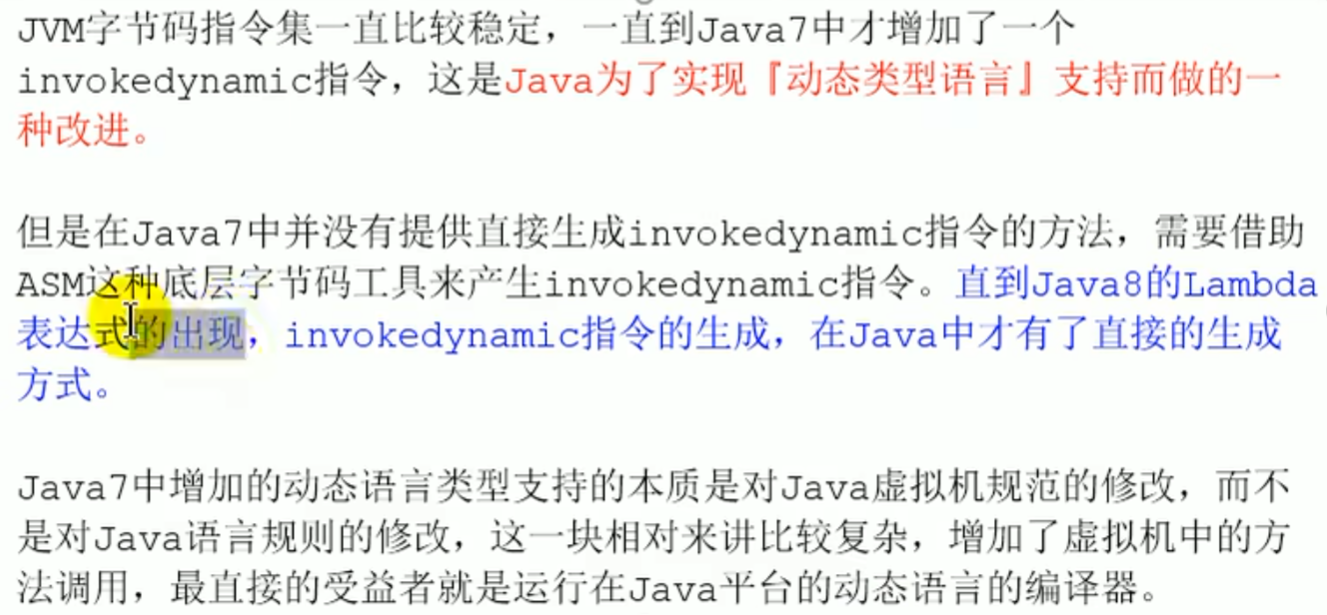
Java is static, lamda the reference makes Java have dynamism to a certain extent
js, python are all dynamic
Dynamic and statically typed languages



When calling a method of an object, the object is first pushed onto the operand stack, then according to a bytecode instruction such as invokevirtual find the actual type of this object, then find the one in the constant pool with the same method name as the call, perform access permission verification (if it does not pass IllegalAccessError), after passing it will be verified in order according to the inheritance relationship, throwing AbstactMethodError indicating that the topmost interface found is an abstract method and has not been overridden
The essence of method overriding
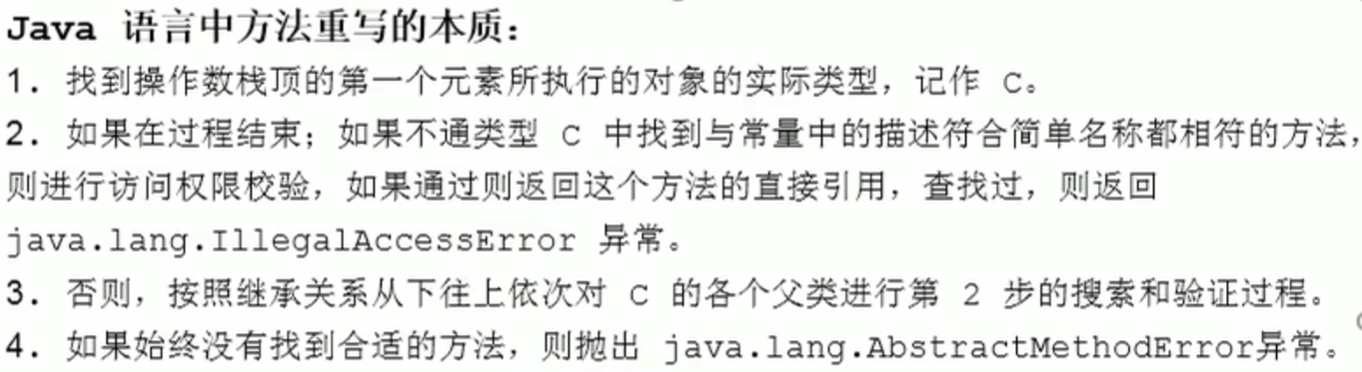
IllegalAccessErrorNo permission to access
maven : jar Package conflicts may occur

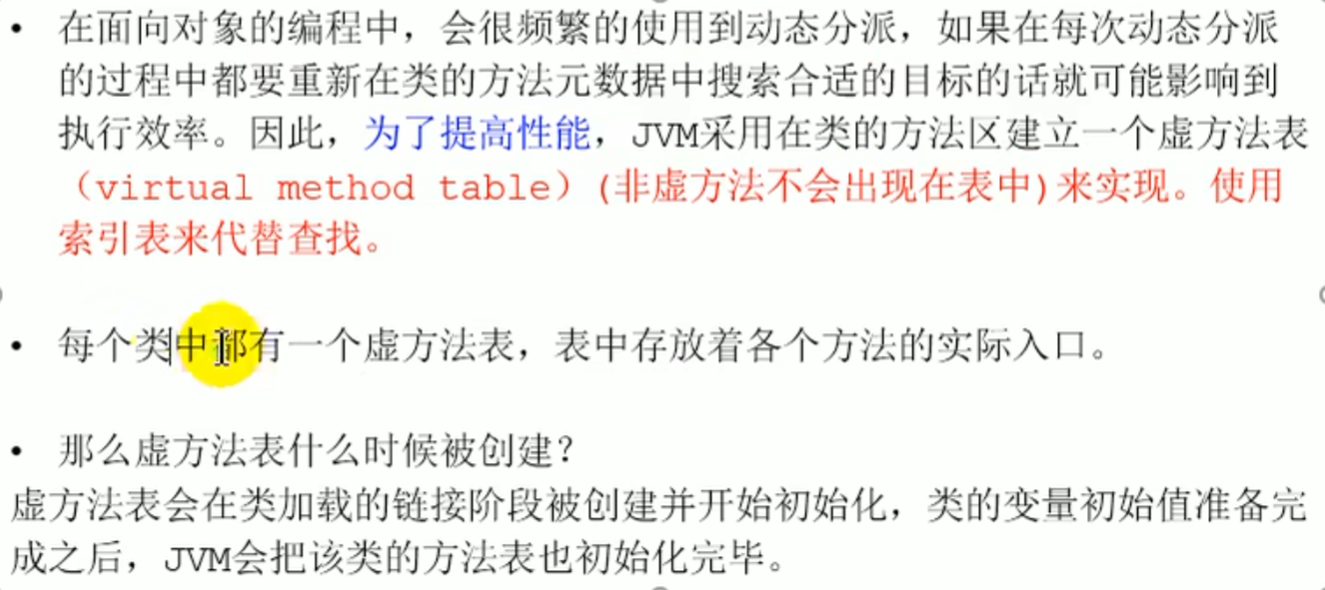
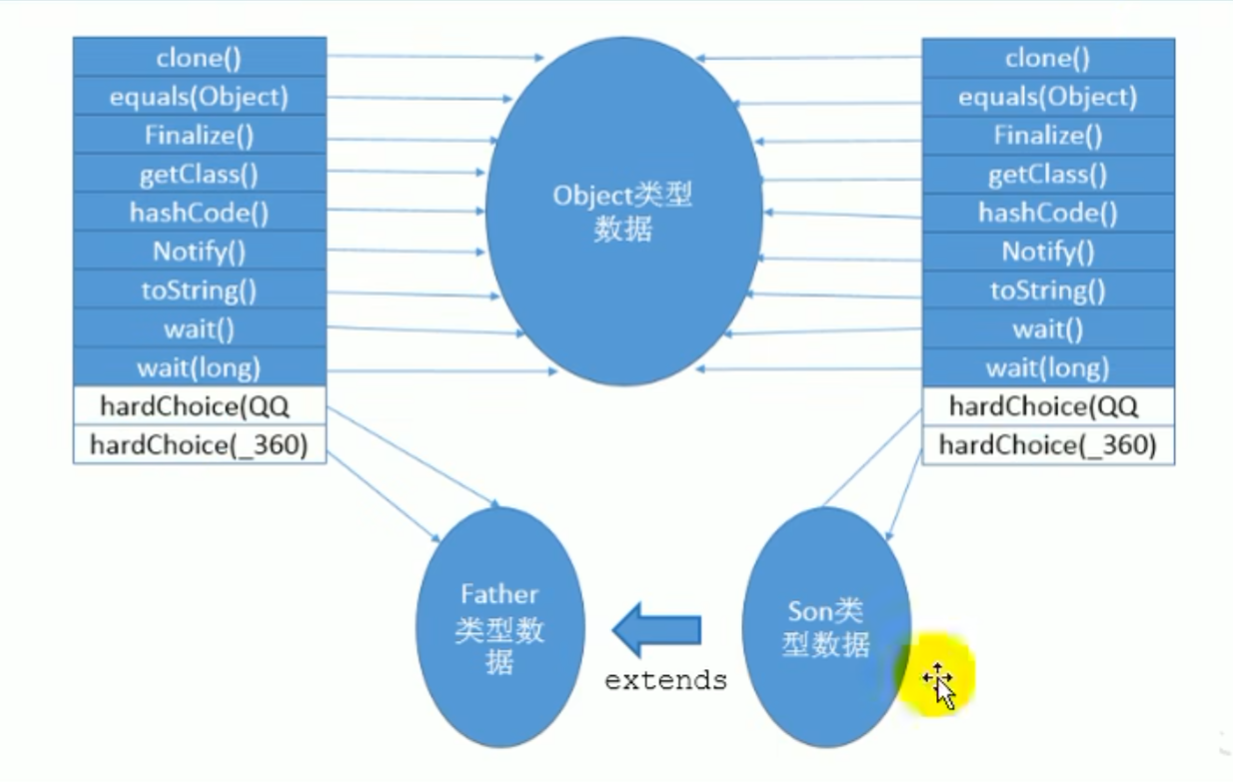
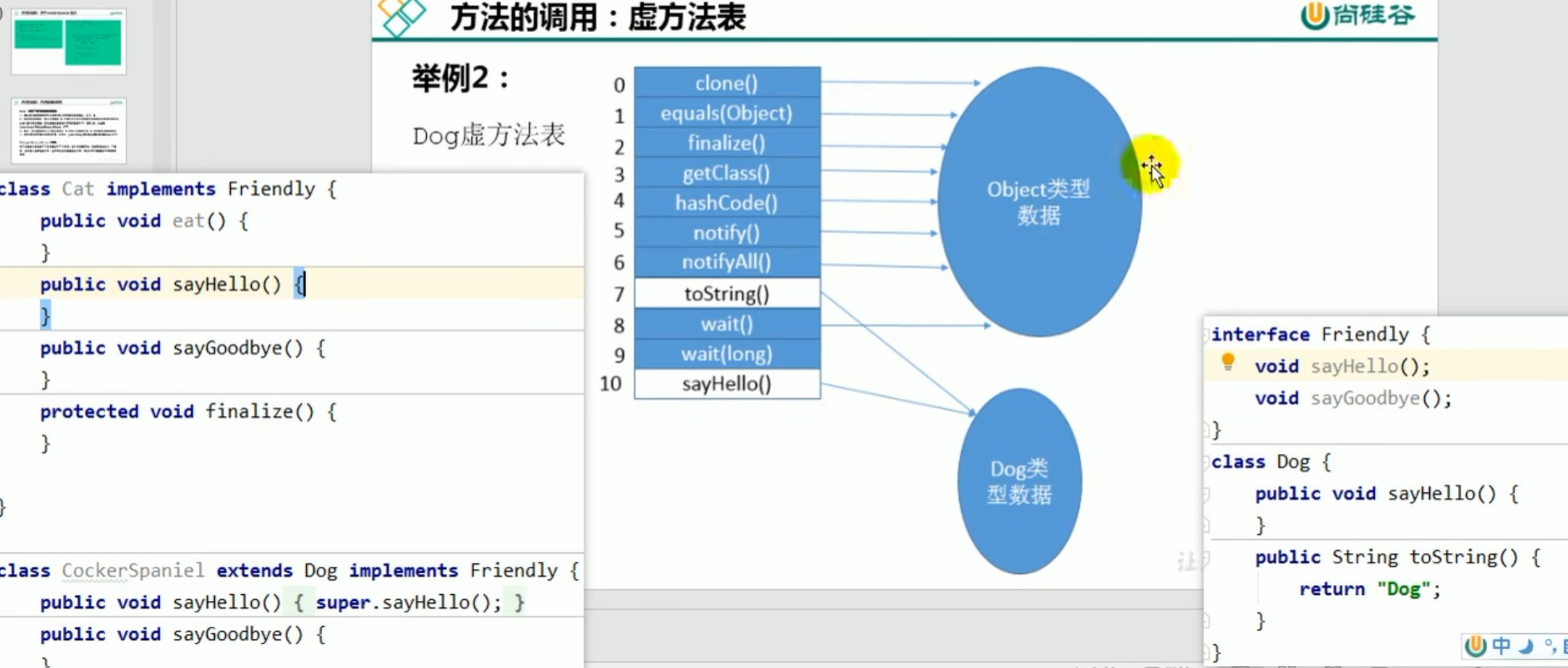
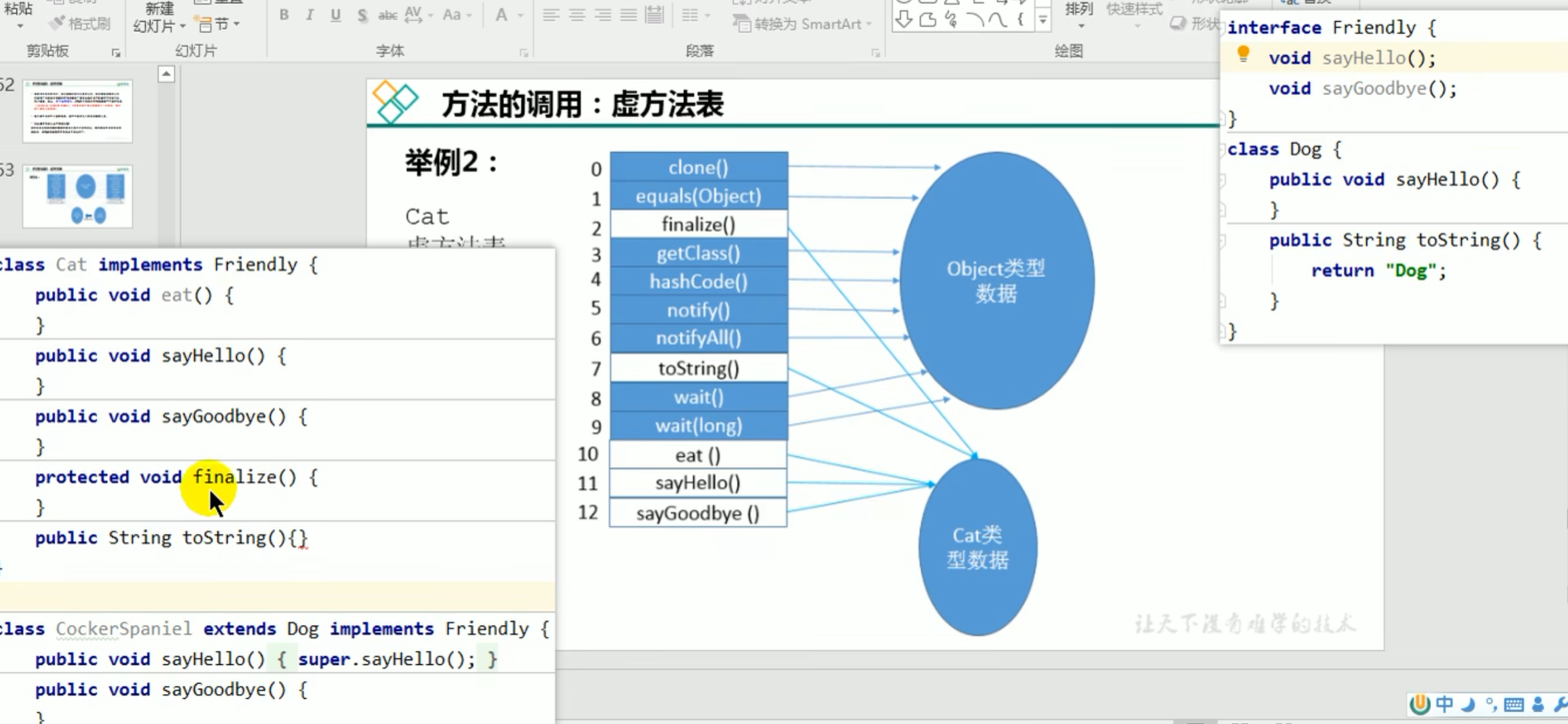
- Virtual method table
The bytecode contains the symbolic reference of the method, but does not contain the specific memory address of the method, so the virtual method table was designed
The virtual method table contains all virtual methods in the class and their actual memory address
The virtual method table is used to improve performance and avoid frequent searches for the corresponding method during JVM execution caused by dynamic dispatch in the code ^j81ym3
It records whether a method in a certain class points to the parent class or its own class, so there is no need to search again to determine which class it belongs to
If there were no virtual method table, the JVM would have to perform complex judgment at runtime to determine which method version to actually call, which would greatly reduce program performance.
For example:
- Every time a method is called, the entire inheritance chain needs to be traversed to find the most suitable method, and this process is very inefficient.
- When the inheritance hierarchy is very deep, the performance loss is even more serious.
Virtual method table

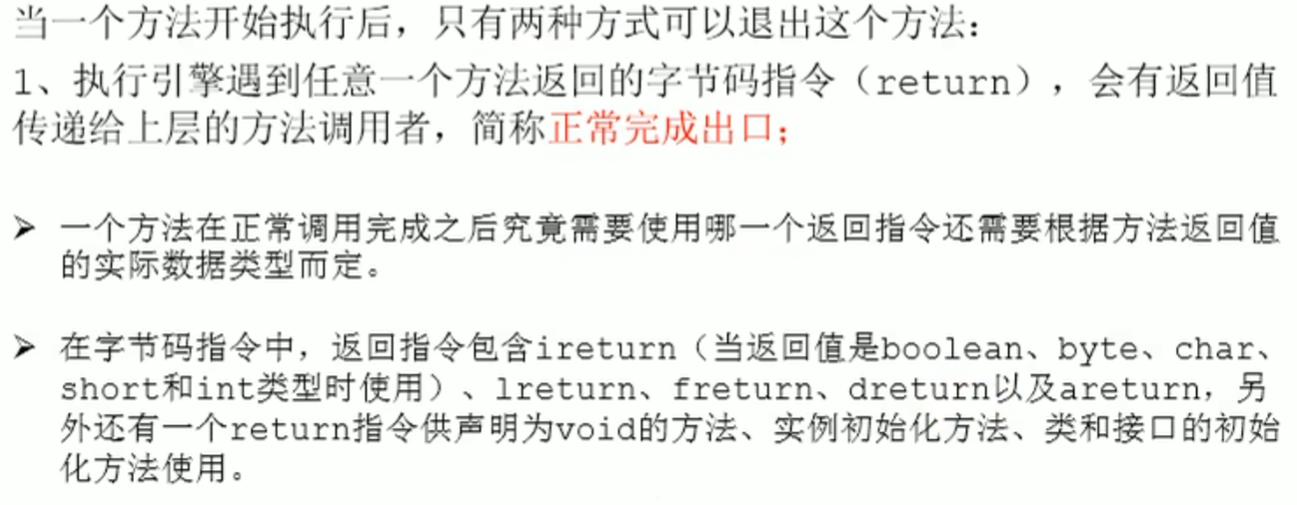
Method return address
After a method calls method B in method A
Normal exit :
B No return value : The execution engine receives the return address (That is A the address of), Execute the next stack frame according to this address
B Has return value : The execution engine receives the method B return value, and this return value will be passed to the method A,Method A Perform subsequent processing according to this return value
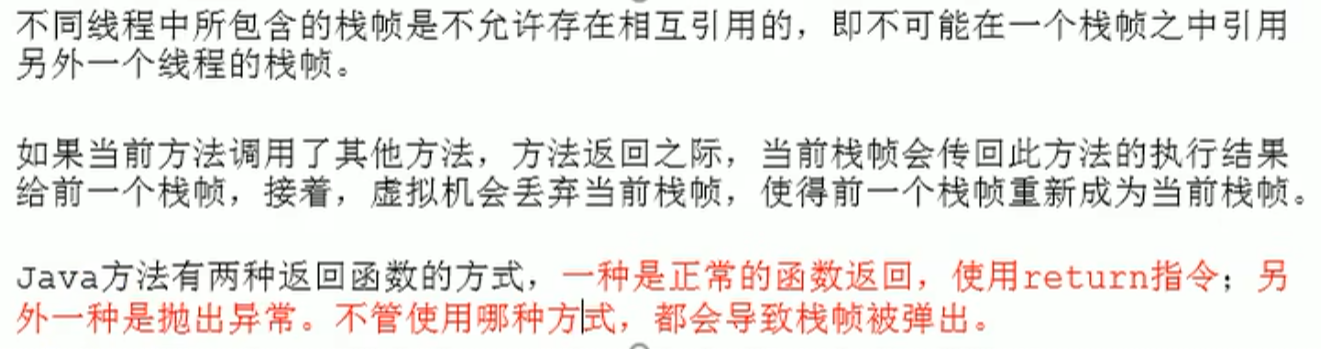
Abnormal exit: because an abnormal exit does not produce a normal return value, the method A will not receive from the method B a valid return value, only the exception table stores where it should go when an exception occurs target where to go (exception table return address, the return address is determined through the exception table), to be resolved
Method return address


Return situation
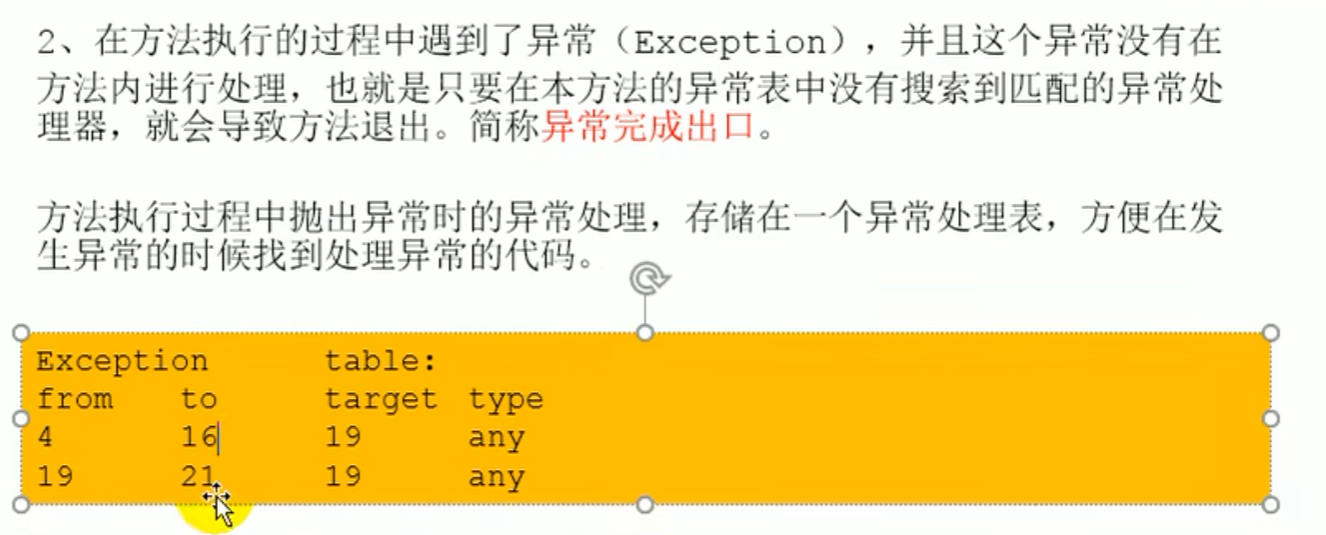 Bytecode line number
Some additional information
For example, information that supports program debugging
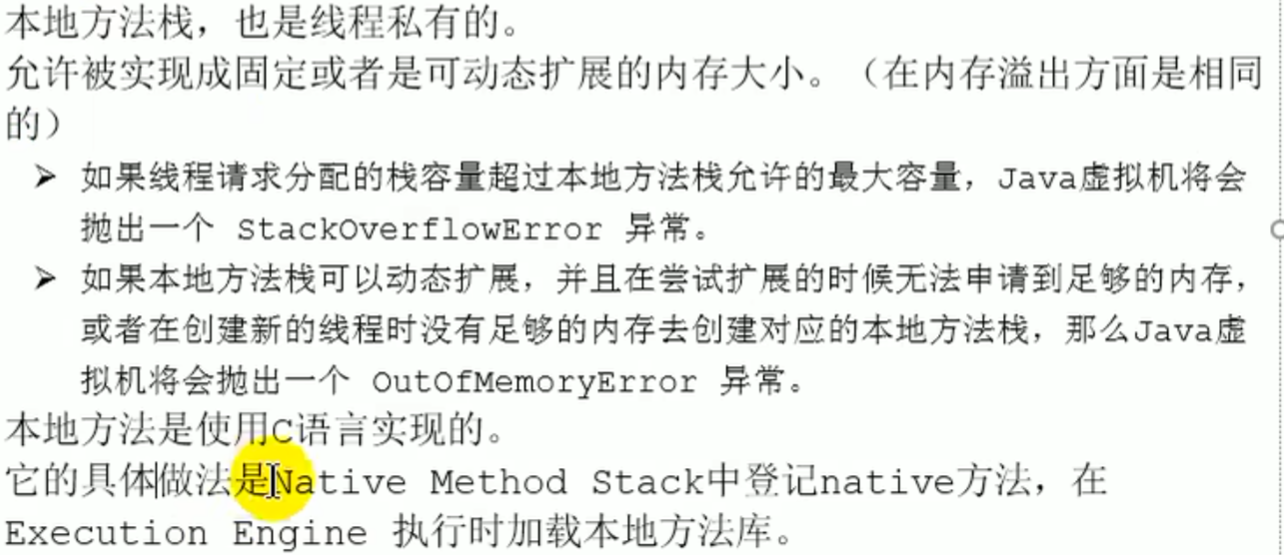
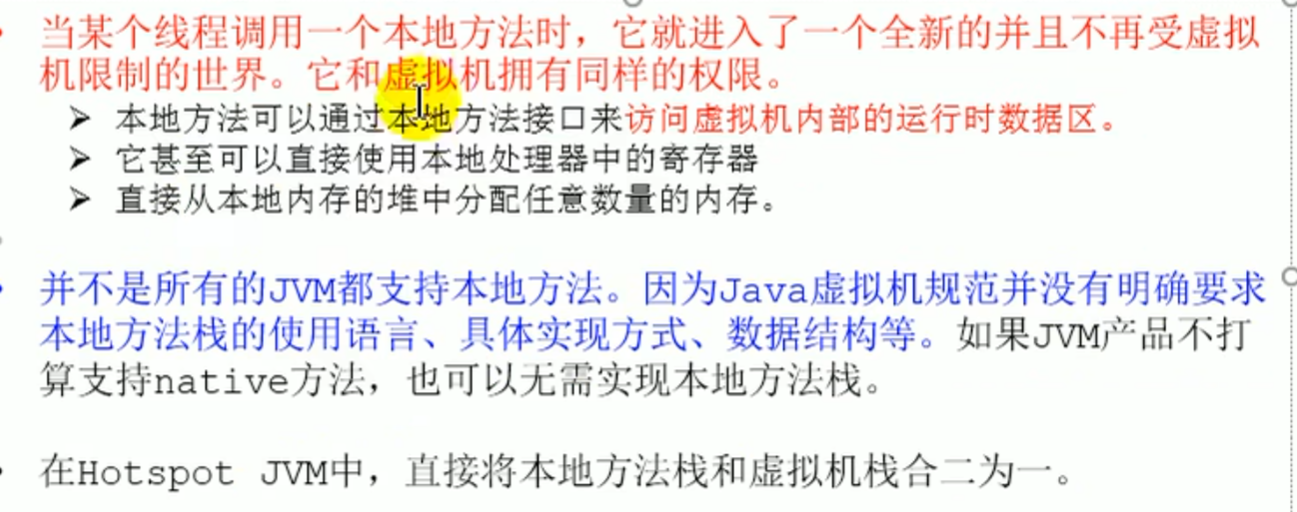
Native method stack
The Java virtual machine stack is used to manage the invocation of Java methods (thread private) The native method stack is used to manage the invocation ofnative methodsthe call
Introduction
 Native methods are pushed onto the native method stack, called through dynamic linking to libraries in C, and executed by the execution engine
Heap
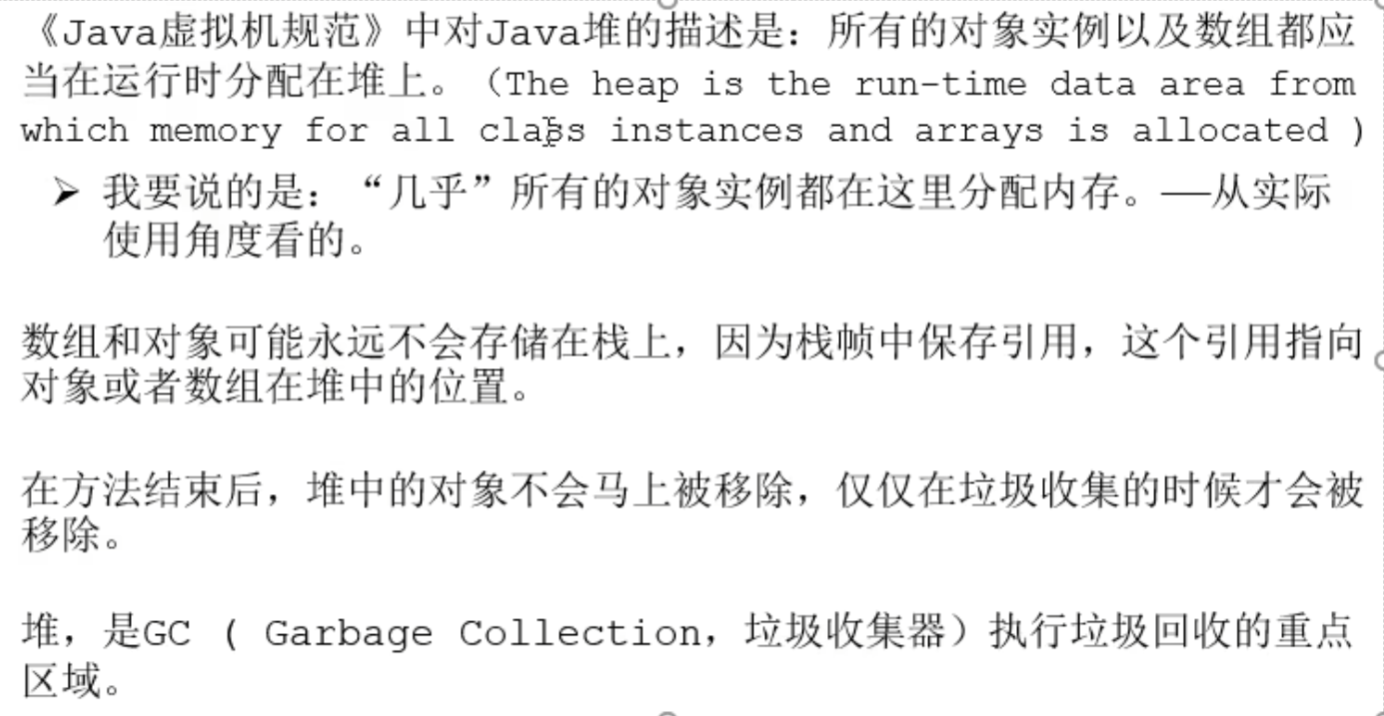
A process has only one heap space per JVM instance, created at startup, shared by multiple threads (sharing means thread safety issues), and the heap is also the core area of Java memory management
When the JVM starts, the space size is already determined (although the physical memory space is not contiguous, it is logically treated as contiguous space)
All threads share the Java heap, and thread private buffers can also be divided here
Thread Local Allocation Buffer, TLAB
Heap introduction
stack-heap-method area Relationship
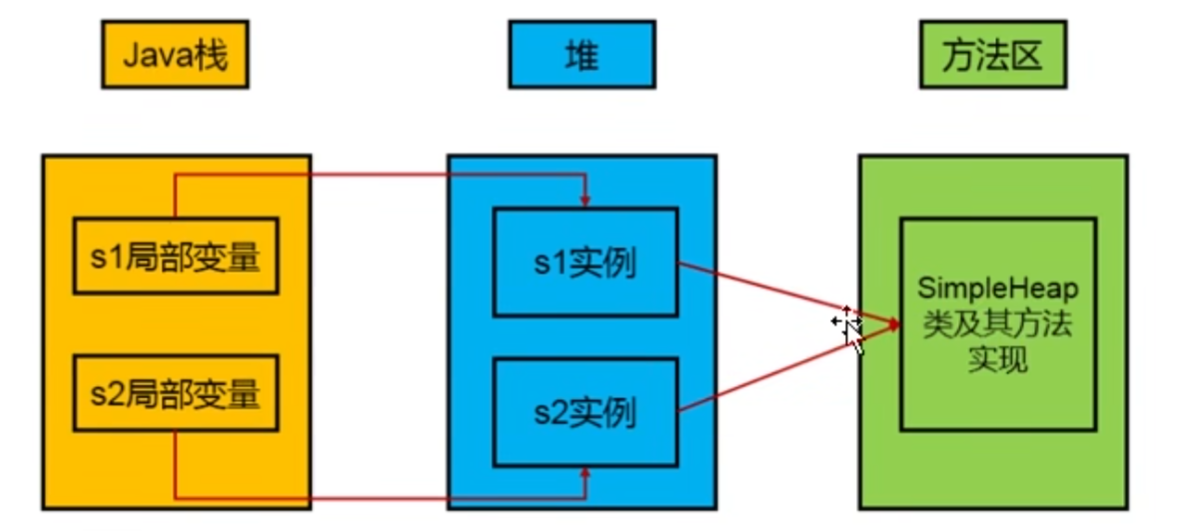
After the method ends, the address pointing to the heap disappears, and the instance in the heap space continues to exist (to avoid excessive GC frequency due to many methods, execution happens only after the heap space is full, avoiding impact on user threads). When the heap space is full, GC judgment is needed, and if no reference is found, it is reclaimed
Generational
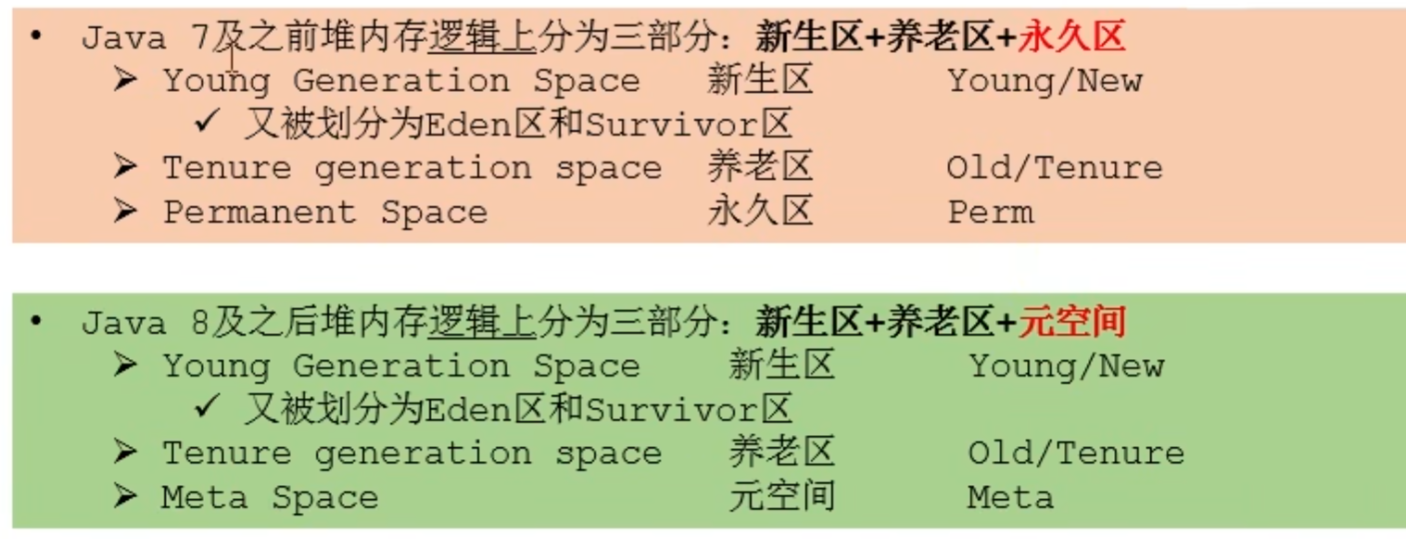
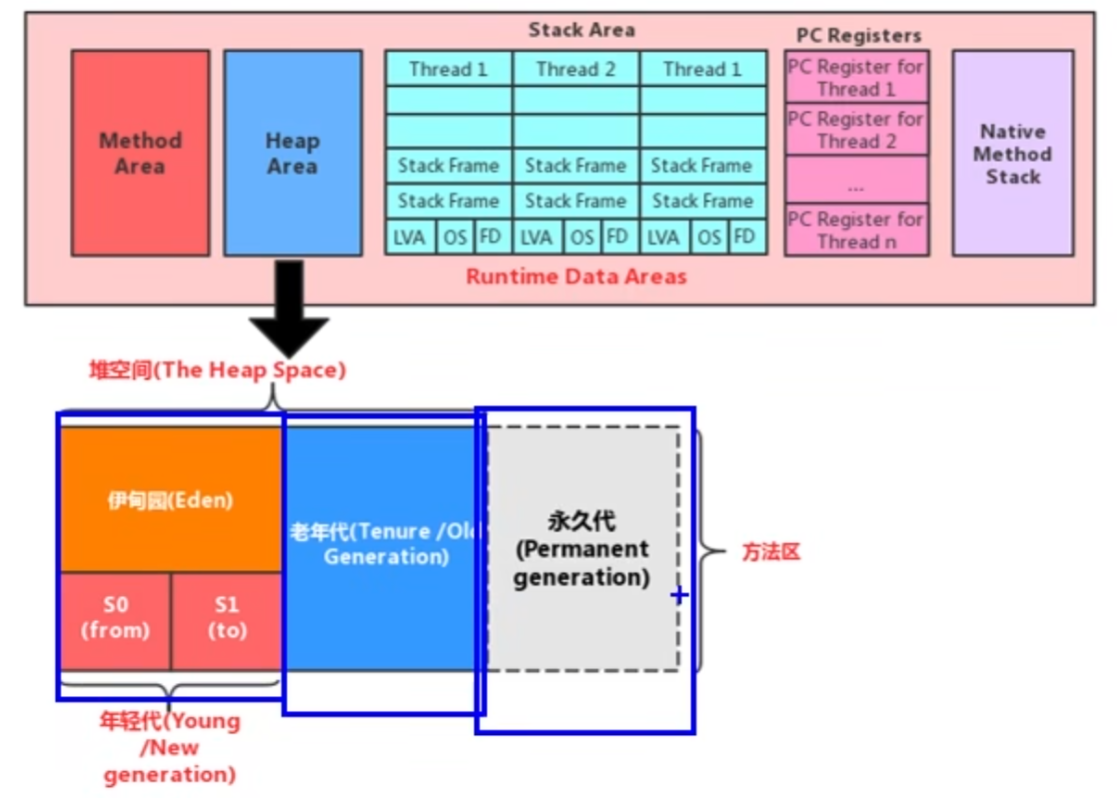
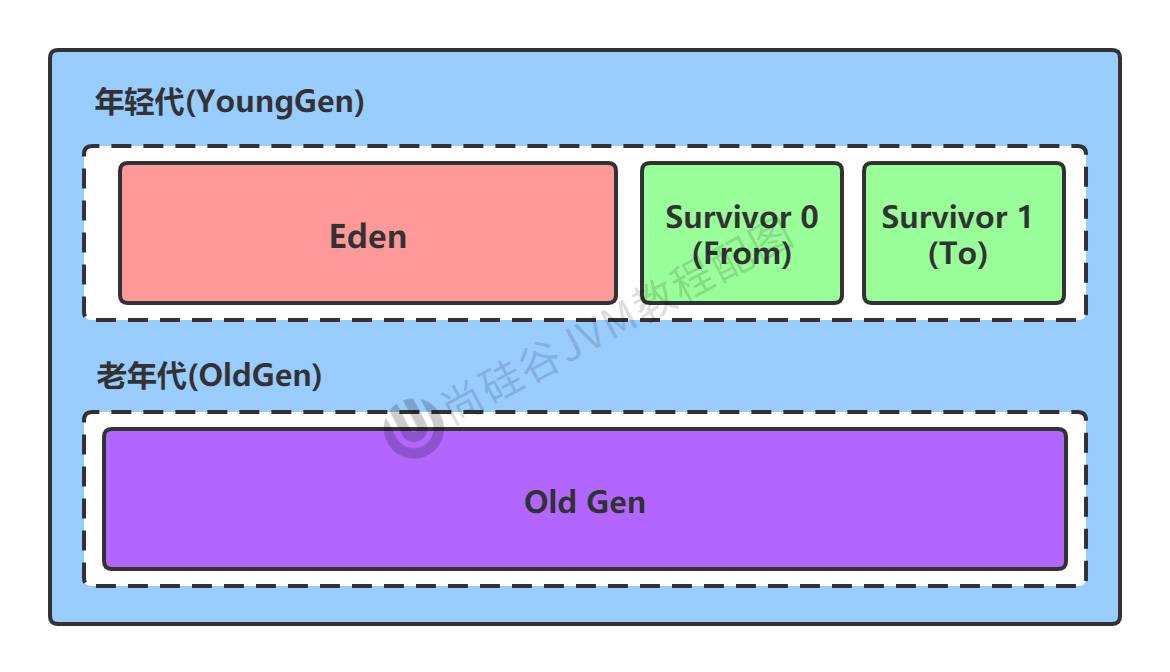
The areas mentioned now do not include the metaspace or permanent area
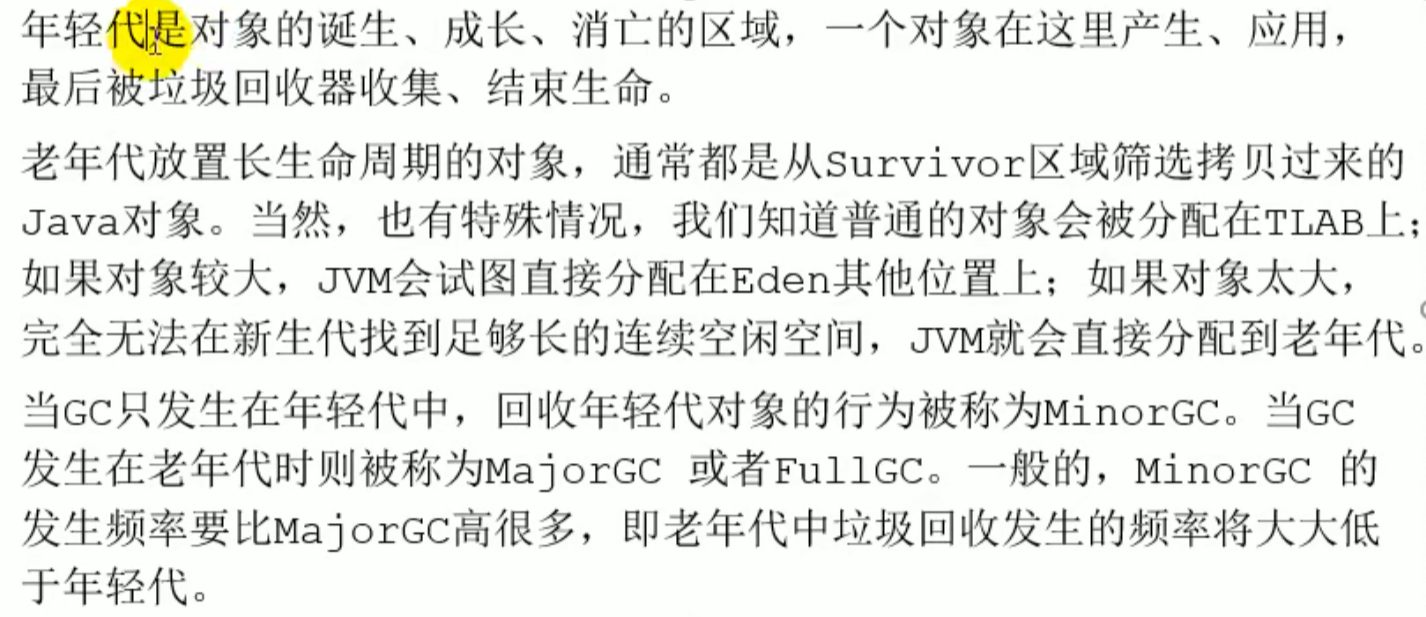
Young generation
 Only one Survivor is used
Old generation

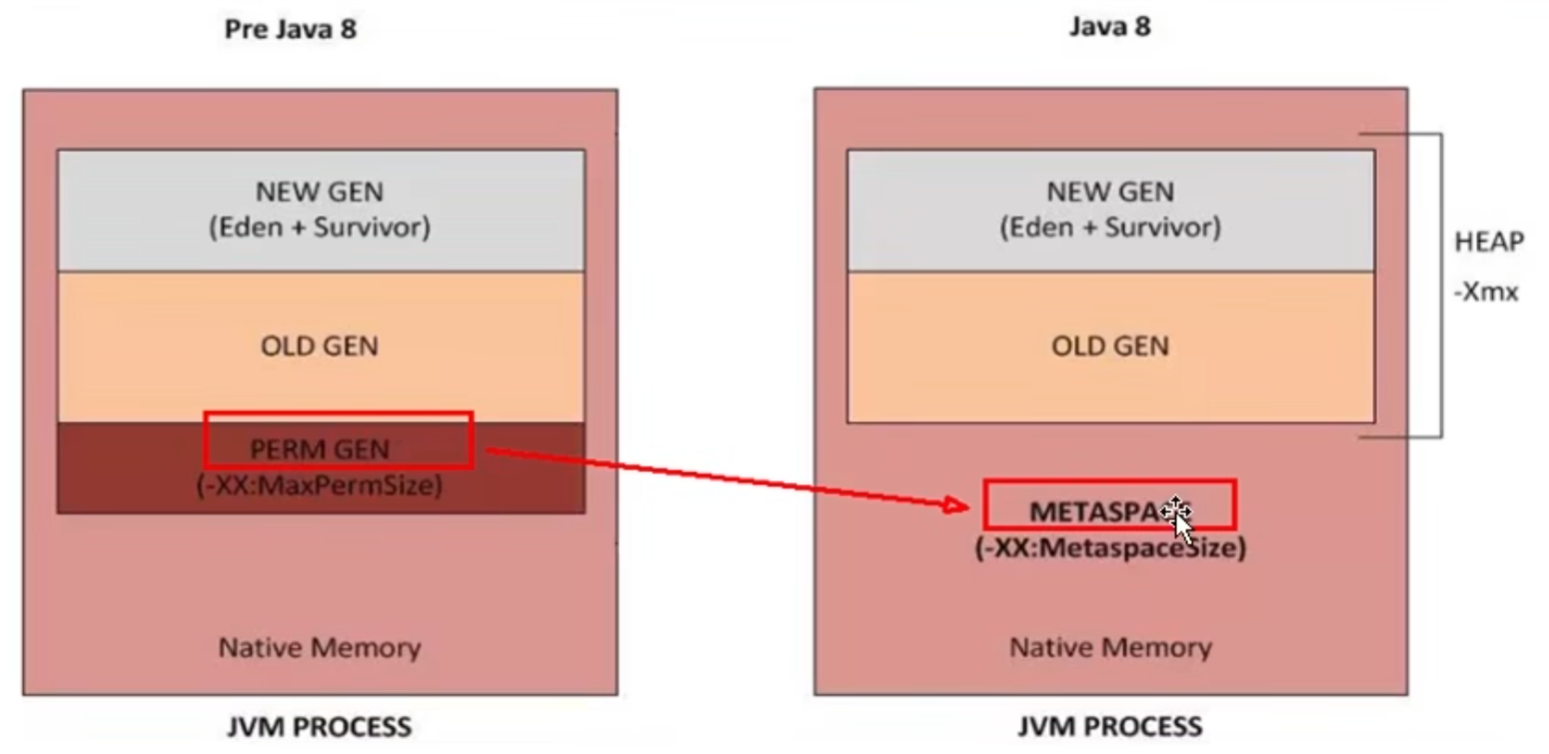
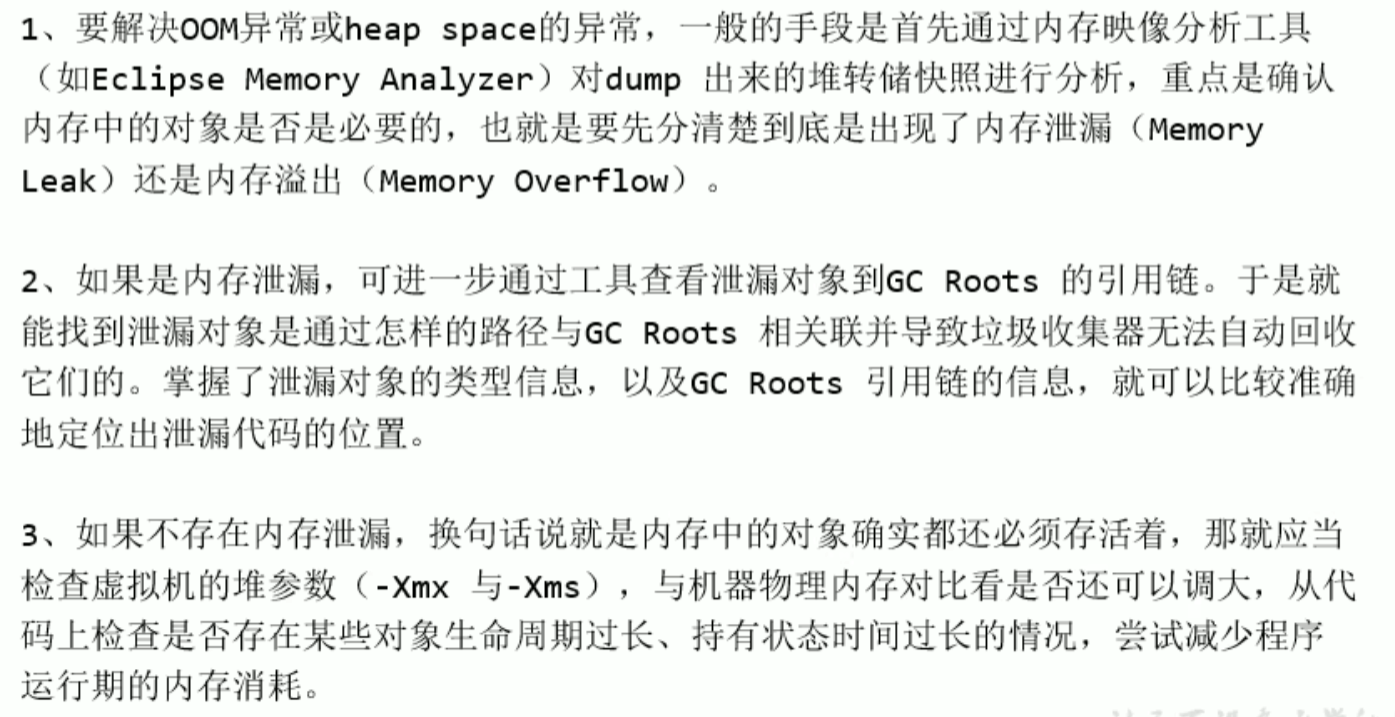
Setting the heap size and OOM
- Parameters for setting the heap space size
-XmsUsed to set the heap space (young generation plus old generation)initialmemory size-Xisjvmruntime parametersmsismemory start
-Xmx Used to set the heap space (young generation plus old generation)maximummemory size
Default heap space size
Initial memory size:物理电脑内存大小 /64Maximum memory size:物理电脑内存大小 /4Manual setting:
-Xms600m-Xmx600mIn development建议Set the initial heap memory and the maximum heap memory to the same value , Because expansion and release are needed, avoid additional system pressure caused by adjustmentViewing the set parameters Method one:
jps/jstat-gcprocessidMethod two:-XX:+PrintGCDetails^ikhhqe

The parameter settings only take effect for young generation, old generation take effect

Code for viewing heap size
public static void main(String[] args) {

    //return Java total heap memory in the virtual machine
    // Runtime data area is a singleton
    long initialMemory = Runtime.getRuntime().totalMemory() / 1024 / 1024;
    //return Java maximum heap memory the virtual machine attempts to use
    long maxMemory = Runtime.getRuntime().maxMemory() / 1024 / 1024;

    System.out.println("-Xms : " + initialMemory + "M");
    System.out.println("-Xmx : " + maxMemory + "M");

    System.out.println("系统内存大小为:" + initialMemory * 64.0 / 1024 + "G");
    System.out.println("系统内存大小为:" + maxMemory * 4.0 / 1024 + "G");

    try {
        Thread.sleep(1000000);
    } catch (InterruptedException e) {
        e.printStackTrace();
    }
}
Young generation and old generation
Young generation 80 percent of objects die young
Ratio of young generation to old generation
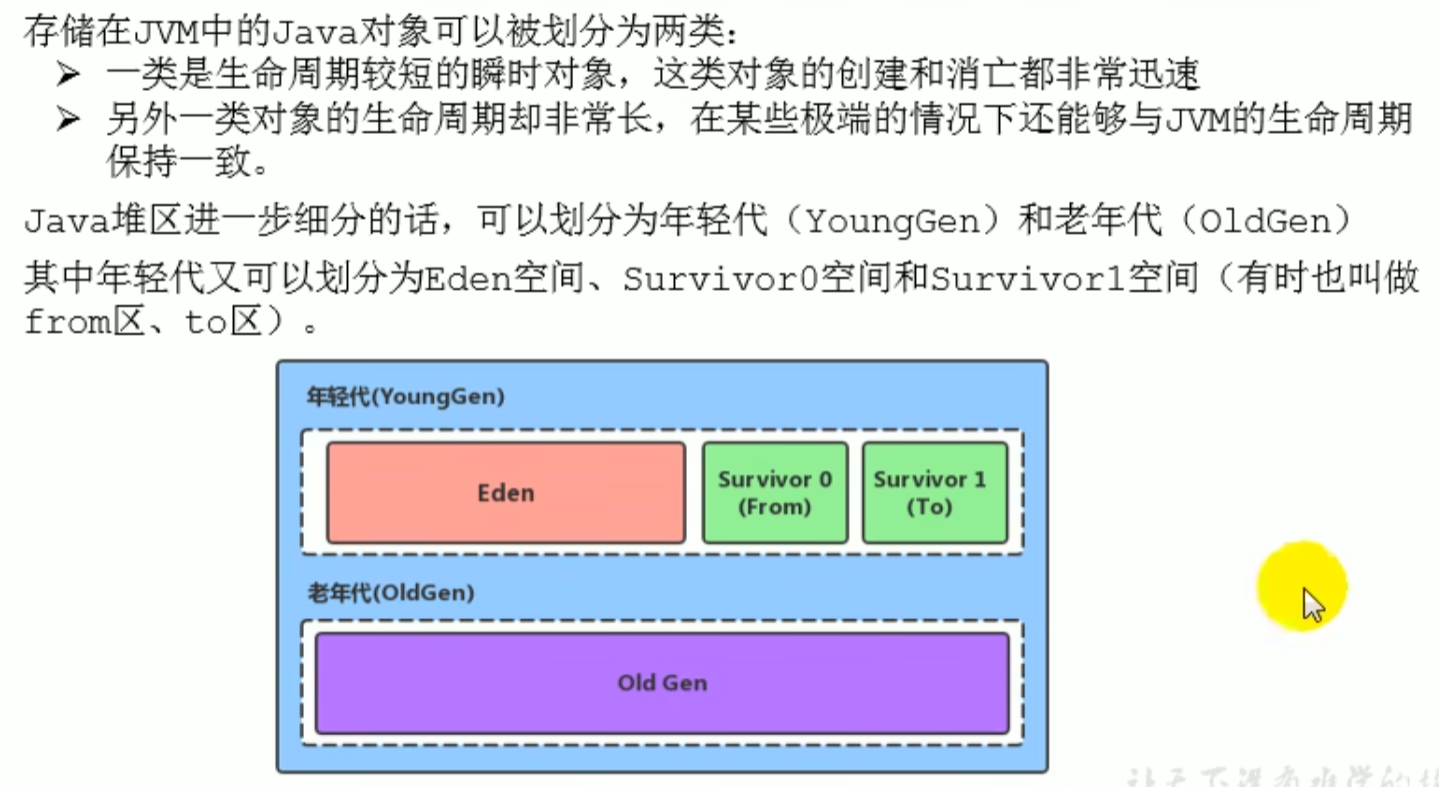 Configure the ratio of young generation to old generation
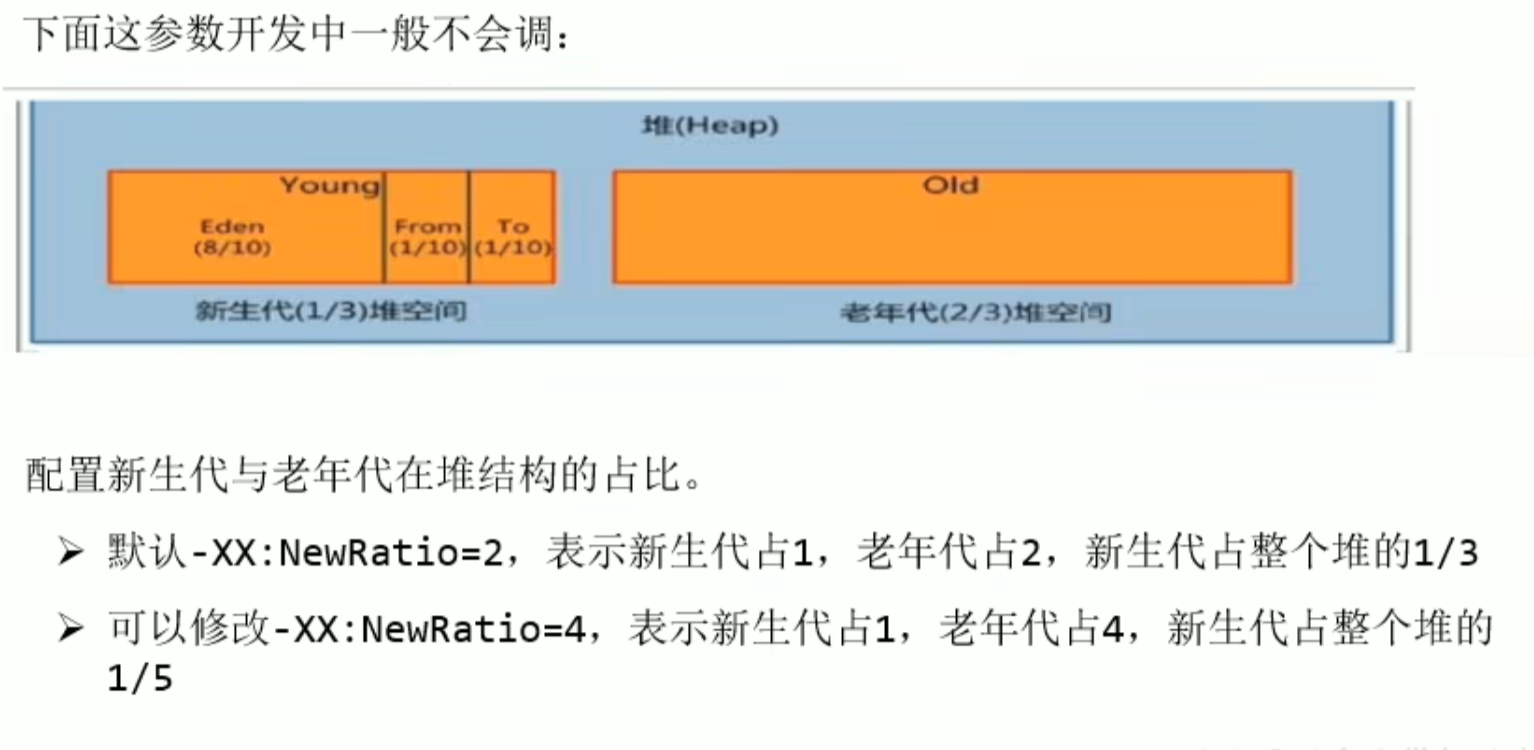
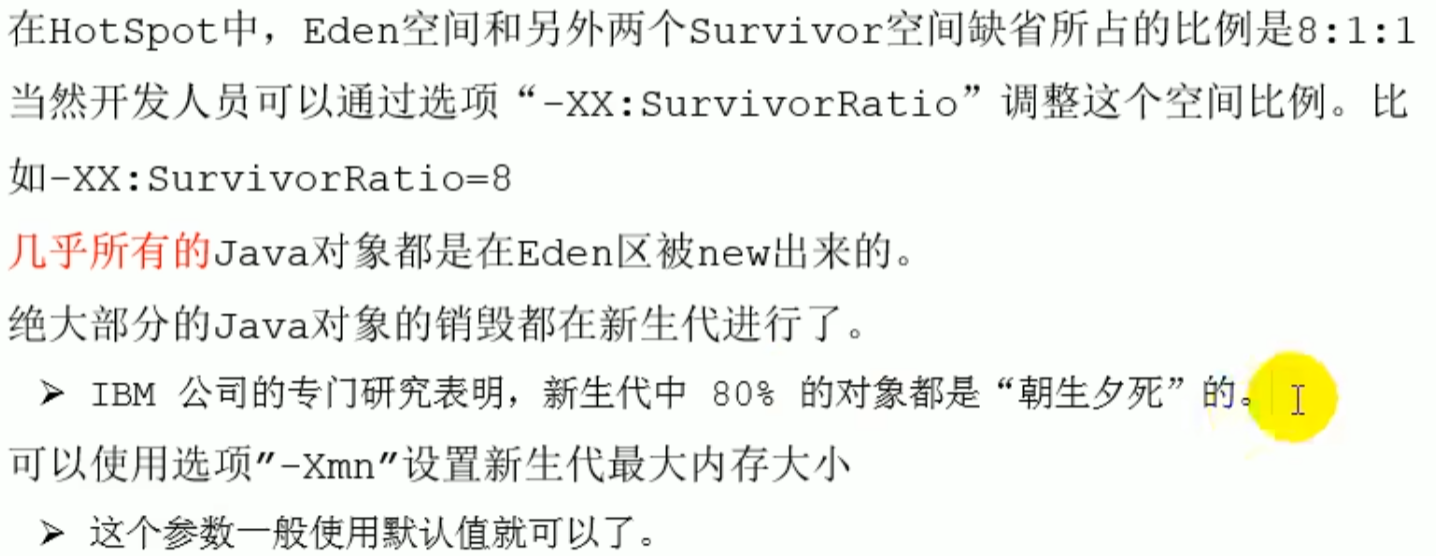
When using it, I found it is not 8 to 1, so I need to specify it manually
 -Xms600m -Xmx600m
 -XX:NewRatio : Set the ratio of young generation to old generation. The default value is
 -XX:SurvivorRatio :Set the young generation Eden region and Survivor region ratio. The default value is 8 ,actually need to specify manually 8
 -XX:-UseAdaptiveSizePolicy :Disable the adaptive memory allocation policy (not used for now): adaptively two sur regions may not be the same size
 -Xmn:Set the size of the young generation space(generally not set)(takes priority over the ratio)
Illustrated object allocation process
Since the memory allocation algorithm is closely related to garbage collection
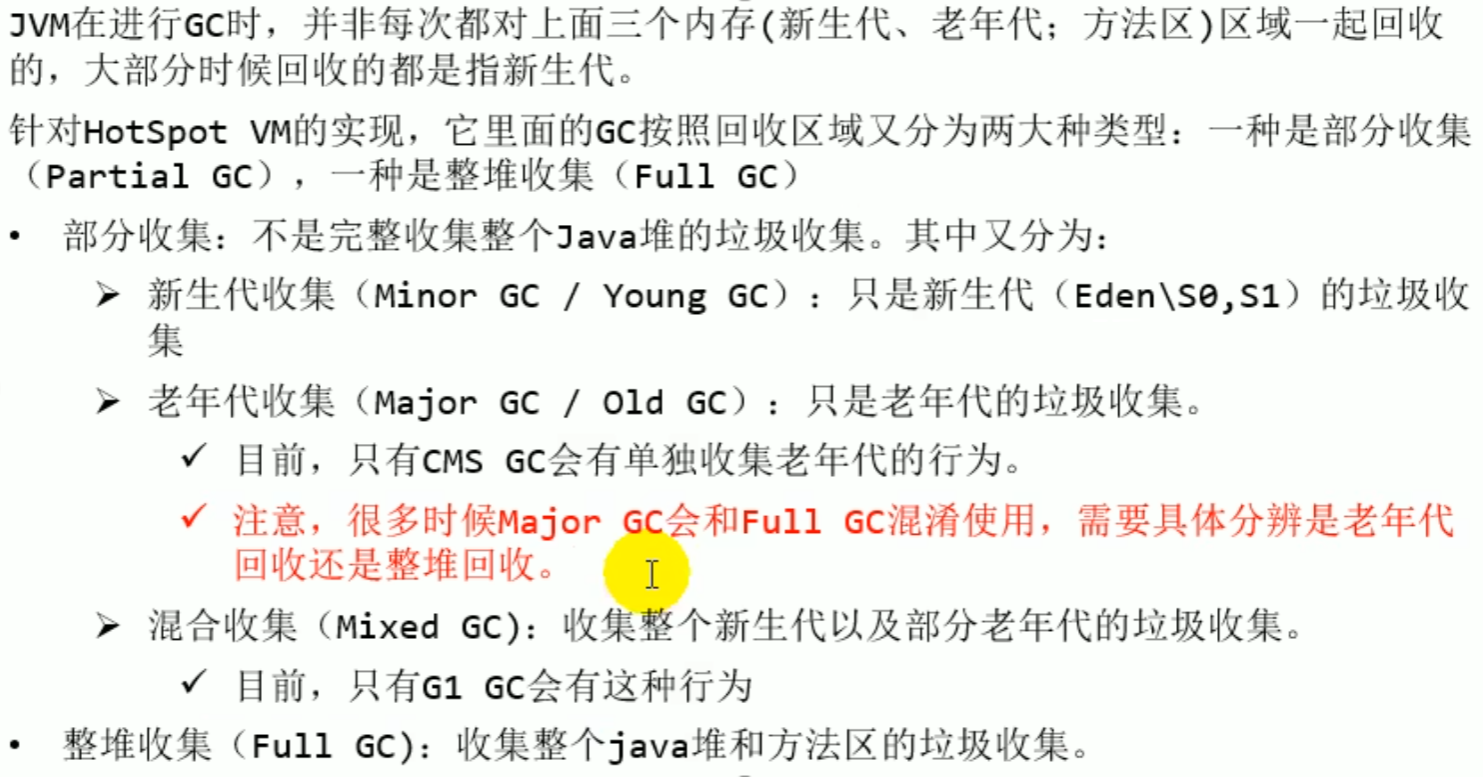
Minor GC,Major GC ,Full GC
GC
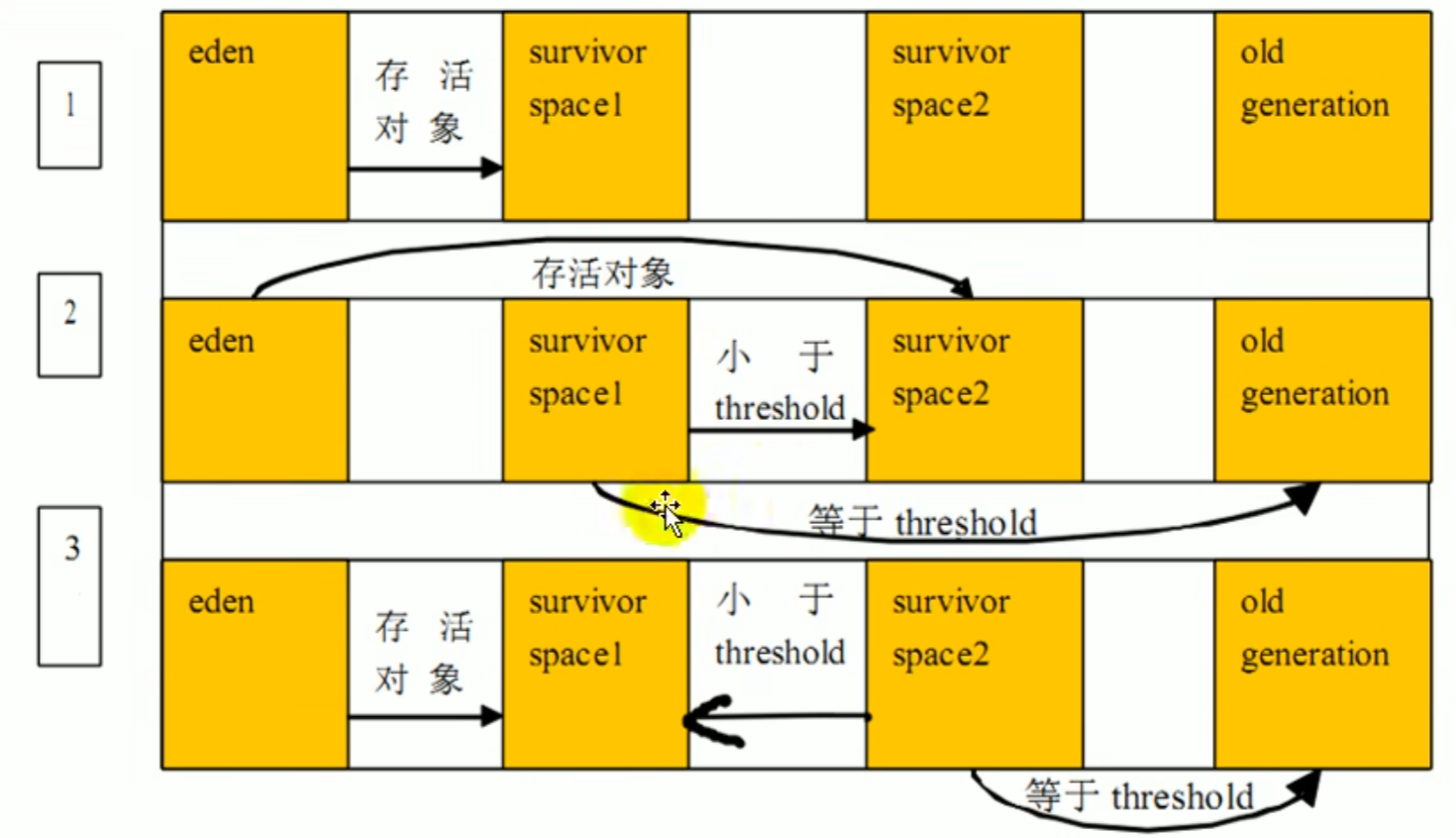
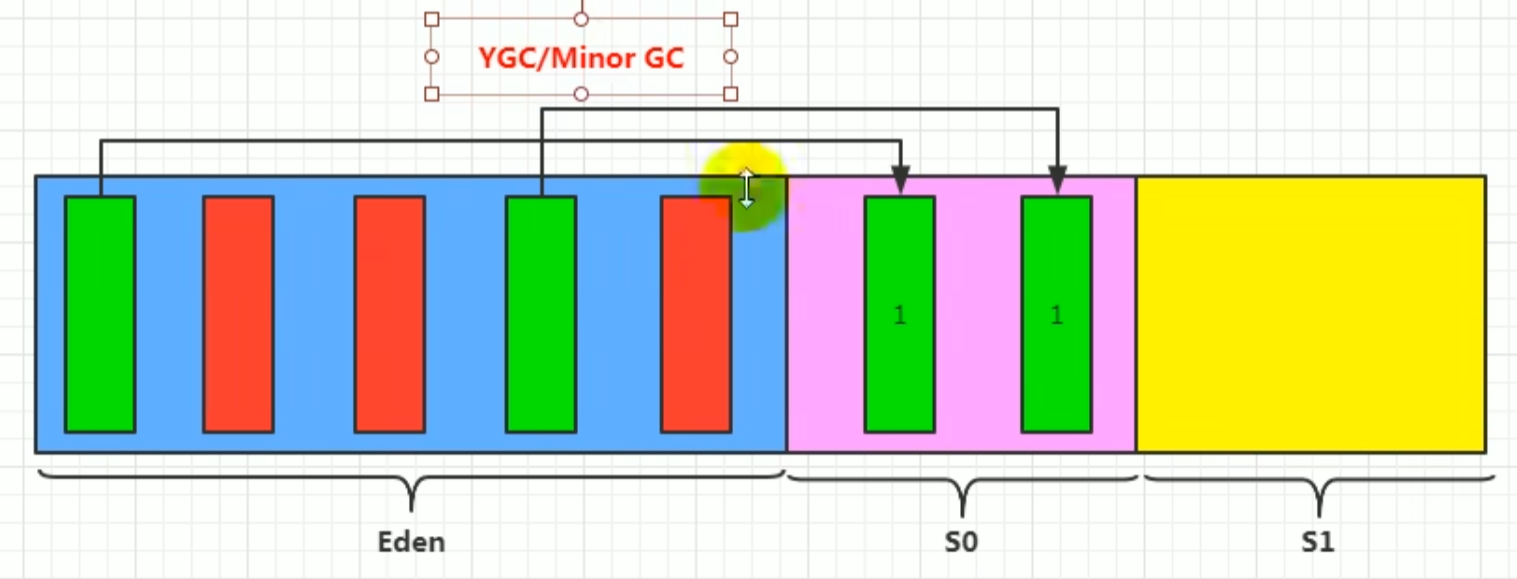 When the Eden space is full, it triggers
 GC collection, and by the way collects survival, but survival when full does not trigger GC collection
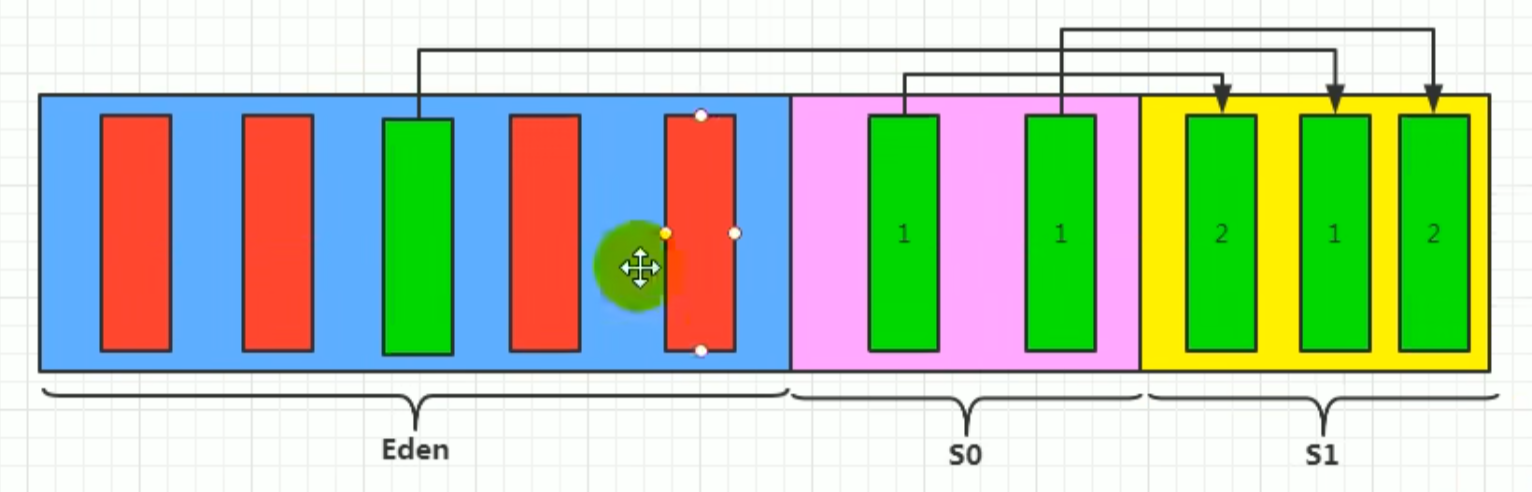 Age counter: value
S0, S1 Whichever is empty is to, the other is from, to represents where the next placement goes
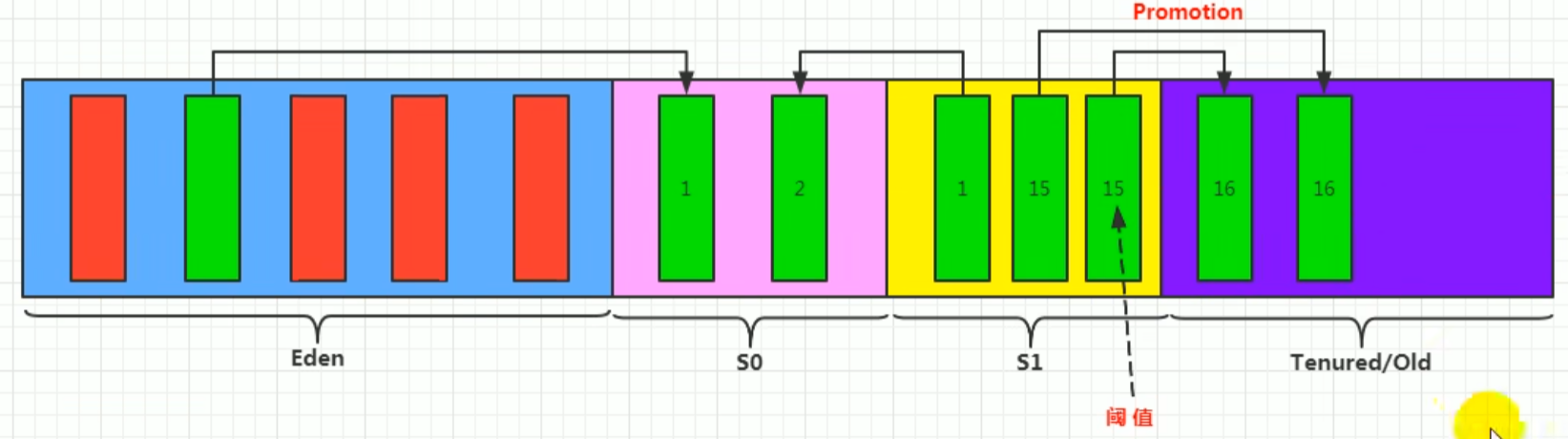
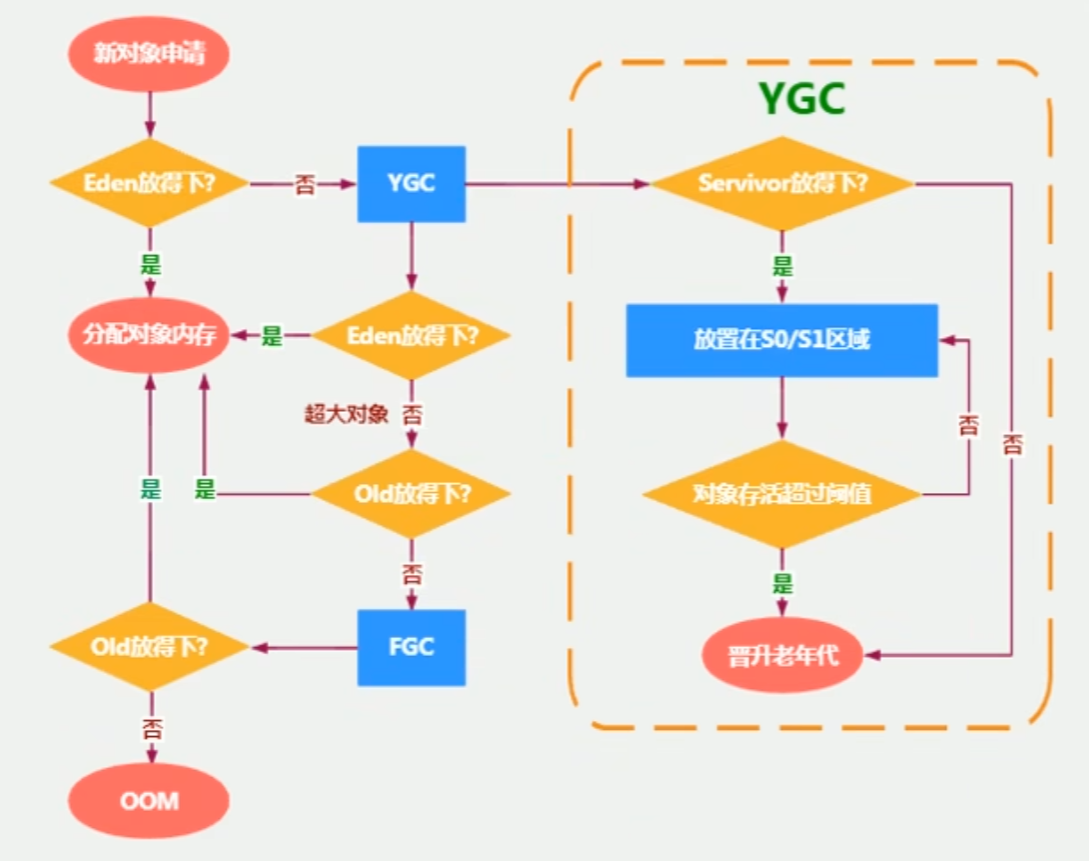
New object placement process

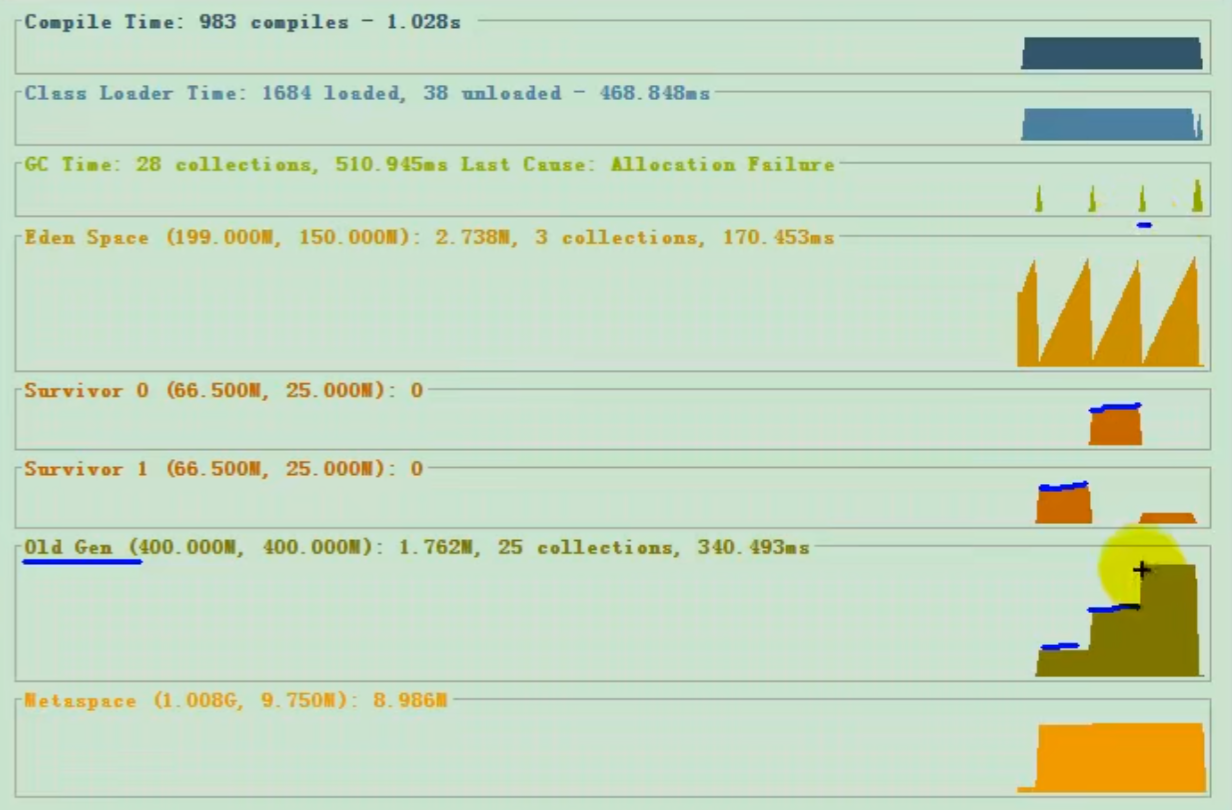
- Young generation
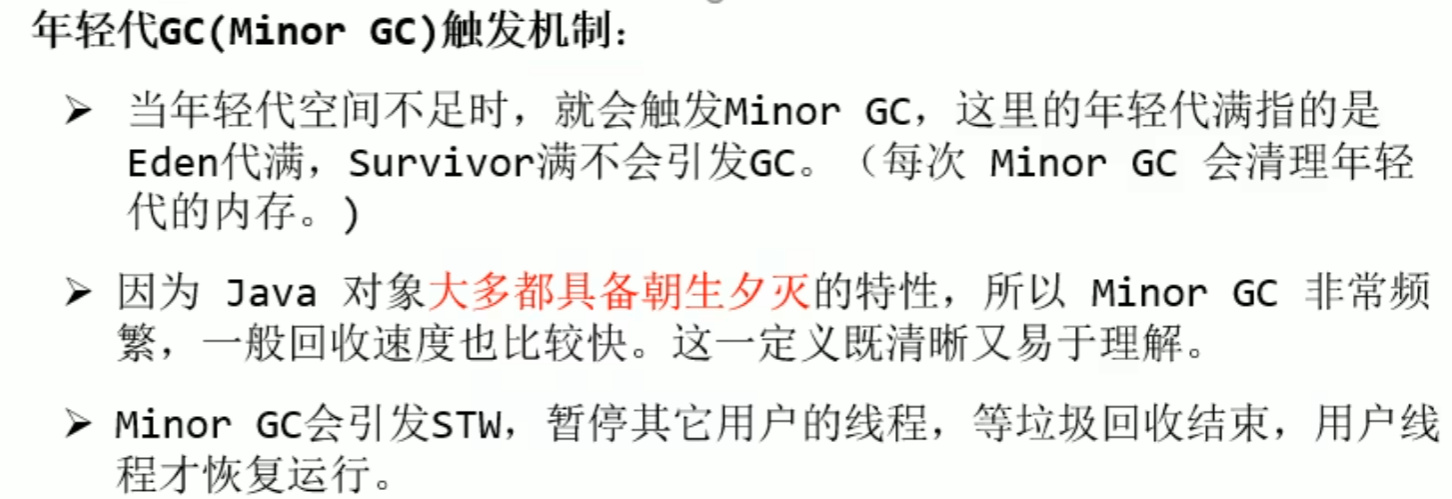
GC(Minor GC)Trigger mechanism
Insufficient young generation space triggers it minor GC
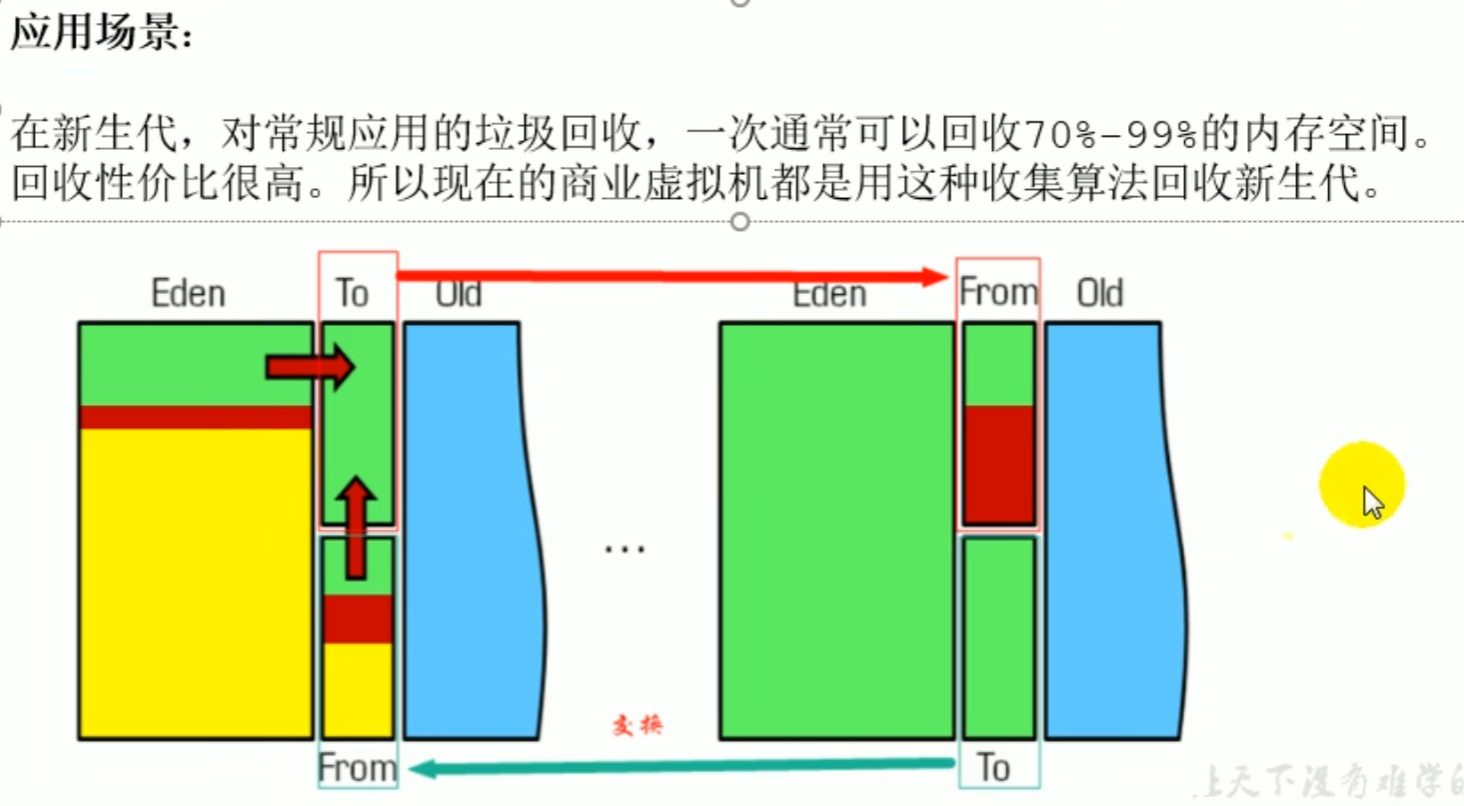
Alternate use Survivor regions can reducememory fragmentation. After each GC, surviving objects are compactly copied to the other Survivor region, avoiding the generation of memory fragmentation.
Young generation GC(Minor GC) Trigger mechanism
- Old generation
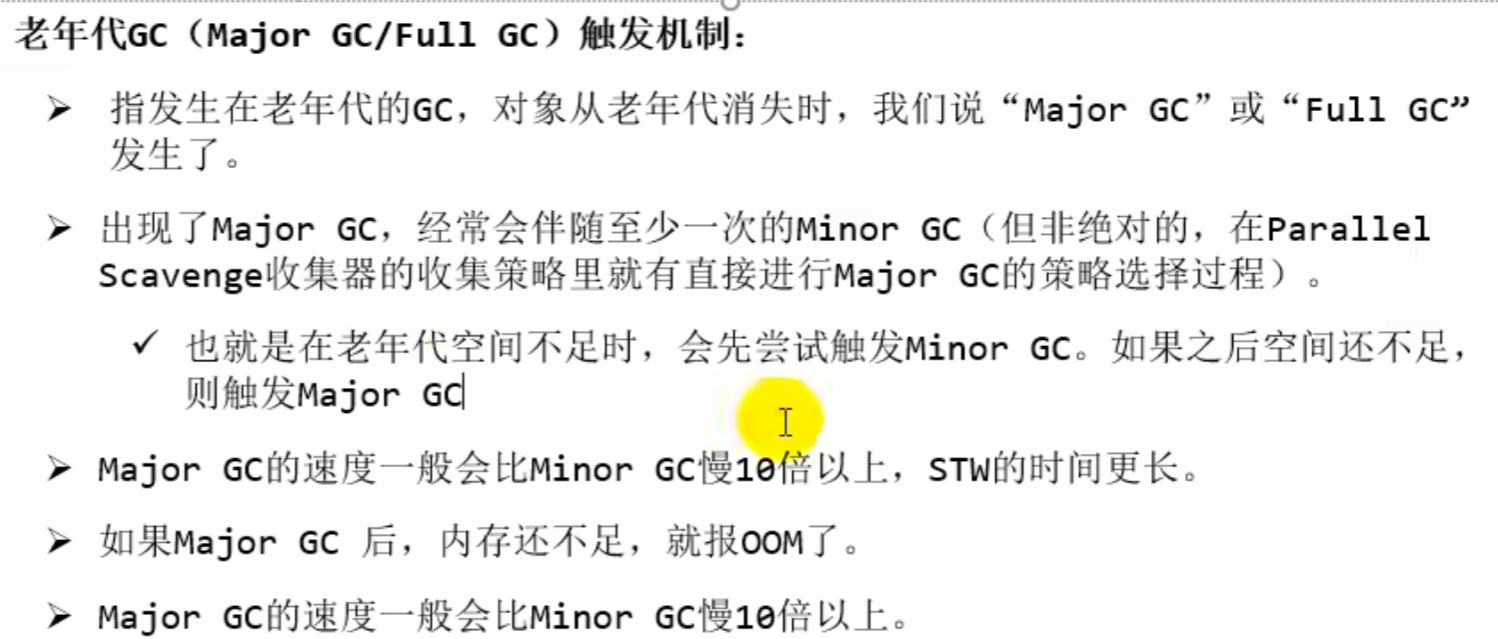
Major GC/Full GCTrigger mechanism
When old generation space is insufficient, it triggers Major GC (depending on the collector, it should trigger at least once Minor Gc)
Major GC generally more than Minor Gc is at least 10 times slower , Major GC afterwards, if memory is still insufficient it calls FULL GC , if still insufficient it blows up OOM
Old generation Major GC/Full GC Trigger mechanism
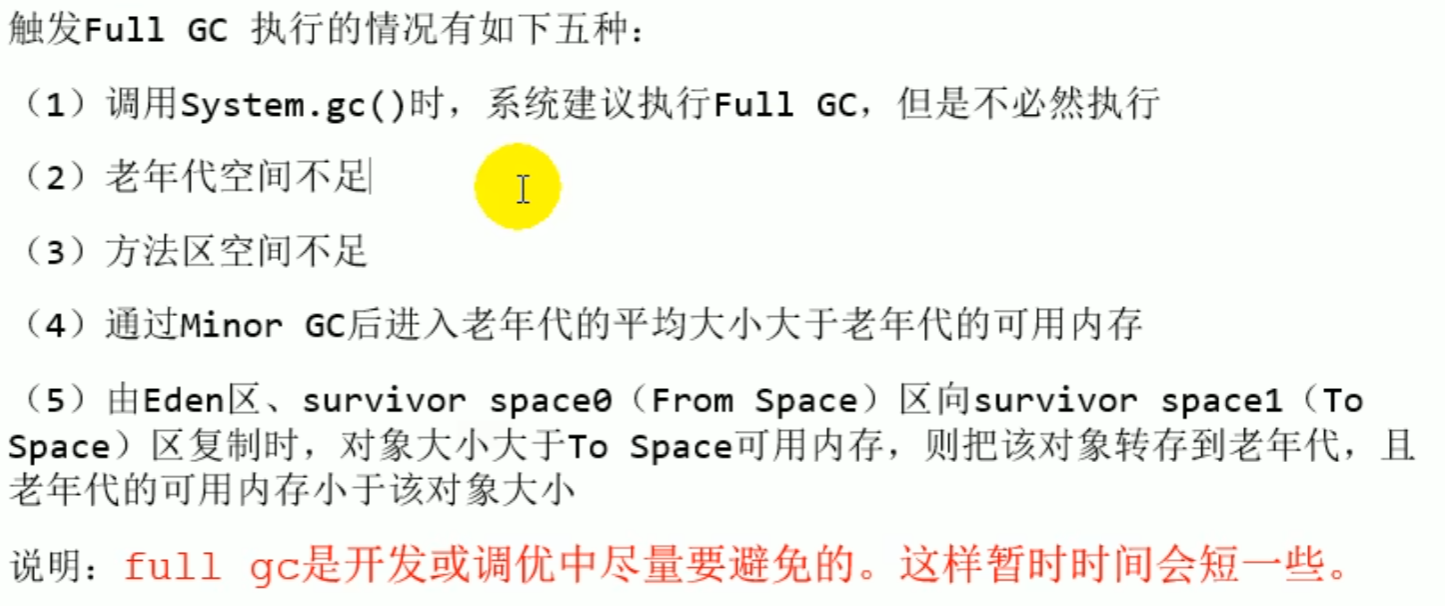
Full GCTrigger mechanism
OOM test
When old generation space is insufficient, a garbage collection runs once, and only if it is still insufficient after collection does OOM blow up, and before OOM blows up there is necessarily a Full GC
-Xms9m -Xmx9m -XX:+PrintGCDetails
public static void main(String[] args) {
    int i = 0;
    try {
        List<String> list = new ArrayList<>();
        String a = "atguigu.com";
        while (true) {
            list.add(a);
            a = a + a;
            i++;
        }

    } catch (Throwable t) {
        t.printStackTrace();
        System.out.println("遍历次数为:" + i);
    }
}

[GC (Allocation Failure) [PSYoungGen: 2027K->504K(young generation size after collection)(2560K)total space size] 2027K heap space before collection (same as before because at this time the heap space old generation has no data)->926K heap space after collection, it is different, this shows some data was placed in the old generation(9728K)total heap space size, 0.0007621 secs] [Times: user=0.00 sys=0.00, real=0.00 secs]
[GC (Allocation Failure) [PSYoungGen: 2210K->512K(2560K)] 2632K->1610K(9728K), 0.0006082 secs] [Times: user=0.00 sys=0.00, real=0.00 secs]
[GC (Allocation Failure) [PSYoungGen: 2310K->496K(2560K)] 3408K->2346K(9728K), 0.0007793 secs] [Times: user=0.00 sys=0.00, real=0.00 secs]
[GC (Allocation Failure) [PSYoungGen: 1238K->512K(2560K)] 7313K->6602K(9728K), 0.0005005 secs] [Times: user=0.00 sys=0.00, real=0.00 secs]
[GC (Allocation Failure) [PSYoungGen: 512K->496K(2560K)] 6602K->6602K(9728K)finally the young generation is placed in the old generation, after collection it does not change or is larger, 0.0003862 secs] [Times: user=0.00 sys=0.00, real=0.00 secs]
[Full GC (Allocation Failure) [PSYoungGen: 496K->0K(2560K)] [ParOldGen: 6106K->5014K(7168K)] 6602K->5014K(9728K), [Metaspace: 3439K->3439K(1056768K)], 0.0031555 secs] [Times: user=0.00 sys=0.00, real=0.00 secs]
[GC (Allocation Failure) [PSYoungGen: 0K->0K(1536K)] 5014K->5014K(8704K), 0.0003299 secs] [Times: user=0.00 sys=0.00, real=0.00 secs]
[Full GC (Allocation Failure) [PSYoungGen: 0K->0K(1536K)] [ParOldGen: 5014K->4912K(7168K)] 5014K->4912K(8704K), [Metaspace: 3439K->3439K(1056768K)], 0.0055557 secs] [Times: user=0.00 sys=0.00, real=0.01 secs]
number of traversals is:16
Heap
 PSYoungGen      total 1536K, used 59K [0x00000000ffd00000, 0x0000000100000000, 0x0000000100000000)
  eden space 1024K, 5% used [0x00000000ffd00000,0x00000000ffd0ef18,0x00000000ffe00000)
  from space 512K, 0% used [0x00000000fff80000,0x00000000fff80000,0x0000000100000000)
  to   space 1024K, 0% used [0x00000000ffe00000,0x00000000ffe00000,0x00000000fff00000)
 ParOldGen       total 7168K, used 4912K [0x00000000ff600000, 0x00000000ffd00000, 0x00000000ffd00000)
  object space 7168K, 68% used [0x00000000ff600000,0x00000000ffacc2f8,0x00000000ffd00000)
 Metaspace       used 3473K, capacity 4496K, committed 4864K, reserved 1056768K
  class space    used 371K, capacity 388K, committed 512K, reserved 1048576K
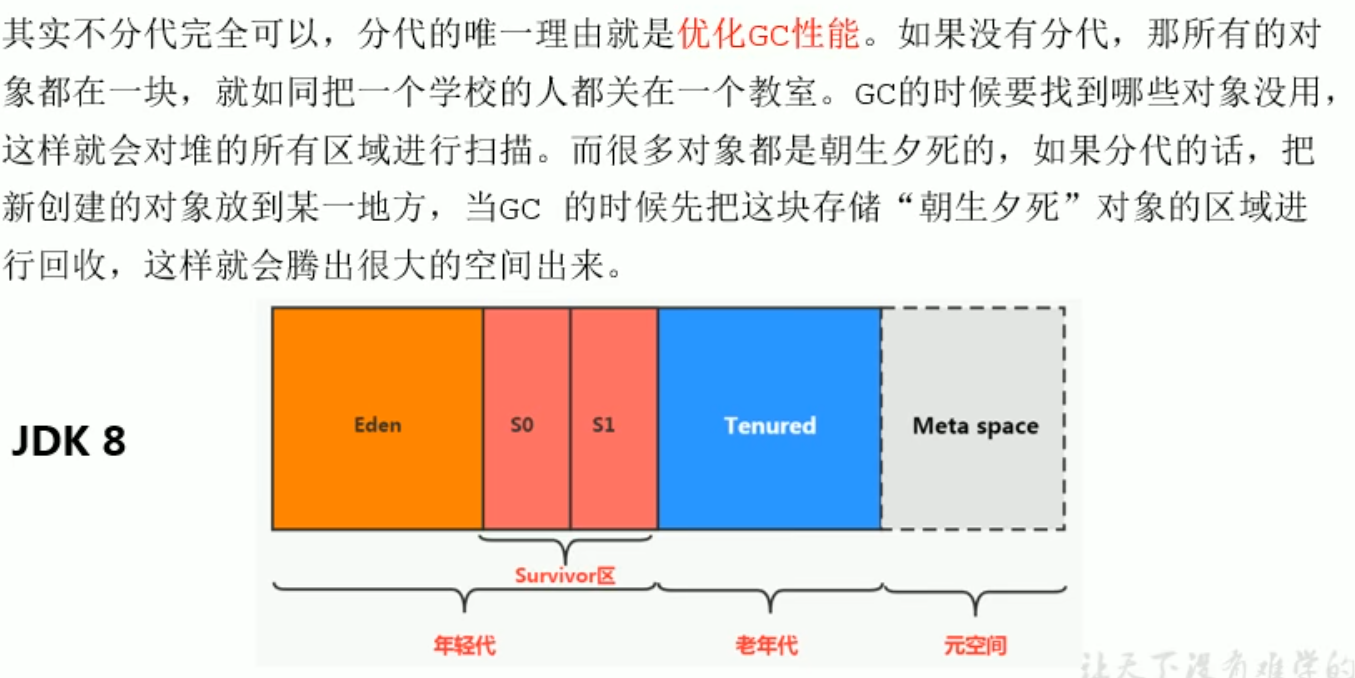
Heap space generational idea
Generational division is for the sake of optimizing GC performance, collecting objects that are born in the morning and die in the evening frees up a lot of space
Generational idea
Memory Allocation Strategy
Minor GC Survival --> age=1 -->Each time Minor GC -->age+1 --> >set value(15) -->Promotion to Old Generation
Set Value -XX:MaxTenuringThreshold
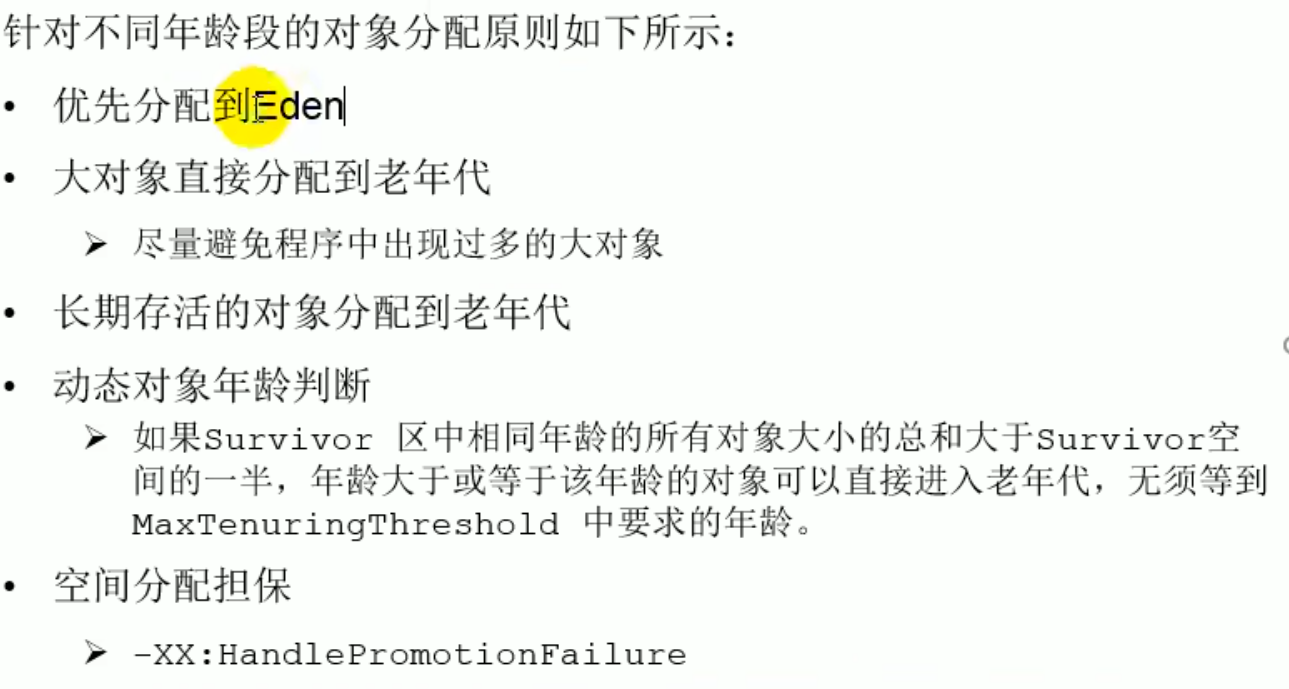
Special case: if the total size of objects of the same age in the s region is greater than half of the S region space, objects of that age or older can directly enter the old generation
Large objects are directly allocated to the old generation
Memory Allocation Strategy

Allocate Memory for Objects: TLAB
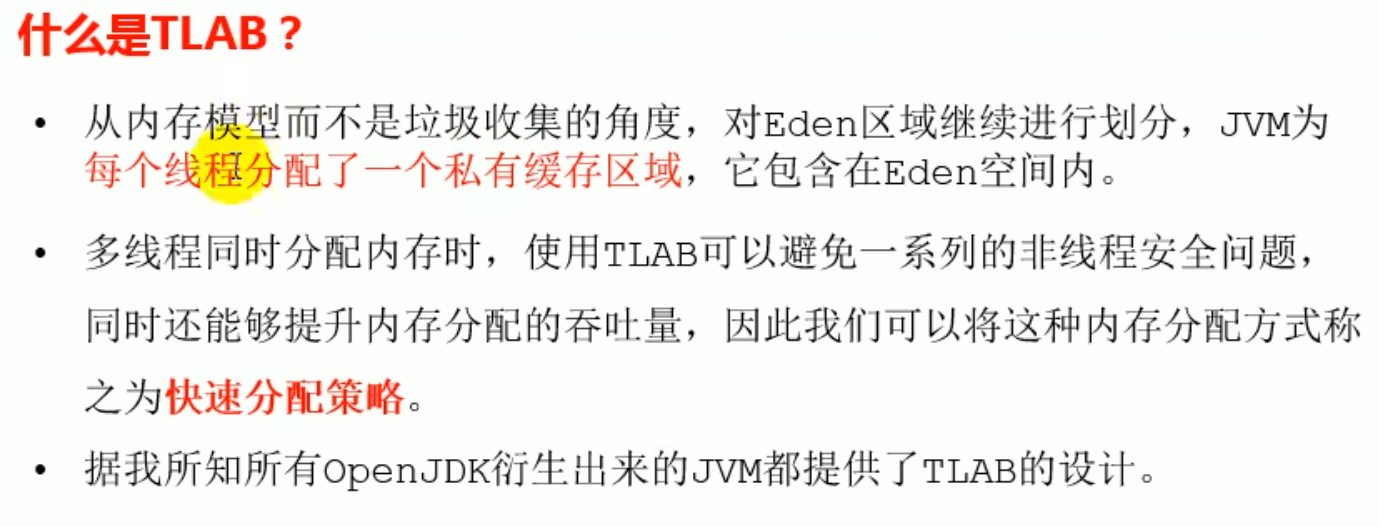
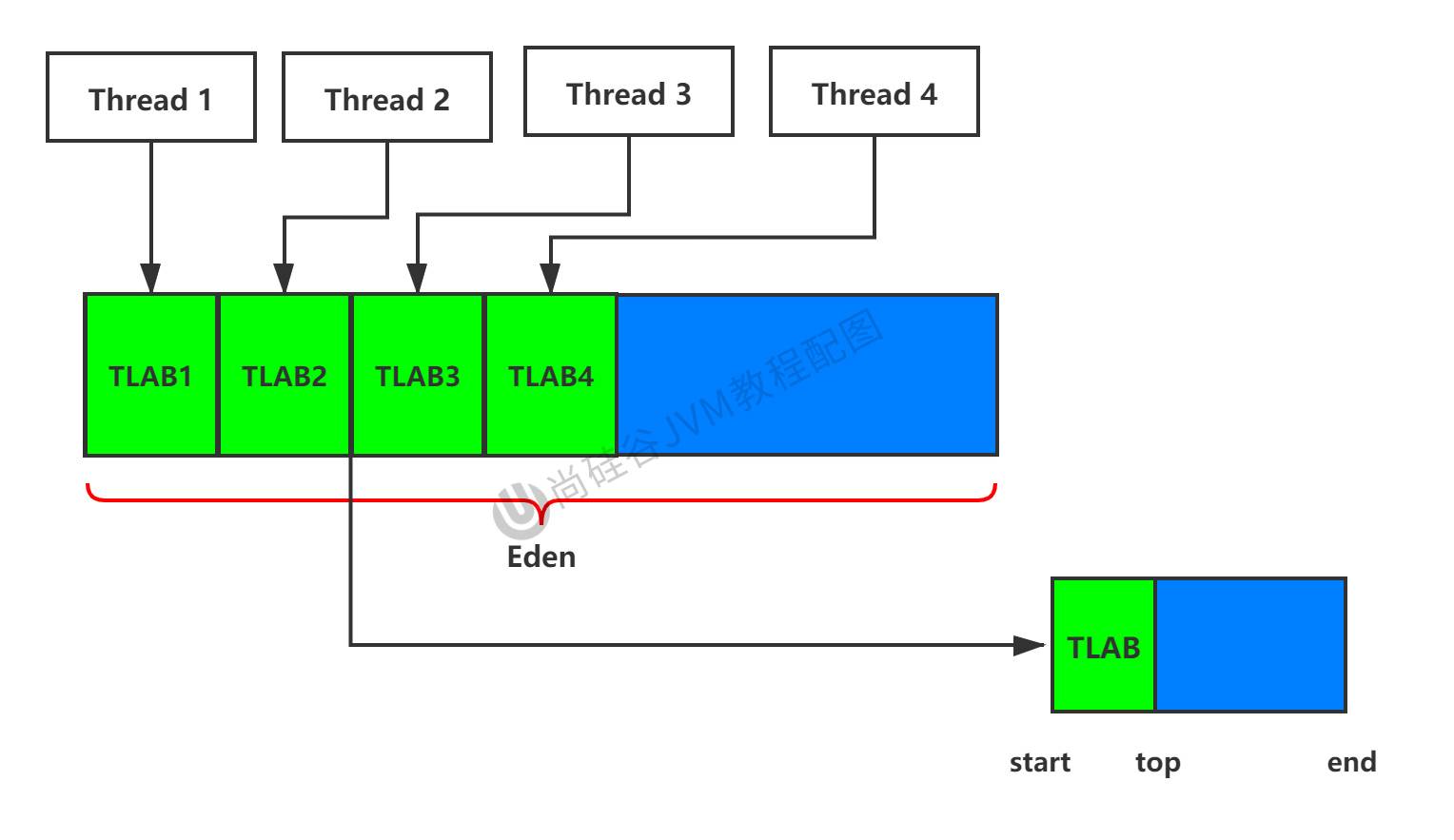
TLAB is a memory allocation mechanism in the JVM. It allocates a small memory area for each thread for fast allocation of objects, and each thread allocates objects in its own TLAB . This area isprivate, other threads cannot access it, which canreduce contention between threads, improving the efficiency of memory allocation. But once the object allocation is complete and other threads hold a reference to the object, other threads can access and use this object.
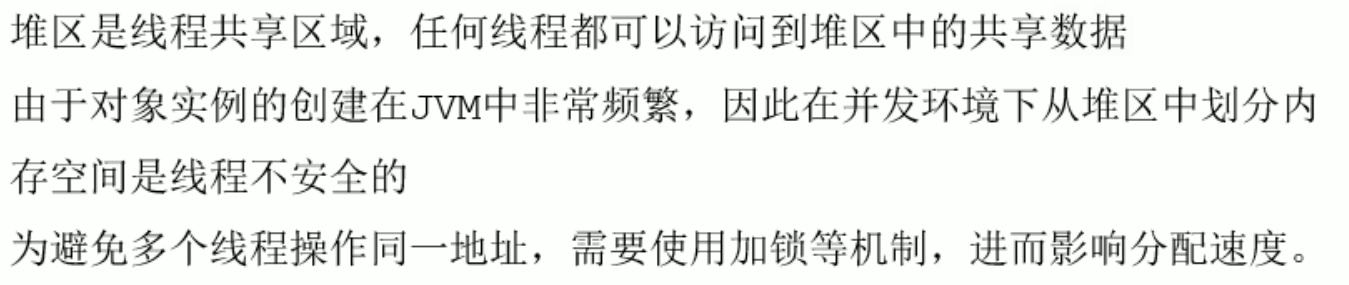
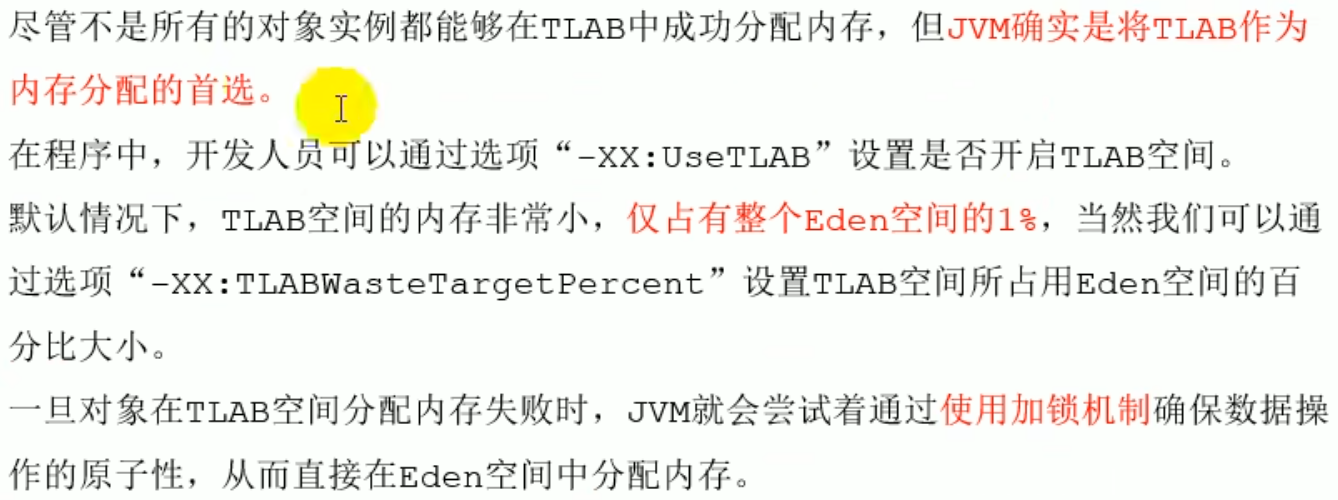
TLAB is Thread Local Allocation Buffer, each thread has its own buffer, and each thread has its own TLAB that can be used to allocate object space (not all objects can be allocated to TLAB[takes only 1% of eden], but priority TLAB), which can reduce contention between threads, avoiding some thread safety issues
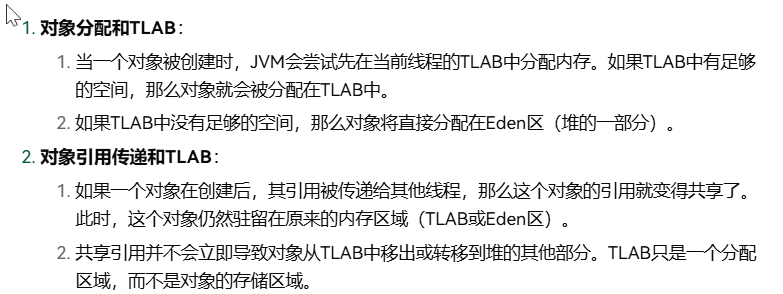
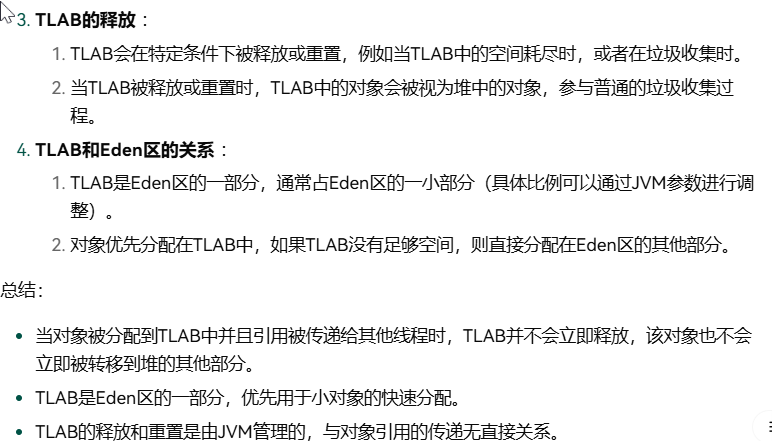
TLAB (enabled by default)
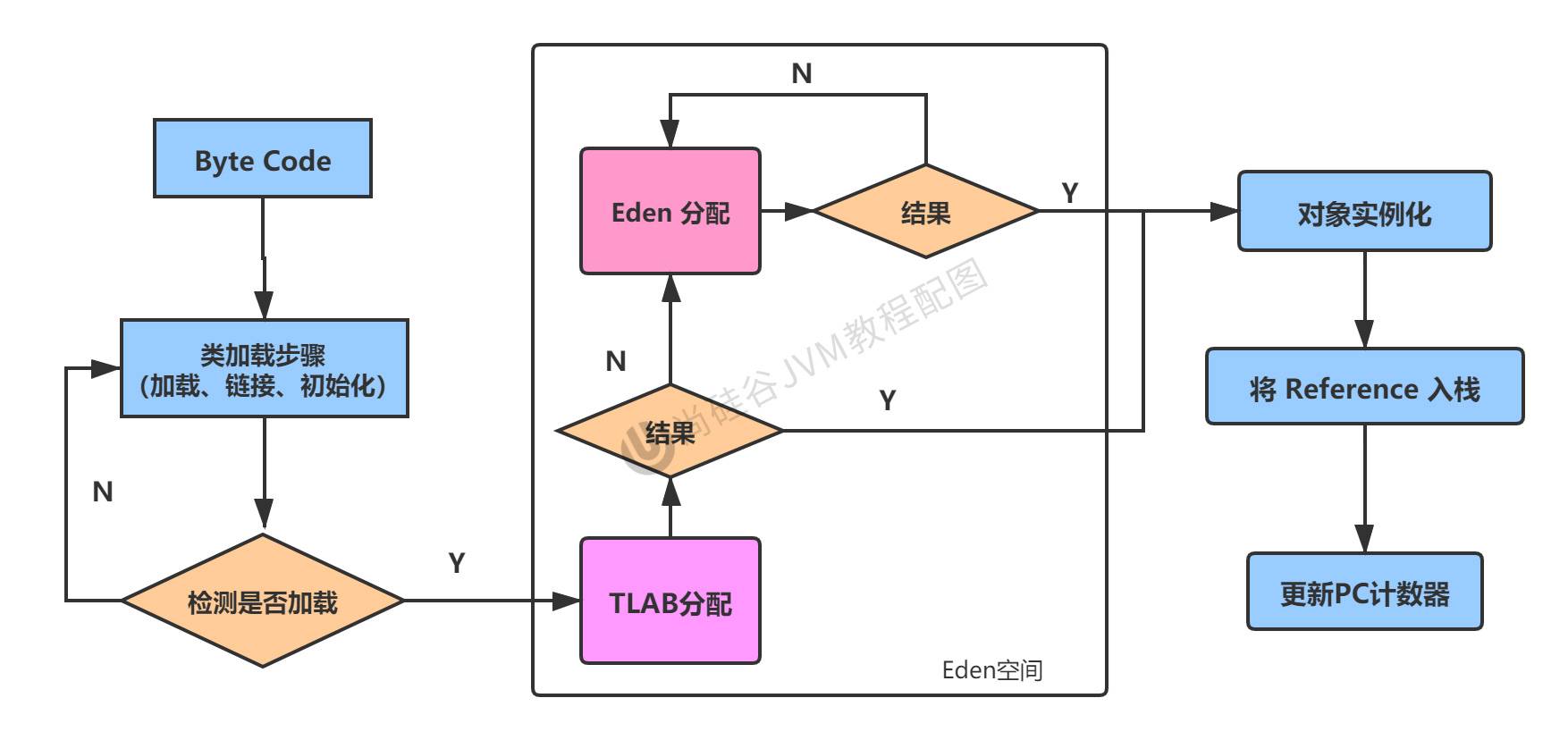
new corresponds to opening up new space in the heap space, in TLAB open up new space
Heap Space Parameter Settings
  commonly used for testing heap space jvm parameters:
-XX:+PrintFlagsInitial : view the default initial values of all parameters
-XX:+PrintFlagsFinal :view the final values of all parameters (there may be modifications, no longer the initial values)
command to view a specific parameter:jps:view currently running processes
                    jinfo -flag SurvivorRatio process id
-Xms:initial heap space memory (default is of physical memory 1/64)
-Xmx:maximum heap space memory (default is of physical memory 1/4)
-Xmn:set the size of the young generation (initial value and maximum value)
-XX:NewRatio:configure the proportion of the young generation and old generation in the heap structure (default 2)
-XX:SurvivorRatio:set in the young generation Eden and S0/S1 space ratio(S0/S1 if the space is too small or too large, it loses Minor GC it loses meaning)
-XX:MaxTenuringThreshold:set the maximum age of young generation garbage
-XX:+PrintGCDetails:output detailed GC processing logs
  print gc brief information:① -XX:+PrintGC   ② -verbose:gc
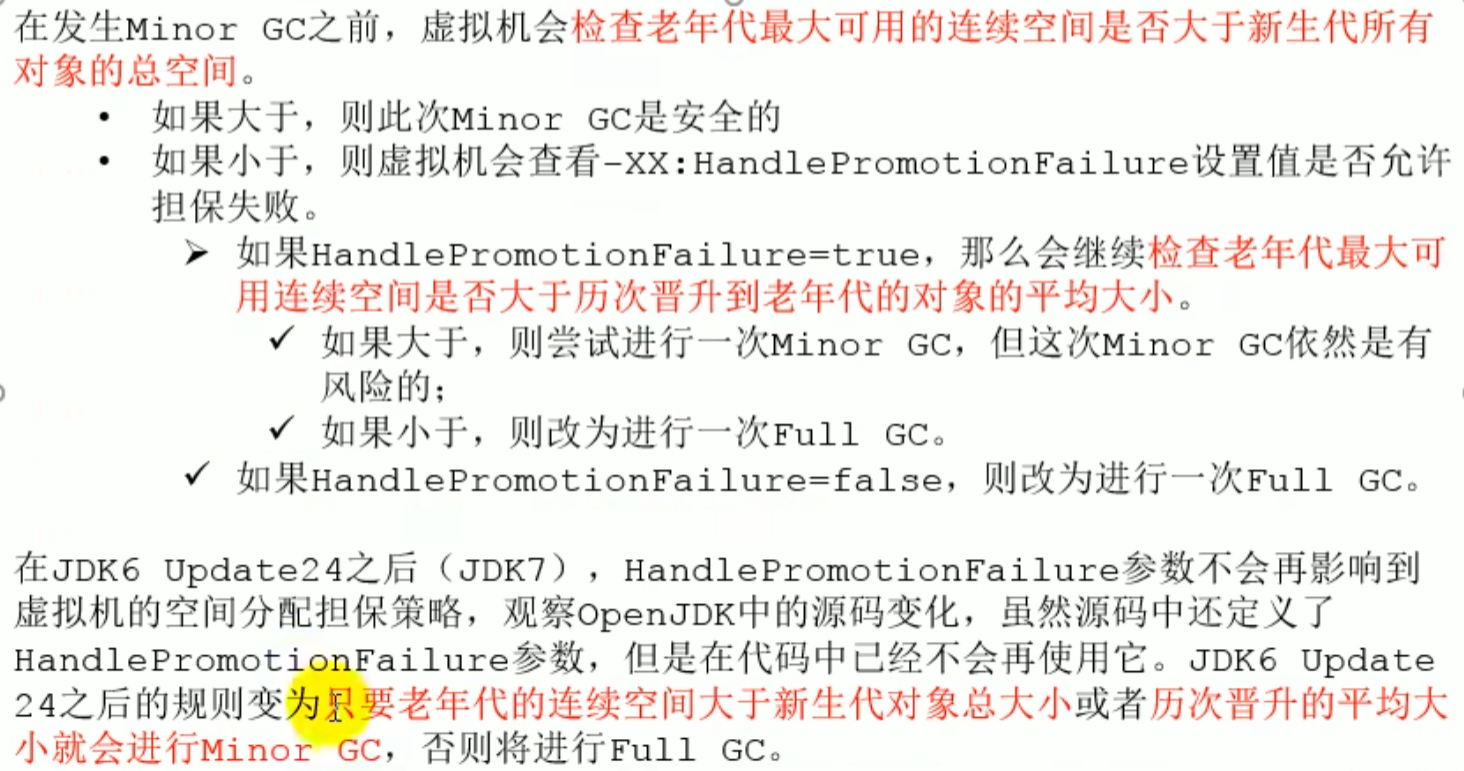
-XX:HandlePromotionFailure:whether to set space allocation guarantee
XX:HandlePromotionFailure
Is the heap the only choice for allocating objects
Is the heap the only choice for allocating objects
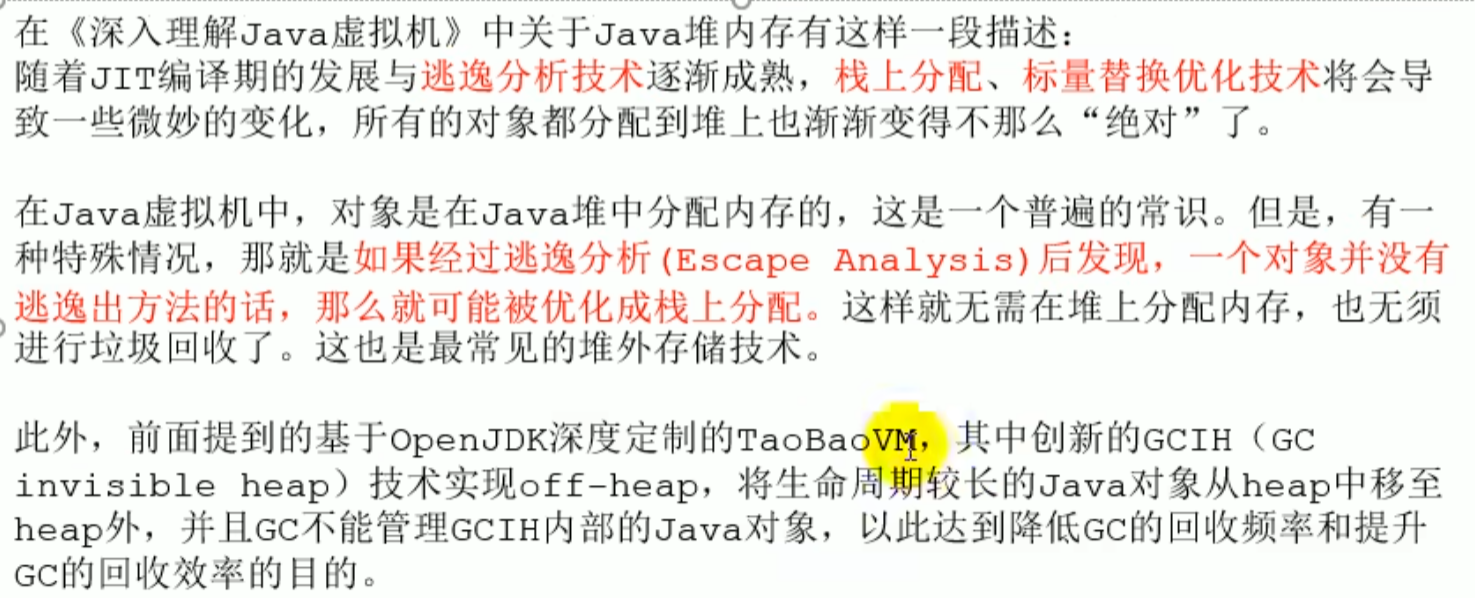
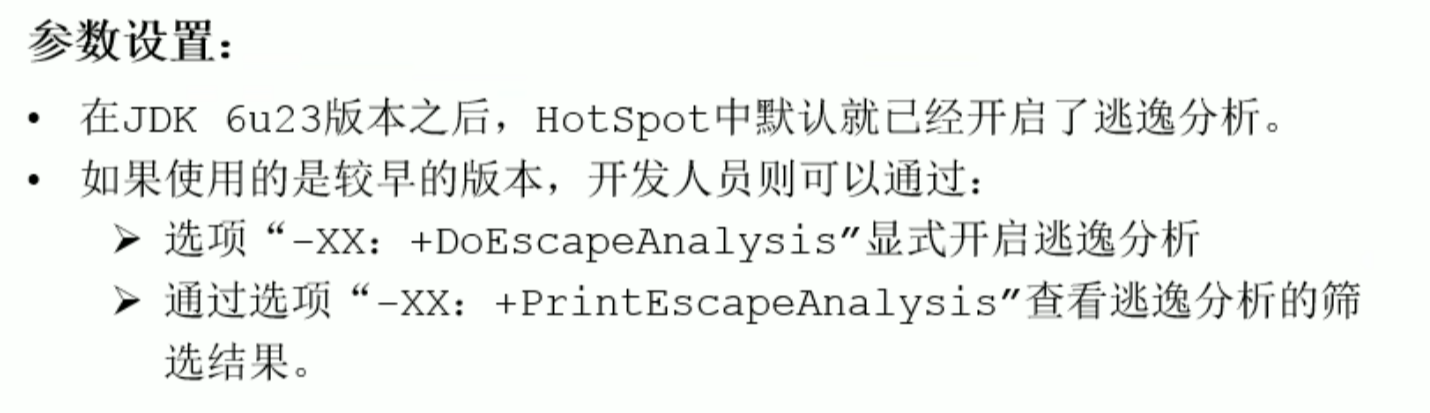
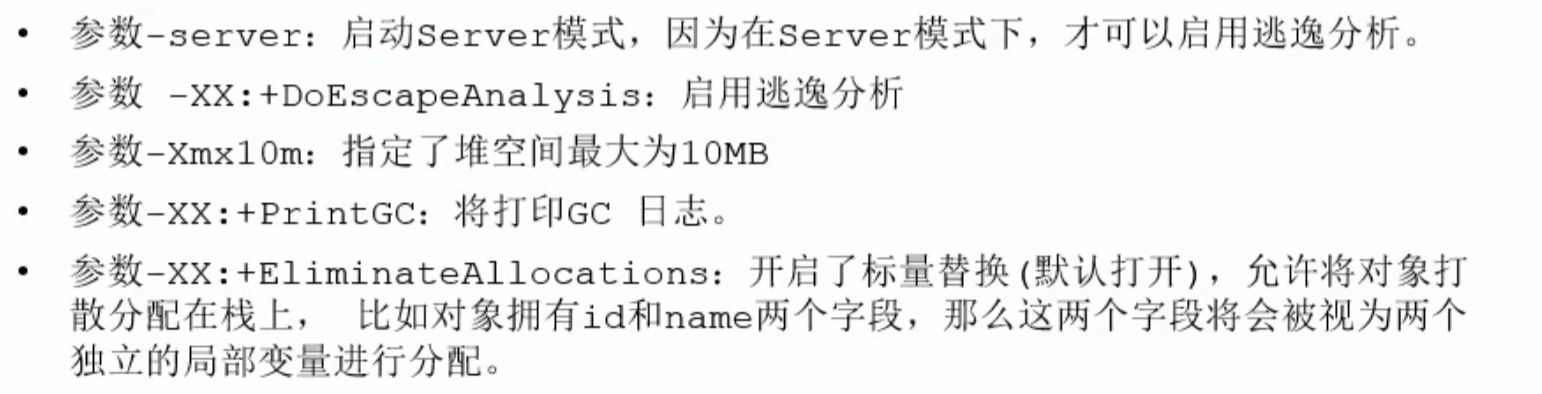
Escape analysis (enabled by default since 6): if it is found that an object does not escape the method, then it may be optimized into stack allocation
Off-DoEscapeAnalysis, and when it is off, it means all objects have space allocated in the heap space
-XX: PrintEscapeAnalysis View the filtering results of escape analysis
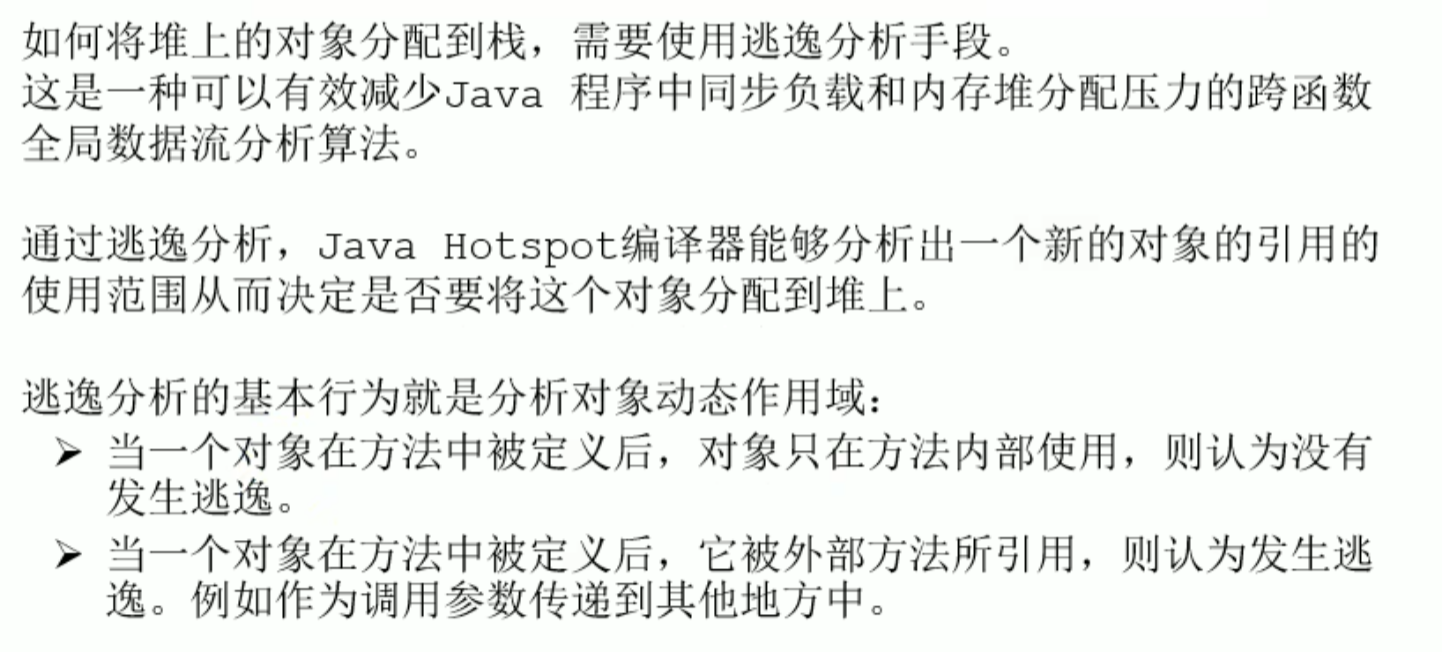
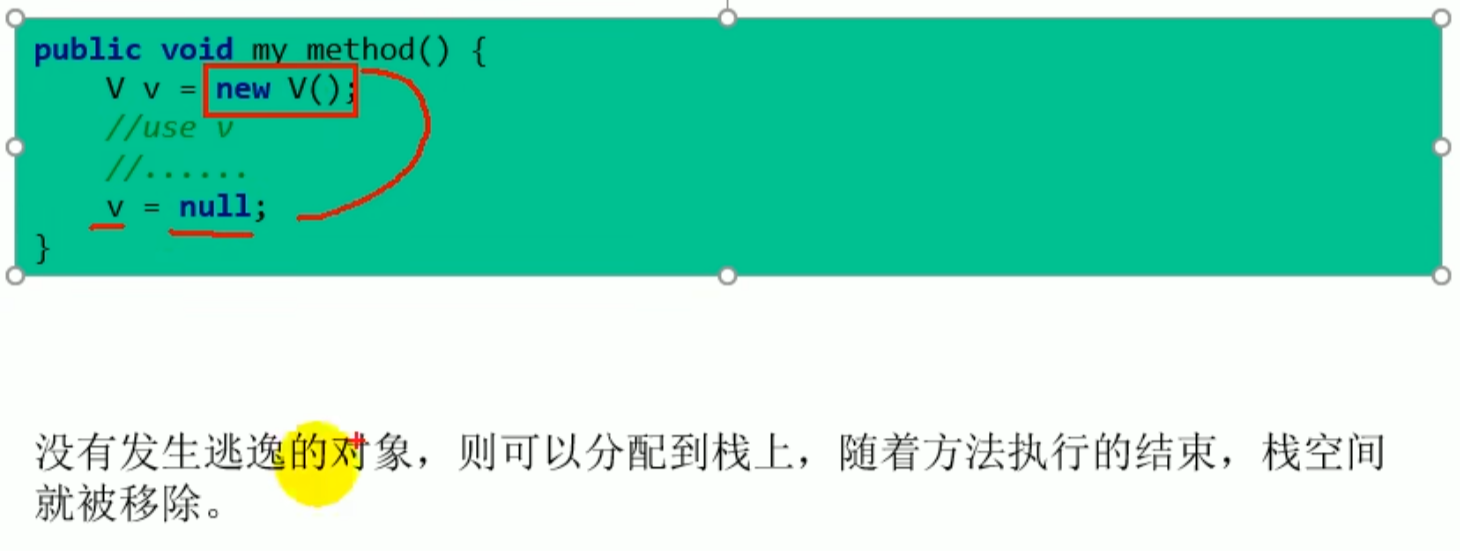
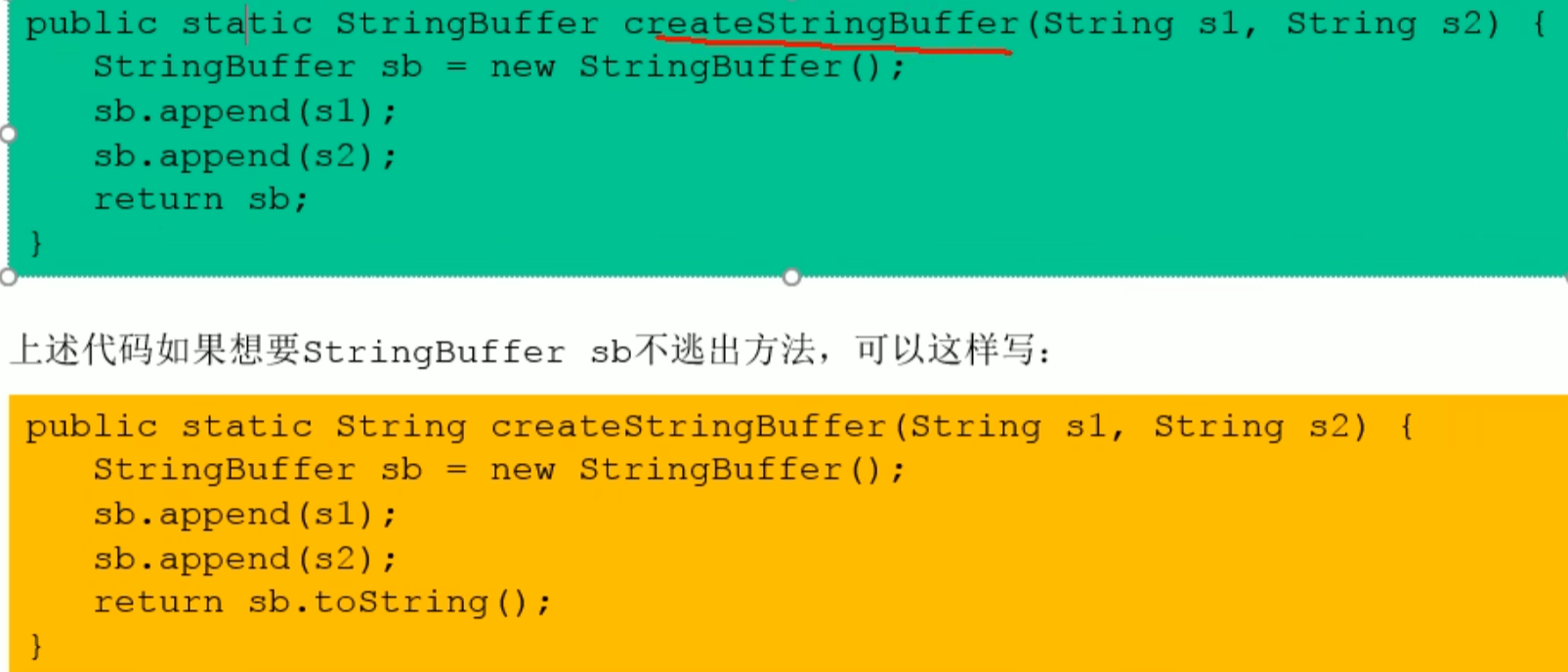
The object may be called externally-->Escape occurs
How to quickly determine whether escape analysis has occurred, everyone just look at new whether the object entity may be called outside the method

public EscapeAnalysis obj;

/*
Method returns EscapeAnalysis object, escape occurs
 */
public EscapeAnalysis getInstance(){
    return obj == null? new EscapeAnalysis() : obj;
}
/*
Assign a value to a member attribute, escape occurs
 */
public void setObj(){
    this.obj = new EscapeAnalysis();
}
//Think: if the current obj reference is declared as static? Escape still occurs.

/*
The scope of the object is only valid within the current method, no escape occurs
 */
public void useEscapeAnalysis(){
    EscapeAnalysis e = new EscapeAnalysis();
}
/*
Reference the value of a member variable, escape occurs
 */
public void useEscapeAnalysis1(){
    EscapeAnalysis e = getInstance();
    //getInstance().xxx()Escape will also occur
}
- Conclusion
During development, if a local variable can be used, do not define it outside the method (do not declare it as an attribute)
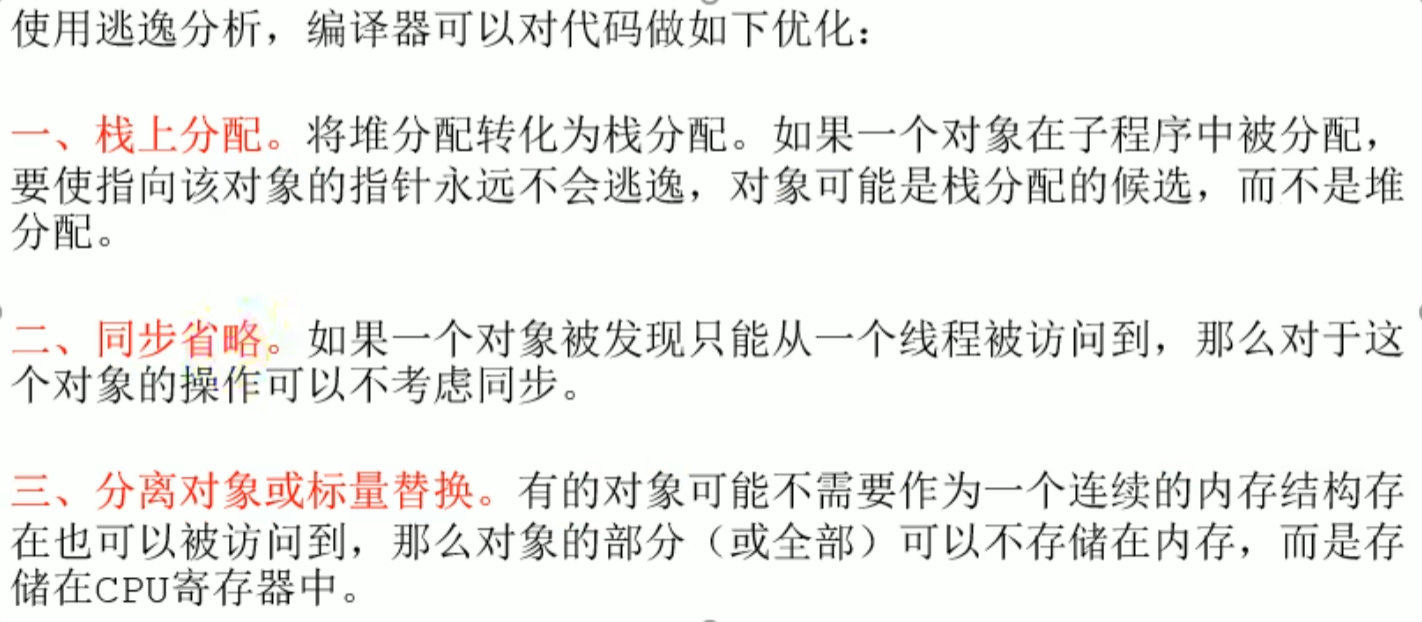
Optimizations made by the compiler using escape analysis
- Stack allocation
- Synchronization elision (lock elimination)
- Scalar replacement of separate objects
Optimizations made by the compiler using escape analysis
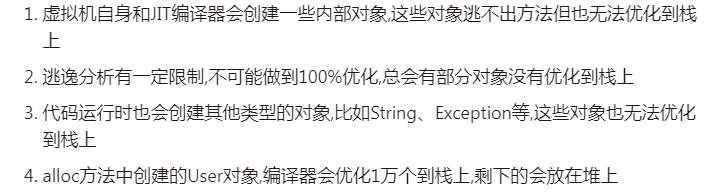
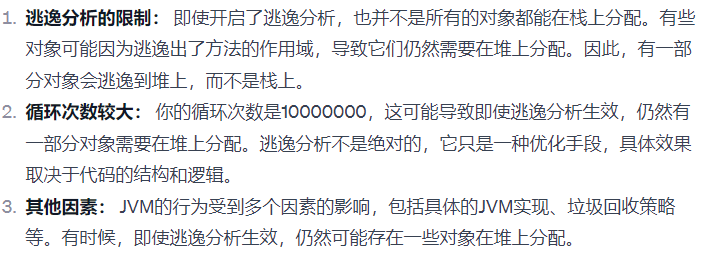
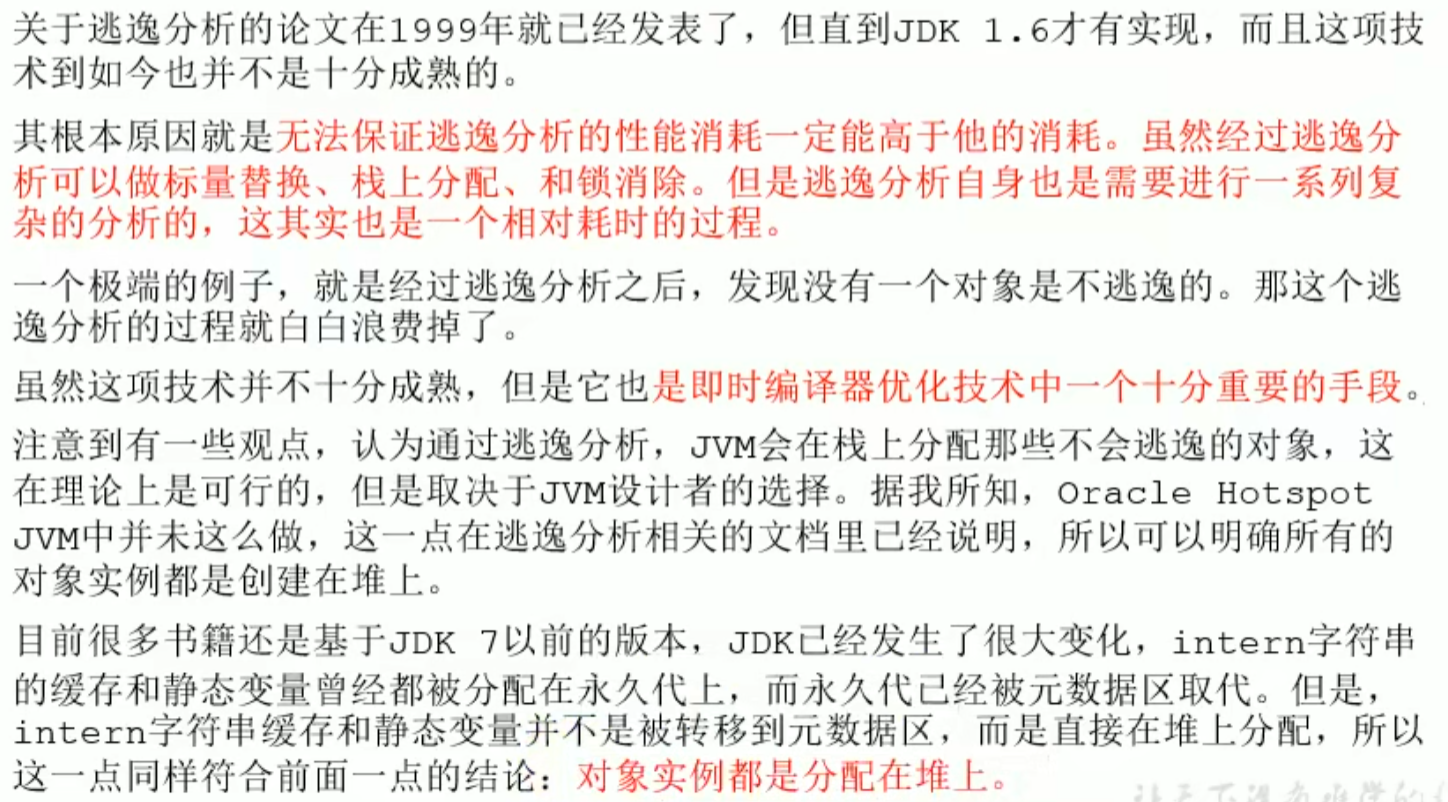
It cannot achieve 100 percent optimization, there will always be some that are not optimized onto the stack
Stack allocation test
Turn off escape analysis:-DoEscapeAnalysis, when escape does not occur, there will be 10 millionUserobjects, and GC occurs
After it is enabled, GC will not occur, there are only 100 thousand User objects
-Xmx1G -Xms1G -XX:-DoEscapeAnalysis -XX:+PrintGCDetails

public class StackAllocation {
    public static void main(String[] args) {
        long start = System.currentTimeMillis();

        for (int i = 0; i < 10000000; i++) {
            alloc();
        }
        // View execution time
        long end = System.currentTimeMillis();
        System.out.println("花费的时间为: " + (end - start) + " ms");
        // To make it easier to view the number of objects in the heap memory, thread sleep
        try {
            Thread.sleep(1000000);
        } catch (InterruptedException e1) {
            e1.printStackTrace();
        }
    }

    private static void alloc() {
        User user = new User();
        //Turn off escape analysis:-DoEscapeAnalysis,When escape does not occur,there will be 1 tens of millions of User objects,and occurs GC
        //After it is enabled,will not occur GC,only 10 ten thousand User objects
    }

    static class User {
    }
}

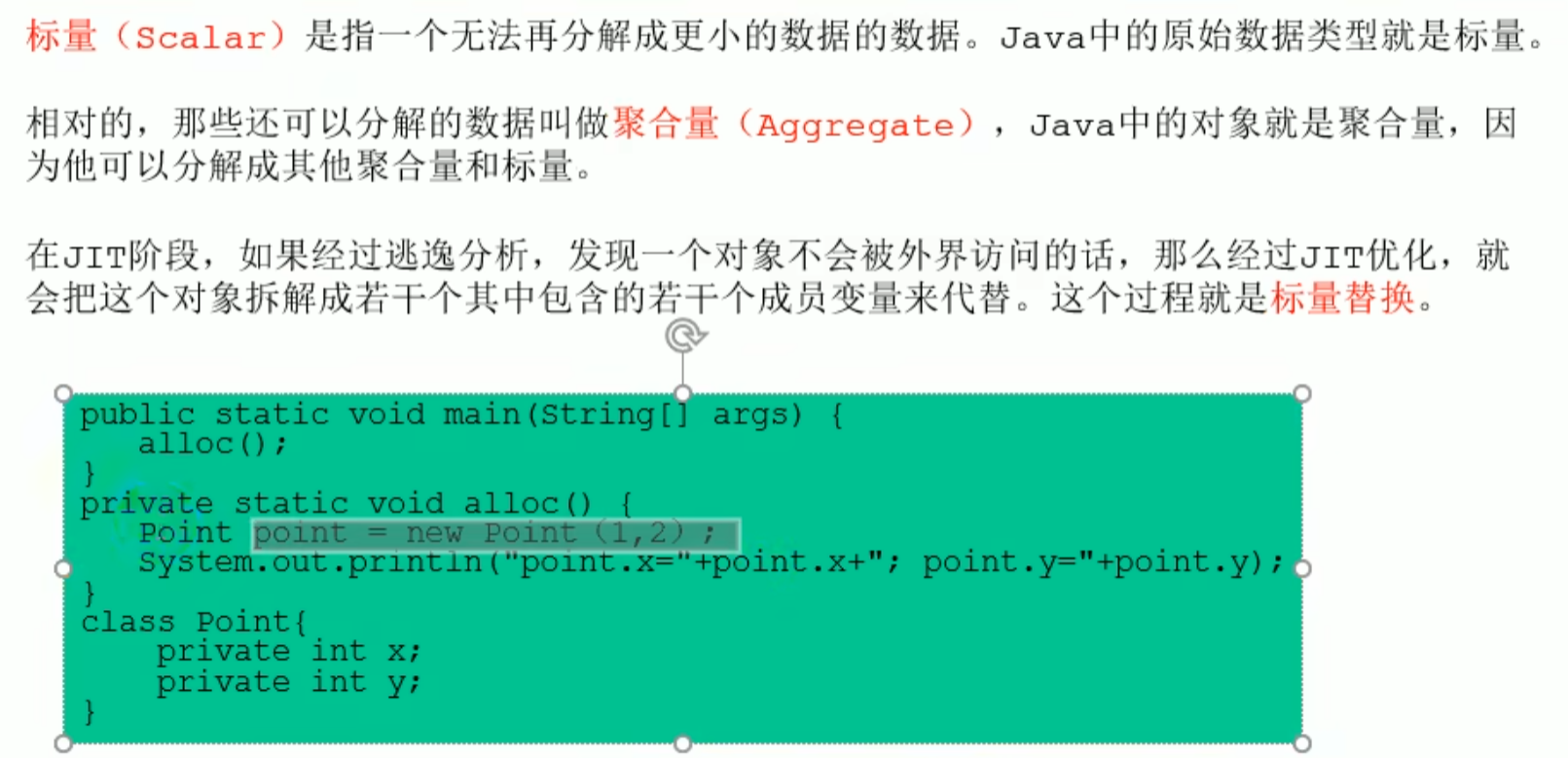
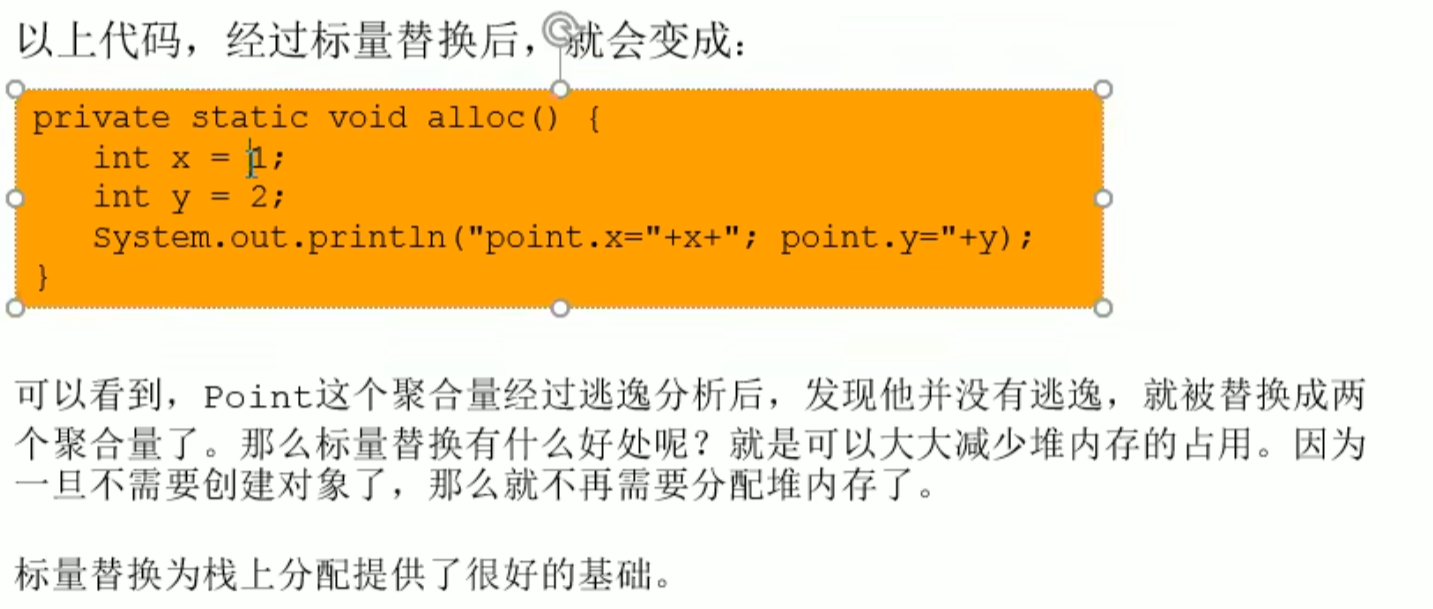
Scalar replacement
^ktyad4
Scalar replacement
 When escape does not occur, the
 aggregate after JIT analysis, will be replaced with scalar, and there is no longer a need to create an object, greatly reducing heap memory usage
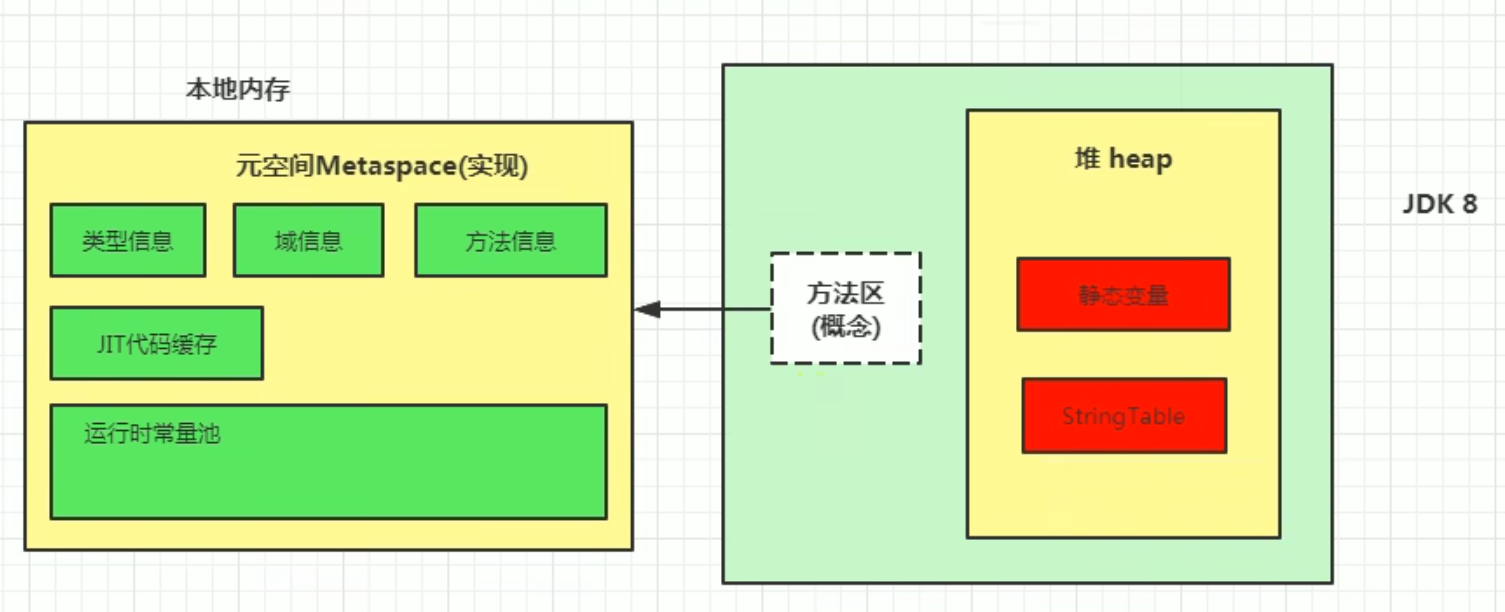
Escape analysis settings
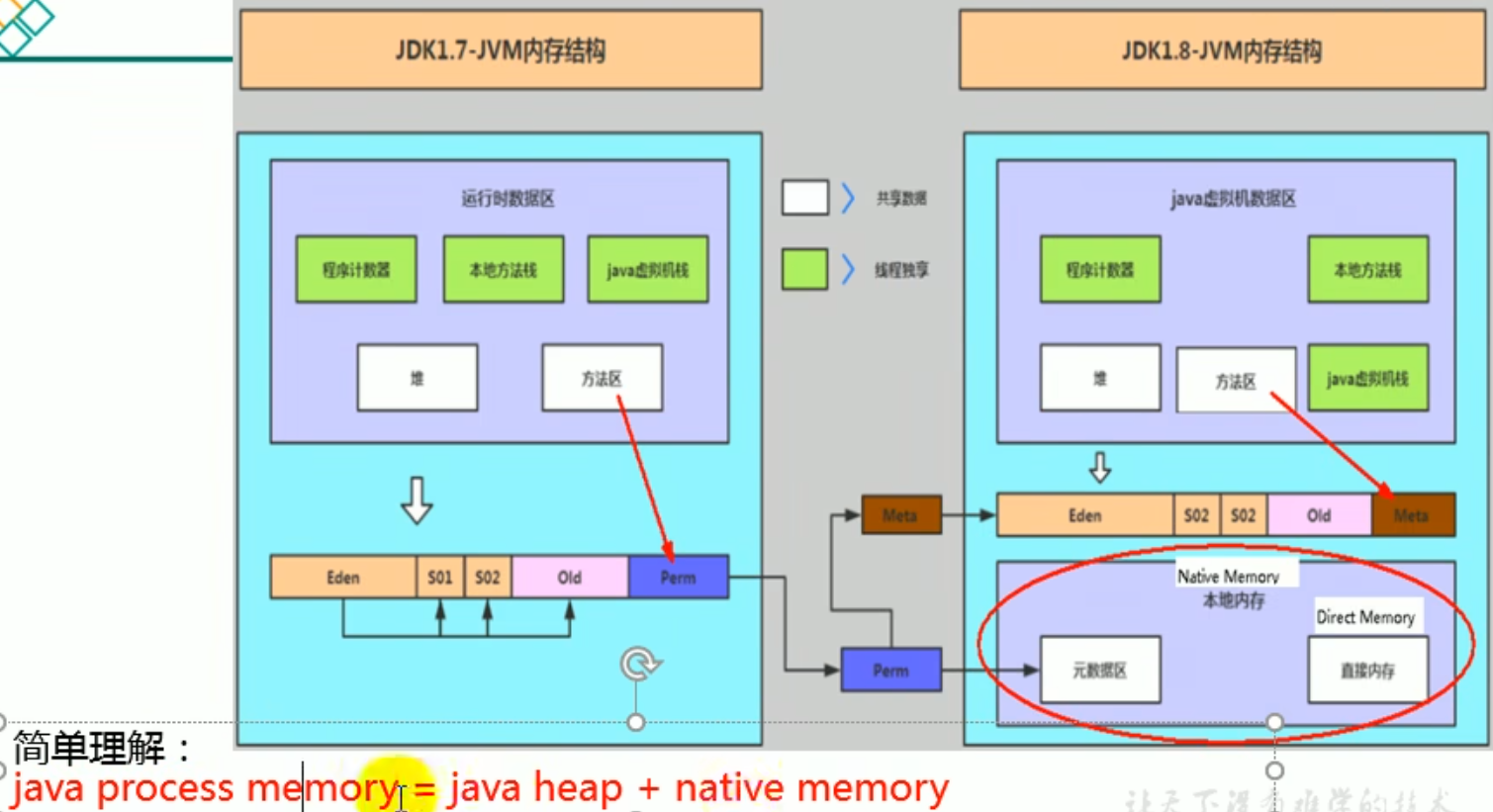
Method area ( metaspace )
Method area (off heap space)
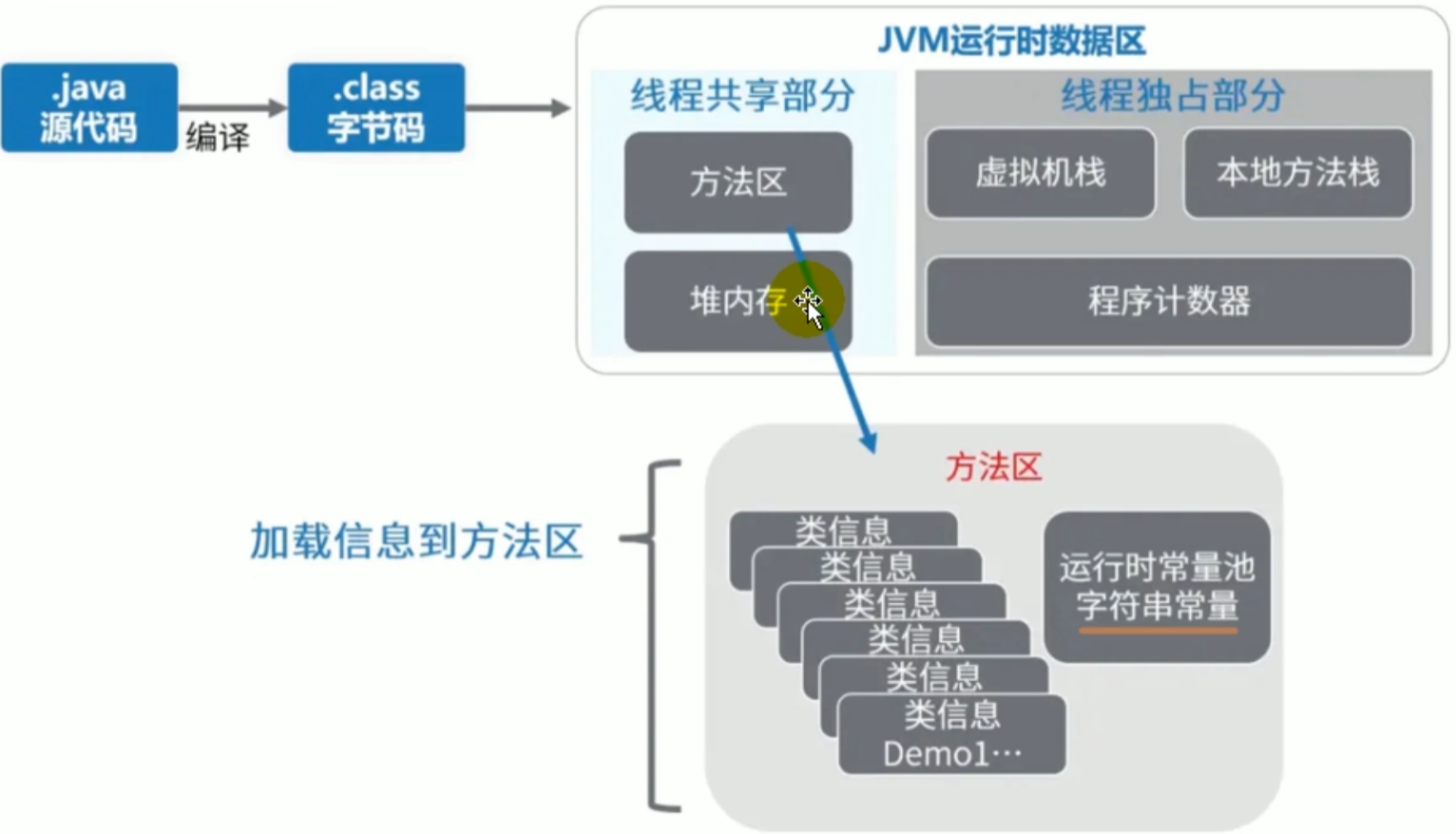
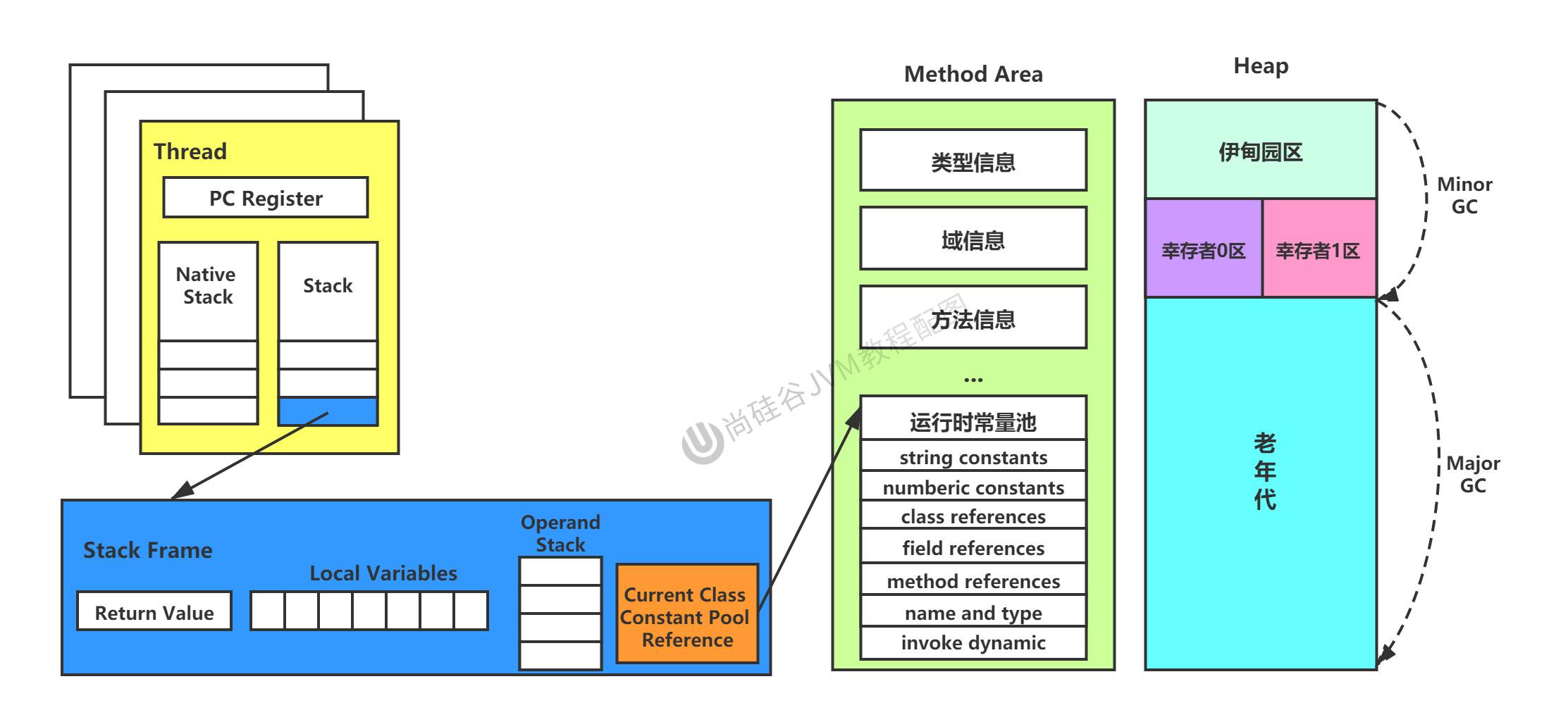
The method area includes type information, constants, static variables, the runtime constant pool, string constants, and the compiled code cache
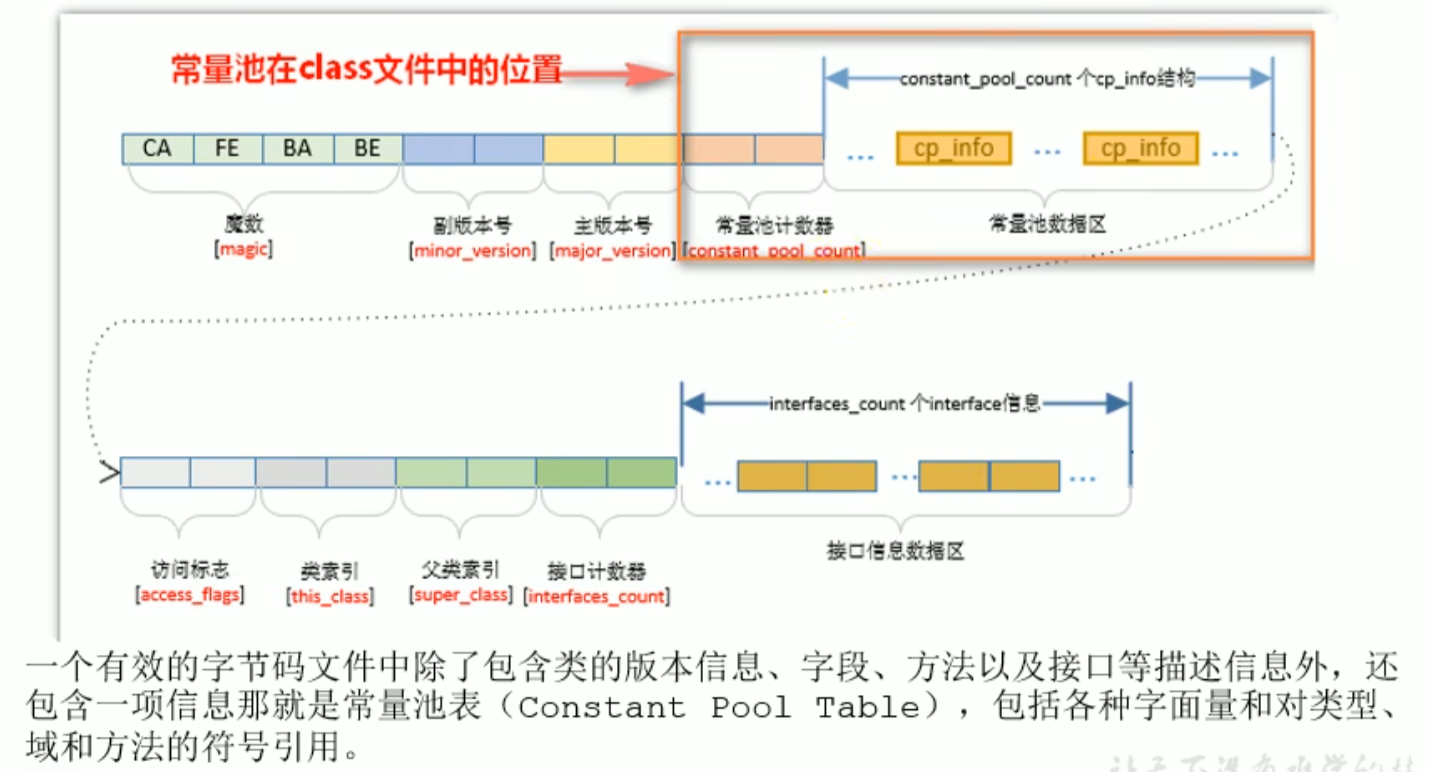
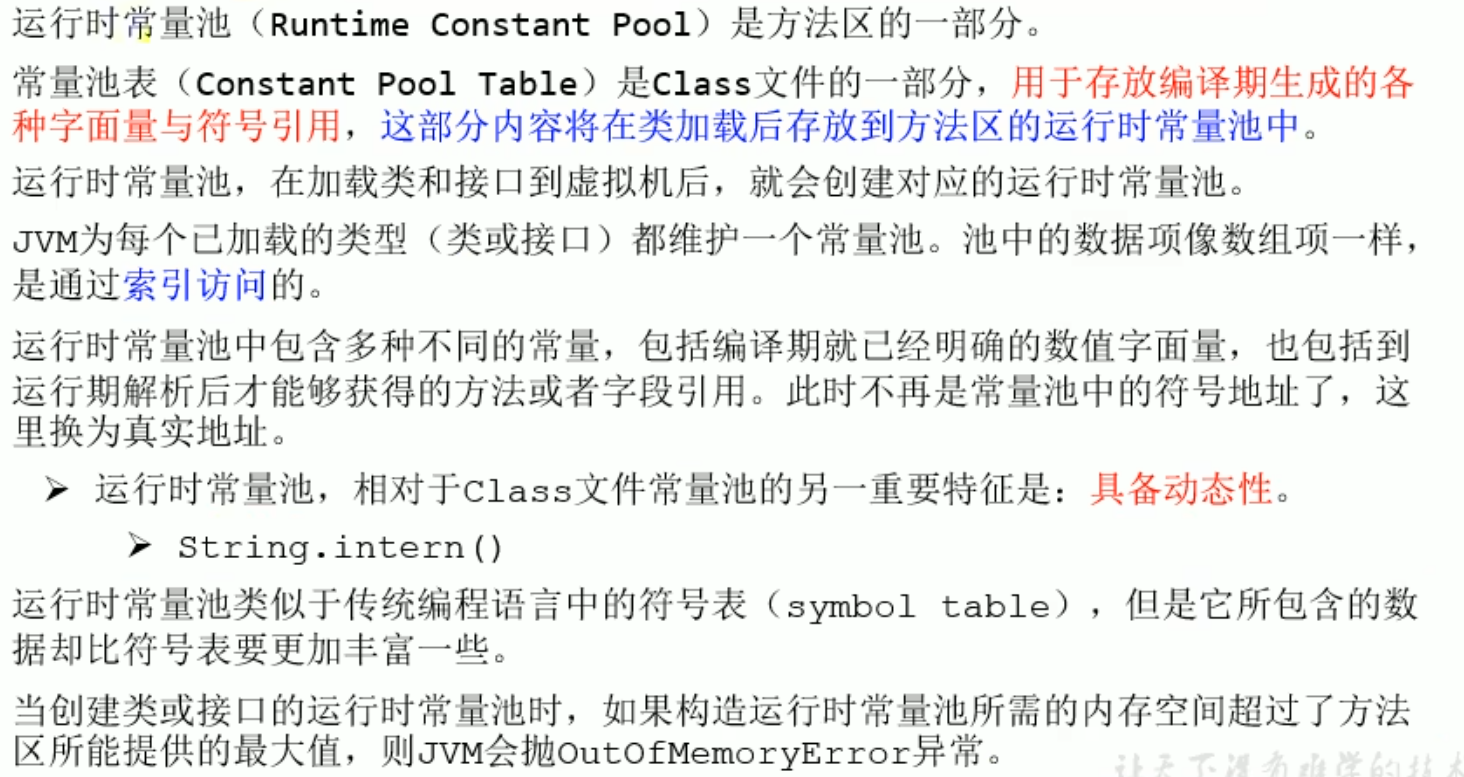
The constant pool in the bytecode file will be loaded into the method area and is called the runtime constant pool
Method area ( metaspace )
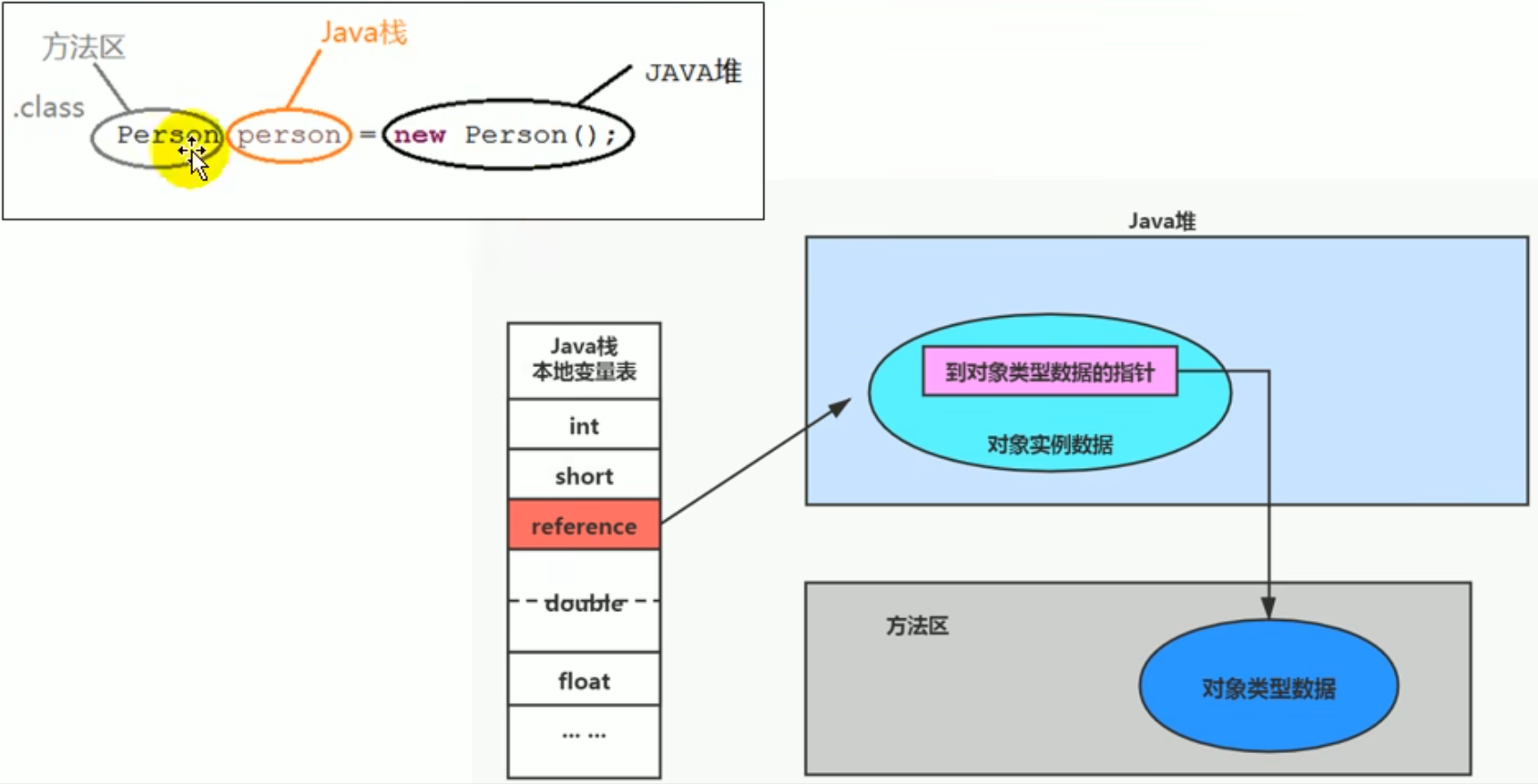 The pointer to the object type data indicates which class made the new call, so the polymorphic data type is only known at runtime ^9djjlm
Understanding of the method area
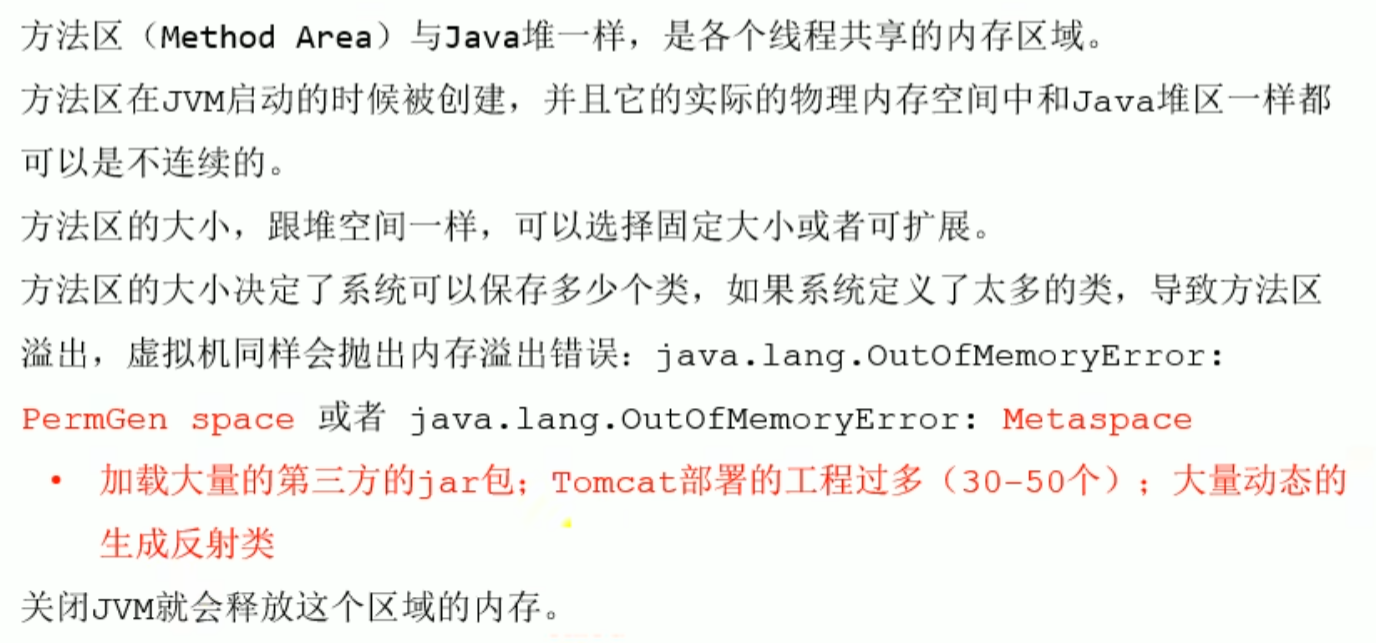
The method area is regarded as a memory space independent of the Java heap, and it can also have a fixed size or expand, logically continuous but physically discontinuous, a space shared by all threads
OOM exists, it may not be GCed, and fragmentation problems are not compressed away
Understanding of the method area
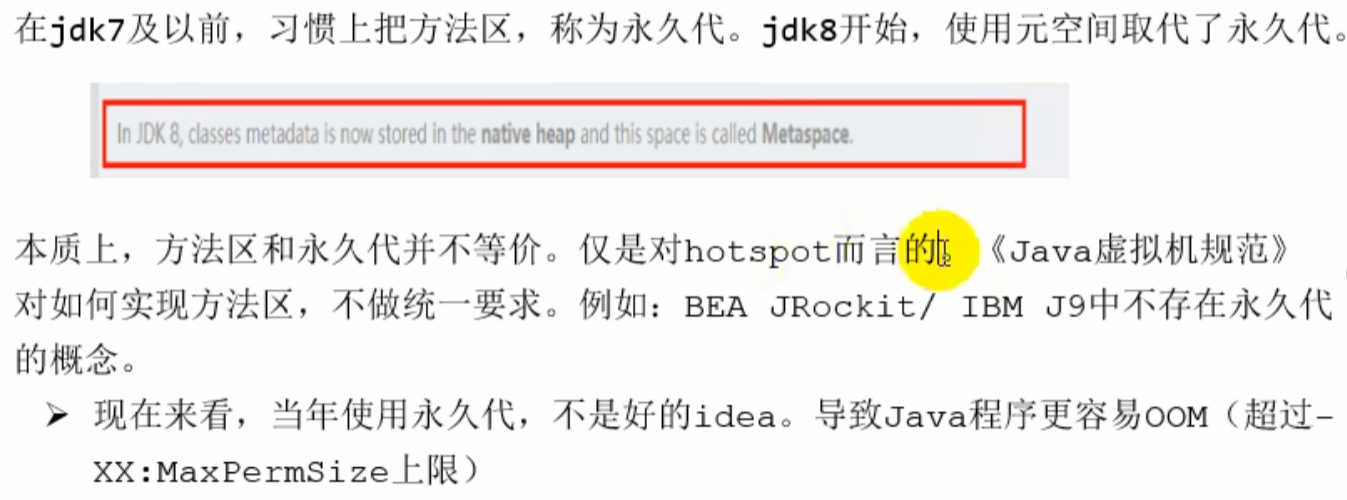
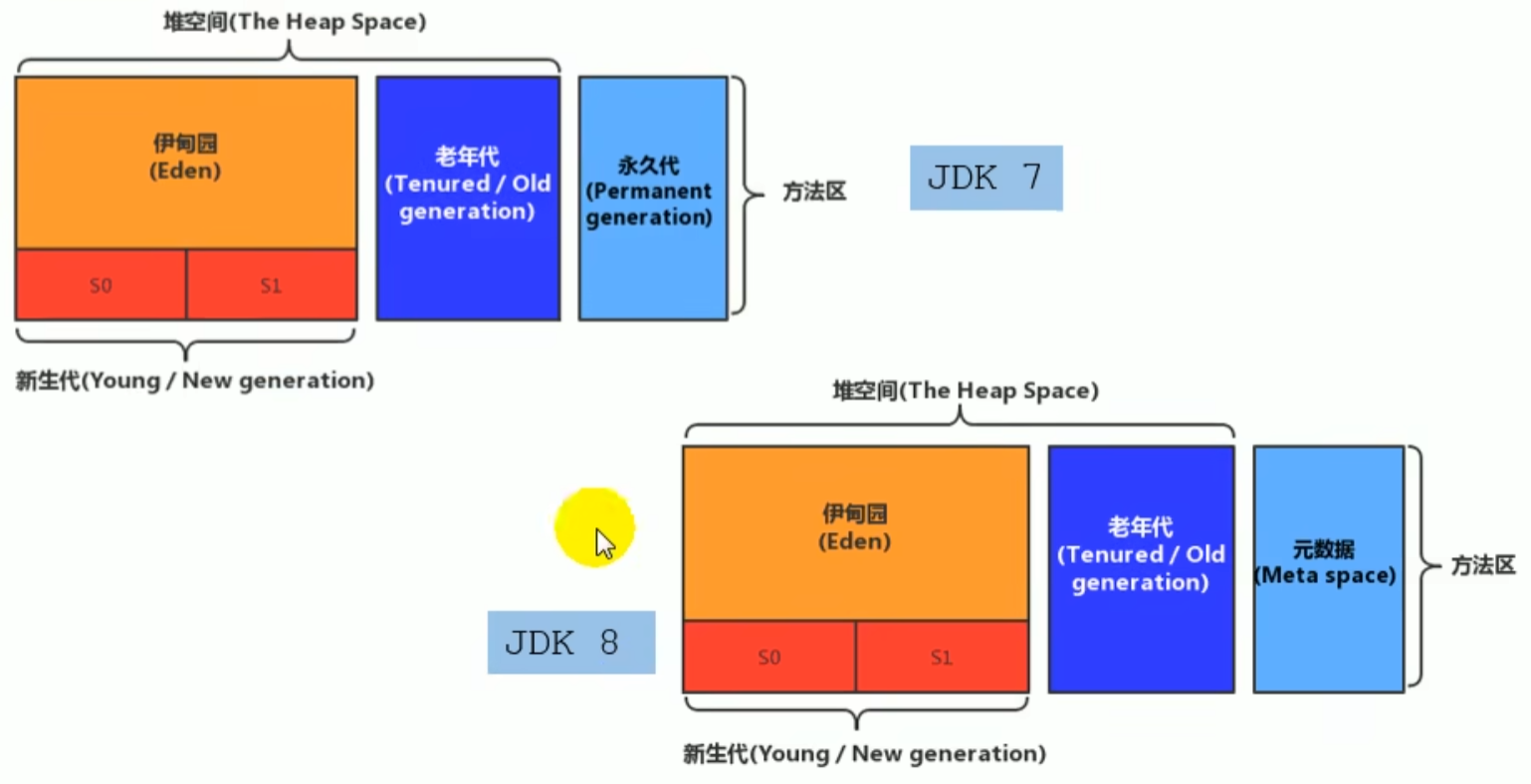
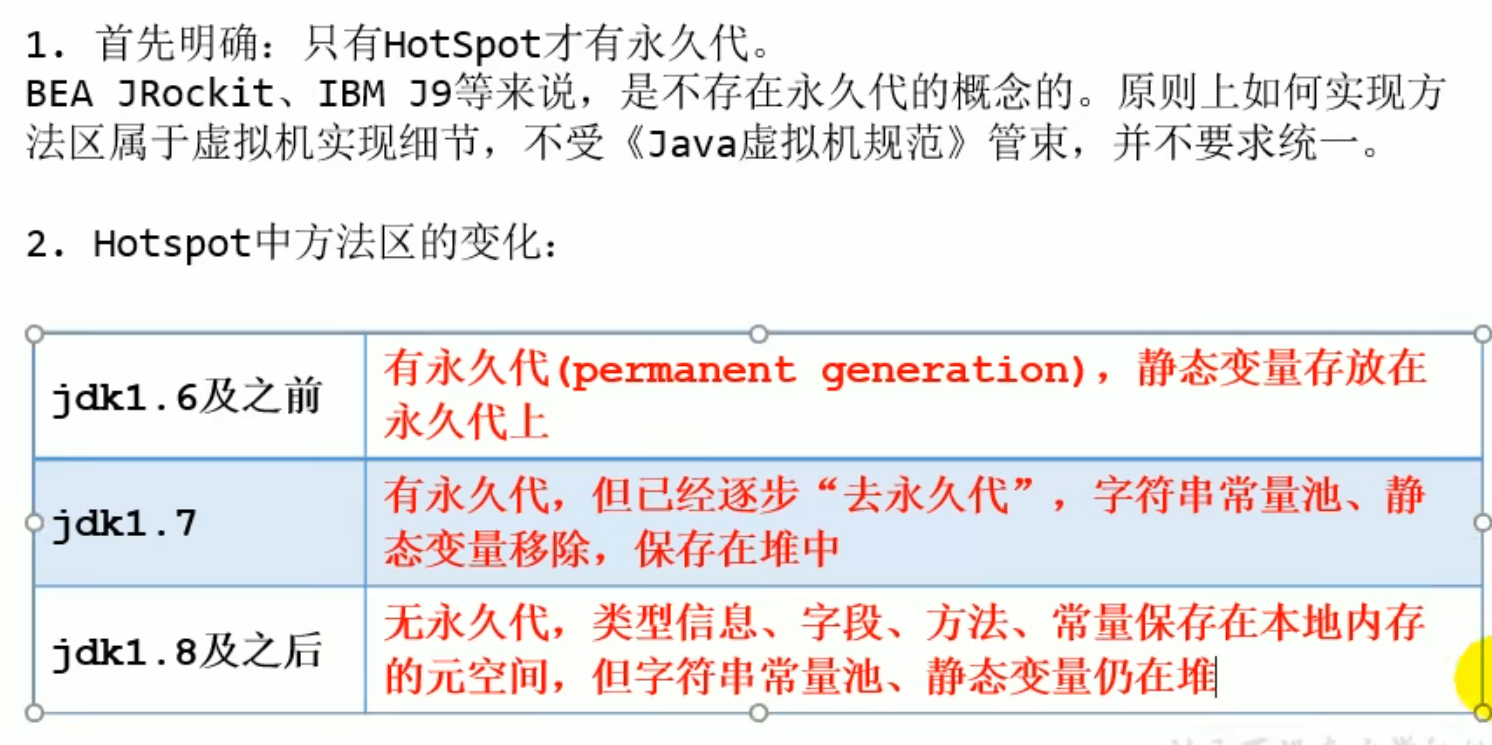
Evolution of the Method Area in HotSpot
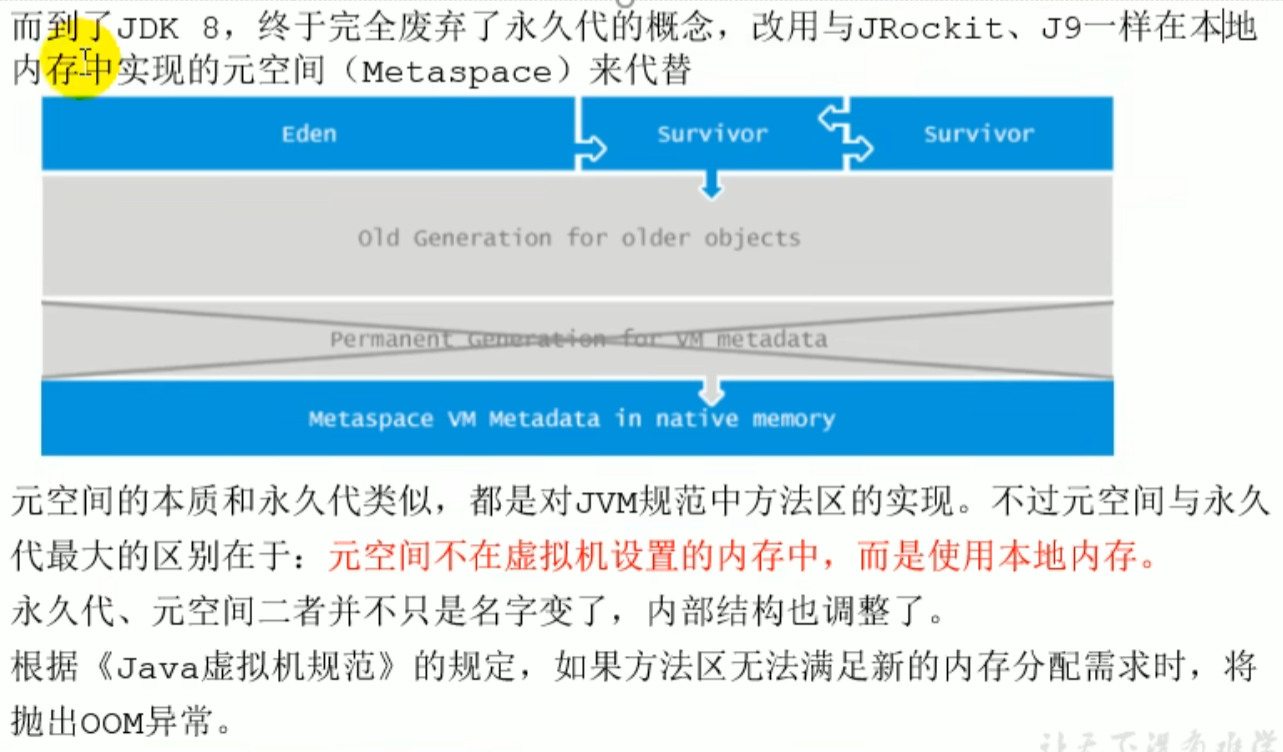
Setting the Method Area Size and OOM
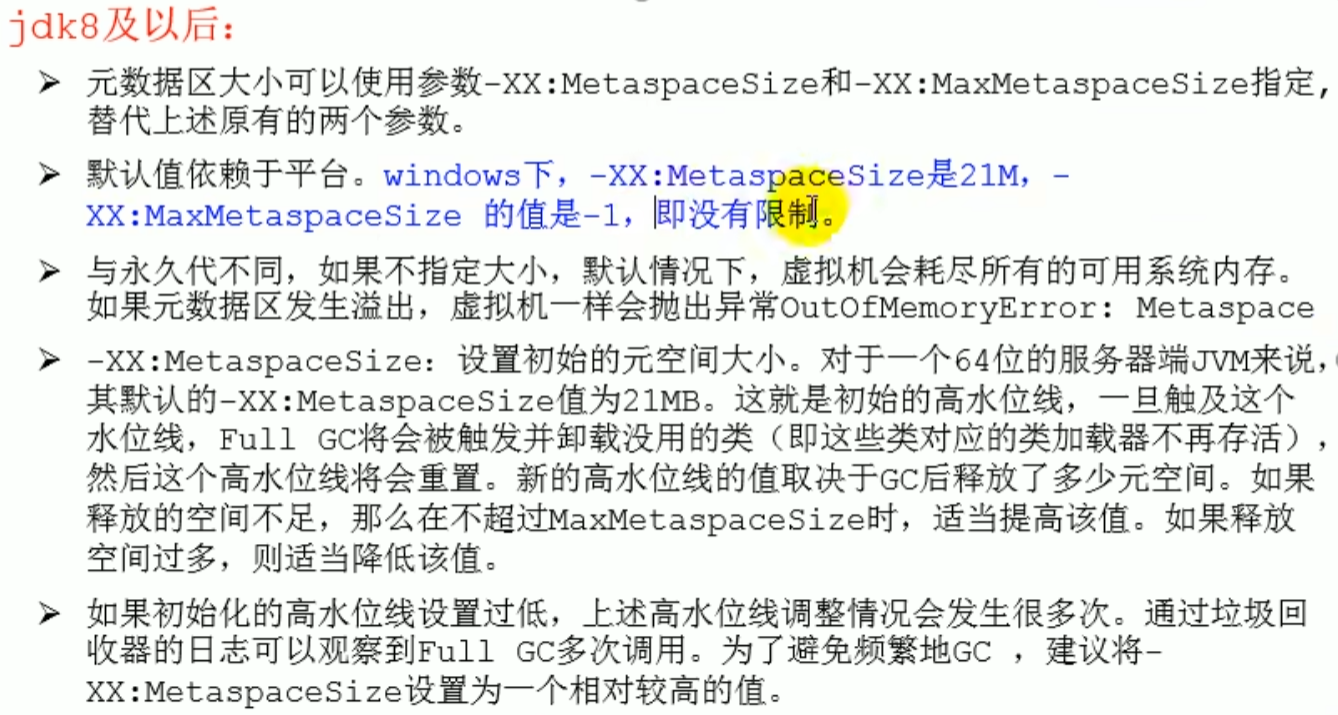
-XX:MetaspaceSize
-XX:MaxMetaspaceSize (-1 means no limit)
Setting the Method Area Size and OOM
Internal Structure of the Method Area
Internal Structure of the Method Area

Various Kinds of Information
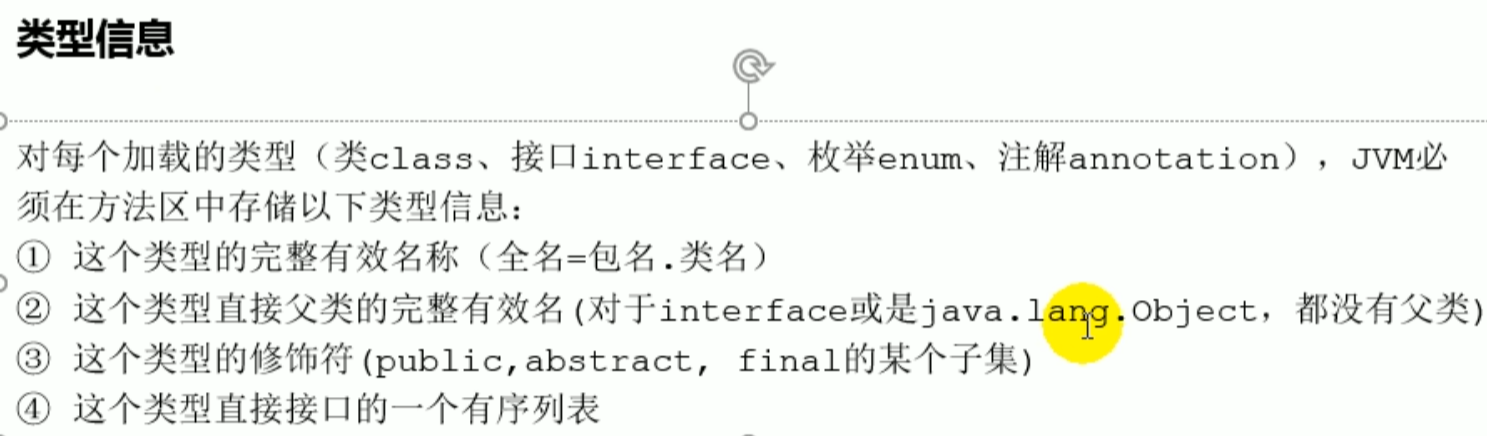
Complete information of the current class

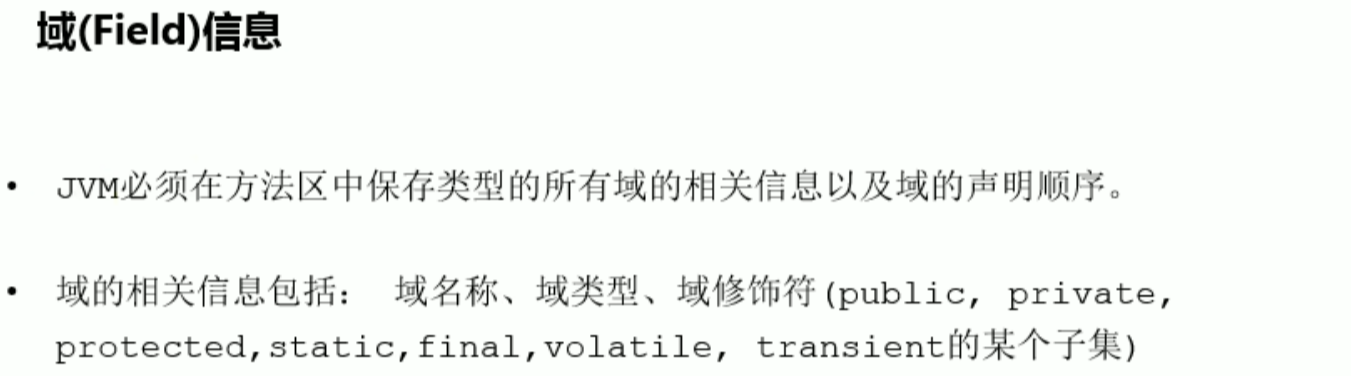
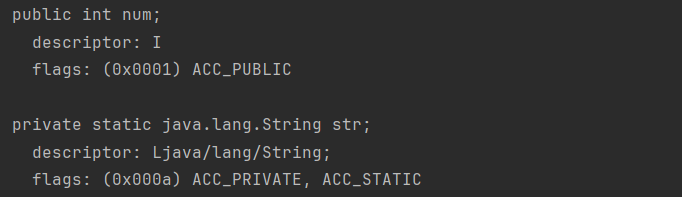
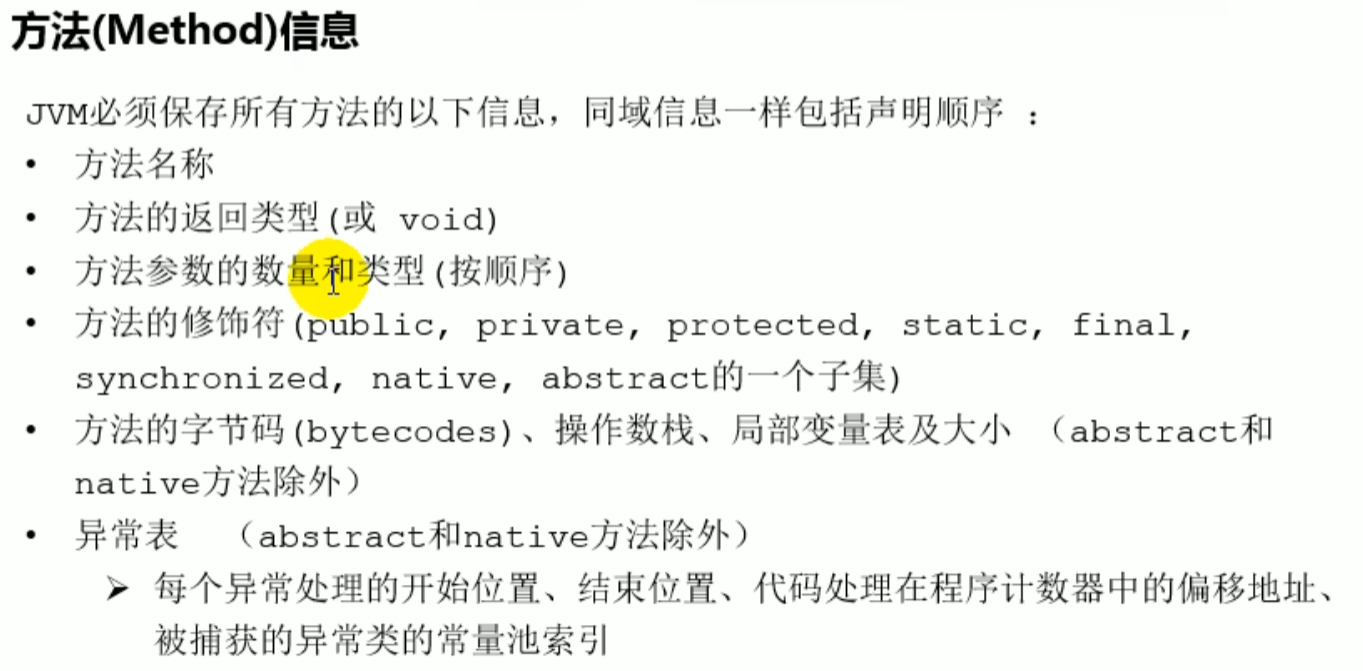
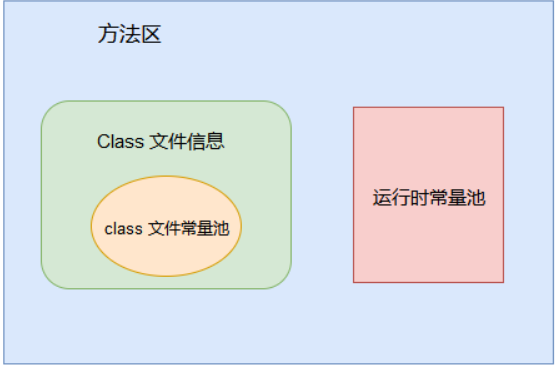
The constant pool in the bytecode file is loaded into the method area and is called the runtime constant pool
Runtime Constant Pool
 class file information
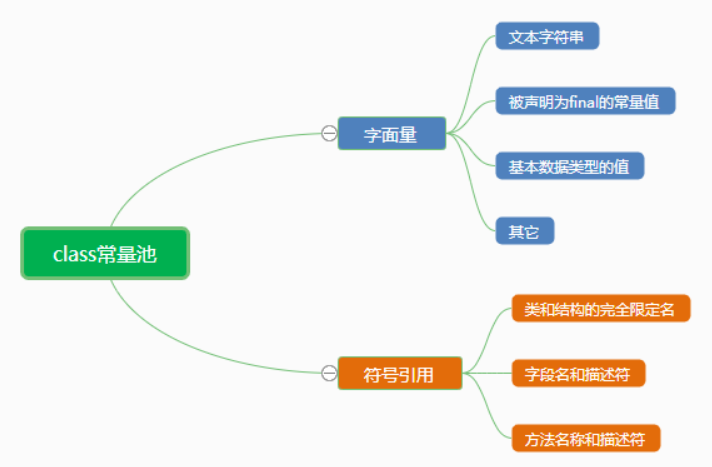
 class constant pool
The constant pool is in the bytecode file The runtime constant pool is in the method area
Constant Pool
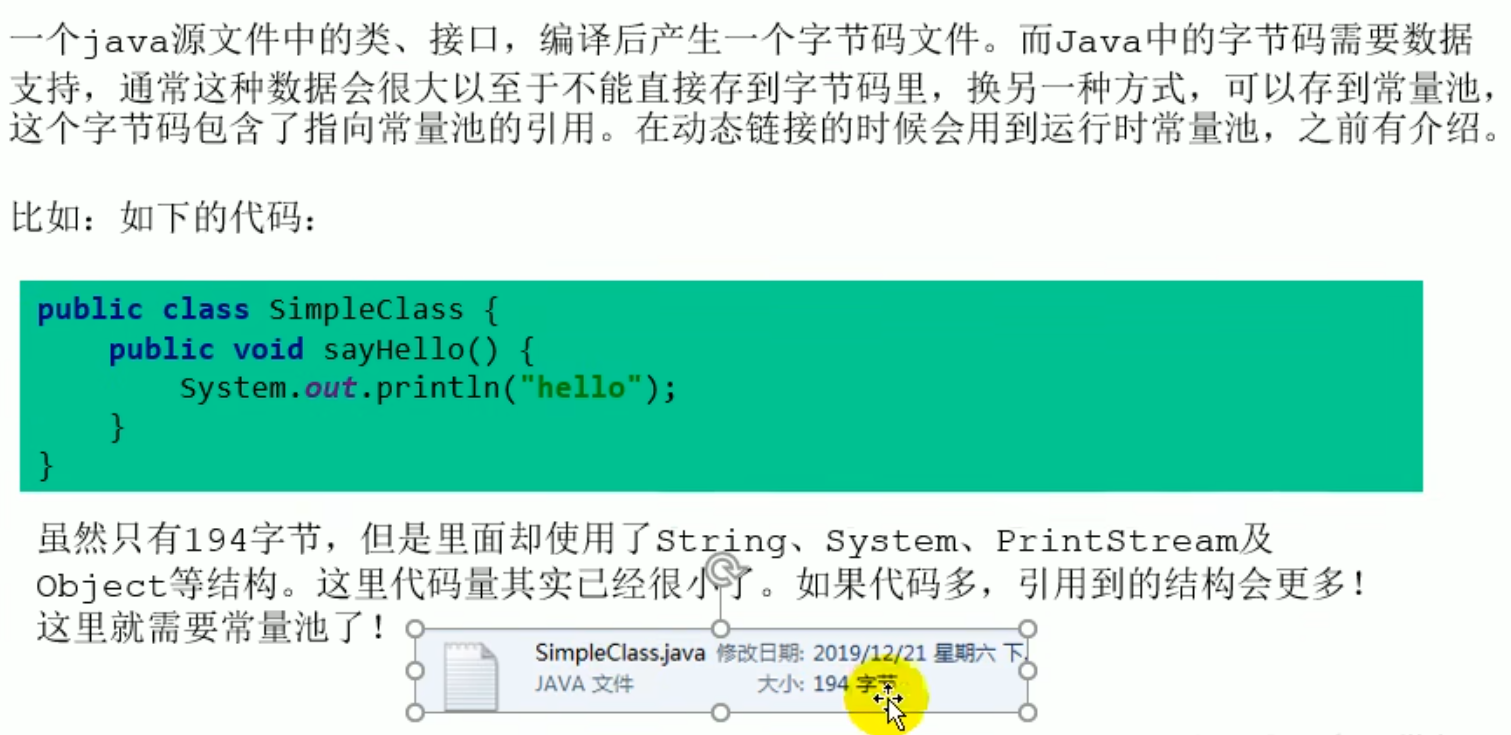
Stores various literals and symbolic references generated during compilation
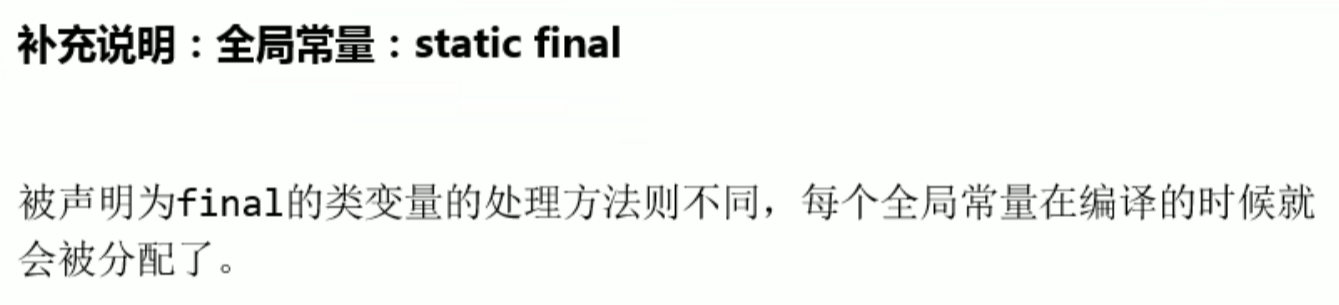
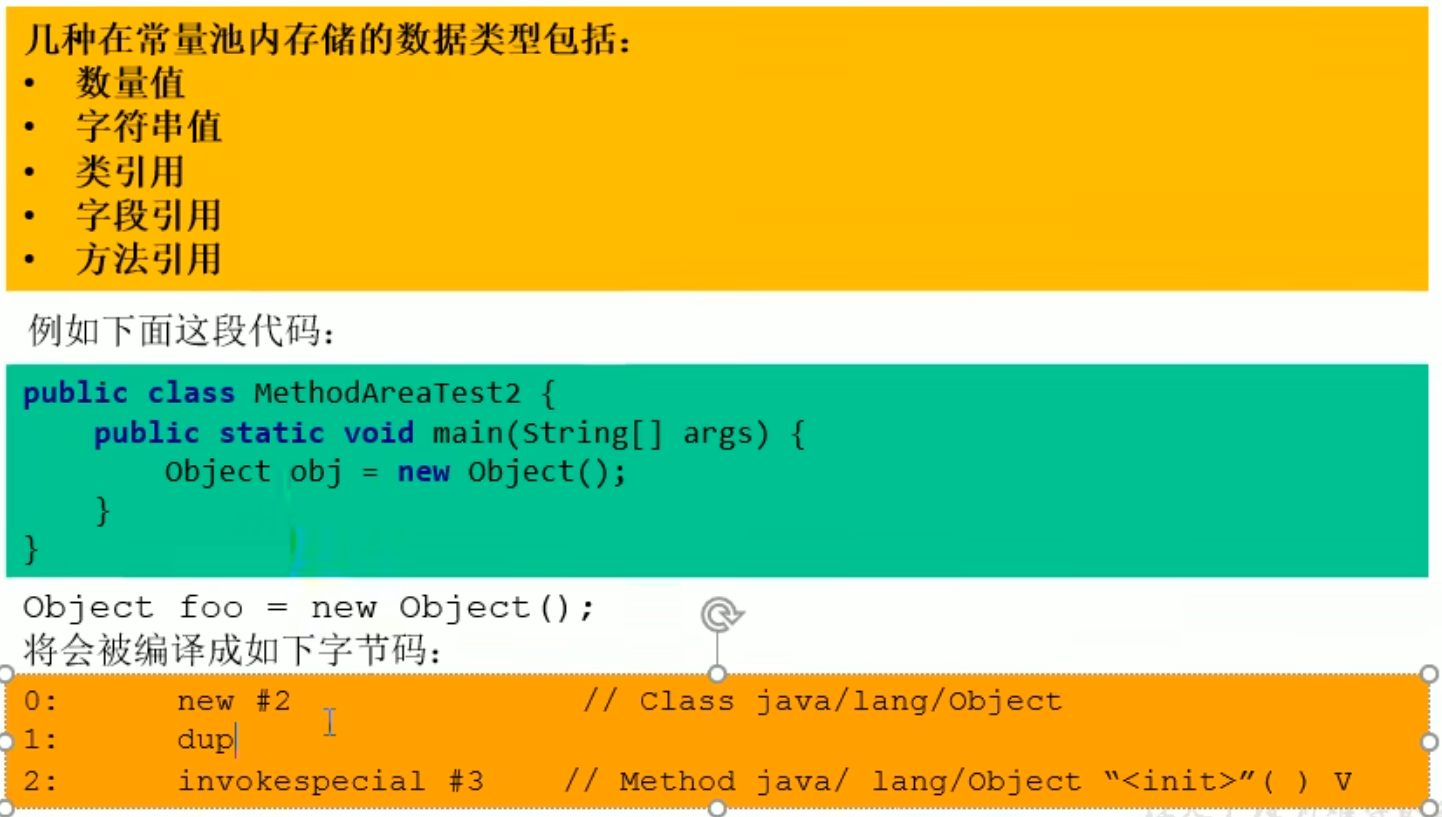
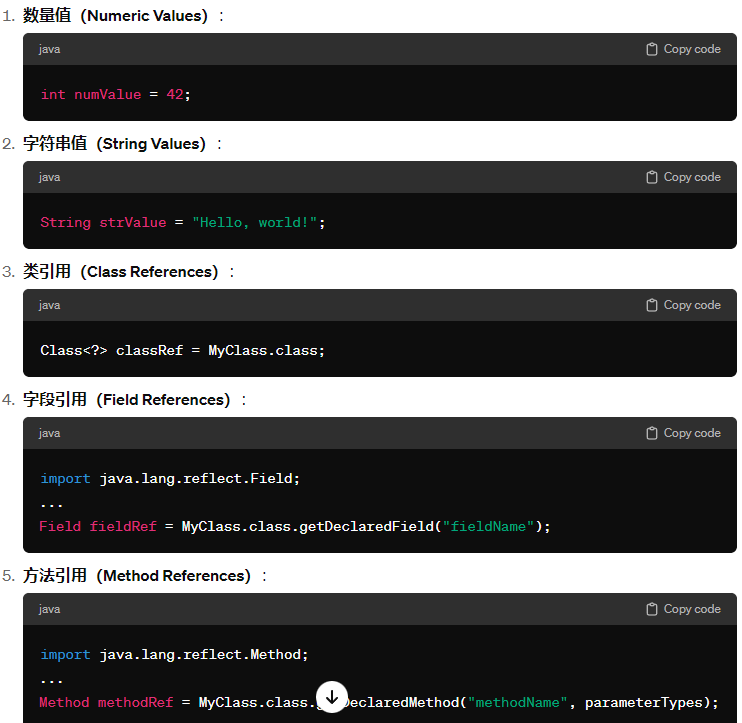
Numeric values, string values, class references, field references, method references, (strings, final constants, primitive data types, others) and symbolic references,After loading it is placed in the runtime constant pool
Runtime constant pool After the class file has finished loading, the JVM transfers the contents of the class constant pool to the runtime constant pool Some of the symbolic references in the class constant pool are converted into direct references, for example static methods of the class, private methods, instance constructors and superclass methods. This is because these methods cannot be overridden by other versions, so their symbolic references can be converted into direct references at load time, while for some other methods the symbolic references are converted into direct references only when the method is called for the first time
Constant Pool
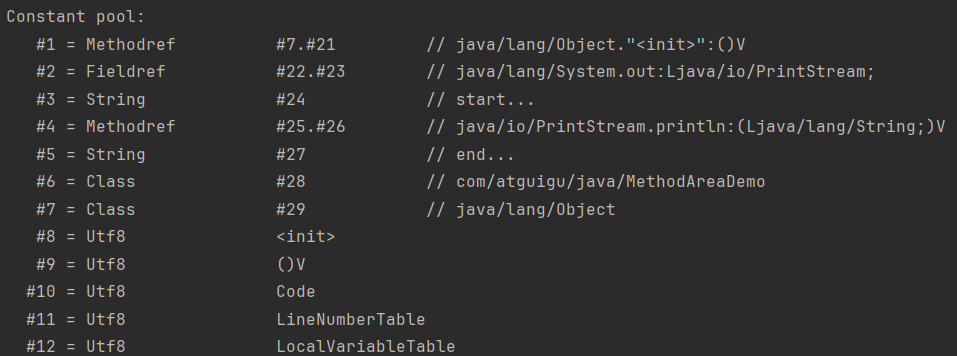

Detailed Explanation



 They all count as symbolic references, and when actually executed the symbolic references are converted into direct references
class file information, class file constant pool, runtime constant pool
Evolution Details of the Method Area
p97 (did not listen)
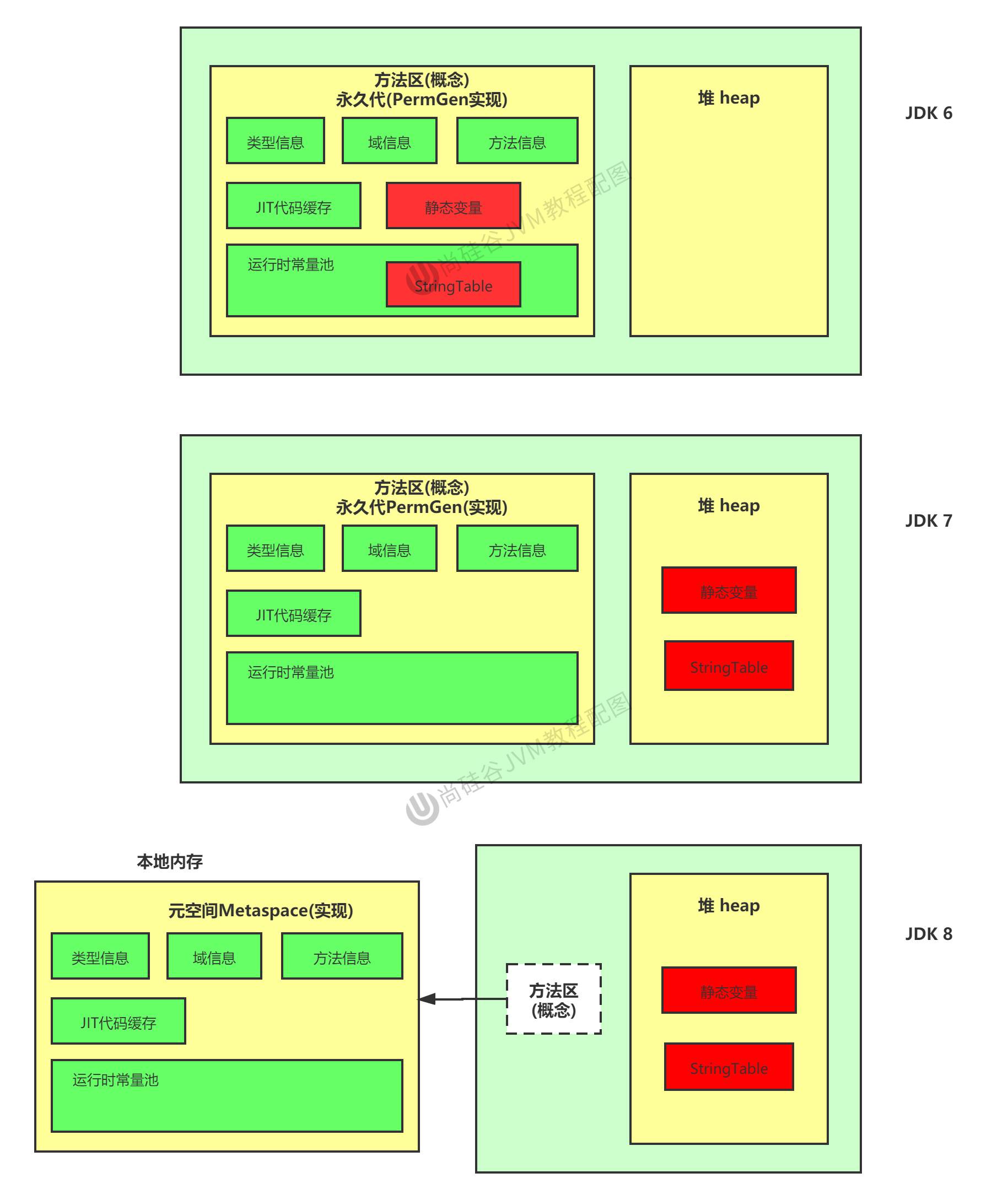
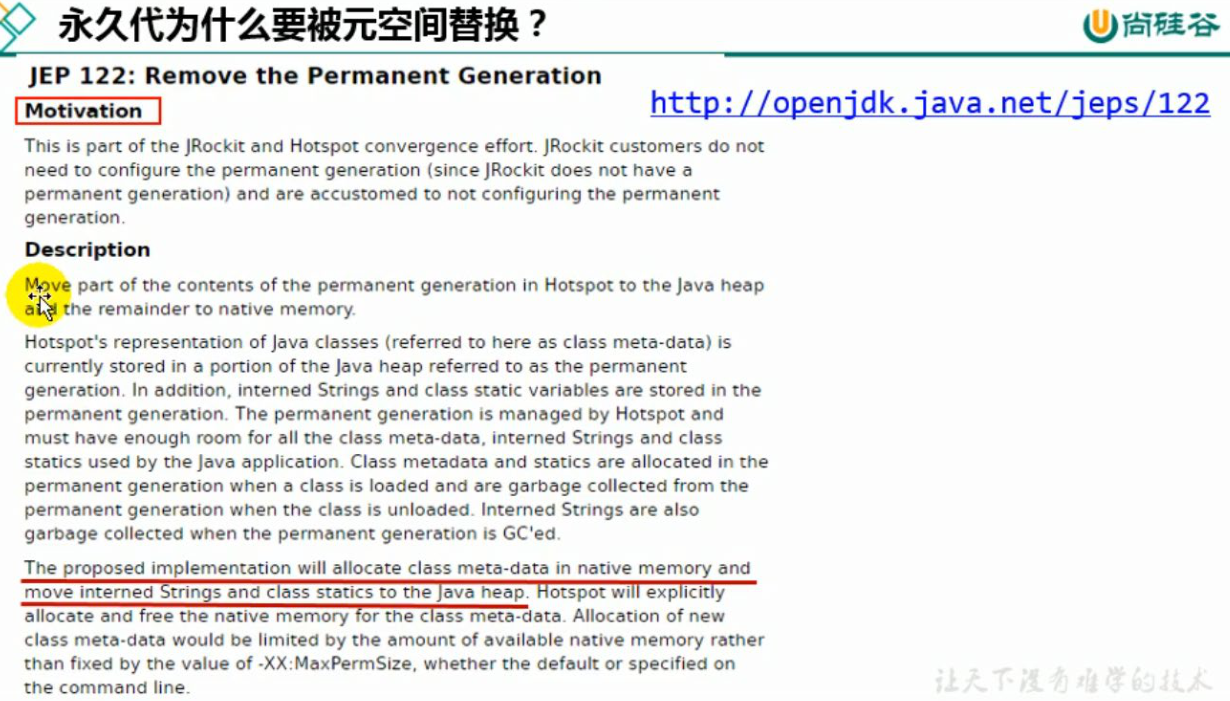
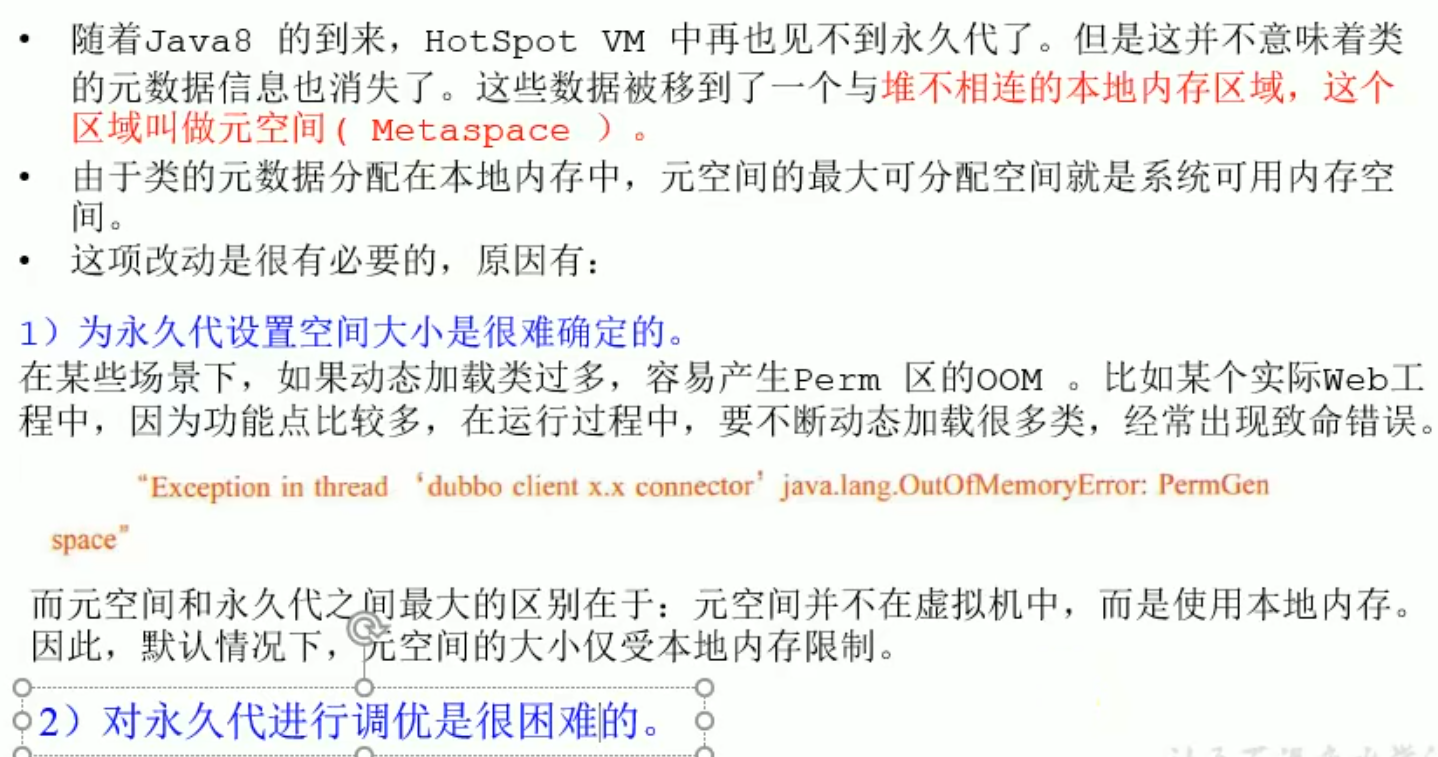
Why was StringTable adjusted

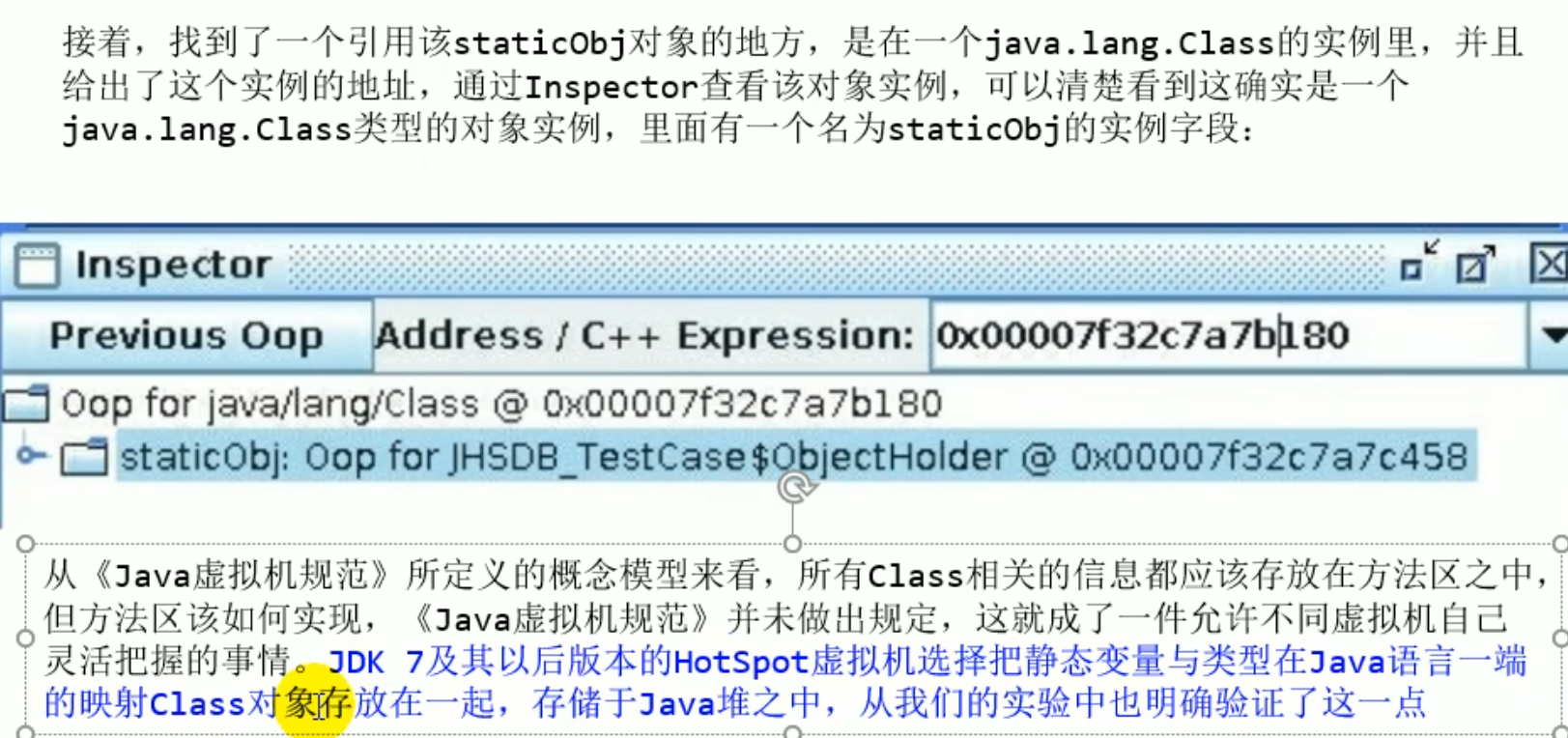
Where are static variables placed?
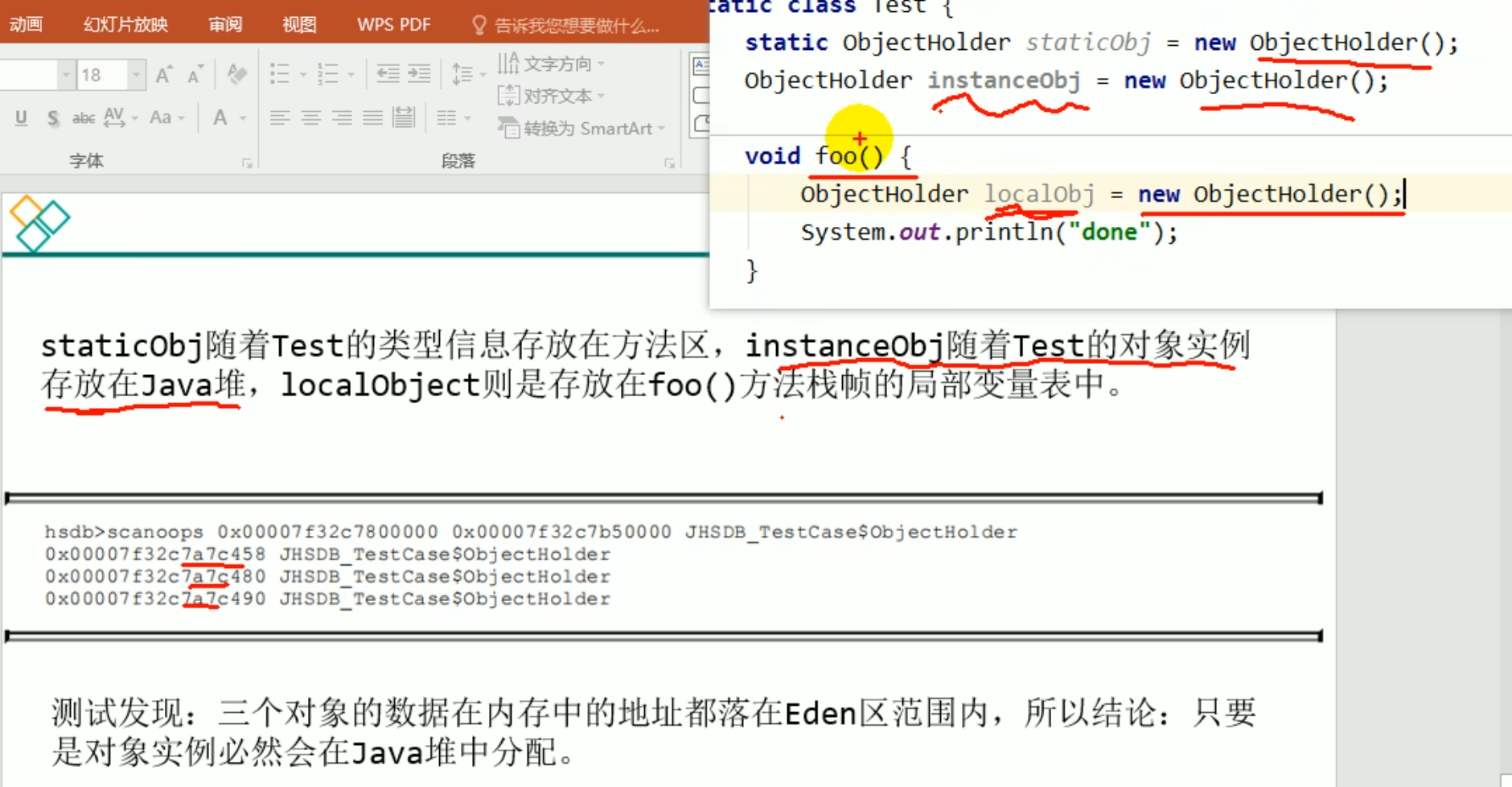 All three objects are placed in the heap, and the variables themselves are sometimes in the heap and sometimes in the local variable table
The first variable name: heap space, although it was specified to be placed in the method area, after JDK 7 the virtual machine itself chose to place it in the heap space
The second variable name: it is a member variable, placed in the heap space
The third variable name: the local variable table in the stack frame
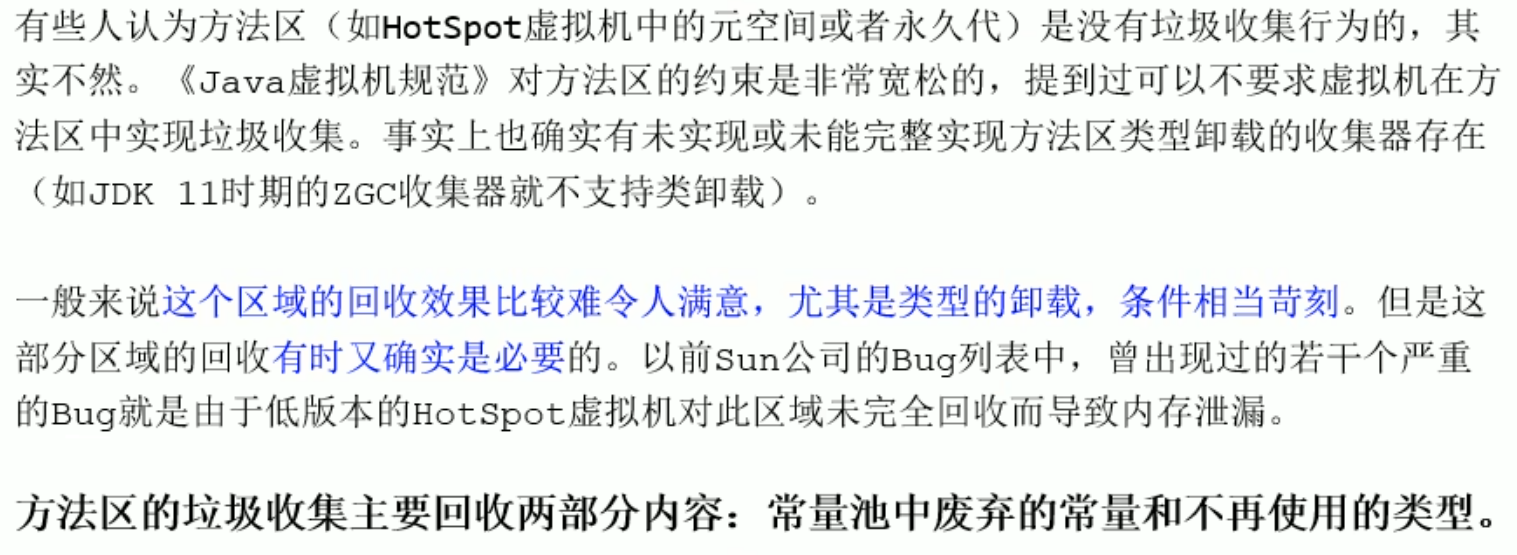
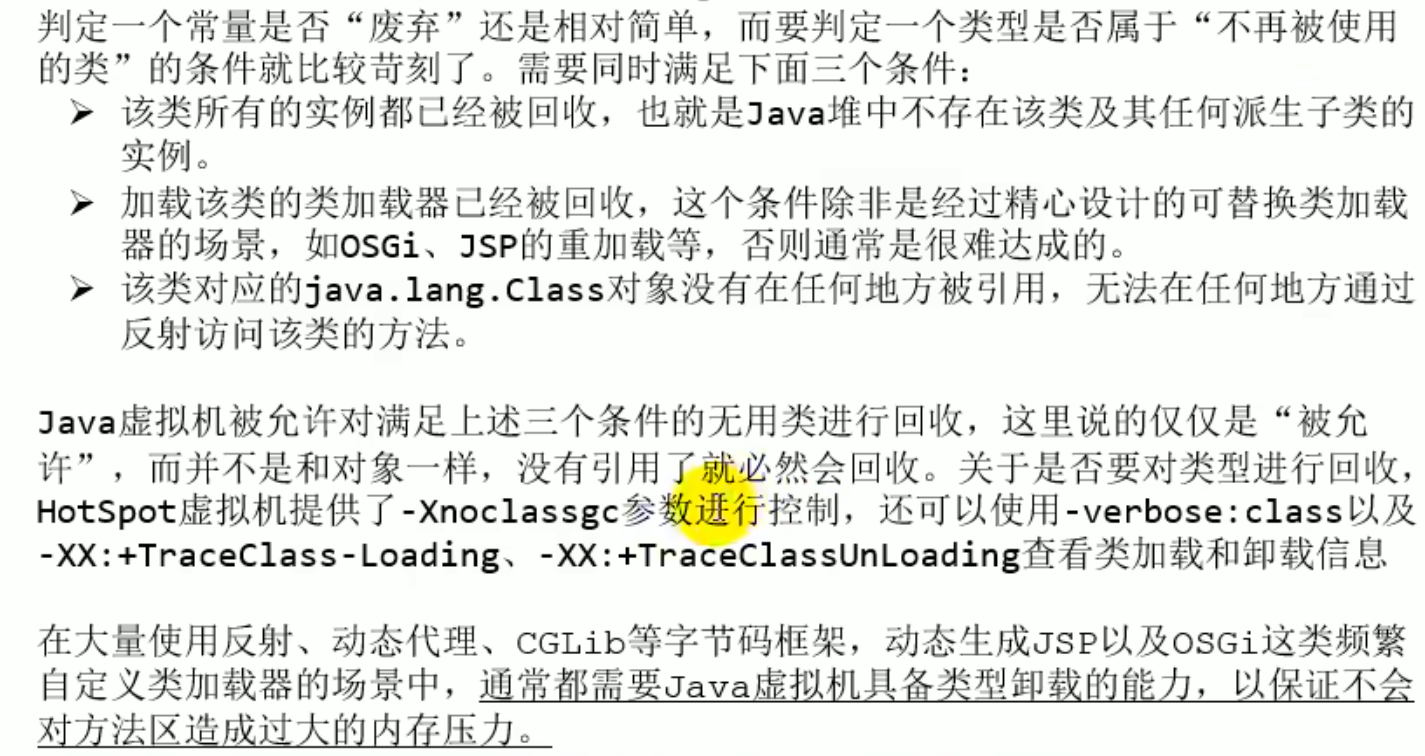
Garbage Collection of the Method Area
Garbage collection of the method area usually targets discarded constants in the runtime constant pool and types that are no longer used
Summary
Object Instantiation, Memory Layout and Access Location
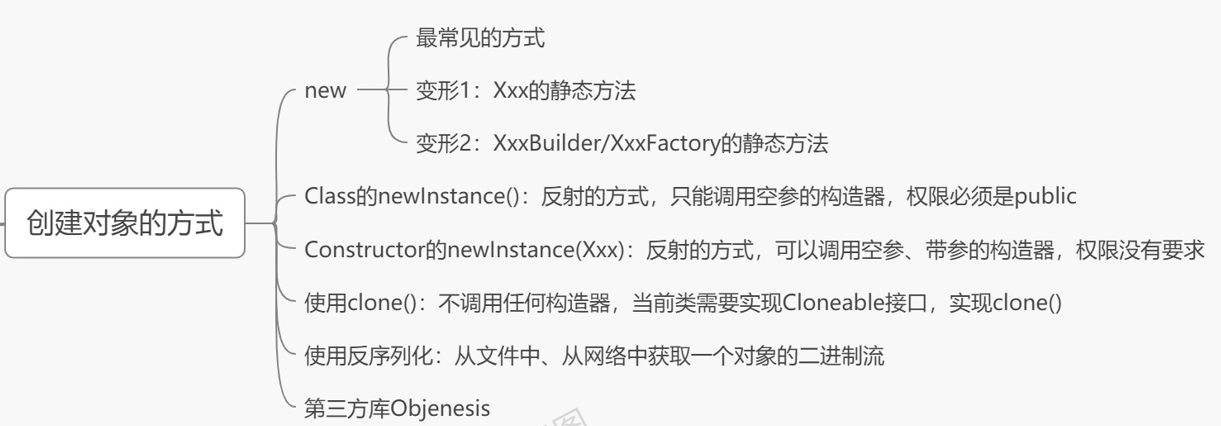
Object Instantiation
From the Bytecode Perspective
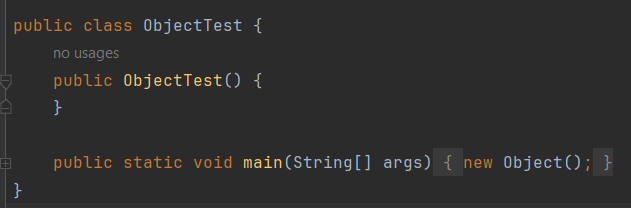
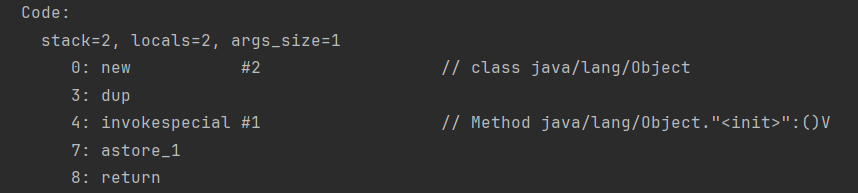 Determine whether the class is loaded
The new instruction loads the class in the method area, the heap opens up space, and at this point the class is already determined
Determine whether the class is loaded
The new instruction loads the class in the method area, the heap opens up space, and at this point the class is already determined
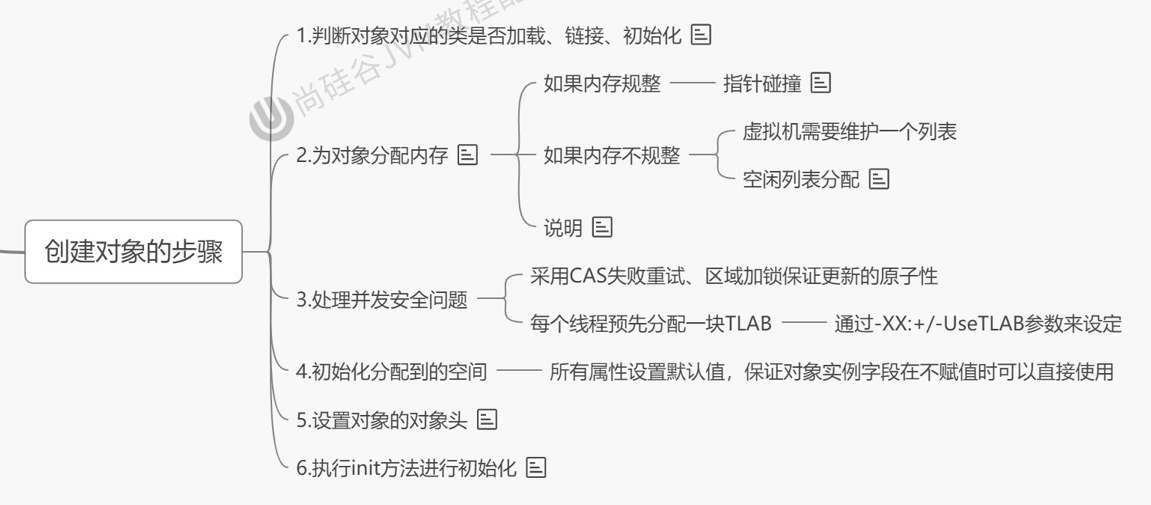
Steps of Object Creation Execution ^2kosms
Steps of Object Creation Execution
1 Load class metadata
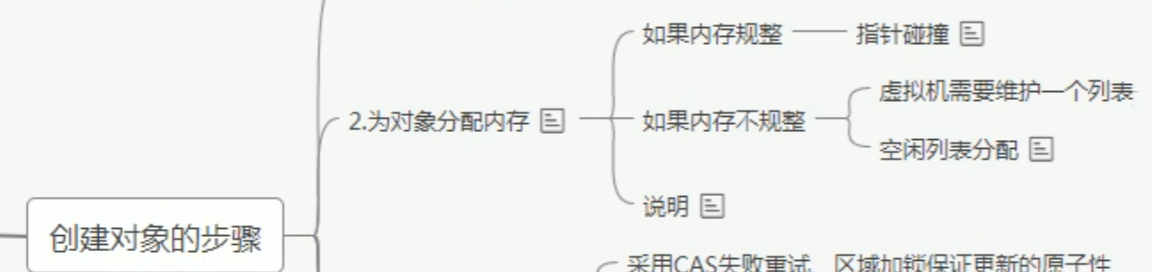
2 Allocate memory for the object (related to the clearing algorithm)
3 Handle concurrency issues
4 Default initialization of attributes (zero value initialization)
5 Set the information of the object header
6 Explicit initialization of attributes, initialization in code blocks, initialization in constructors

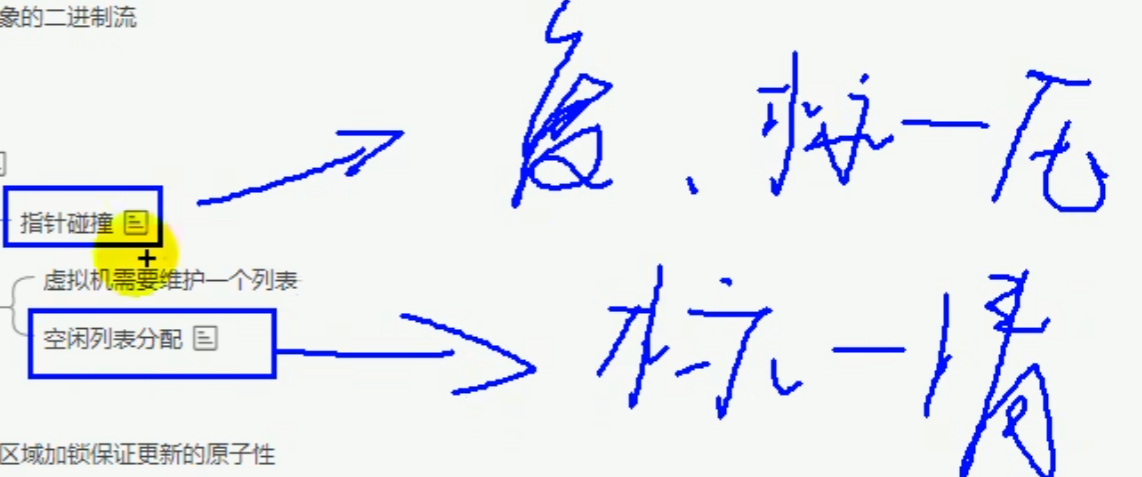
 Regular, pointer bumping: there is a pointer pointing to the boundary between free and used
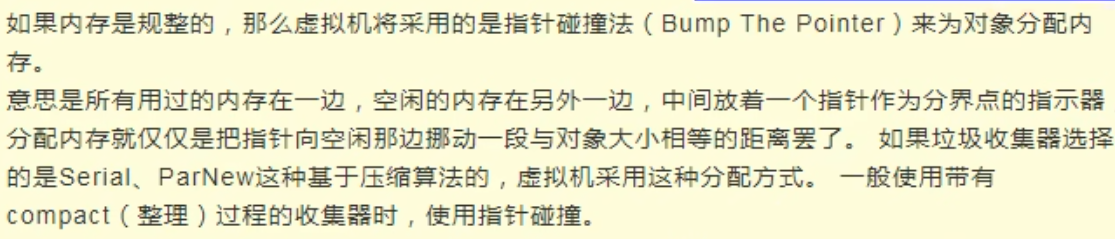 Irregular: free list method



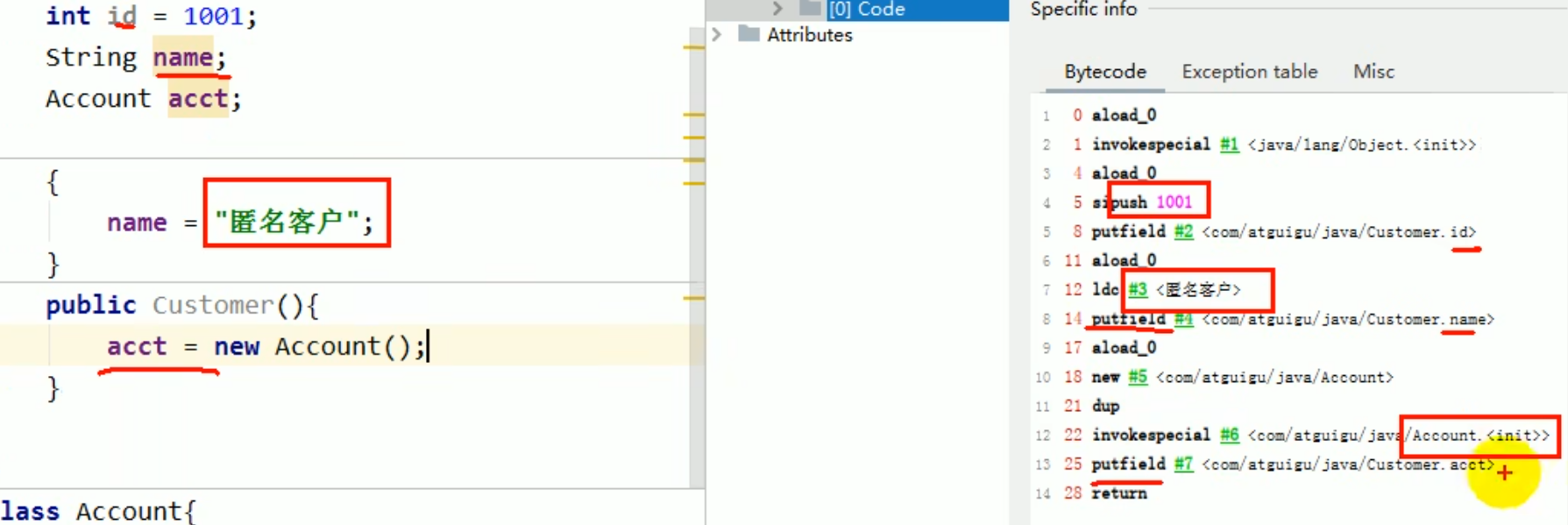 id, name, account are all executed in init
Java SE/4.面对对象编程/3.面向对象下/4.代码块#1 3 程序中成员变量赋值的执行顺序
id, name, account are all executed in init
Java SE/4.面对对象编程/3.面向对象下/4.代码块#1 3 程序中成员变量赋值的执行顺序
^2wz2dk
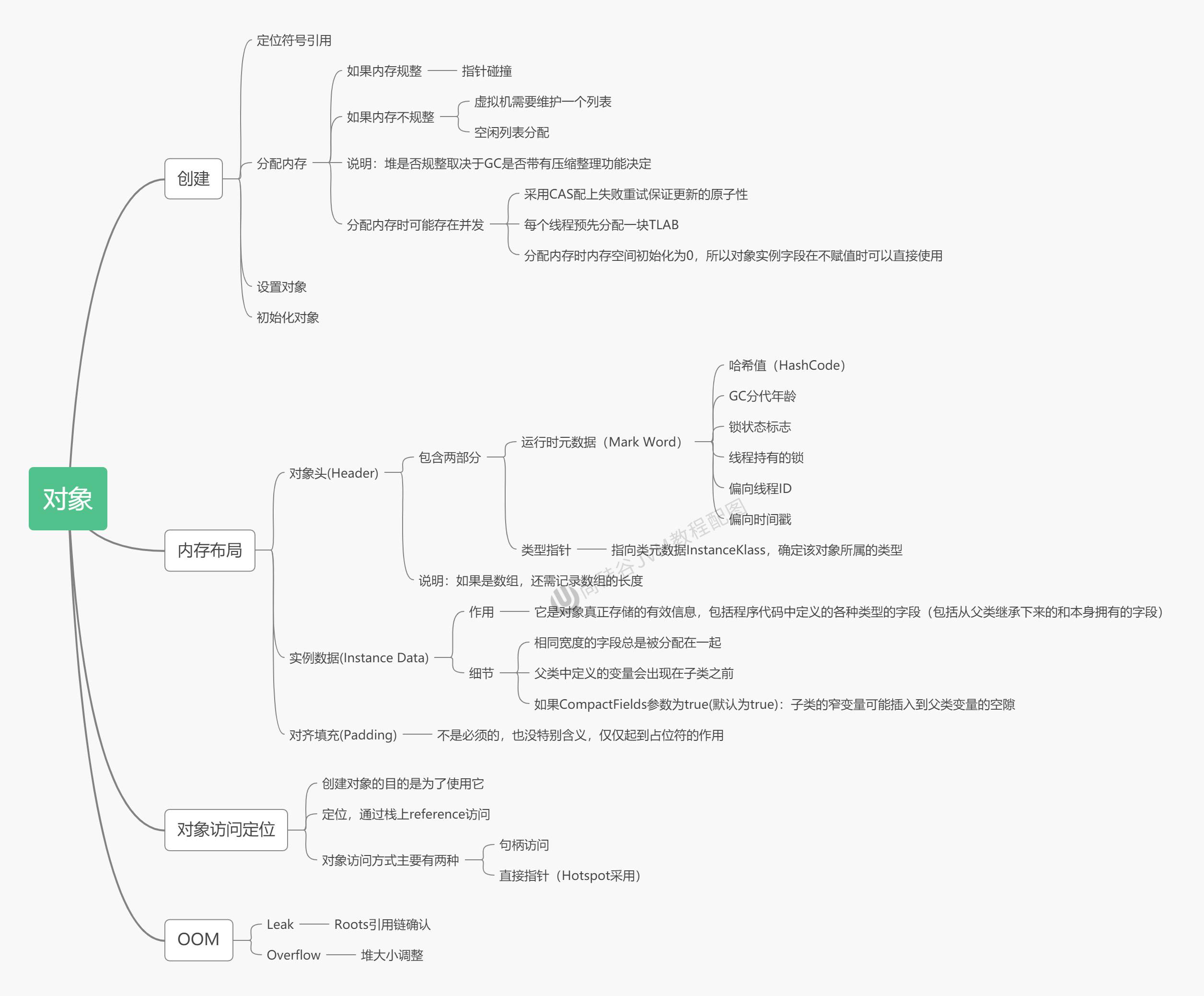
Memory Layout of Objects
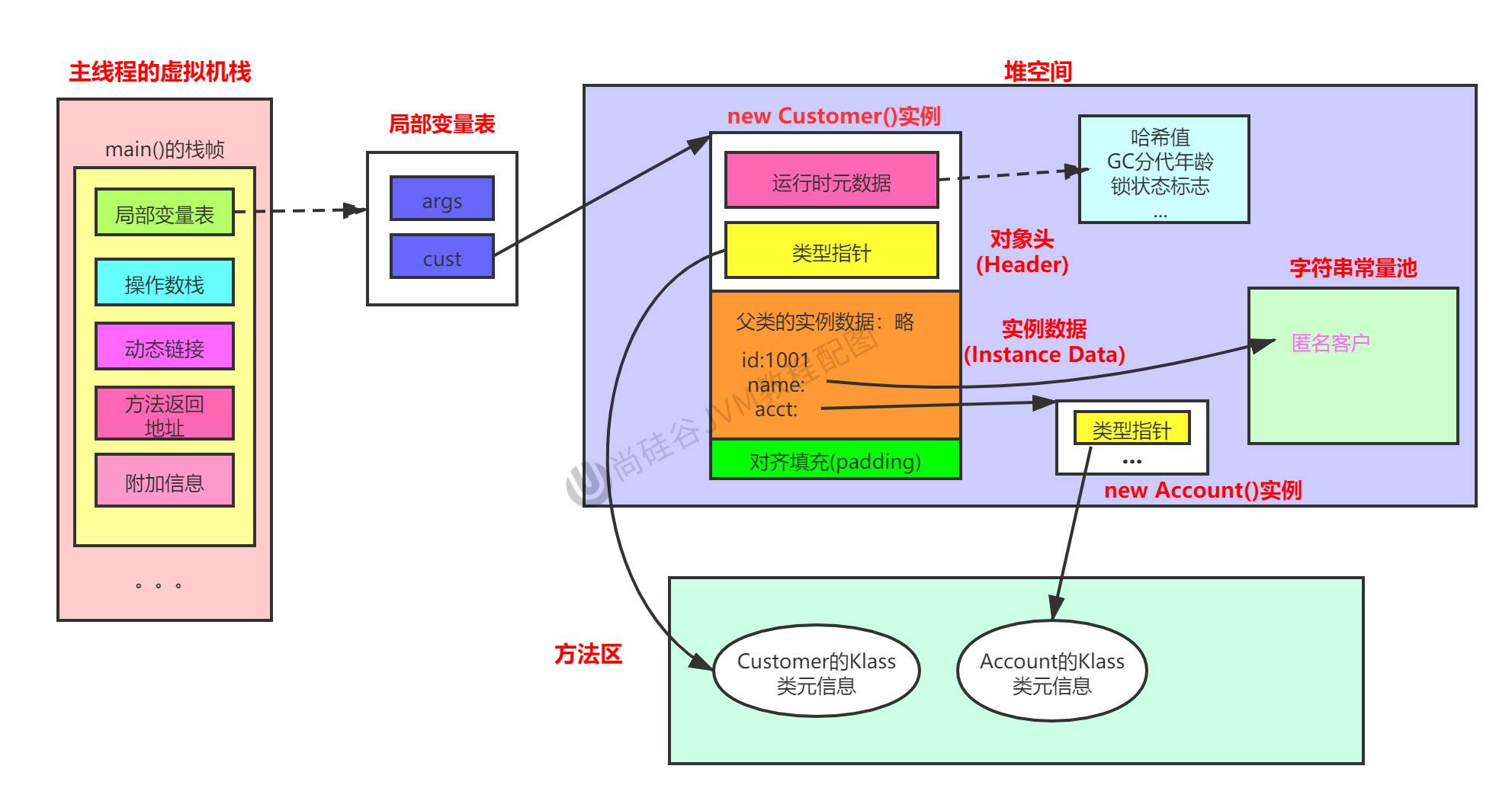
java
public class Customer{
    int id = 1001;
    String name;
    Account acct;
    {
        name = "匿名客户";
    }
    public Customer(){
        acct = new Account();
    }

}
class Account{

}

public class CustomerTest {
    public static void main(String[] args) {
        Customer cust = new Customer();
    }
}
Object access positioning
Most modern JVMs (such as HotSpot JVM) use by default thedirect pointer(Direct Pointer) access method, because it provides higher access efficiency
- Using
-XX:+UseCompressedOops(enabled by default) indicates the use of compressed pointers (this usually means direct pointers). - Using
-XX:-UseCompressedOopsindicates disabling compressed pointers.
These parameters are mainly for pointer compression configuration, but different JVM implementations may have different parameters to choose the object access method. If you need to change the specific object access method, you may need to consult the documentation of the specific JVM implementation.
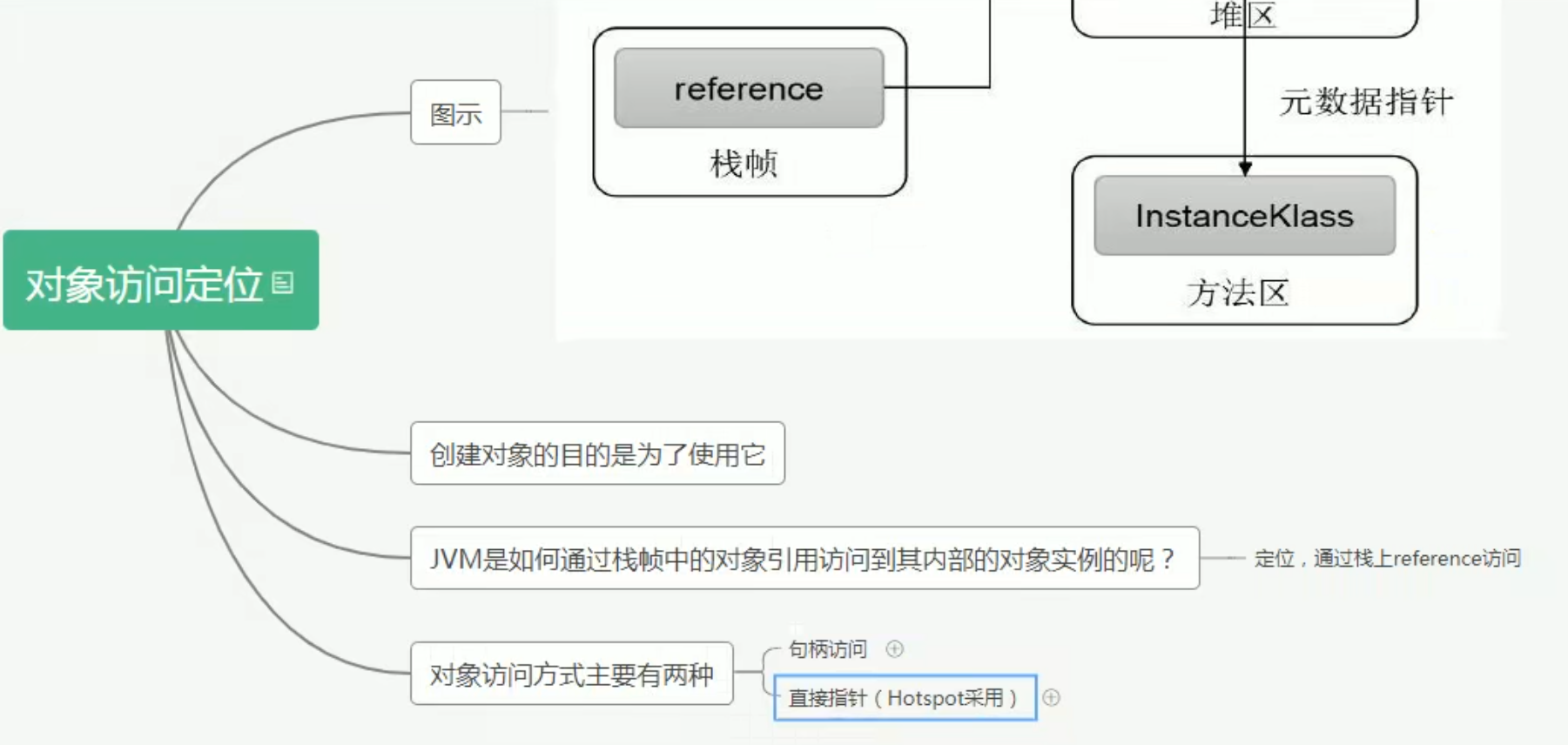
local variable table stored in handle access and direct access the value of
local variable table
Storage: the reference of the handle object in the handle pool Storage: the direct reference of the object
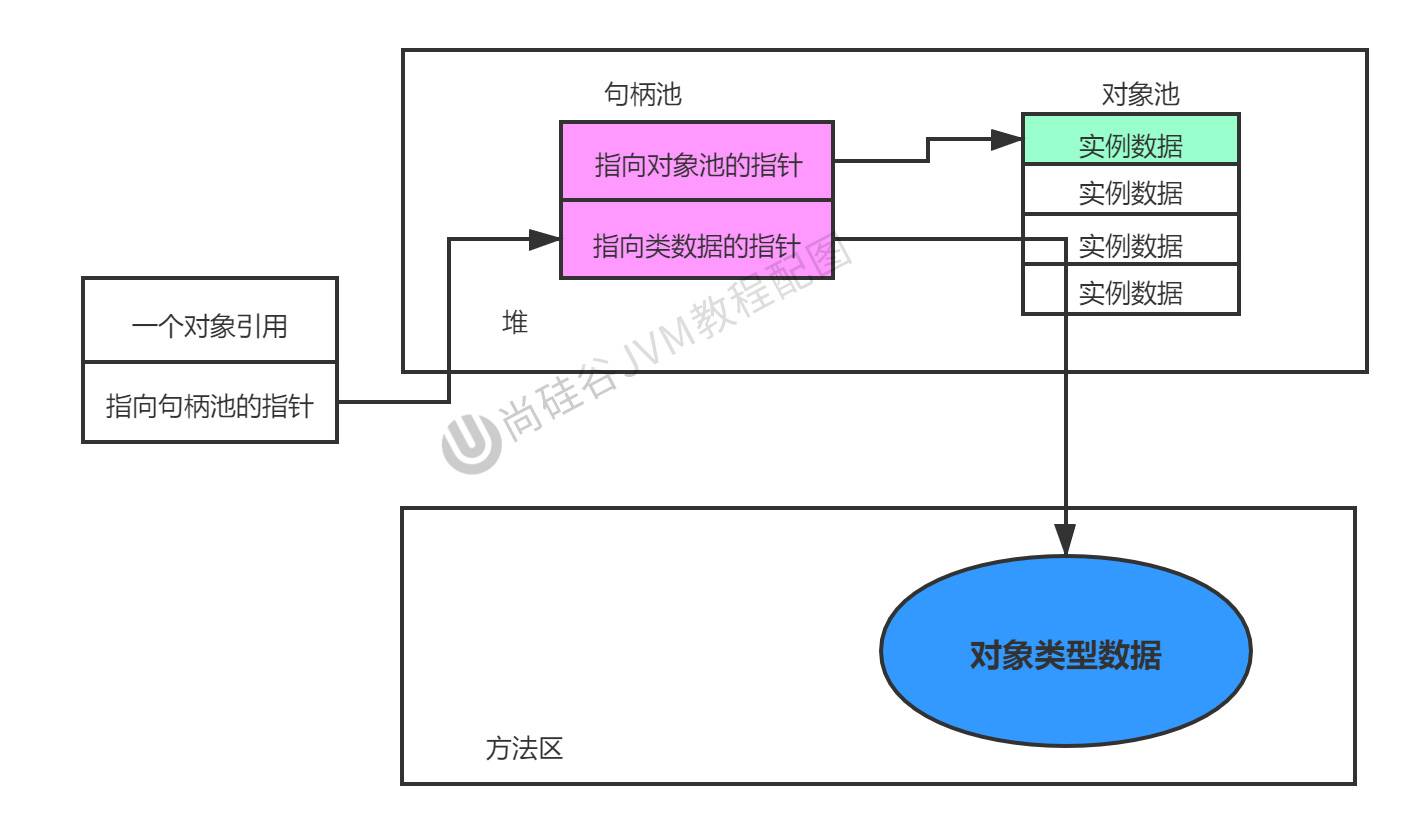
Handle access
Handle pool: stores pointers to the object instance and object type
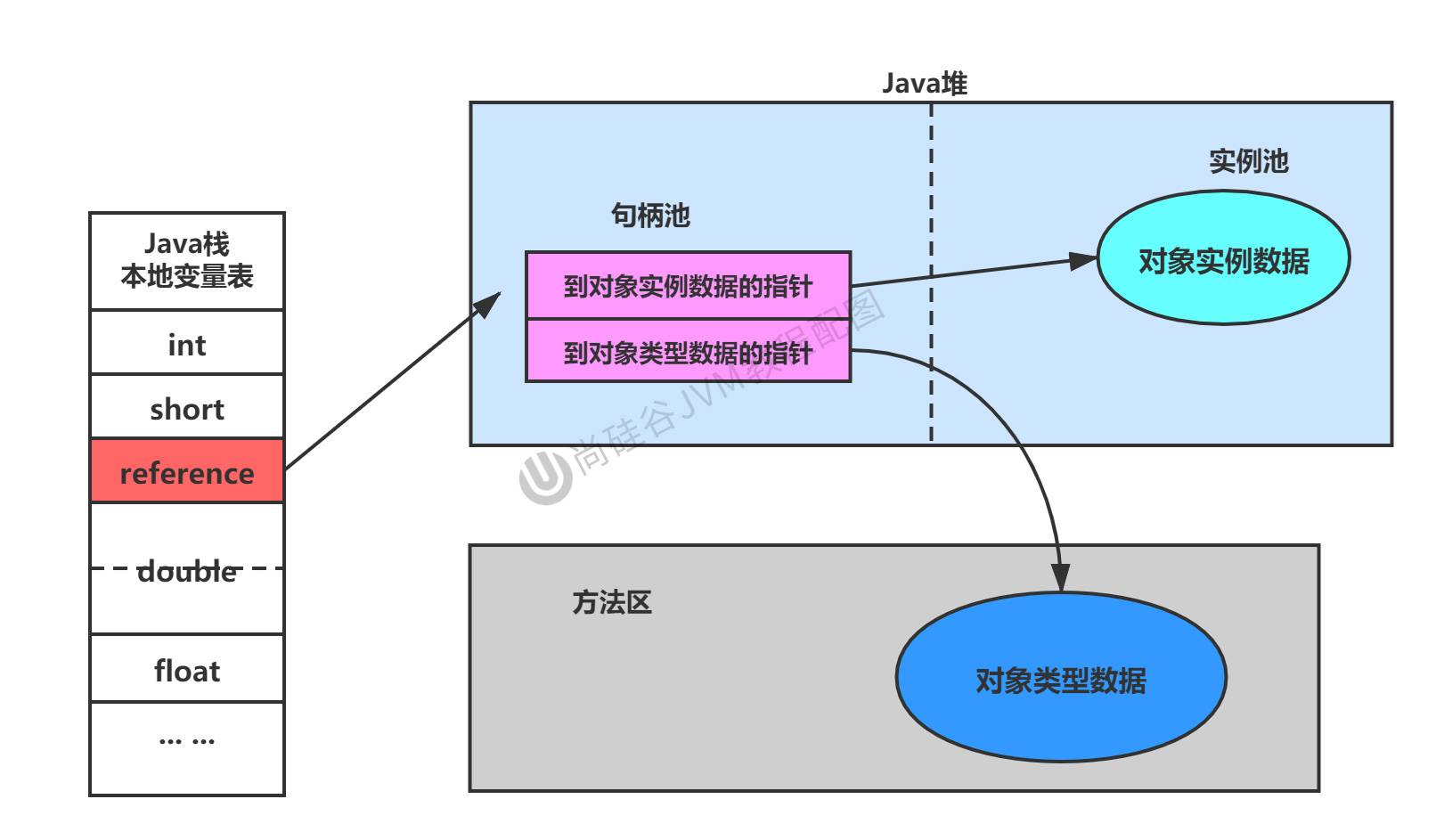
Benefit: when the object moves, the pointer to the object type data does not need to be modified (mark compact algorithm, the young generation eden and survivor swap requires moving)
Direct pointer
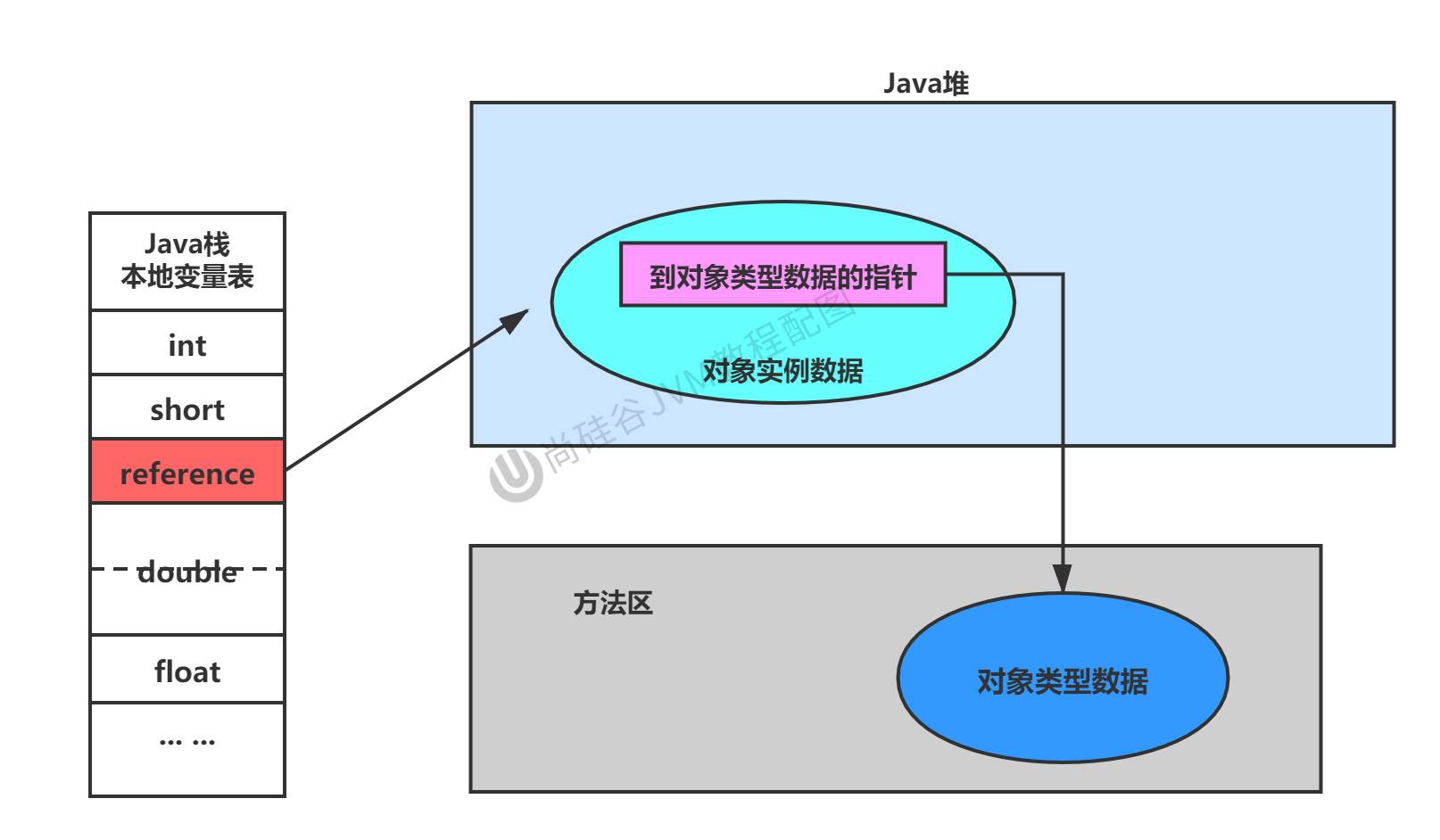
Efficiency is higher than the above
Direct memory
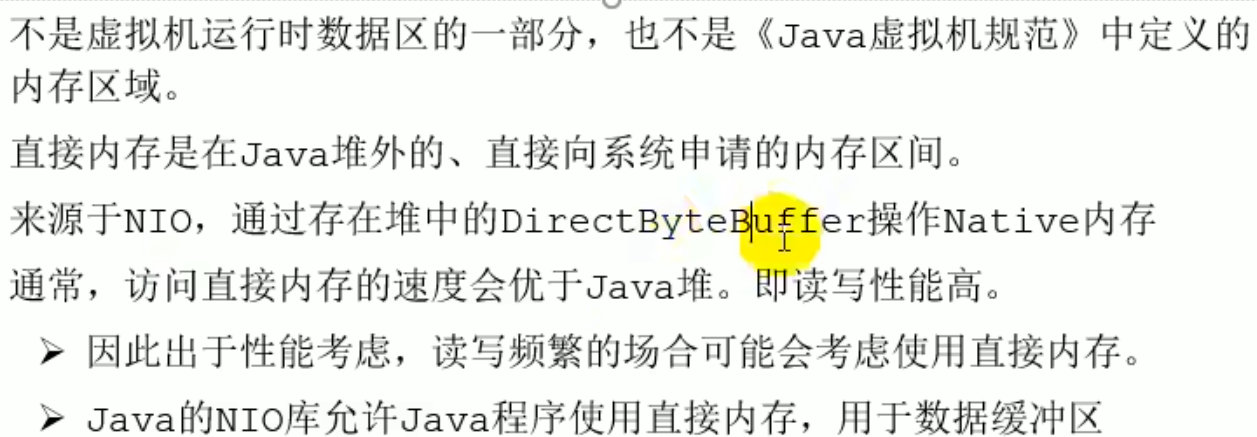
Introduction
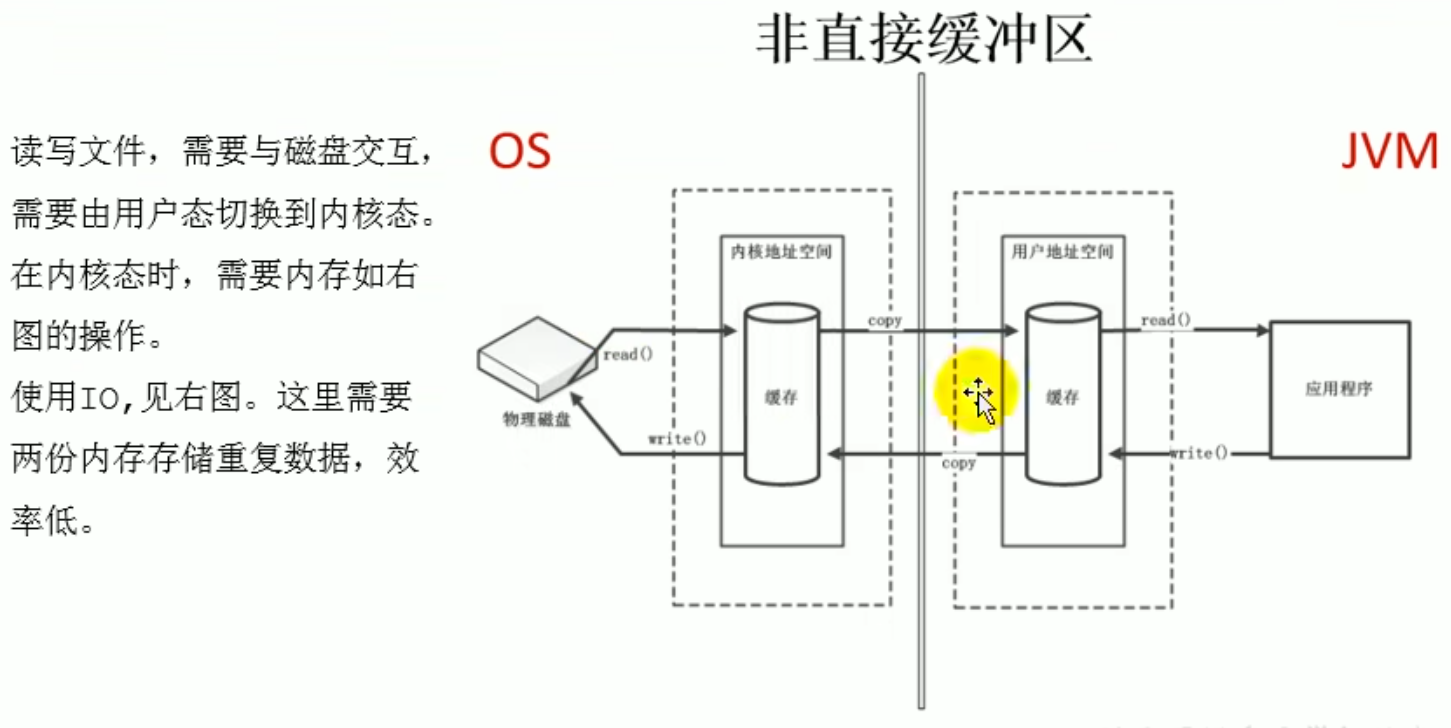
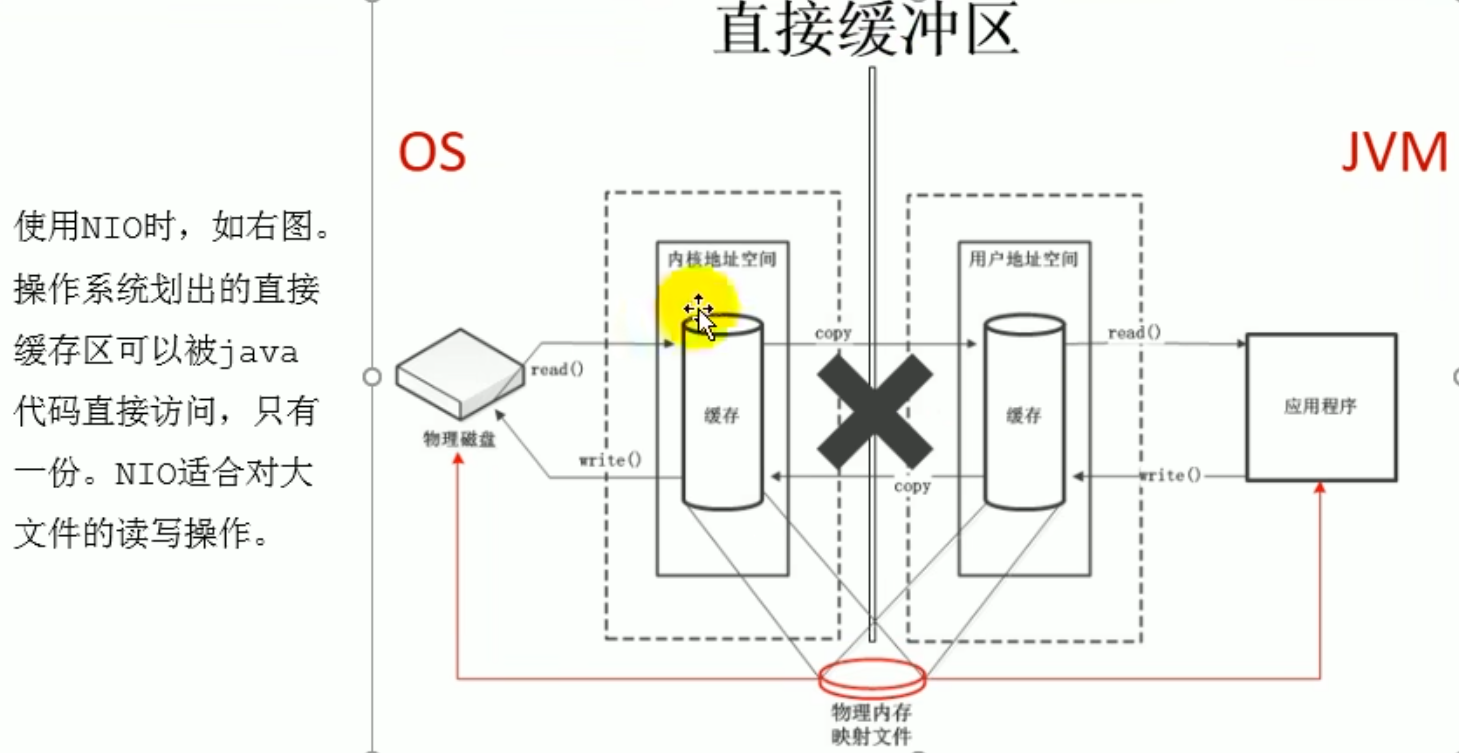
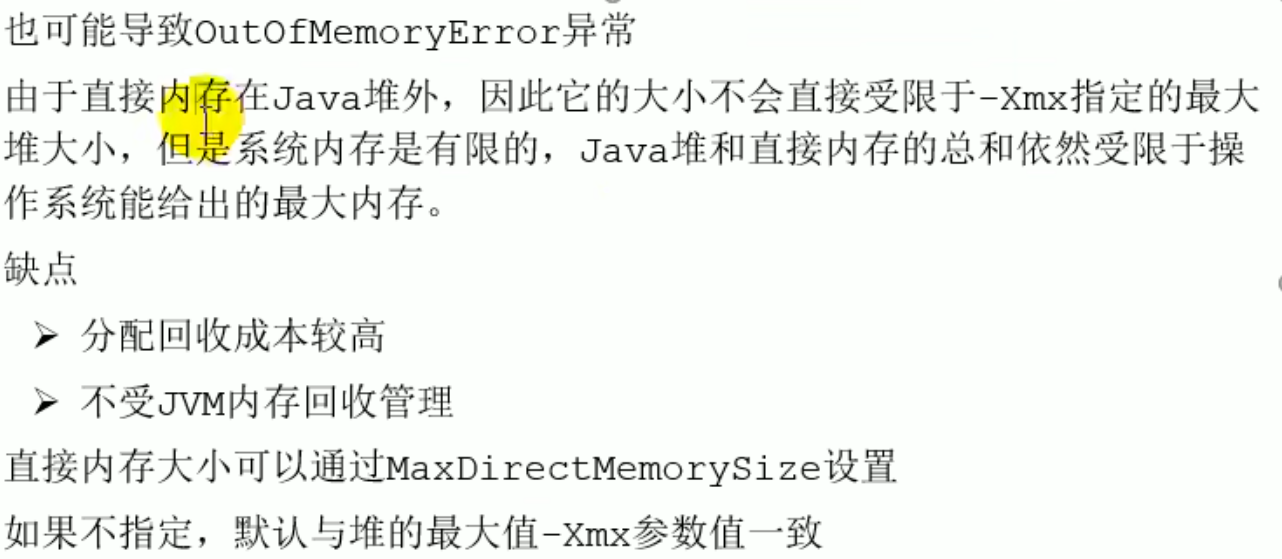 Because local memory cannot be seen, but this can also occur
 OutOfMemoryError, when such an error occurs you need to consider whether this kind of error may occur
Execution engine
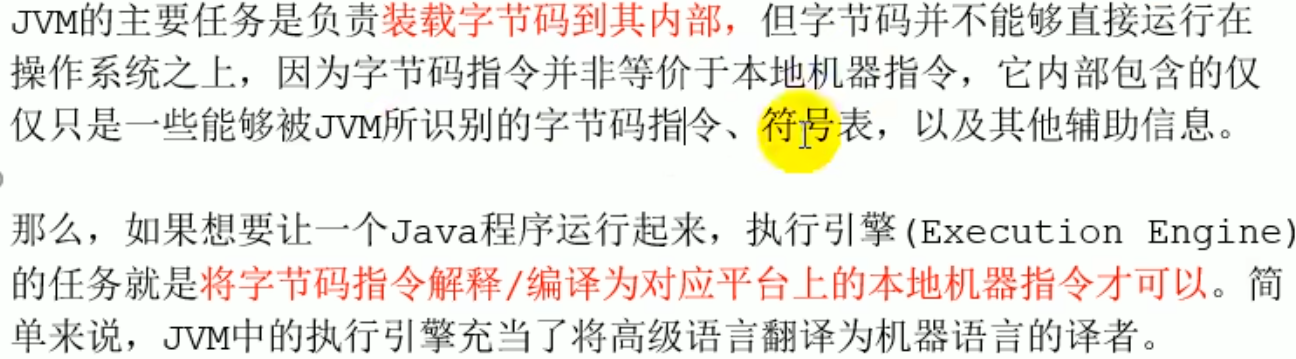
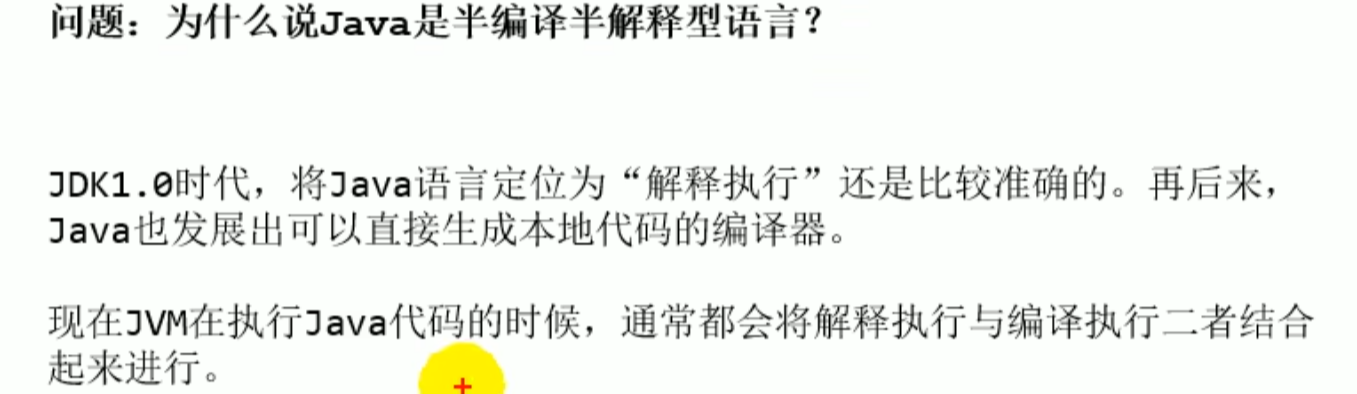
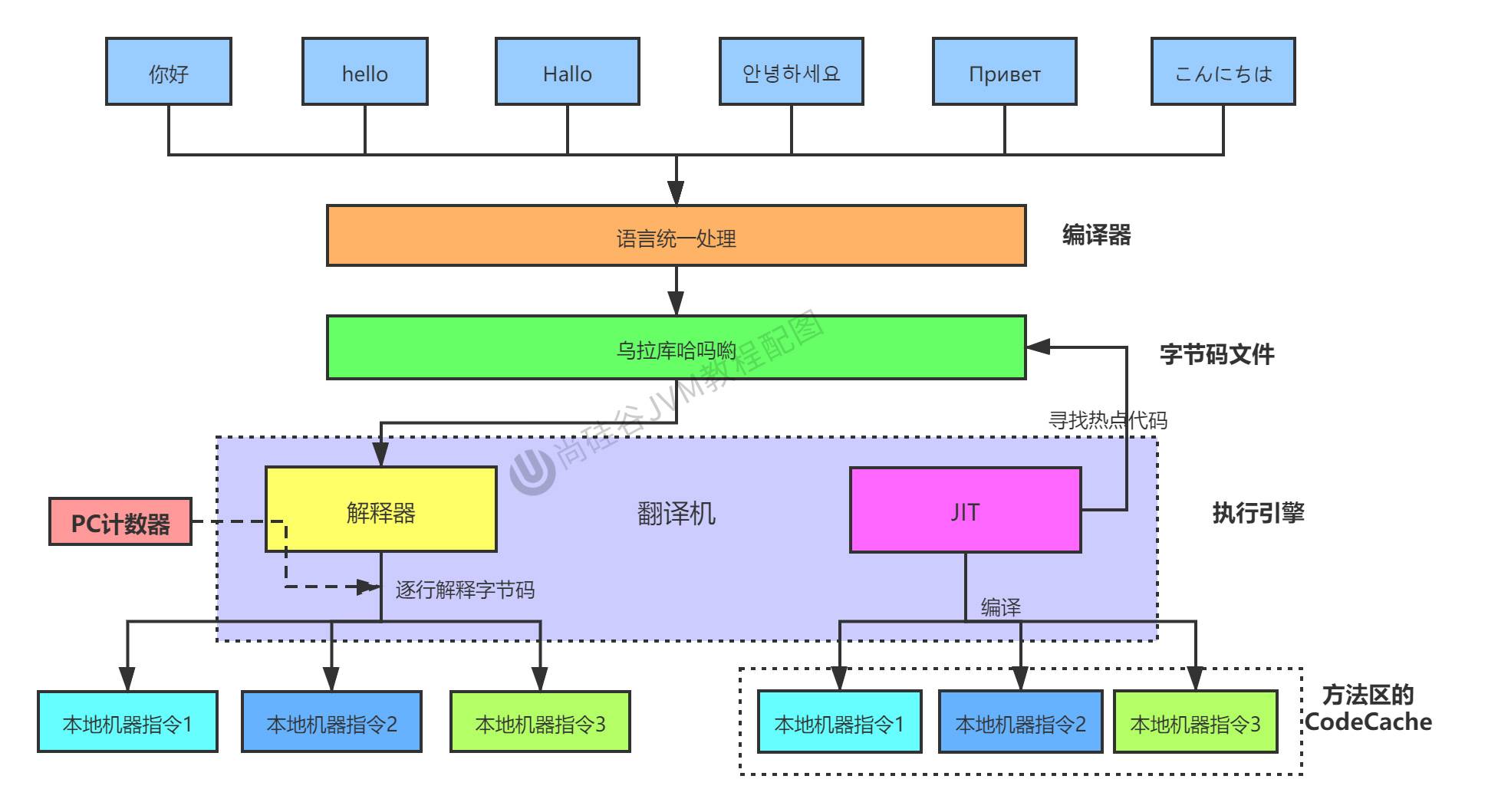
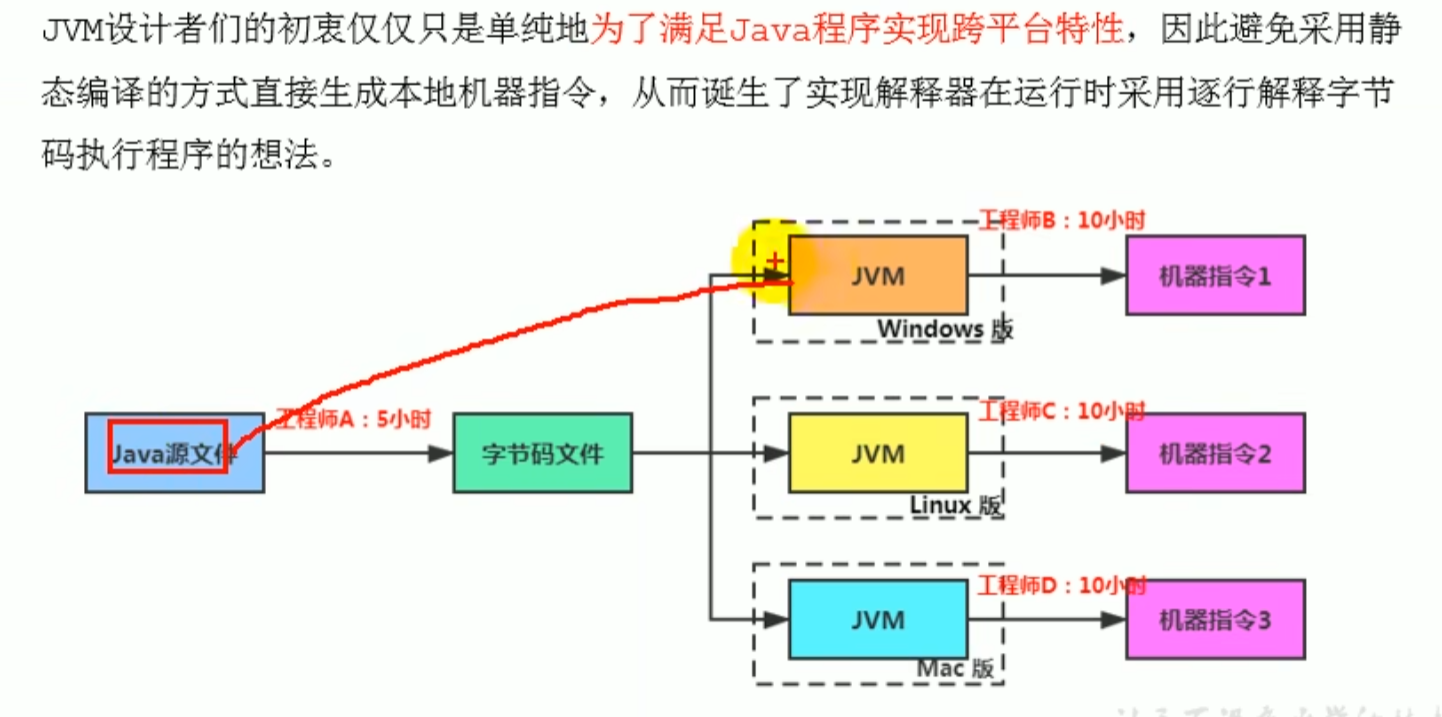
One of the core components of Java, it converts bytecode instructionsinterpreted/backend compiledinto machine instructions
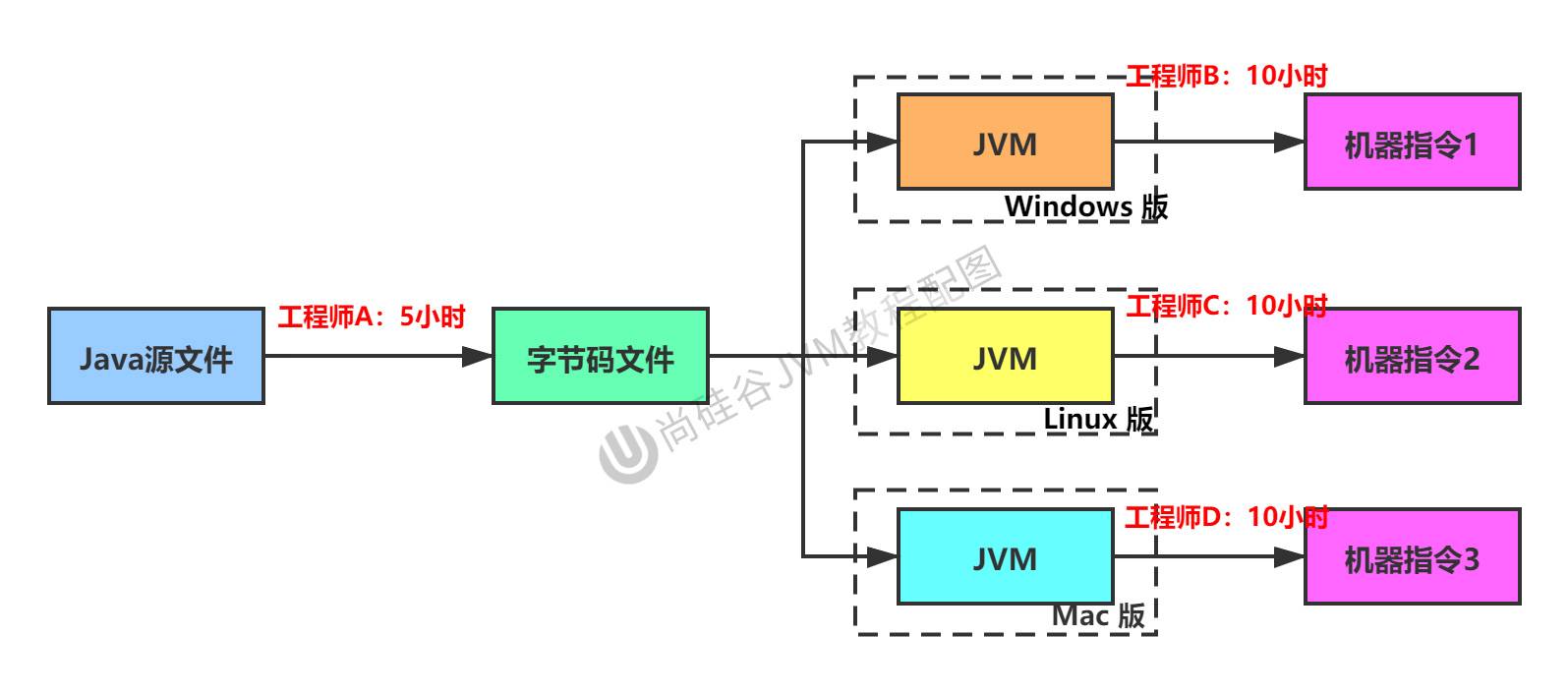
The execution engine of the virtual machine is implemented by software itself, so it can execute instruction set formats that are not directly supported by hardware
The input and output of the execution engine are both byte streams, but the input is a binary bytecode stream, the processing is the equivalent process of bytecode interpretation instructions, and the output is the execution result
Execution engine


Java code compilation and execution process
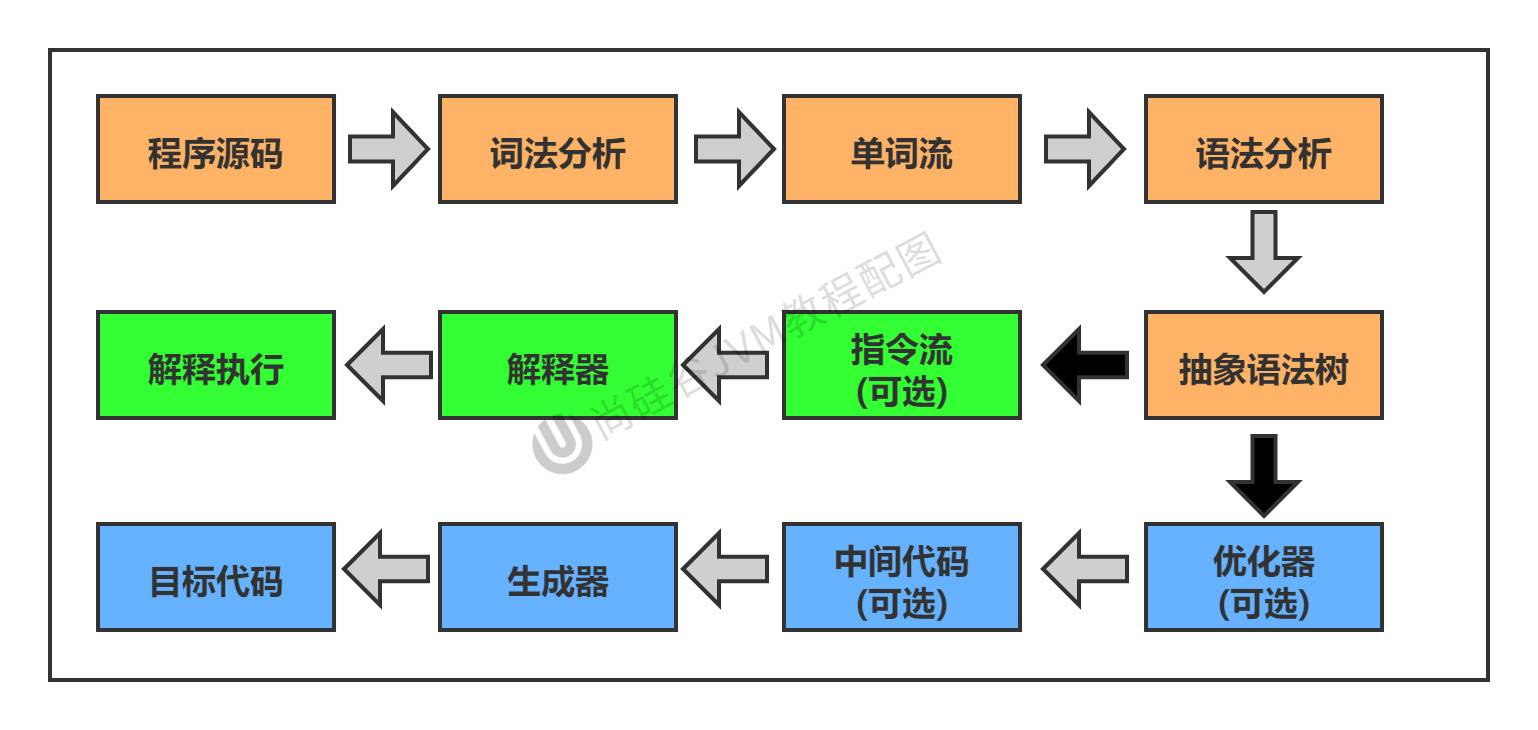
Green representsinterpreterexecution process
Blue representscompilerexecution process
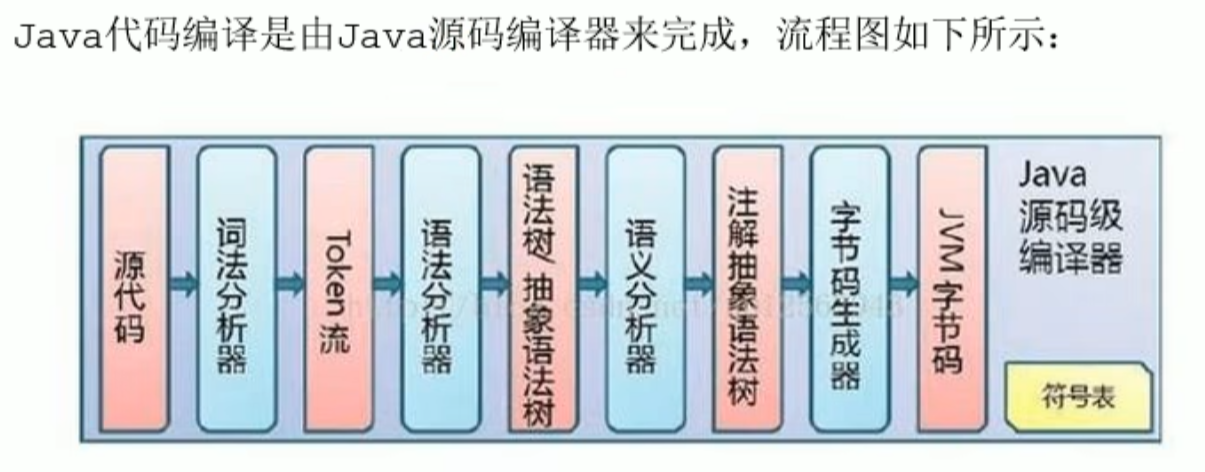
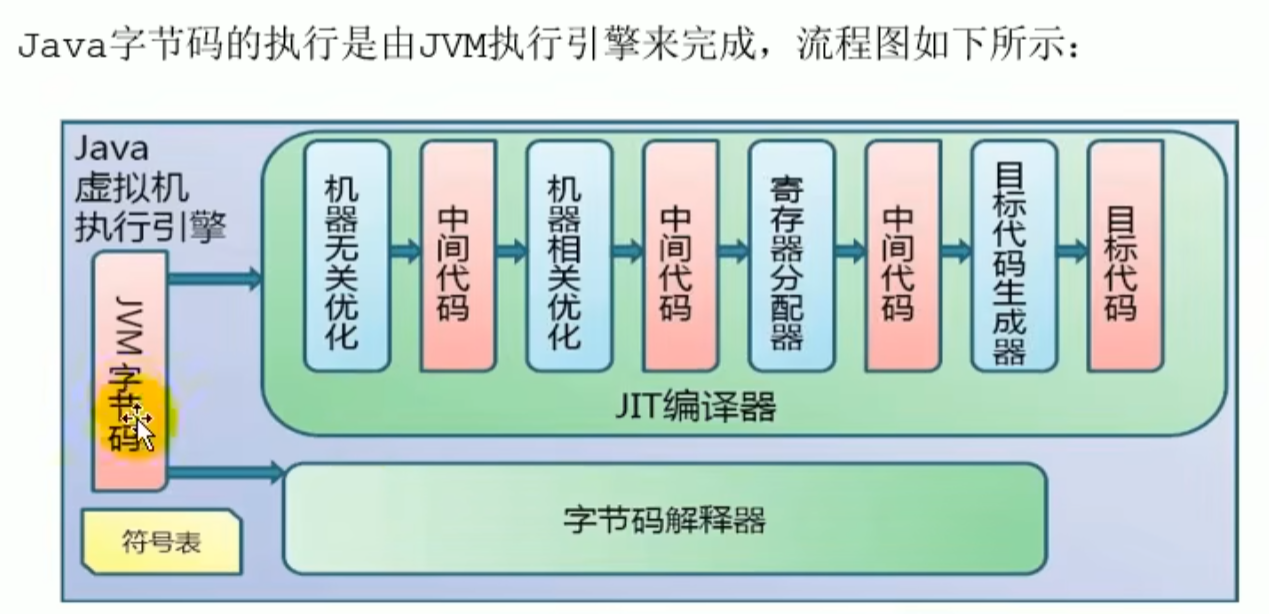
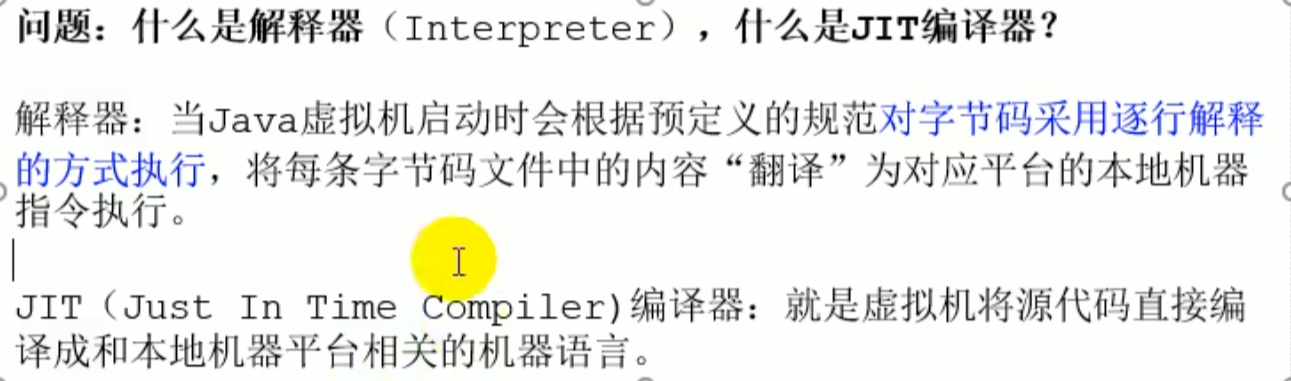
Example diagram
Introduction
- Machine code
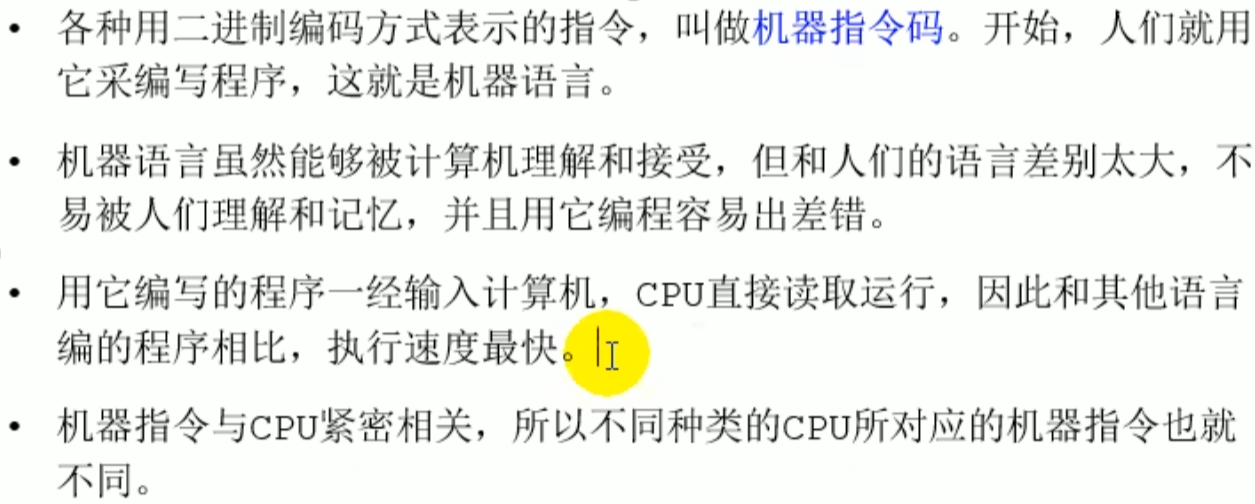
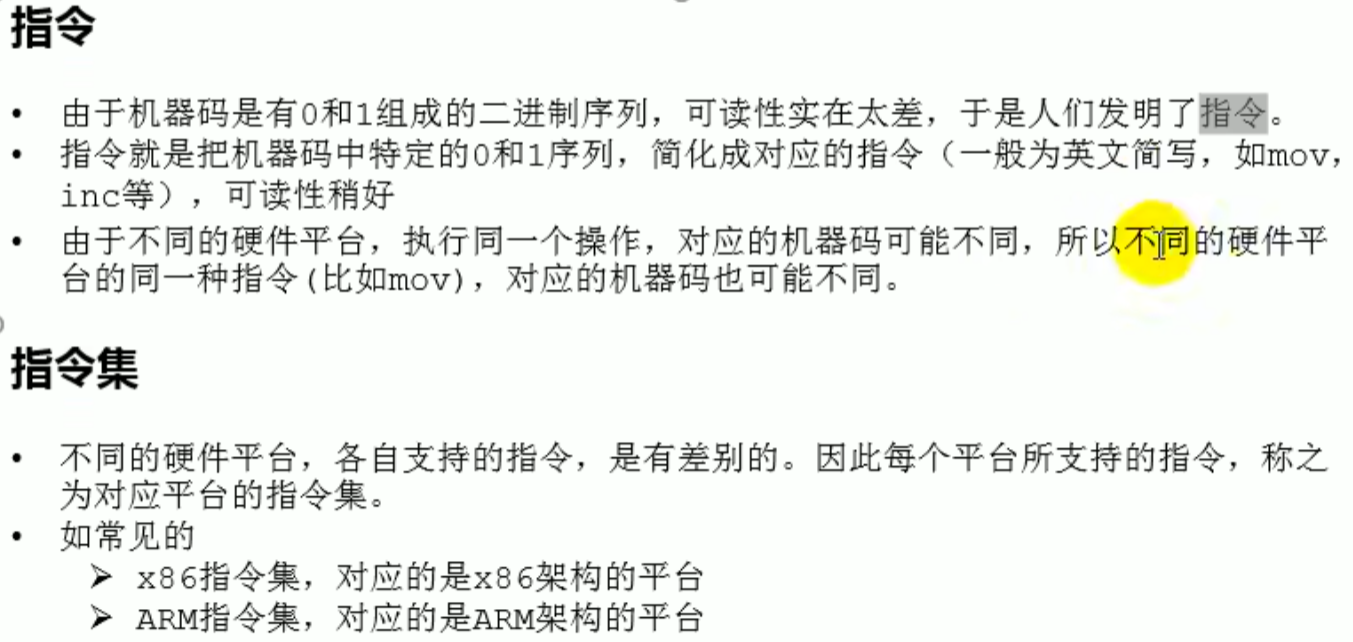
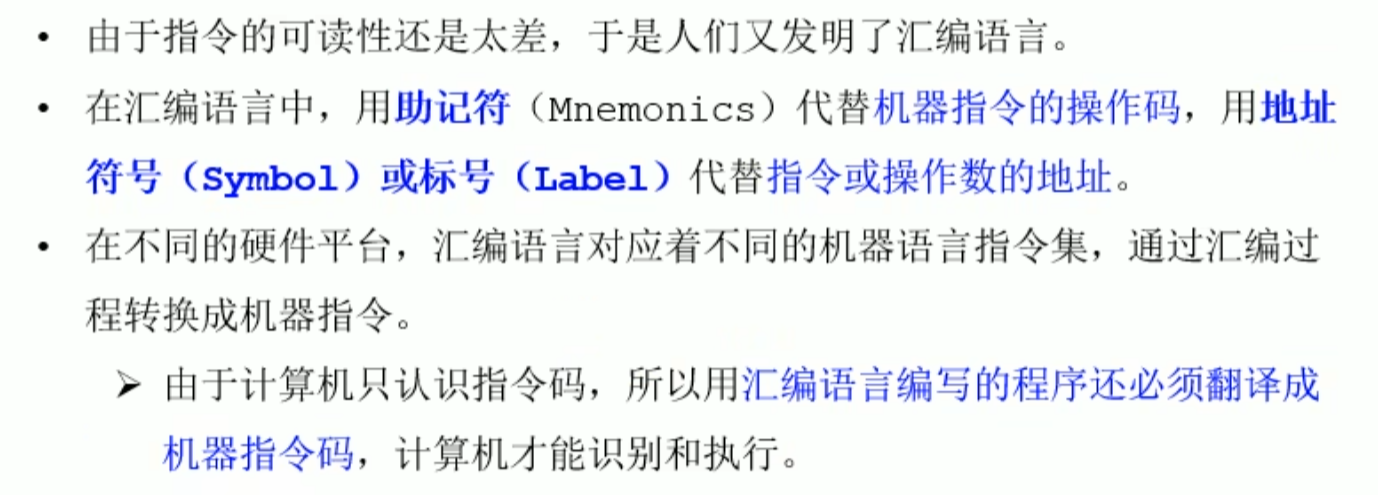 Machine code -->instruction -->instruction set -->Assembly language ---> High level language
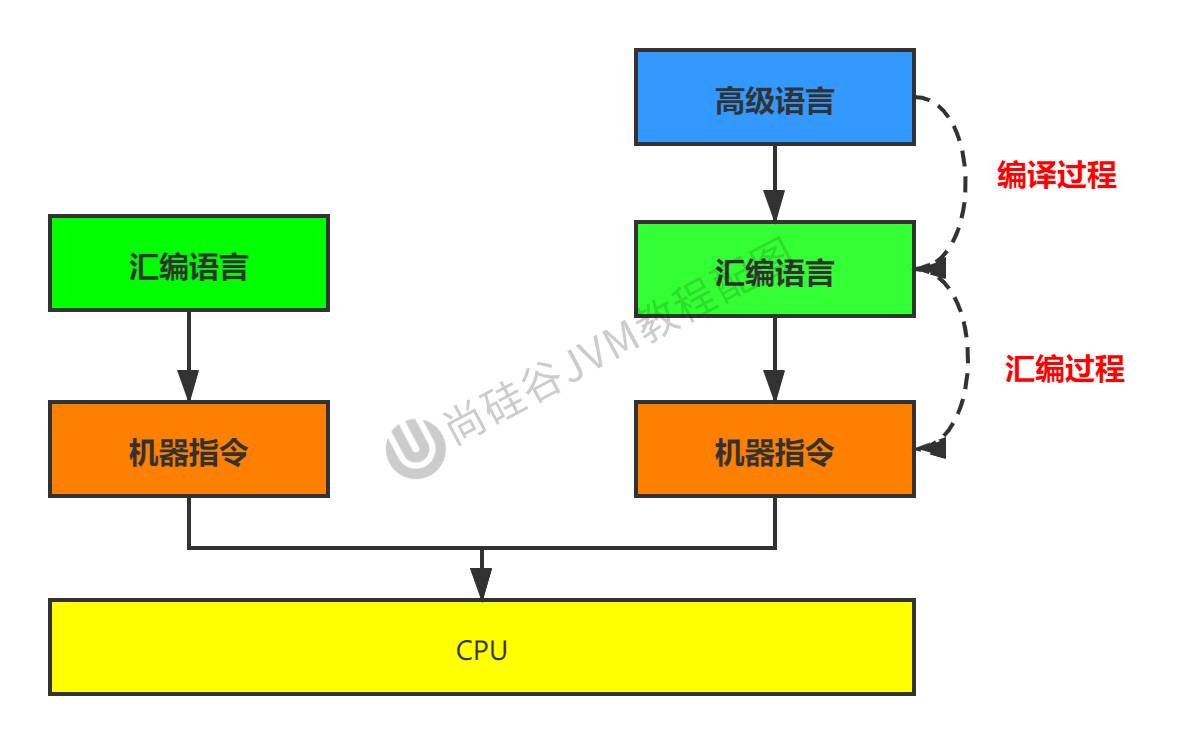
Bytecode file
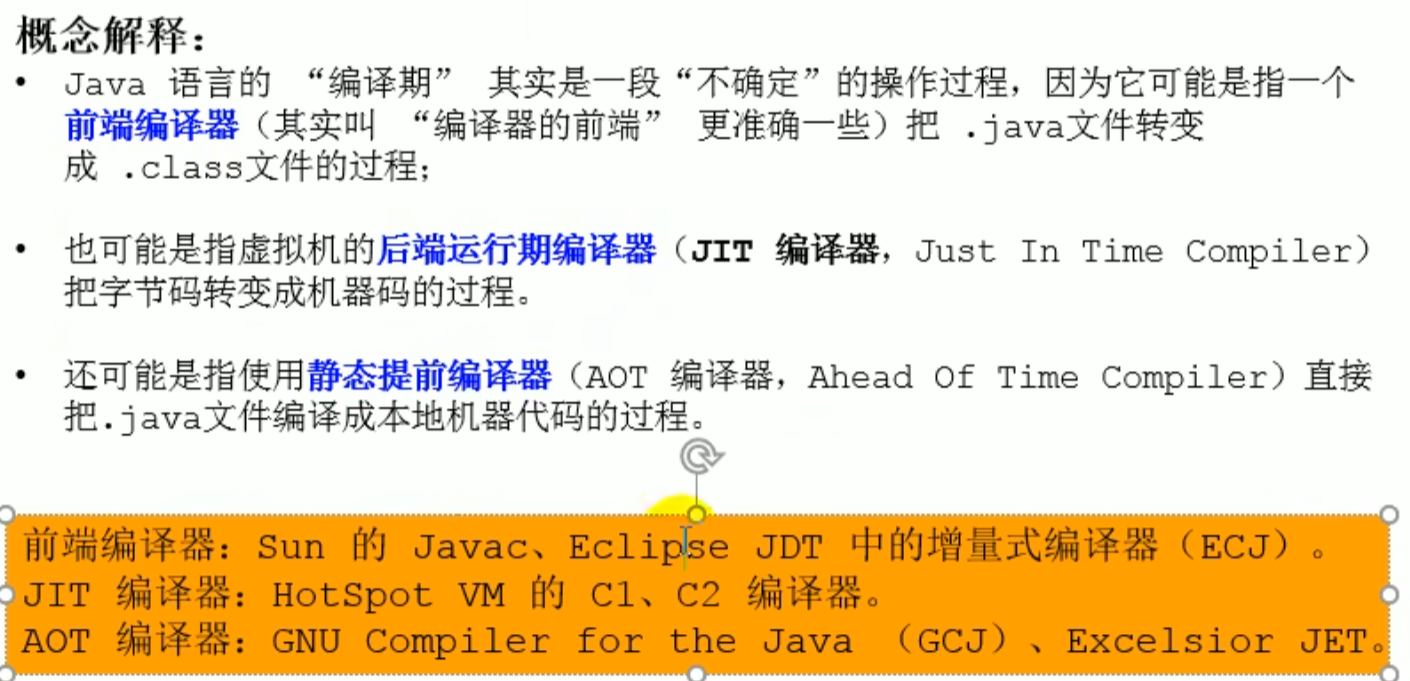
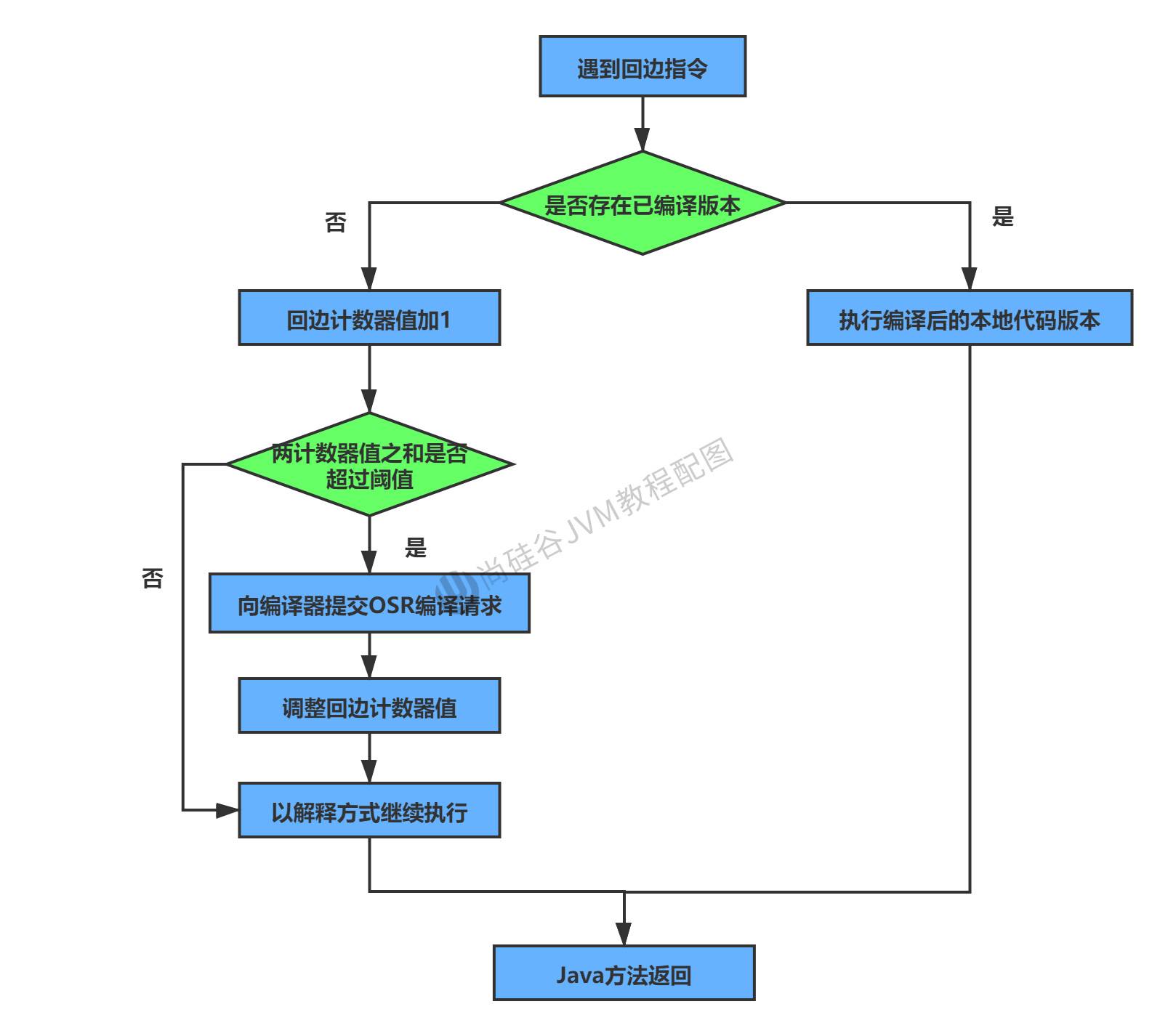
JIT compiler
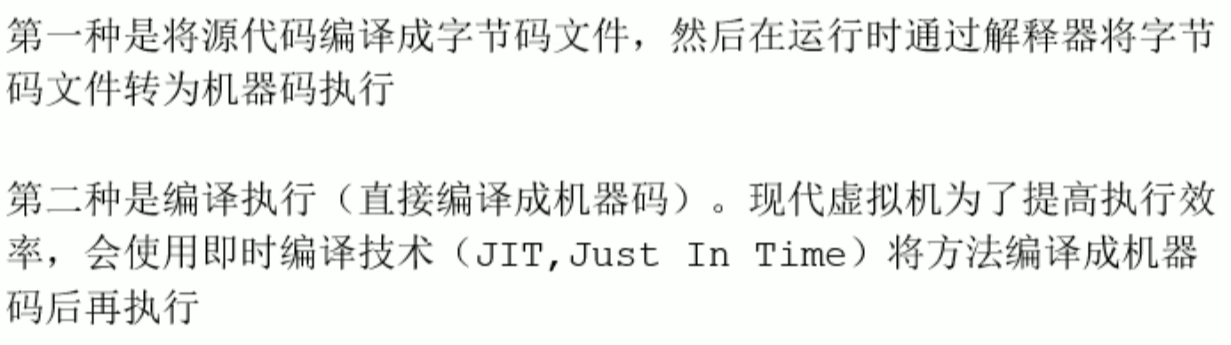
Interpreter versus JIT compiler
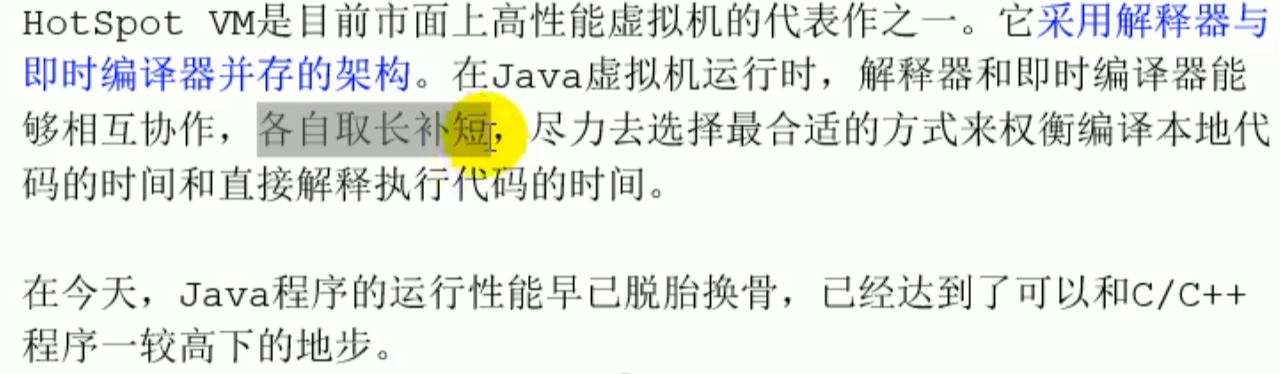
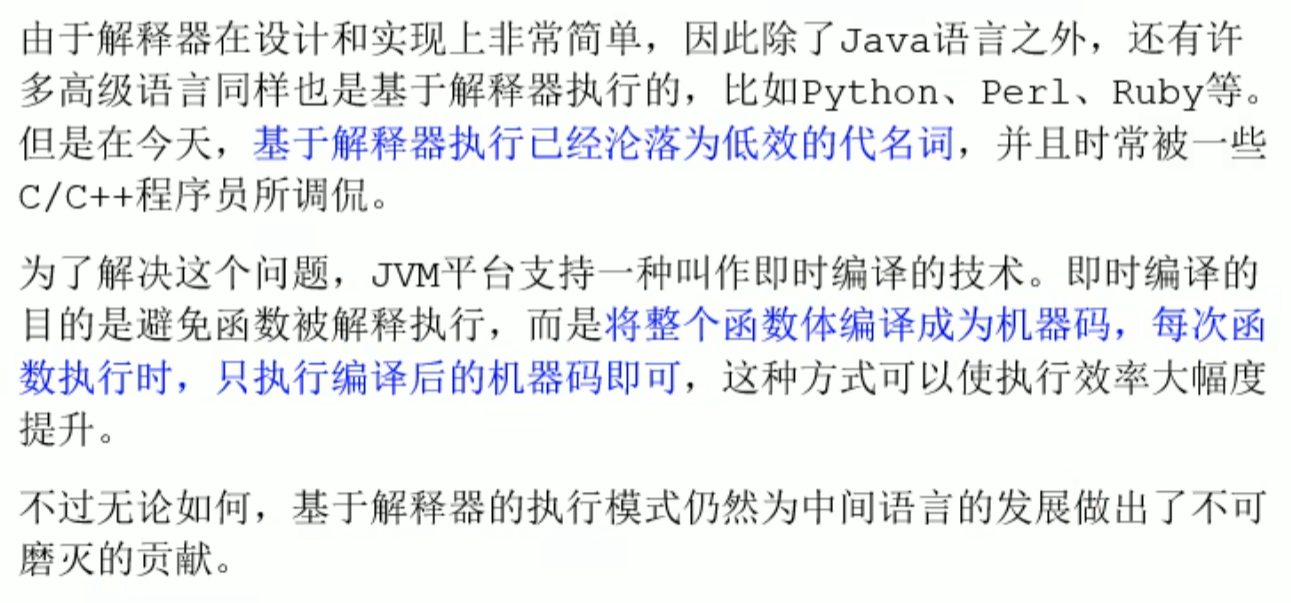
HotSpot It will choose by itself whether to use the interpreter or the compiler
 JIT compiles and caches the code, which is faster than the interpreter, while the interpreter has a fast response speed
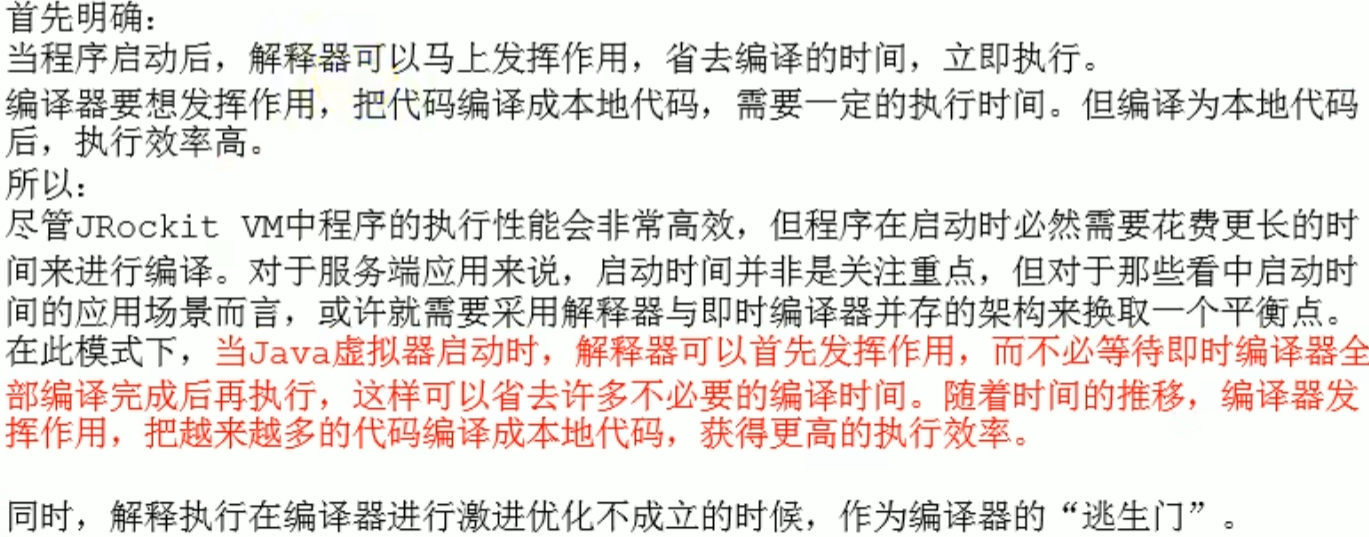

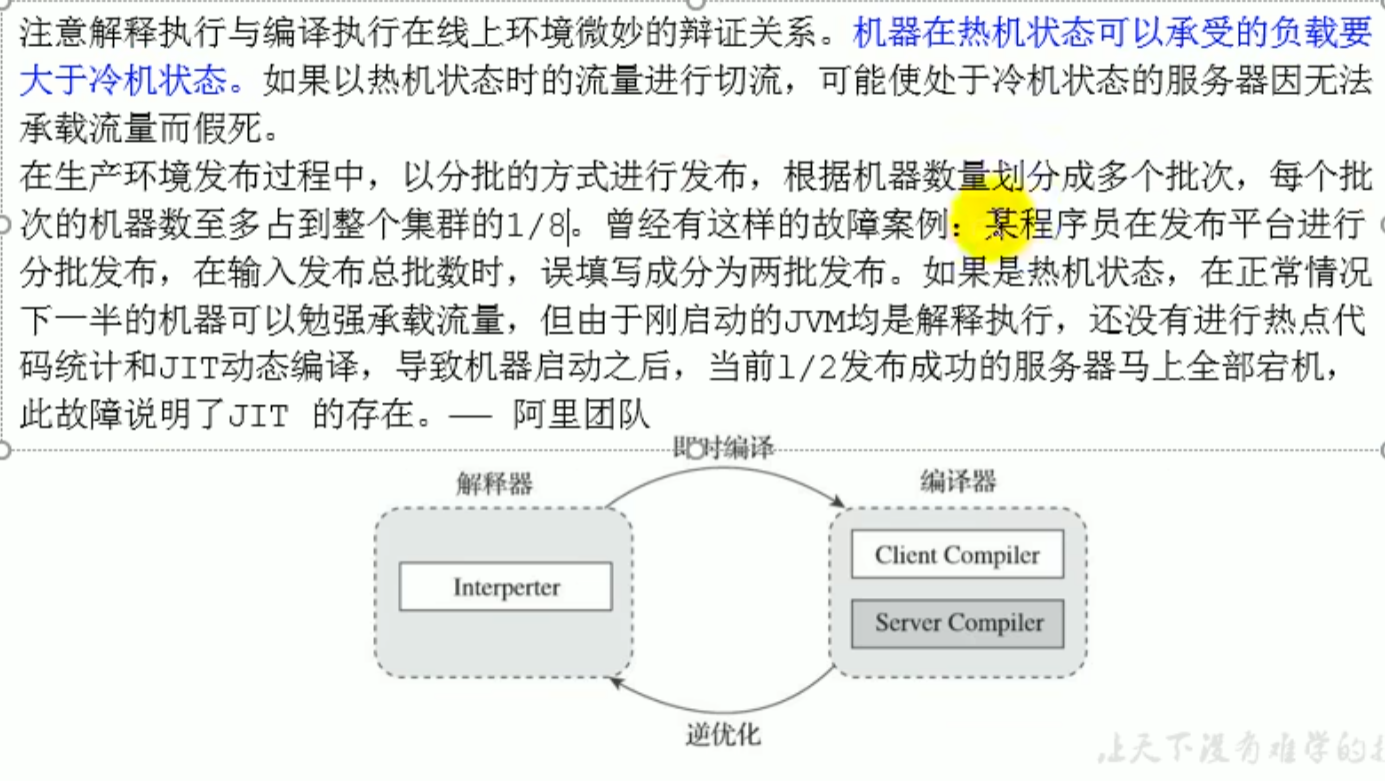
Hot machine and cold machine case
Because hot spot code statistics and JIT dynamic compilation have not yet been performed
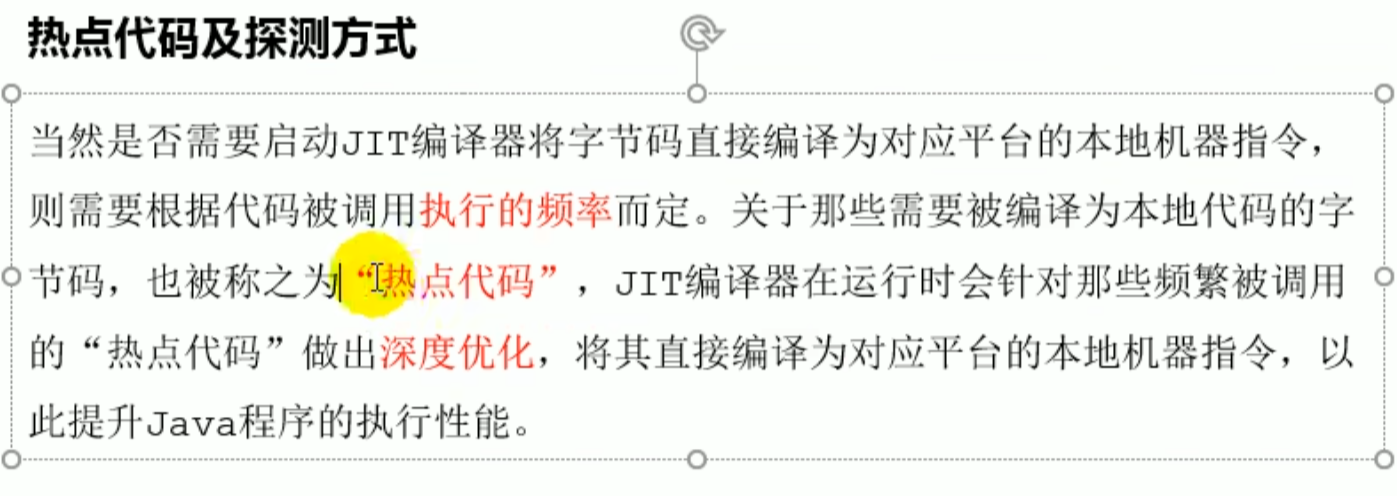
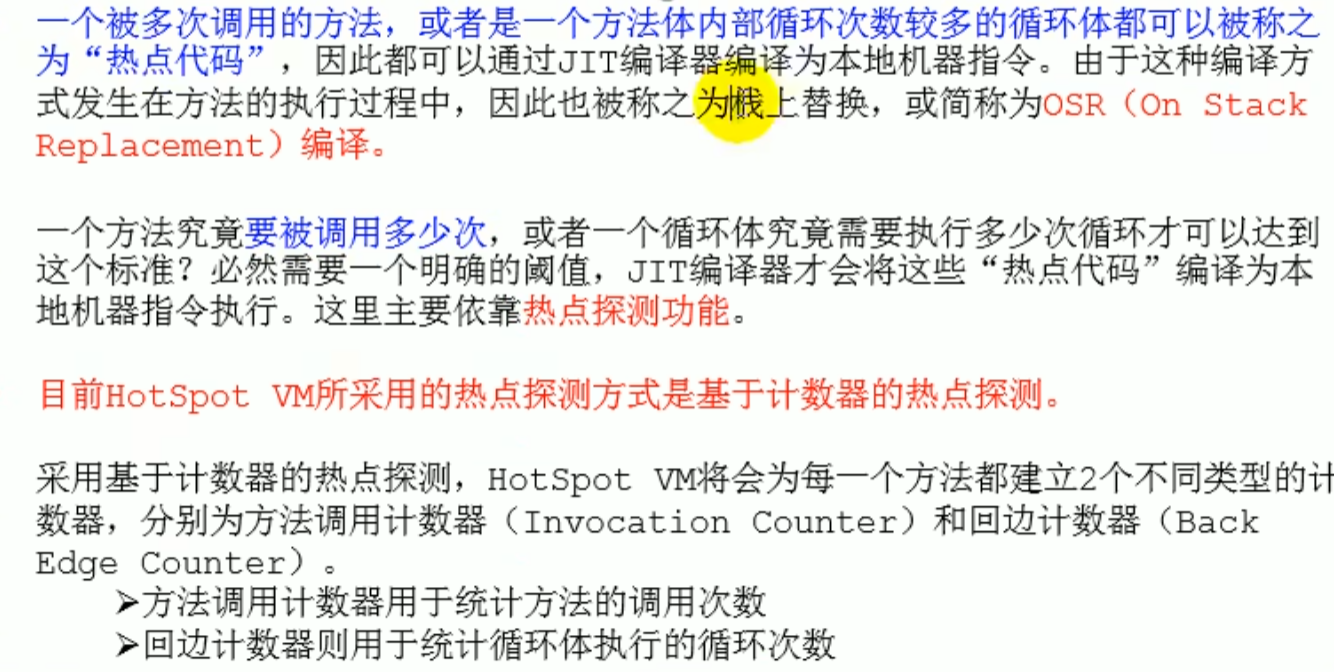
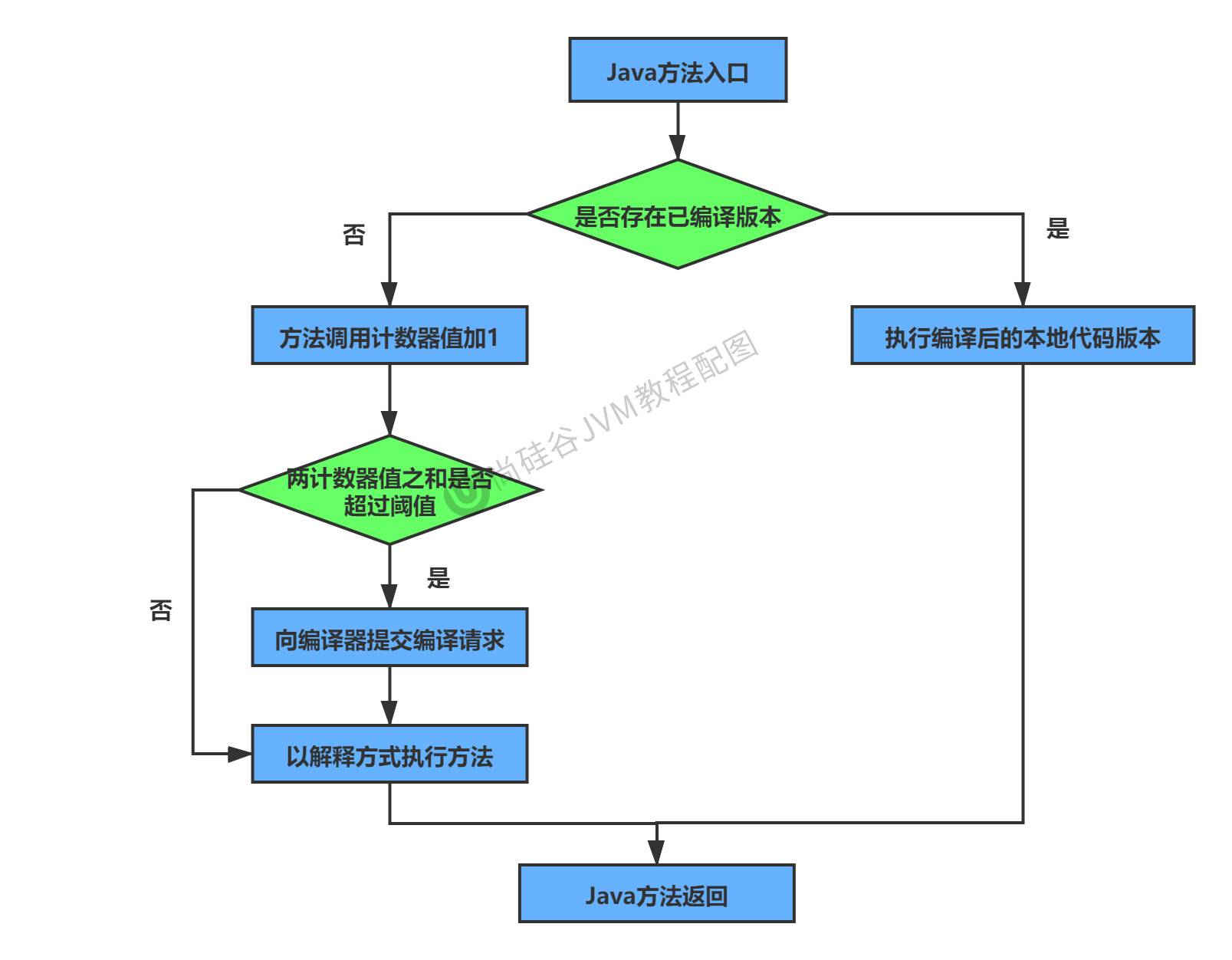
Hot spot code
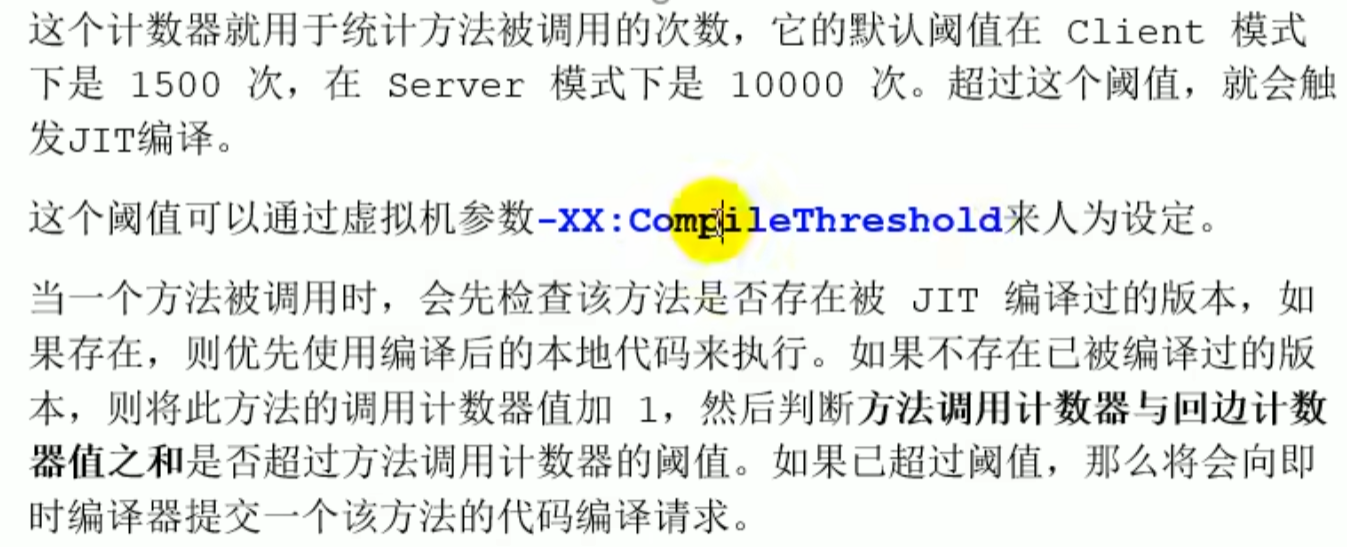 Only those exceeding this threshold will be cached
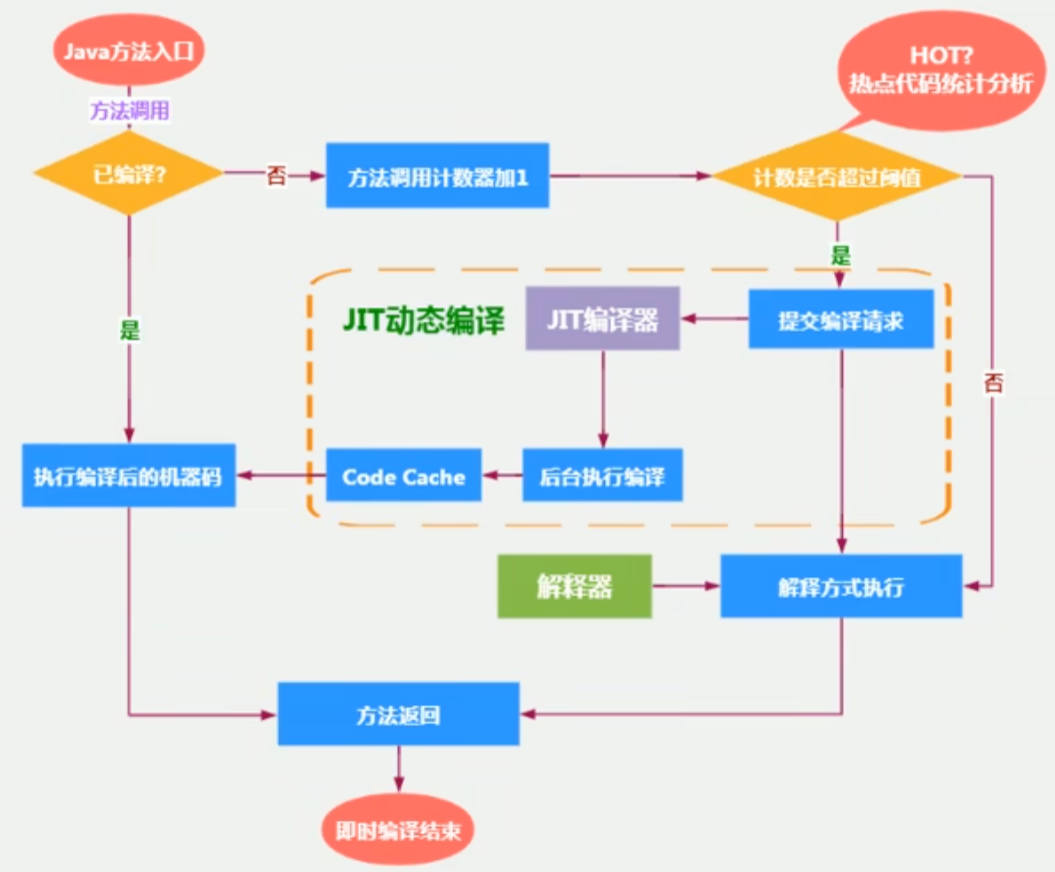
Heat decay

JIT classification in HotSpot VM
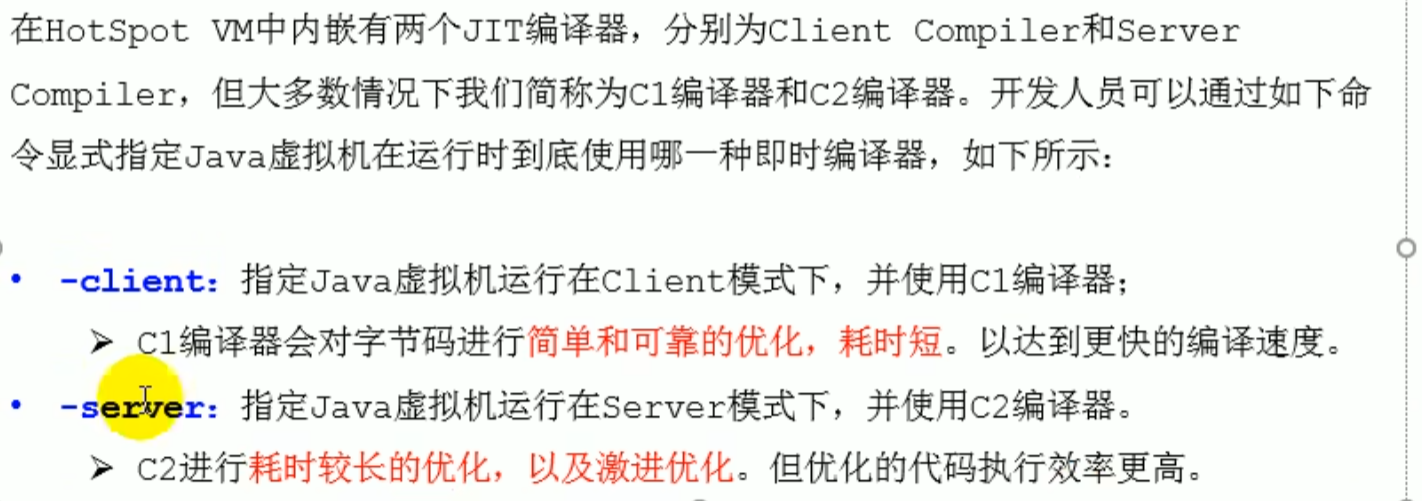
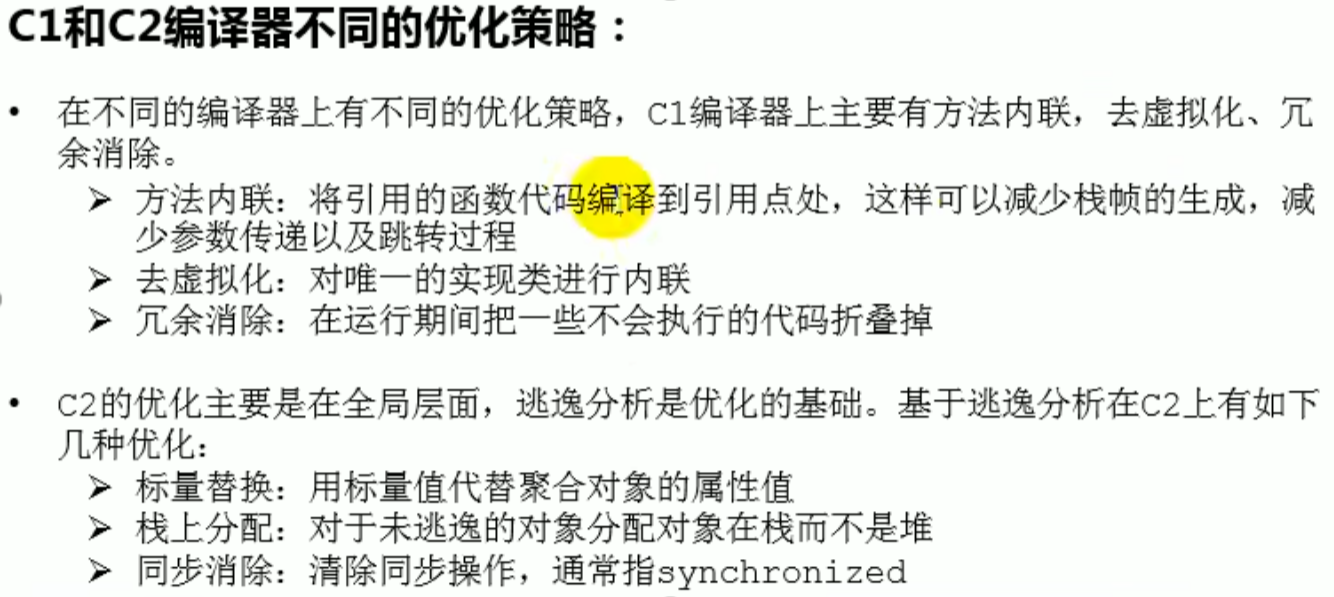
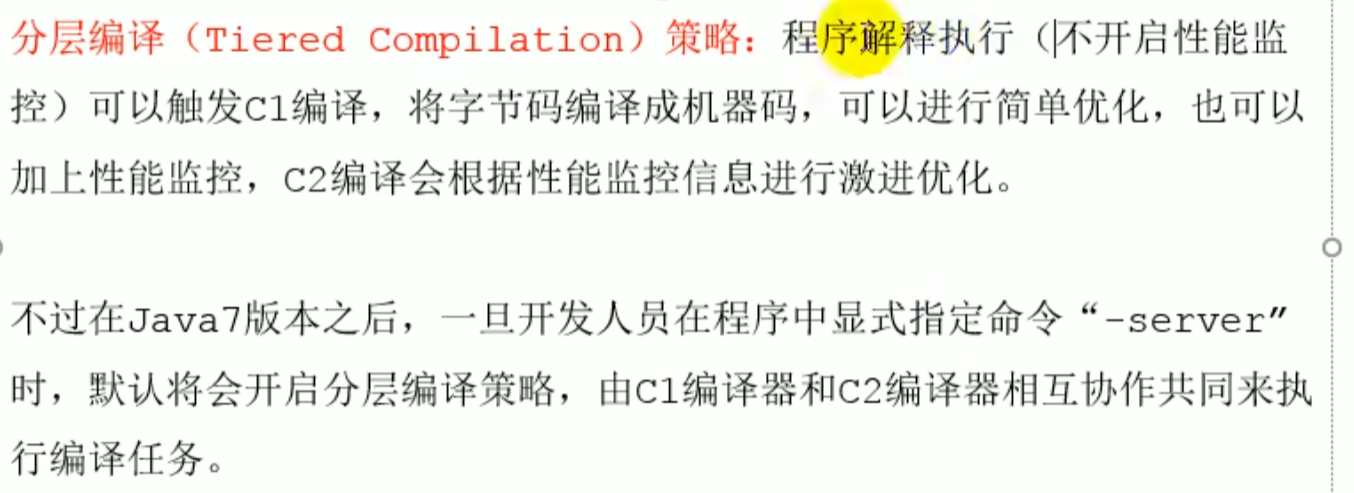
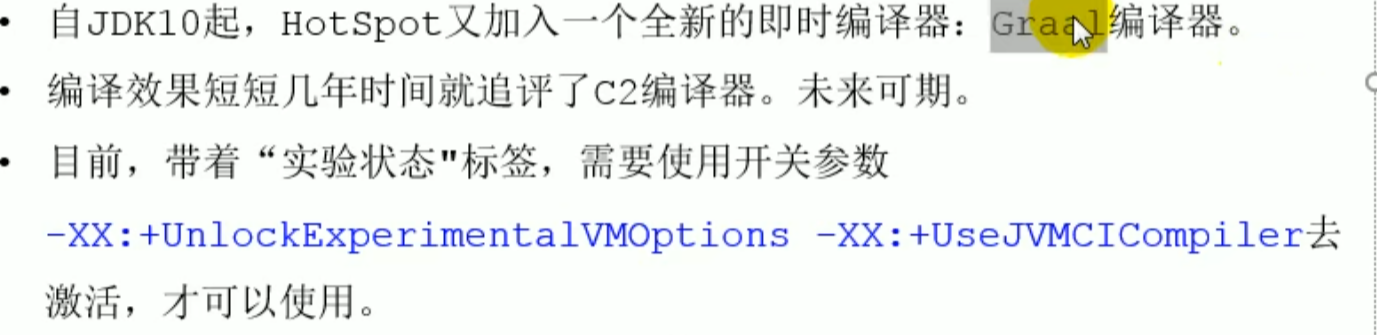
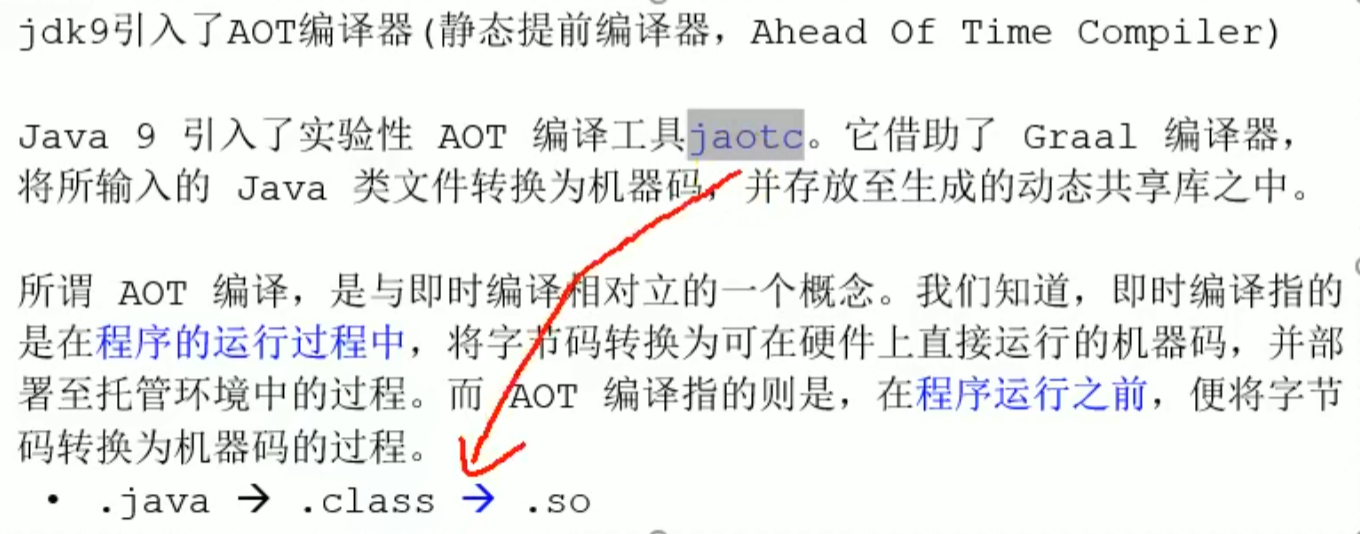
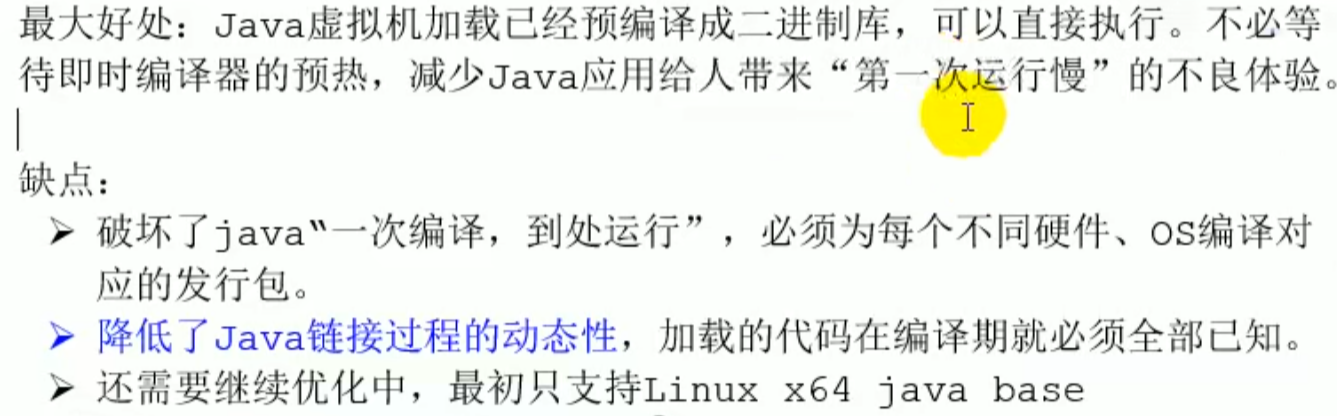
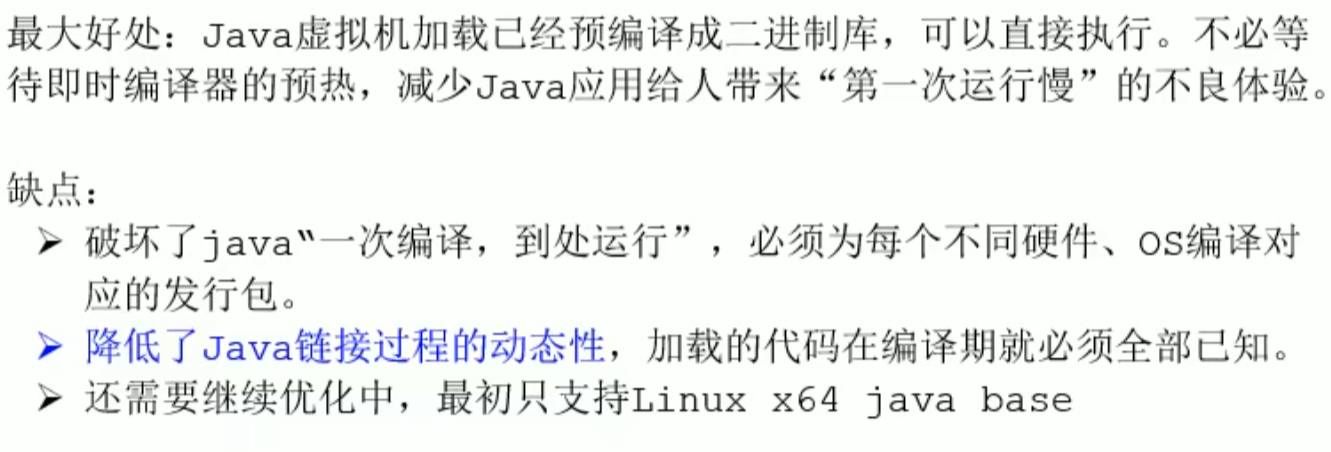
- AOT compiler (-->.so) (supported on linux64)
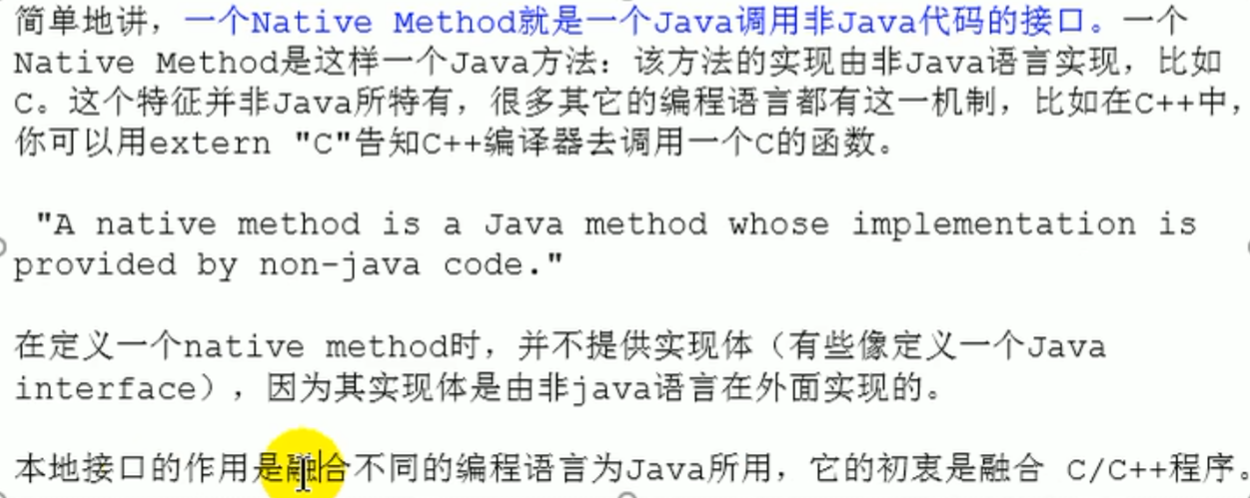
Native method library / interface
Introduction
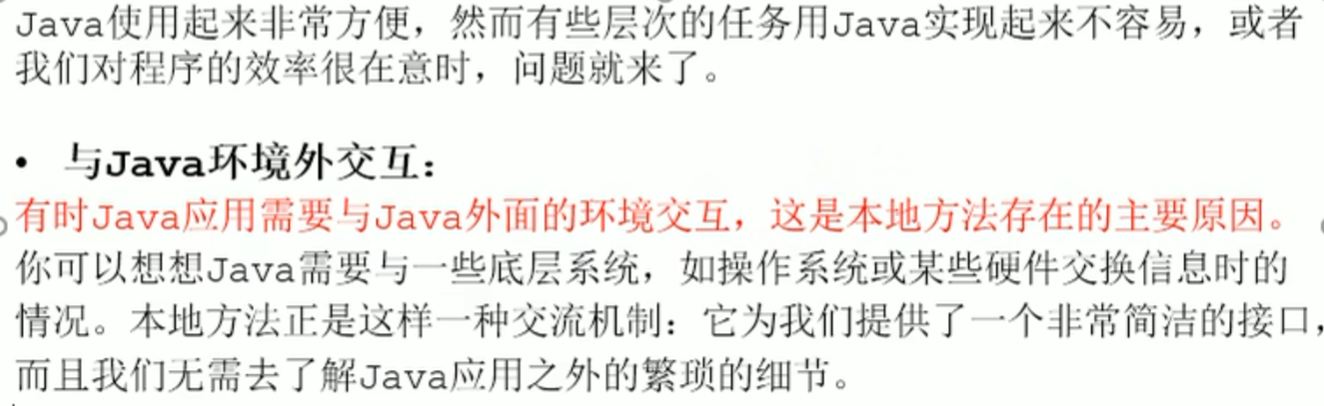
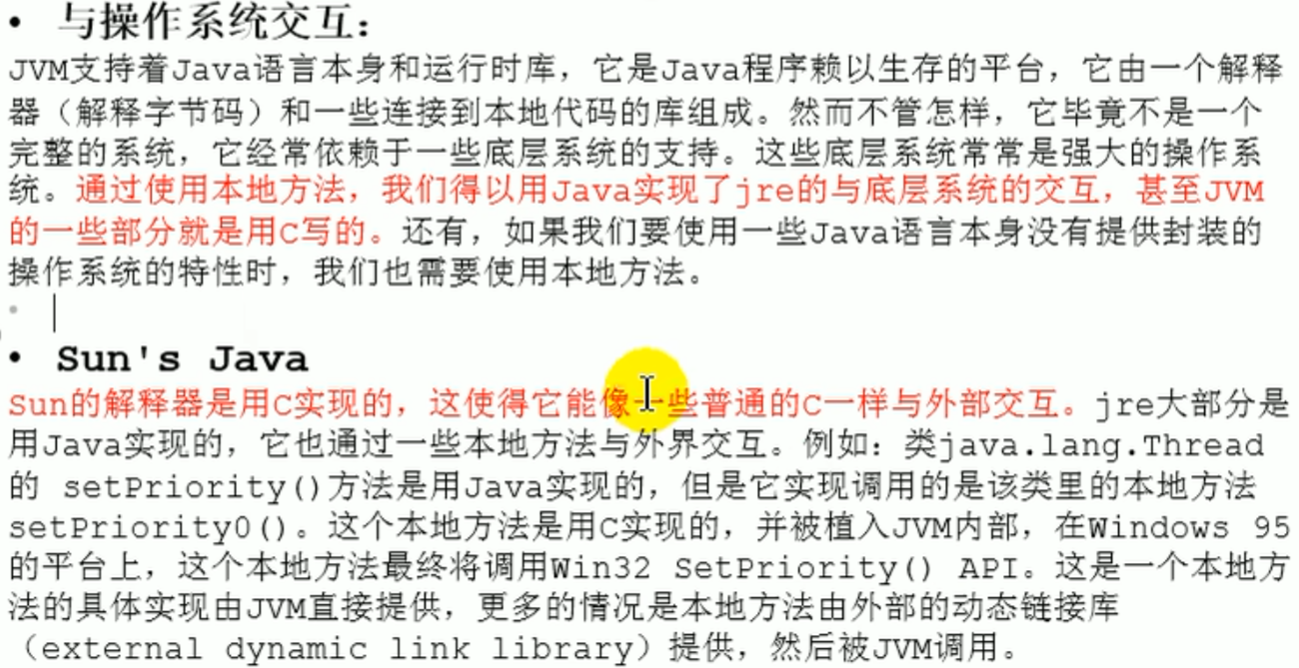
Why it is needed Native Method
Introduction
StringTable
Garbage collection mechanism
What is garbage

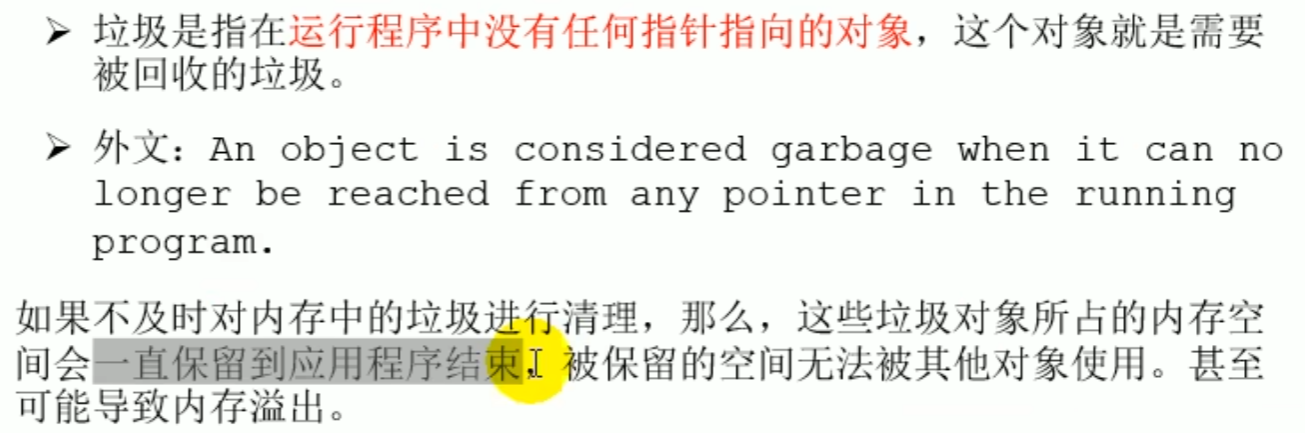

Early understanding
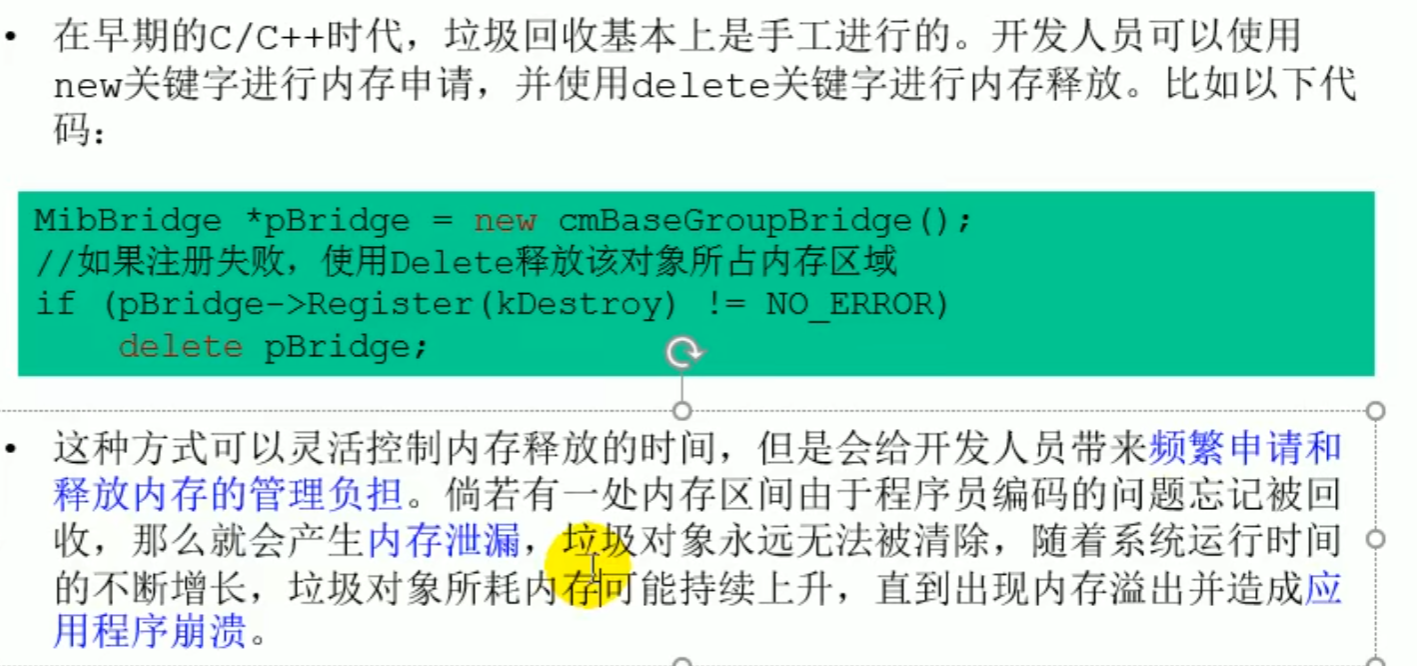
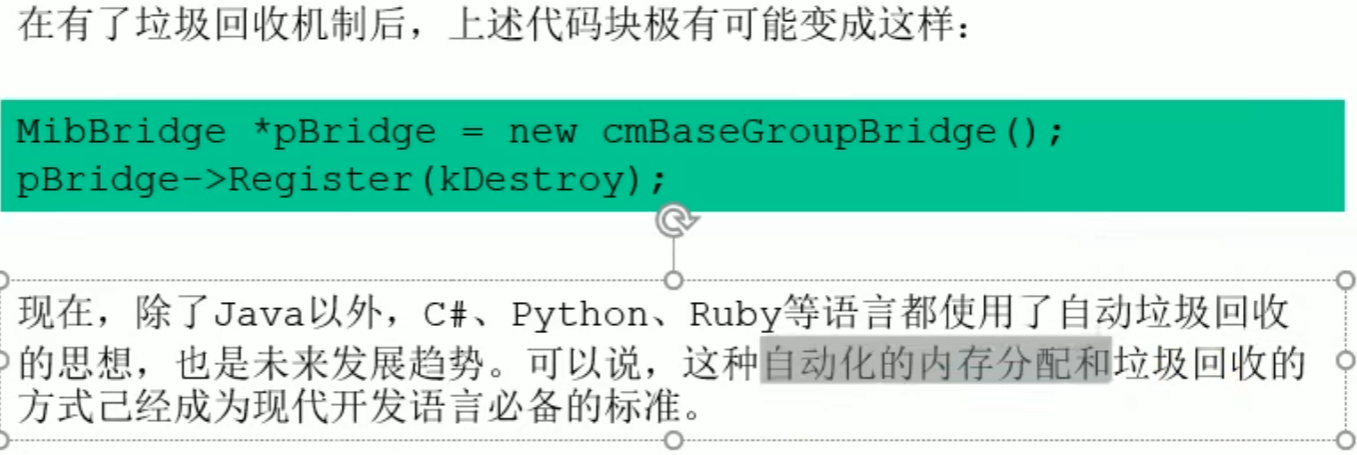
Java garbage collection mechanism

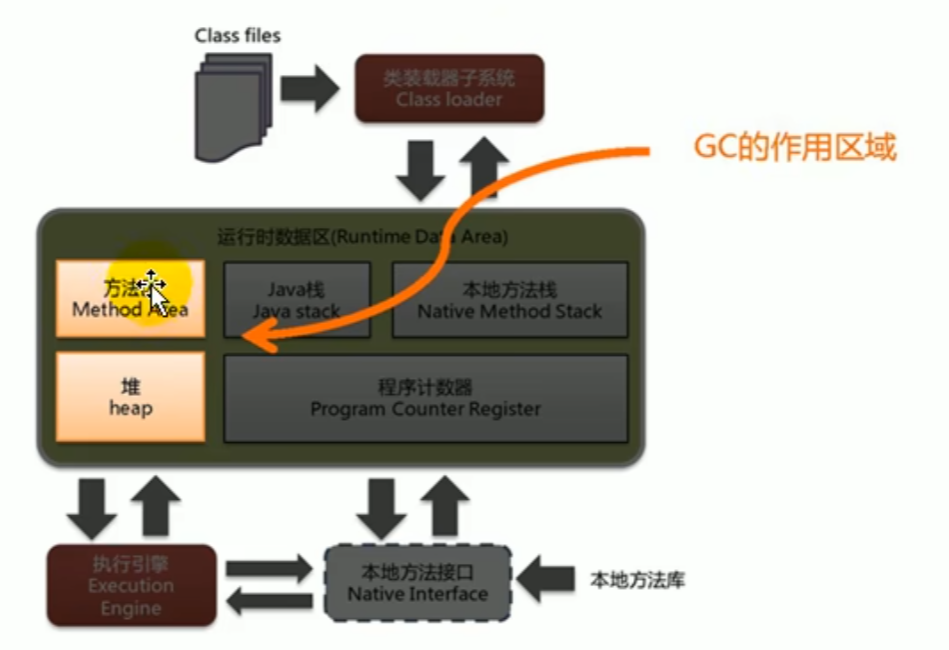
Garbage collection related algorithms
Garbage marking phase
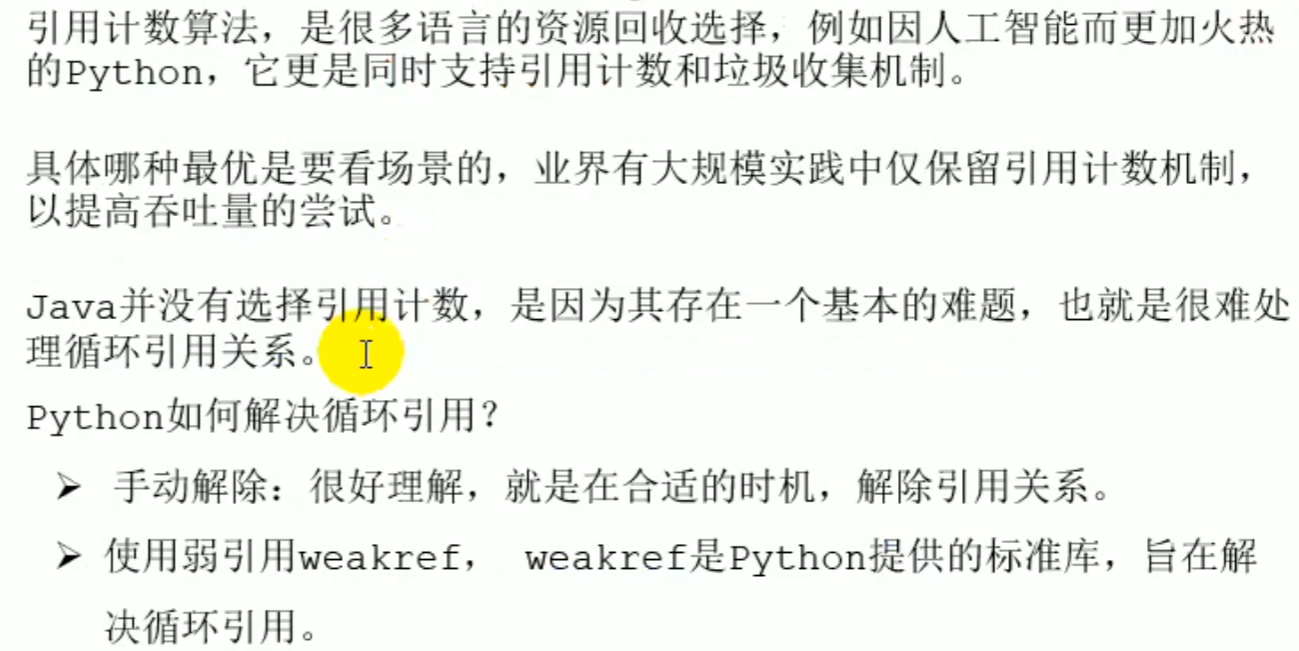
Reference counting algorithm(Not used) / Reachability analysis algorithm , can distinguish objects that are already dead and need to be released
Marking phase: reference counting algorithm
- Reference counting algorithm (not used)
Reference counting algorithm
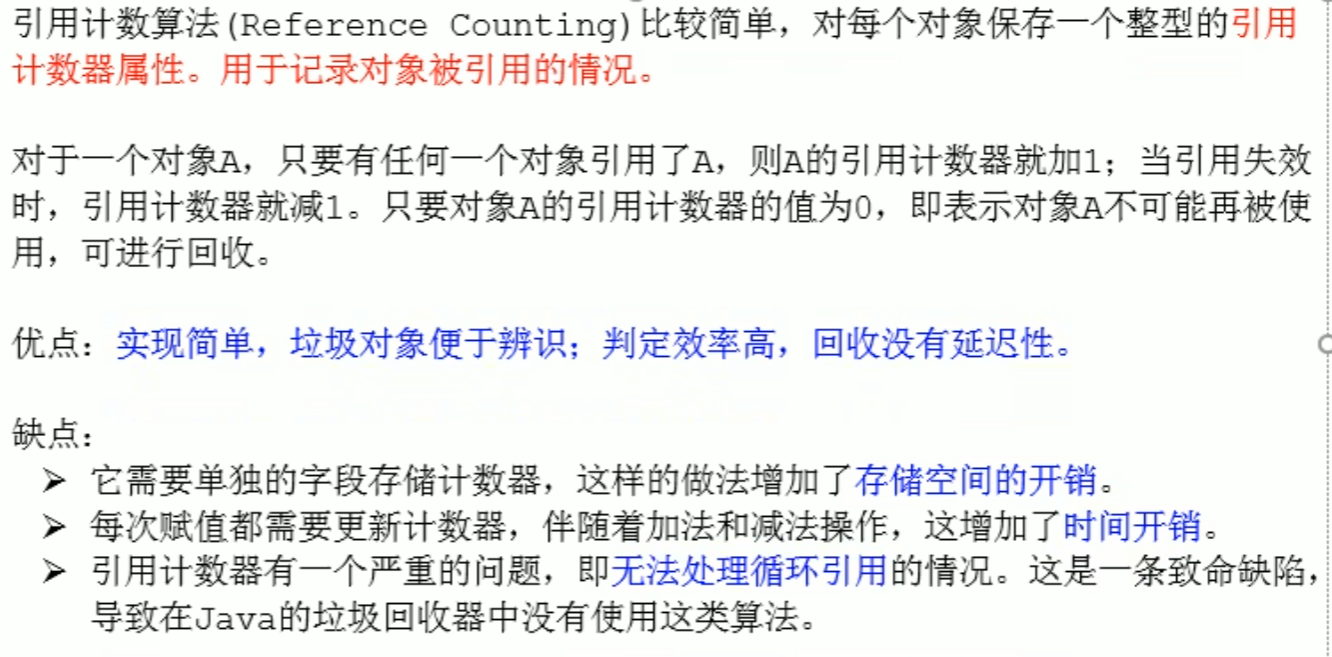 Has a circular reference problem
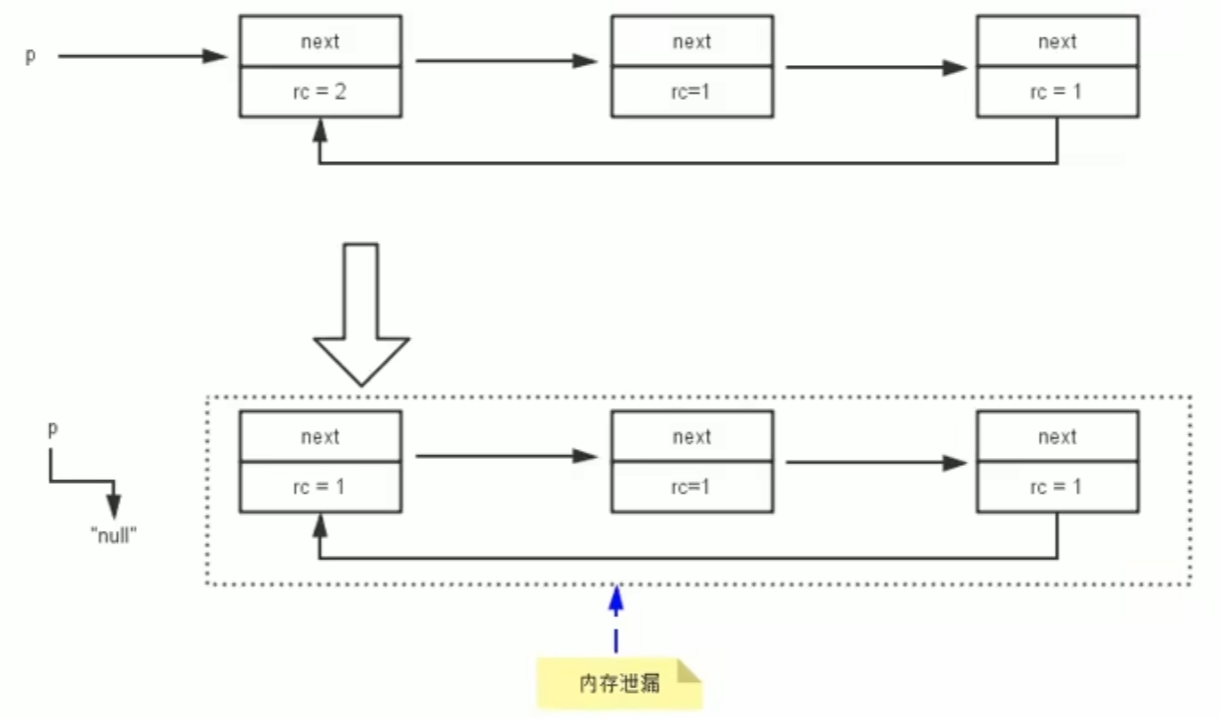 Causes 3 objects not to be collected by GC, even though they are actually no longer needed
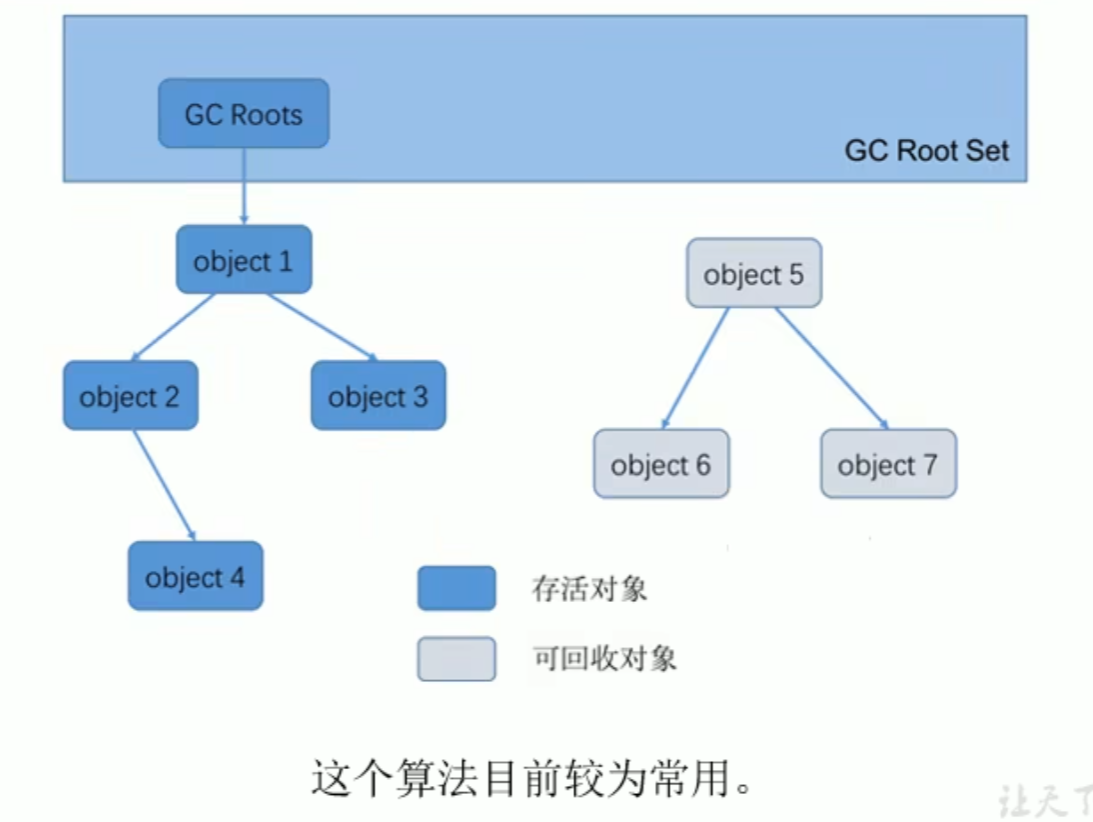
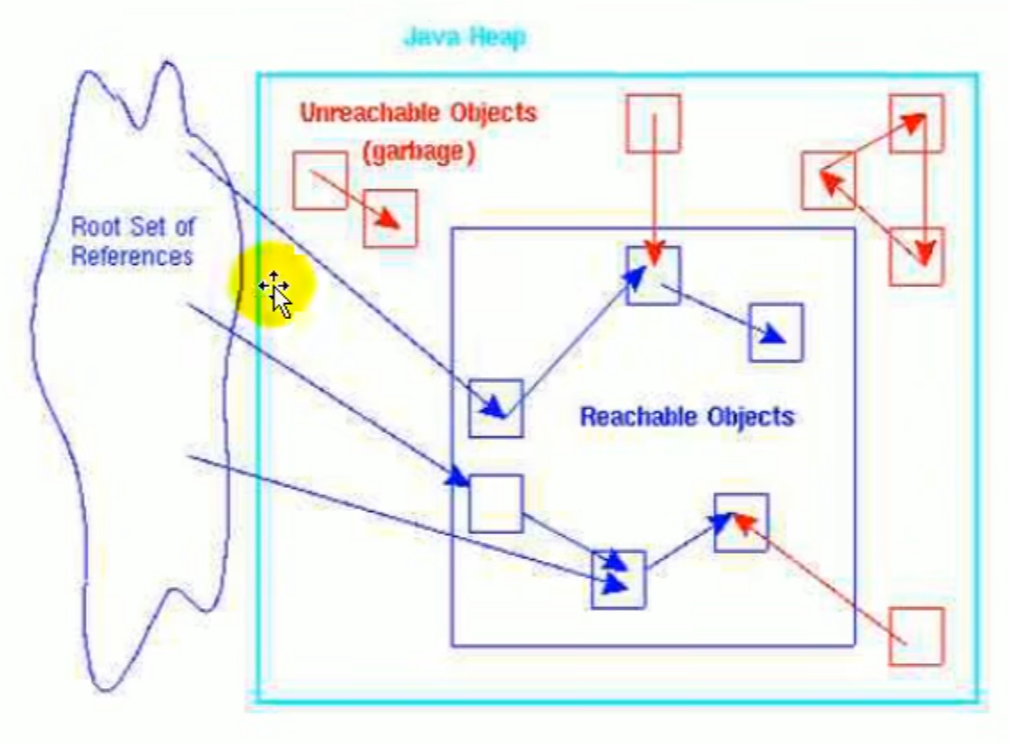
Marking phase: reachability analysis algorithm
Variables in the local variable table are the root nodes of garbage collection (as long as an object is directly or indirectly referenced by the local variable table, it will not be collected)
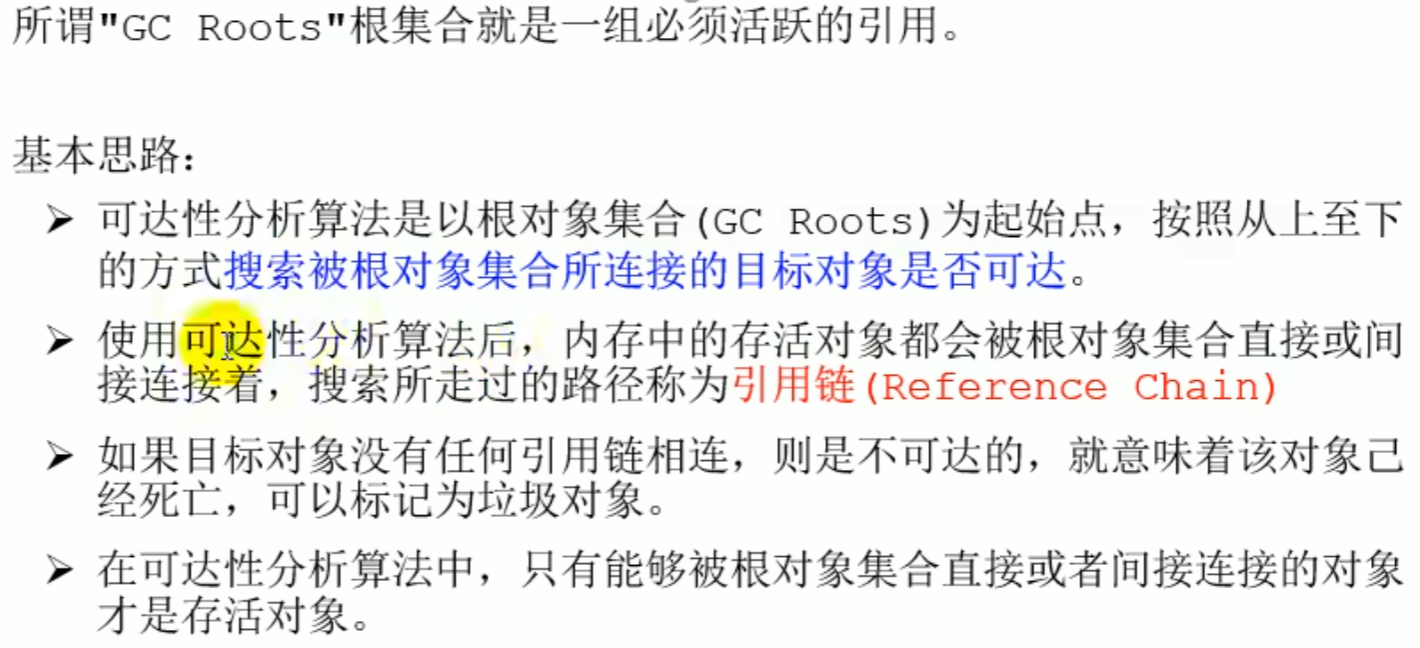
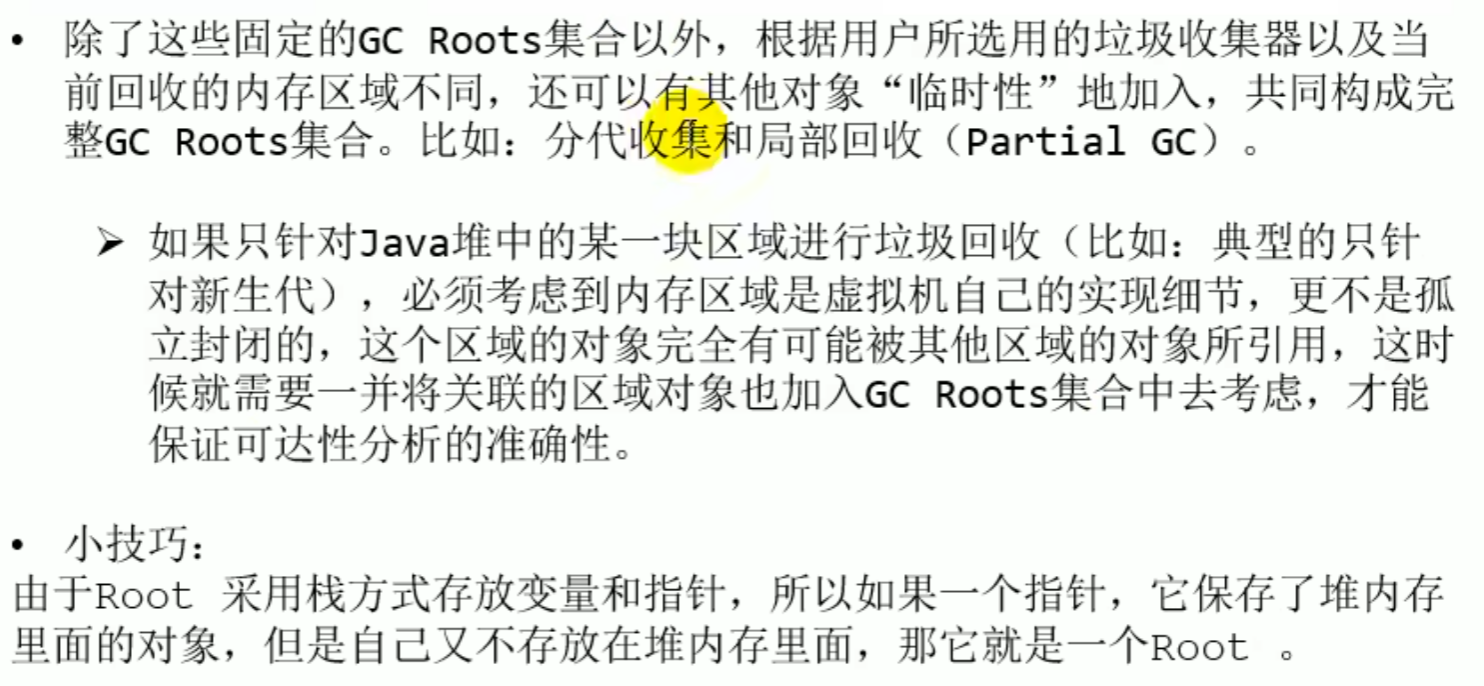
Through the reachability analysis algorithm, based on root object set (GC Roots) as the initial starting point, search whether the target objects connected by the root object set are reachable, and the searched paths are called reference chains, if an object is not connected by any reference chain, it is unreachable, which means the object is dead (it may also revive later)
JVM / memory and garbage collection > ^0oij7m
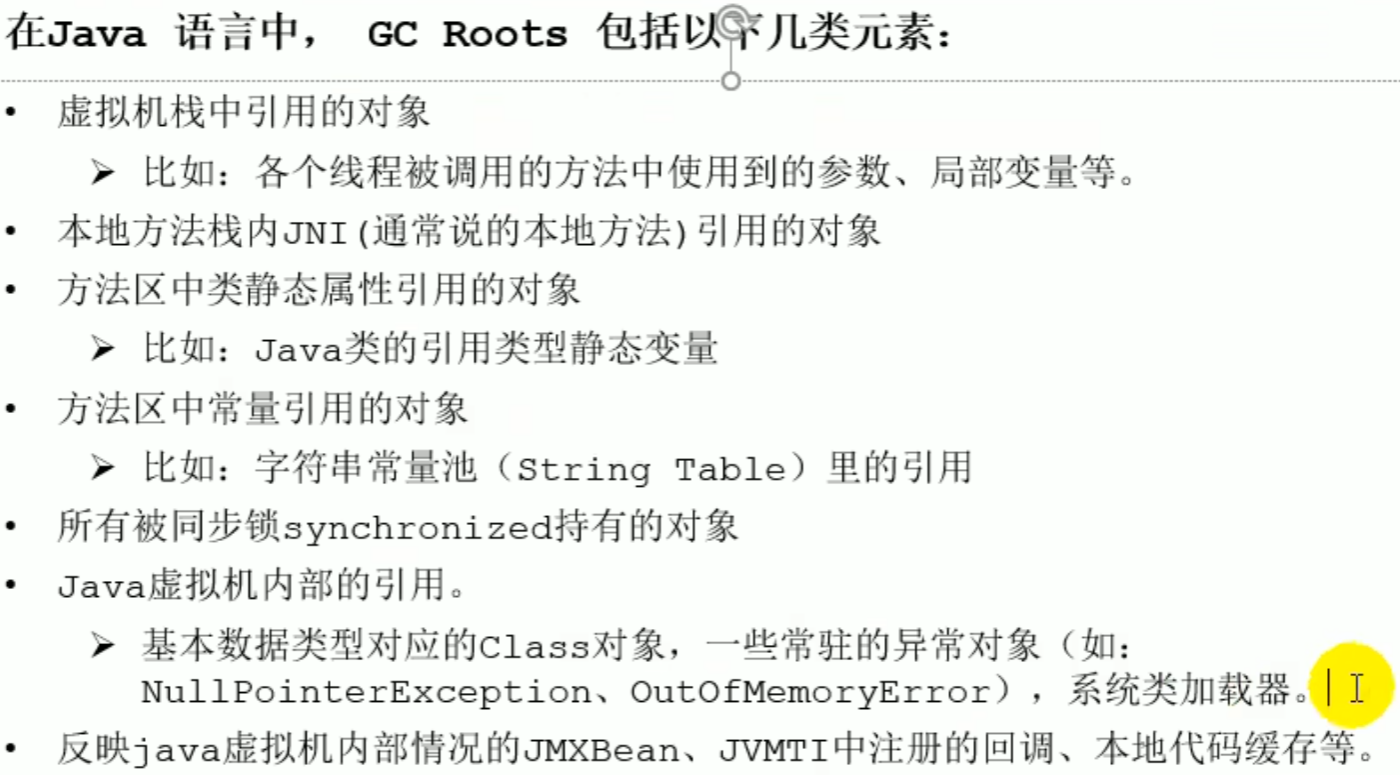
- Can constitute
root object set (GC Roots)of the- Objects referenced by the virtual machine stack
Object obj1 = new Object(); - Objects referenced by native methods in the native method stack
public native void nativeMethod(); - Objects referenced by static properties of classes in the method area
public static Object obj2 = new Object(); - Objects referenced by constants in the method area
public static final String STR = "Hello"; - Objects referenced in the runtime constant pool ``
- Objects referenced by the virtual machine stack
Reachability analysis algorithm
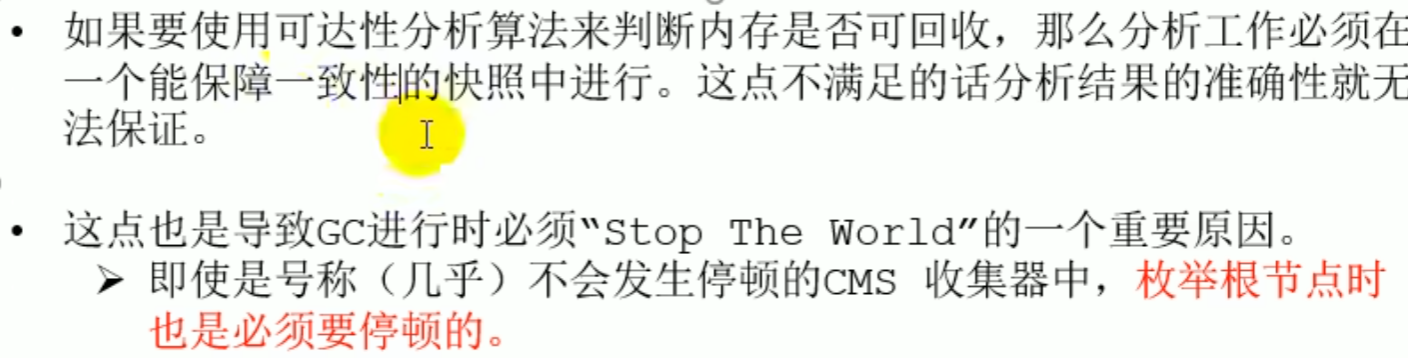 Consistency: do not judge while object references change dynamically, must
 Stop the world
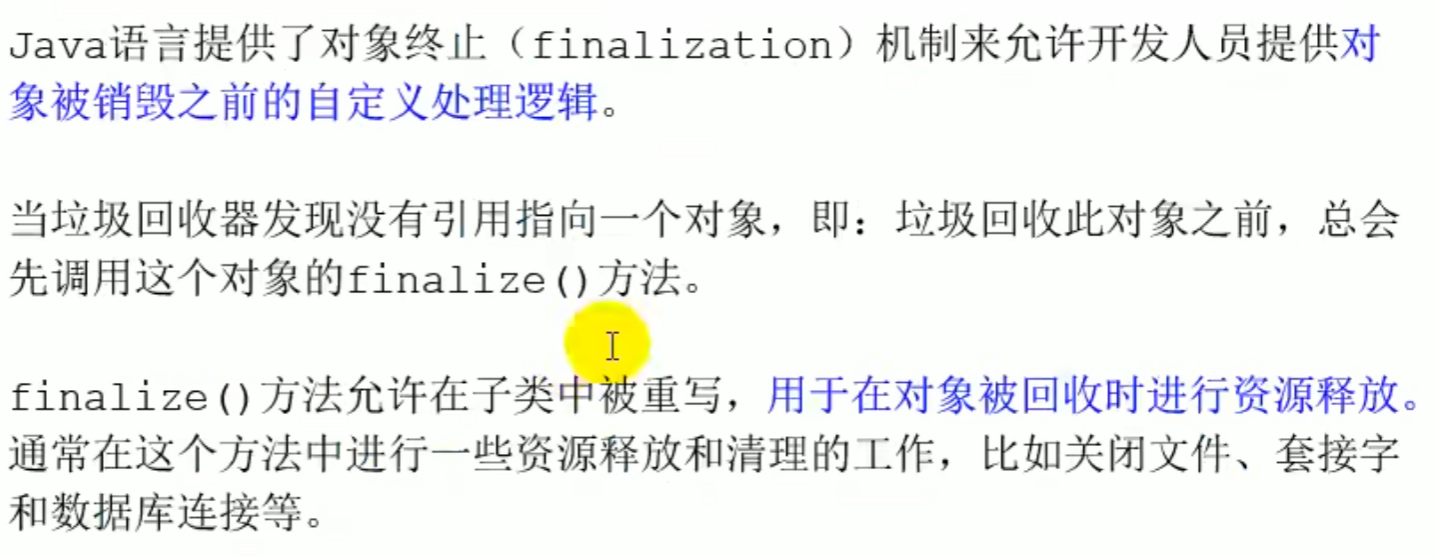
The object's finalization mechanism
GC collection will automatically call the finalize method
object In the class finalize is blank, a subclass overrides this method, such as close(), never actively call the finalize method
finalize If it is not overridden, it will be directly judged as unreachable
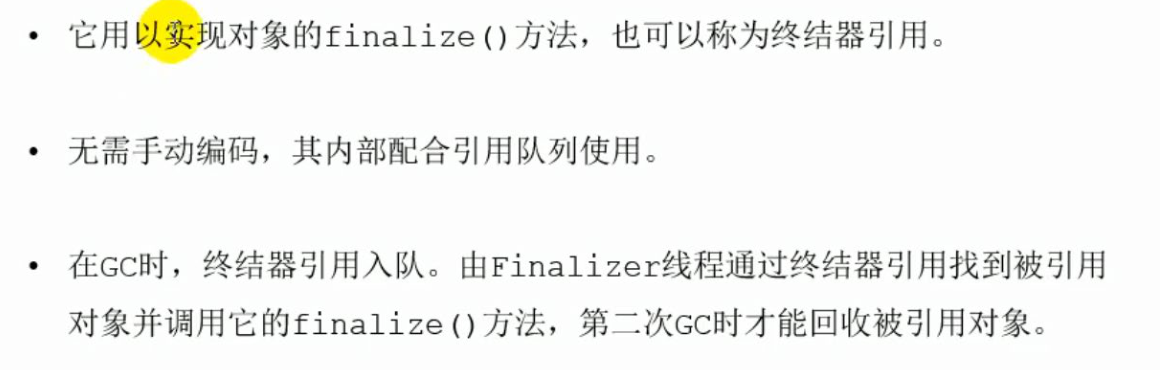
If it is overridden, it can only be called once, and the class will be inserted into a F-Queue queue, and the virtual machine calls the finalize method, after the call, if the object has not revived, it will become unreachable (marked as garbage), and can never revive (the specific process is figure four) / the object does not override the finalize method call finalize will also be regarded as unreachable
The finalization mechanism of objects
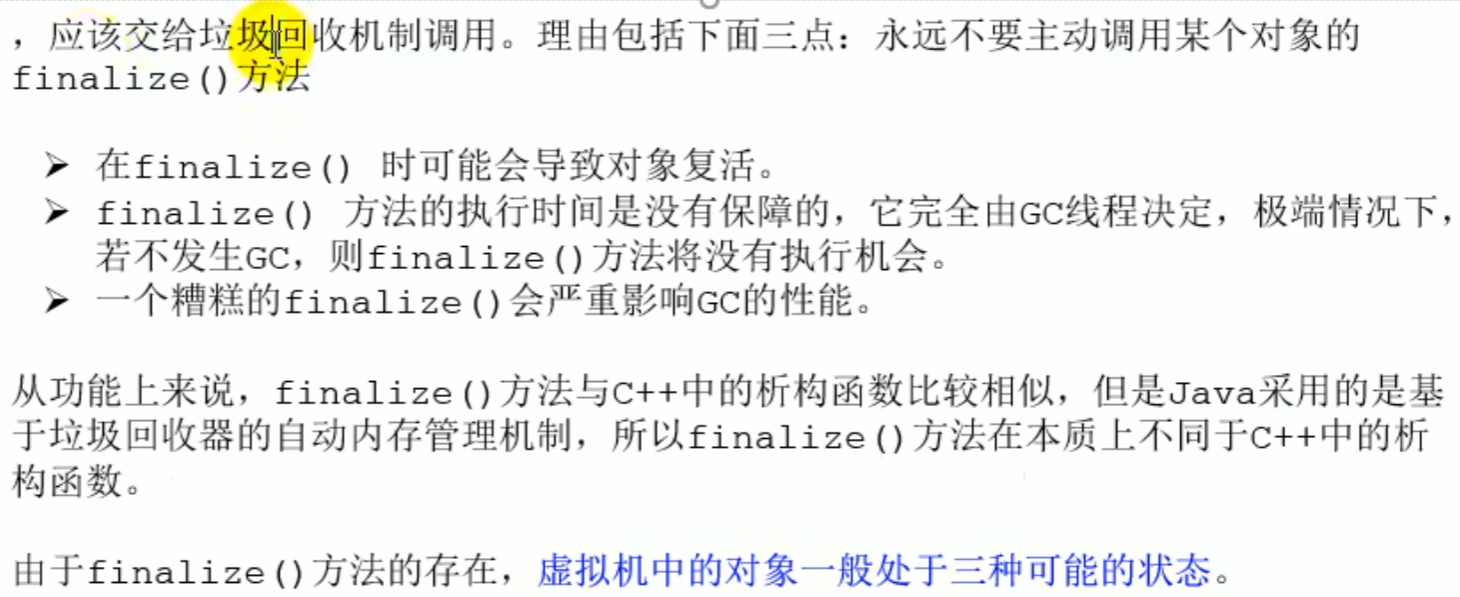
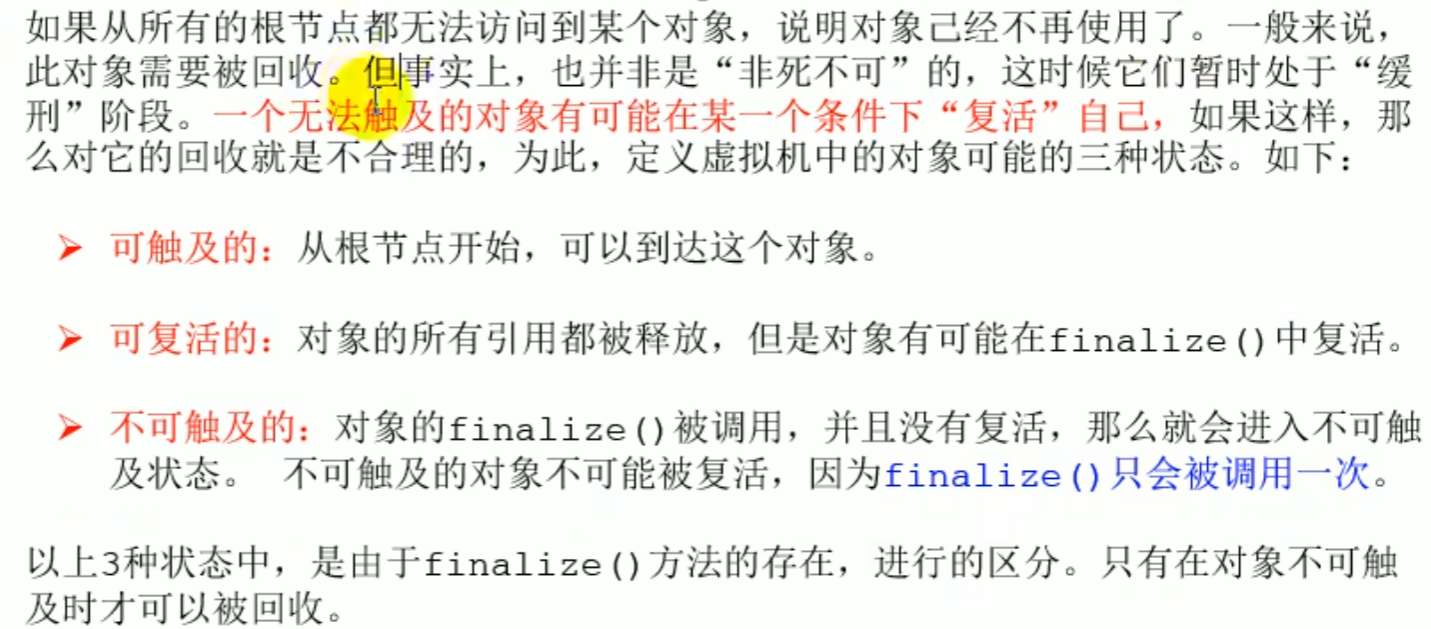
- Two markings
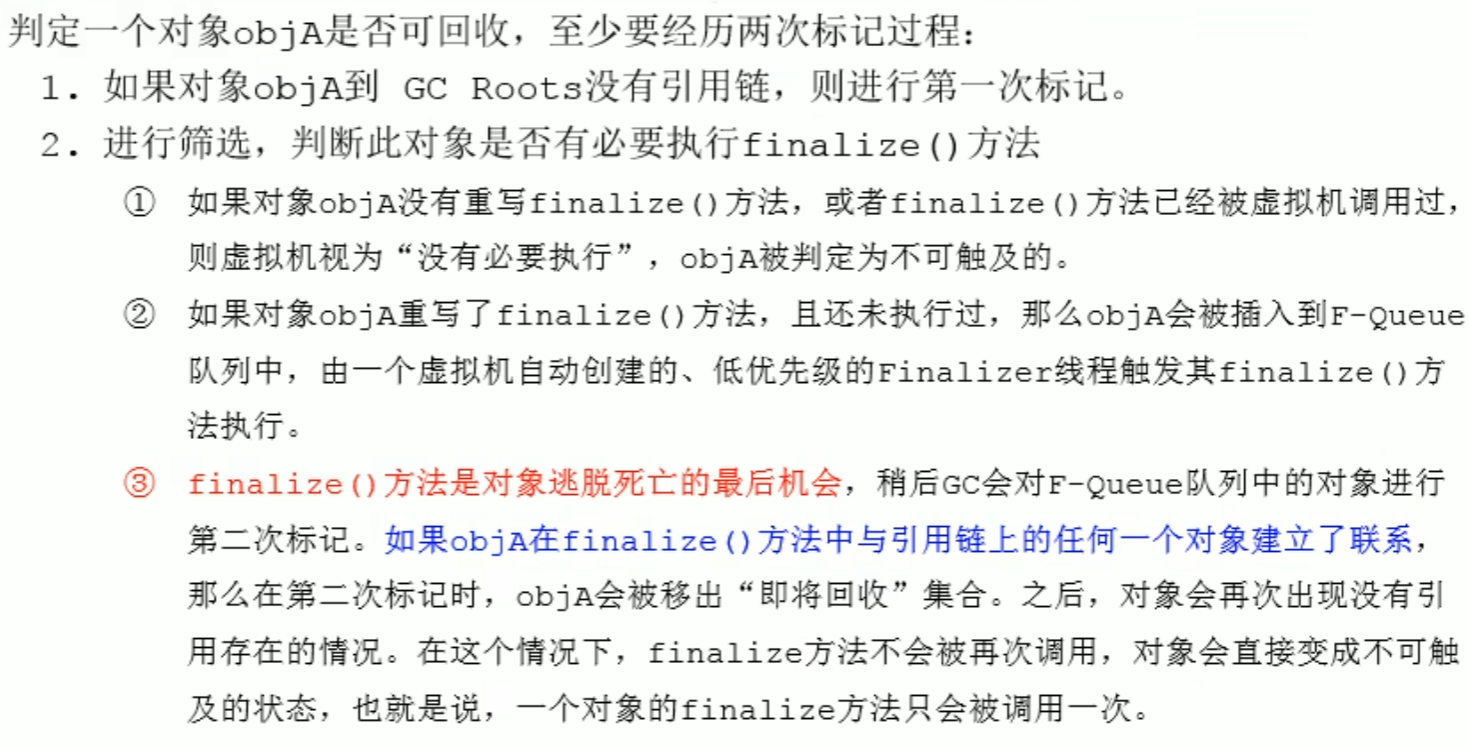
^0oij7m
GC will only be called once, (using finalize can only revive once, the second time it will not revive)
Resurrection scenario
The manually rewritten finalize method established a connection with an arbitrary object in the reference chain
public class CanReliveObj {
    public static CanReliveObj obj;//Class variable, belongs to GC Root

    //This method can only be called once
    @Override
    protected void finalize() throws Throwable {
        System.out.println("调用当前类重写的finalize()方法");
        obj = this;//The object currently pending collection is in finalize()in the method, with an object in the reference chain obj established a connection
    }


    public static void main(String[] args) {
        try {
            obj = new CanReliveObj();
            // The object successfully rescued itself for the first time
            obj = null;
            System.gc();//Call the garbage collector,called the rewritten finalize, obj = this,established a connection
            System.out.println("第1次 gc");
            // because Finalizer the thread priority is very low, pause 2 seconds to wait for it
            Thread.sleep(2000);
            if (obj == null) {
                System.out.println("obj is dead");
            } else {
                System.out.println("obj is still alive");
            }


            System.out.println("第2次 gc");
            // The following code is completely identical to the above, but this time the self rescue failed
            obj = null;
            System.gc();
            // because Finalizer the thread priority is very low, pause 2 seconds to wait for it
            Thread.sleep(2000);
            if (obj == null) {
                System.out.println("obj is dead");
            } else {
                System.out.println("obj is still alive");
            }
        } catch (InterruptedException e) {
            e.printStackTrace();
        }
    }
}
- MAT and
JProfilerGC Roots tracing

Sweep phase: mark sweep algorithm
After the space is full, it enters STW , entering the two phases of marking and sweeping
Two steps: marking and sweeping
Marking: mark reachable objects (non garbage objects) Sweep: traverse the heap memory from beginning to end, unmarked ones will be swept away
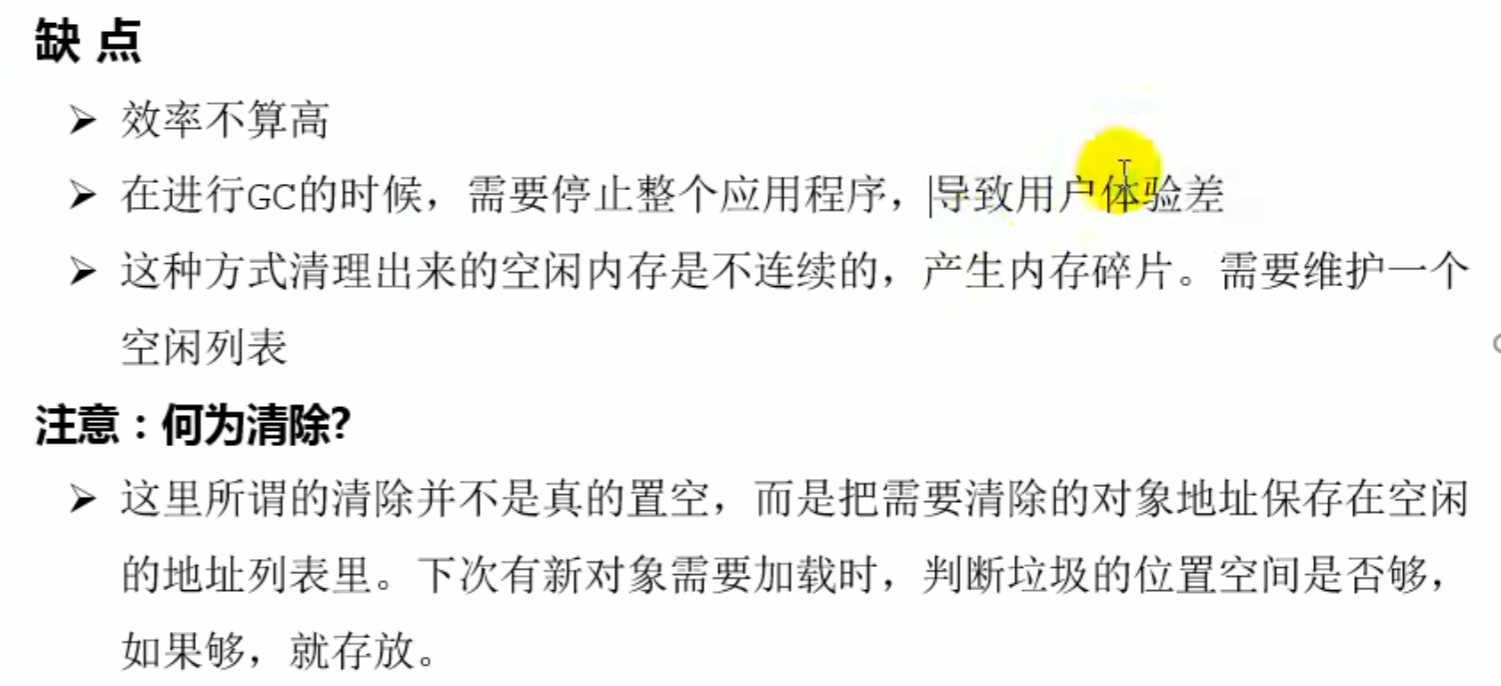
Not very efficient, produces fragmentation
Need to maintainfree list
Introduction
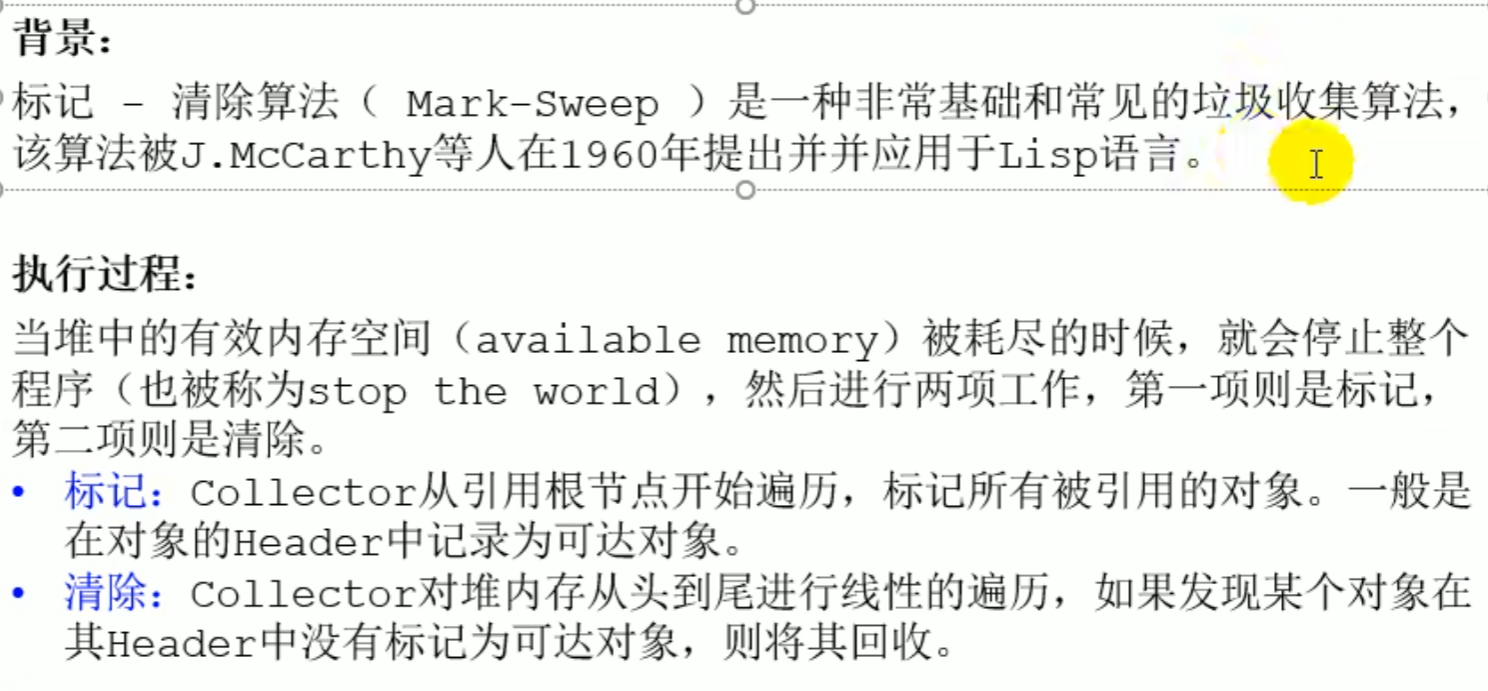
Green is reachable objects, black is found unmarked
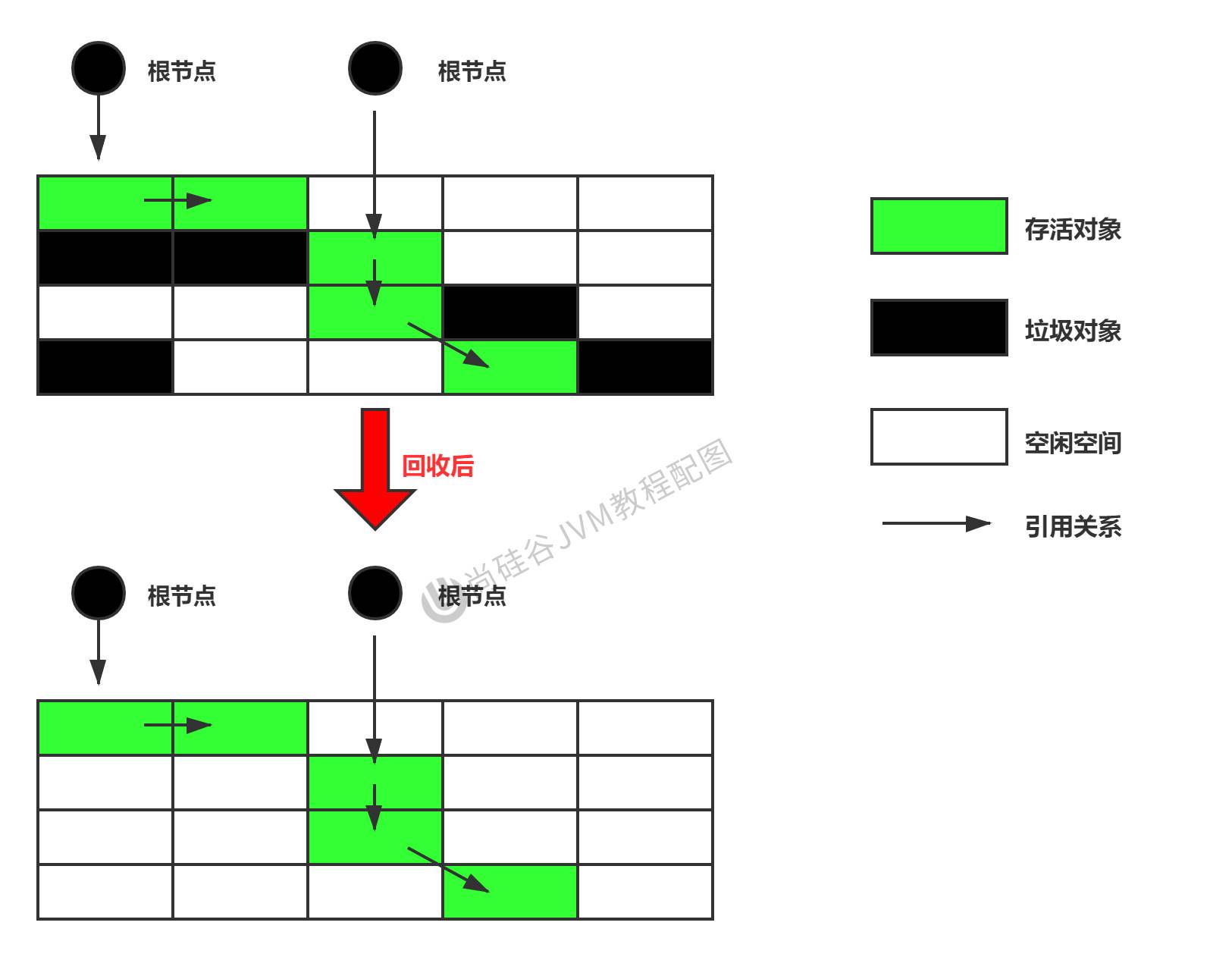
stop the world
Free list (place new ones, if not enough can be placed in the old generation free space)
Sweep phase: copy algorithm
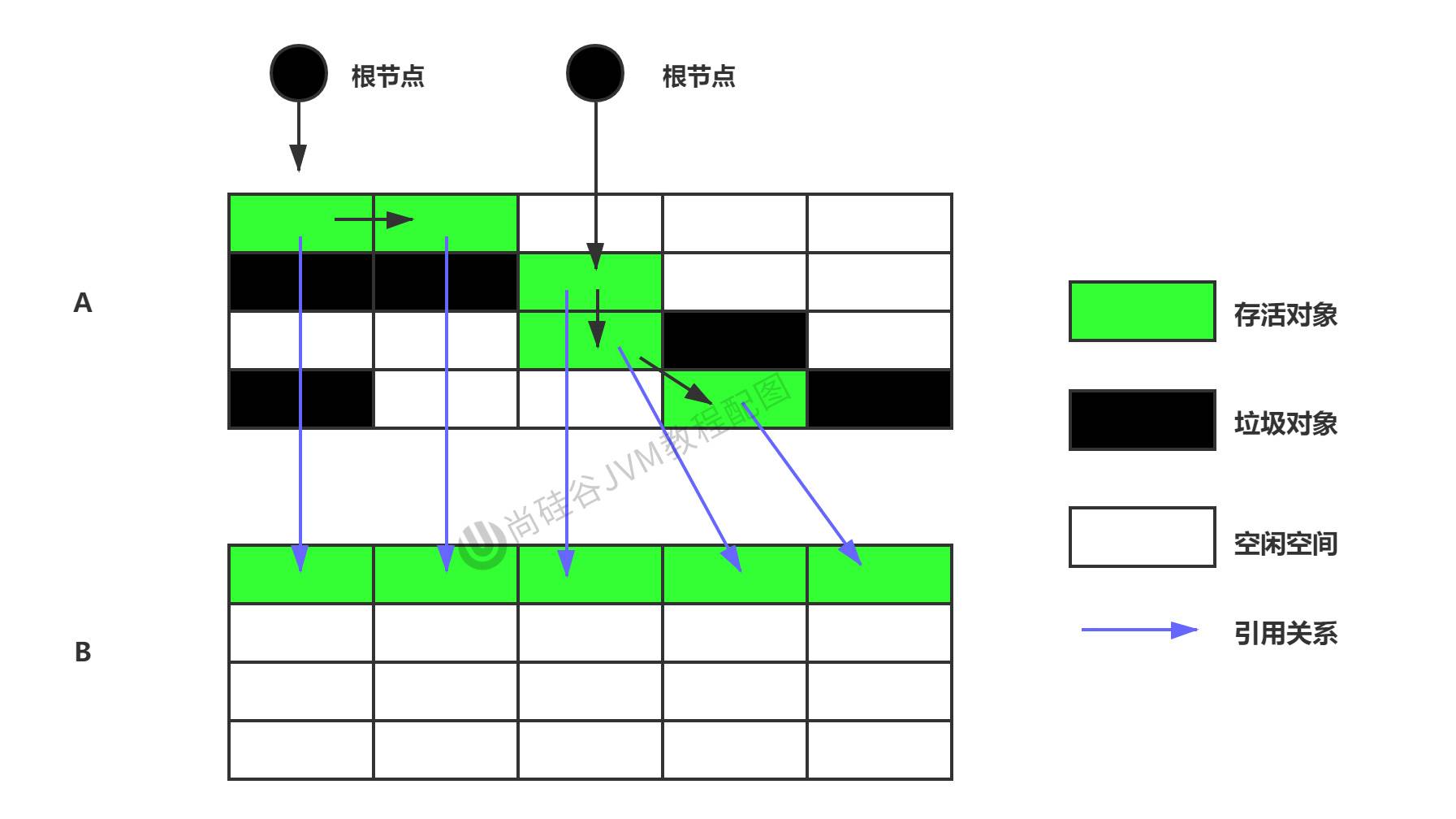
The copy algorithm suits few surviving objects; when there is much garbage the copy cost is too high
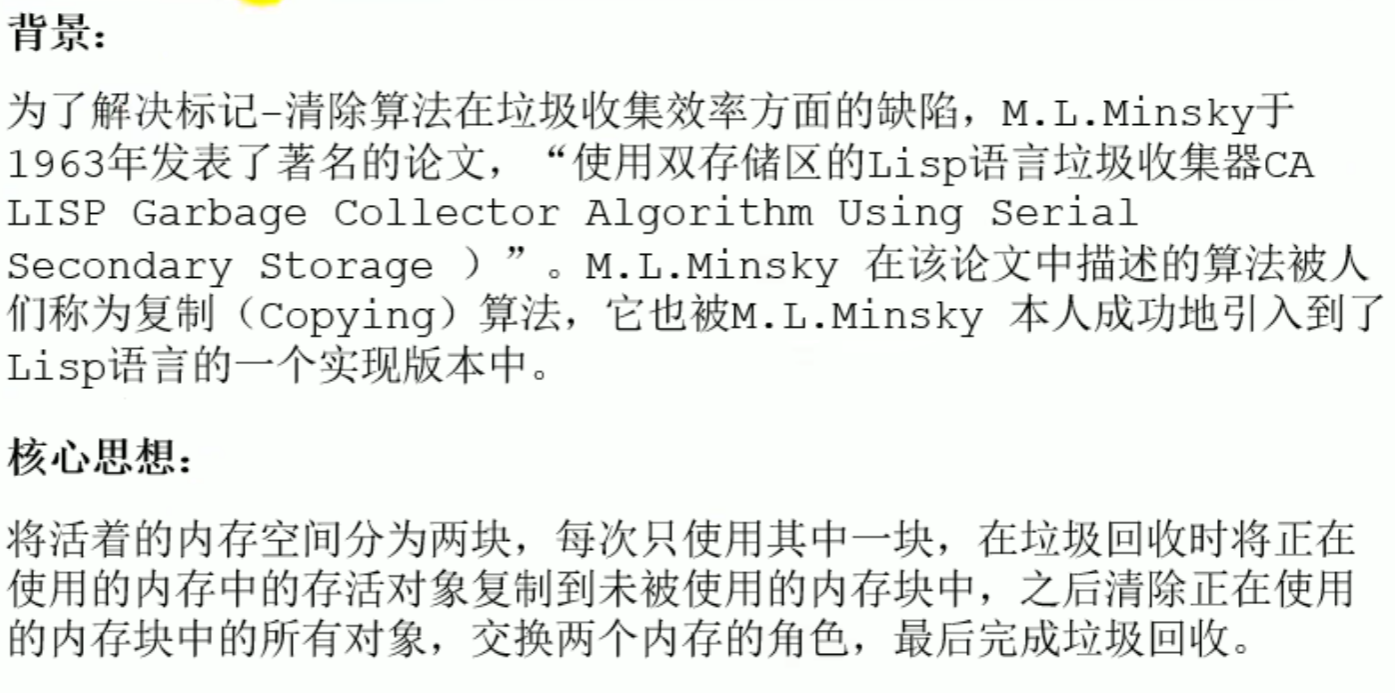
The live memory space is divided into two blocks, only one block is used at a time (requires twice the space) Efficient with no fragmentation, but wastes space, GC needs to maintain object reference relationships between regions
Because of memory rules, object creation usespointer bumpingthen it is fine
Deletion is not truly deletion
Copy algorithm
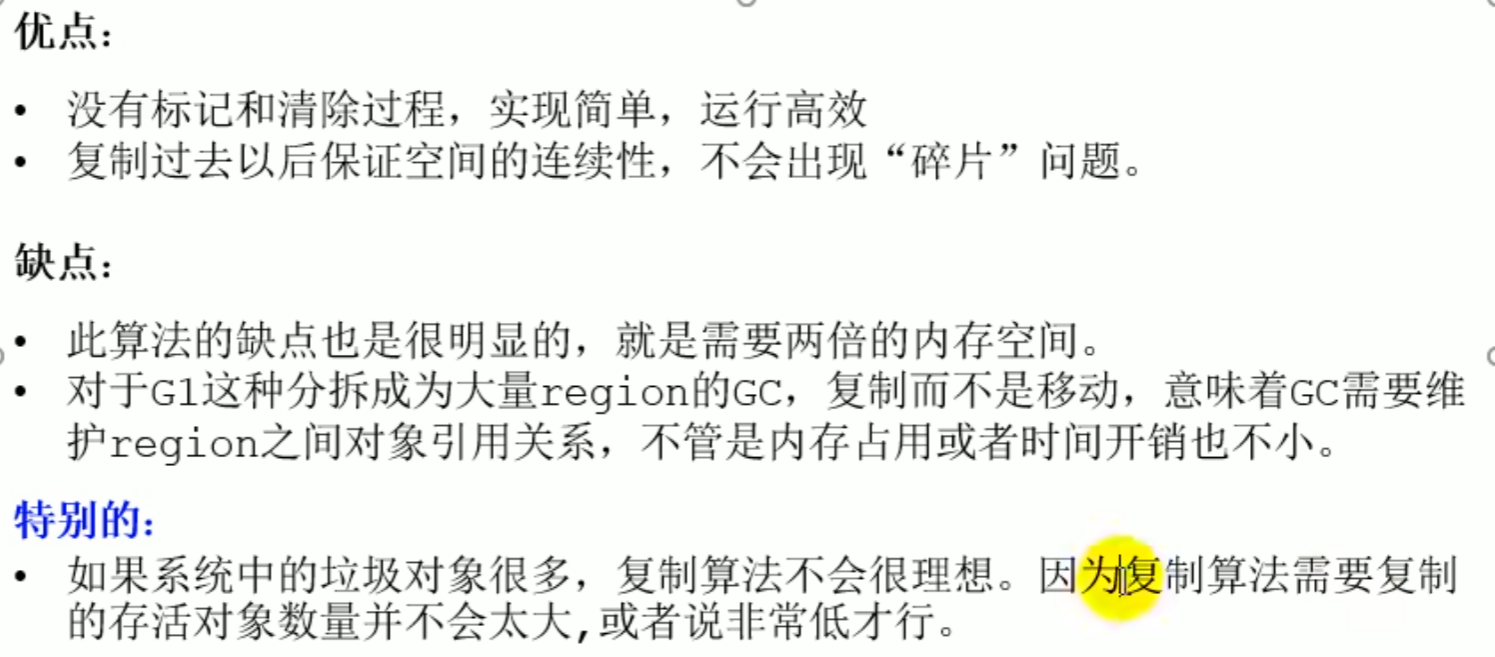 If most are surviving objects the efficiency will be poor, but generally the young generation can reclaim 70 to 99 percent of the memory space in one pass
Sweep phase: mark compact algorithm (mark sweep compact)
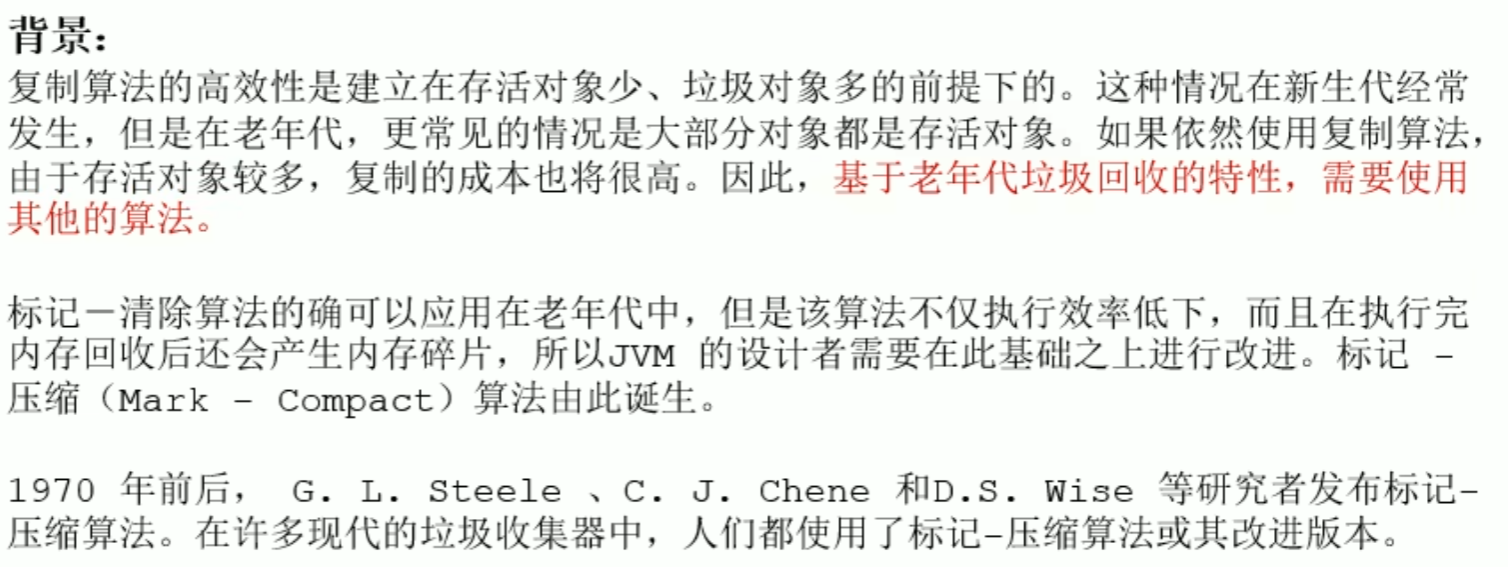
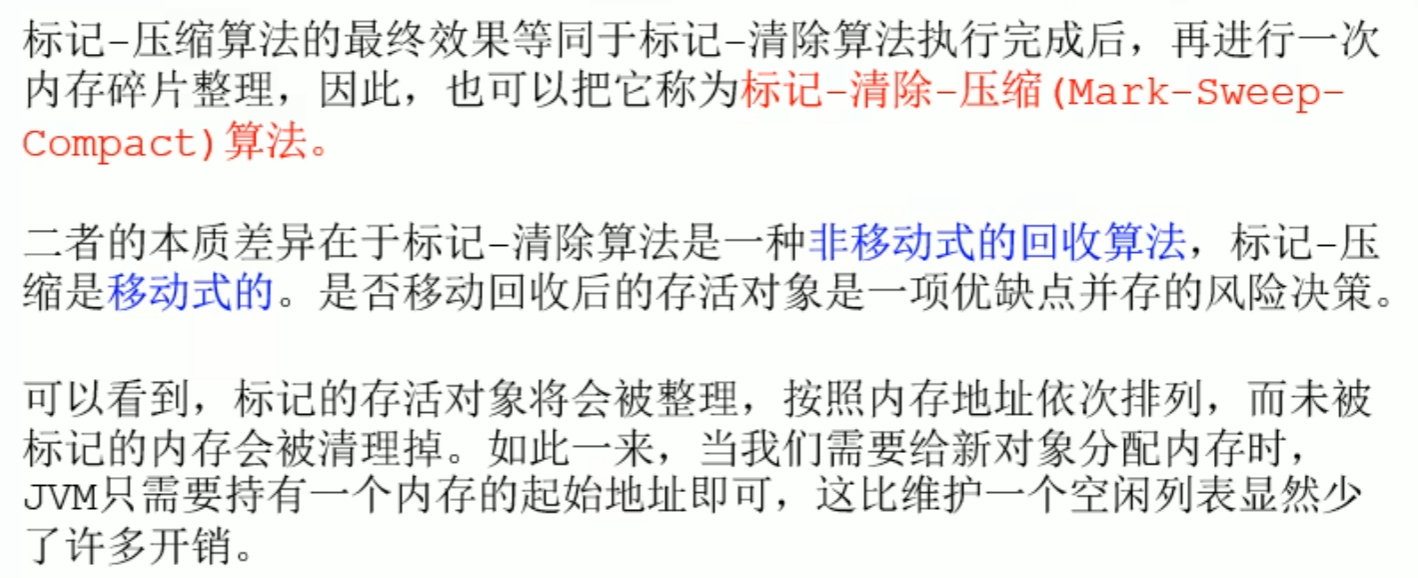
mark-compact Algorithm: first mark and sweep, then move objects move to one end (the move process will STW), newly created objects need pointer bumping
while mark-sweep does not move, only sweeps, needs to maintain a free list
Pointer bumping: only need to modify the pointer offset to allocate an object to a free memory location
Mark compact algorithm
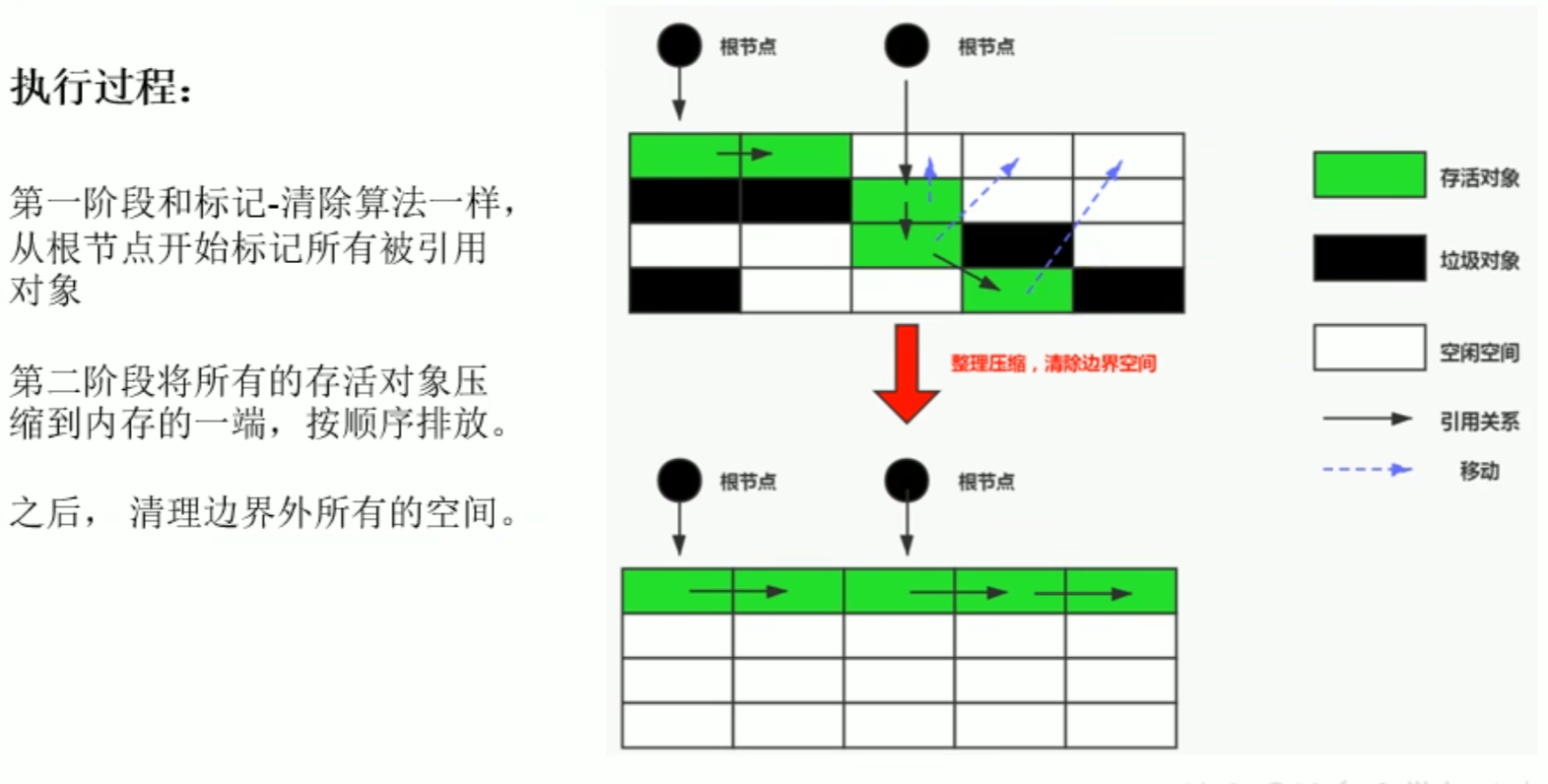
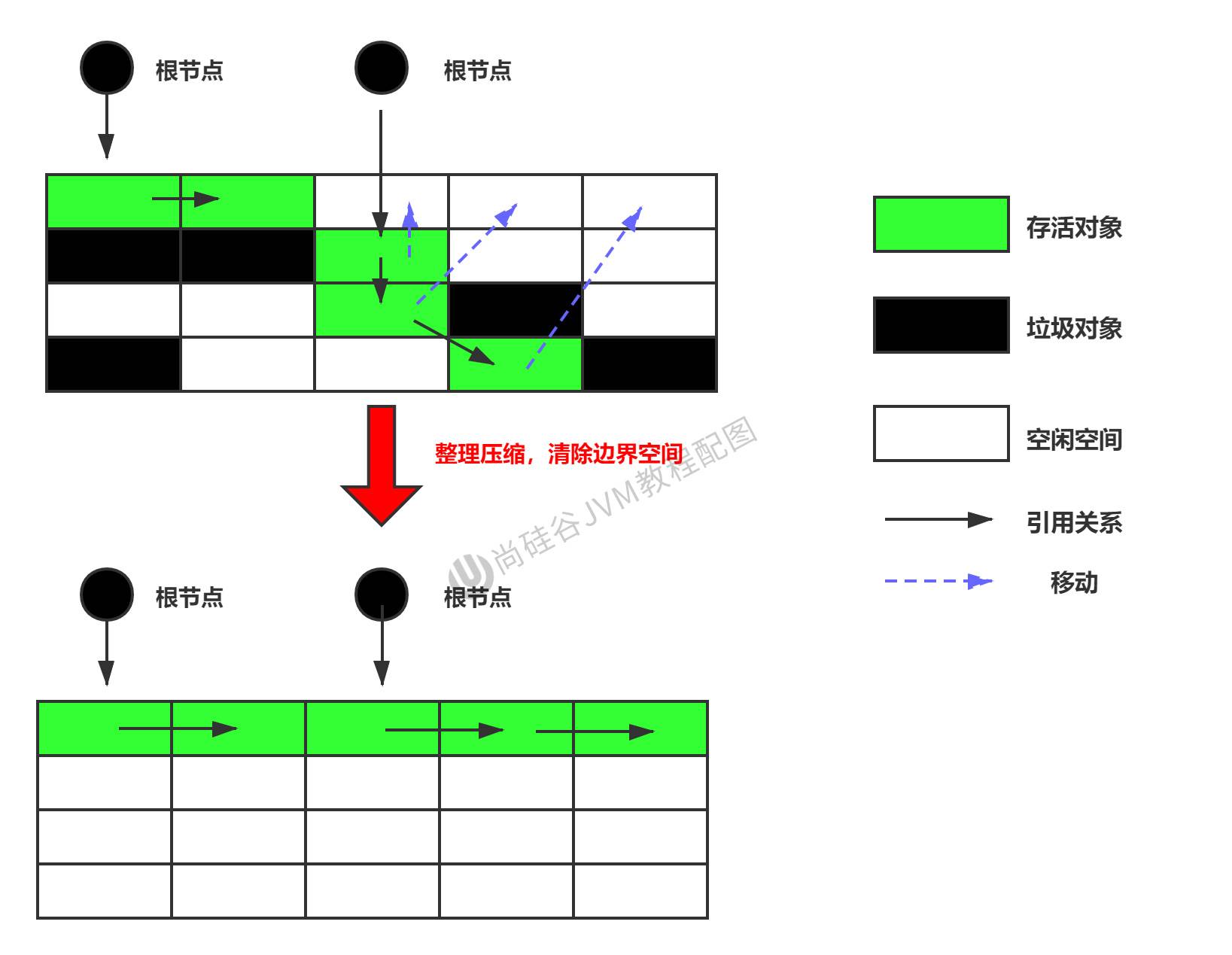
 Pointer bumping
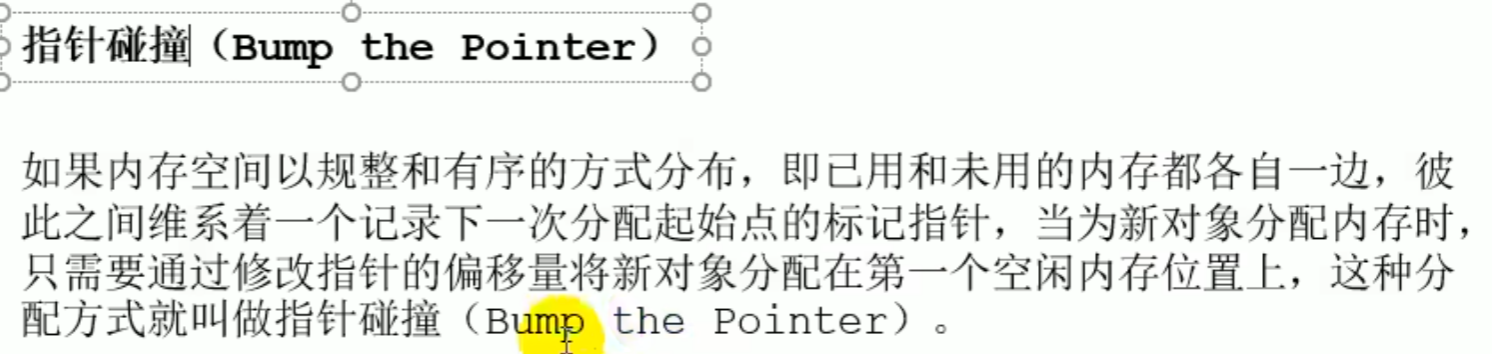
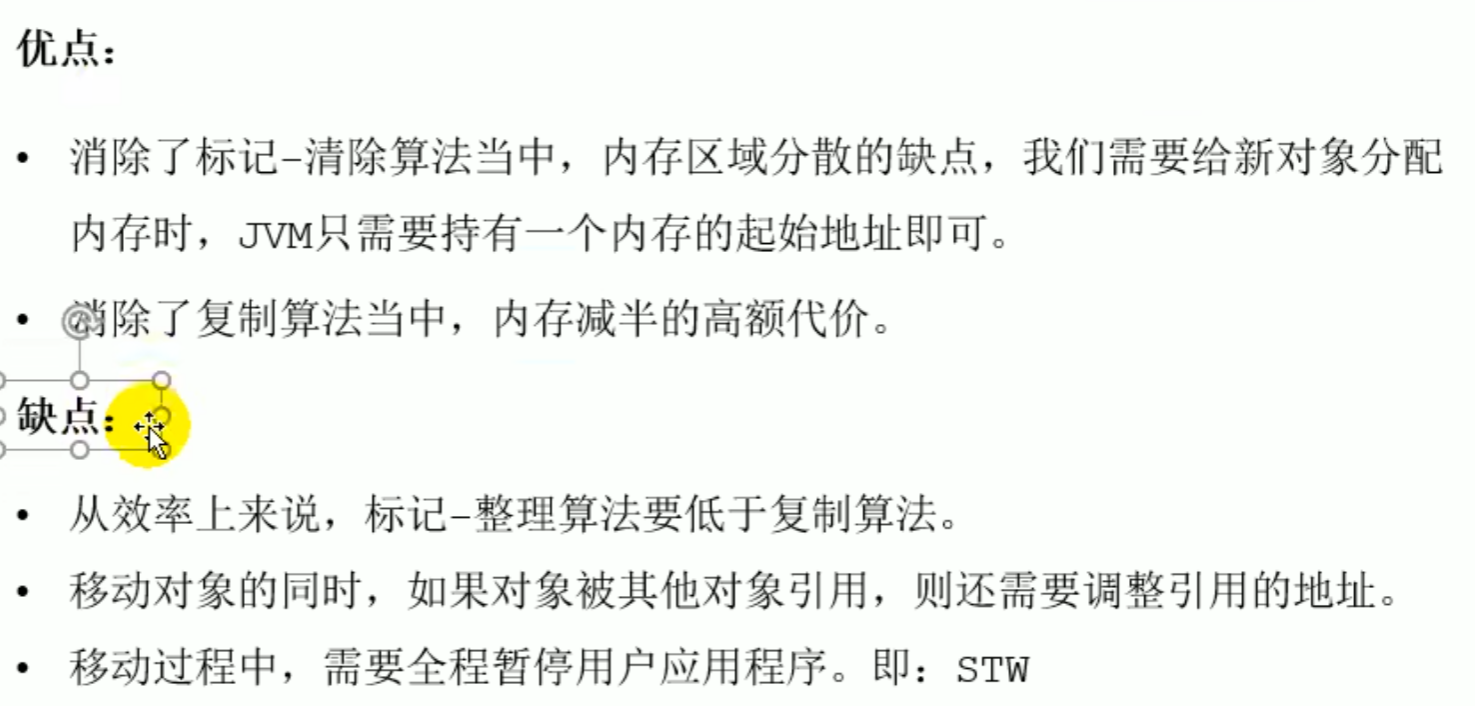
Generational collection algorithm
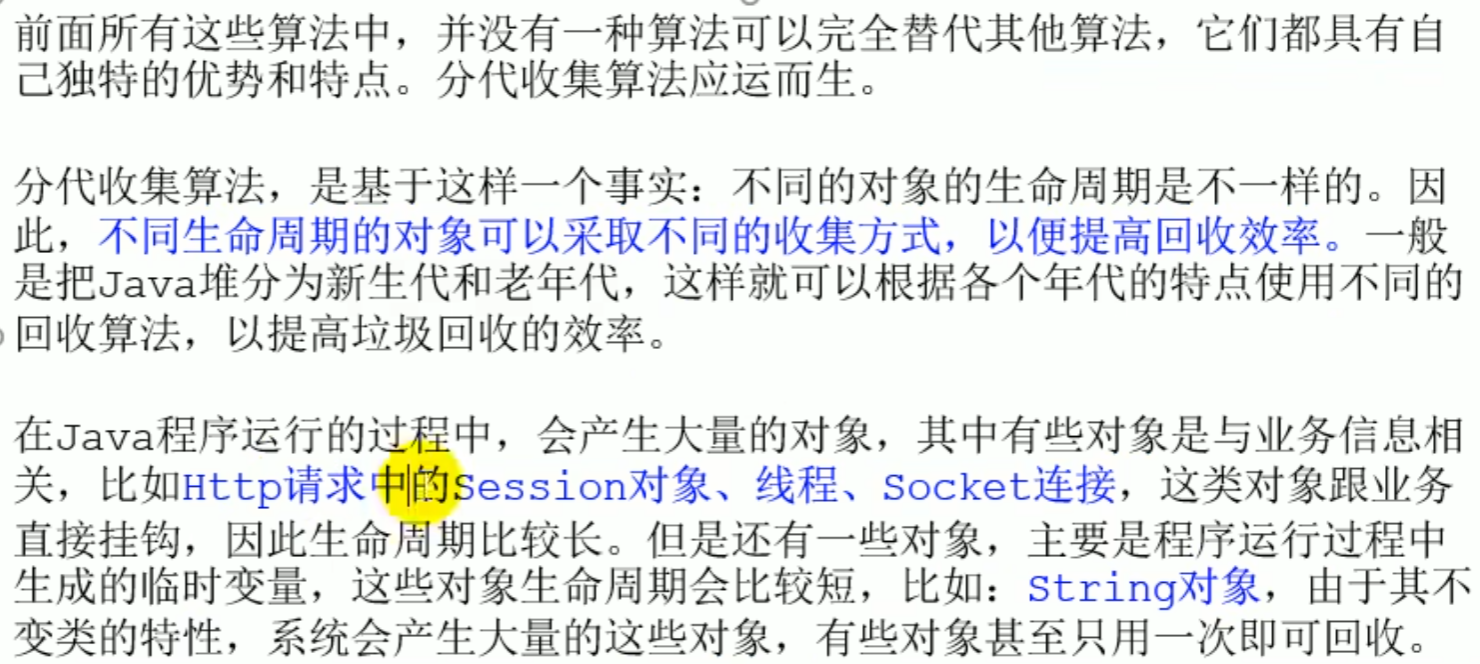
Objects with different lifecycles use different collection methods to improve collection efficiency
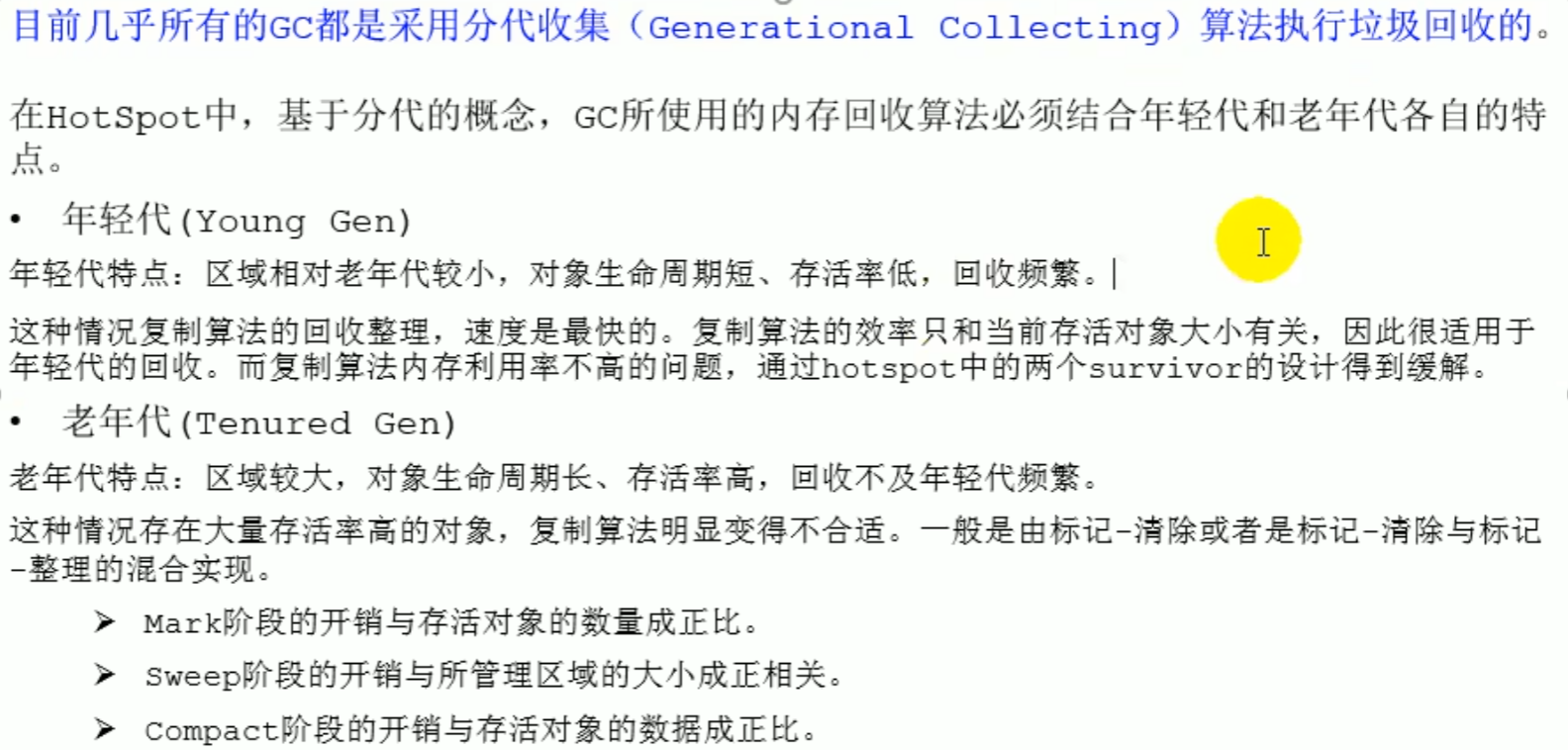
Young generation: Copying algorithm, the efficiency of the copying algorithm is only related to object size, and the young generation has few surviving objects, so there are few objects that need to be copied
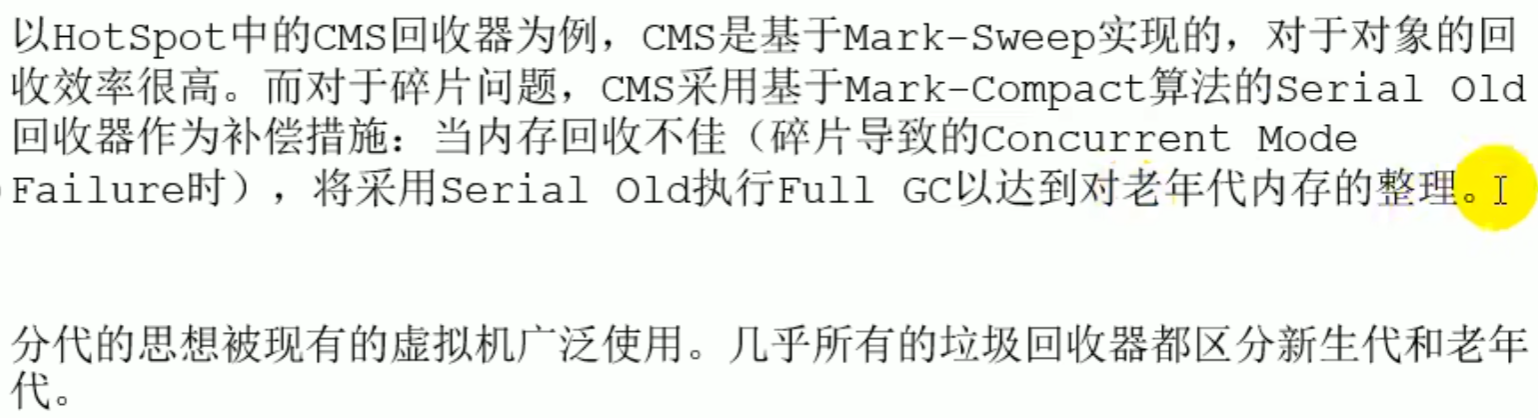
Old generation: Mark and sweep, mark and compact, or a combination of both
Mark The cost of a phase and number of surviving objects are directly proportional
Sweep The cost of a phase and managed region size are positively correlated
Compact Stage consumption and surviving object data form a direct ratio
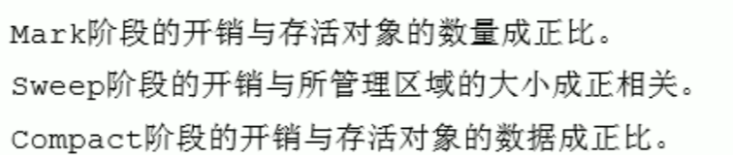
Generational collection algorithm
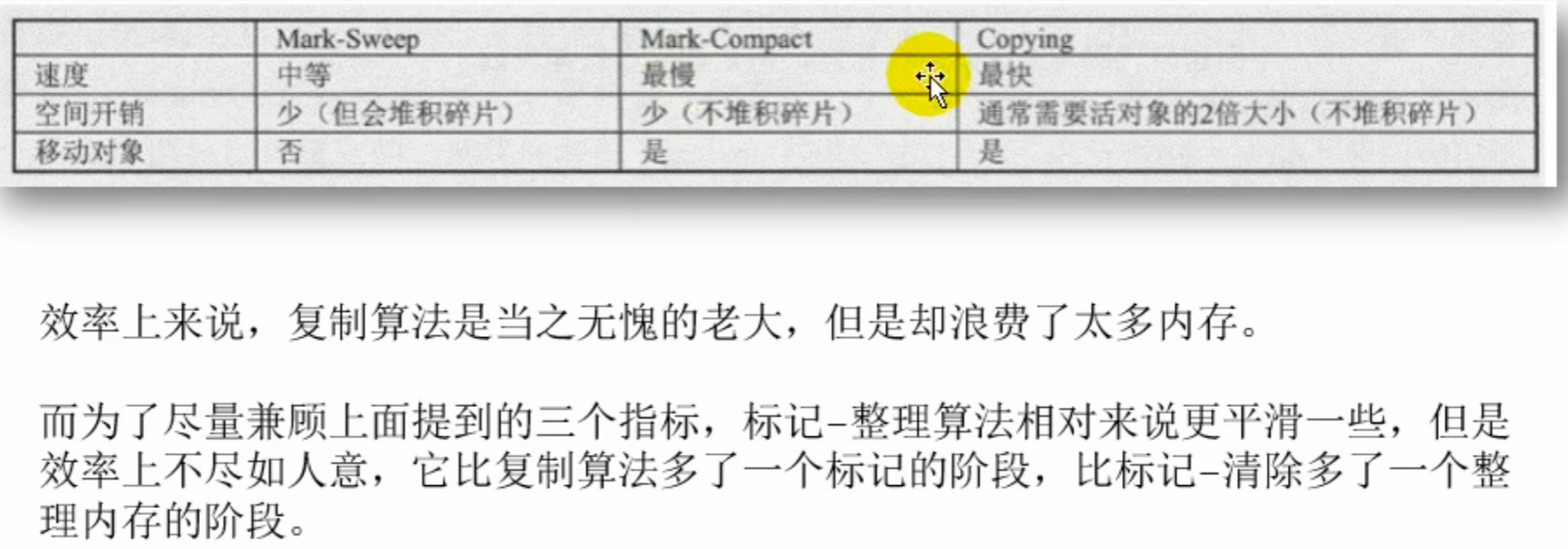
Incremental collection algorithm, partition algorithm
Incremental collection algorithm
Because STW causes long pauses, the garbage collection thread and the application thread can be made to execute alternately, and each time the garbage thread reclaims a small area
Partition algorithm
divides the entire space into several small blocks
Introduction
Incremental Collection Algorithm


Partition Algorithm


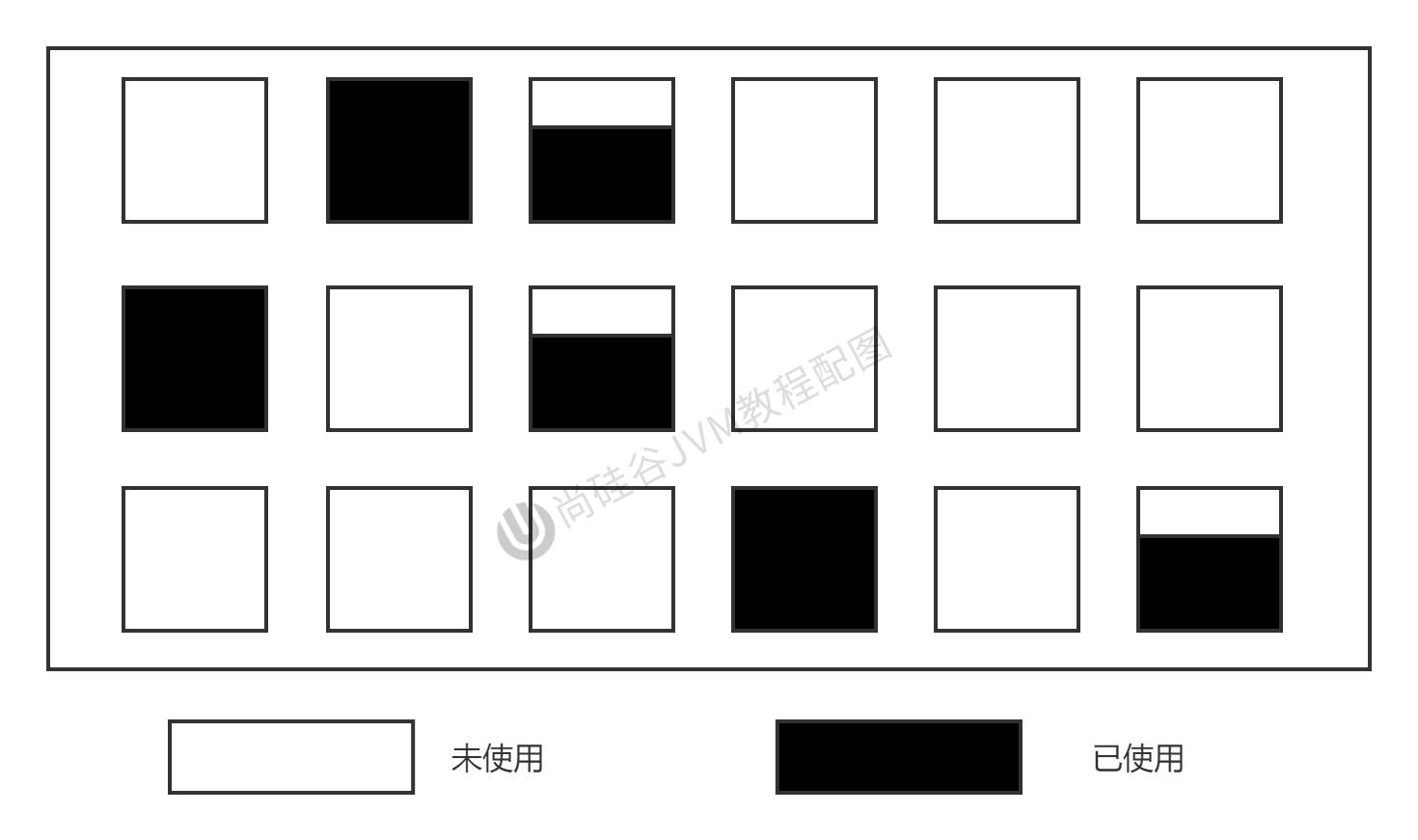
Concepts Related to Garbage Collection
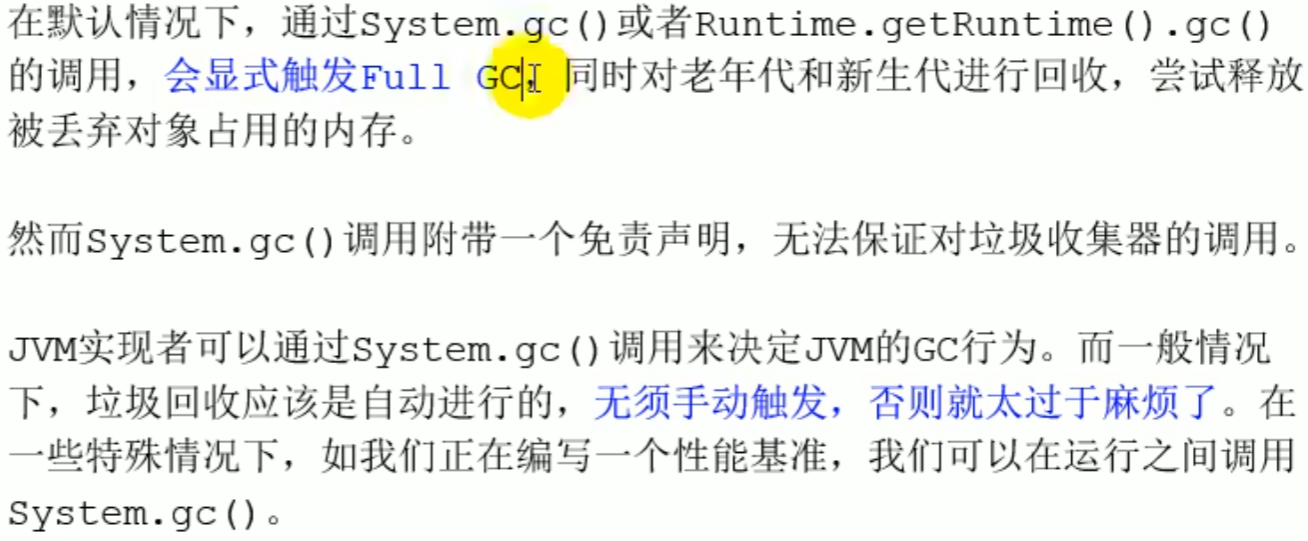
System.gc() Understanding of
andRuntime.getRuntime().gc();has the same effect as
Trigger Full GC, only reminds the JVM to perform GC, does not guarantee GC execution
System.runFinalization();//Force the call to use the referenced object finalize()method
Introduction
GC Case
//No GC
public void localvarGC1() {
    byte[] buffer = new byte[10 * 1024 * 1024];//10MB
    System.gc();
}

  //buffer is reclaimed
public void localvarGC2() {
    byte[] buffer = new byte[10 * 1024 * 1024];
    buffer = null;
    System.gc();
}

//buffer is not reclaimed,because no object needs to occupy it buffer where it is located slot slot, it does not need to be reclaimed, but the bytecode will not be displayed either
![[assets/上内存与垃圾回收/image-20240106195523072.png]]
public void localvarGC3() {
    {
        byte[] buffer = new byte[10 * 1024 * 1024];
    }
    System.gc();
}

//At this time buffer will be reclaimed,value will occupy the previous buffer of the slot slot, causing the original reference to no longer exist, and the original data is GC removed
public void localvarGC4() {
    {
        byte[] buffer = new byte[10 * 1024 * 1024];
    }
    int value = 10;
    System.gc();
}


public void localvarGC5() {
    localvarGC1();
    System.gc();
}

// after the method call is complete it GC can be reclaimed
public static void main(String[] args) {
    LocalVarGC local = new LocalVarGC();
    local.localvarGC5();
}
Memory overflow and memory leak
Memory overflow
OutOfMemoryError
Not enough free space, andthe garbage collectorcannot provide more memory
Memory overflow
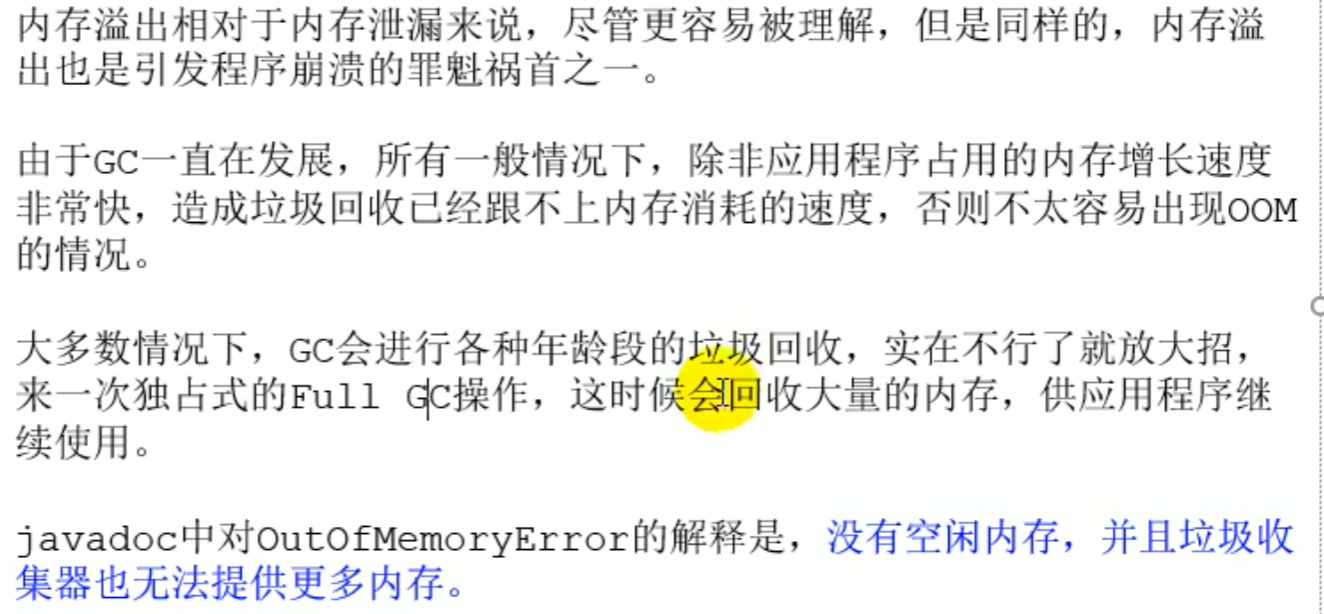

Memory leak (cannot be reclaimed by GC)
A memory leak may cause memory overflow
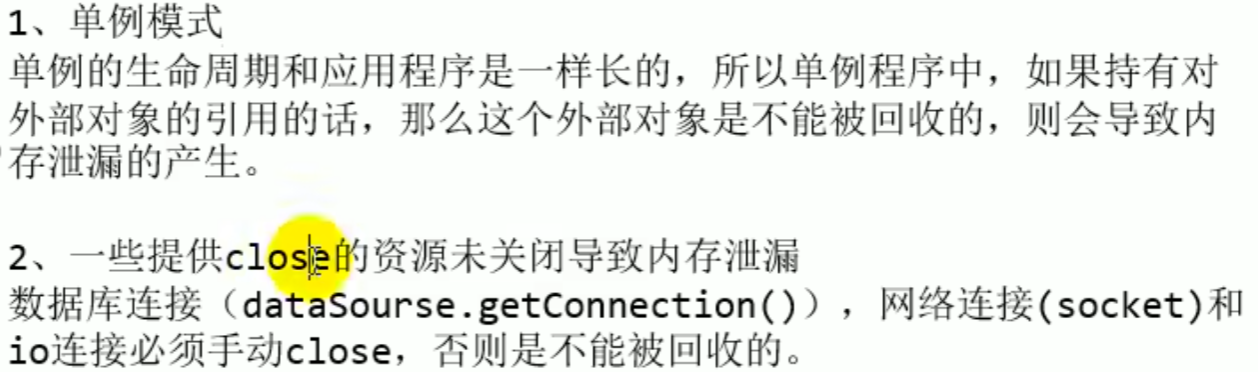
Leaks caused by a design that makes cleanup impossible or by forgetting to close .close resources
Memory leak

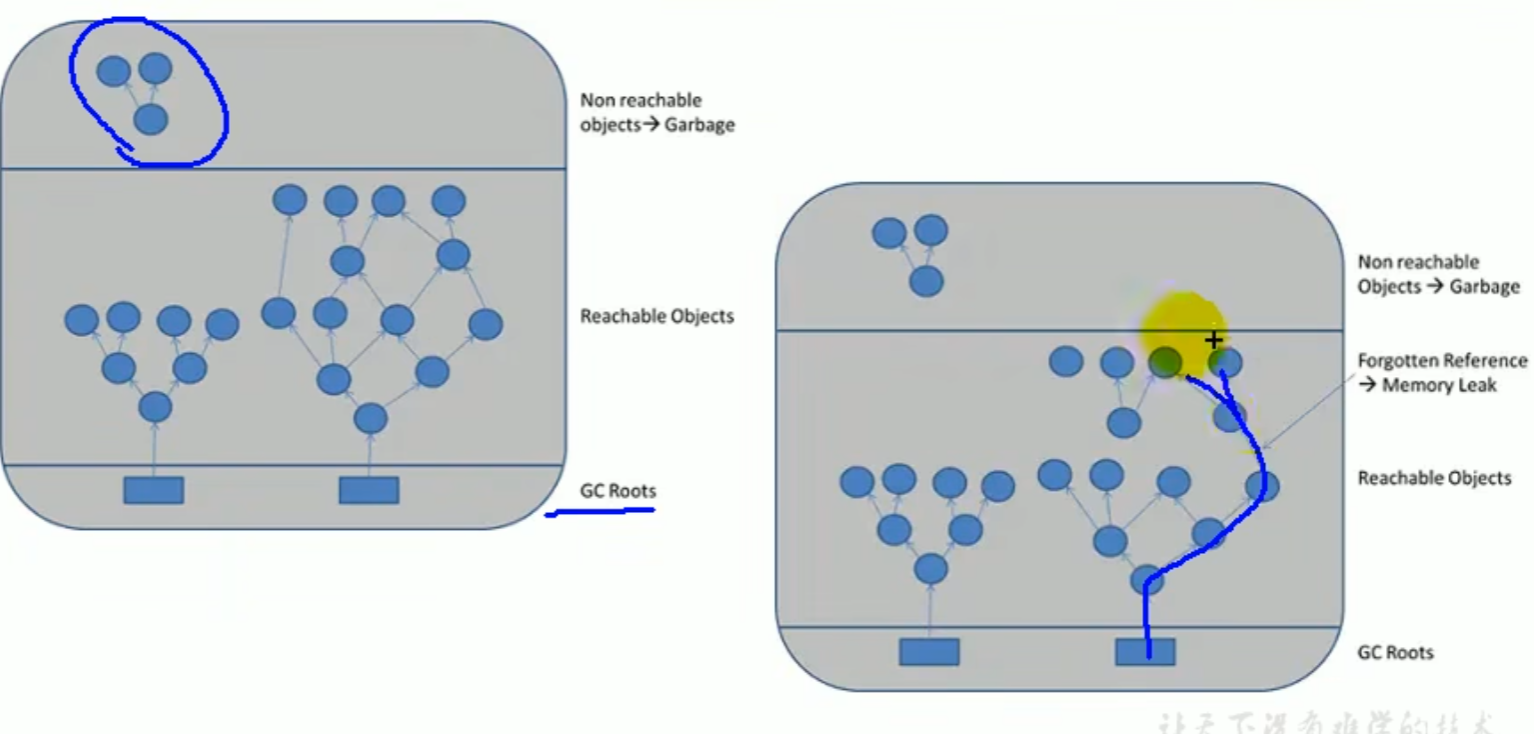 Forgetting to break a reference causes a memory leak
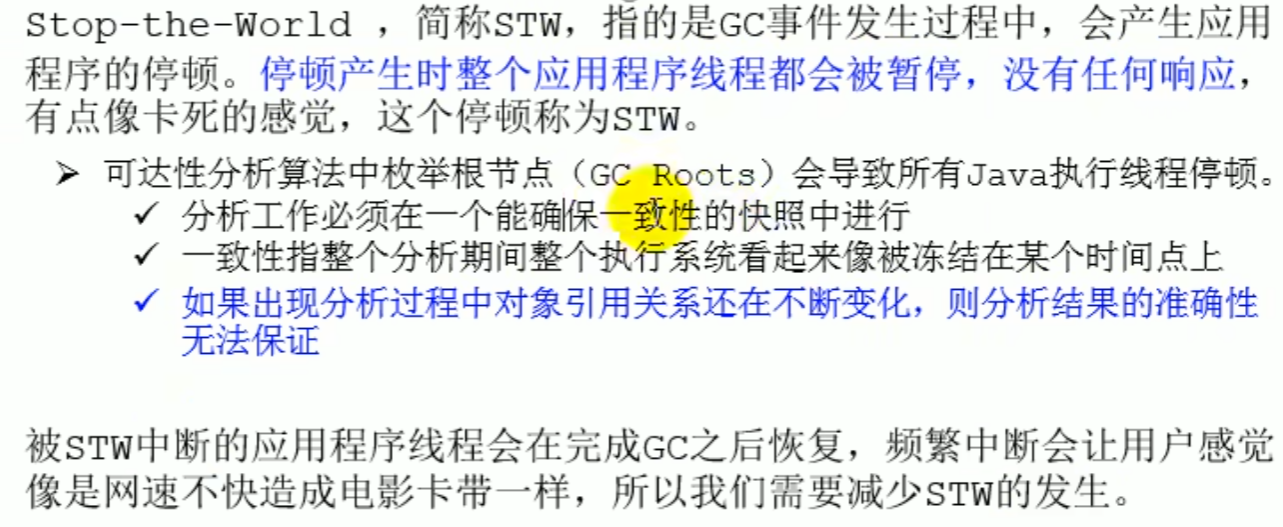
Stop The World
During garbage collection, objects may be moved. To ensure the correctness of object reference updates, all user threads must be paused
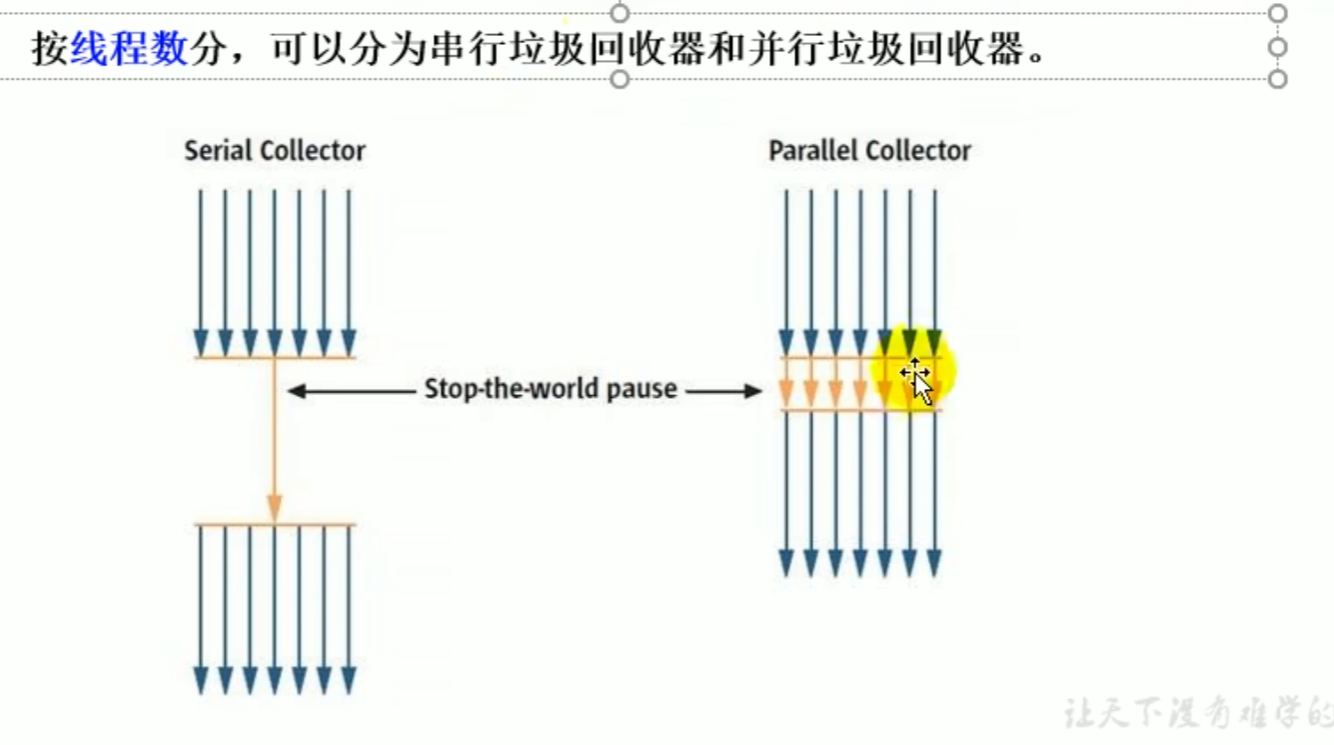
During STW, all threads of the entire reference program are paused Every garbage collector has this operation
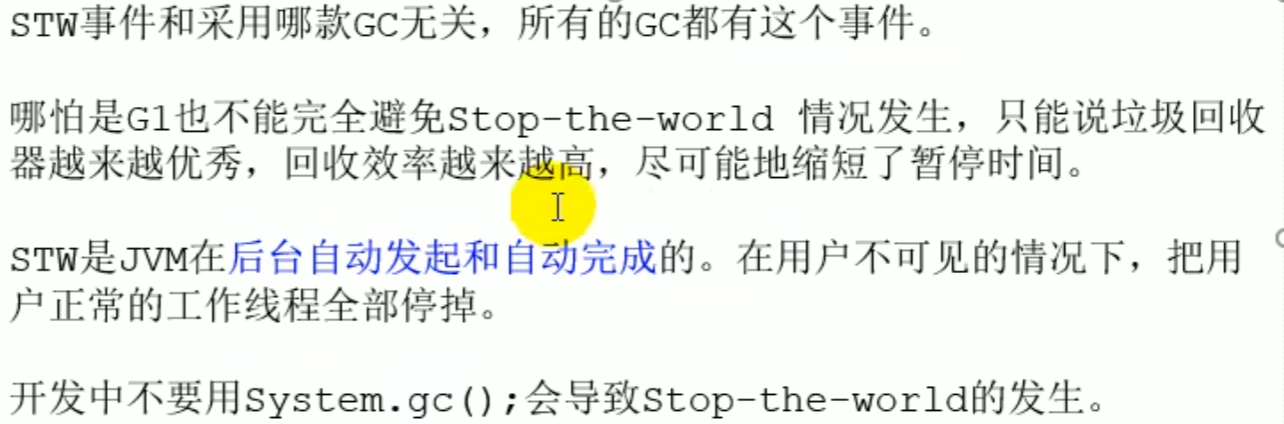
Parallelism and concurrency in garbage collection
Parallelism and concurrency review
Parallelism
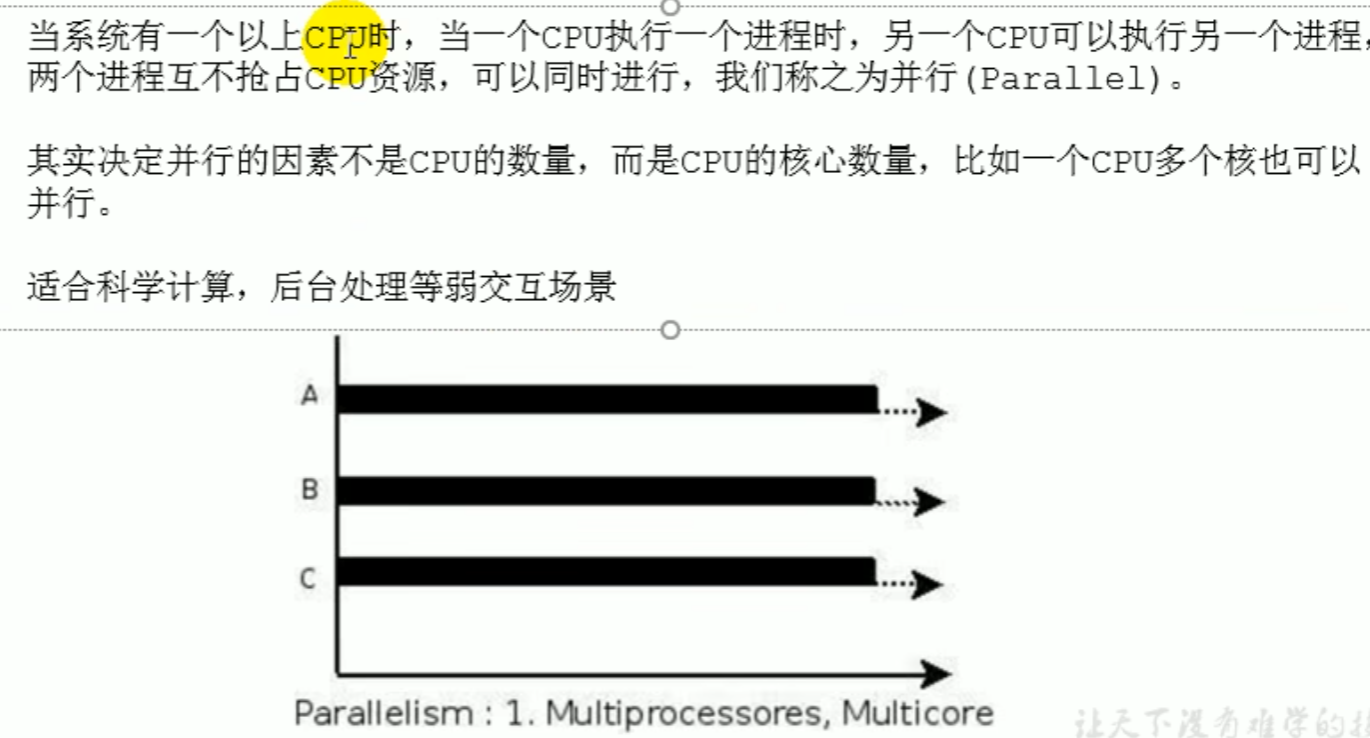
Concurrency
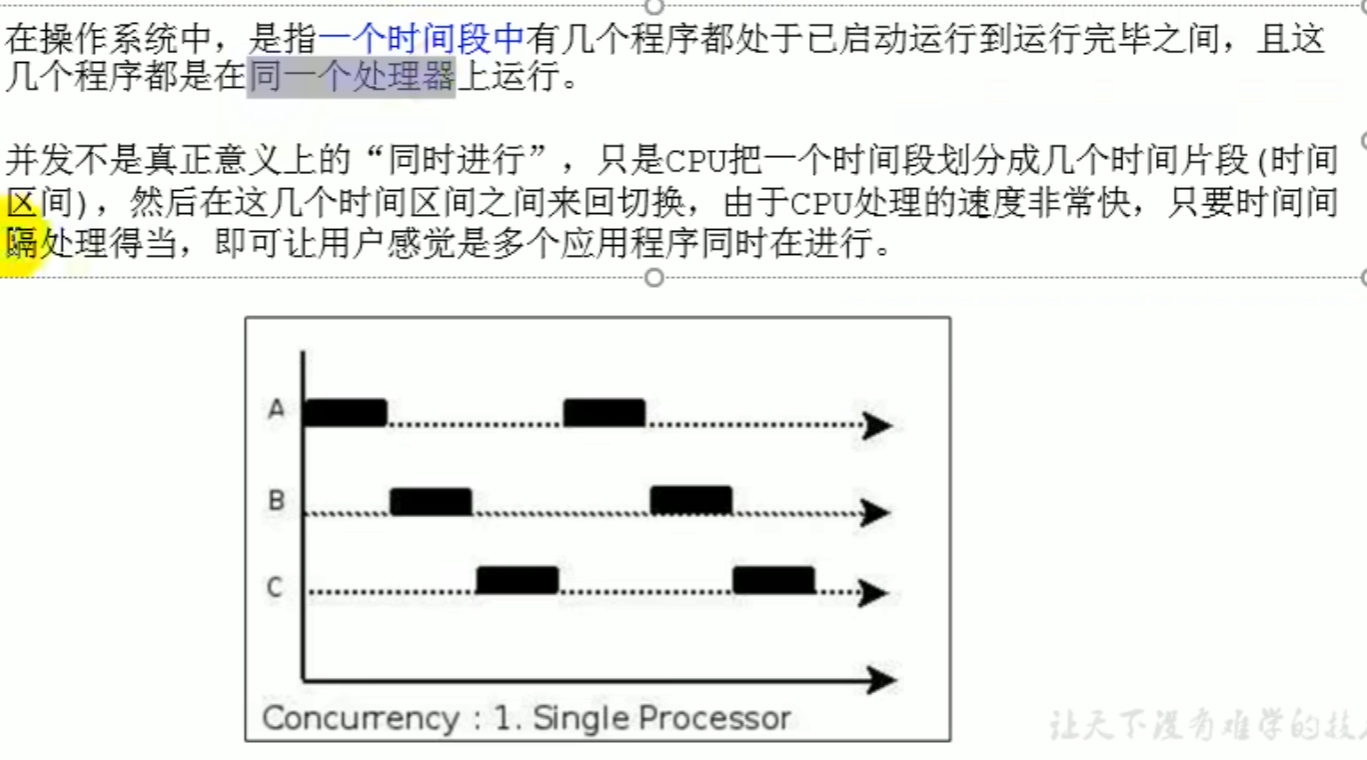
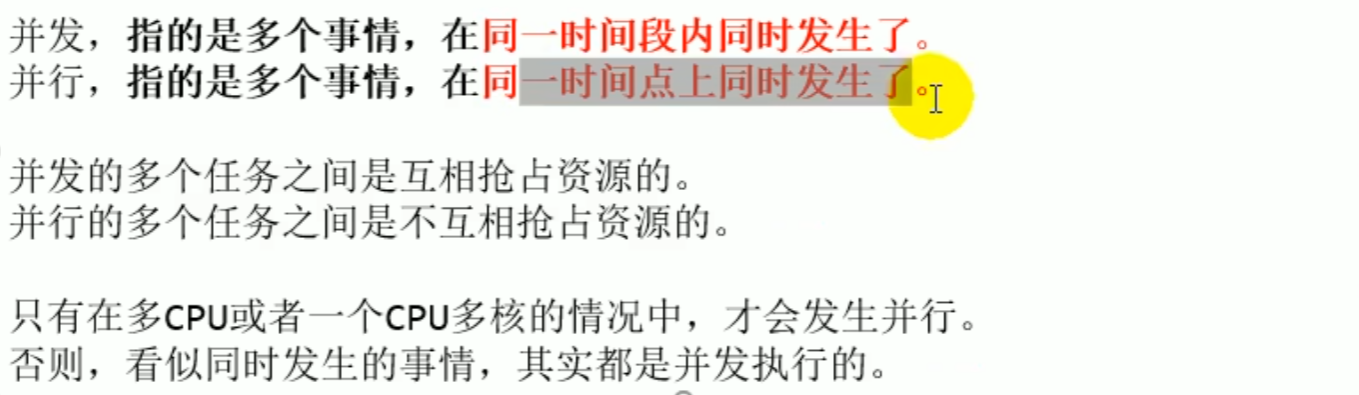
Parallelism and concurrency of garbage collectors
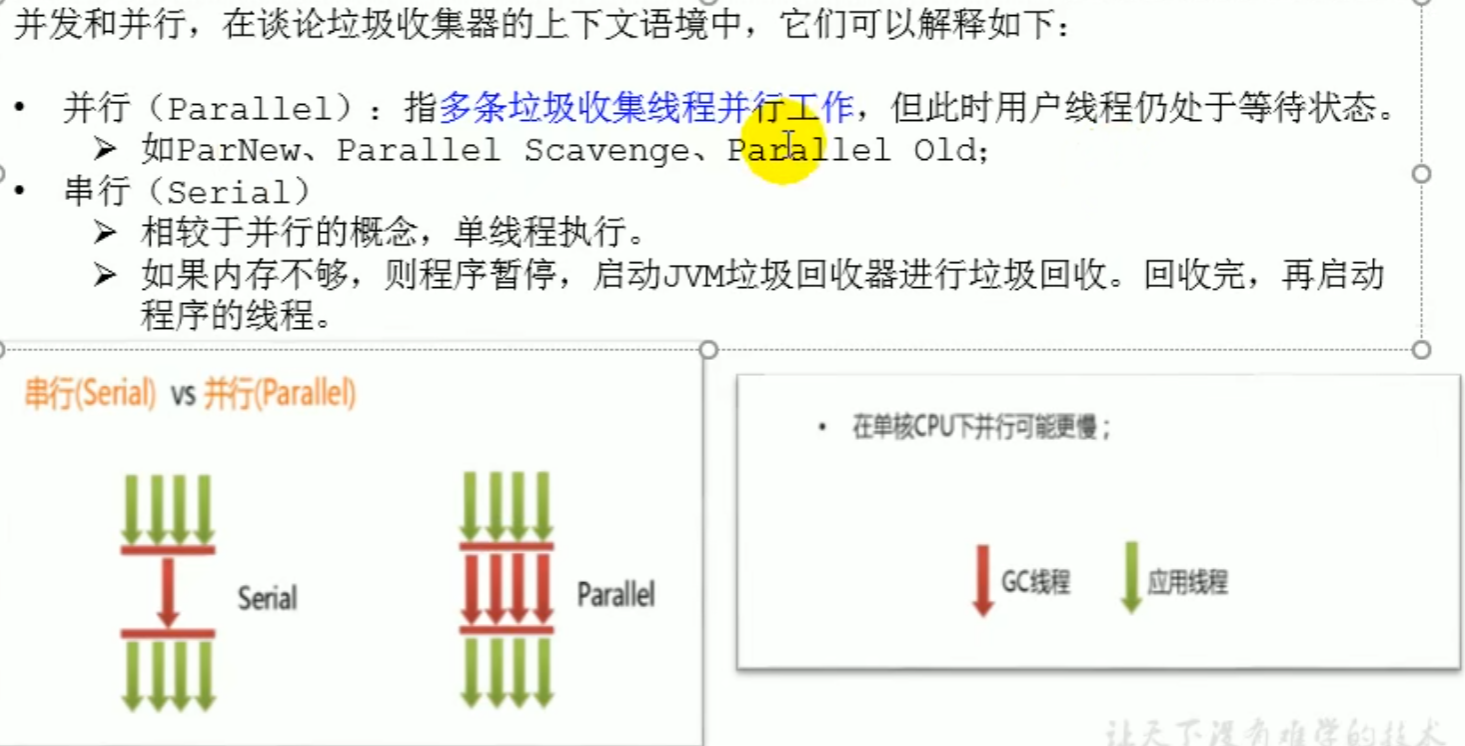
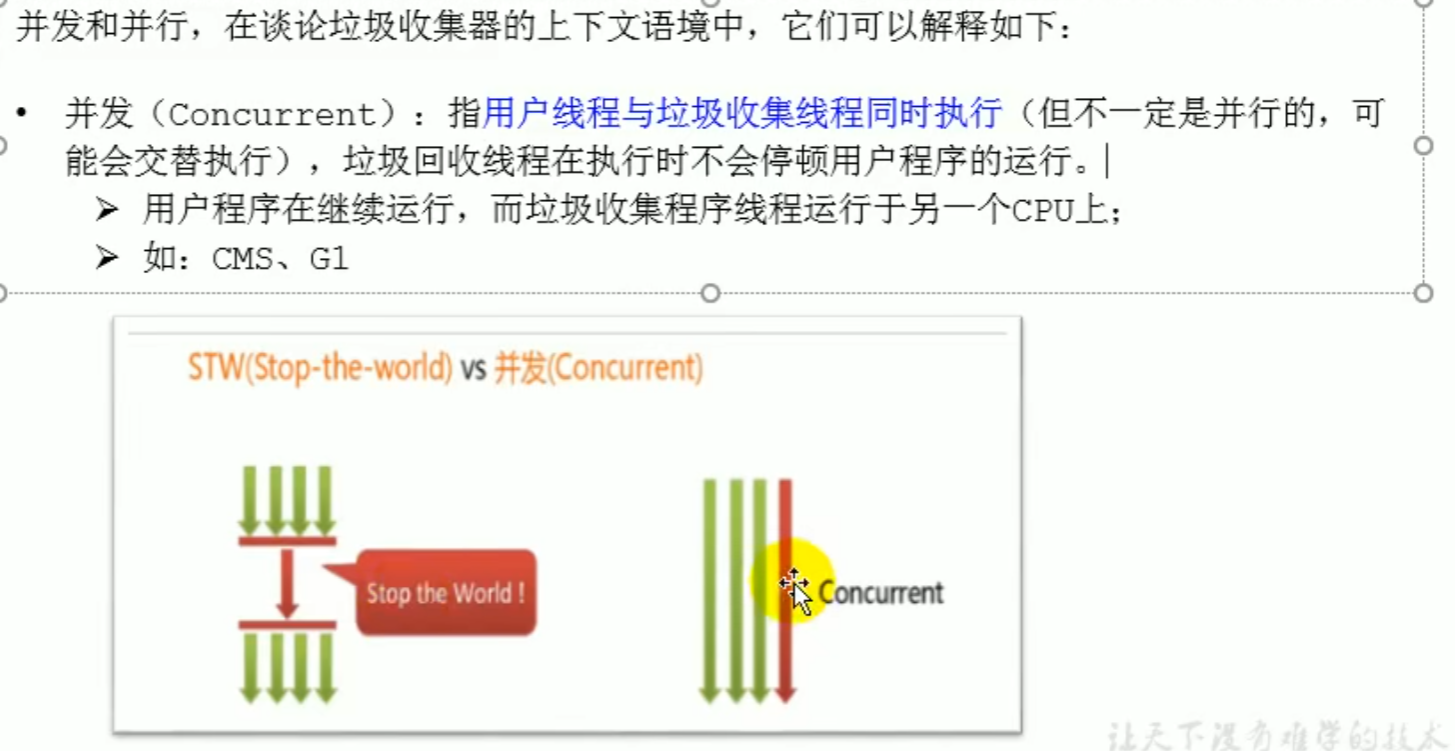
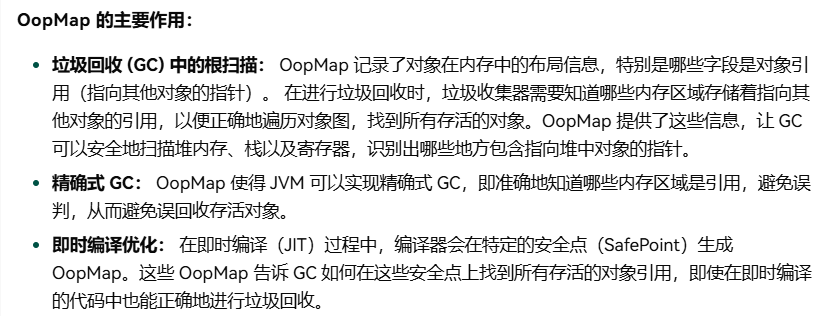
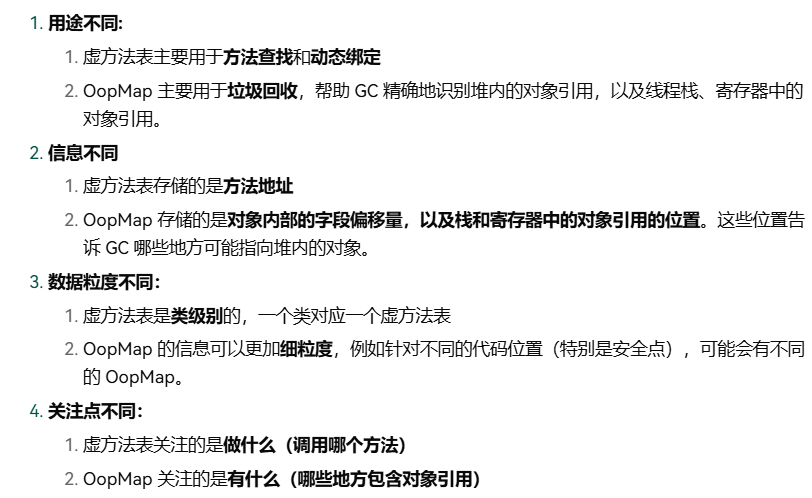
OopMap
OopMap Yes HotSpot A data structure in the virtual machine used to record the layout information of objects. Once class loading is complete,HotSpot based on the memory layout of the object, it calculates and records what type of data is stored at which offsets in the object memory. At the same time, during just in time compilation,HotSpot it also generates at specific positions OopMapused to record the reference positions on the stack and in registers.
OopMap enables the JVM to implement precise GC
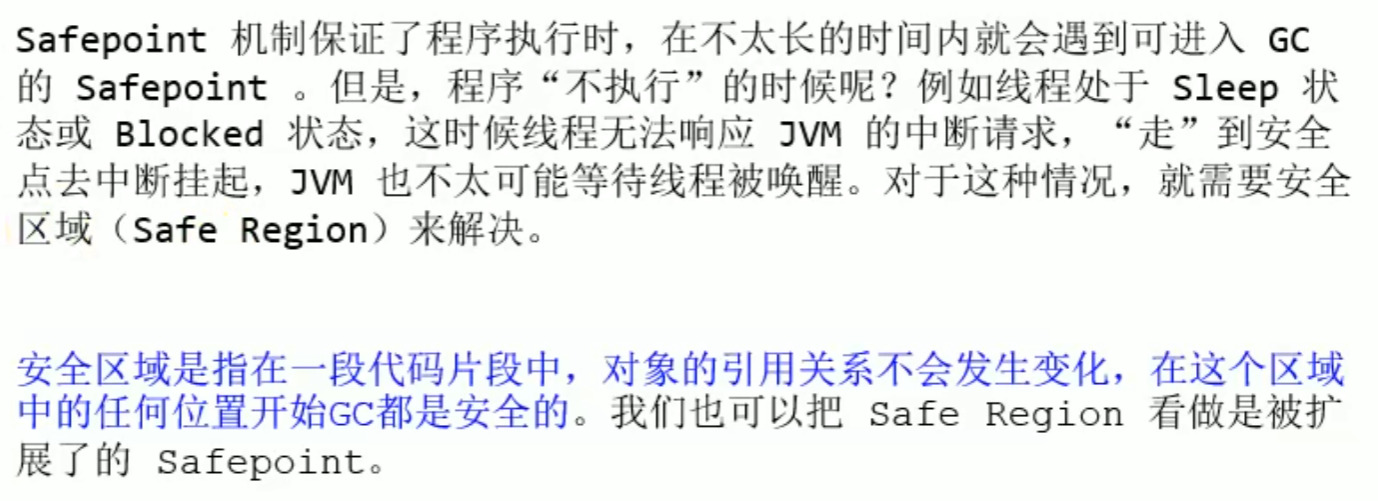
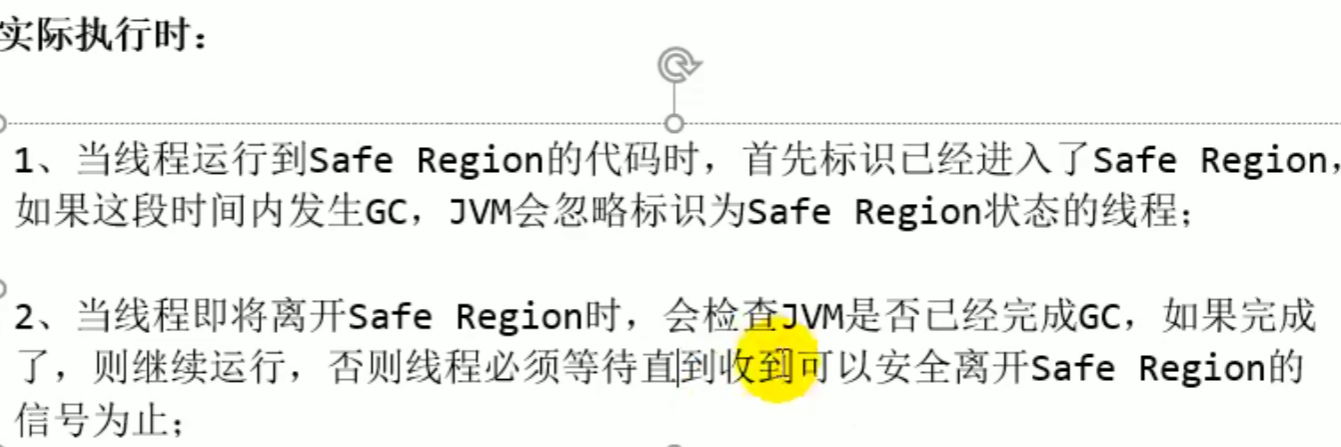
Safepoints and safe regions
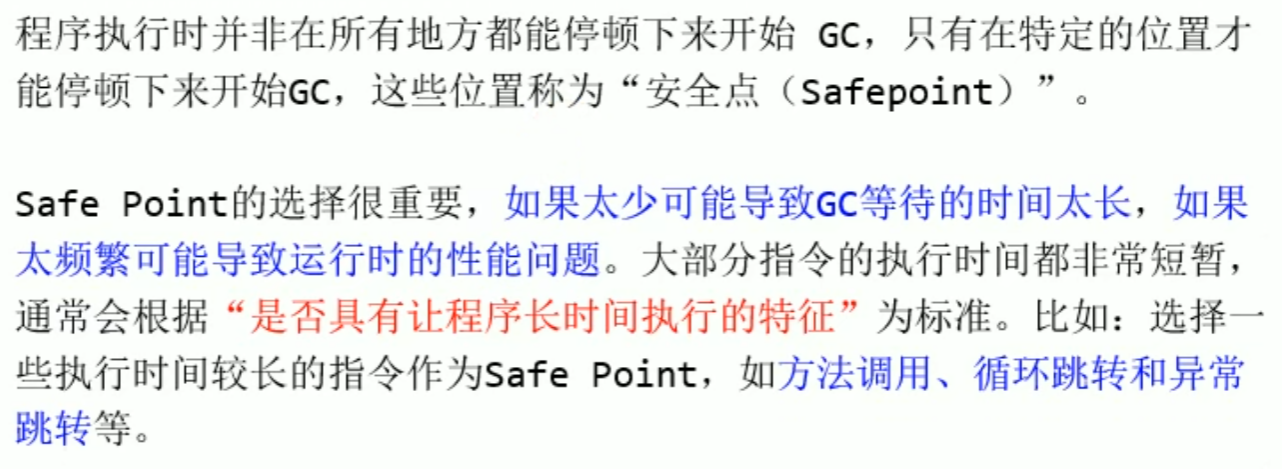
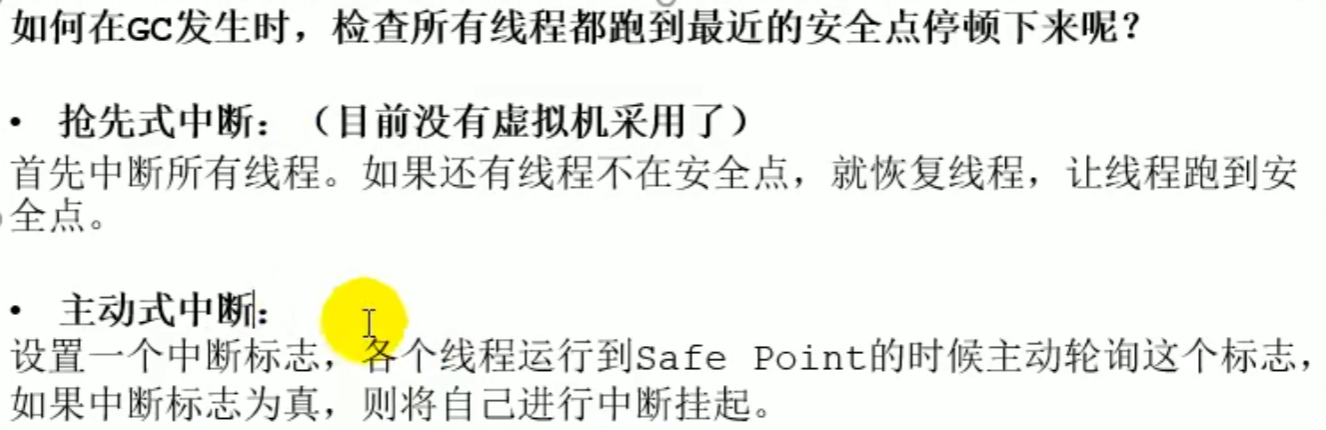
Safepoints and safe regions exist to ensure the efficiency and performance of GC
GC cannot stop at any time, it can only stop for GC at specific positions
The standard is based on features of long execution
While within a safe region (code fragment), GC can be performed anywhere
If the heap space is full and a safepoint has not been reached, the JVM may trigger some emergency garbage collection operations to free up some space. This is usually called GC induced by Application Threads
Introduction
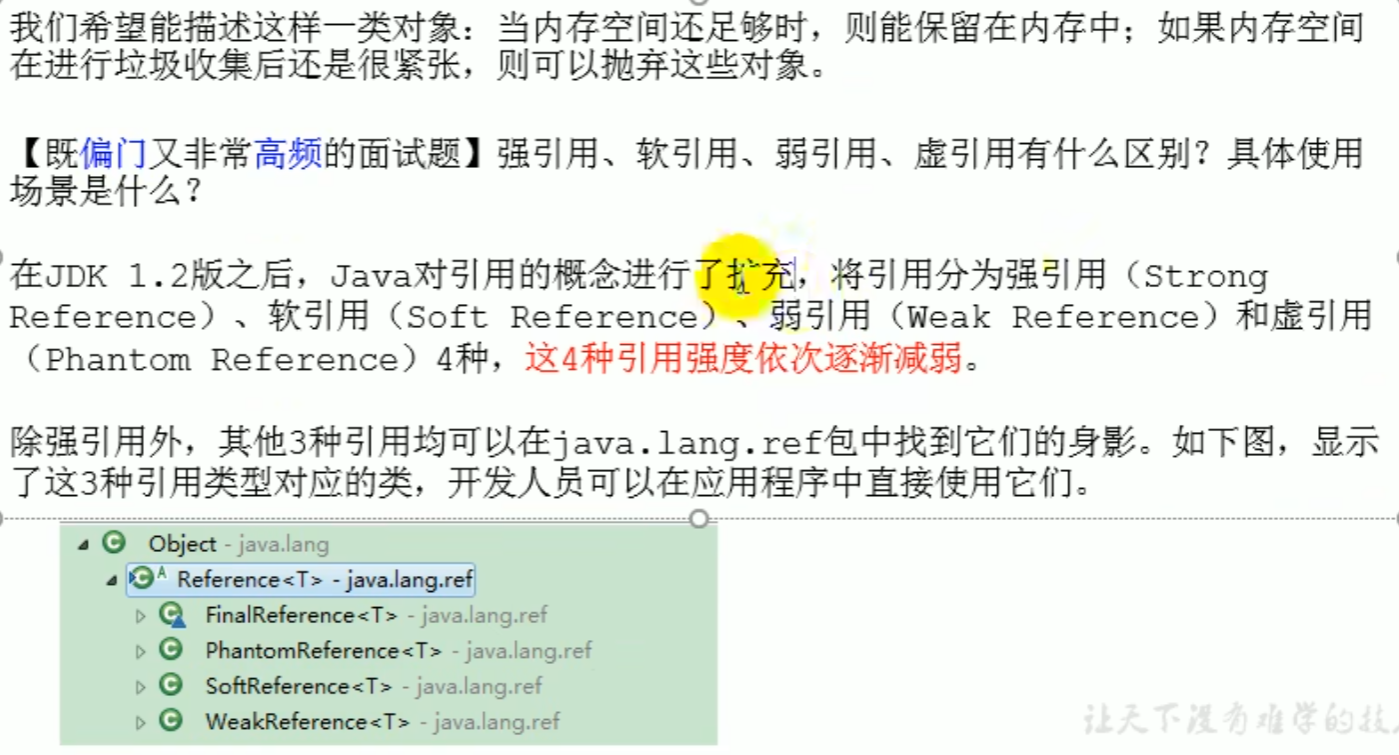
References revisited
The four reference strengths decrease in order, and all are reachable
In order to distinguish the priority of object collection, distinguish which should be collected first, and distinguish application types
References revisited
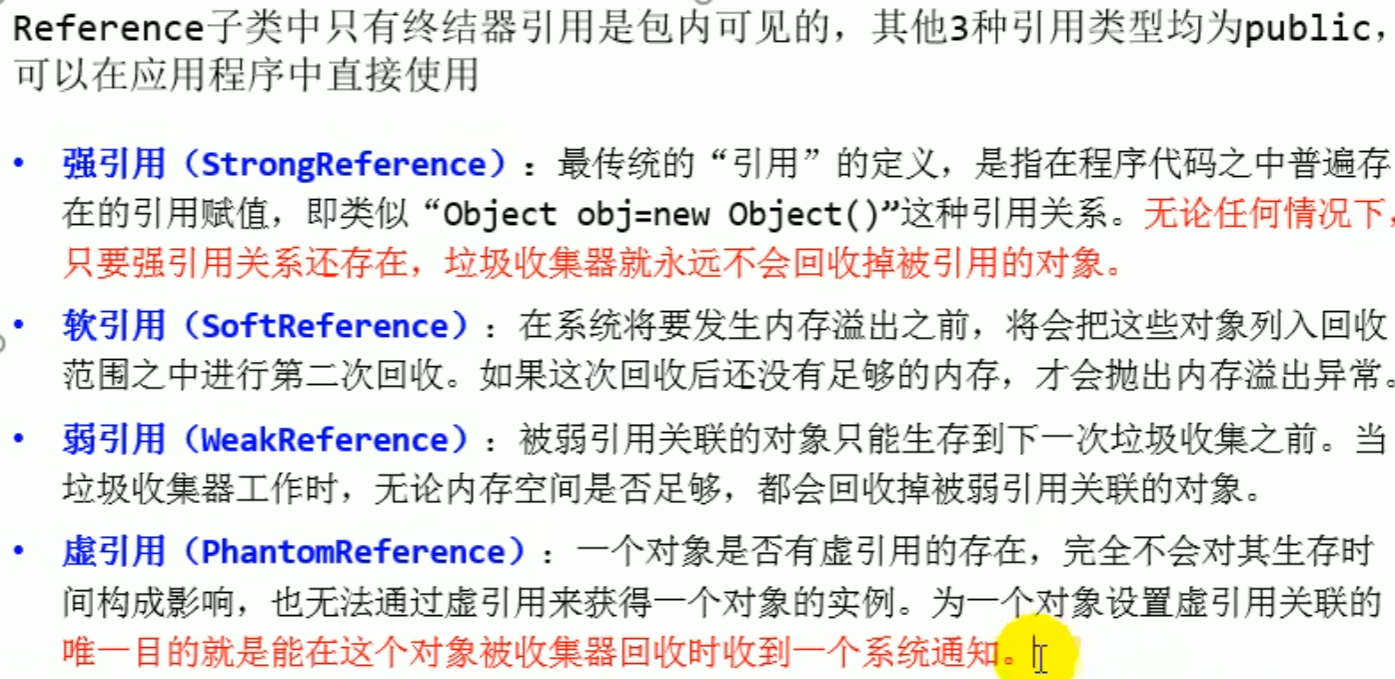
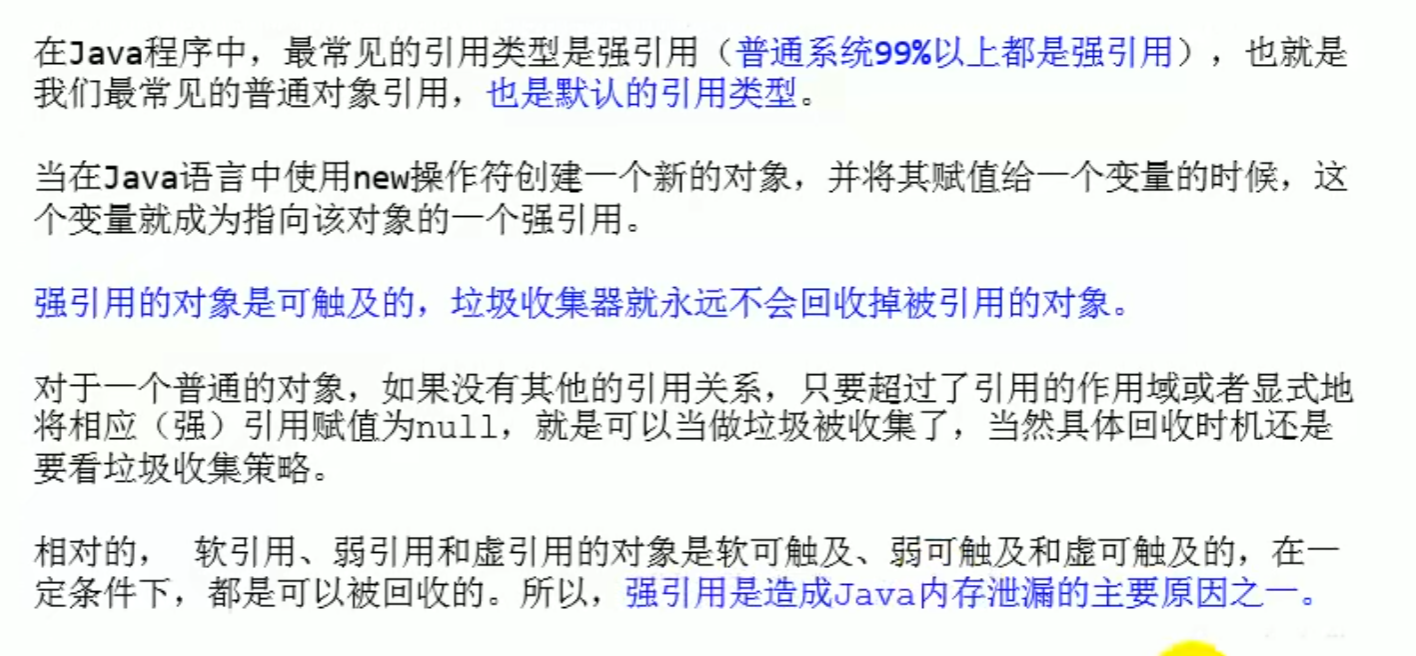
Strong reference (primary)
Rather throw an exception than collect
Strong reference

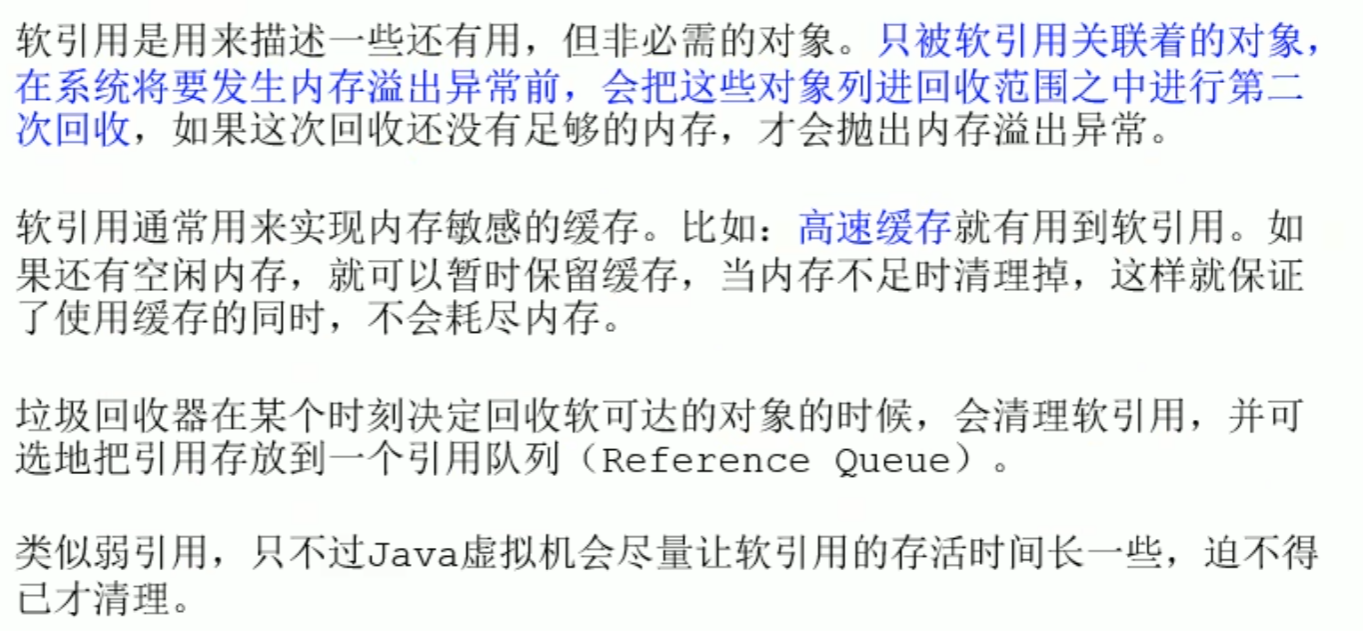
Soft reference - collected when insufficient

Soft reference - collected when insufficient, if space is still insufficient after collection it will overflow OOM Exception
When overflow OOM it is unrelated to soft references
Overflow OOM at that time the soft reference has already been collected
It is not that GC afterward the soft reference no longer exists, but rather that before it is full GC it will only be cleared, and when memory is sufficient it will not be collected
When memory is sufficient it will not be collected, only when insufficient will it be collected
Soft reference

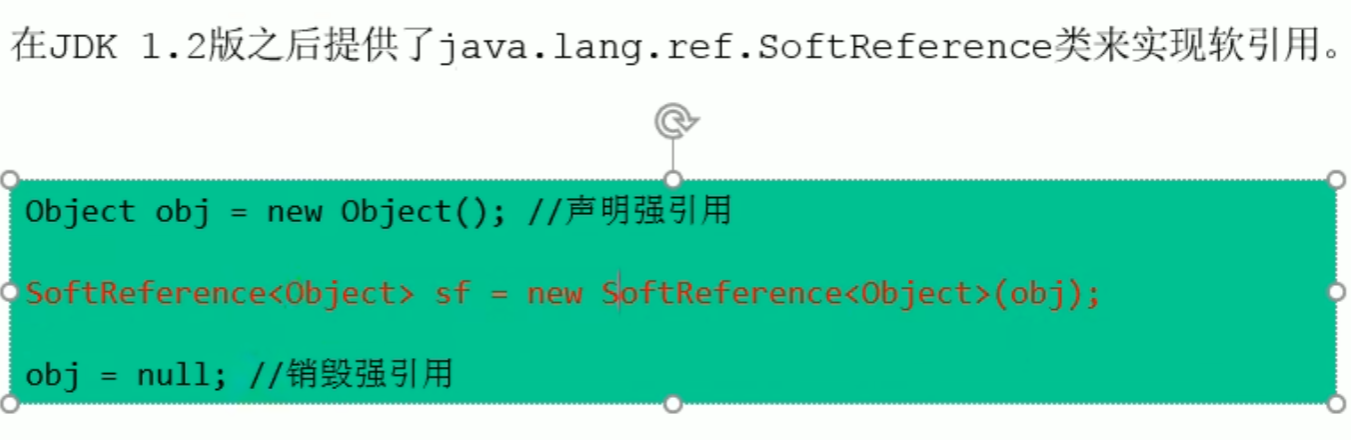 At this time there is one soft reference and one strong reference
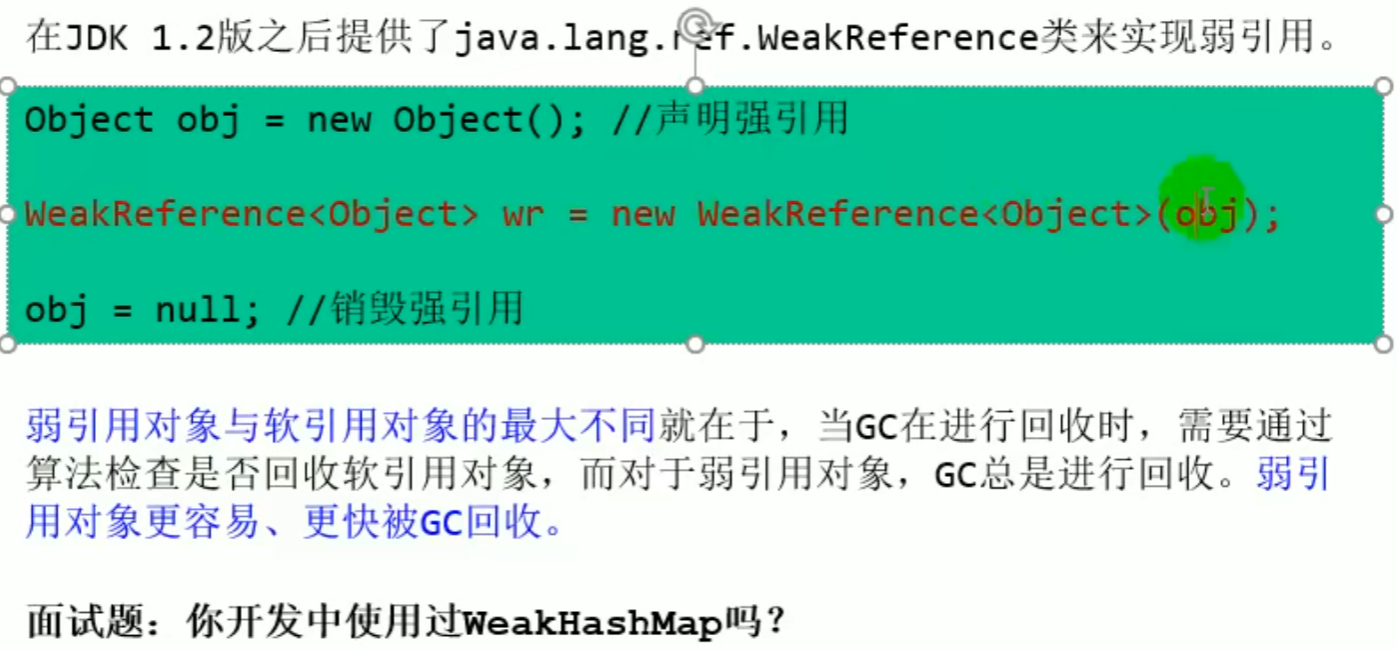
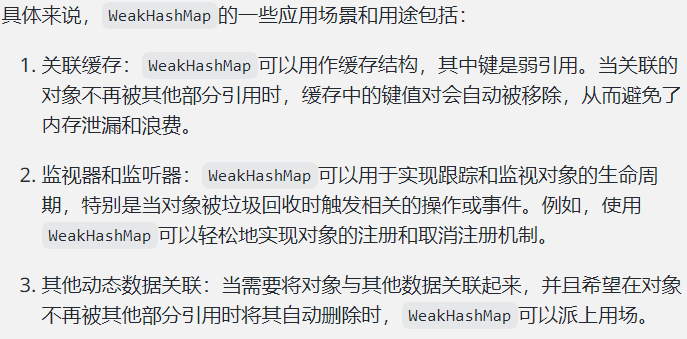
Weak reference - collected as soon as GC discovers it
As long as GC discovers it, it is collected, regardless of whether memory is sufficient or not
Weak reference

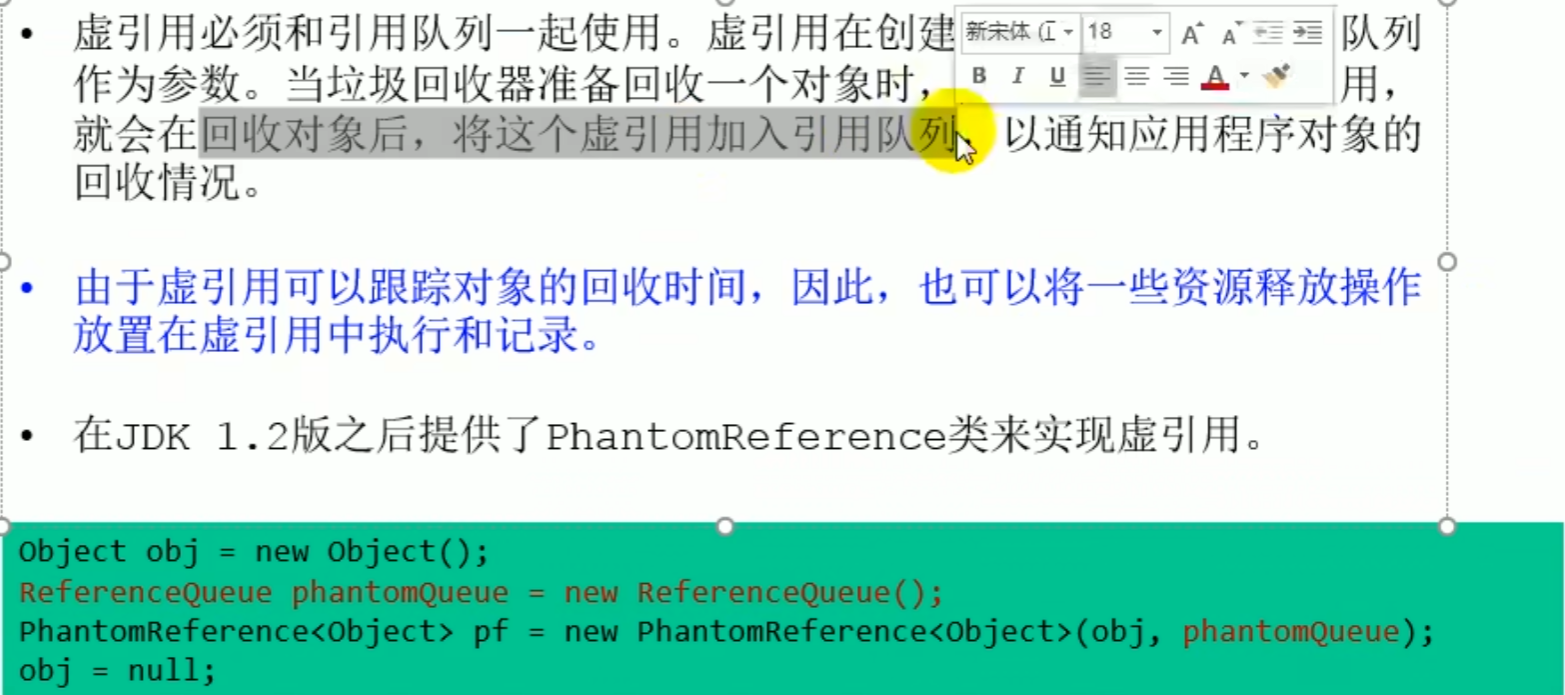
Phantom reference - object collection tracking
A phantom reference can track the collection time of an object, and resource release operations can be placed in the phantom reference for execution and recording, just to receive notification when the object is garbage collected.
A phantom reference cannot be used alone, it must be used together with a reference queue (ReferenceQueue).
GC It is uncertain, it is only a notification JVM, and GC it will only be called once, (using finalize it can only be revived once)
The sole purpose of setting up a phantom reference association is to receive a system notification when this object is collected by the collector or to add further processing afterward.
java
public class PhantomReferenceExample {
    public static void main(String[] args) throws InterruptedException {
        // create a reference queue
        ReferenceQueue<Object> referenceQueue = new ReferenceQueue<>();

        // create an object and wrap it in a phantom reference
        Object obj = new Object();
        PhantomReference<Object> phantomReference = new PhantomReference<>(obj, referenceQueue);

        // Clear the strong reference, allowing the object to be garbage collected
        obj = null;

        // Force garbage collection
        System.gc();

        // Wait for a while to ensure the garbage collector runs
        Thread.sleep(1000);

        // Check whether there is a phantom reference in the reference queue
        if (referenceQueue.poll() != null) {
            System.out.println("对象已被垃圾回收");
        } else {
            System.out.println("对象尚未被垃圾回收");
        }
    }
}
Phantom reference



java
 public class PhantomReferenceTest {
    public static PhantomReferenceTest obj;//Declaration of the current class object
    static ReferenceQueue<PhantomReferenceTest> phantomQueue = null;//Reference queue

    public static class CheckRefQueue extends Thread {
        @Override
        public void run() {
            while (true) {
                if (phantomQueue != null) {
                    PhantomReference<PhantomReferenceTest> objt = null;
                    try {
                        objt = (PhantomReference<PhantomReferenceTest>) phantomQueue.remove();
                    } catch (InterruptedException e) {
                        e.printStackTrace();
                    }
                    if (objt != null) {
                        System.out.println("追踪垃圾回收过程:PhantomReferenceTest实例被GC了");
                    }
                }
            }
        }
    }

    @Override
    protected void finalize() throws Throwable { //finalize()The method can only be called once!
        super.finalize();
        System.out.println("调用当前类的finalize()方法");
        obj = this;
    }

    public static void main(String[] args) {
        Thread t = new CheckRefQueue();
        t.setDaemon(true);//Set as a daemon thread: when there are no non daemon threads in the program, the daemon thread also finishes execution.
        t.start();

        phantomQueue = new ReferenceQueue<PhantomReferenceTest>();
        obj = new PhantomReferenceTest();
        //Constructed the PhantomReferenceTest phantom reference of the object, and specified the reference queue
        PhantomReference<PhantomReferenceTest> phantomRef = new PhantomReference<PhantomReferenceTest>(obj, phantomQueue);

        try {
            //The object in a phantom reference cannot be obtained
            System.out.println(phantomRef.get());

            //Remove the strong reference
            obj = null;
            //First time performing GC,Since the object can be resurrected,GC Cannot reclaim the object
            System.gc();
            Thread.sleep(1000);
            if (obj == null) {
                System.out.println("obj 是 null");
            } else {
                System.out.println("obj 可用");
            }
            System.out.println("第 2 次 gc");
            obj = null;
            System.gc(); //Once the obj object is reclaimed, this phantom reference will be stored in the reference queue.
            Thread.sleep(1000);
            if (obj == null) {
                System.out.println("obj 是 null");
            } else {
                System.out.println("obj 可用");
            }
        } catch (InterruptedException e) {
            e.printStackTrace();
        }
    }
}
Finalizer reference
Garbage collector
The garbage collector is not specified in much detail in the specification, can be implemented by different vendors and different versions of the JVM, and can be divided into many types
GC classification and performance metrics
GC classification
- By thread
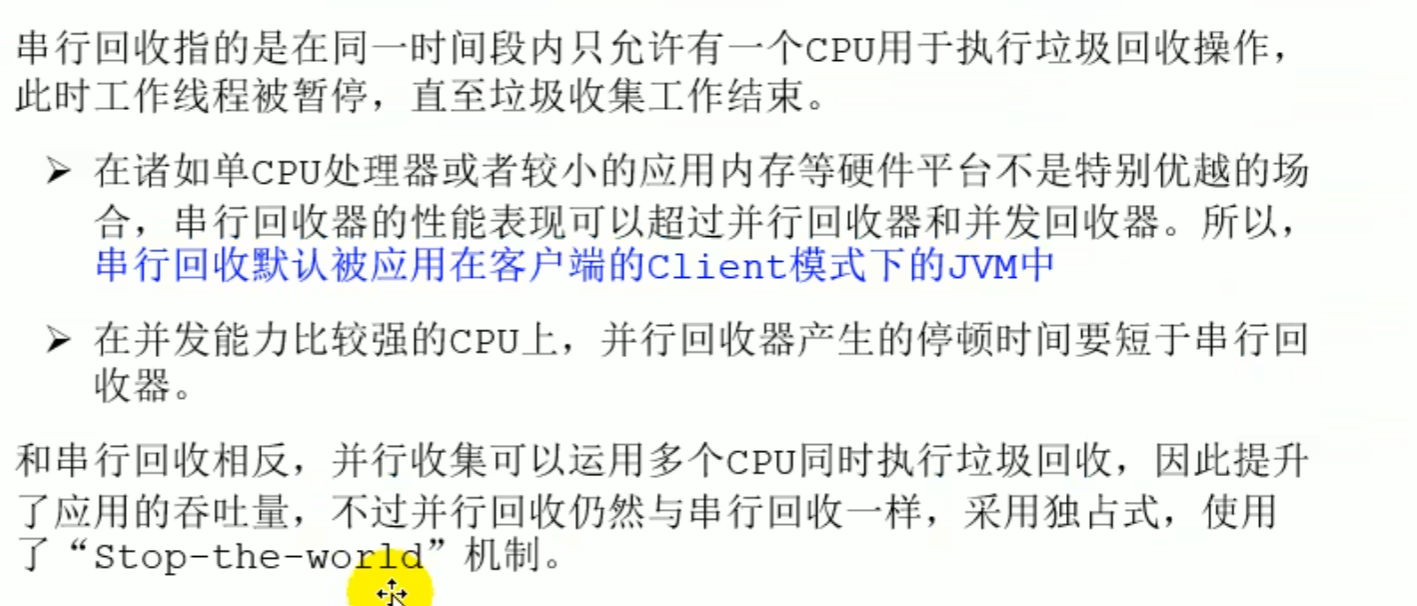
- By working mode
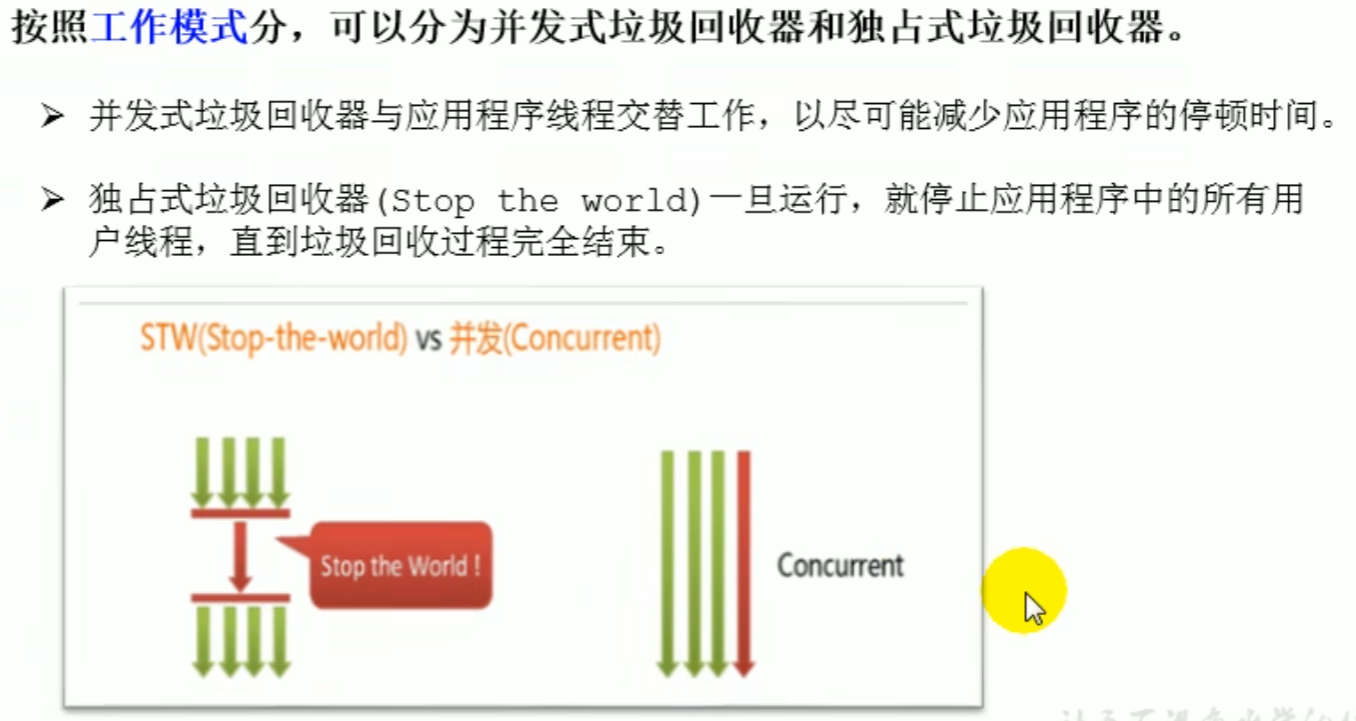

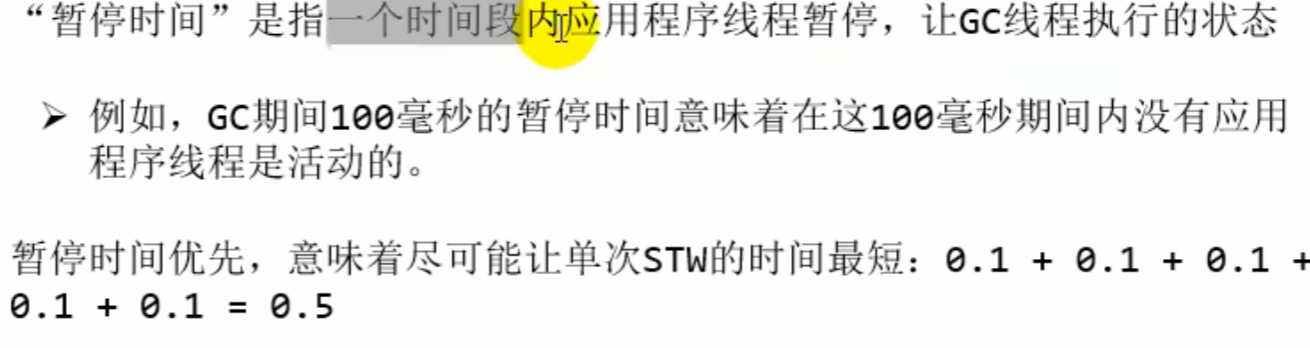
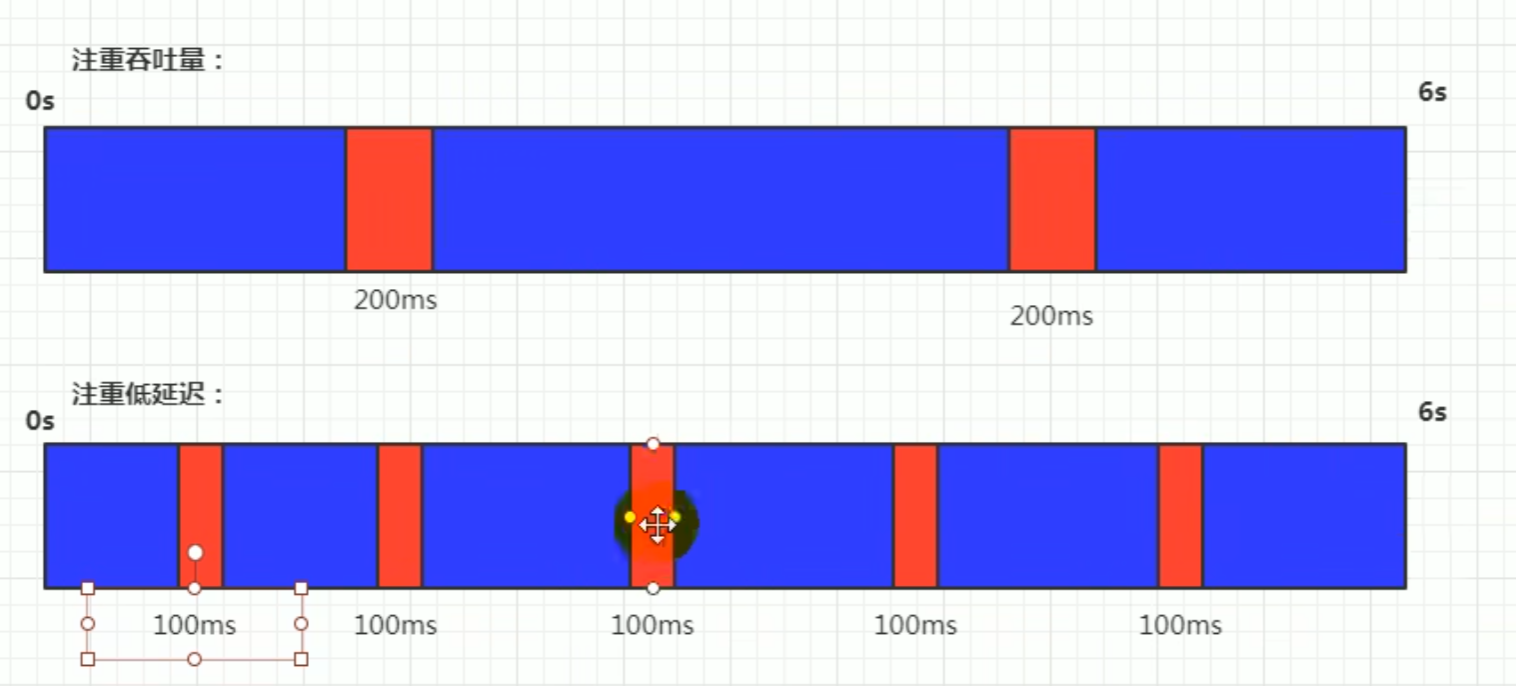
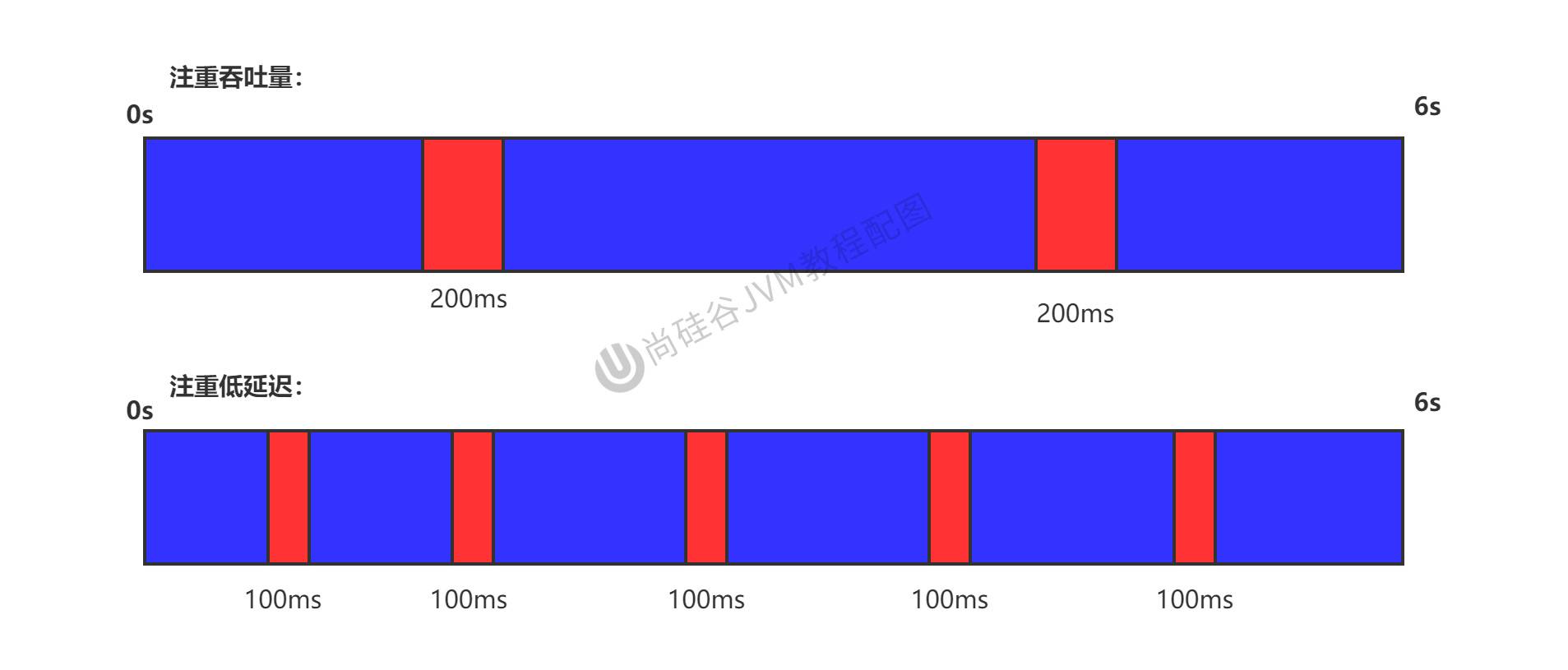
PerformanceKey points to noteThroughput(running time ratio to code running time) andPause time
Low latency: the proportion of time running user code to total running time (total running time: program running time plus memory reclamation time) Throughput: background computation
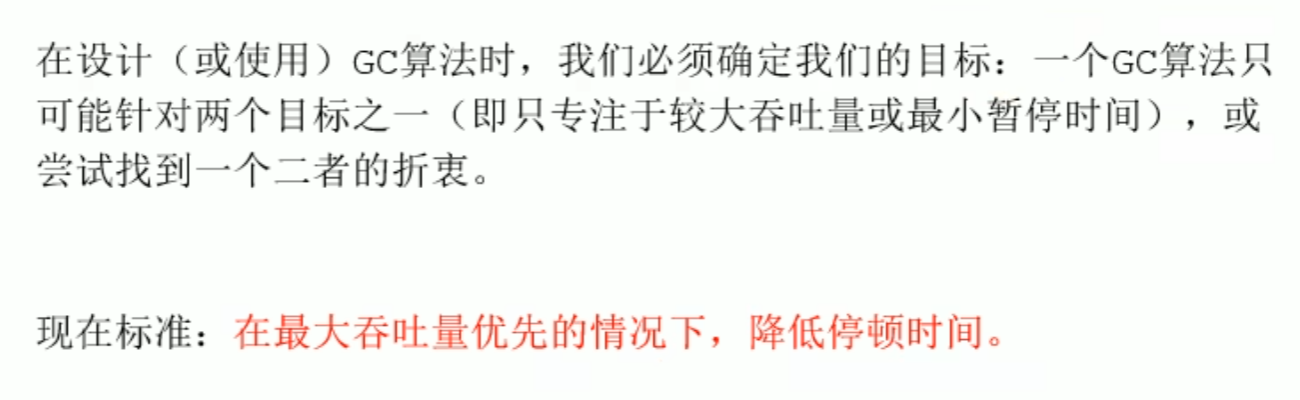
Current standard: with maximum throughput as the priority, reduce pause time
and performance metrics
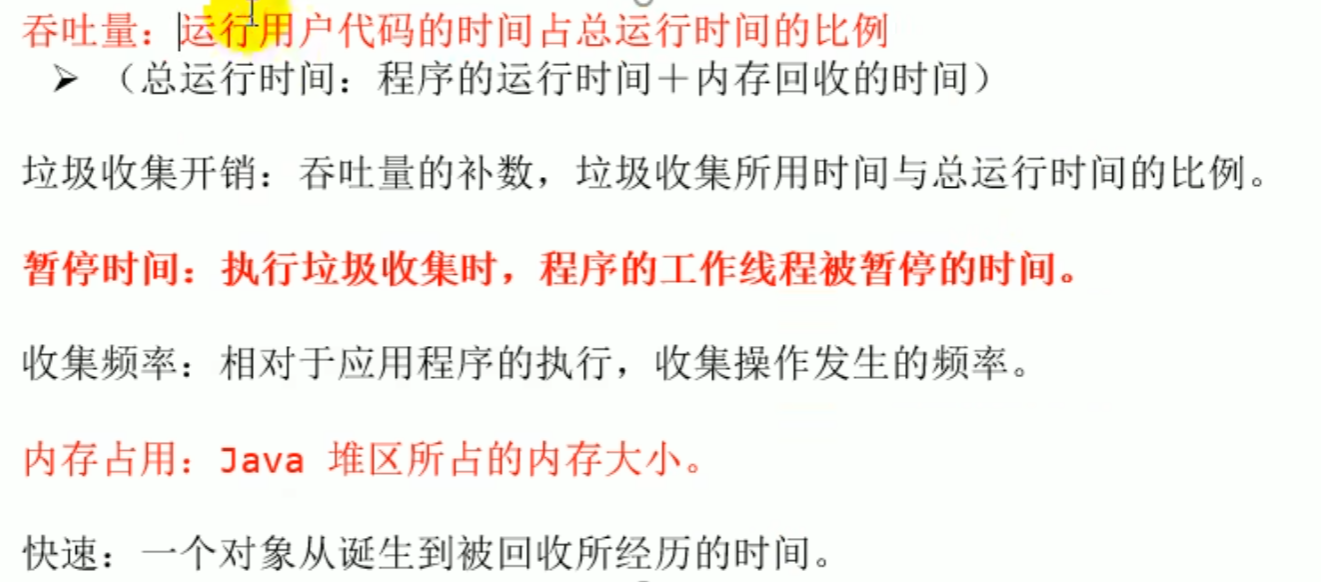

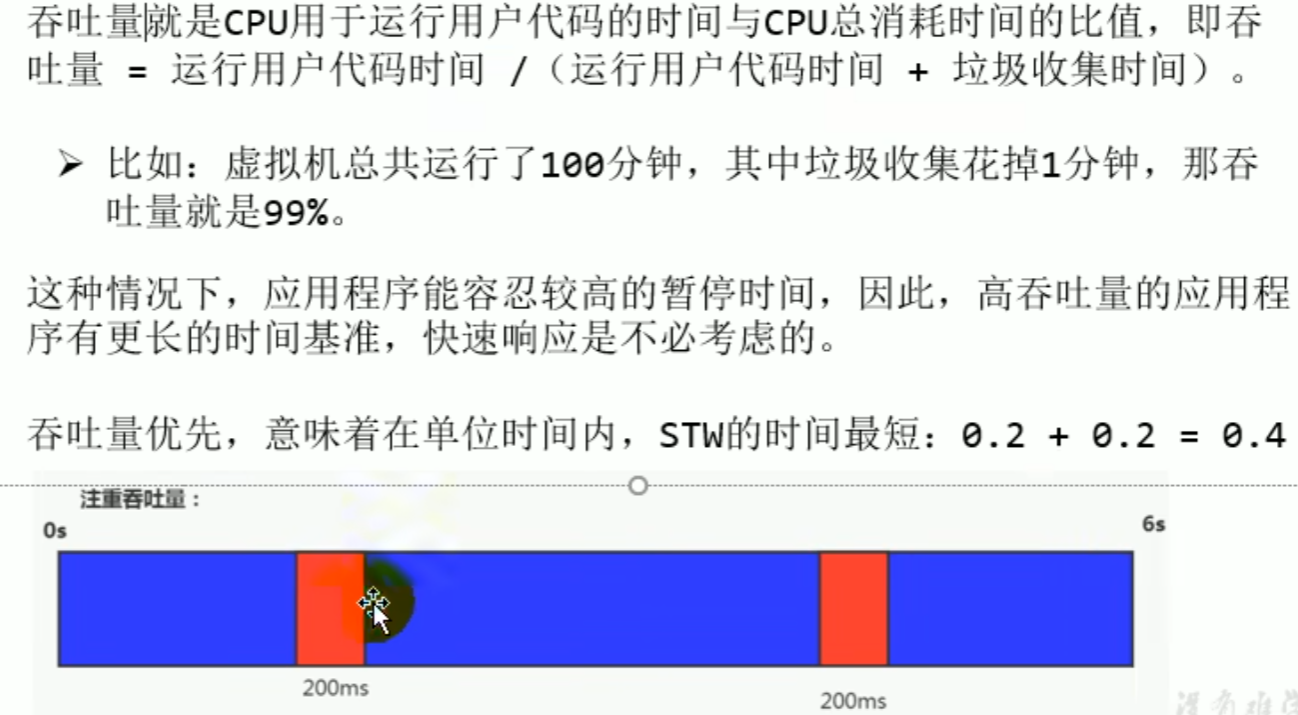

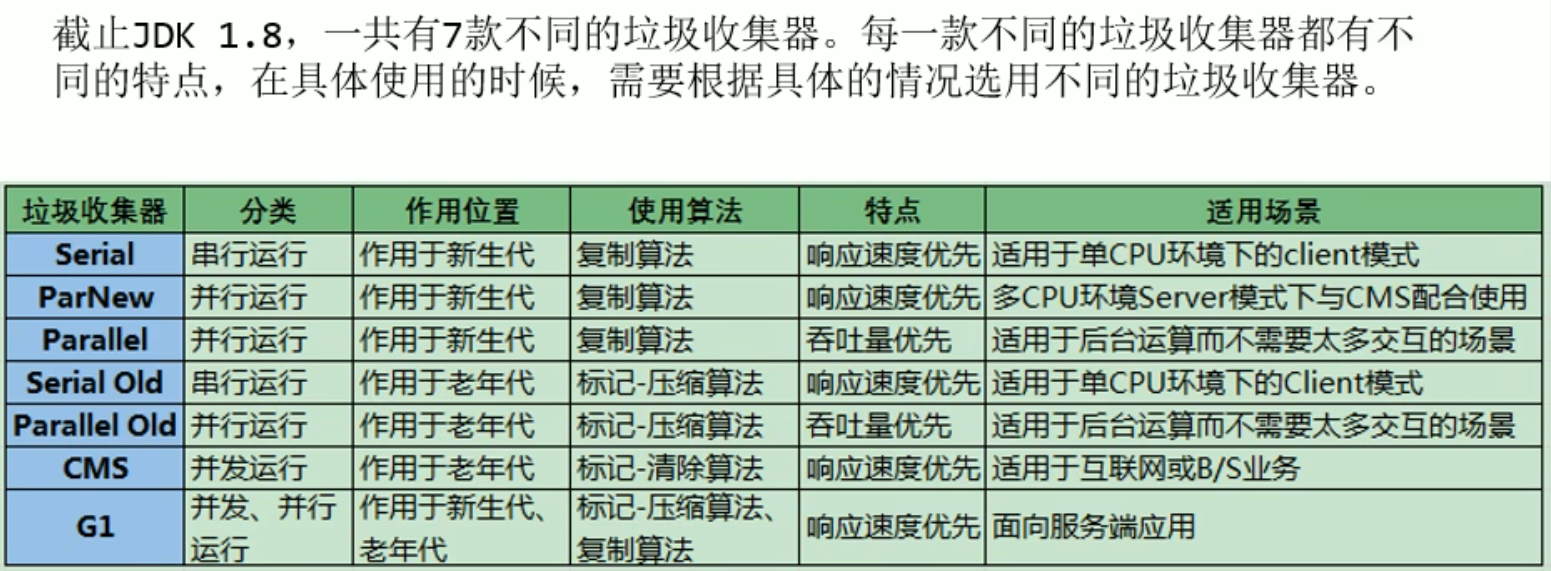
Overview of different garbage collectors
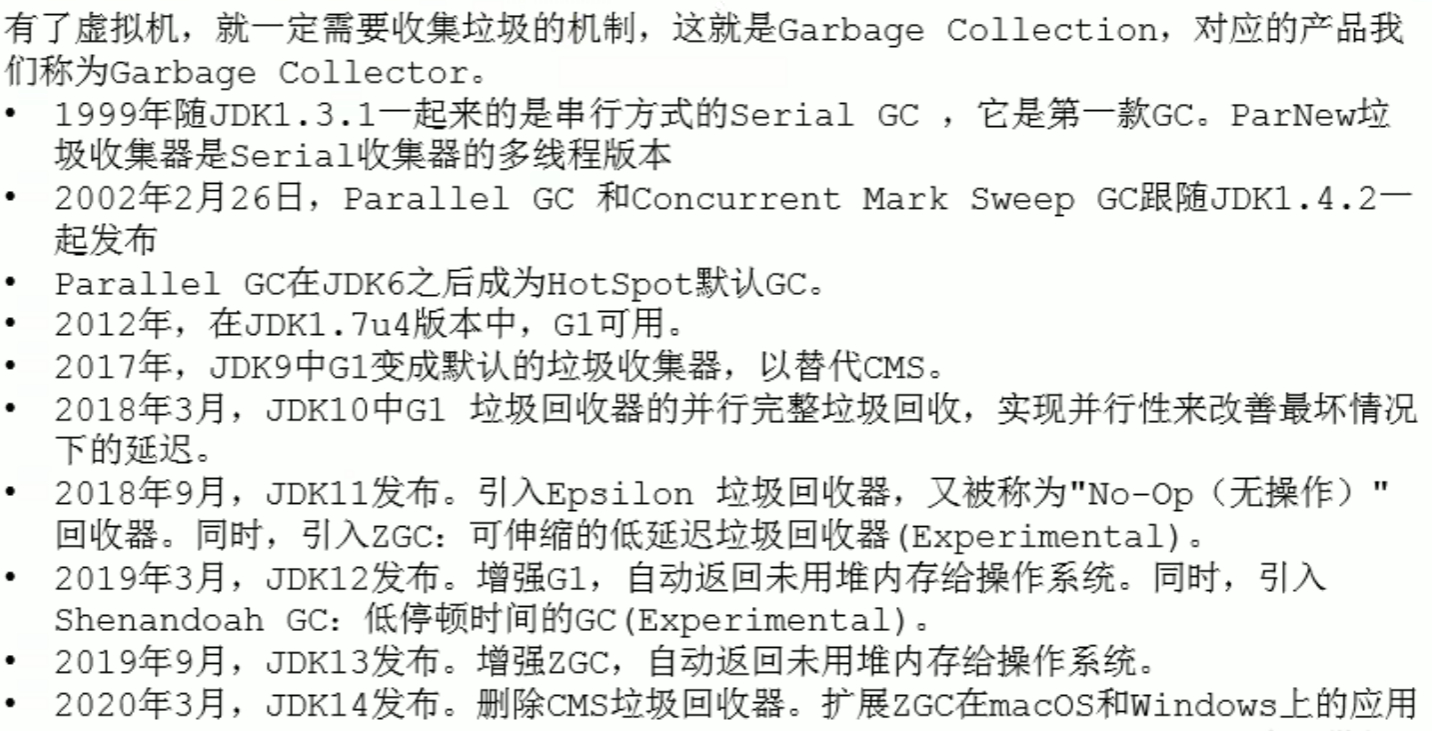
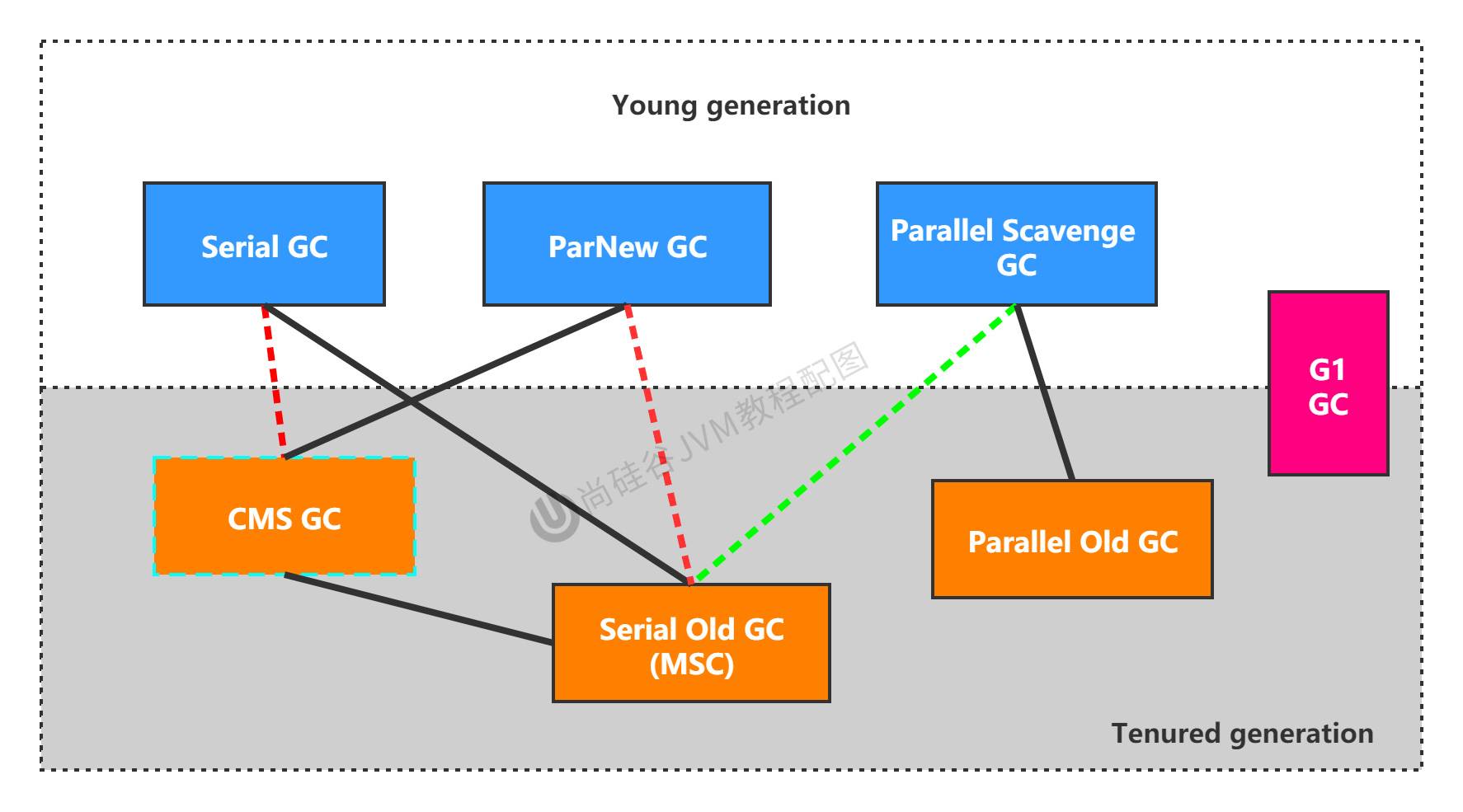
7 classic garbage collectors

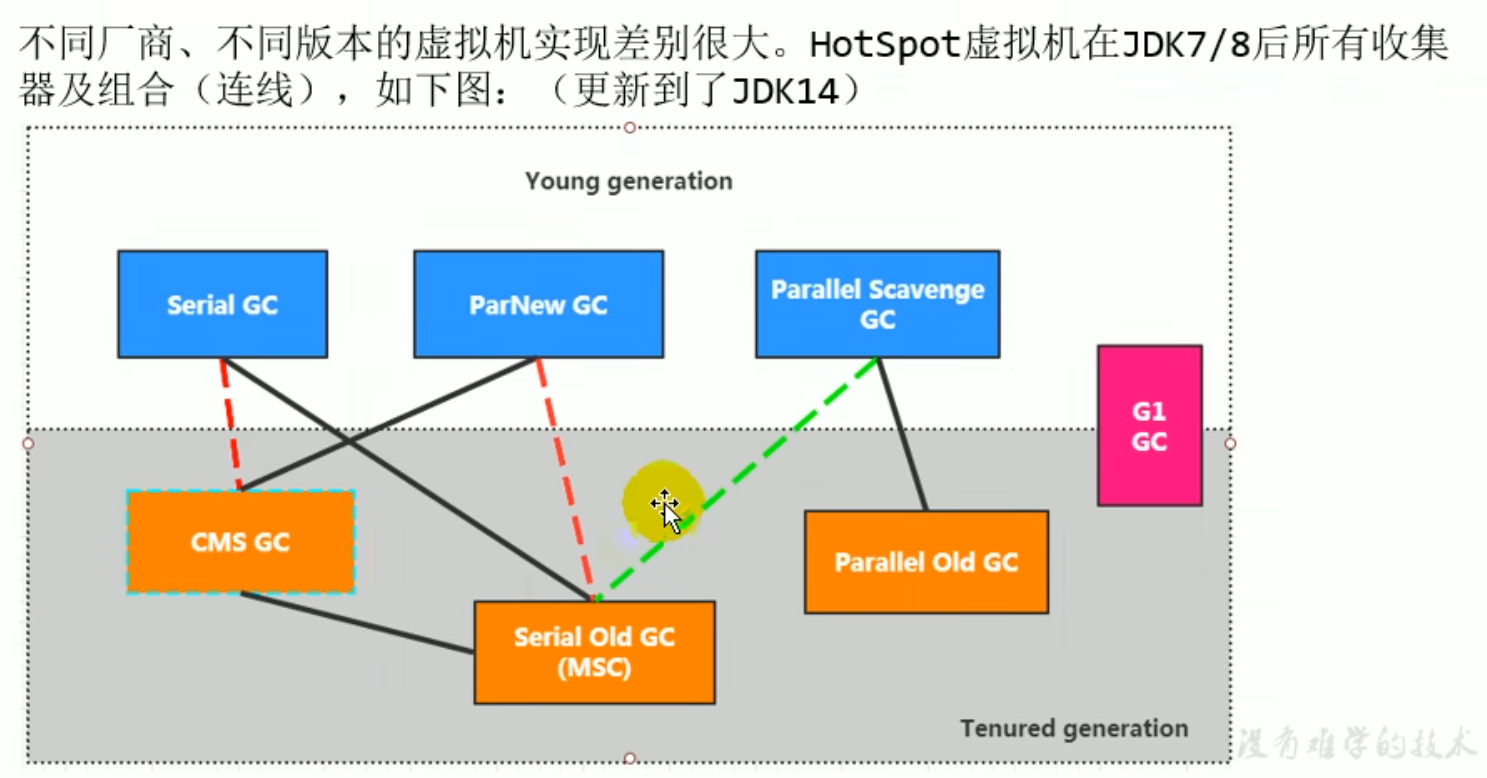
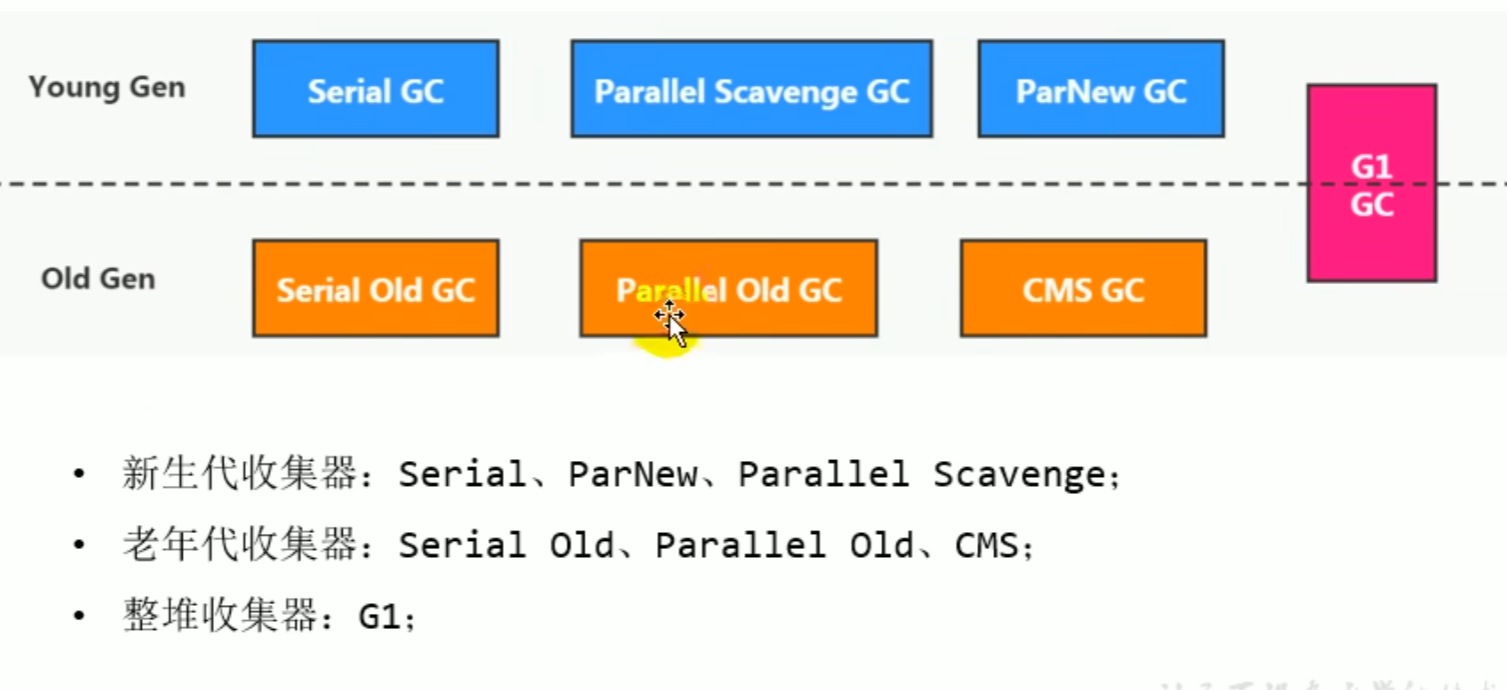 JDK14 relationship diagram
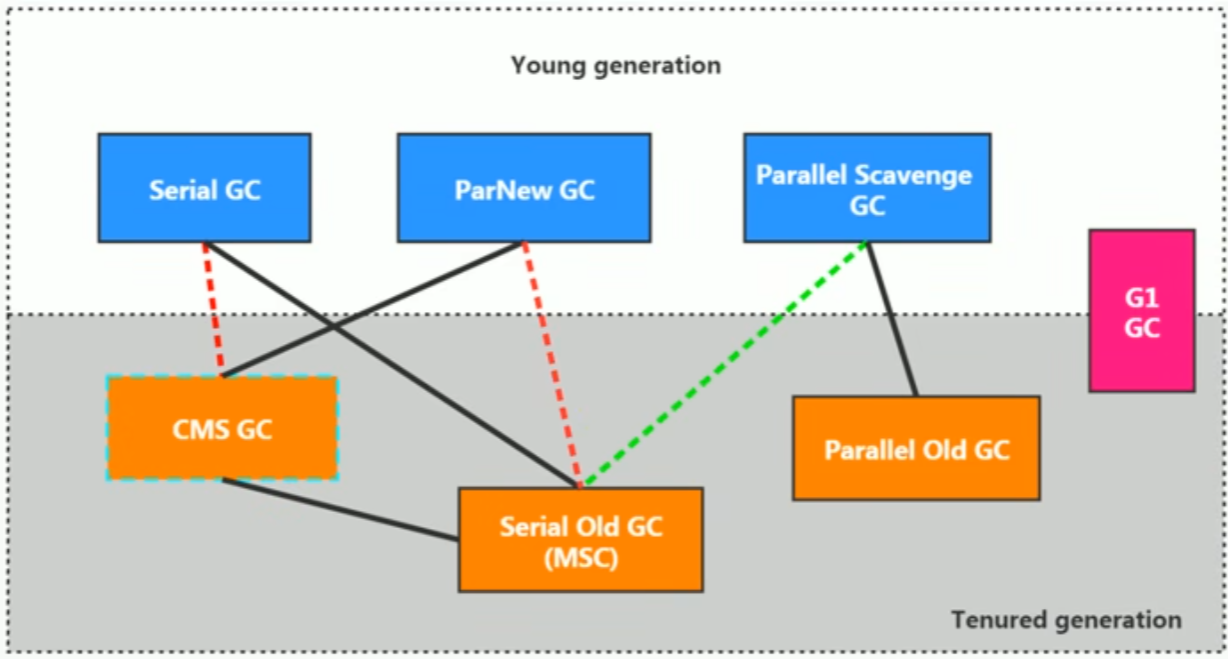
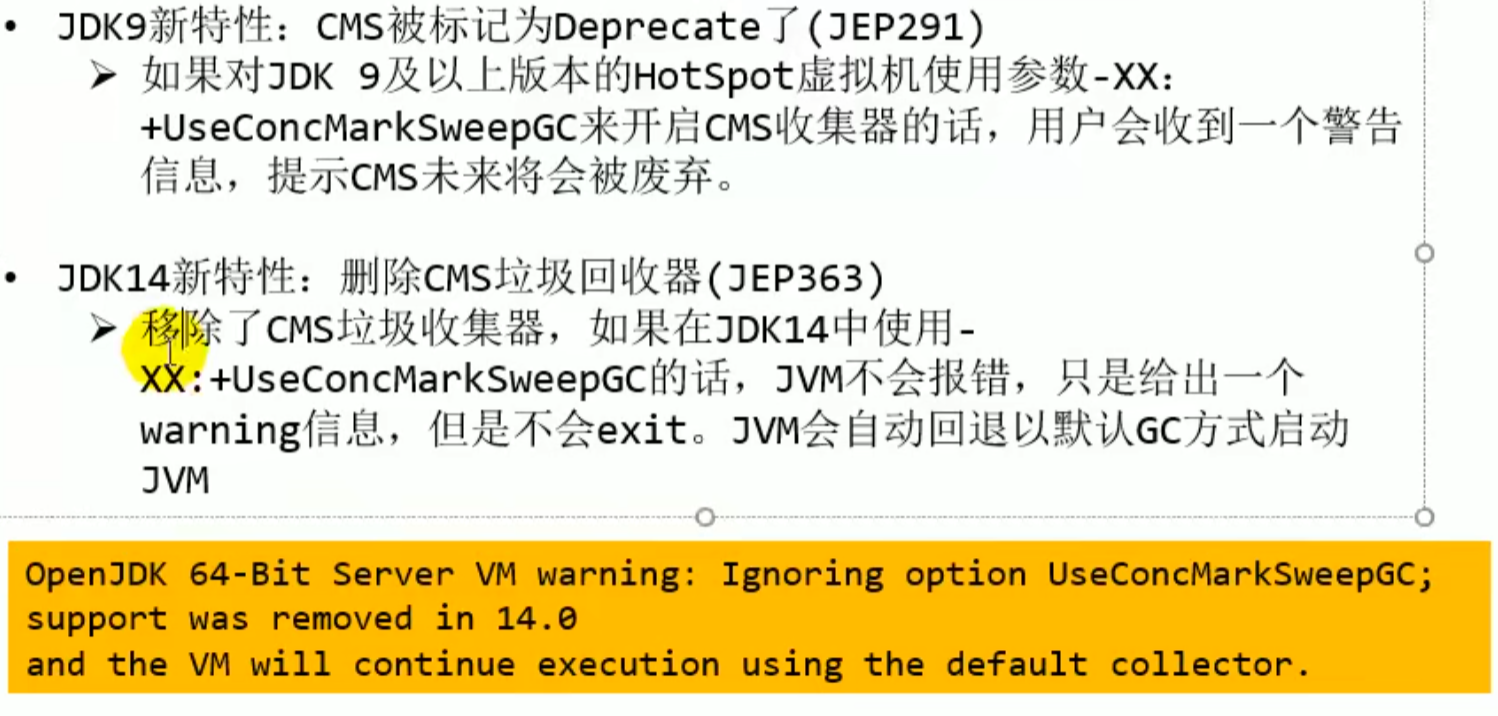
parallel scavenge differs at the underlying level and cannot be paired with CMS GC

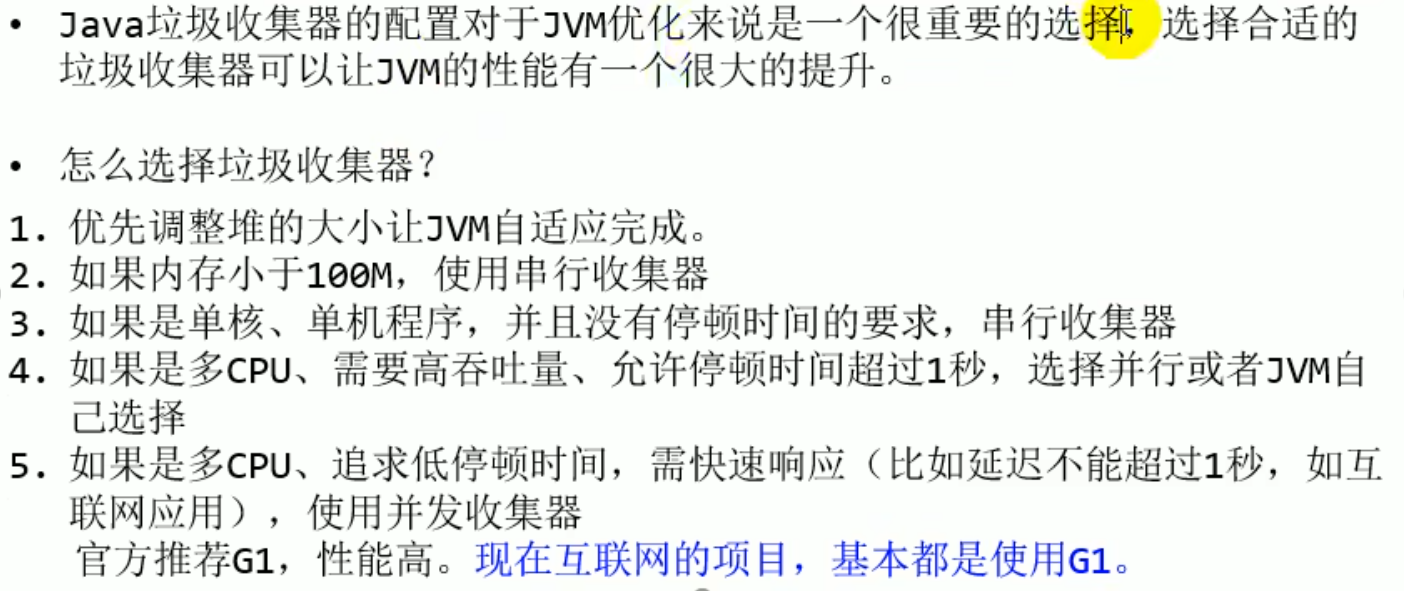
- View the default garbage collector
-XX:+PrintCommadLineFlags View command line related parameters (including the garbage collector used)
Command line instructions jinfo -flag Related garbage collection parameters process ID
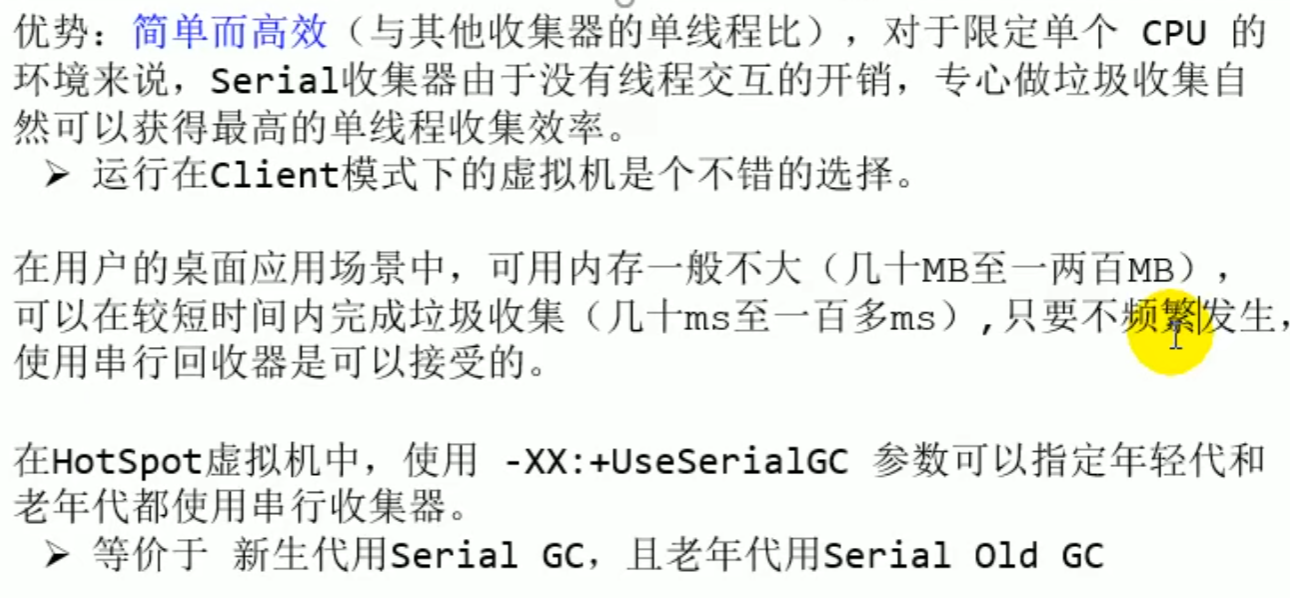
Serial Collector: serial collection (understand)
Serial Collector: serial collection
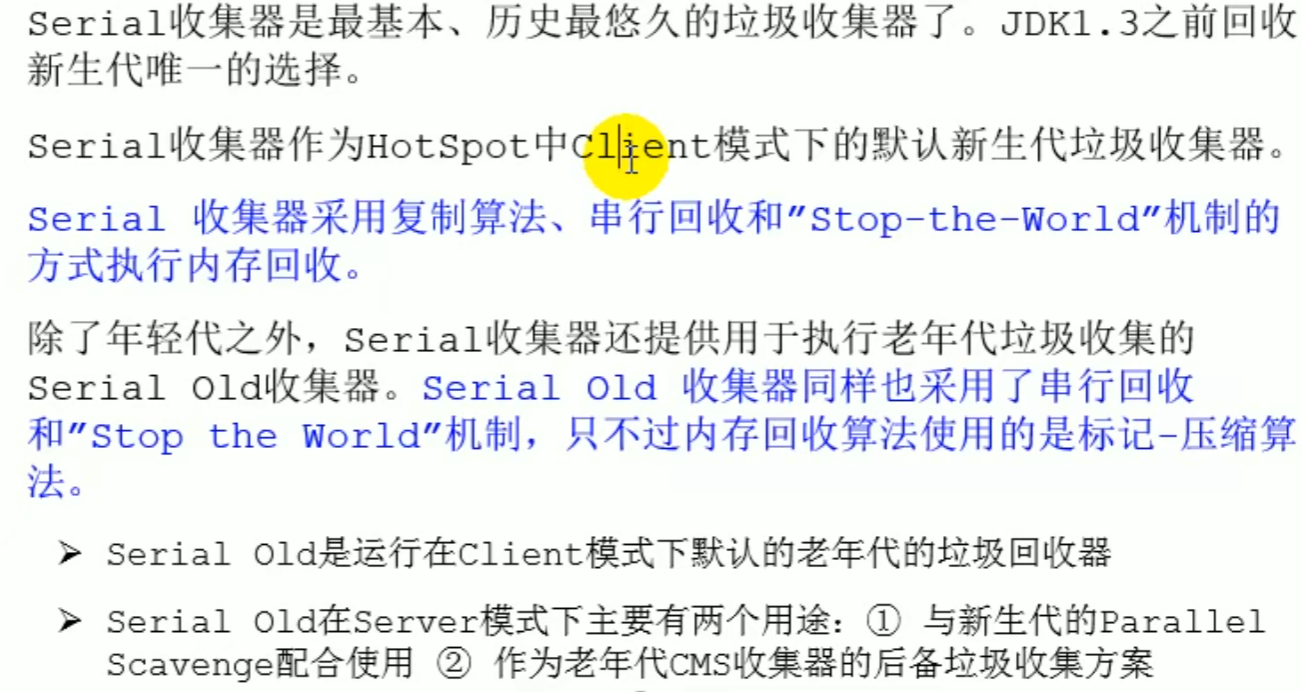
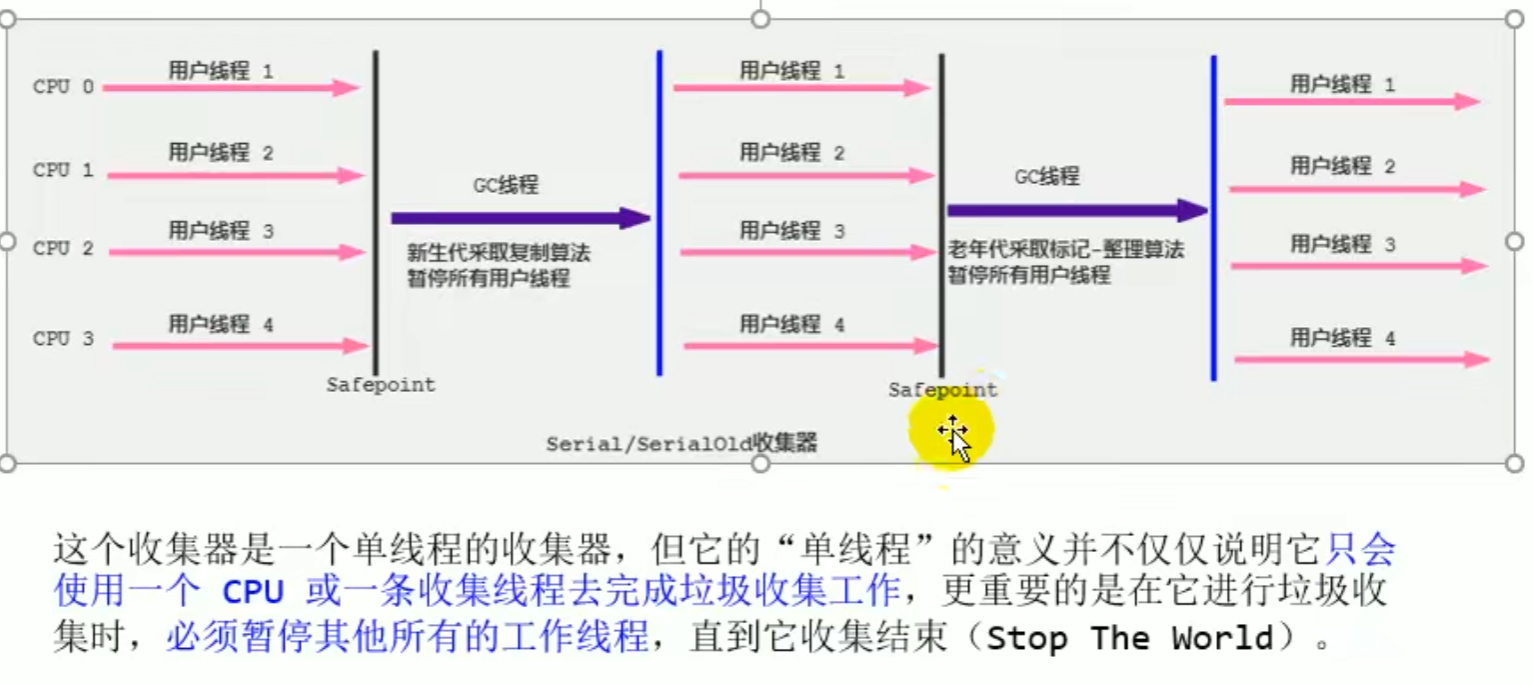

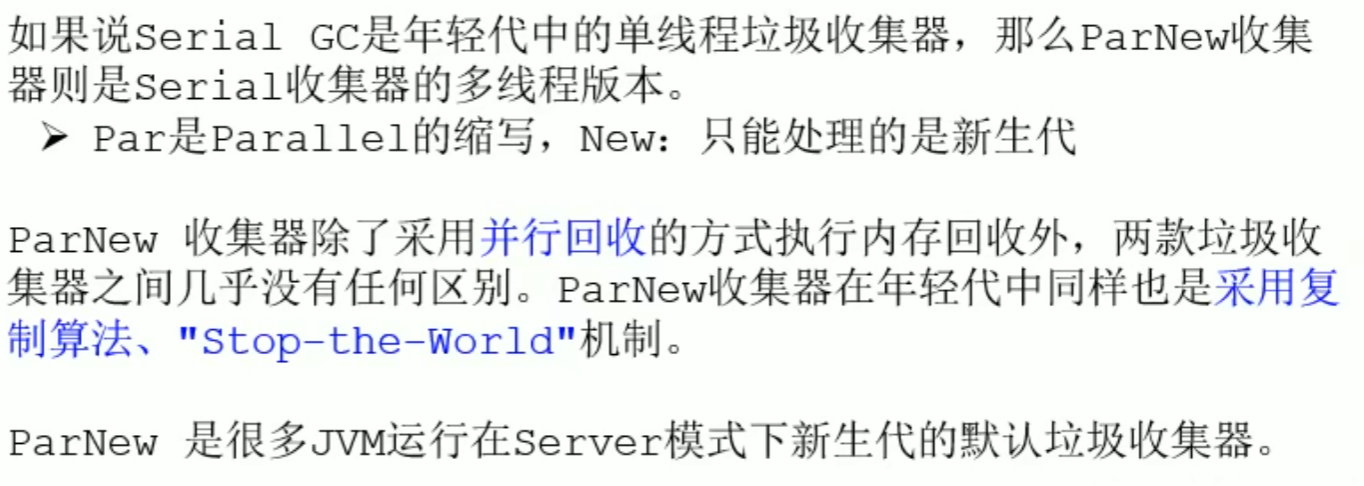
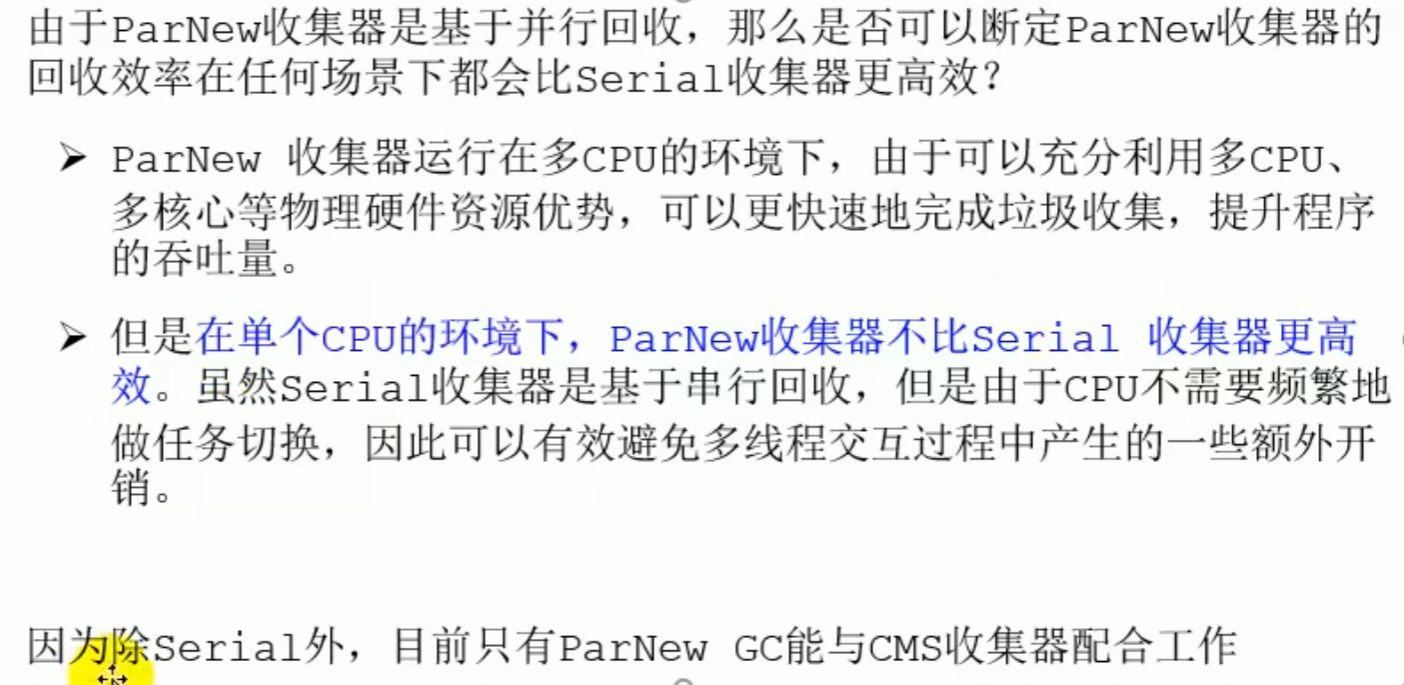
ParNew Collector: parallel collection (out of favor)
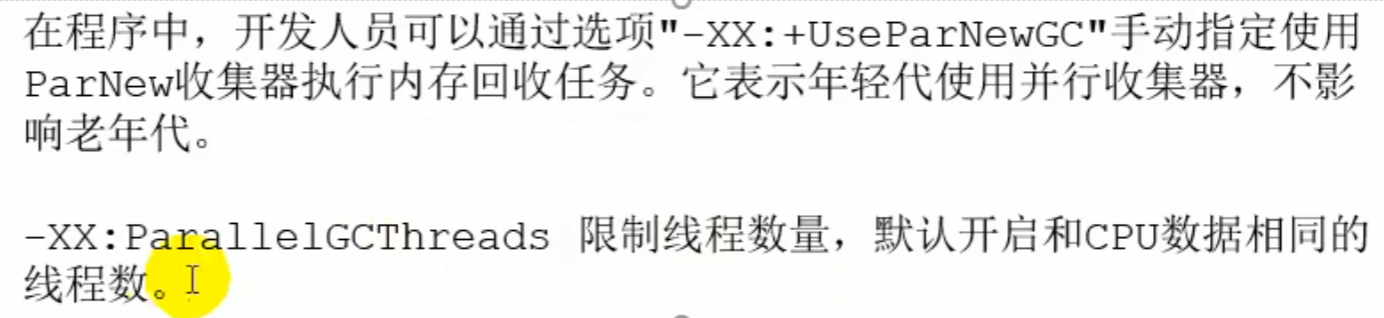
-XX:+UseParNewGC Manually specify PerNew
-XX:ParalleGCThreads Limit the number of threads
ParNew Collector: parallel collection
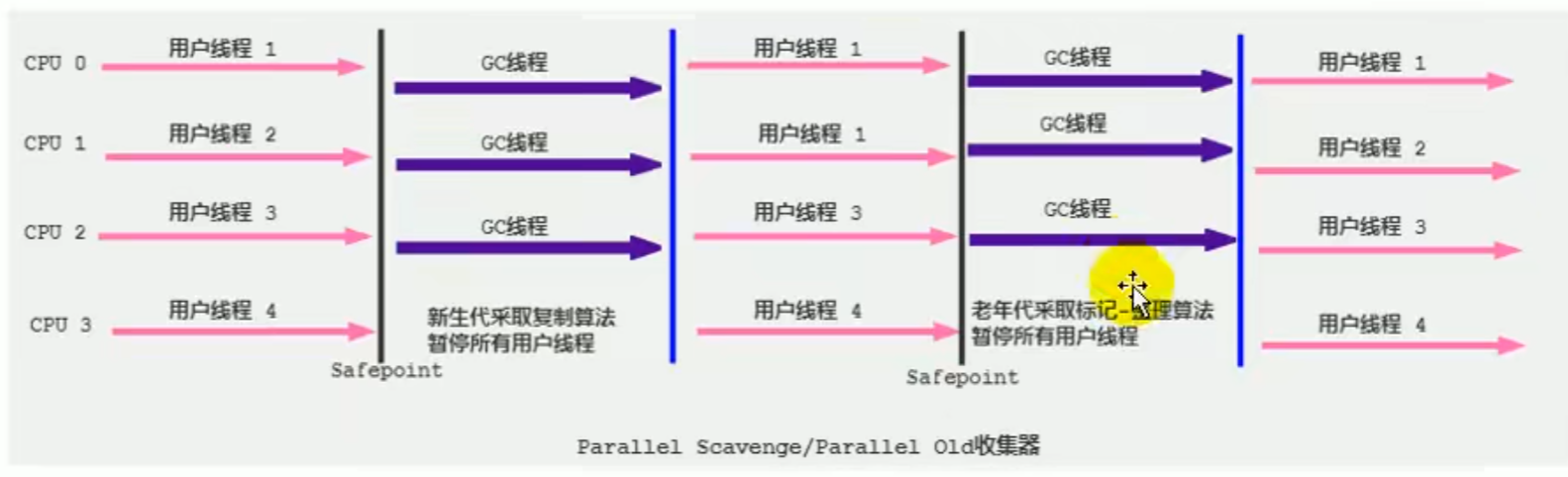
Parallel Collector: throughput priority (JDK 8 default)
Low latency: for those requiring user interaction Throughput: background computation
Parallel Scavenge



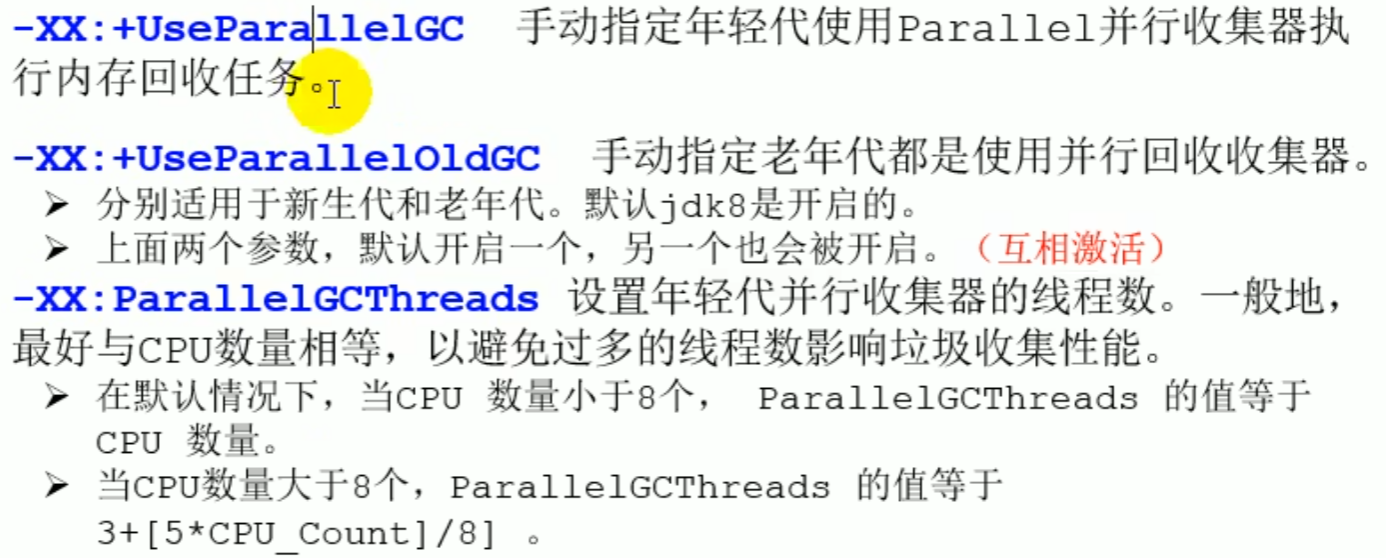
-XX:+UserParallelGC
-XX:+UserParal1elOldGC
-XX:ParallelGCThreads
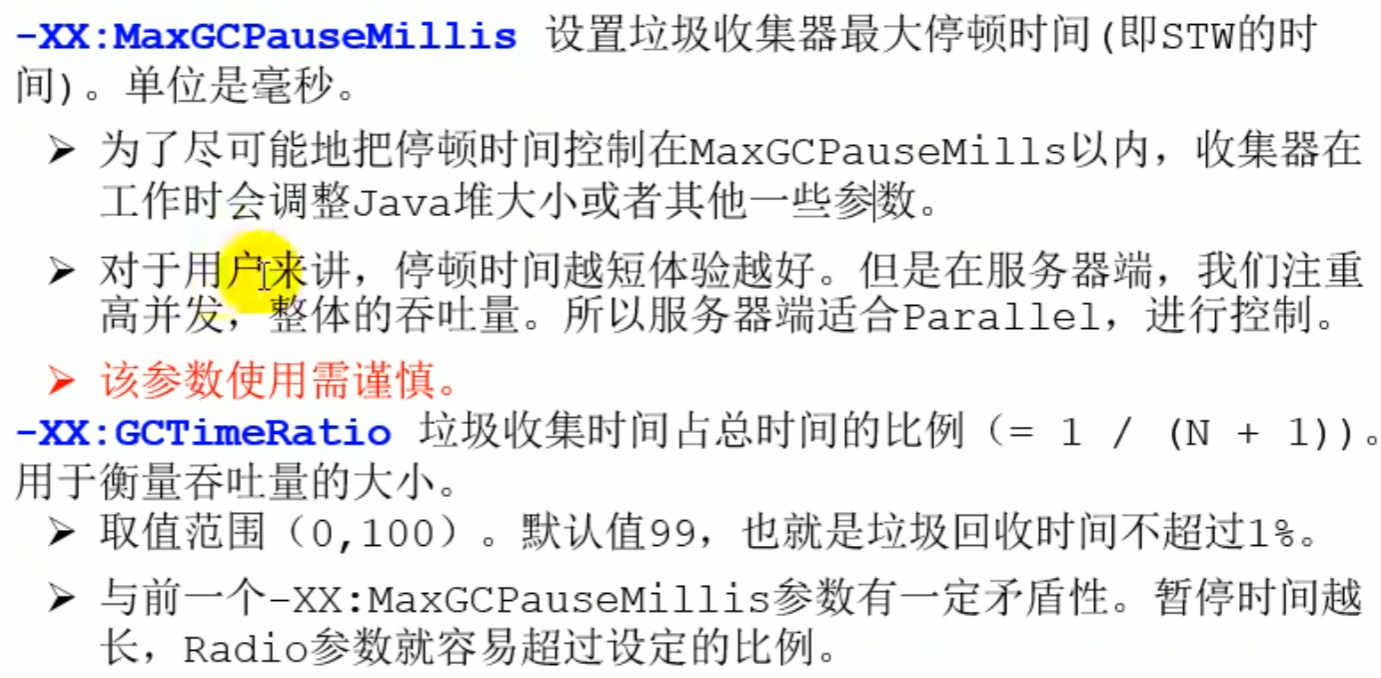
-XX:MaxGCPauseMillis
-XX:GCTimeRatio
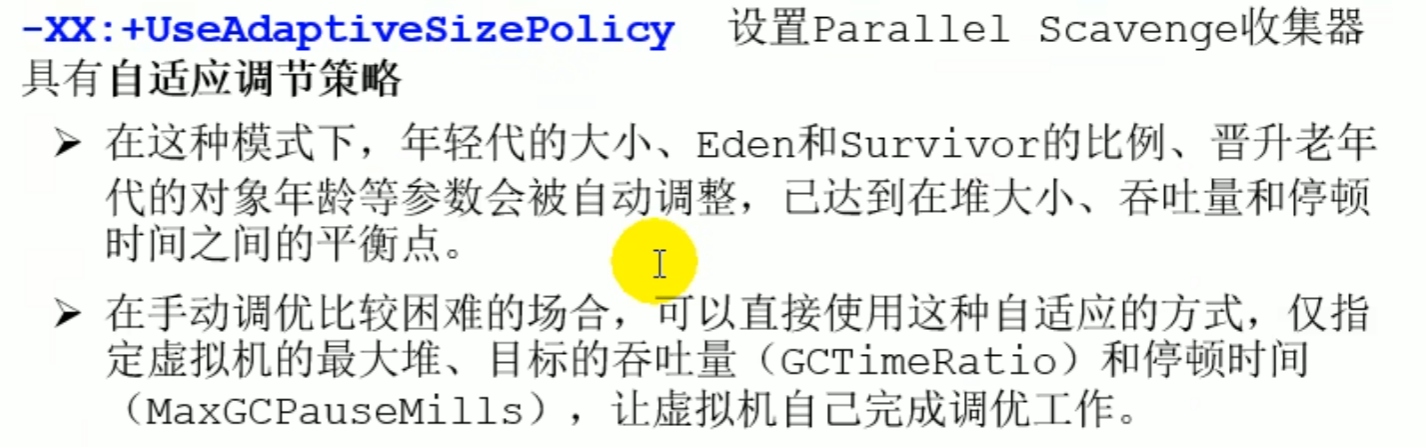
-XX:+UseAdaptiveSizePolicy
Configuration
CMS Collector: low latency (concurrent)
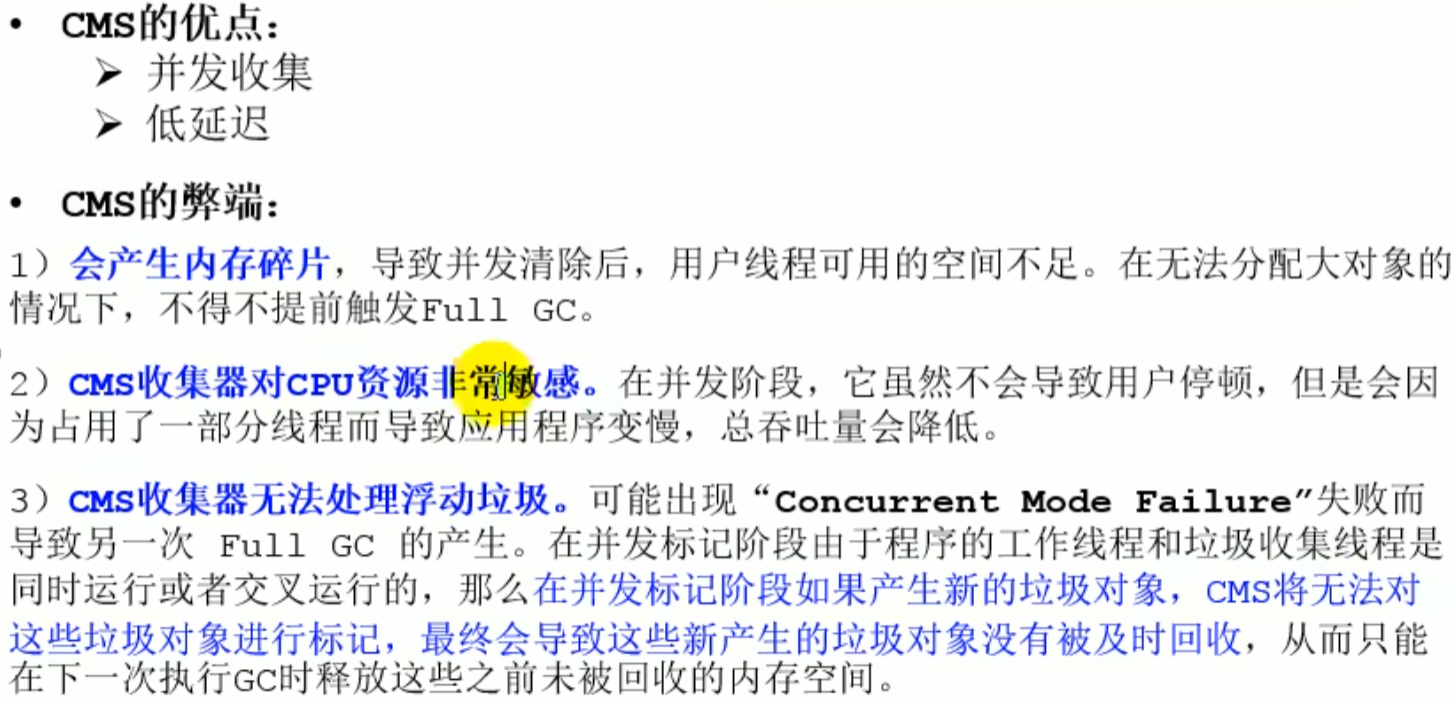
CMS Collector: low latency
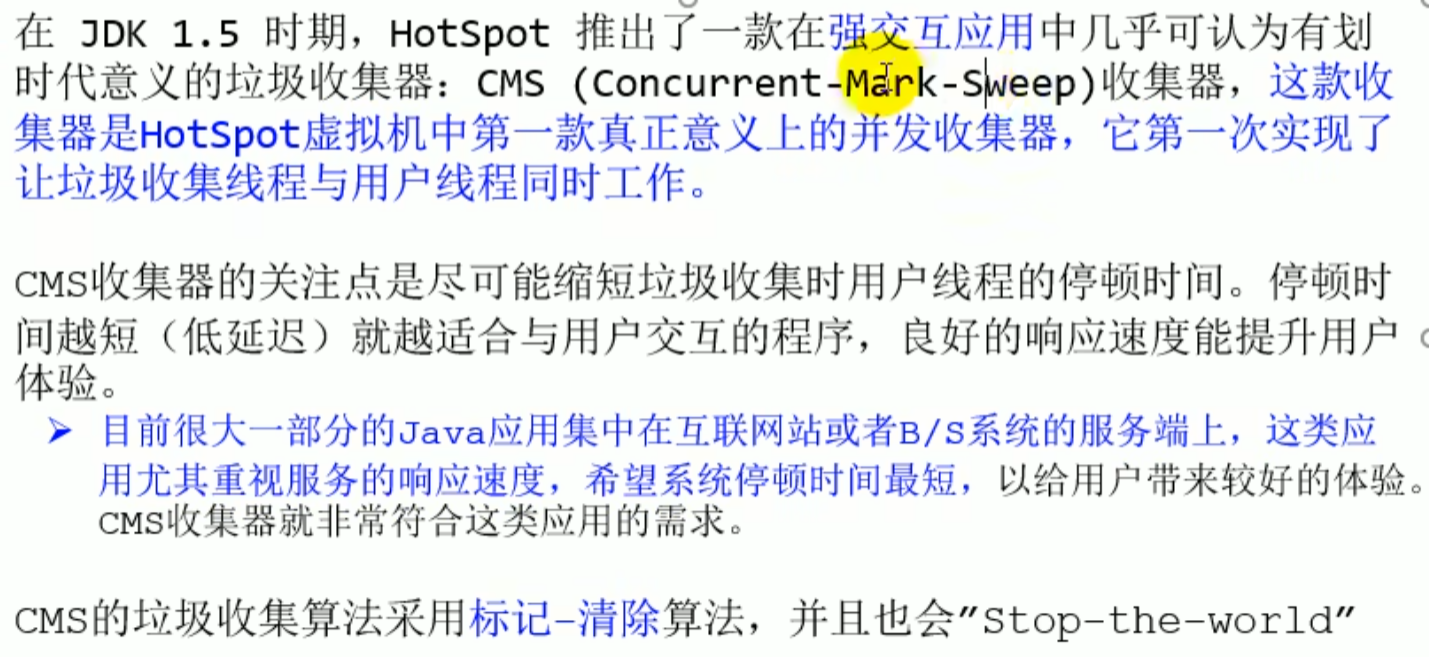
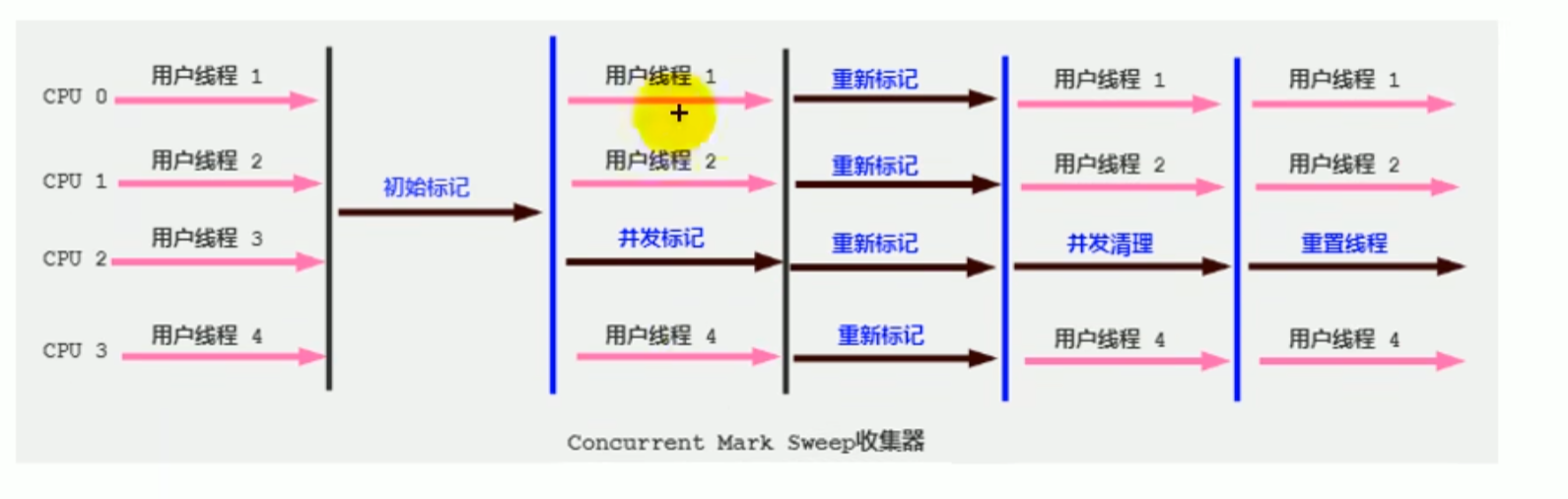
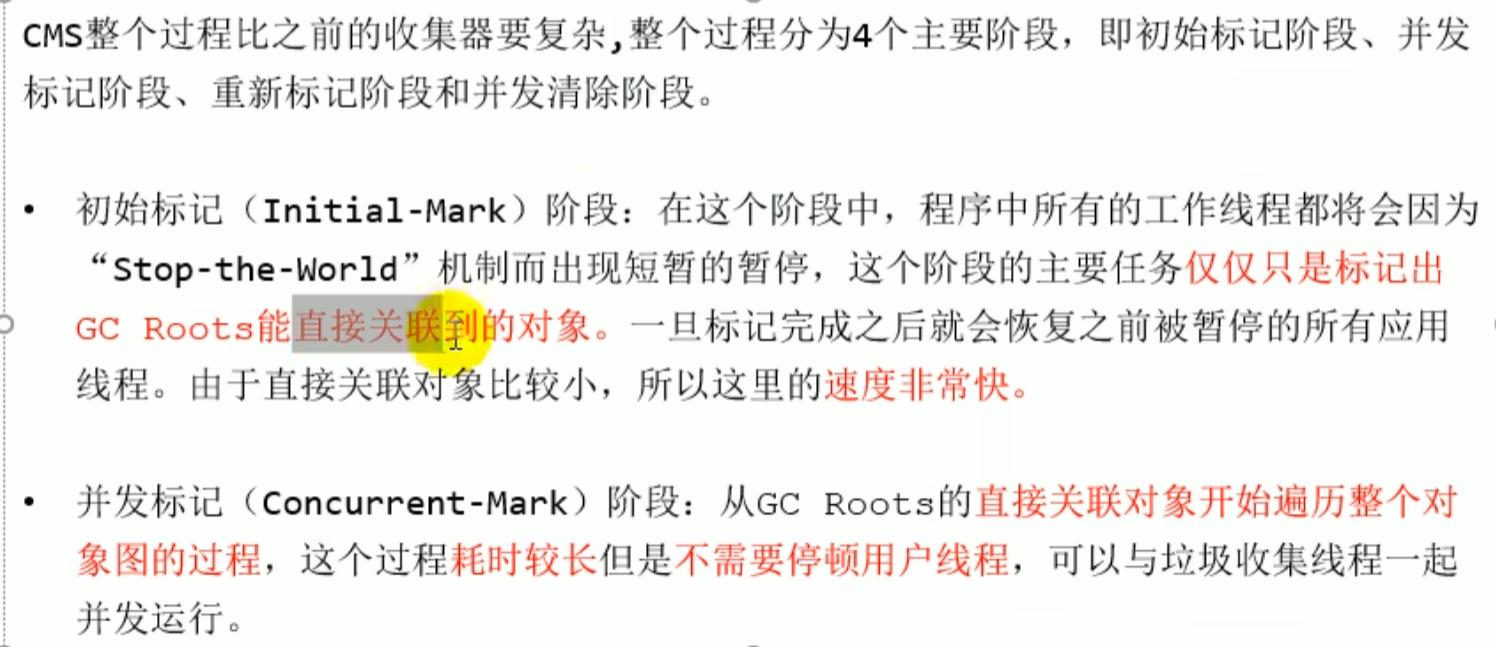
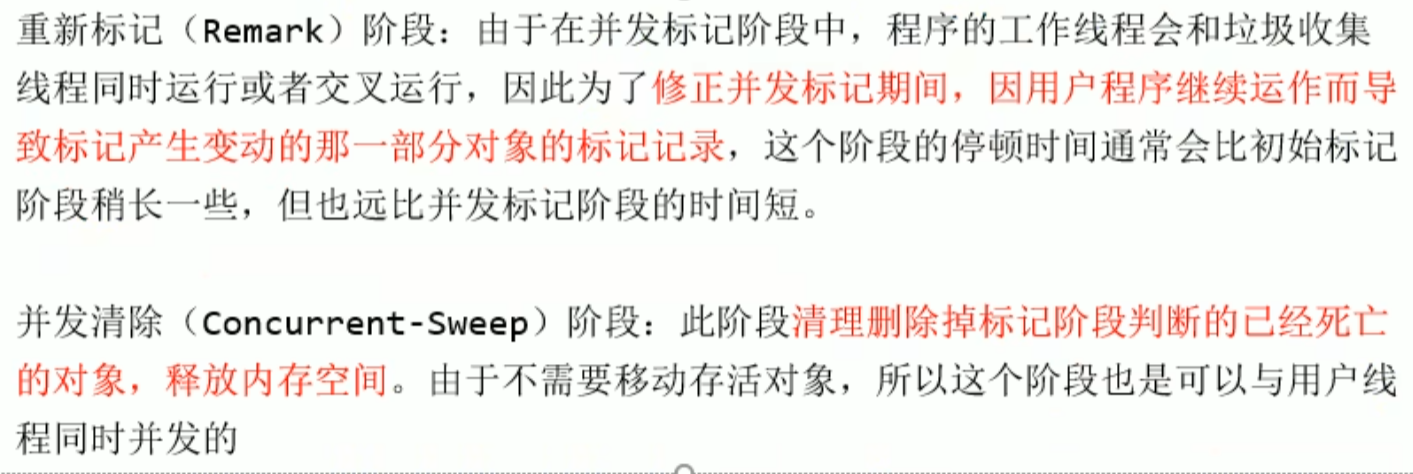

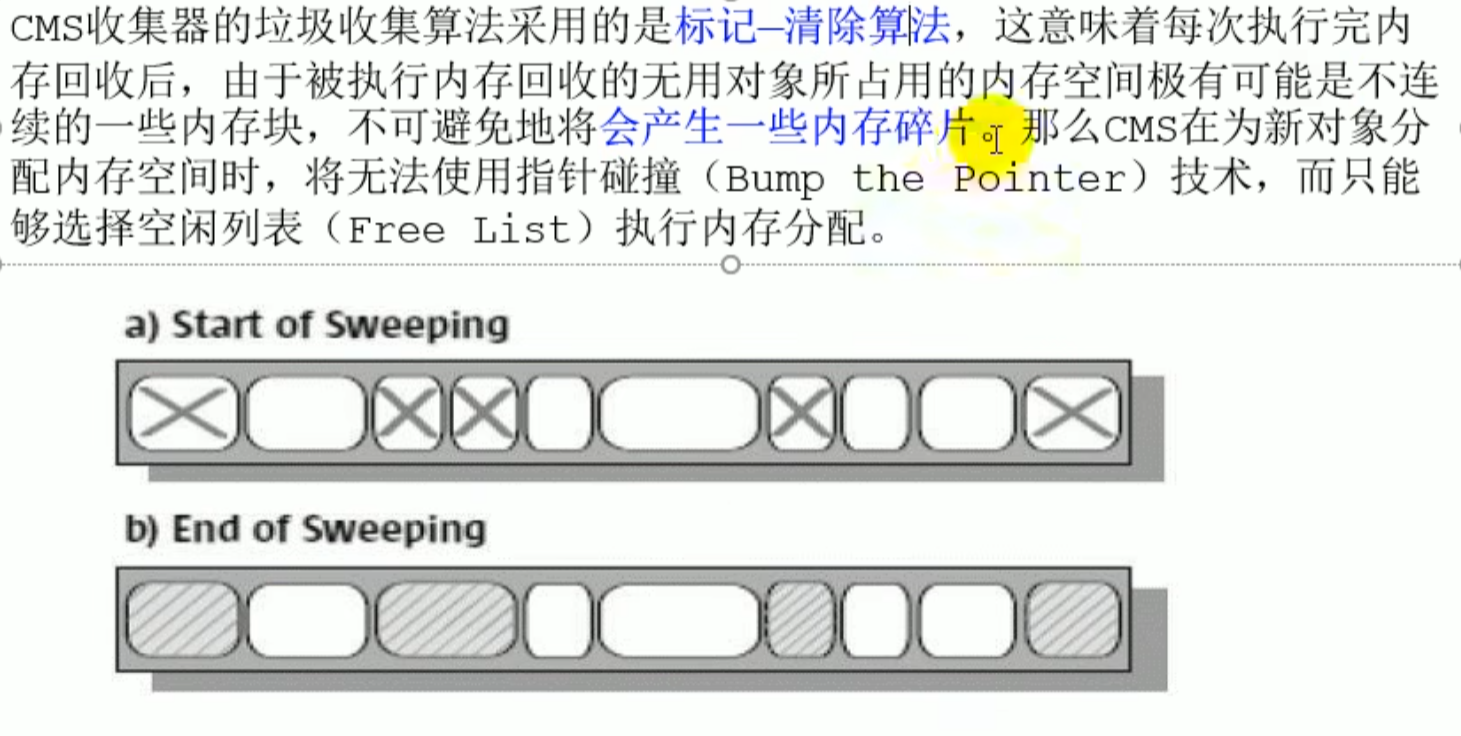
 To ensure that user objects can continue to execute, the address of the object cannot be changed, so compact cannot be used
Setting
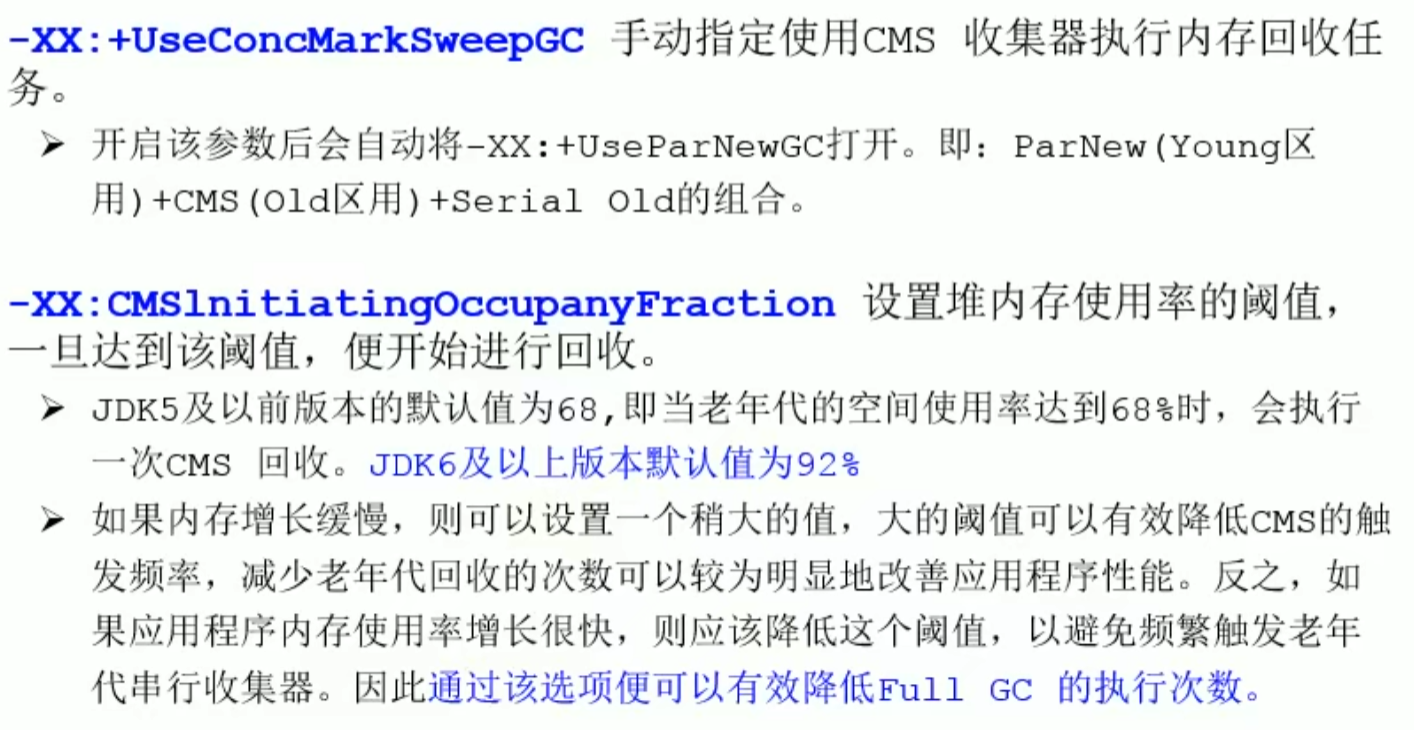
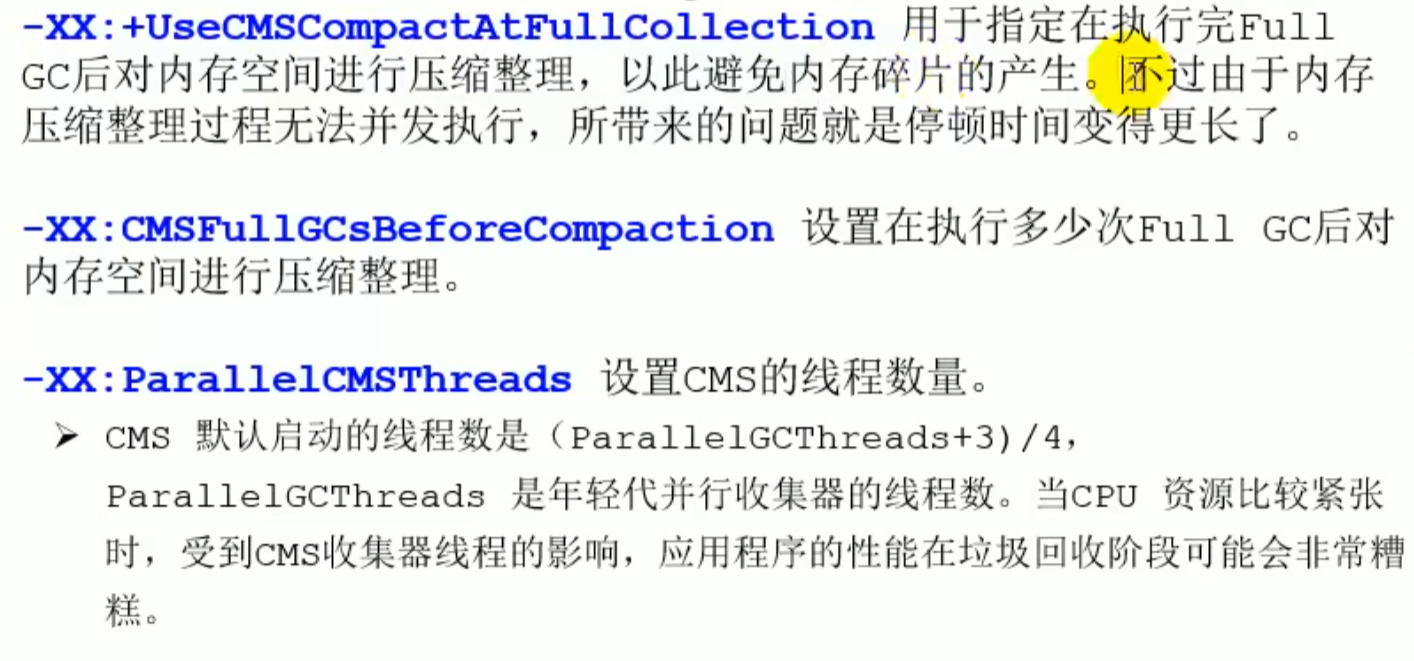
Summary

G1 Collector
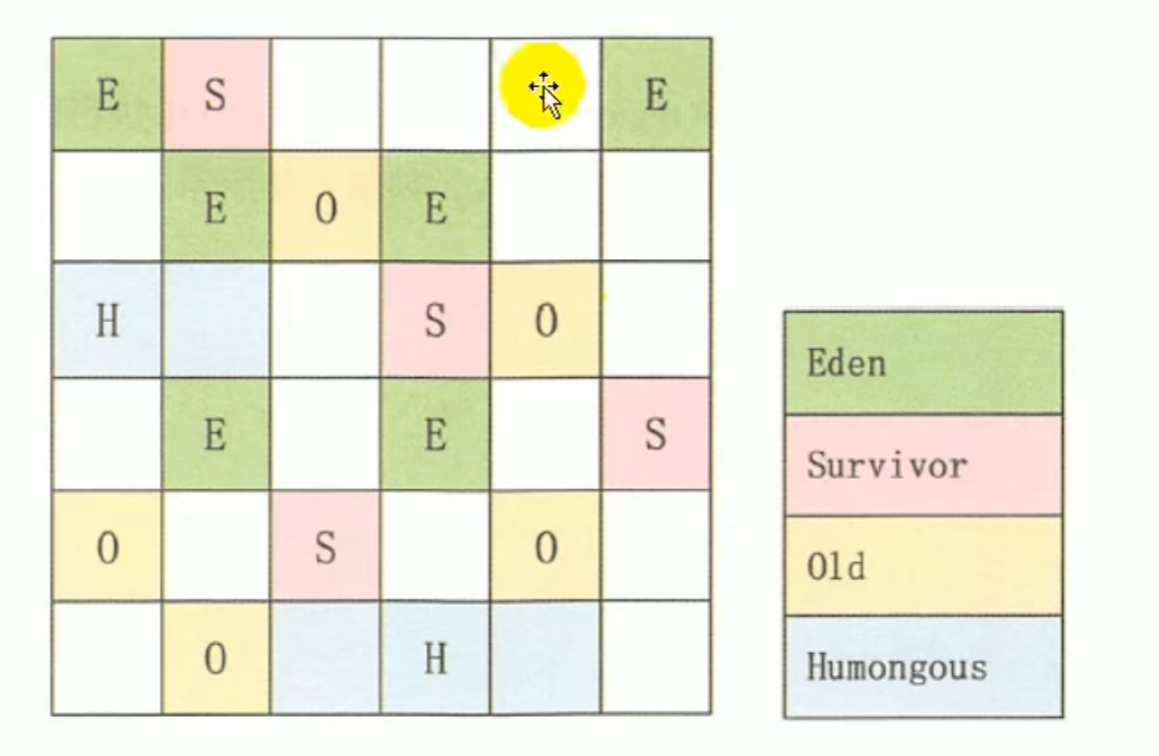
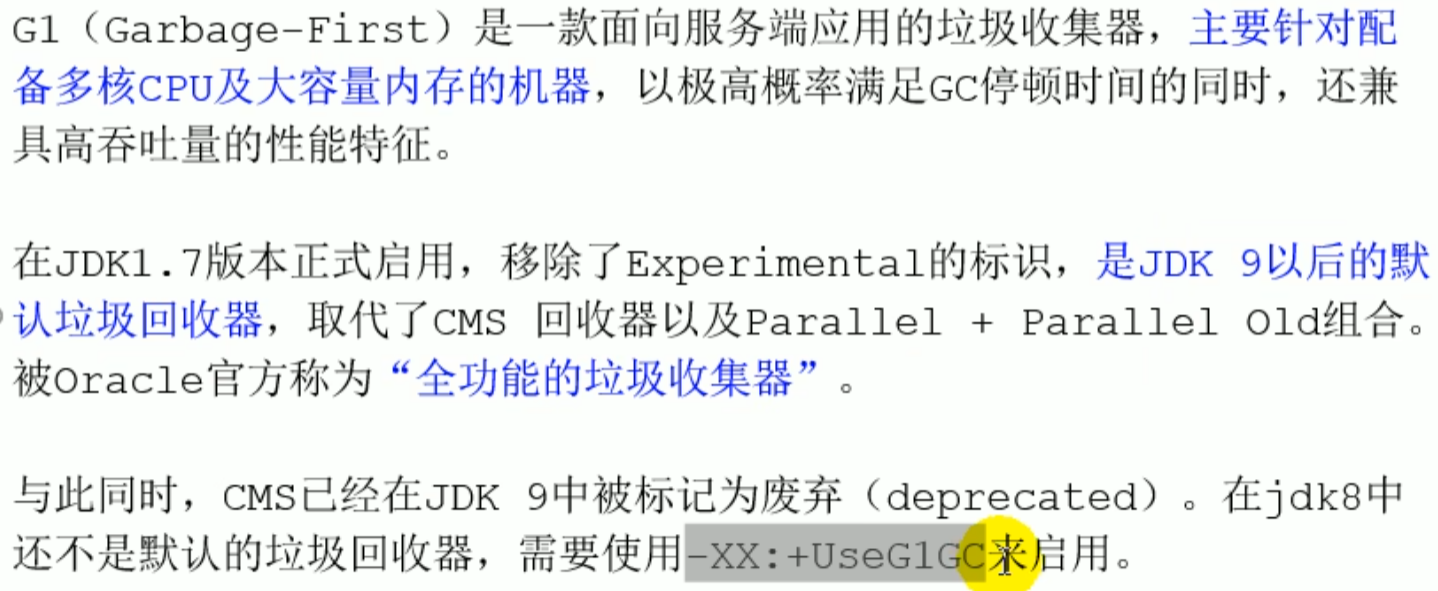
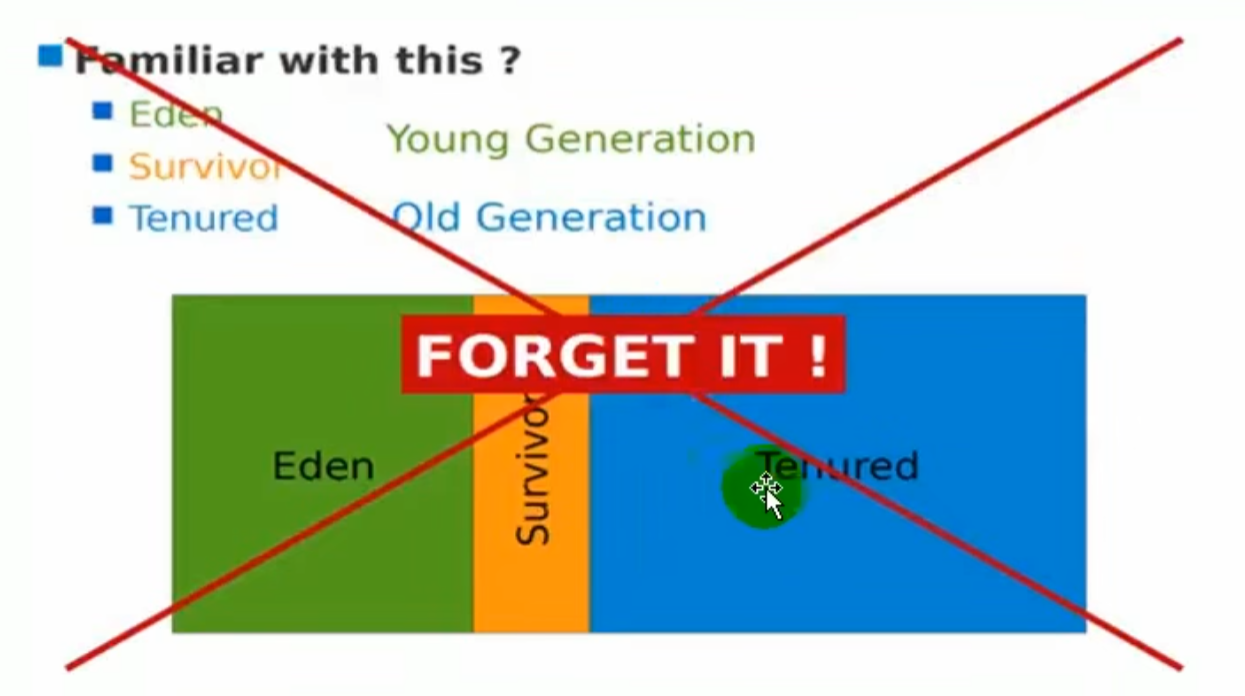
The G1 collector does not need to distinguish between the young generation and the old generation,
G1 uses a partitioned algorithm
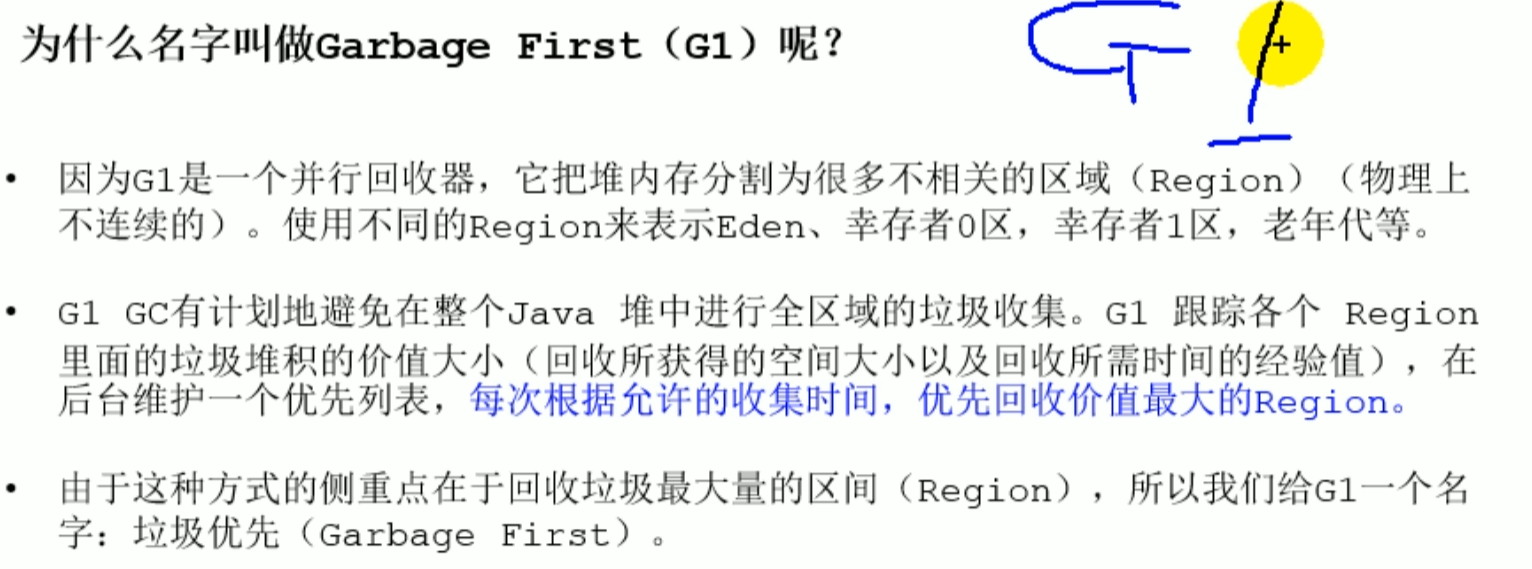
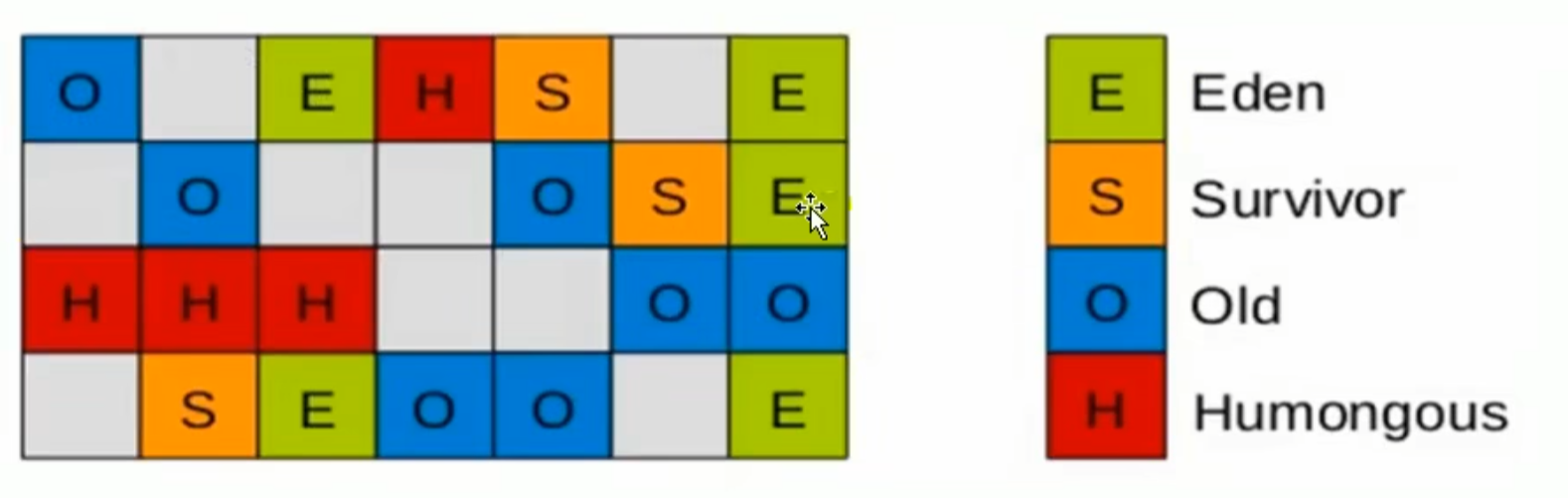
divides the entire heap memory into multiple equal-sized Region areas, and determines the collection priority based on the survival time and occupied space of objects in the Region.
G1 Collector

- Features
region- Predictable pause model
soft real-time
Features and advantages of G1
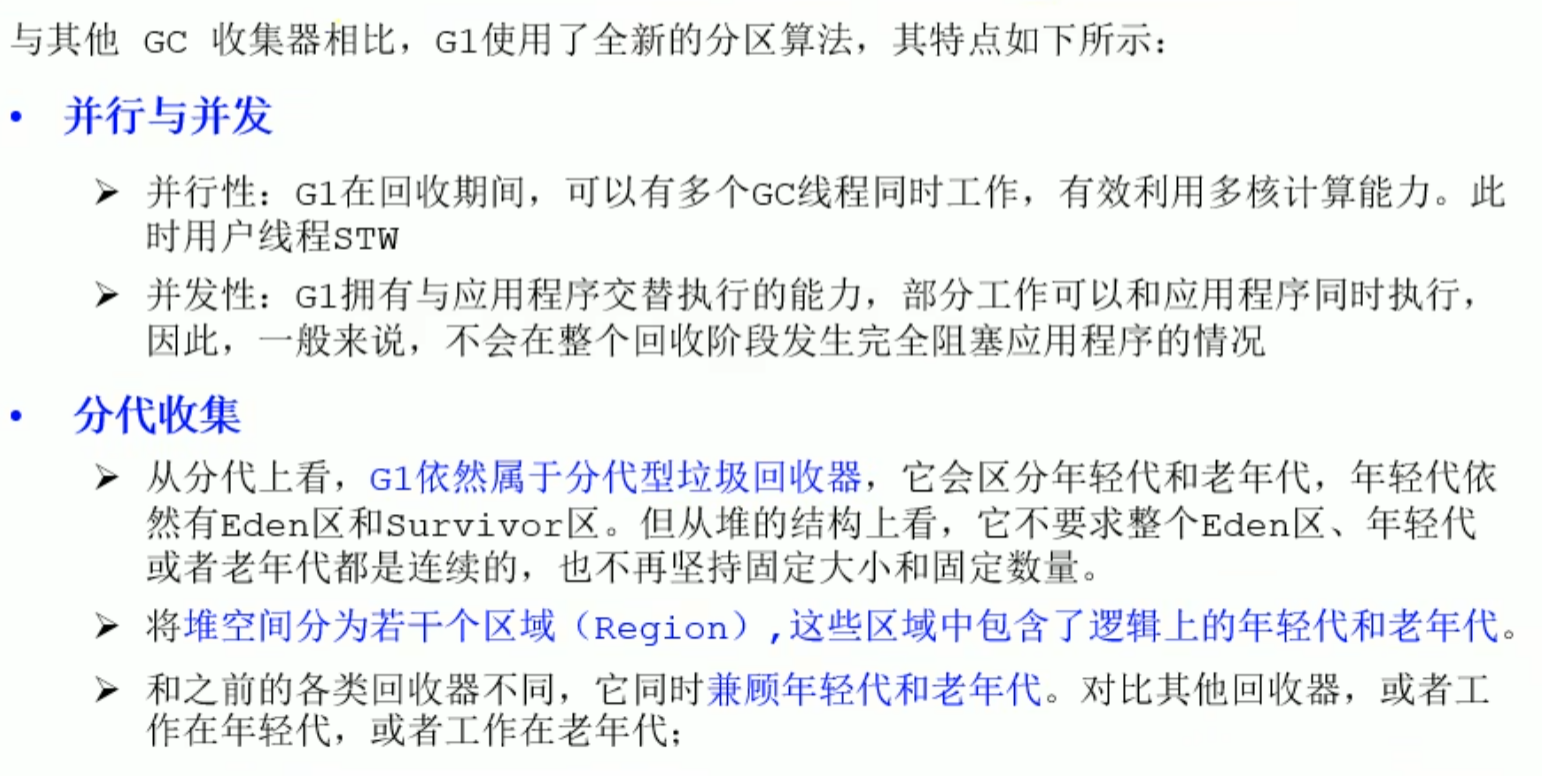
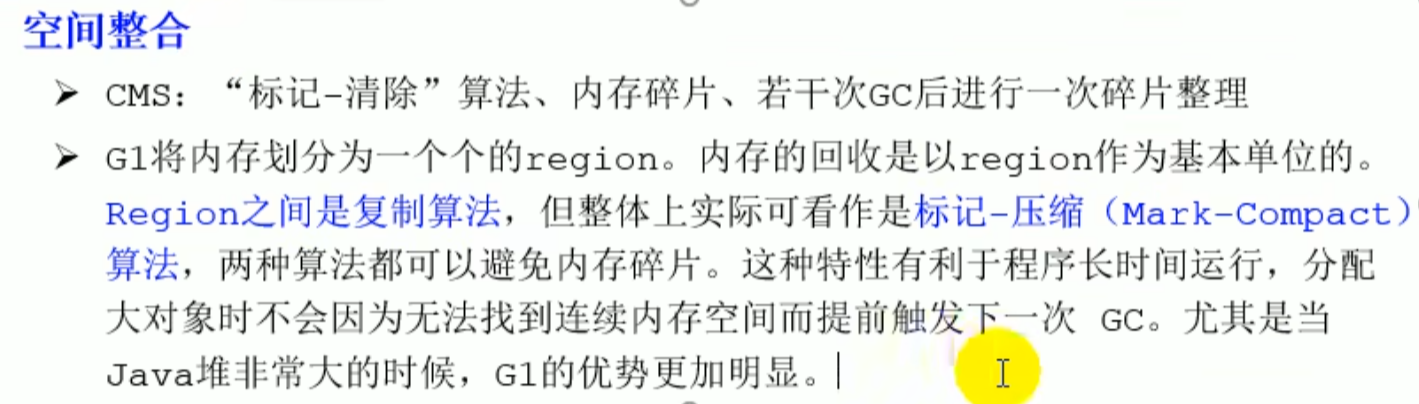
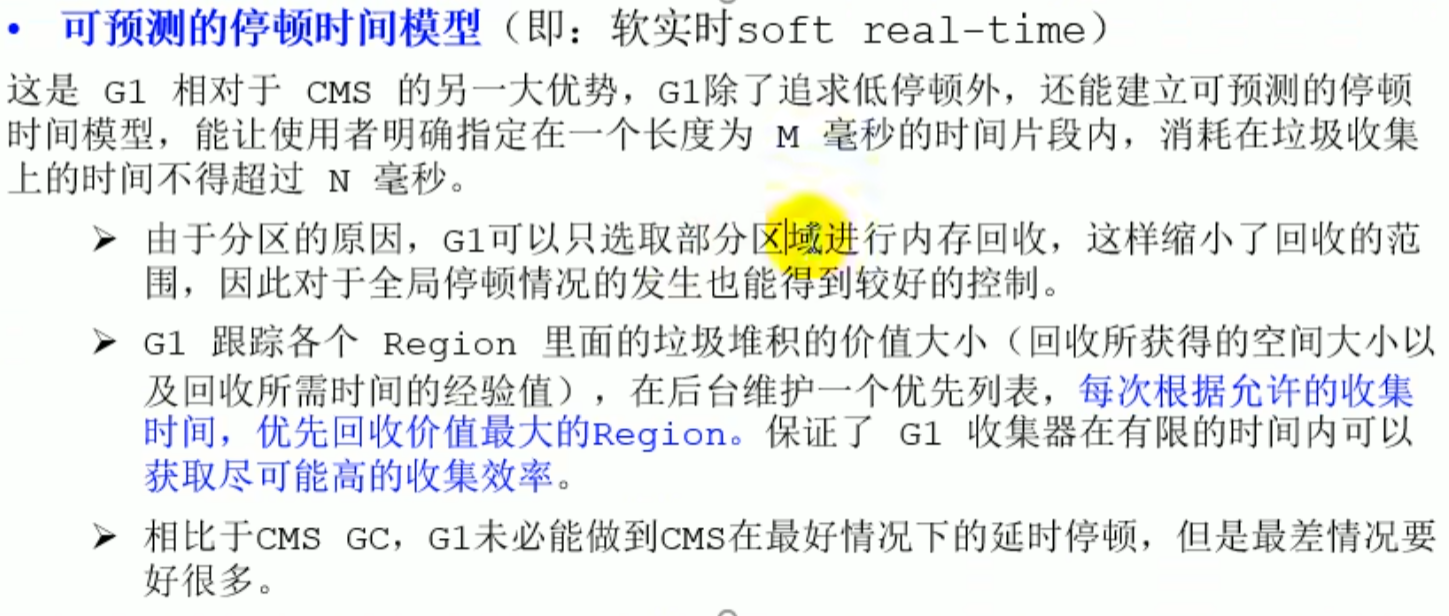
G1 uses compaction technology to organize the heap space. During garbage collection, G1 moves surviving objects to other areas in the heap, and tries to minimize memory fragmentation, thereby achieving memory compaction. This step is similar to the compaction process in the mark-sweep algorithm
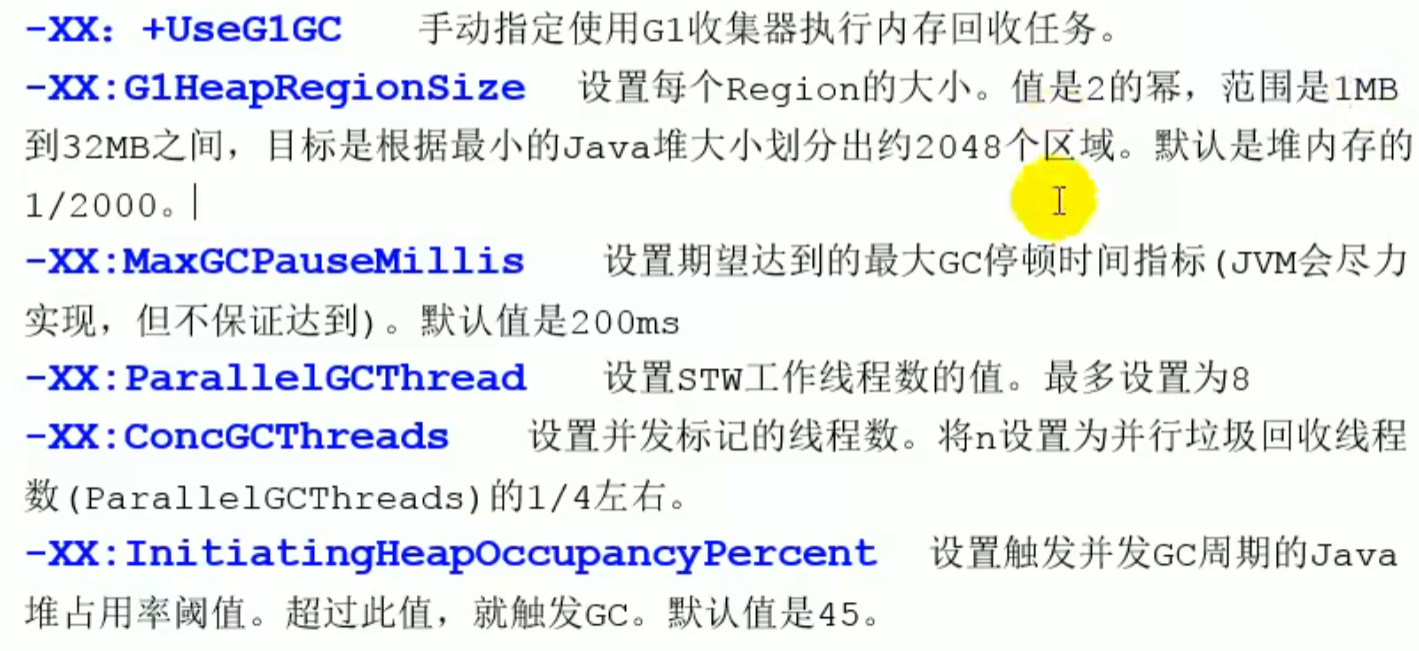
G1 parameter settings
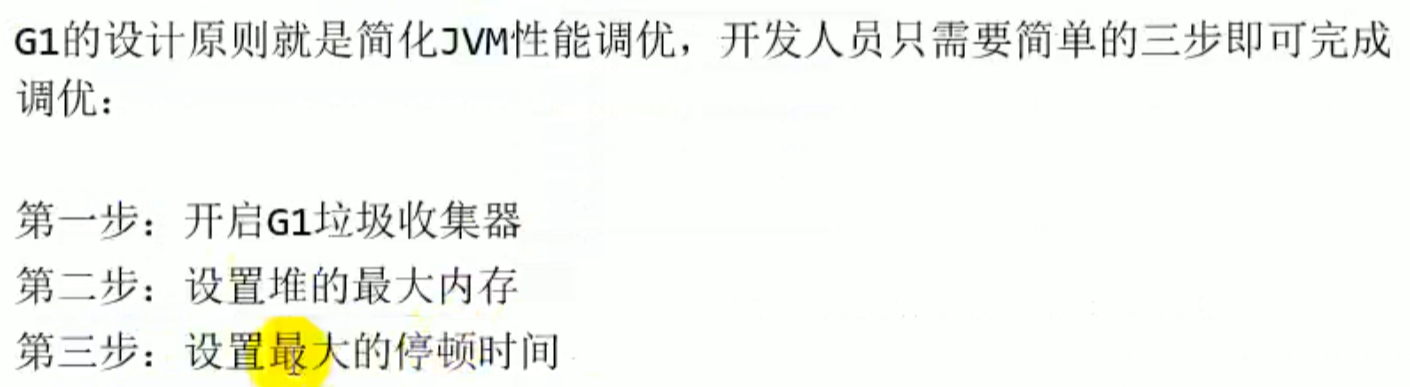

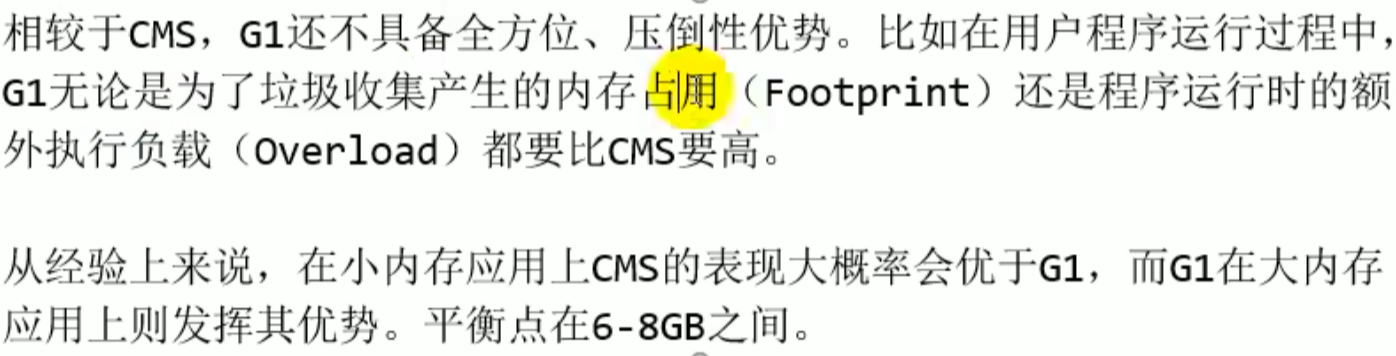
Applicable scenarios
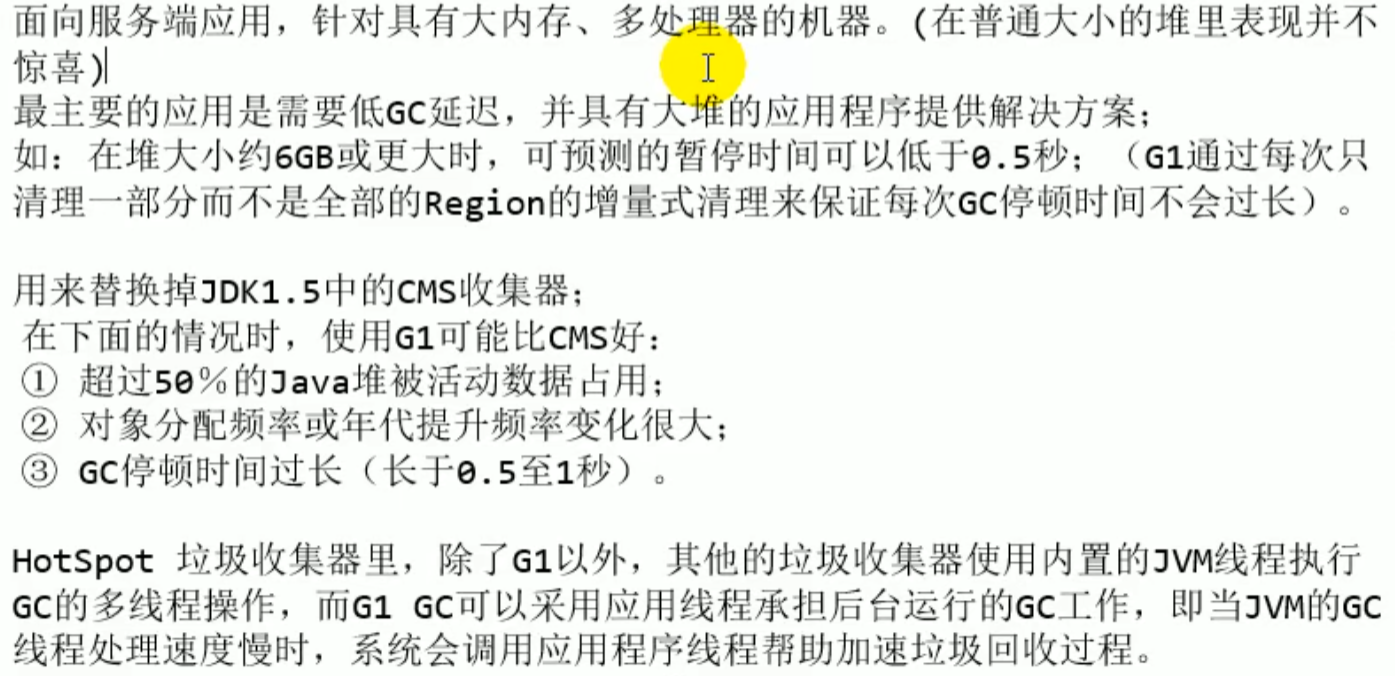
Region
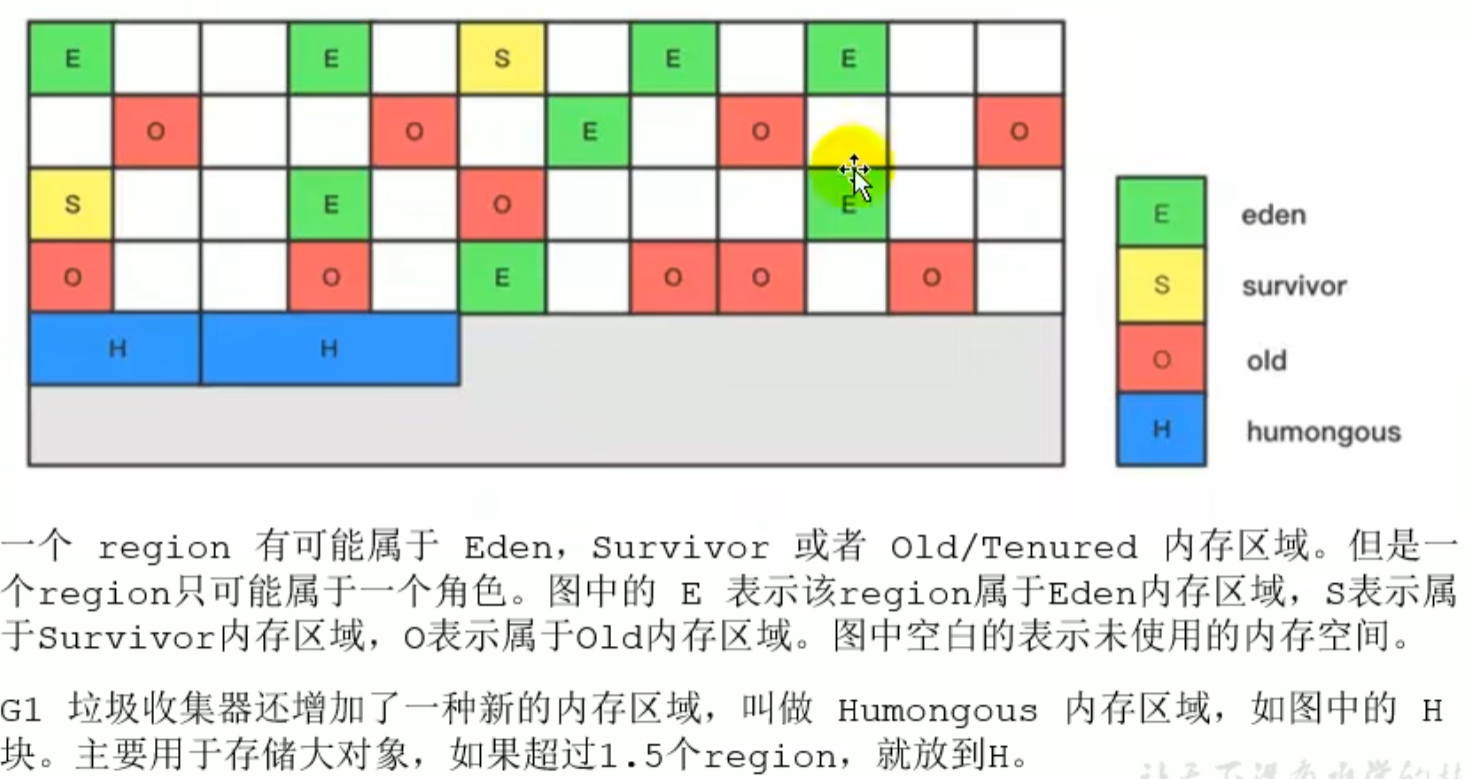
A region can only have one role, and after being cleared it can switch roles, greater than 1.5 times region objects will be placed into humongous (to avoid short-term large objects being placed in the old generation and causing impact on the heap garbage collector, ensuring that the old generation contains only long-term objects)
Region
- break the whole into parts
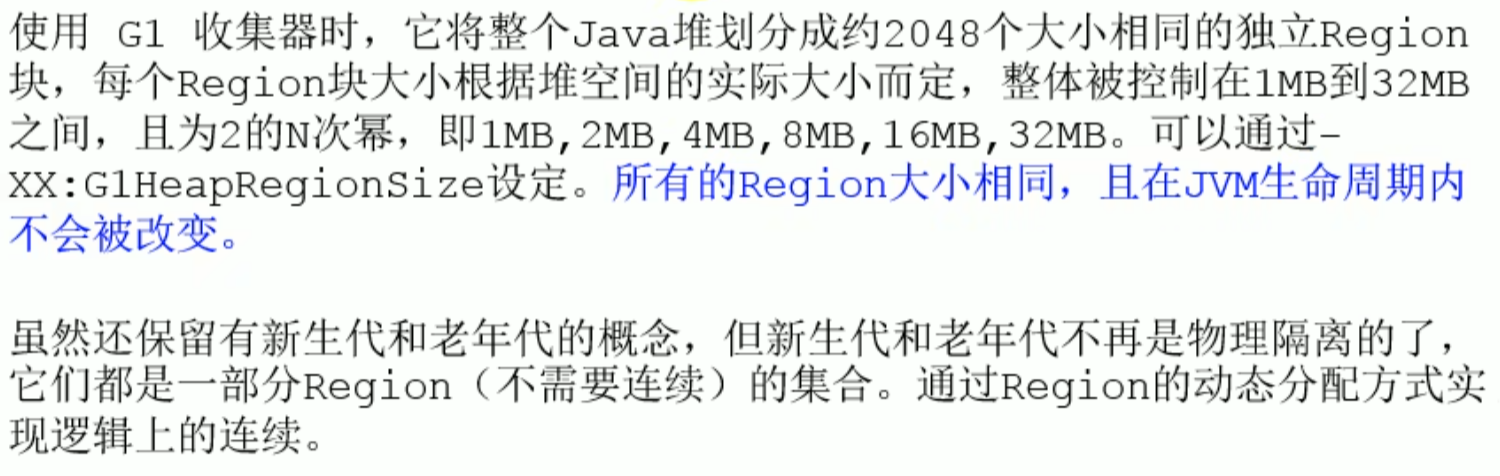 In the G1 garbage collector, the young generation and the old generation are logically no longer continuous

- Internal details of a region
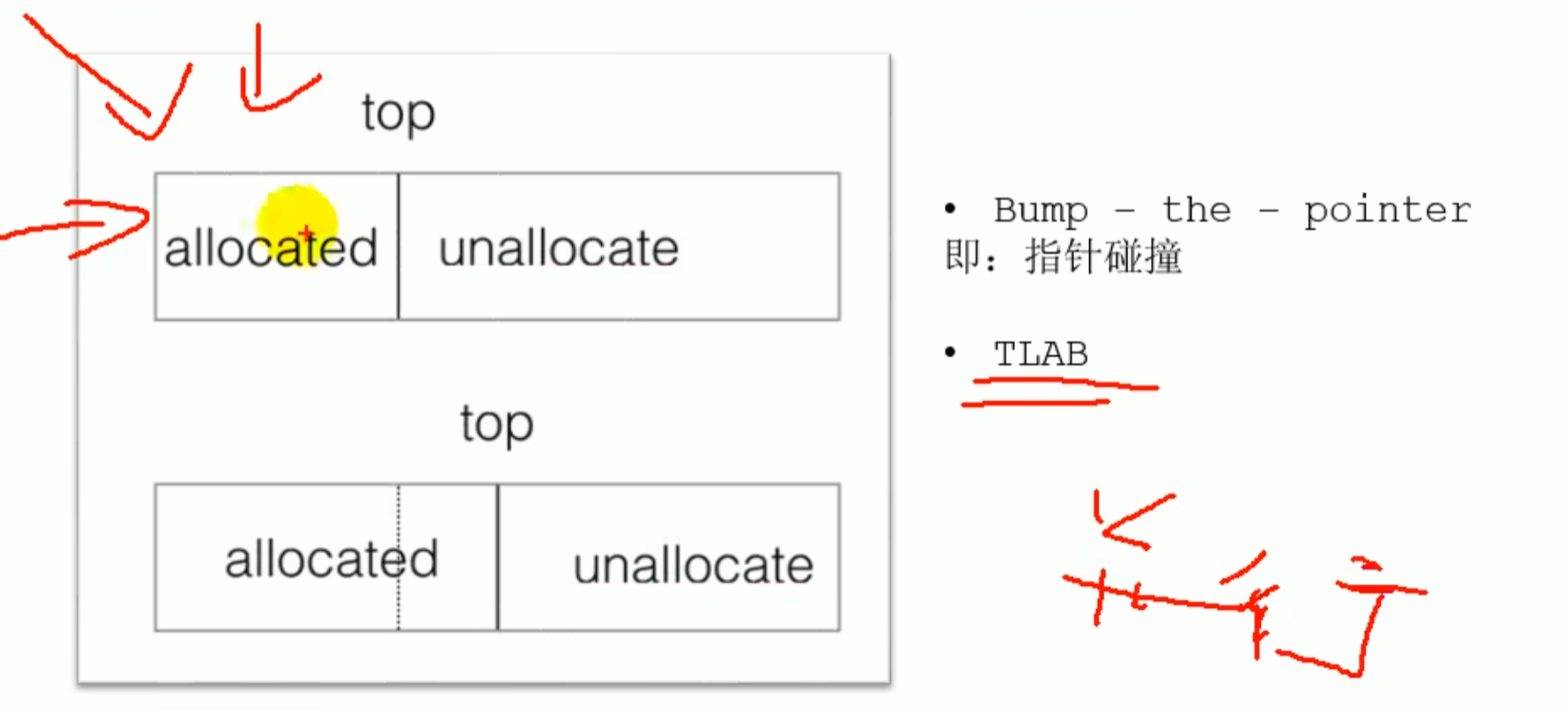 Pointer at
allocated/unallocateboundary point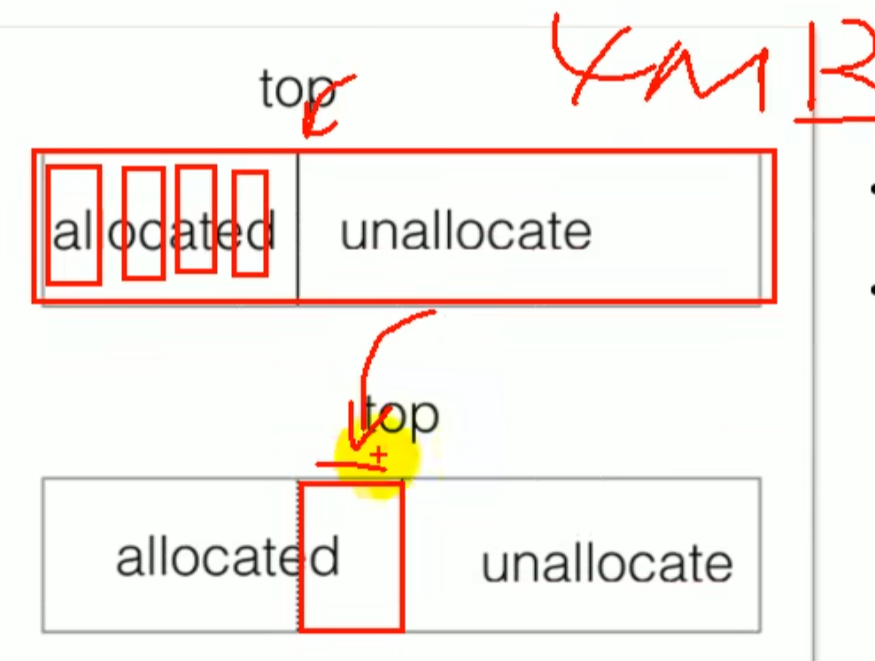
G1 Collection process
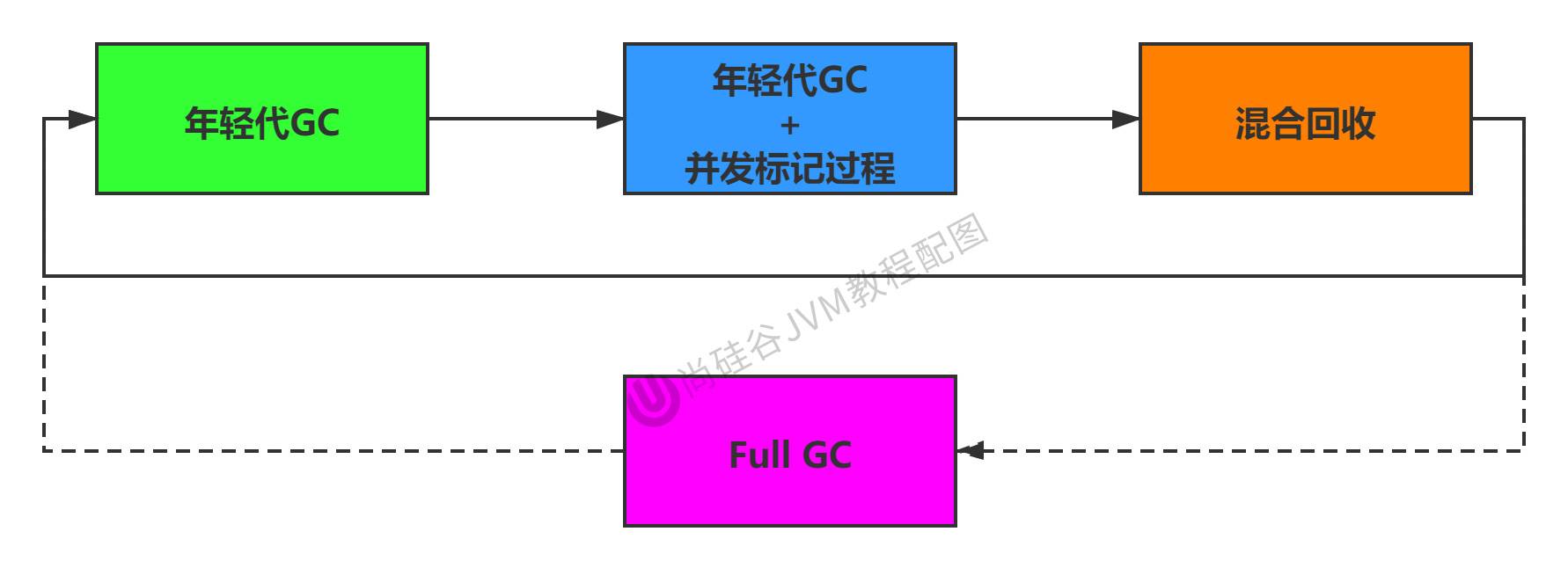
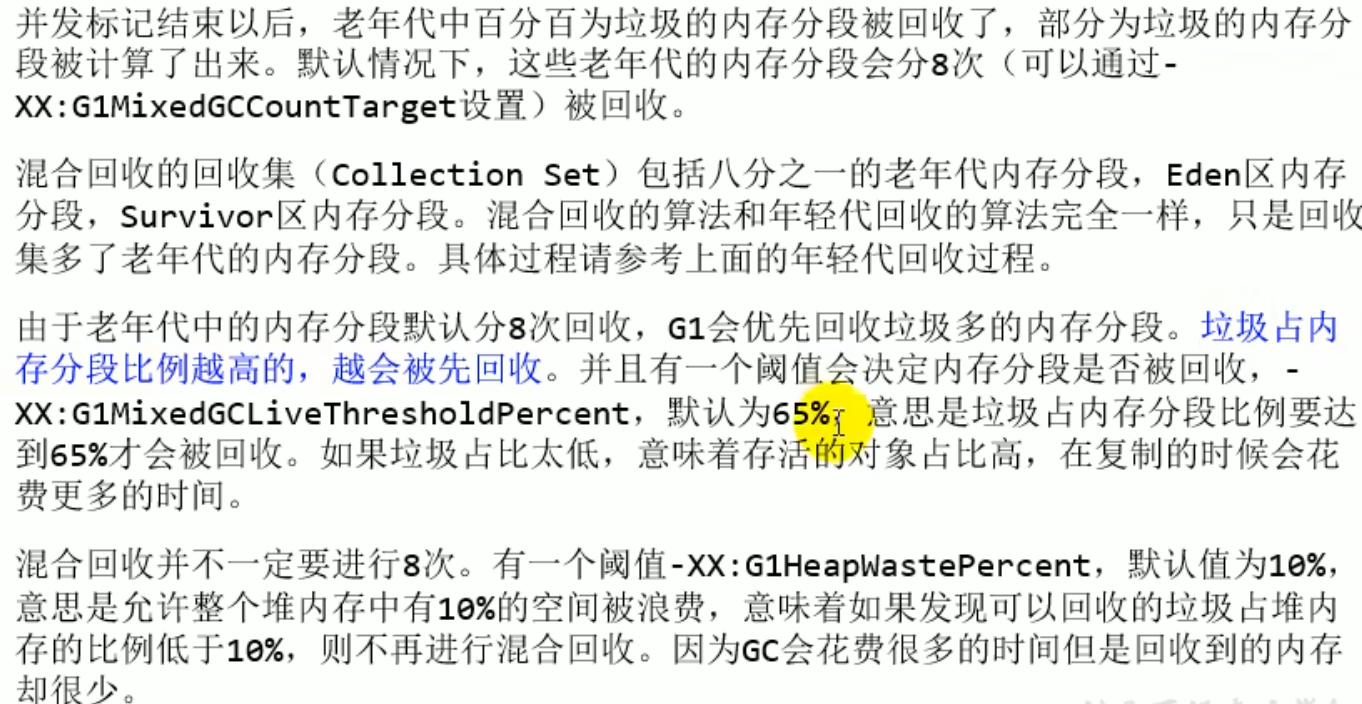
Mixed collection :
Due to low latency: only selects those with relatively high value for collection
G1 collection process
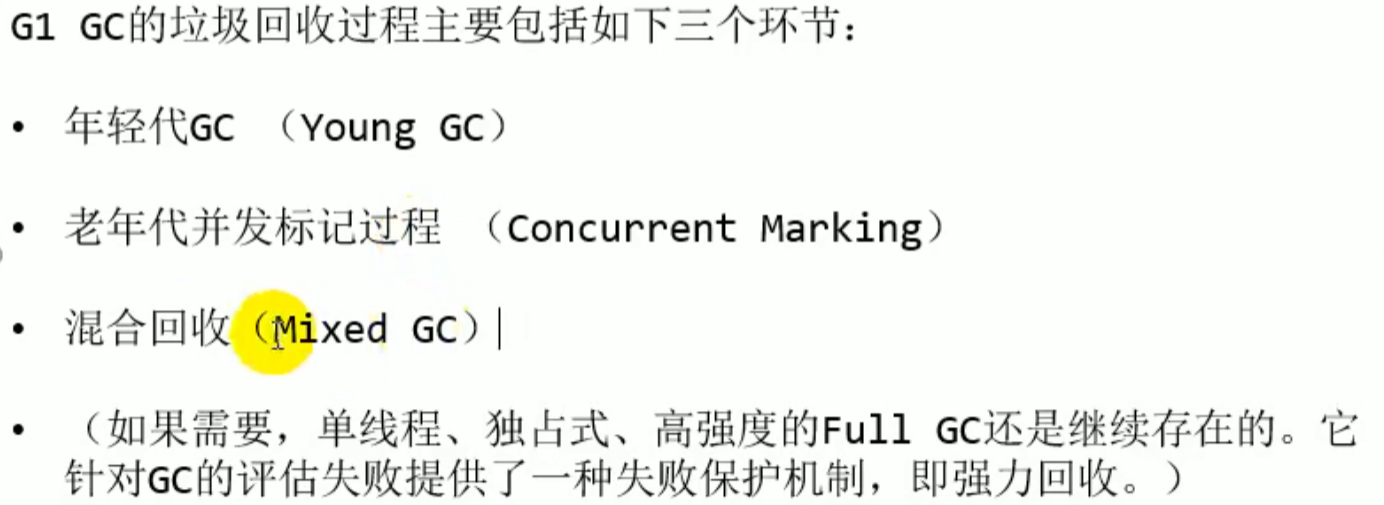
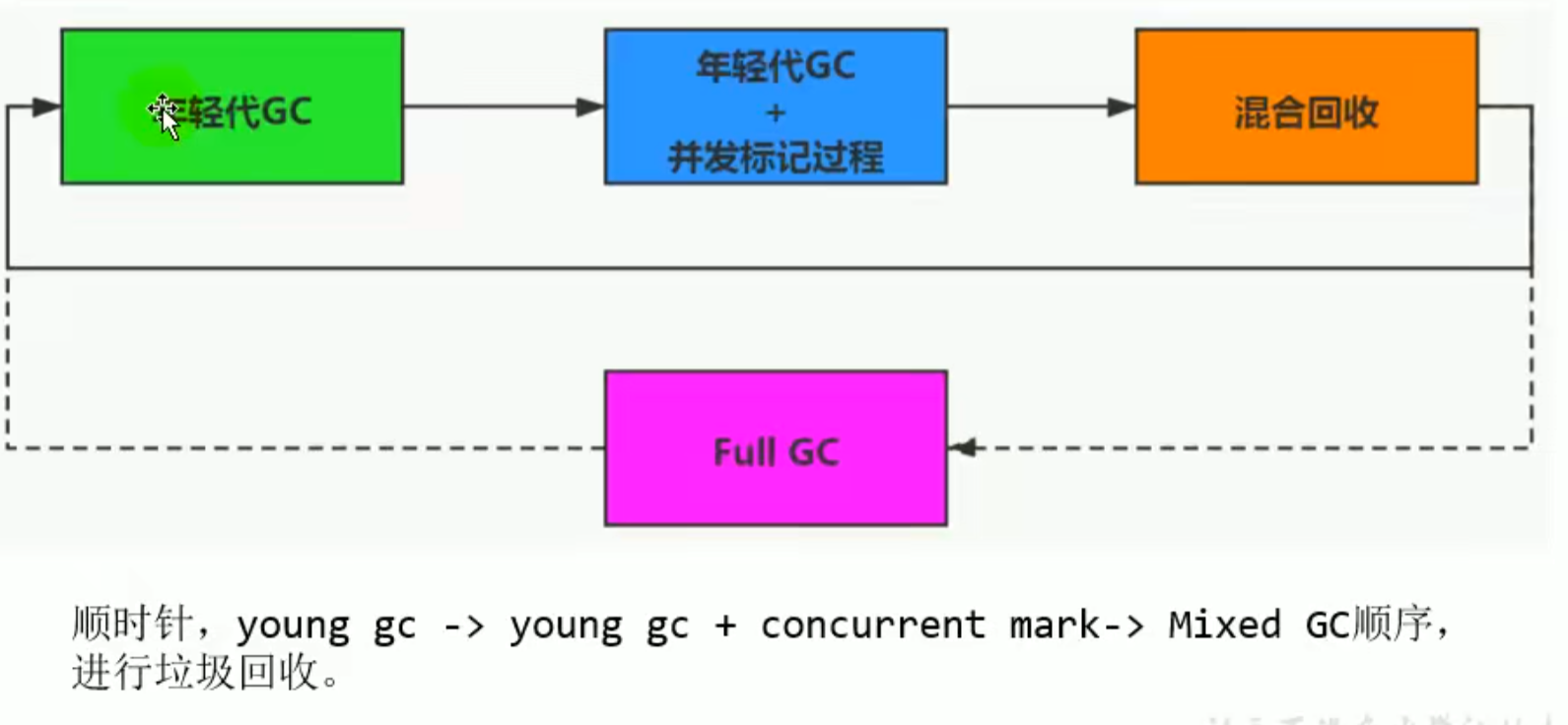
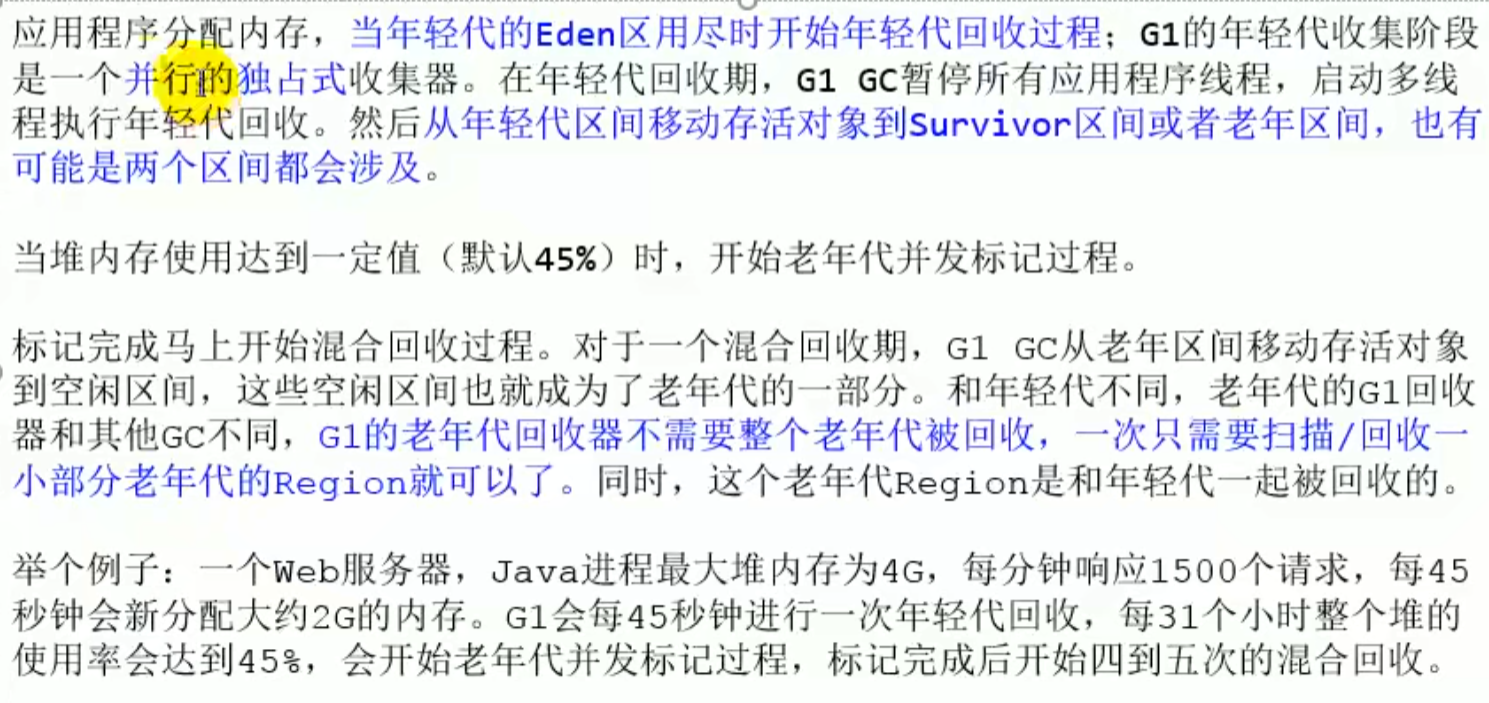
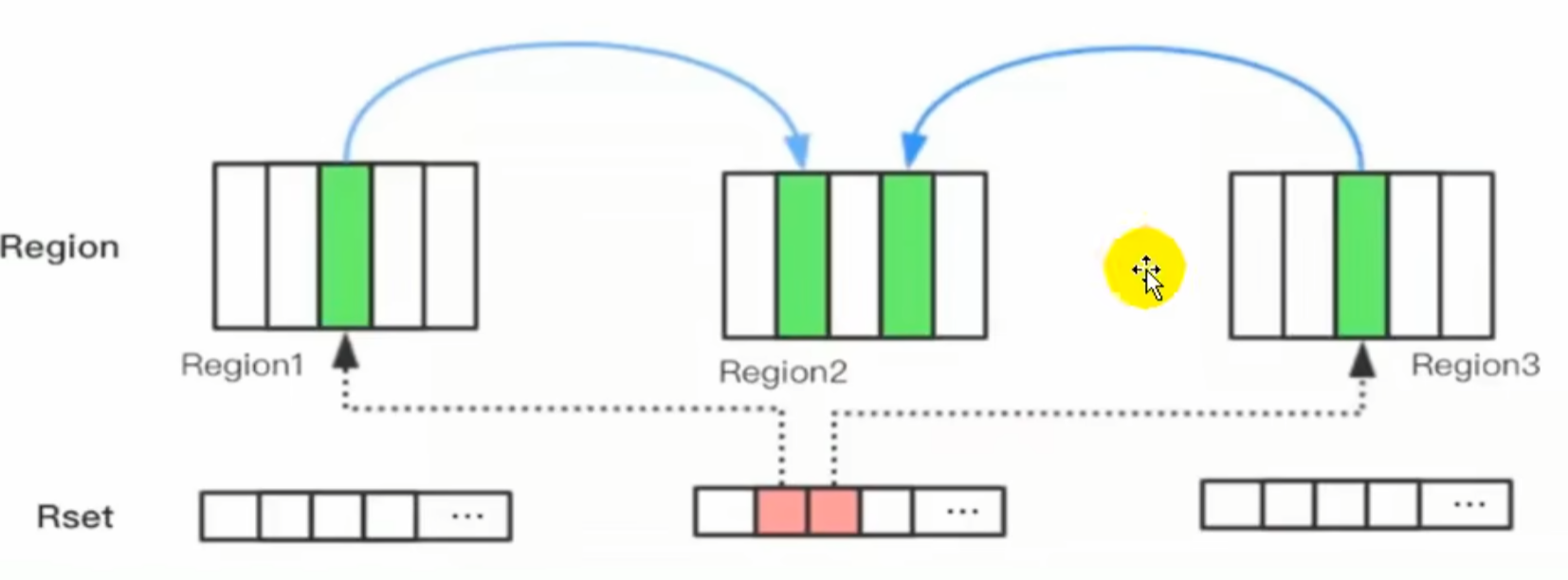
For each region configured a Rset, which records that this region is pointed to by which region points to ^atdrli
Remembered Set
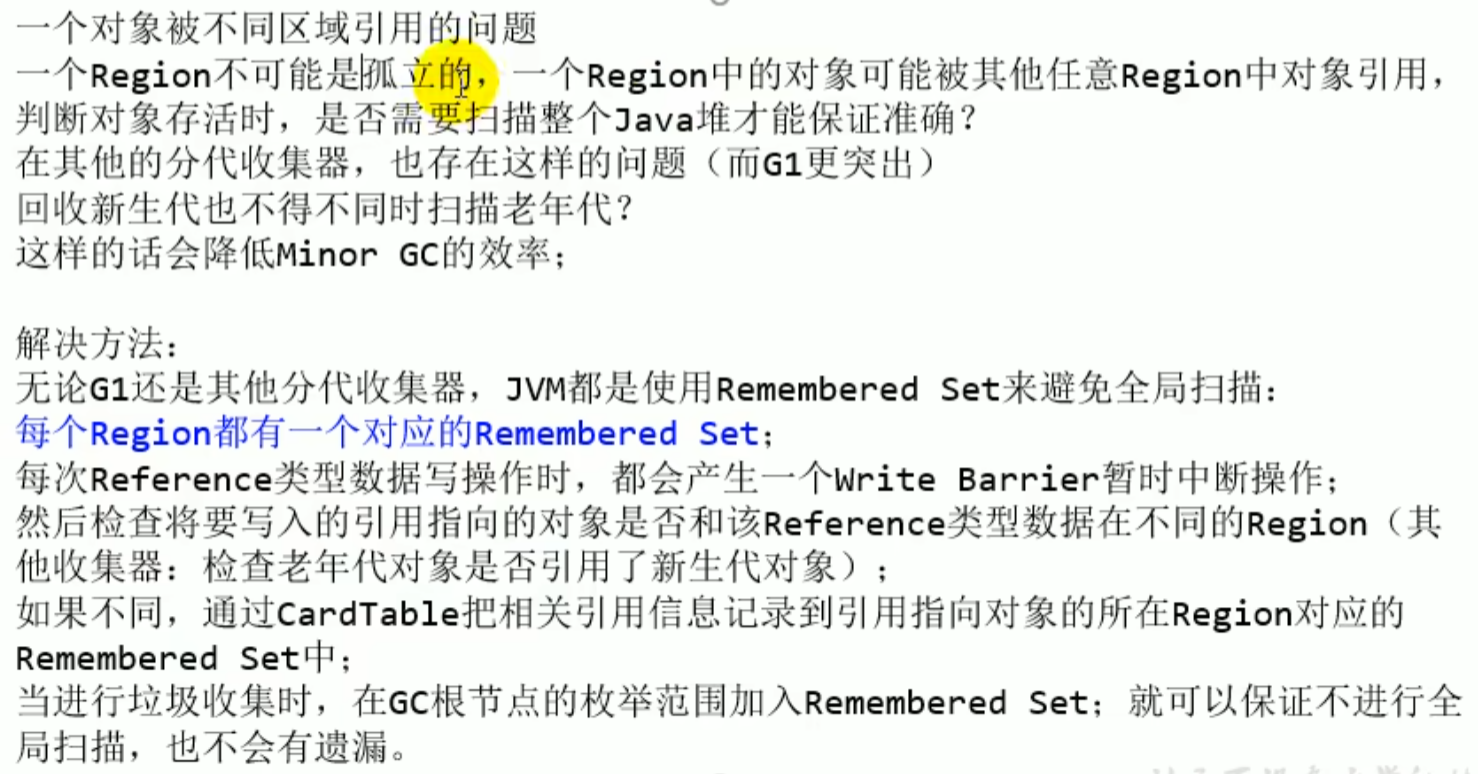
Solves the problem of an object being referenced by different regions
Collecting the young generation also has to scan the old generation at the same time, because objects in the old generation may reference objects in the young generation
Remembered Set avoids a global scan, and when collecting the old generation there is no need to worry about the young generation referencing the old generation
 If the referenced object is within the same region, it will not be recorded
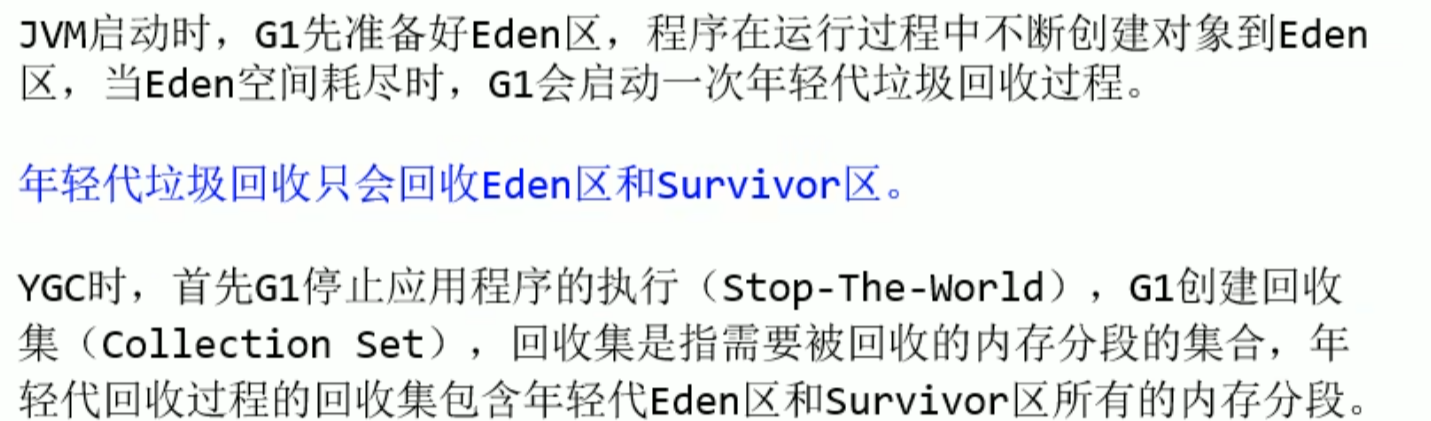
- Young generation GC
- Scan roots
- Update
Rset: will be based ondirty card queueUpdateRset(dirty card queuewill save the reference information of the object before and after the reference assignment statement) (becauseRsetrequires thread synchronization, it is not directly recorded intoRset, but recorded intodirty car queue) - Process
Rset - Copy objects
- Handle references
- Concurrent marking process
- Initial marking phase
- Root region scanning
- Concurrent marking : only collects a part, judging liveness to see whether it is worth collecting
- Remark : corrects the previous marking result
snap-at-the-beginning - Exclusive cleanup: calculates surviving objects and GC collection ratio, does not actually clean up
- Concurrent cleanup
Specific collection process (for understanding)
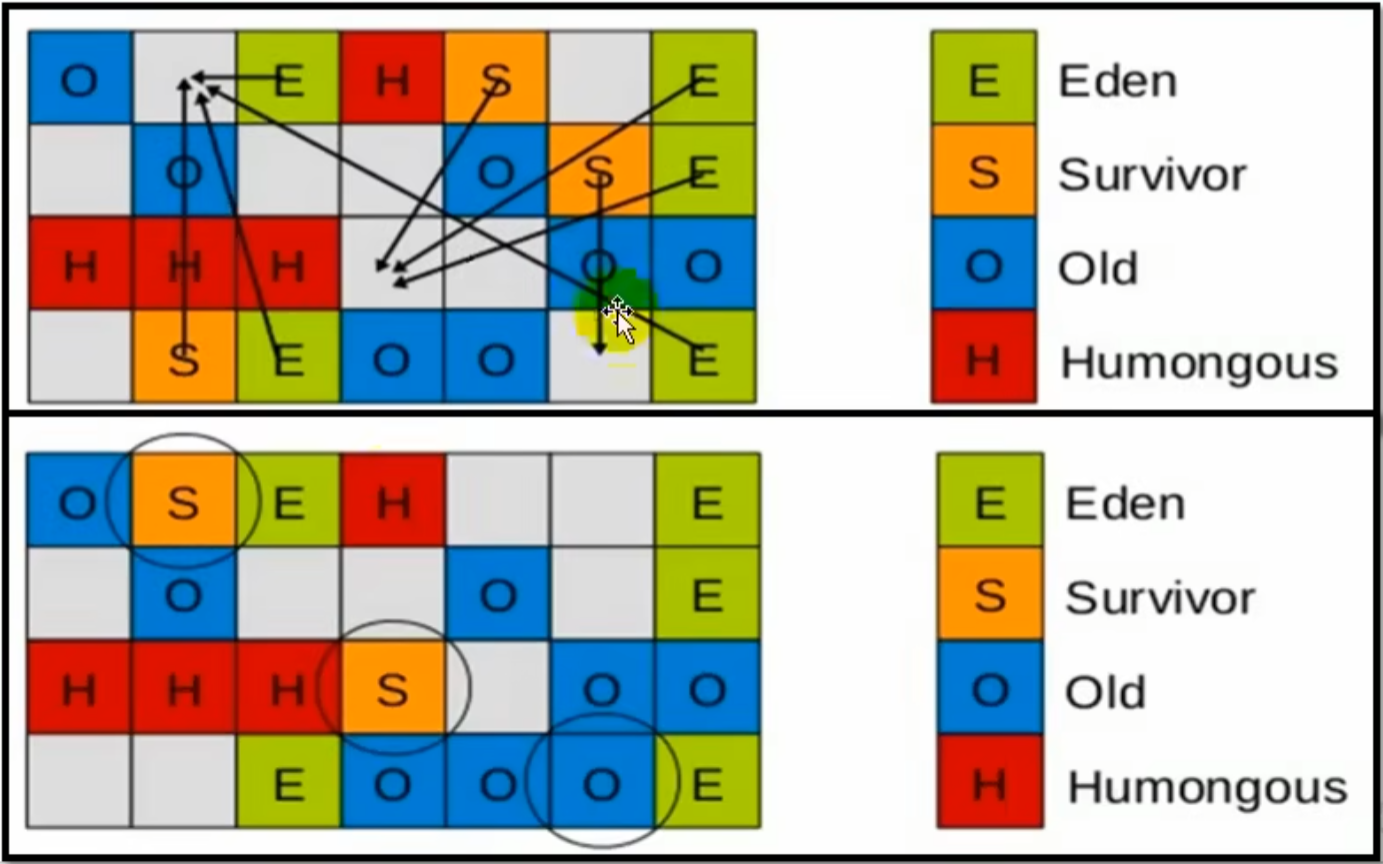
- Young generation GC
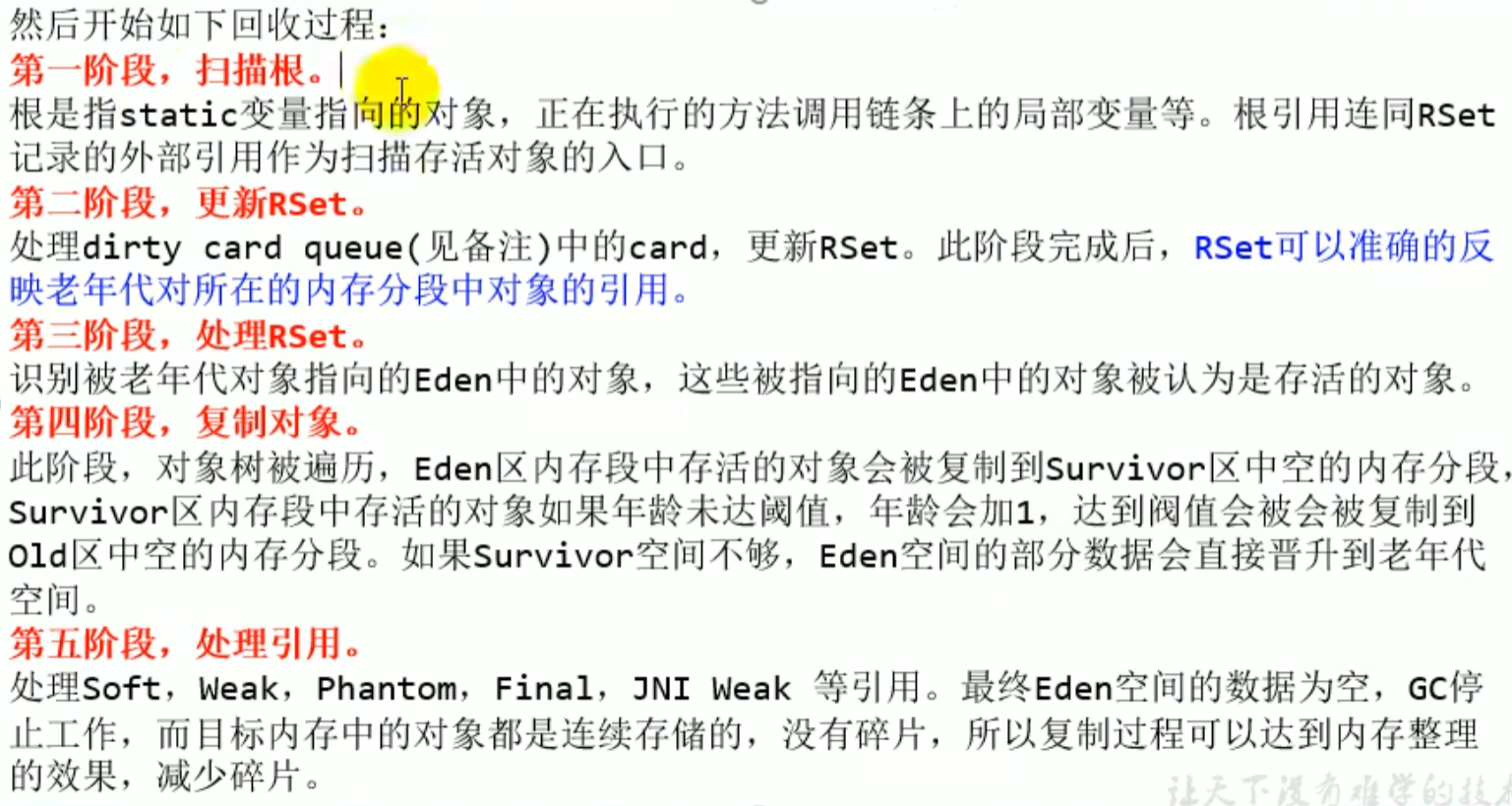

- Concurrent marking process
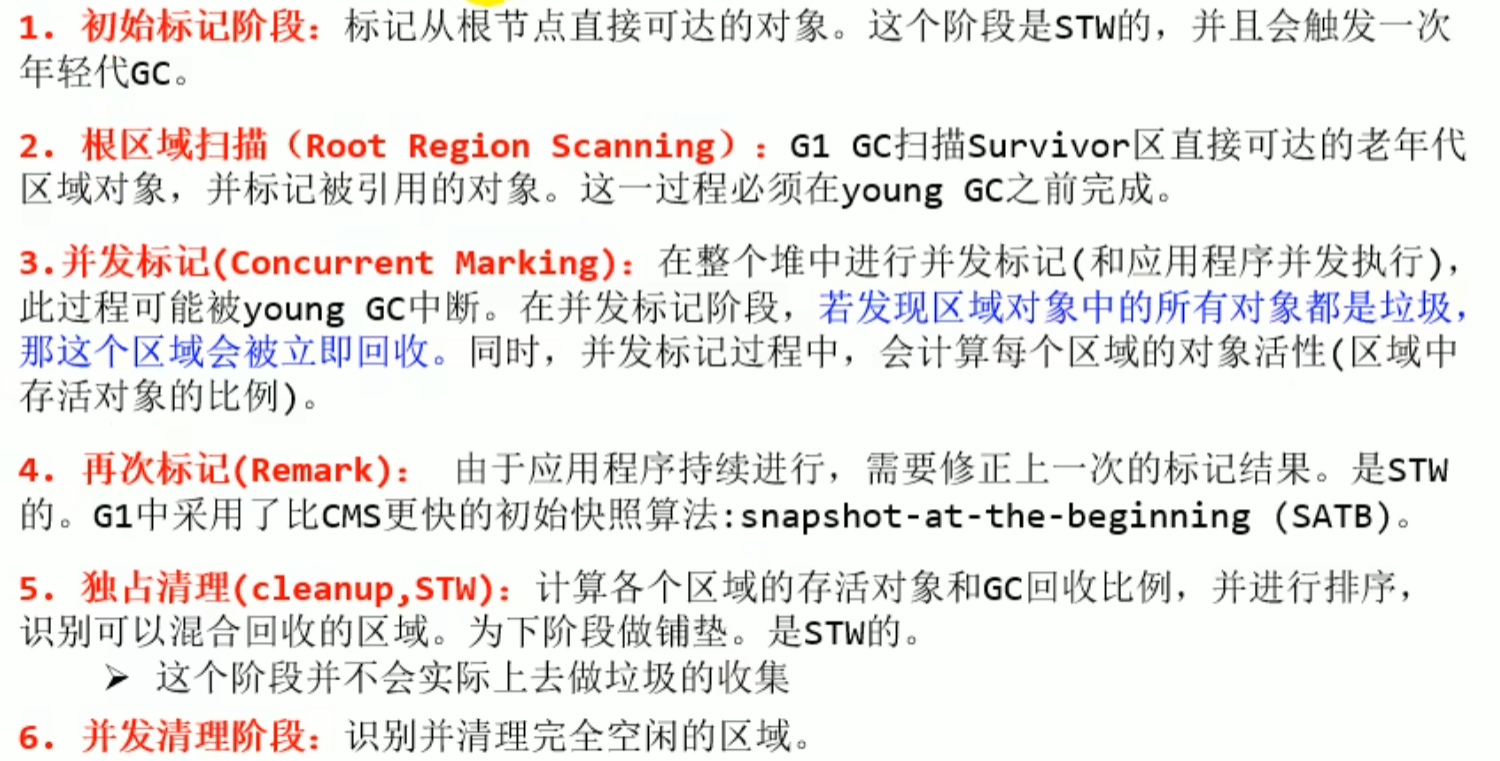
- Mixed collection
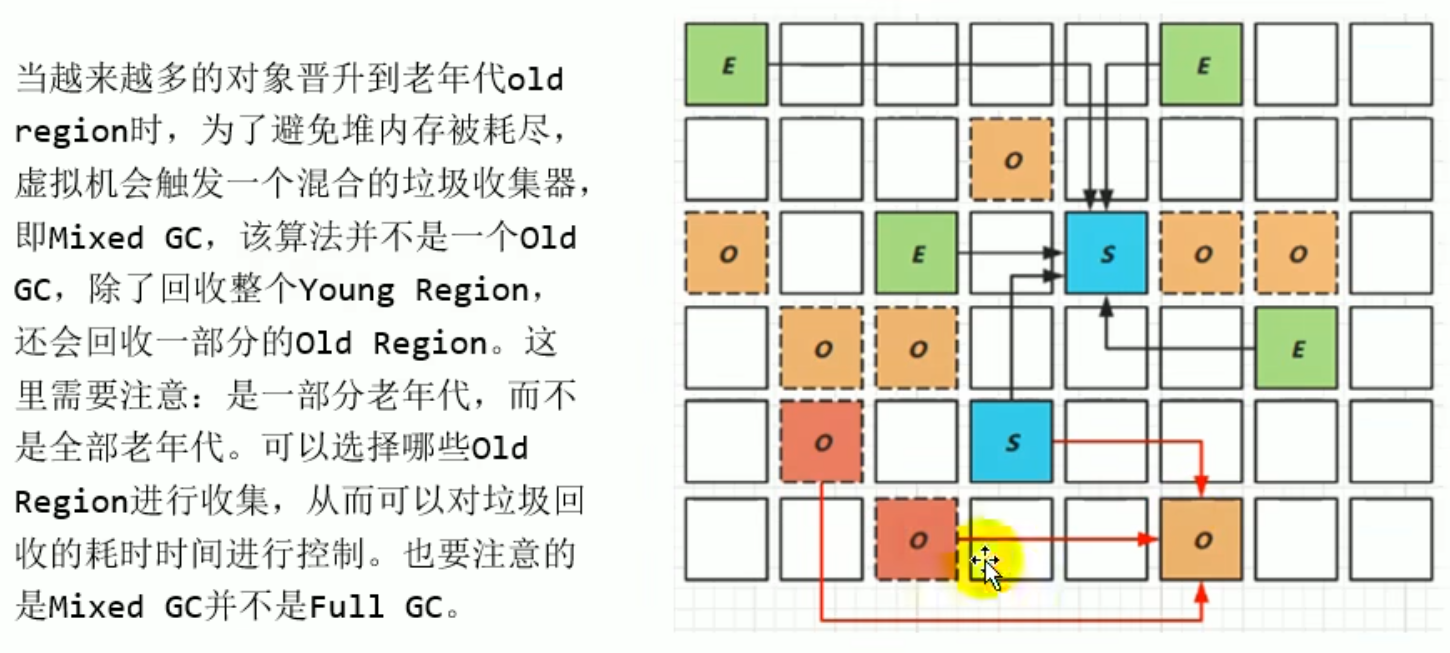 Copying algorithm. Avoids fragmentation
- Full GC (optional process four)
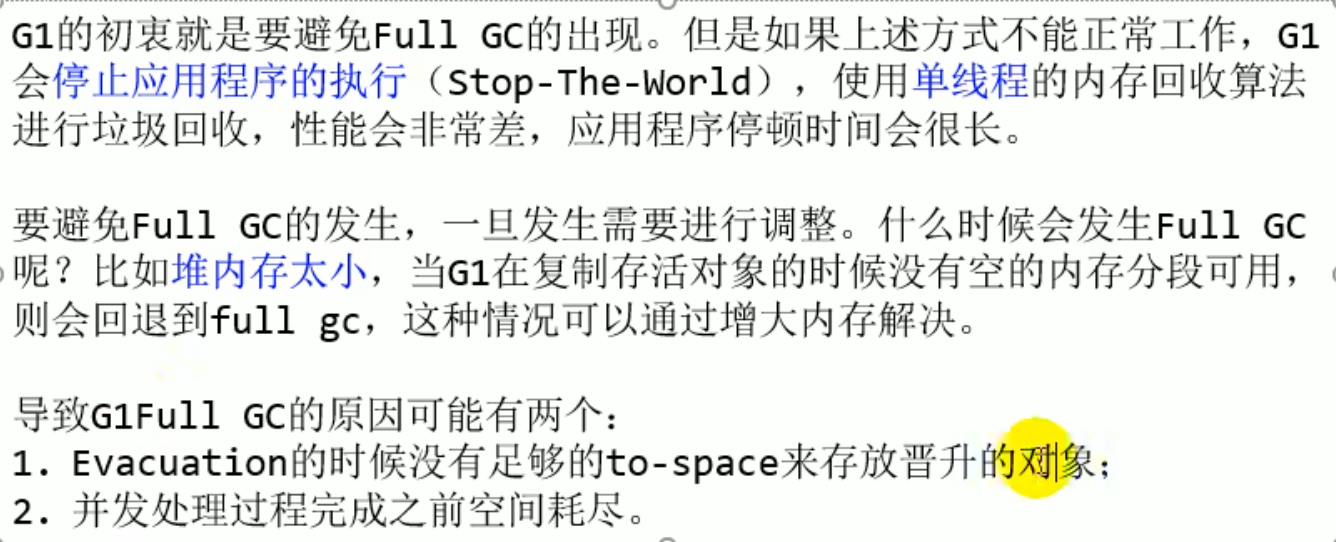
Supplement
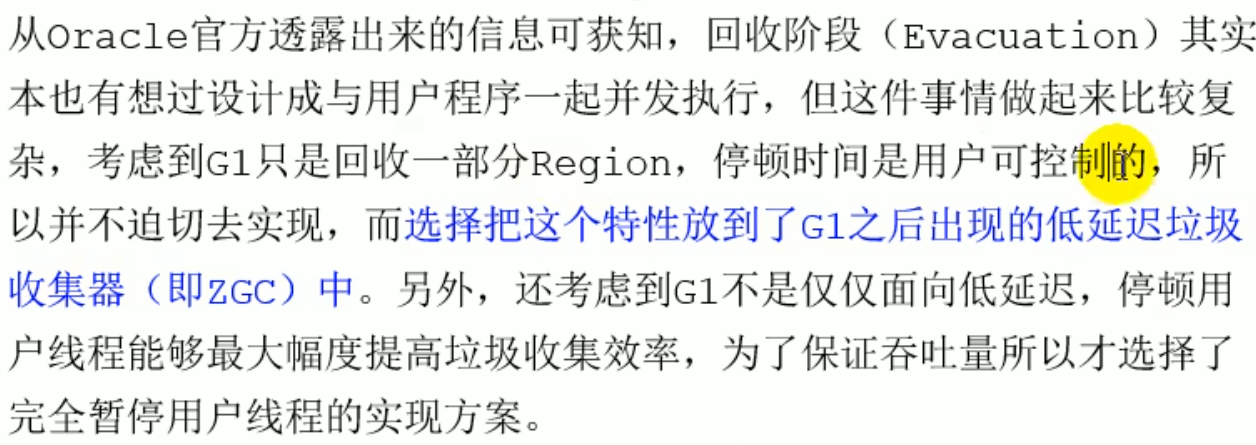
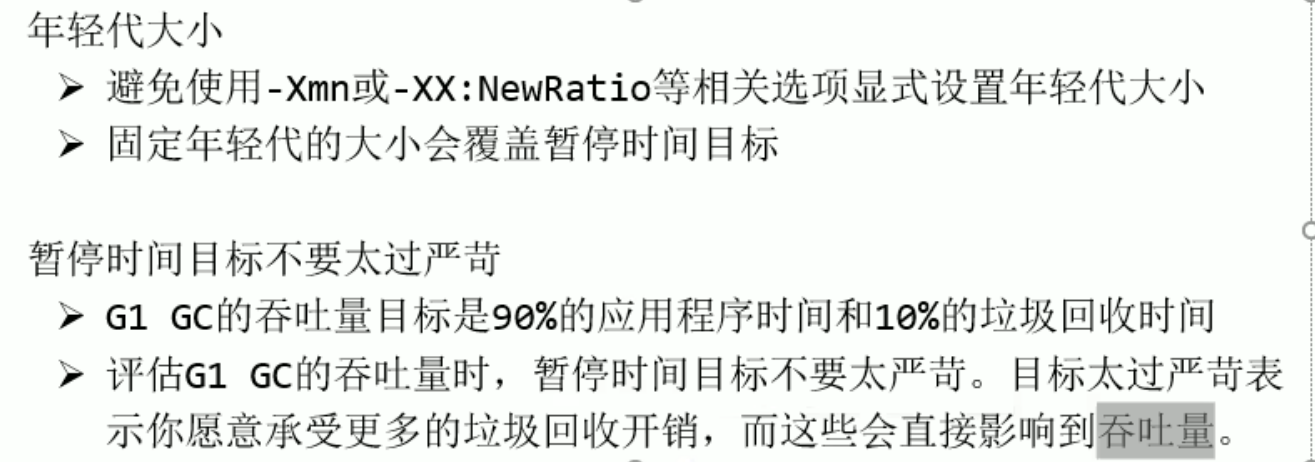
Summary
Summary
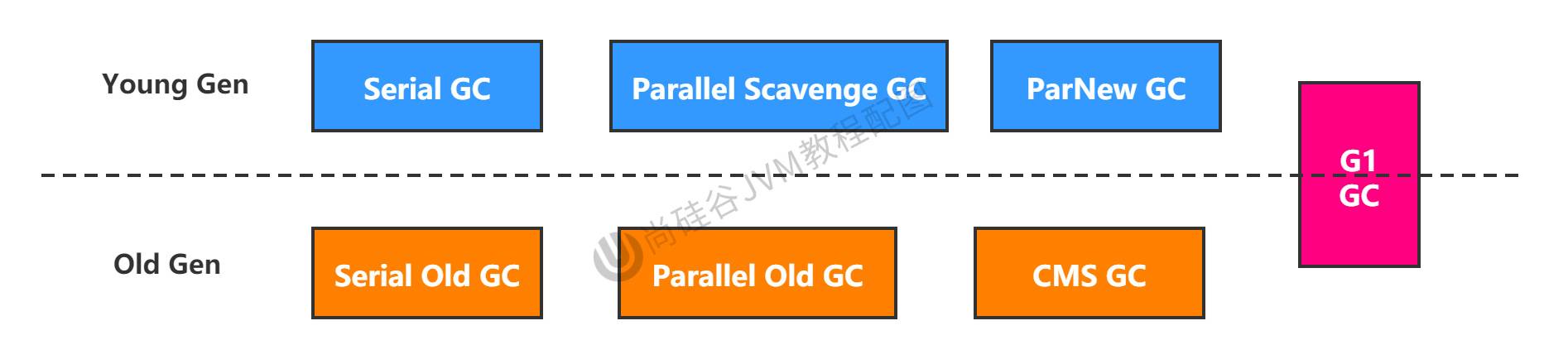


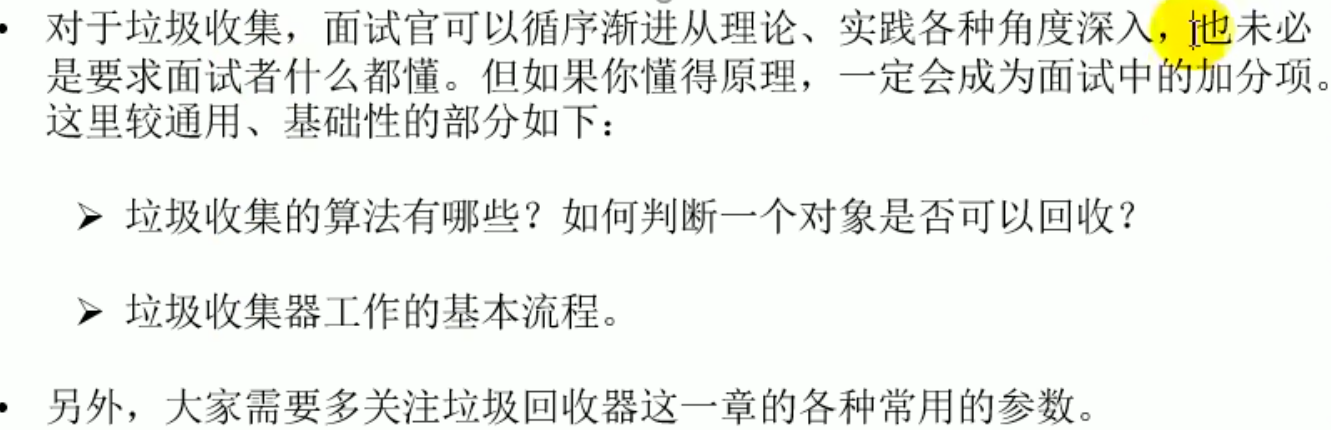
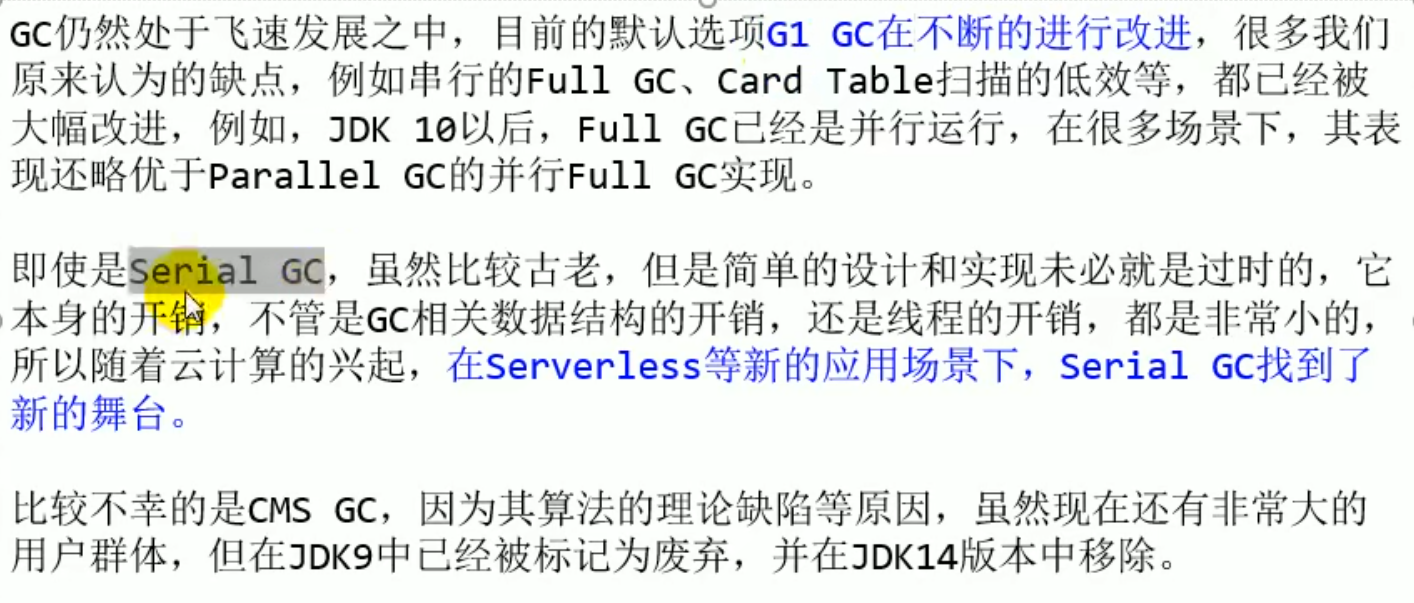
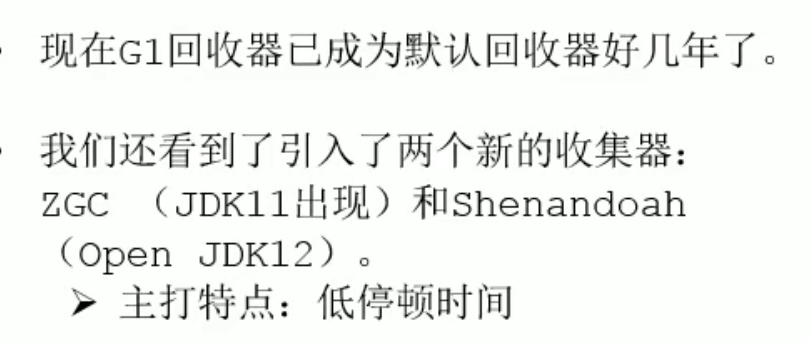
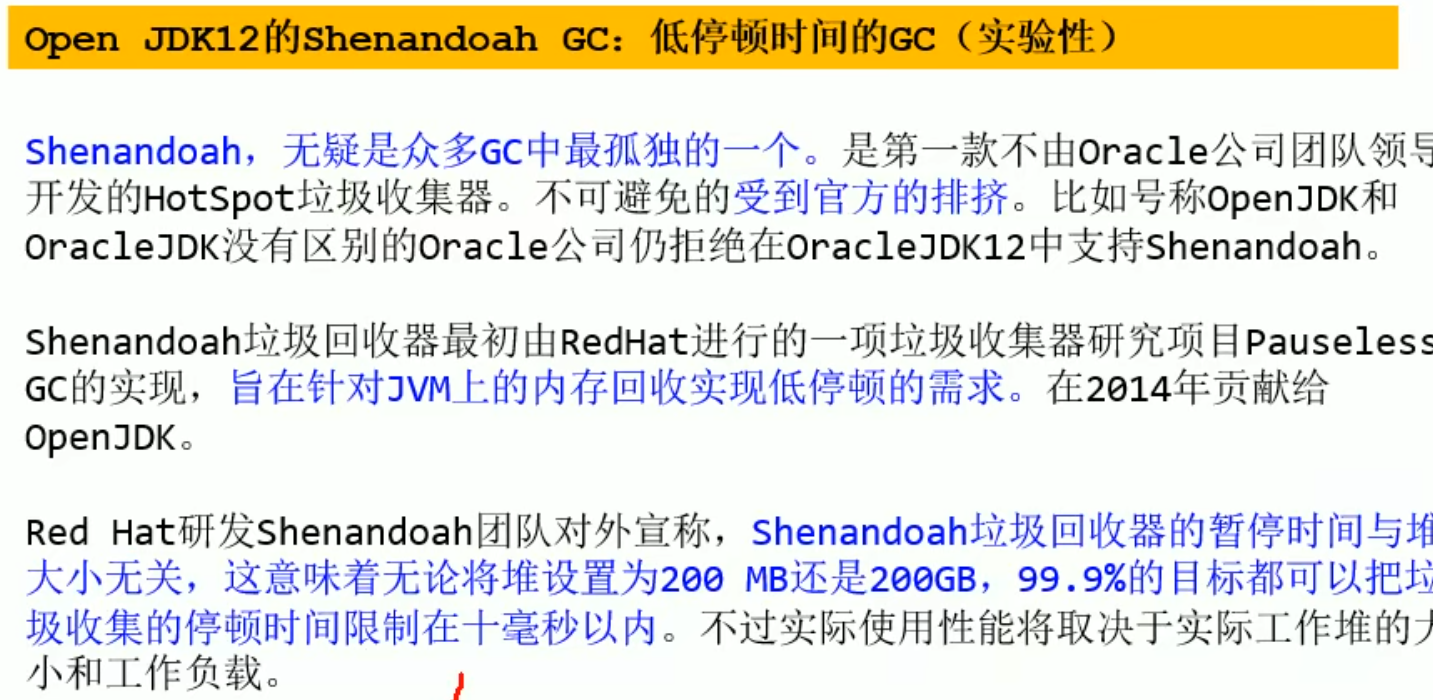
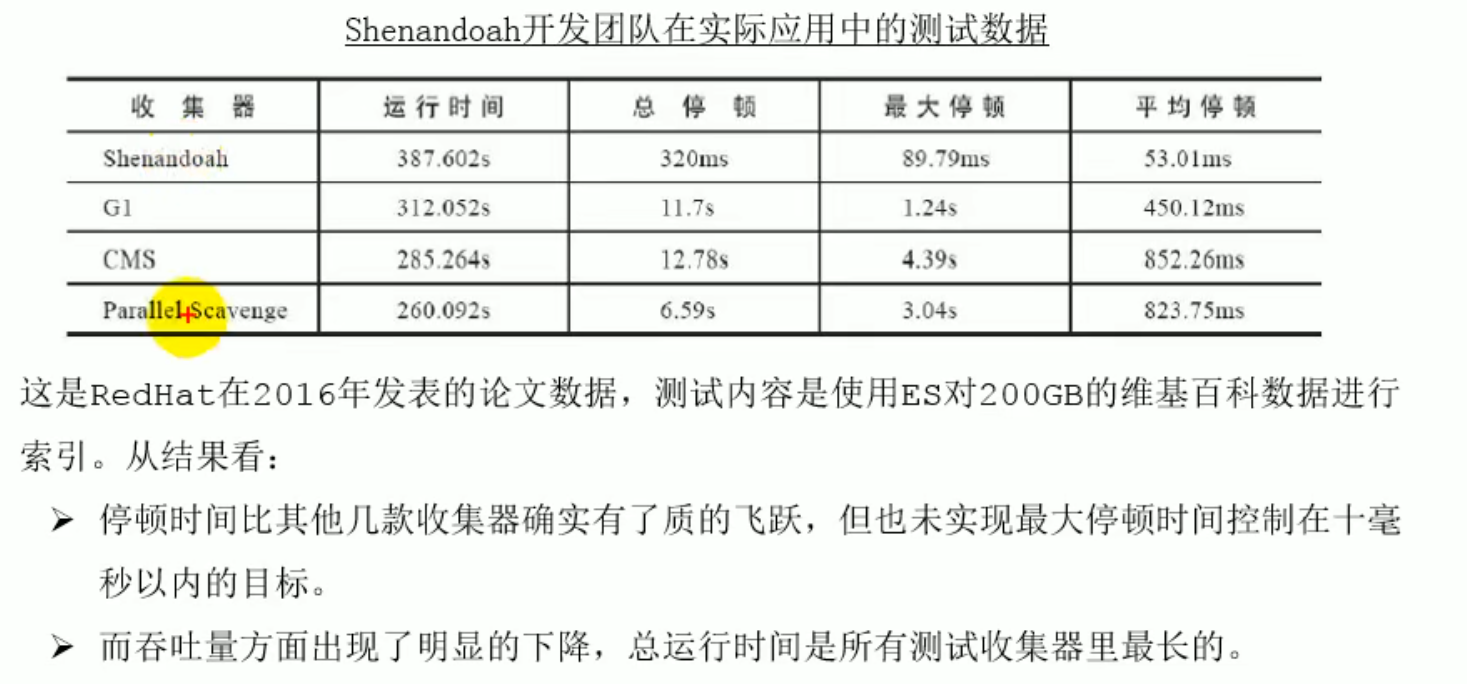
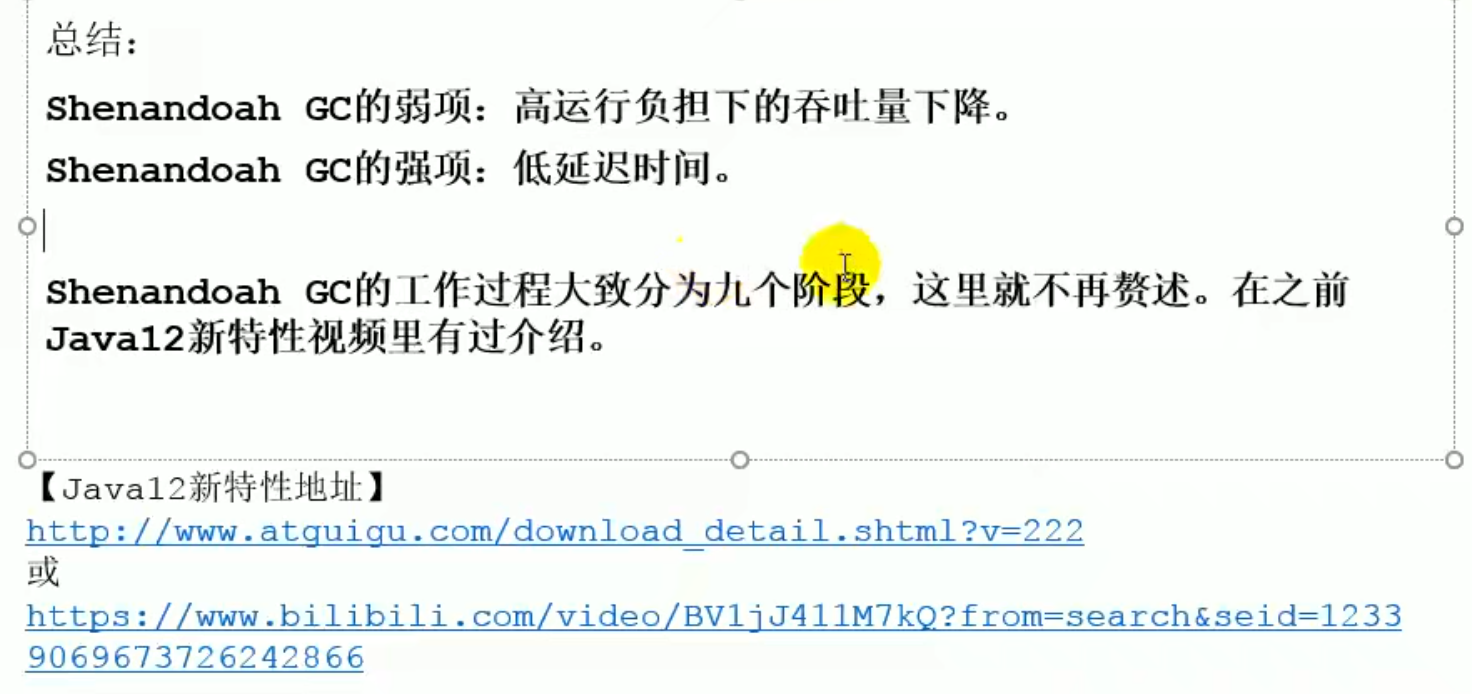
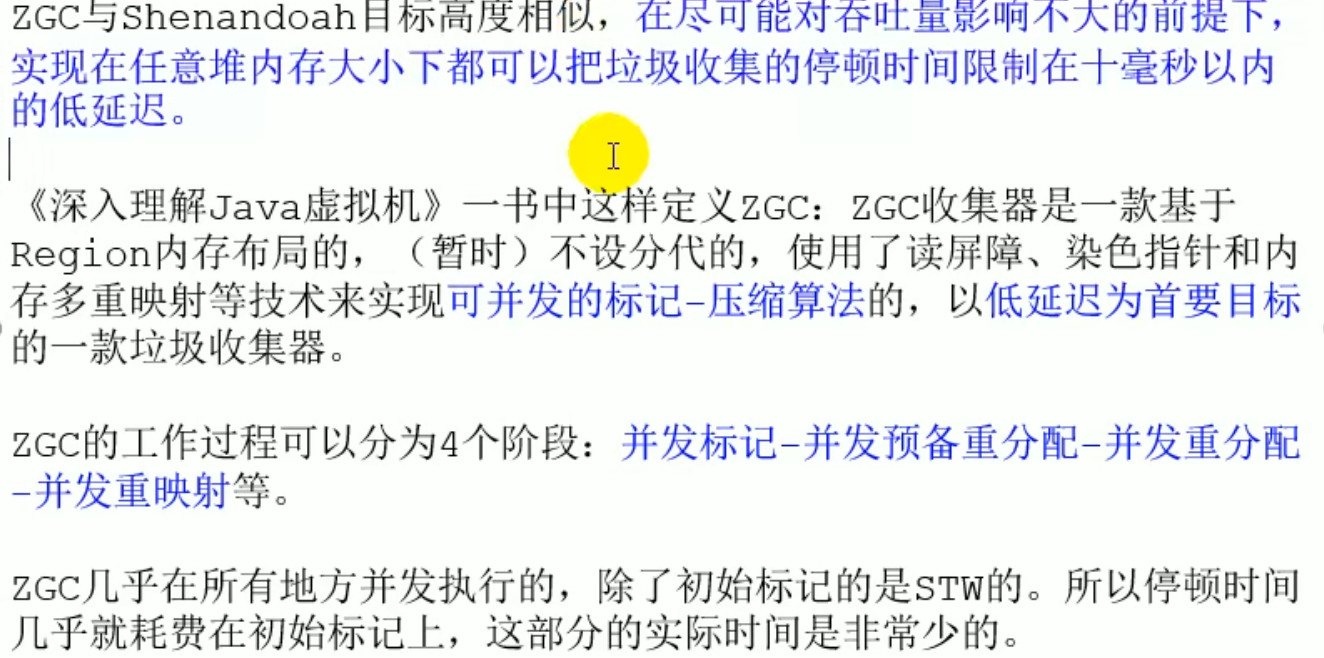
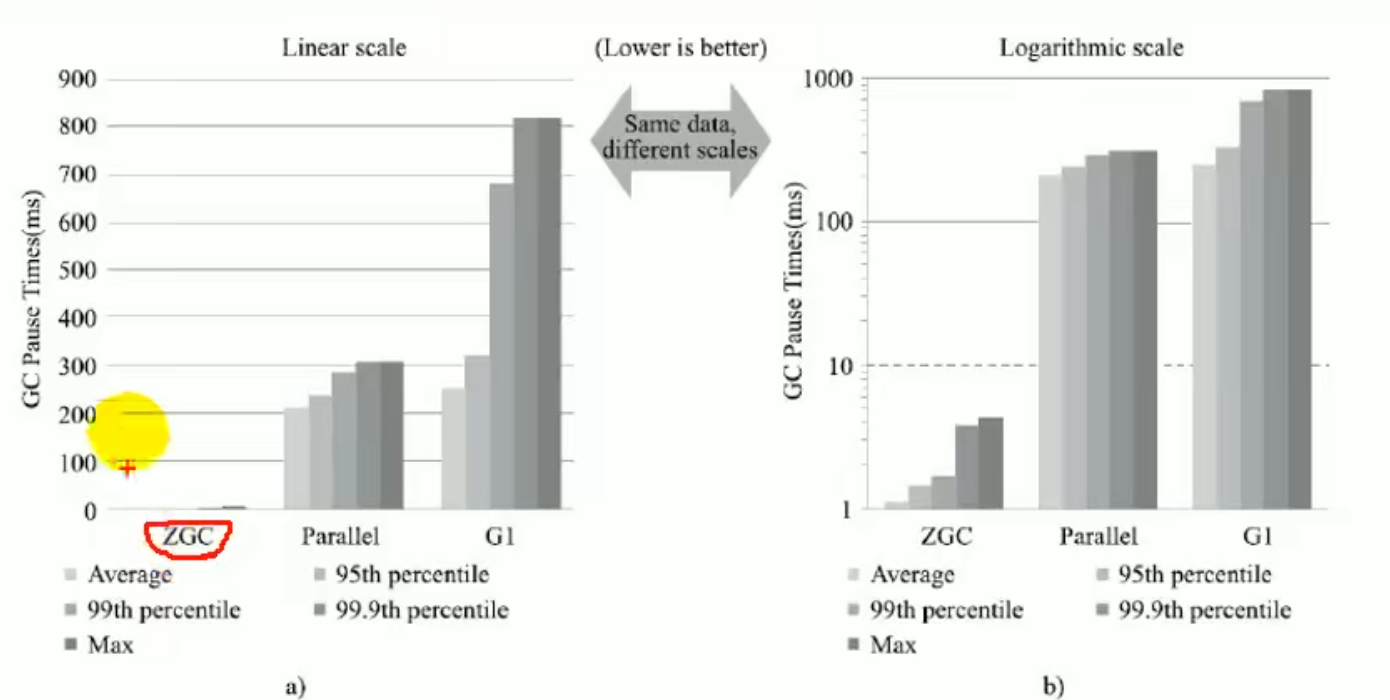
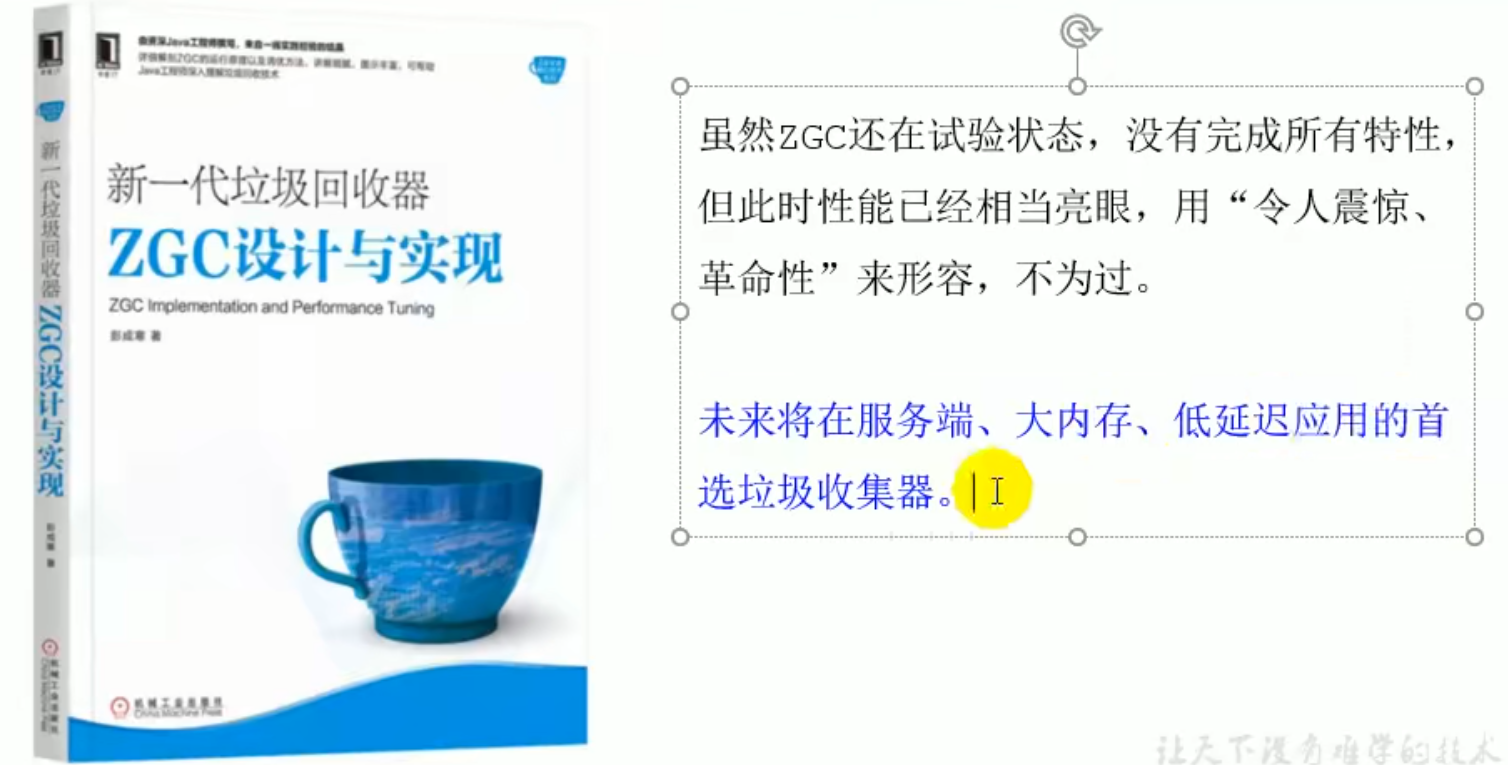
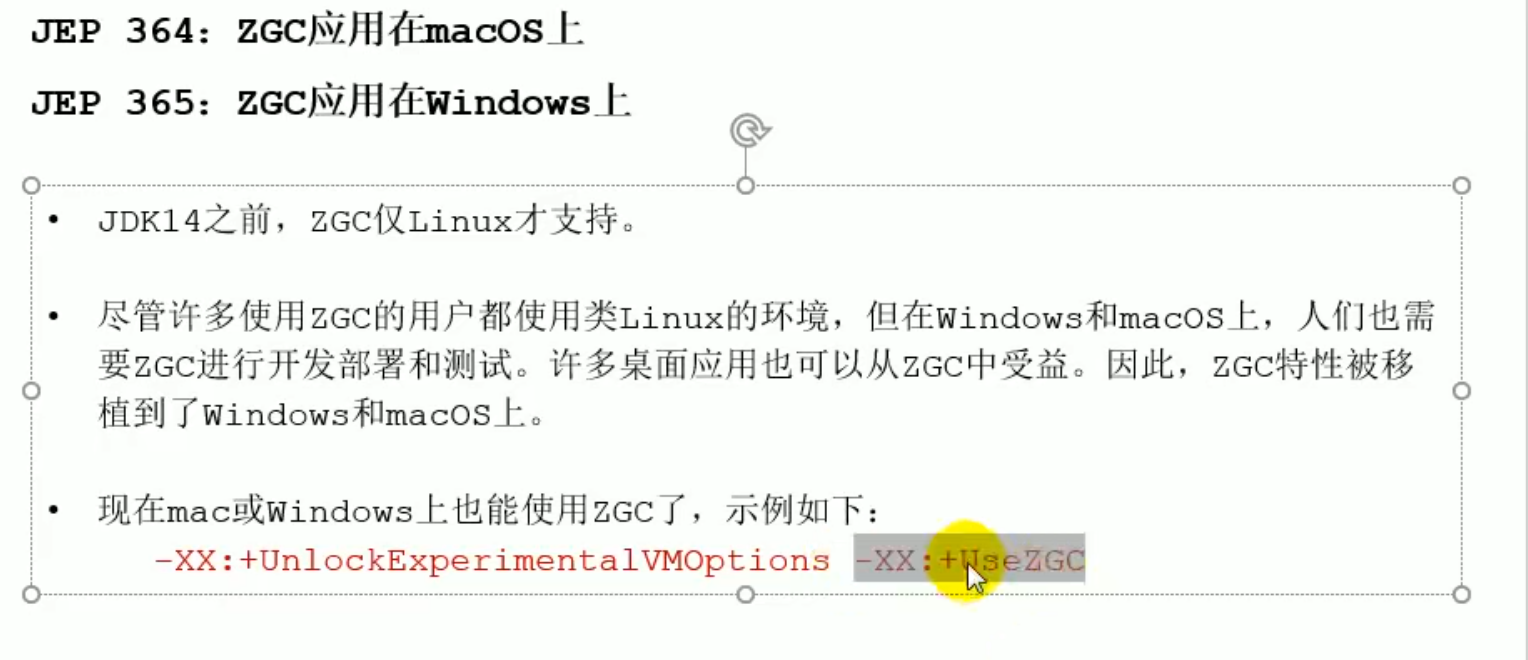
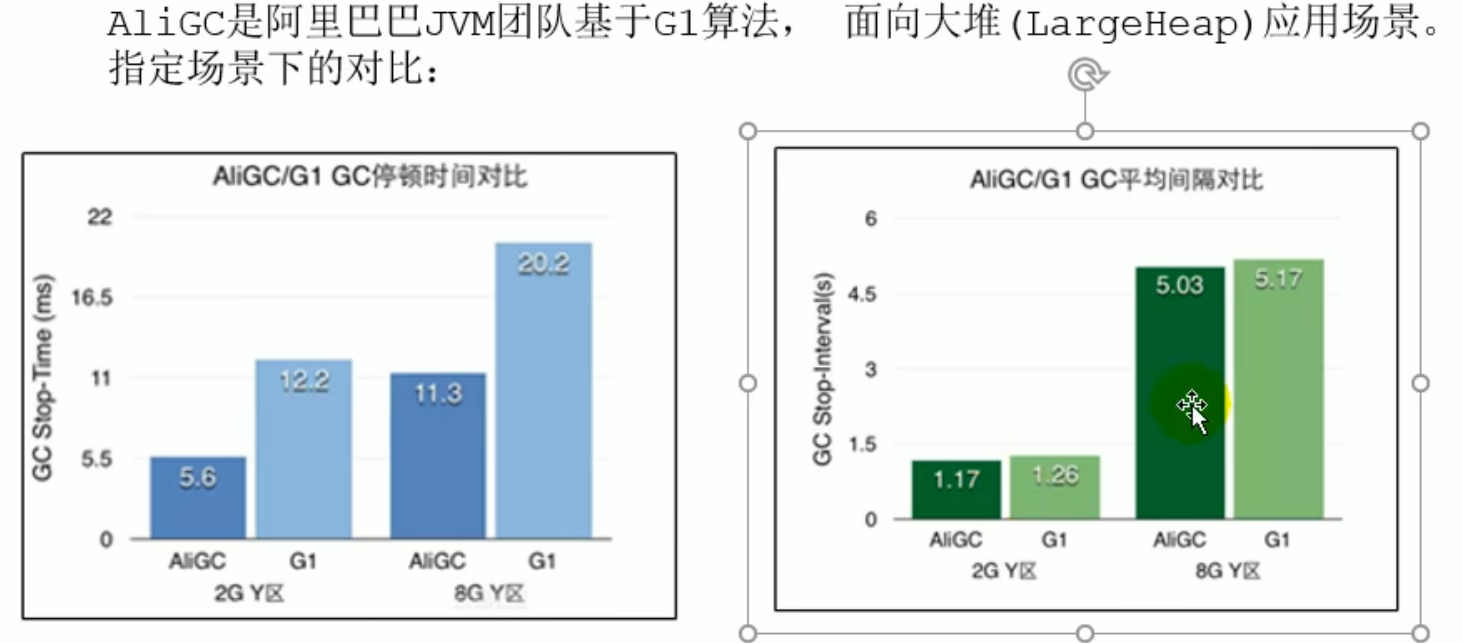
ZGC

GC log analysis
GC log analysis
Parameter list

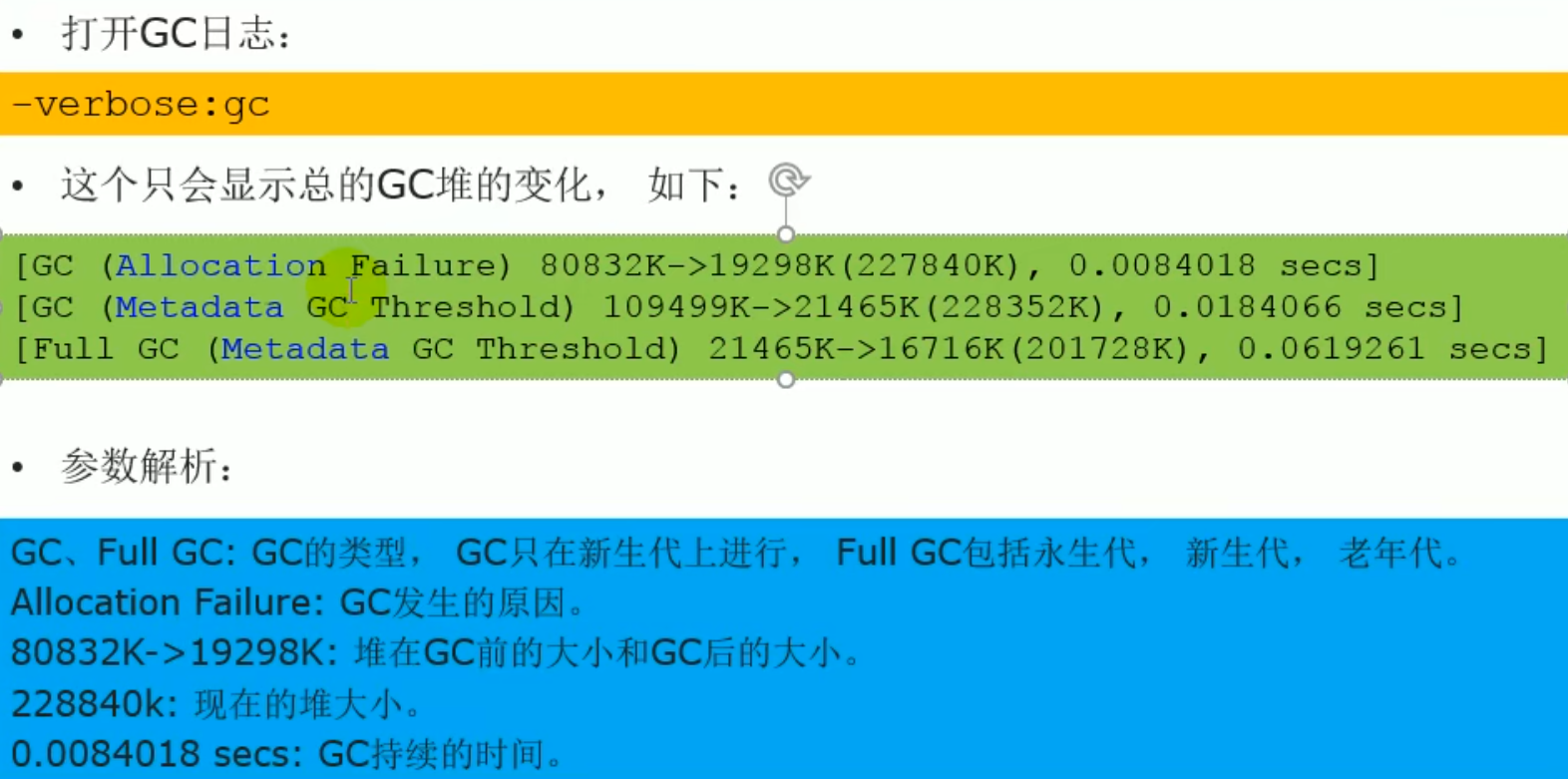
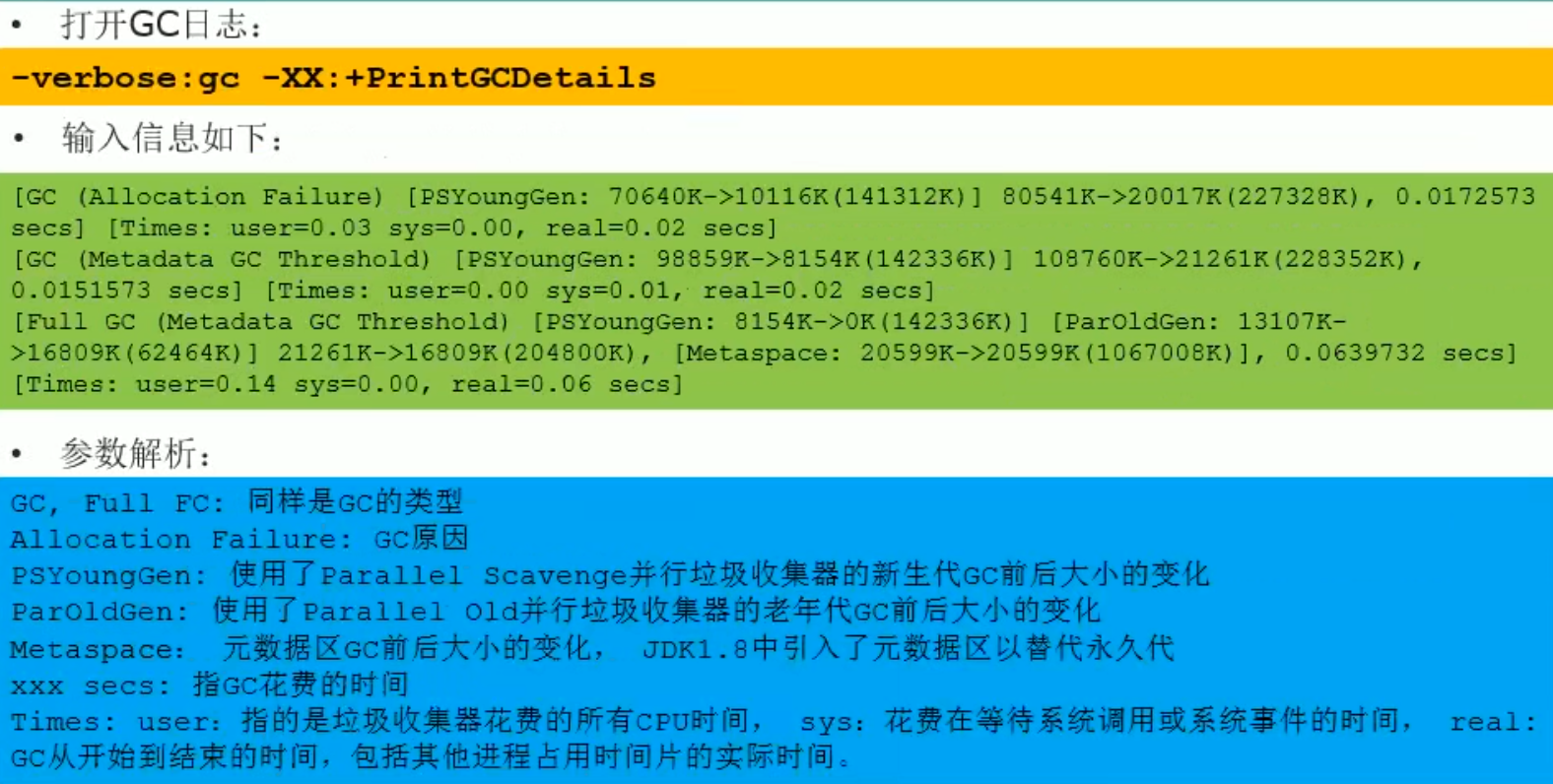
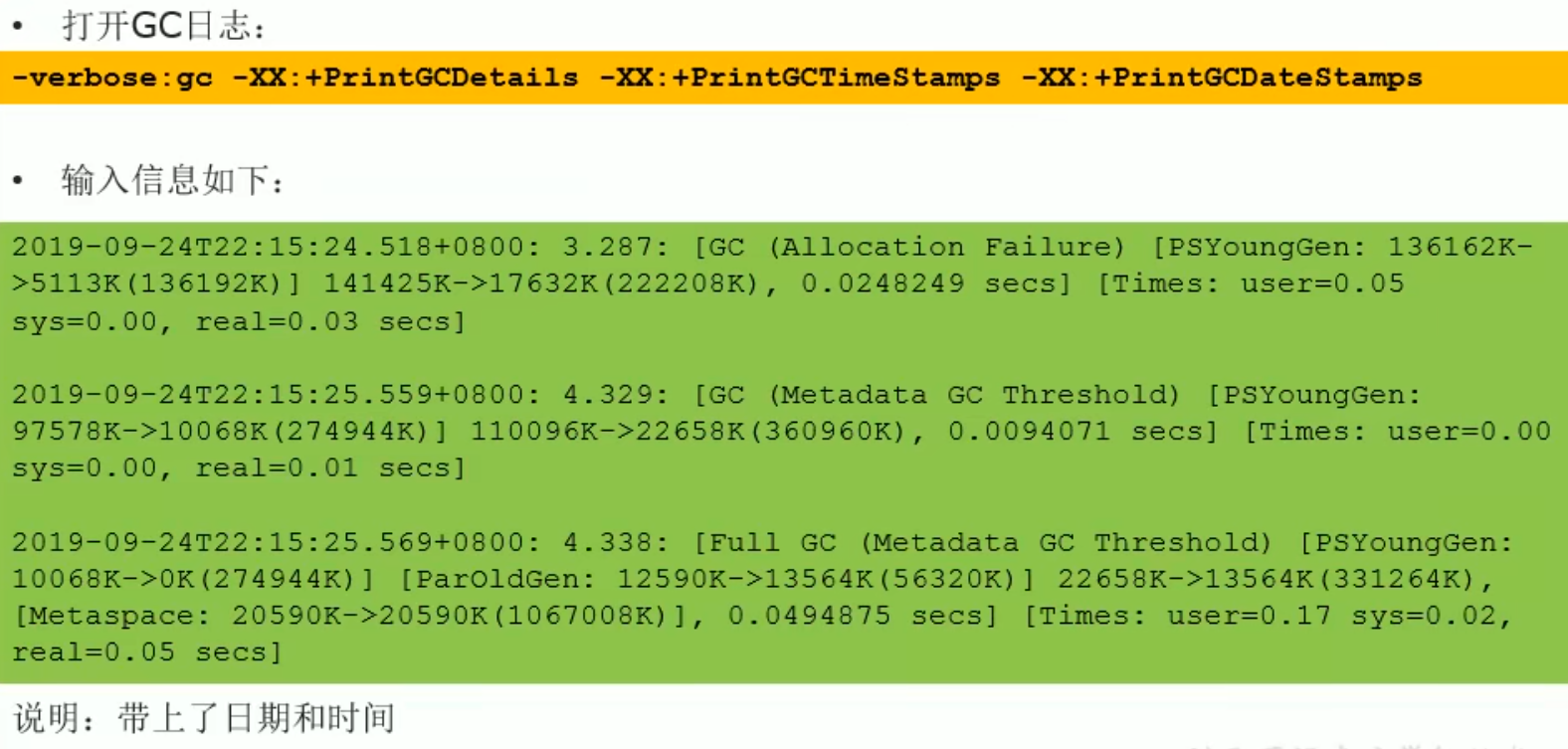
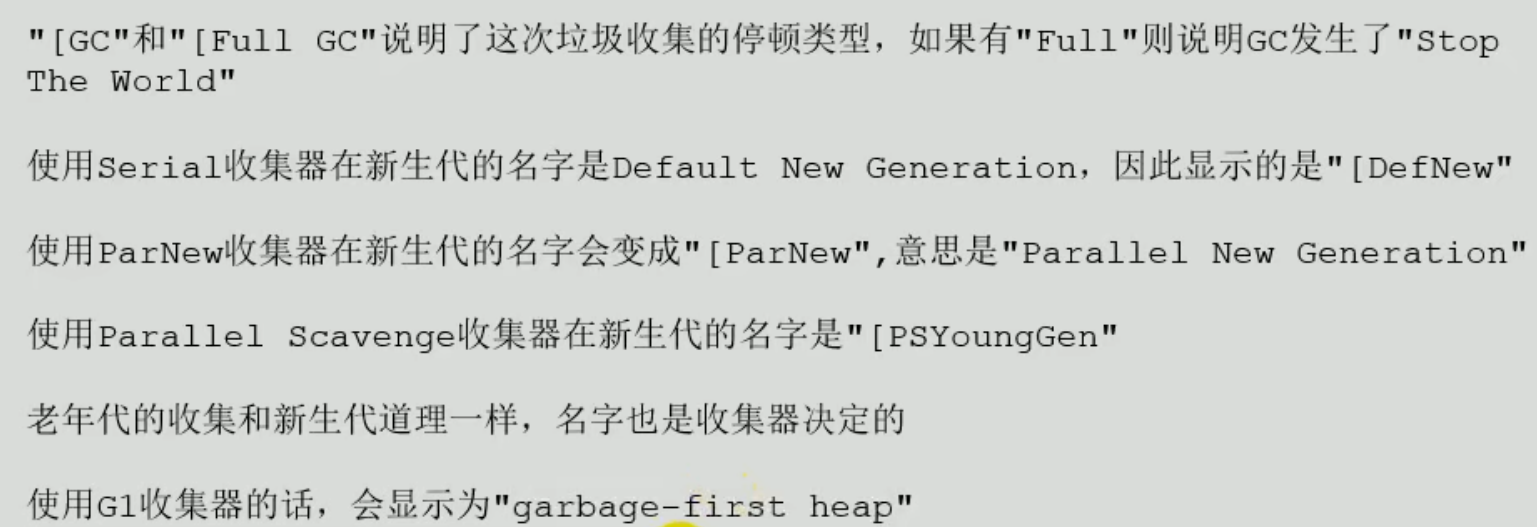 Young GC
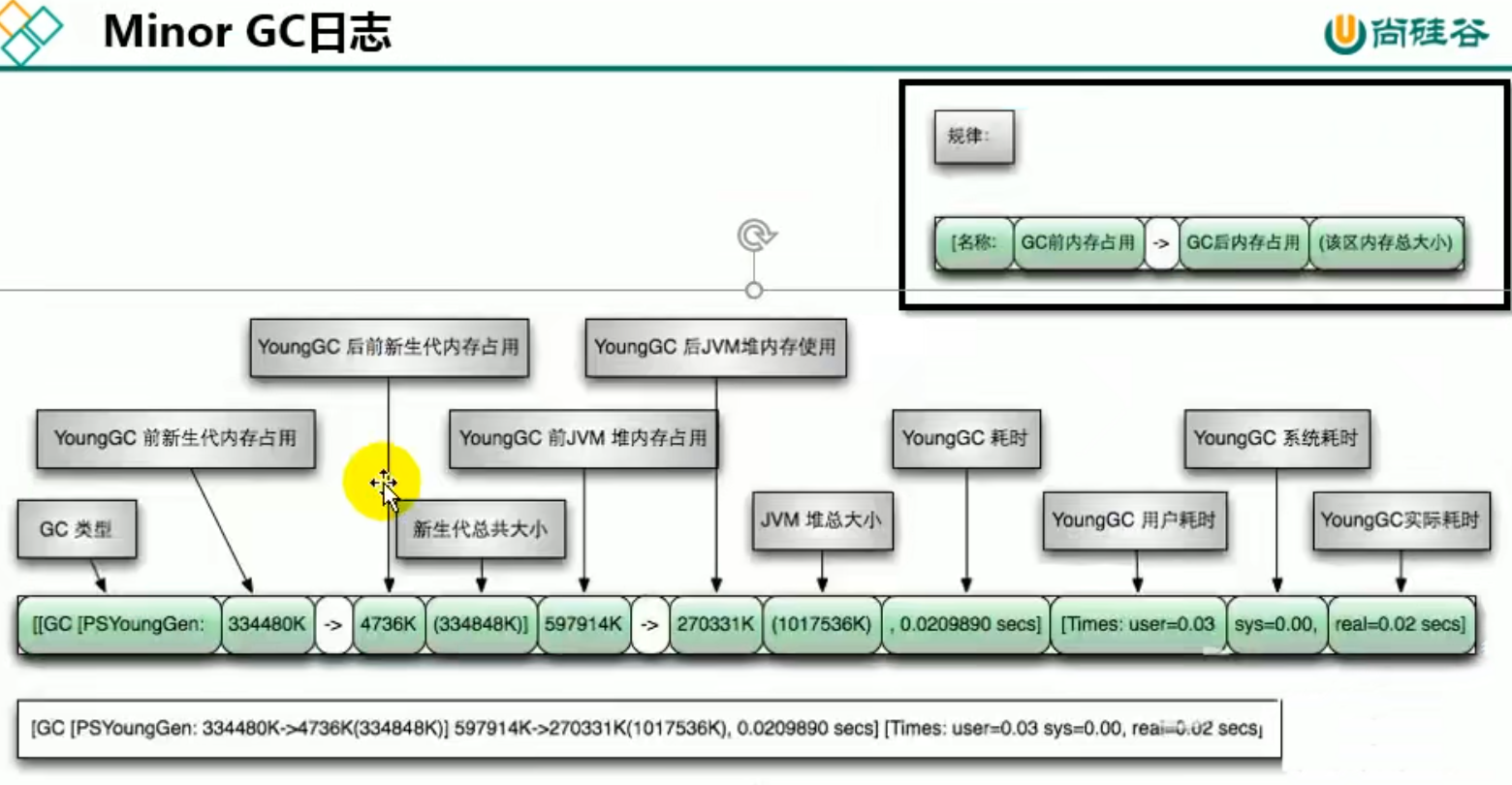 Full GC
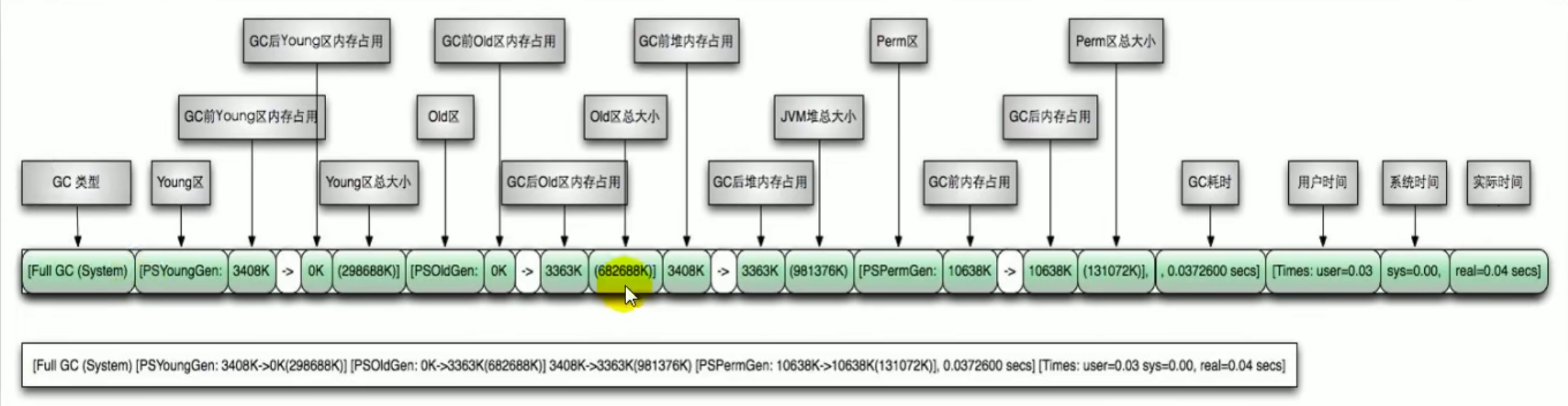
Case
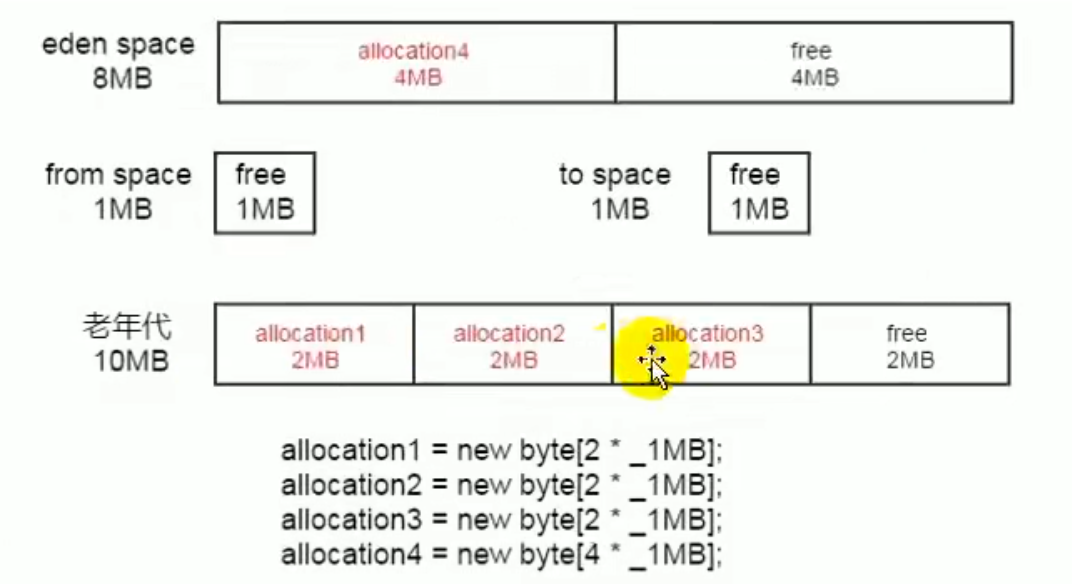
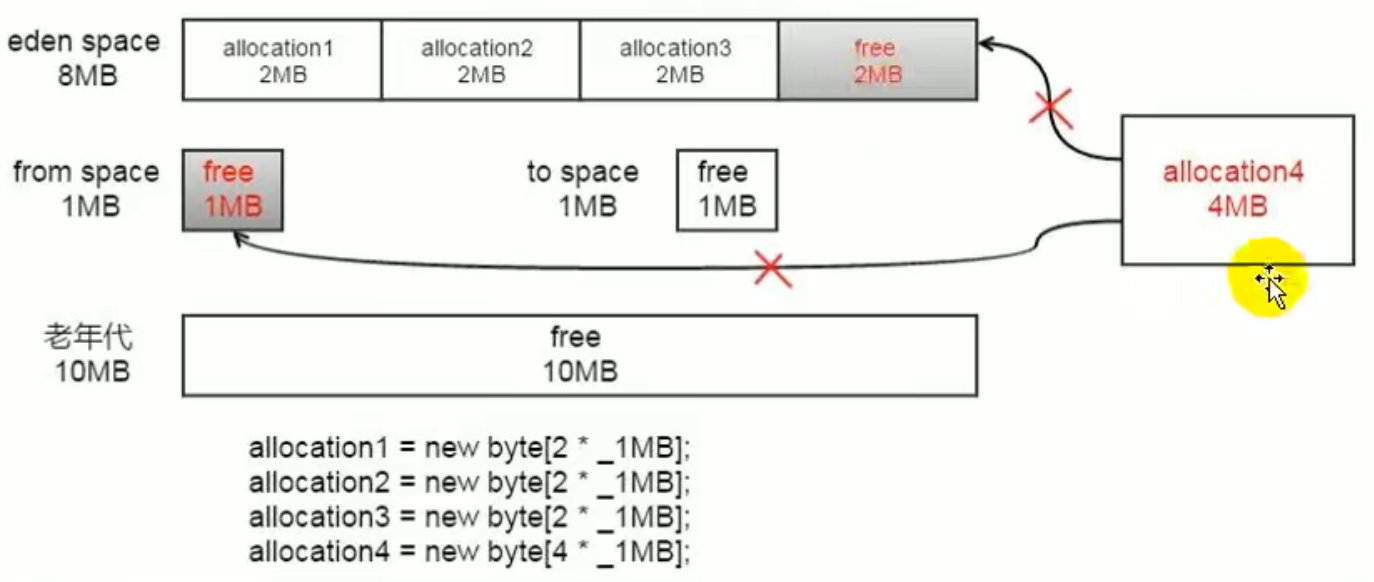 After the object, run a GC first before not moving down, found that the s region cannot hold the contents of the young generation, so it goes directly to the old generation, and the 4MB large object can now fit in the young generation
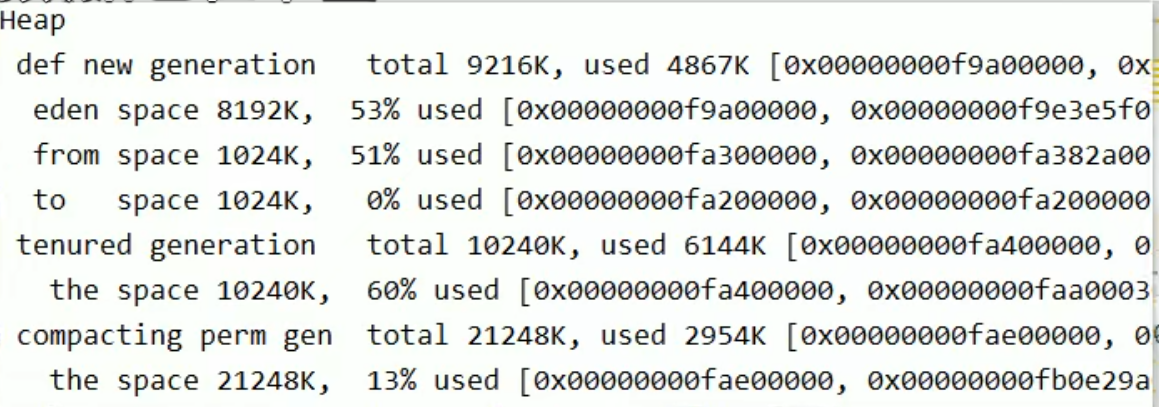
-Xloggc:./logs/gc.log First create the corresponding directory
Log analysis tool

Shortcut
ctrl+shift+n Query class
Other
Error is reported without it, and after adding it, deletion does not report an error
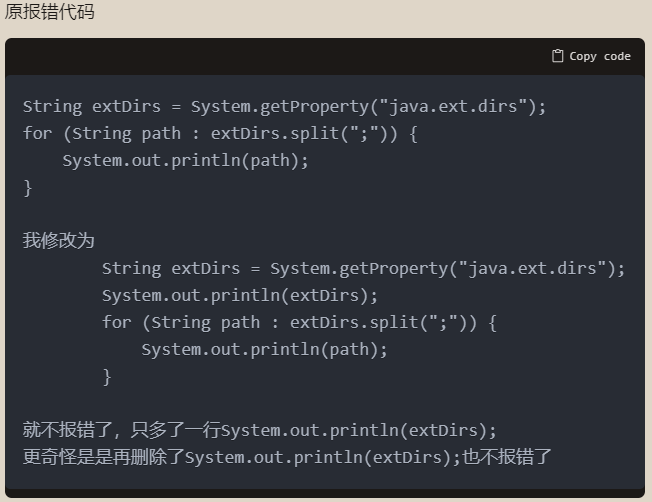
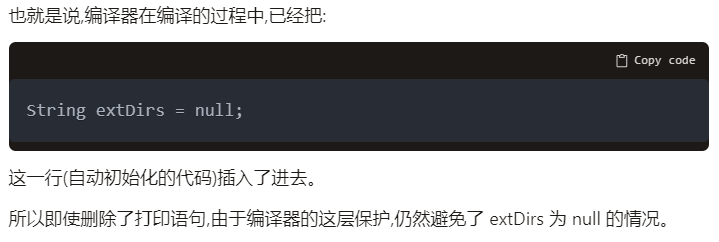
Interview
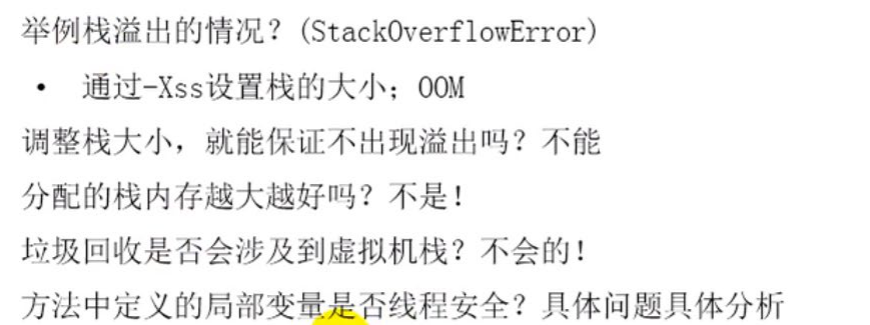
java
int num = 10;
//s1 declaration method is thread safe
//data between each stack frame is not shared
public static void method1(){
    //StringBuilder:thread unsafe
    StringBuilder s1 = new StringBuilder();
    s1.append("a");
    s1.append("b");

}
//sBuilder operation process: is thread unsafe
//sBuilder may be used by multiple threads
public static void method2(StringBuilder sBuilder){
    sBuilder.append("a");
    sBuilder.append("b");
    //...
}
//s1 operation: is thread unsafe
//has return,return may be used by other multiple threads
public static StringBuilder method3(){
    StringBuilder s1 = new StringBuilder();
    s1.append("a");
    s1.append("b");
    return s1;
}
//s1 operation: is thread safe
public static String method4(){
    StringBuilder s1 = new StringBuilder();
    s1.append("a");
    s1.append("b");
    return s1.toString();
}

Summary: when the scope of internal data is not only within the method, then the method is unsafe